Agent Memory and Storage
Where an agent keeps things and how it remembers. These pages separate the layers that get conflated: the conversation context an agent carries in a session, the durable memory it reads back later, the vector index it searches, and the file storage that holds real artifacts. They cover checkpointing and resume, retrieval patterns, cost of keeping state, and the failure modes that show up when an agent is restarted. Fast.io provides the file layer, with indexing for semantic search and citation-backed chat over what it holds.
Most storage problems in agent systems turn out to be a question about which layer should hold what, so the pages settle that before recommending anything. They cover the cost and latency consequences of each choice, what survives a restart and what does not, and how to keep a store that grows every day searchable rather than merely large. Retrieval quality gets as much attention as capacity.
277 guides in this topic.
Start here
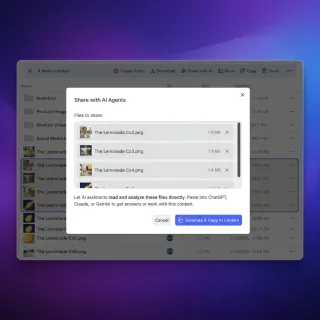
Best Knowledge Graph Tools for RAG: Enhancing Agent Memory
RAG systems often fail when they only use vector search. Adding a knowledge graph gives AI agents the context to understand how data points relate. These tools help you build that memory.
Best Cloud Storage for AI Agents: Top 7 Platforms Compared
Cloud storage for AI agents provides persistent file access, version control, and API-driven operations that let autonomous software agents store, retrieve, and share files without human intervention. This guide compares seven platforms designed for agentic workflows, from MCP-native solutions to traditional cloud providers adapting to agent needs.
Best Knowledge Base Tools for AI Chatbots in 2026
A knowledge base for AI chatbots is a structured repository of documents, FAQs, and data that an LLM-powered chatbot retrieves from to generate accurate, grounded responses. We compare 10 tools across four categories: document stores, vector databases, wiki platforms, and file management systems.

How to Perform RAG with Large Files: Strategies for Heavy Documents
Retrieval Augmented Generation (RAG) on large files requires smart chunking, indexing, and retrieval strategies to avoid context window overflows.
Best AI Agent Memory Solutions: Top 7 Tools for 2026
AI agents without persistent memory start from scratch every session, losing context and repeating much of their work. This guide compares leading memory solutions, from vector databases and agent frameworks to file-based storage, so you can pick the right architecture for context-aware agents.
8 Top AI Agent Workspace Platforms for 2026
AI agent workspace platforms provide structured environments where autonomous agents can store files, execute code, and maintain persistent context. This guide compares the top 8 solutions for developers and enterprises building agentic workflows.
All guides

10 Best Storage Solutions for RAG Pipelines in 2026
RAG pipelines need two storage layers: document stores for raw files before ingestion, and vector databases for embeddings. Most guides focus only on vector DBs while ignoring the upstream storage problem.
18 agentic workflows to run against your company brain
Your agent starts every session knowing nothing about your company. A company brain fixes that. One Fastio workspace your agents can ask, with the document behind every claim cited. This is the deep dive companion to our getting started guide. What makes the brain answer, how to keep it filled, and eighteen copy and paste agentic workflows to run against it, from launch kits and win/loss engines to renewal briefs, incident briefs, and investor updates. One for every team.

7 Best Chunking Strategies for RAG Pipelines in 2026
Chunking is the process of splitting documents into smaller segments before embedding them for retrieval. The chunk size and method directly determine whether an AI agent retrieves relevant context or noise. This guide ranks 7 chunking strategies using 2026 benchmark data and explains when each one works best.
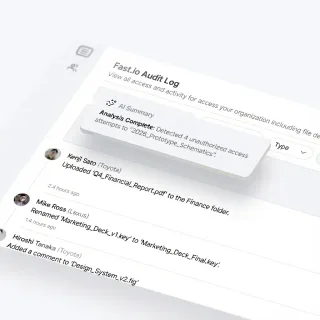
7 Best Cloud Storage Options for Machine Learning Datasets
ML training datasets regularly exceed 1 TB, and data preparation eats up about 80% of project time according to industry surveys. Picking the right storage platform matters. This guide compares seven cloud storage options across the features ML teams actually care about: large file handling, dataset versioning, team collaboration, API access, and cost per terabyte.

7 Best Privacy-Focused Storage Solutions for AI Agents
Privacy-focused storage protects sensitive AI agent workflows. We evaluate the top 7 solutions including Fastio, Proton Drive, and self-hosted tools to help you choose the right architecture.
8 Top AI Agent Workspace Platforms for 2026
AI agent workspace platforms provide structured environments where autonomous agents can store files, execute code, and maintain persistent context. This guide compares the top 8 solutions for developers and enterprises building agentic workflows.

Agent Context Window: Managing Token Budgets in Multi-Step AI Systems
An agent context window is the finite working memory buffer available to an autonomous AI agent to process instructions, system prompts, historical tool calls, and external documents. In multi-step agent systems, unchecked tool outputs and raw file injection quickly exhaust token budgets, causing attention dilution. Implementing proactive context management, rolling compaction, and remote MCP file retrieval preserves critical working memory across complex autonomous workflows.

AI Agent Persistent Storage: How to Store Agent Data Between Sessions
AI agent persistent storage lets autonomous agents maintain state, remember context, and access files across sessions. Without it, agents start from scratch every time, losing work products and accumulated knowledge.

AI Agent Tool State Persistence: Strategies That Actually Work
AI agent tool state persistence saves intermediate tool data across sessions so agents can resume work, recover from failures, and collaborate with humans. This guide covers five persistence strategies, from in-memory buffers to workspace-native storage, with implementation examples and failure modes to avoid.

AI Automation Storage API: Persistent Storage for Autonomous Agents
An AI automation storage API provides programmatic access to persistent file storage that autonomous agents can use to read, write, and share data across sessions. Agents with persistent storage complete 3x more complex tasks compared to those relying on ephemeral memory.

Amazon Nova Context Window: Token Limits for Micro, Lite, Pro, and Premier
Amazon Nova context windows span 128,000 tokens for Nova Micro, 300,000 tokens for Nova Lite and Pro, up to 1,000,000 tokens for Nova Premier, supporting 90 minutes of video. Pushing multi-megabyte files directly into Amazon Bedrock increases prefill latency, risks client read timeouts, and compounds token costs. Connecting Nova to Fast.io via MCP lets agents search indexed files while preserving context headroom.

Amazon Q Context Window: Limits, Token Ceilings, and Large Codebases
The Amazon Q context window governs the token and file budget available across editor buffers, repository indexing, and multi-turn chat sessions. Large codebases and extended conversations can exhaust local token limits or trigger silent file omissions. Understanding session compaction and connecting external workspaces through the Model Context Protocol helps development teams maintain complete architectural context without editor degradation.
AnythingLLM Context Window: Configuration, Chunking Limits, and Document Management
The AnythingLLM context window determines how many tokens of chat history, system instructions, and vector search chunks fit into a single model interaction. While AnythingLLM defaults to 1,000-character chunks with 20-character overlap and retrieves 4 to 6 snippets per query, local runners like Ollama often constrain context to 2,048 or 8,192 tokens. Connecting external cloud workspaces over remote MCP lets teams query multi-gigabyte document libraries without desktop memory exhaustion.

Approaching Pooled Storage Limit: Warning Fixes, Offloading Large Files, and Cloud Sync
The approaching pooled storage limit warning is an administrative notification triggered when an organization's collective Google Workspace or cloud tenant consumption nears capacity across its pooled storage quota. When unaddressed, Google Workspace restricts file uploads and document creation once limits are reached. This guide details how pooled storage is calculated, how to audit storage hogs in the Admin console, and how to offload large files to an intelligent workspace using cloud sync.
Augment Code Context Window: Limits, Architecture & Large Codebase Handling
The Augment Code context window decouples local inference constraints from enterprise repository scale through background codebase indexing and semantic retrieval. Rather than packing millions of raw tokens into a single prompt, Augment Code parses AST dependency graphs to inject relevant code slices within milliseconds. For cross-repository specifications and documentation, external workspaces connected via MCP preserve model focus without saturating token limits.

AWS Bedrock Context Window: Token Limits, Model Capacities, and Memory Architecture
The AWS Bedrock context window defines the maximum sequence of input and output tokens a hosted foundation model evaluates in a single session. While standard Claude models support 200,000 tokens and preview models reach 1,000,000 tokens, sending massive files directly into API calls inflates latency and costs. Decoupling file storage through external indexing lets models query concise excerpts dynamically.

Azure OpenAI Context Window: Model Limits, Payload Caps, and Context Management
The Azure OpenAI context window defines the total token capacity available for prompt ingestion and completion across deployed models, ranging from 128,000 tokens in GPT-4o to 200,000 tokens in o1. Enterprise deployments face distinct challenges because token capacity interacts directly with regional token-per-minute quotas, safety filters, and payload caps. Managing these boundaries requires proactive token budgeting and external document indexing.
Best AI Agent Memory Solutions: Top 7 Tools for 2026
AI agents without persistent memory start from scratch every session, losing context and repeating much of their work. This guide compares leading memory solutions, from vector databases and agent frameworks to file-based storage, so you can pick the right architecture for context-aware agents.
Best Cloud Storage for AI Agents: Top 7 Platforms Compared
Cloud storage for AI agents provides persistent file access, version control, and API-driven operations that let autonomous software agents store, retrieve, and share files without human intervention. This guide compares seven platforms designed for agentic workflows, from MCP-native solutions to traditional cloud providers adapting to agent needs.

Best Context Engineering Tools for AI Agents in 2026
Context engineering is the discipline of curating the right information for an AI agent's context window at the right time. This guide ranks nine tools across four categories, from retrieval frameworks and vector databases to memory layers and caching infrastructure, so you can pick what fits your agent stack.
Best Document Storage for AI Processing: Top Solutions for 2026
AI agents need somewhere to store and retrieve documents. Not every cloud storage platform is up to the task. This guide compares seven options, from raw object stores like S3 to agent-native platforms like Fastio with built-in RAG, so you can pick the right fit for your workload.
Best Embedding Models for RAG Agents in 2026
Your RAG agent is only as good as its embedding model. A weak embedding layer means missed context, irrelevant retrievals, and hallucinated answers. This guide ranks the eight best embedding models for RAG agents in 2026, with head-to-head comparisons on retrieval accuracy, latency, pricing, and context window size.
Best File Storage for Multi-Agent Systems
File storage for multi-agent systems gives AI agents a shared file layer with concurrent access controls. Agents can read, write, and coordinate on documents without conflicts or data loss. Multi-agent architectures are increasingly common in production AI systems, but file coordination bugs remain a frequent cause of pipeline failures.
Best Knowledge Base Tools for AI Chatbots in 2026
A knowledge base for AI chatbots is a structured repository of documents, FAQs, and data that an LLM-powered chatbot retrieves from to generate accurate, grounded responses. We compare 10 tools across four categories: document stores, vector databases, wiki platforms, and file management systems.
Best Knowledge Graph Databases for RAG Pipelines (2026 Guide)
Vector databases often miss the connections needed for accurate RAG. Knowledge graph databases solve this by keeping context and improving retrieval accuracy. This guide compares the top graph databases for building reliable RAG pipelines.
Best Knowledge Graph Tools for RAG: Enhancing Agent Memory
RAG systems often fail when they only use vector search. Adding a knowledge graph gives AI agents the context to understand how data points relate. These tools help you build that memory.

Best Multimodal RAG Platforms in 2026
Standard RAG pipelines only search text, which means they miss the images, videos, and audio files that make up most enterprise data. Multimodal RAG platforms close that gap by indexing and retrieving across file types in a single pipeline. This guide ranks the best options for 2026, from dedicated multimodal engines to vector databases and intelligent workspaces with built-in indexing.
Best PDF Parsing Tools for RAG: Extract Data from Complex Documents
PDF parsing for RAG involves converting unstructured documents into structured Markdown or JSON while preserving layout, tables, and hierarchical context for optimal retrieval. This guide compares leading PDF parsers for AI agents, from Python libraries to GenAI-native services.

Best RAG Deployment Platforms for Production AI Agents
Best RAG deployment platforms for production AI agents pair LLMs with vector search and knowledge bases. RAG cuts down hallucinations by 40-60% for better accuracy. We picked seven leading platforms based on scaling, cost, speed, MCP support, and multi-agent features.
Best RAG Tools and Platforms for 2026
Retrieval-augmented generation tools connect large language models to external knowledge sources, letting AI generate answers grounded in your actual data rather than relying solely on training data. This guide compares 10 leading RAG platforms across frameworks, vector databases, and end-to-end solutions to help you pick the right stack.

Beyond Static Wikis: How to Choose the Best Company Wiki Software
Static wikis decay in accuracy by 30% annually due to lack of maintenance, turning valuable company knowledge into outdated friction that hinders productivity. Modern teams are moving away from passive document storage toward interactive wikis with built-in AI search, which see a 50% increase in team adoption. This guide details how to choose next-generation company wiki software, compare standard cloud drives with intelligent workspaces, and implement human-agent collaborative editing.

Building Claygent Persistent Memory: Archiving AI Research Logs
Claygent AI agents consume credits rapidly during web research tasks, making long-term audit logs of reasoning steps highly valuable. By connecting Claygent's outputs to an external, persistent workspace, growth teams can preserve and index every research step. This guide outlines how to build a queryable RAG memory layer over your historical research logs, ensuring that lead qualification reasoning remains auditable and searchable without repeated API calls.

Cerebras Context Window Limits: 128K Token Specs, Tier Ceilings, and Storage Workarounds
The Cerebras context window provides sequence lengths up to 128,000 tokens on paid developer tiers and 64,000 tokens on free trials for public models like Qwen 3.8 27B. While wafer-scale hardware generates tokens at high speed, sending entire file archives in prompts exhausts minute-by-minute rate limits and slows prefill time. Engineering teams maintain sub-second latency by indexing files in shared workspaces and retrieving targeted excerpts through remote MCP.

ChatGPT Cloud Storage: Connect Cloud Drives Without Rate Limits
Connecting ChatGPT to cloud storage often triggers strict rate limits and context saturation when querying multi-file datasets. While native cloud drive integrations download entire raw documents per prompt, a remote MCP storage layer indexes files in the cloud so agents only retrieve precise, citation-backed text chunks. Here is how to link cloud drives to OpenAI models and ChatGPT without hitting API throttling.

ChatGPT Context Window: The 128,000 Token Limit and Corpus Workarounds
OpenAI sets the ChatGPT context window for GPT-4o at 128,000 tokens with a maximum completion limit of 16,384 output tokens per response. While this accommodates roughly 300 pages of text, consumer web chat session management and prompt overhead make direct context stuffing impractical for multi-document research. Teams can query large document libraries by indexing files in Fast.io workspaces and retrieving excerpts via MCP.

ChatGPT Memory Limit: Capacity, Full Warnings, and External Storage
ChatGPT Memory provides cross-session persistence for user preferences, but accounts encounter a hard capacity ceiling after storing roughly 100 to 200 distinct memories. When memory reaches capacity, ChatGPT ceases saving new facts until users delete past entries or clear storage. For engineering teams and knowledge workers managing extensive documentation, offloading knowledge to external Model Context Protocol workspaces bypasses profile limits while preserving citation-backed retrieval.

ChatGPT Plus Context Window: Real Limits, Truncation, and Corpus Workarounds
The ChatGPT Plus context window provides access to models with up to 128,000 tokens of raw capacity, but the web interface manages history within a rolling 32,000-token active memory window before older context is compressed or pruned. Long conversations quickly encounter drift when analyzing large document sets. Connecting an external workspace via the Model Context Protocol resolves this limitation by letting the assistant search indexed files on demand instead of stuffing prompt context.
ChatGPT Projects Context Window: Token Limits, Hidden Context and MCP
The ChatGPT Projects context window provides a 128,000-token working memory buffer shared across custom instructions, retrieved file snippets, and active conversation turns. Because project files do not expand native model memory, heavy file uploads trigger retrieval dilution and accelerate context truncation. Decoupling document storage into persistent workspaces connected through the Model Context Protocol keeps conversation context lean while unlocking external knowledge.

Codestral Context Window: 256K Limits and Codebase Management
The Codestral context window provides a 256,000-token working memory designed for repository-wide reasoning and fill-in-the-middle code generation. Configuring contextLength and maxTokens in VS Code prevents editor freezing, while offloading static API references and architectural documentation to an intelligent workspace keeps prompt budgets focused on active source files.

Cohere Context Window: Command R Token Limits and Enterprise Search
The Cohere context window provides 128,000 tokens of sequence capacity on Command R and Command R+, and 256,000 on the newer Command A models, sharing input and output budgets in a single allocation. While 128,000 tokens accommodates extensive prompt context, raw document stuffing increases inference costs and risks silent document truncation during retrieval. Offloading large document archives to indexed Fast.io workspaces lets autonomous agents query precise excerpts over MCP without exhausting model token limits.
Connect Amazon Bedrock Knowledge Base to Google Drive
Amazon Bedrock Knowledge Base Google Drive integration connects foundation models to corporate documents, but native vector ingestion requires managing recurring sync delays, document permissions, and persistent OpenSearch Serverless compute costs. An alternative architecture syncs Google Drive folders into Fast.io workspaces, providing pre-indexed hybrid search and direct Model Context Protocol retrieval without dedicated vector infrastructure.

Connecting Azure AI Search to Blob Storage: Indexer Setup & Architecture
Connecting Azure AI Search to Azure Blob Storage uses automated indexers to extract, chunk, and index unstructured documents for retrieval. Setting up production pipelines requires configuring data sources, search indexes, vector skillsets, and change detection policies. However, missing deletion tracking, polling lag, and collaboration friction create maintenance overhead. Syncing files into an intelligent workspace gives AI agents direct MCP search access without cloud search infrastructure.

Context Window Exceeded: Diagnosing LLM Token Limits and Fixes
A context window exceeded error occurs when the total volume of system instructions, conversation turns, file attachments, and completion buffers exceeds a language model's token boundary. While frontier models support between 128,000 and 2,000,000 tokens, brute-force document uploads quickly exhaust working memory and cause context rot. Resolving token exhaustion requires pruning conversation history, chunking payloads, or offloading document libraries to external search servers.

Context Window Management: Architectural Strategies for AI Agents and LLMs
Context window management prevents large language models and autonomous agents from degrading in performance as conversation histories expand. By combining prompt caching, context compaction, rolling summarization, and external retrieval through the Model Context Protocol, engineering teams keep token overhead predictable without losing critical operational data.

Context Window vs Token Limit: What Every AI Developer Needs to Know
A context window defines how many tokens an AI model can hold in working memory simultaneously, while token limits refer to operational constraints such as maximum output length, per-request ceilings, or API rate limits. Confusing these concepts causes developers to misdiagnose truncated responses and API throttling errors. Grounding applications in external retrieval allows teams to process massive document libraries without exceeding model memory or triggering provider rate limits.
CrewAI Cloud Storage Connector: Multi-Agent Workspace Integration Guide
A CrewAI cloud storage connector links autonomous agent teams to unified cloud storage workspaces like Google Drive, Dropbox, Box, and OneDrive. Direct file downloads bloat context windows with unindexed text and trigger race conditions across multi-agent runs. By connecting CrewAI to an indexed Fast.io workspace through the Model Context Protocol, agents perform semantic hybrid search across enterprise files and preserve versioned deliverables without local storage bottlenecks.

Decentralized Storage Solutions for AI Agents Comparison
Decentralized storage spreads data across networks for AI agents. This setup offers resilience and resists censorship. Agents store simulation data, artifacts, and RAG sources persistently, and it needs to works alongside MCP tools and workflows. This guide compares IPFS, Filecoin, Arweave, and centralized options like Fastio. Decentralized storage often lacks key agent features, such as ownership transfer and built-in RAG indexing.

DeepSeek Context Window: Token Limits, Truncation, and Workspace Retrieval
The DeepSeek context window spans 64,000 to 128,000 tokens on DeepSeek-V3 and R1 before requests hit truncation errors. While headline numbers seem generous, reasoning tokens and full codebase prompts quickly exhaust capacity. This guide covers token limits, truncation mechanics, and how workspace retrieval keeps prompts lean.

DeepSeek R1 Context Window: Reasoning Tokens and Prompt Budgets
The DeepSeek-R1 context window is 128,000 tokens, dynamically partitioned between the input prompt, chain-of-thought reasoning traces, and the visible completion. Unlike standard models where output caps apply only to user-facing answers, reasoning models deduct internal thinking steps directly from total context headroom. Understanding how output ceilings and multi-turn state deplete memory buffers allows engineering teams to prevent premature truncation across complex agent workflows.

DeepSeek V3 Context Window: Token Limits, Output Caps, and Architecture
The DeepSeek V3 context window provides 128,000 tokens for API endpoints and developer integrations, with a maximum output token generation limit of 8,192 tokens. Powered by Multi-head Latent Attention and DeepSeekMoE architectures, the model delivers long-context retrieval while keeping memory consumption low. Understanding context limits across API calls, web chat interfaces, and agent sessions prevents truncation across production workflows.

Deterministic Replay Storage for AI Agents
Deterministic replay storage captures every input, tool response, and file state of an agent run so the run can be reproduced exactly later. This guide covers what to capture, where to store it, and how to wire replay into eval pipelines without breaking real-time agent performance.
Do ChatGPT Projects Share Memory? Context Isolation and Multi-Workspace Architecture
Do ChatGPT projects share memory across workspaces? By default, ChatGPT projects isolate memory so that conversations within a project cannot reference chats or memories from outside it. While this context boundary protects sensitive client work, it creates knowledge silos across teams and restricts attached files to 5, 25, or 40 documents. Decoupling reference knowledge into shared workspaces via MCP provides team-wide context without cross-project memory pollution.

Docker Memory Limit: Sizing Containers and Preventing OOM Crashes
A Docker memory limit restricts the physical host RAM and swap space a container can allocate using the --memory and --memory-swap flags, terminating offending processes via the kernel Out-of-Memory (OOM) killer if exceeded. Without explicit limits, containers can consume all available host memory, risking system-wide instability. Sizing containers properly requires balancing hard memory caps, soft reservations, and swap controls to protect workloads and prevent exit code 137 crashes.

Dropbox RAG: How to Implement Retrieval-Augmented Generation with Dropbox
Dropbox RAG enables AI agents to query and retrieve precise text passages from Dropbox folders through an indexed workspace layer without downloading whole files. While direct API scripts and naive connectors cause token bloat by pulling entire raw documents into context, syncing folders into an intelligent workspace provides pre-indexed hybrid search. Teams preserve Dropbox as their system of record while giving agents fast, citation-backed document access.

DuckDB Memory Limit: Default Settings, PRAGMA max_memory, and OOM Fixes
DuckDB memory limits default to 80% of detected system RAM, governed by the max_memory and memory_limit parameters. In containerized environments, queries can exceed container boundaries and trigger operating system terminations if limits are not set explicitly. Configuring PRAGMA max_memory alongside a designated temp_directory enables predictable disk spilling and prevents out-of-memory errors.

Dust AI Workspace: Features, Pricing, and Alternatives
Dust is an AI workspace that lets teams build custom assistants connected to company knowledge and tools. This guide breaks down what Dust actually does well, where it falls short, and how alternatives like Fastio approach the same problem differently, especially for teams running autonomous agents that need persistent file storage and MCP tooling.
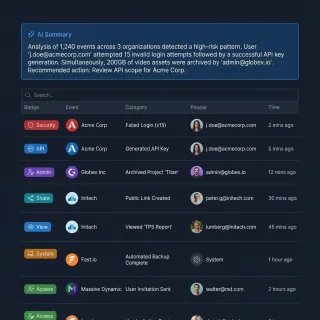
Fastio API Audit Log Retrieval: A Developer's Tutorial
Audit log retrieval via the Fastio API lets developers export and monitor agent and human workspace activity for security and compliance. This tutorial covers authentication, GET /current/events/search/, and long-poll GET /current/activity/poll/{entityId} so you can automate compliance reporting.
Fastio API vs Amazon S3: Which is Better for Agent Storage?
While Amazon S3 offers raw object storage, Fastio provides an intelligent workspace with built-in MCP tools and semantic search out-of-the-box. This comprehensive comparison explores the key differences between the Fastio API and Amazon S3 for agent storage, evaluating their features, setup time, and suitability for modern AI applications. Discover which backend is right for your next agentic workflow.
Fastio API vs AWS EFS for Agent Workspaces: A Practical Guide
Your choice of storage architecture determines if your AI agents can act on their own or need human help. AWS EFS offers traditional POSIX file sharing for containers. Fastio API provides purpose-built agentic workspaces with built-in semantic search and MCP support. We compare both approaches across setup complexity, context retrieval, and moving from static files to intelligent action.
Fastio API vs Azure Blob Storage for AI Agents
Choosing the right storage API determines how quickly your AI agents can interact with files and human users. While Azure Blob Storage provides raw object storage for cloud infrastructure, the Fastio API delivers structured, intelligent workspaces optimized for AI assistants. This comparison evaluates both platforms based on developer velocity, native intelligence, and Model Context Protocol integration.

Fastio API vs Google Cloud Storage for AI Agents: 2026 Comparison
When building persistent memory for AI agents, developers often start with a raw object store. While Google Cloud Storage gives you raw buckets, the Fastio API provides a workspace designed specifically for AI agents with built-in MCP support. This comparison looks at the architectural differences, developer overhead, and operational reality of these two approaches.

Fastio API vs Supabase Storage for Agent Workspaces
Picking the right backend for your AI application shapes your engineering roadmap. Developers often treat all cloud storage as interchangeable, but agentic systems have different requirements than standard web apps. This comparison looks at the differences between standard object storage and specialized agent workspaces. We explain why native tool calling, built-in semantic search, and structured human handoff save time over building custom middleware.

Fastio API vs Vercel Blob Storage for AI Apps
While Vercel Blob provides basic cloud storage for frontend frameworks, the Fastio API offers an intelligent workspace built for AI agents, multi-modal context, and MCP integration. When building AI applications, developers face a major architectural choice between standard object storage and specialized agent environments. This guide compares Fastio and Vercel Blob, detailing their capabilities in AI integration, file limitations, and built-in search intelligence.

Fastio vs Amazon S3: Best Storage for AI Agent Workspaces
Amazon S3 provides raw object storage, while Fastio gives AI agents an MCP-ready workspace. S3 requires developers to build custom indexing, vector databases, and permission layers from scratch. Fastio includes semantic search, multiple Model Context Protocol tools, and built-in RAG capabilities out of the box. We compare both options and show how an agent-native workspace saves developers an average of 40 hours versus building custom pipelines on top of S3.

File Storage vs Block Storage for Multi-Agent Architectures
File storage organizes data hierarchically in directories and files for concurrent multi-client access, whereas block storage divides data into raw disk blocks attached to a single compute instance. While block volumes deliver raw speed for isolated databases, multi-agent systems require concurrent access across separate runtime environments. Here is how shared file systems and workspaces solve the multi-attach dilemma, coordinate handoffs, and preserve persistent context.

Firebase Storage File Size Limit: Client SDKs, Cloud Functions, and Bucket Quotas
The Firebase Storage file size limit reaches 5 TB per object at the Google Cloud Storage bucket layer, but real-world application architectures encounter much tighter boundaries. Firebase Cloud Functions enforce a strict 10MB or 32MB HTTP payload ceiling, while mobile and web SDKs require resumable chunking to avoid timeouts on files exceeding 100MB. Mastering these constraints determines whether file ingestion pipelines run smoothly or crash under load.

Gemini 1.5 Flash Context Window: Token Limits, Multimodal Capacity, and Workarounds
Gemini 1.5 Flash provides a native 1,048,576-token context window that accommodates 700,000 words, an hour of video, or deep multi-turn chat histories. While massive in-context prompts eliminate traditional chunking steps, scaling full-context inputs introduces steep latency overhead and recurring costs. Pairing long-context processing with indexed workspaces and context caching maintains sub-second query speeds while preserving complete document corpora.

Gemini 1.5 Pro Context Window: 2M Limits, Latency, and Workspace RAG
The Gemini 1.5 Pro context window offers 2,097,152 tokens of input capacity, processing audio, video, and text in a single prompt. While large-scale prompts handle massive one-off document analysis, production workloads face latency spikes and tiered API pricing when prompts expand. Pairing Gemini with an indexed workspace over MCP delivers lower latency and predictable costs.

Gemini 2.0 Flash Context Window: 1M Architecture and RAG Best Practices
The Gemini 2.0 Flash context window spans 1,048,576 input tokens and an 8,192-token output ceiling. While ingesting large corpora directly into prompt memory simplifies ad hoc reasoning, dense document analysis quickly triggers latency inflation and token costs. Structuring workflows with Fast.io workspaces lets developers maintain lean context windows by retrieving indexed passages on demand via remote MCP tools.

Gemini 2.0 Pro Context Window: 2M Tokens, Architecture & File Workarounds
The Gemini 2.0 Pro context window spans `2,097,152` input tokens and an `8,192`-token output ceiling. While a `2M` token buffer accommodates massive codebases and multimodal files, dense prompts create latency spikes, attention dilution, and rate limit bottlenecks. Decoupling storage from prompt memory using Fast.io workspaces lets agents search indexed files over MCP while keeping active contexts lean.
Gemini 2.5 Flash Context Window: Token Limits, Latency, and Memory Management
The Gemini 2.5 Flash context window provides 1,048,576 tokens of input capacity alongside a 65,536 token output ceiling. While large context windows accommodate massive document sets, saturating them introduces latency penalties and cost overhead in multi-turn agent loops. Effective architectures combine Gemini native context caching with external indexed retrieval through Fastio MCP workspaces.

Gemini Code Assist Context Window: In-Editor Limits vs Repository Indexing
The Gemini Code Assist context window provides 128,000 tokens for direct in-editor chat and code transformation, backed by up to 2 million tokens of codebase indexing through Google Cloud code customization. While the local IDE extension analyzes open files and selected folders, enterprise code customization indexes private repositories with a 24-hour refresh cycle. For development teams managing massive documentation sets, external workspace indexing over MCP bridges local editor limits.

Gemini Context Caching: Token Limits, TTL, and Cost Architecture
Gemini context caching allows developers to reuse input tokens across requests to lower latency and API costs. Explicit context caching requires at least 32,768 tokens and defaults to a 1-hour time to live, balancing input discounts against hourly storage fees. For sporadic queries or large multi-file corpora, pairing Gemini models with persistent indexed workspaces eliminates holding fees while preserving retrieval precision.

Gemini Flash Context Window: 1M Token Architecture and Retrieval Speeds
The Gemini Flash context window is a 1,048,576-token multimodal input buffer designed for high-speed, cost-efficient processing of documents, audio, and video. While this large context allows single-prompt analysis of entire codebases, loading hundreds of thousands of raw tokens introduces significant prefill latency. Pairing Gemini Flash models with pre-indexed retrieval workspaces allows autonomous agents to query massive document libraries without suffering multi-second response delays.

Gemini for Google Workspace Limits: 50MB File Caps, Grounding, and Admin Quotas
Gemini Workspace limits govern AI processing, file grounding, and feature quotas for Google Workspace users utilizing Gemini Business and Enterprise add-ons. Document processing pipelines in Gemini enforce a 50MB and 1,000-page ceiling per file, while tenant operations face rolling daily compute quotas and pooled storage boundaries per seat. Understanding these structural constraints helps IT administrators and developers architect reliable multi-document workflows.

Gemma Context Window: Token Limits and Attention Across Gemma Models
Google Gemma 1 and Gemma 2 enforce a fixed context window of 8,192 tokens across all model sizes, from 2B to 27B. In Gemma 2, alternating layers use a 4,096-token sliding window attention pattern to reduce compute overhead while preserving attention over the full sequence. Because Gemma models lack Gemini's million-token buffers, processing large document corpora requires connecting external workspace retrieval rather than packing files directly into context.

GitHub Storage Limits: Account Quotas, Package Caps, and Workarounds
GitHub storage limits are plan-level quotas governing combined storage for GitHub Actions artifacts, GitHub Packages, and Git LFS, providing 500 MB on GitHub Free, 2 GB on GitHub Team, and 50 GB on GitHub Enterprise. Exceeding your included quota without metered billing blocks package publishing and stops pipelines from saving build artifacts. Understanding these boundaries helps engineering teams optimize retention policies and offload large build outputs to dedicated cloud workspaces.

Google AI Studio Context Window: Token Limits, File Uploads, and Persistent Storage
The Google AI Studio context window supports massive token capacities alongside a generous file upload ceiling via the Files API. While this capacity enables analysis of extensive codebases and media, files expire after 48 hours and prompt sessions lack persistent state. Engineering teams require dedicated workspaces to manage version history and search large corpora across sessions.

Google Cloud Storage File Size Limits: Object, Upload, and Composite Caps
Google Cloud Storage enforces an individual object limit of 5 TiB per file. While single-stream HTTP PUT uploads face network timeouts, Google Cloud supports multi-terabyte data through resumable uploads, XML API multipart uploads, and composite operations. Autonomous AI agents processing large datasets require persistent workspaces to query files without overwhelming LLM context windows.

Google Drive File Size Limits: Workarounds for AI Agent Workspaces
Google Drive limits individual file uploads to 5TB and daily uploads to 750GB, which can easily freeze multi-agent workspaces. This guide explains how to implement exponential backoff workarounds in your API pipelines and how to structure collaborative agent workspaces.

Google Drive RAG: How to Build Retrieval-Augmented Generation Over Drive Files
Google Drive RAG is an architecture where AI agents retrieve relevant document chunks from Google Drive storage using semantic search instead of downloading complete files or exceeding context windows. Direct API scripts pull unindexed document bodies into prompts, triggering token exhaustion and rate limits. By importing Google Drive files into an indexed Fast.io workspace, agents execute hybrid search over remote MCP, retrieving verified excerpts without local storage overhead.

Google Gemini Context Window: Token Limits, Architecture, and Handling Large Files
The Google Gemini context window spans 1,048,576 input tokens and 65,536 output tokens on current Gemini 3 models such as Gemini 3.1 Pro and Gemini 3.8 Flash. While large context windows simplify one-off analysis of codebases and media, stuffing entire archives into prompts increases latency, multiplies token costs, and degrades attention. Production workflows keep prompt context lean by storing file collections in Fast.io workspaces and retrieving indexed passages on demand via the remote MCP server. Gemini 1.5 Pro, now retired, offered a 2,097,152-token input window.
Google NotebookLM Context Window: Source Limits, Token Math, and Workspaces
NotebookLM was renamed Gemini Notebook on 16 July 2026. The Gemini Notebook context window combines Gemini's long-context attention architecture with a structured ingestion limit of 50 sources per notebook, capped at 500,000 words per document. While a notebook can hold up to 25 million words aggregate, direct ingestion gates prevent attaching massive document archives. Research teams decouple storage by keeping their primary collections in intelligent workspaces and querying indexed files on demand via Model Context Protocol.

Google NotebookLM Storage Limits: Google Drive Quotas, Account Caps, and Scaling Workspaces
The Google NotebookLM storage limit encompasses an account-wide allowance of up to 100 notebooks, each holding up to 50 sources at 200MB each (10GB per notebook), stored independently without consuming your personal Google Drive or Google One storage quota. Uploading local PDFs, audio, or text files uses zero bytes of Google Drive capacity. Upgraded Google AI plans expand source allowances up to 600 items per notebook, while per-source limits remain fixed at 200MB and 500,000 words.

Google Workspace Shared Drive: Connecting Organization Storage to AI Agents
A Google Workspace Shared Drive provides organization-owned storage where files belong to the team rather than an individual. Connecting a Google Workspace Shared Drive to a Fast.io workspace enables AI agents to query indexed files via a remote Model Context Protocol (MCP) server without exposing domain credentials. This guide examines shared drive permissions, synchronization workflows, and how to connect shared drive assets to autonomous agents.

GPT-4o Context Window: Token Limits, Architecture, and MCP Search
The GPT-4o context window is 128,000 tokens, supporting up to 16,384 completion tokens per API request. While 128,000 tokens can process roughly 300 pages of text, stuffing massive repositories into prompts causes attention degradation, higher latency, and rapid token exhaustion. Rather than attaching raw files, engineering teams index documents in persistent workspaces and retrieve verified context on demand through remote MCP search.

GPT-4o Mini Context Window: Token Limits, TPM Tiers, and Large-File Workarounds
The GPT-4o mini context window is the 128,000-token total input capacity supported by OpenAI's lightweight model, paired with a maximum output limit of 16,384 tokens per response. While this accommodates roughly 100,000 words, agent loops that repeatedly resend conversational history quickly hit Tokens Per Minute rate limits. Querying indexed files via remote Model Context Protocol tools avoids token exhaustion and keeps context windows lean.

Grok 3 Context Window: Token Limits, Performance, and Retrieval
The Grok 3 context window is the 1-million-token input buffer supported by xAI's flagship reasoning model, enabling the ingestion of roughly 750,000 words in a single session. While this capacity accommodates large document collections, processing full contexts increases query latency and cost. Decoupling storage from reasoning using hybrid search and remote MCP workspaces provides targeted retrieval without context rot.

Grok Context Window: Token Limits, Architecture, and Large File Handling
The Grok context window spans from 256,000 tokens on grok-build-0.1 up to 1,000,000 tokens on Grok 4.3 and the Grok 4.20 variants, with the Grok 4.5, 4.6, and 4.7 flagships at 500,000. Raw capacity is only half the story, because xAI doubles both input and output rates once a prompt reaches 200,000 tokens. Understanding token consumption, pricing thresholds, and external workspace retrieval through MCP enables teams to process large document collections without hitting memory walls.
Groq Context Window: LPU Token Limits, Model Capacities, and Workspace Indexing
Groq context windows specify the maximum total tokens that Language Processing Units can process in a single inference pass. While models like Llama 3.3 70B support 131,072 tokens on Groq, aggressive token-per-minute rate limits make stuffing large files directly into prompts impractical. By combining Groq inference with an external indexed workspace, agents can retrieve relevant context dynamically without exhausting token ceilings.
How to Add Cloud File Storage to AI Slack Bots
Slack bots are great until they need to handle files. Workspace storage limits and ephemeral chat history make it hard for agents to store reports or process large documents. This guide shows you how to give your Slack bot persistent cloud storage using Fastio, so it can save and share files reliably.
How to Add File Storage to Flowise Chatflows
Flowise makes it easy to build AI agents, but managing the files they create or use can be tricky. Most default setups store files on the local disk or inside ephemeral containers, meaning you lose everything if the system restarts. This guide shows you how to connect external storage so your agent documents and outputs stay safe and accessible.
How to Add File Storage to OpenAI Agents SDK Projects
The OpenAI Agents SDK gives you tools, handoffs, and guardrails for building multi-agent systems, but it has no built-in file persistence. This guide walks through adding persistent file storage to your agents using custom function tools, so your agents can save, retrieve, and share files across sessions without losing work.
How to Add File Storage to Smolagents
Smolagents is a fast way to build AI agents, but it lacks persistent storage by default. This guide shows you how to add a cloud layer so your agents can save artifacts, handle large documents, and share results with your team.
How to Add File Storage to Vercel AI SDK Applications
The Vercel AI SDK gives you React hooks and server utilities for building AI-powered applications, but file storage for agent outputs, uploads, and artifacts requires an external solution. This guide walks through practical patterns for adding persistent file storage to your AI SDK projects, from defining storage tools to connecting cloud backends for Next.js AI apps.
How to Add Persistent Cloud Storage to SuperAGI Agents
SuperAGI agents often run in temporary environments where files are lost after the job finishes. By using Fastio as a storage tool, you can give your agents persistent cloud memory. This guide shows you how to build a SuperAGI tool to upload, retrieve, and share files programmatically.
How to Add Persistent File Storage to Dify AI Agents
Dify AI file storage connects the Dify open-source LLM platform to persistent cloud storage. This lets agents read, write, and manage files across sessions. Dify offers basic temporary uploads, but complex agents need long-term memory for documents, datasets, and media. This guide explains how to connect Dify to Fastio storage using the Model Context Protocol (MCP).
How to Add Persistent File Storage to Discord AI Bots
Discord bots are growing into capable AI agents that generate images, write code, and process documents. But they often hit a wall with Discord's 25MB file limit and temporary attachment links. This guide shows how to give your Discord bot persistent cloud storage to manage files, host generated assets, and work with users effectively.
How to Add Persistent File Storage to OpenAI Swarm
OpenAI Swarm runs multi-agent workflows that share files between handoffs. Without persistent storage, those files disappear. Fastio workspaces keep files accessible across agents. Agents upload, list, and query them in shared project spaces. This guide walks through setup with code examples.
How to Add Persistent File Storage to Relevance AI Agents
Relevance AI is a great no-code platform for building agent workflows. But its built-in storage has limits. You get a 100MB cap per file, and free plans only allow 10MB of total storage. If your agents process video, large datasets, or need long-term memory, you need external storage. This guide shows you how to add Fastio to your setup. You'll get generous, persistent cloud storage so your workflows don't hit capacity walls.
How to Add Persistent Storage for LLM Tool Calling
Persistent storage for LLM tool calling keeps agent state, files, and outputs indefinitely. LLMs forget context without long-term memory. MCP workspaces let agents save data to cloud storage and resume without token limits. This guide shows how to build agent memory systems.
How to Add Persistent Storage to Flowise AI Agents
Flowise AI agents often lose files, especially in containerized deployments where local storage is temporary. This guide explains how to add cloud storage to your Flowise workflows, so agents can save, retrieve, and share files permanently without managing S3 buckets.

How to Architect Invoice Processing Agent Storage for AP Automation
Learn how to build a scalable storage architecture for AI agents that extract and validate invoice data before routing it to the right systems. According to market research, AP automation is expected to reach $3.1B by 2025. AI invoice processing reduces manual work. However, these gains only happen when agents have a central, programmatic way to access and organize documents.
How to Architect Medical Imaging AI Storage for Research
Medical imaging AI storage provides scalable, performant infrastructure for storing DICOM files, annotations, and model outputs for radiology and pathology AI applications. This guide explores architecture patterns for research and development workflows using AI agents.
How to Architect Storage for AI Agent Data Pipelines
Multi-step AI agent workflows produce intermediate data alongside their final outputs. This guide explains how to architect storage for agent pipelines to handle intermediate artifacts, enable debugging, and help with human-in-the-loop review.

How to Automate Fastio Workspace Provisioning with GitLab CI
Automating Fastio workspace provisioning with GitLab CI ensures that every deployment environment has an isolated, securely configured file storage space. By combining GitLab's CI/CD pipeline capabilities with Fastio's APIs, development teams can eliminate manual setup overhead. This guide explains how to integrate workspace creation directly into your deployment workflows, enabling ephemeral staging environments and secure coordination layers for AI agents.

How to Automate Fastio Workspaces with GitHub Actions
Setting up test environments manually slows down your deployment cycle. By using GitHub Actions to provision Fastio workspaces, you give every pull request a clean, isolated space for testing agent file interactions. This guide covers how to add Fastio workspace creation to your CI/CD pipeline, handle access credentials securely, and automatically remove temporary environments when tests finish.

How to Automate Fastio Workspaces with Pulumi
Automating Fastio workspaces with Pulumi lets you provision agentic storage using familiar programming languages. This infrastructure-as-code approach skips manual setup and gives AI agents reliable access to their required tools. By writing infrastructure as code, engineering teams can scale deployments consistently and prevent environment drift as projects evolve.

How to Automate Fastio Workspaces with Terraform
Terraform can provision Fastio workspaces, permissions, and folder structures through the platform's REST API, bringing infrastructure-as-code discipline to your agent environments. This guide walks through provider setup, workspace resources, permission management, and CI/CD integration for teams running multi-agent systems at scale.
How to Benchmark AI Agent Storage Performance
AI agent storage benchmarking measures performance for concurrent agent access and persistence. Unlike standard file storage tests, agent-specific benchmarks must account for multi-writer conflicts, high-frequency small-file operations, and sub-100ms latency requirements. This guide covers how to benchmark storage for autonomous agents, what metrics matter most, and how Fastio delivers performance that meets agent workload demands.
How to Build a ChatGPT Knowledge Base
A ChatGPT knowledge base uses RAG to connect your documents to ChatGPT, providing answers grounded in your files rather than generic training data. Fastio workspaces enable this with automatic indexing via Intelligence Mode, semantic search, built-in AI chat, and shareable context links. Start a 14-day Business Trial with included credits.

How to Build a Collaborative AI Knowledge Base for Teams
An AI knowledge base is an intelligent workspace where humans and AI agents collaborate on organizational knowledge. While over 70% of teams will deploy autonomous AI agents by 2026, search processes still waste time, but AI-driven knowledge access can reduce information search time by up to 35%. This guide explains how to build a collaborative AI knowledge base using auto-indexing, hybrid search, real-time cursors, and Model Context Protocol access.

How to Build a Company Brain for Human-Agent Collaboration
Building a centralized company brain is essential for organizations deploying AI agents. As teams adopt autonomous workflows, storing files in isolated, static wikis prevents agents from retrieving critical information or posting updates. This guide outlines how to establish an intelligent, live repository on Fast.io that integrates human documentation and agent outputs into a single, queryable source of truth.
How to Build a Custom RAG Application with Fastio API
Building a custom RAG (Retrieval-Augmented Generation) application traditionally requires complex orchestration between document parsers, vector databases, and cloud storage systems. By using the Fastio API, developers can bypass this fragmented architecture entirely. Using Fastio for RAG simplifies architecture by unifying document storage, automatic parsing, and vector search in a single API.

How to Build a Multi-Agent RAG System with Shared Workspace Storage
Multi-agent architectures address the limitations of single-agent RAG systems by distributing tasks among specialized nodes. By separating document search from context synthesis, these systems achieve higher retrieval accuracy and reduce hallucinations. This guide explains how to construct a collaborative RAG pipeline using a shared workspace substrate for persistent document storage and sync.
How to Build a RAG Pipeline with Fastio API
Building a reliable Retrieval-Augmented Generation pipeline often involves managing complex infrastructure. A RAG pipeline with Fastio allows developers to ingest, embed, and retrieve document data directly from workspaces. This guide explains how to implement native document intelligence without relying on a separate vector database.

How to Build an Agentic Workspace with the Fastio API
An agentic workspace built with the Fastio API provides persistent memory, file sharing, and tools for autonomous systems. By offloading file management to Fastio, you reduce context window overload and enable true multi-agent collaboration. This guide explains how to connect your LLM to the Model Context Protocol (MCP) server, set up persistent workspaces, and coordinate agent workflows via realtime events.
How to Build an AI Agent IoT Workspace
AI agent IoT workspaces provide persistent storage for device fleets and simulations. Agents manage sensor data, logs, and configurations in shared spaces with humans. Forecasts predict 75 billion IoT devices worldwide by 2025, so solid workspaces handle the data growth. This guide covers setup, tools, and Fastio features like MCP tools and built-in RAG.

How to Build and Query Box RAG Workspaces with AI Agents
Box RAG enables AI agents to retrieve and cite context from enterprise Box documents without downloading entire folder trees or risking token context overflow. While direct Box API calls exhaust prompt tokens on multi-megabyte files and trigger rate limits, syncing folders into an intelligent workspace provides pre-indexed hybrid search. Enterprise teams preserve Box as their authoritative system of record while giving autonomous agents fast, citation-backed access through remote MCP.
How to Build Audio Transcription Agent Workflow Storage
Audio transcription agent workflow storage manages the full data pipeline from audio file ingestion through speech-to-text processing to structured transcript delivery. This guide covers storage architecture, file format handling, and output management for transcription agents.

How to Build CI/CD Pipelines for AI Agents with Storage
CI/CD for AI agents needs more than just code deployment. It requires managing prompts, models, and RAG datasets carefully. You need to automate agent testing, version control your artifacts, and build reliable pipelines that handle the unique storage needs of autonomous systems. By integrating specialized storage, you can make sure your agents are reliable, testable, and ready to scale.

How to Build Fastio API Caching Strategies with Redis
Caching Fastio API responses in Redis cuts down latency and prevents rate limit errors by serving file metadata from memory. This guide covers practical API caching strategies for developers, moving from basic cache-aside setups to event-driven invalidation using the WebSocket events feed. We will show you how to improve read-heavy workflows for maximum throughput so your AI agents and applications can scale without slowdowns.
How to Build Federated Workspaces for AI Agents
Federated AI agent workspaces enable distributed agents to collaborate without centralizing all data. Learn the architecture, key benefits like edge data processing, and how to implement secure handoffs in a unified environment.

How to Build GraphRAG for AI Agent Memory
GraphRAG changes how AI agents store and recall information by using knowledge graphs instead of just vector embeddings. This allows agents to understand relationships between different facts and connect dots that standard RAG often misses. By building a graph-based memory, developers can cut token usage by up to 43 times for big summarization tasks while getting much more accurate answers to complex questions.
How to Build Persistent Memory for Semantic Kernel Agents
Semantic Kernel memory lets AI agents store and retrieve information using vector embeddings. This guide covers setting up memory stores in C# and Python, moving past the built-in VolatileMemoryStore to production-ready persistence, and connecting a remote file system for large asset retrieval in RAG pipelines.
How to Build Persistent Memory in CrewAI Agents
CrewAI memory is a framework-level feature that allows agents to store and retrieve past experiences, improving collaboration and task execution over time. While default memory handles context and vectors, building persistent multi-agent systems requires managing both cognitive memory and artifact storage effectively.

How to Build Persistent Storage for Agentic Workflows
Agentic workflow storage lets autonomous agents maintain state, share files, and persist progress across long-running tasks. Without it, agents reset every session, losing context. This guide covers the difference between agent memory and storage, coordination patterns for multi-agent systems, and how to implement durable workflows that survive crashes and multi-day processes.

How to Build RAG Pipelines for Marketing Attribution
Marketing attribution suffers from fragmented data spread across dozens of platforms. A RAG pipeline connects your campaign files, reports, and analytics exports to a large language model so you can ask plain-language questions about what drove conversions. This guide walks through each stage of building one, from data ingestion to query interface.
How to Build Tool Calling Persistent Memory for AI Agents
Tool calling persistent memory stores function states between invocations. This approach allows AI agents to maintain context across complex, multi-step workflows. Without persistent state, agents forget previous tool outcomes and struggle with interdependent tasks. This guide explains how to implement persistent tool memory to improve agent reliability and accuracy.

How to Checkpoint and Resume AI Agent Execution
AI agent checkpointing saves execution state to allow recovery from failures. Learn patterns for implementing reliable resume logic using persistent storage to prevent data loss and reduce API costs.
How to Choose AI Storage: Fastio API vs Supabase Storage
Your storage backend dictates what your AI agents can actually do. Supabase Storage works great for standard web apps, but Fastio API gives agents native MCP support and advisory file locks. Here is how they compare for agent workloads.

How to Choose Between Fastio API vs Box API for Agent Workspaces
Box API handles traditional enterprise document management, while Fastio API provides native vector search and intelligence features built for AI agent workspaces. This comparison examines how both platforms handle API access, file uploads, built-in RAG capabilities, and Agent-to-Human handoffs. Developers evaluating storage for their language models need to understand why autonomous systems rely on native tooling protocols instead of standard synchronization frameworks.
How to Choose the Best Vector Database for AI Agents (2026)
Vector databases serve as the long-term semantic memory for AI agents, allowing them to recall context across sessions and vast datasets. With the vector database market projected to reach $5 billion by 2028, choosing the right backend for your agent matters. This guide compares the top solutions in 2026, from specialized databases like Pinecone and Weaviate to integrated storage solutions like Fastio.
How to Choose: Fastio API vs Dropbox API for Agent Storage
When evaluating the Fastio API vs Dropbox API for agent storage, developers face a distinct choice between an agent-native architecture and legacy file syncing. While the Dropbox API is designed for human file syncing, the Fastio API is purpose-built for AI agents, offering native MCP integration and semantic search. This comparison explores the technical differences, integration overhead, and pricing models to help you select the best storage backend for your autonomous workflows.

How to Configure Claygent RAG Document Storage for GTM Research
Sales intelligence teams struggle to scale automated B2B research because of LLM hallucination rates in agentic workflows. Implementing a dedicated Claygent RAG document storage architecture helps ground prompts in verified company documentation. This guide details how to configure a Fastio workspace as an external retrieval database to build reliable go-to-market data pipelines.

How to Configure Claygent Workspace Tools and Custom Context in Clay
Sales teams employing autonomous AI agents report an average 34% reduction in prospect research time. However, standard setups lack deep company context. Configuring Claygent workspace tools with custom context files and tailored builder settings ensures highly accurate results. This guide walks through configuring Claygent, optimizing AI model settings in Clay, and managing research assets using a persistent external storage layer.

How to Configure MinIO Object Storage for Dify AI Workflows
A Dify MinIO integration connects self-hosted Dify LLM orchestration instances to private S3-compatible MinIO object storage for persisting document datasets, vector indexes, and agent artifacts. While local Docker volumes drop files during container teardowns, object storage decouples application compute from dataset persistence. This guide explains how to configure Dify environment variables for MinIO, eliminate upload bottlenecks, and manage large agent knowledge bases.

How to Configure Open WebUI Context Window and Token Limits
The Open WebUI context window defines the maximum token budget an interface can pass to its underlying language model before discarding chat history or attached documents. Default Ollama backends often restrict context to 2,048 tokens unless overridden through num_ctx parameters. Configuring model settings, enabling context compaction, and connecting external intelligent workspaces via Model Context Protocol allows teams to handle massive documents without container memory exhaustion.
How to Configure txtai Storage Solutions for Embeddings Databases
txtai storage solutions save vector embeddings and source documents for semantic search and RAG apps. txtai defaults to local files, but production workflows need scalable backends like PostgreSQL or cloud object storage. This guide covers the best storage architectures for your embeddings database.

How to Connect a Linux File Server to Intelligent Agent Workspaces
Connecting a traditional Linux file server to autonomous agents requires a bridge that translates raw directory hierarchies into queryable context. By wrapping standard network shares in a Model Context Protocol endpoint, developer teams can establish shared, collaborative workspaces for multi-agent workflows. This guide covers NFS and Samba setups, custom bash directory indexing, and remote cloud workspace mappings.

How to Connect Google Gemini to Cloud Storage: Drive, OneDrive, and Box
Gemini cloud storage connectors link Google's Gemini models to enterprise file repositories across providers, indexing document contents for semantic retrieval. While organizations store operational assets across Google Drive, Microsoft OneDrive, Box, and Dropbox, querying raw APIs introduces tool call sprawl and context dilution. Connecting Gemini to an intelligent Fast.io workspace unifies multi-cloud storage into an indexed substrate accessible through remote MCP tools.

How to Connect LangGraph to Cloud Storage
A LangGraph storage connector bridges cyclical agent graphs with external cloud storage drives, allowing graph nodes to dynamically query, read, and write project documents during workflow execution. Direct API crawling against cloud drives triggers rate limits and context window bloat. Synchronizing cloud folders into an intelligent Fast.io workspace lets LangGraph nodes query pre-indexed documents via a remote Model Context Protocol endpoint.
How to Create Fastio Workspaces Programmatically via API
Programmatic workspace creation allows developers to dynamically spin up isolated, intelligence-ready Fastio environments via API. Instead of manually clicking through a dashboard to set up each workspace, you can automate the entire process with a single POST request. This approach reduces client onboarding time from hours to seconds and enables automated provisioning for multi-agent systems.

How to Design and Build Scalable AI Workflows
AI agents perform up to 4x better when equipped with persistent memory interfaces. This guide explains how to design and build scalable AI workflows around a centralized company brain, using structured schemas and human-in-the-loop review gates.
How to Design Multi Agent Workflows in Shared Workspaces
Orchestrating multi agent workflows requires a reliable state layer. Learn how to configure a shared directory as the single source of truth for agent transitions, coordinate pipelines, and manage human handoffs.

How to Design Repeatable Workflows in a Company Brain
A repeatable company brain workflow is a sequence of document events, metadata checks, and human handoffs that runs directly on shared storage, without anyone manually checking folders for new files. This guide covers designing these systems with a WebSocket events feed, a live activity feed, and Metadata Views, then routing human review through version history and ownership transfer.

How to Diff AI Agent File Checkpoints Without Chasing False Positives
Checkpoint diffing compares the files an agent produced across two runs to detect regressions, drift, or unintended changes. Byte diffs light up on every whitespace shuffle, so most teams need structural and semantic comparisons layered on top. This guide walks through the three strategies, when each one fits, and how to wire them into an agent workspace without drowning in noise.

How to Enforce AI Agent Quotas per Workspace
Per-workspace quota enforcement applies storage, request, and token limits to each agent workspace independently so one workspace cannot exhaust another's budget. This guide covers the five quota dimensions that matter, how to structure nested limits for multi-tenant agent platforms, and how to detect and stop runaway agents before they burn through a month of spend in an afternoon.

How to Extract Metadata from Google Workspace Files via API
Google Workspace files live entirely in the cloud, so there is no local file to parse with traditional metadata tools. This guide shows you how to use Google's Drive, Docs, Sheets, and Slides APIs to retrieve file properties, revision history, permissions, custom metadata, and document-specific structures programmatically.

How to Extract Metadata from SVG Vector Files
SVG files store metadata as XML elements and attributes, including title, desc, Dublin Core RDF blocks, viewBox dimensions, and editor-specific namespaces from tools like Inkscape and Adobe Illustrator. This guide covers where that metadata lives, how to extract it with command-line tools, Python, and JavaScript, and how to manage SVG metadata across large asset libraries.

How to Fix 'File Too Large for Destination File System' in Agentic Workspaces
The file too large for destination file system error interrupts AI agents working in containerized environments. This guide explains why the FAT32 4 GB limit occurs and provides a 3-step troubleshooting guide to resolve file limits in local, container, and cloud workspaces.
How to Fix CrewAI Memory Token Limits and ChromaDB Bloat
Enabling memory in CrewAI can quickly trigger token limit errors and context window exhaustion during multi-turn workflows. These failures stem from hard embedding model ceilings, local ChromaDB chunk constraints, and unpruned conversational history compounding across agents. Resolving memory bloat requires enforcing strict chunk boundaries on knowledge sources, activating context protection flags, and decoupling large document collections from agent working memory using external workspaces.
How to Give AI Agents Secure Cloud File Storage
Autonomous agents need more than vector memory. They need actual file storage to read documents, generate reports, and process media. Here's how to give your AI agents persistent, secure cloud storage that works with any LLM.

How to Handle File Storage in n8n AI Agent Workflows
n8n AI agents need persistent storage to save files between workflow runs.
How to Implement Agentic RAG: A Complete Technical Guide
Agentic RAG is a retrieval-augmented generation pattern where autonomous agents dynamically decide what to retrieve, when to retrieve it, and how to use retrieved information. Unlike basic RAG that retrieves once then generates, agentic RAG enables multi-step reasoning with iterative retrieval cycles. This guide covers the complete implementation including architecture design, storage patterns, query planning, and production deployment.
How to Implement AI Agent Caching Strategies
Effective AI agent caching strategies store frequently used prompts, tool results, and embeddings so your agent can skip redundant LLM calls. By implementing a multi-layer caching approach, developers can cut API costs by over 50% and reduce response times from seconds to milliseconds.
How to Implement AI Agent Episodic Memory
Episodic memory enables AI agents to recall specific past experiences, learn from mistakes, and improve performance on repeated tasks. This guide covers the architecture, data schemas, and implementation strategies for building strong event-based memory systems that scale to production workloads.
How to Implement AI Agent Long-Term Memory Solutions
Long-term memory enables AI agents to retain context, user preferences, and learned behaviors across sessions. This guide explores the three types of agent memory (episodic, semantic, and procedural) and compares storage solutions from vector databases to file-based systems for persistent state management.
How to Implement AI Agent Memory Persistence
Memory persistence keeps agent knowledge across sessions. Without persistent storage, AI models suffer from amnesia and restart their reasoning from scratch on every run. This guide explains how to implement working buffers, vector databases, and workspace-integrated memory to build persistent agents that continuously learn and adapt over time.
How to Implement AI Agent State Checkpointing
AI agent state checkpointing saves an agent's context and progress to keep it running reliably. With long-running tasks failing up to 30% of the time, proper checkpointing can save over 60% of wasted processing. This guide shows you how to use file-based storage to make your agents persistent.
How to Implement AI Agent Storage Encryption
As autonomous systems take on more responsibility, securing their persistent data has become a critical challenge. AI agent storage encryption protects persistent memory and tools from unauthorized access, ensuring that sensitive context remains private. This guide covers the essential strategies for encrypting agent data, from at-rest protection to securing MCP-integrated multi-agent workflows.
How to Implement AI Agent Storage Replication
AI agent storage replication is the process of synchronizing agent state, memory, and artifacts across multiple physical locations to ensure high availability. In distributed systems, a single server failure can wipe out hours of agent processing time. Without replication, distributed agents lose significant portions of their state during outages, leading to expensive restarts and errors.
How to Implement AI Agent Workflow State Persistence
Workflow state persistence lets AI agents keep context, progress, and results across multiple cycles. Without it, long-running automations break easily.
How to Implement Cross-Workspace Search with Fastio API
Cross-workspace search with the Fastio API allows centralized systems to securely query data across multiple isolated agent environments using federated search techniques. This comprehensive guide covers how to retrieve workspace lists, iterate queries efficiently, handle rate limits, and aggregate multi-tenant data for seamless AI agent workflows.
How to Implement Decentralized Storage for AI Agents
Decentralized AI agent storage distributes agent state across multiple nodes for resilience and scalability. Unlike centralized systems, it uses peer-to-peer networks to store agent memory, artifacts, and shared data, reducing risks of single-point failures, censorship, or vendor lock-in. AI agents generate diverse data: conversation histories, tool call outputs, generated images, reports, and coordination state for multi-agent systems.
How to Implement File Persistence for Tool Calling Agents
File persistence ensures tool outputs survive agent restarts, creating reliable state across multi-tool chains. When an AI agent generates a report, writes code, or analyzes data, that output must persist beyond a single execution session. This guide explores how to implement persistent file storage for tool-calling LLMs, including multi-tool chain examples that most solutions miss.
How to Implement LangGraph Persistence for Long-Term Memory
LangGraph persistence allows AI agents to maintain state and memory across multiple sessions by saving graph checkpoints to a database. This guide covers how to set up Postgres checkpointers, manage long-term agent memory, and handle human-in-the-loop workflows without losing context.
How to Implement Local-First Storage for AI Agents
Local-first storage for AI agents is an architecture pattern where agents read and write data locally first, then sync changes to cloud storage. This approach eliminates network latency for key operations, enables full offline capability, and reduces API costs. By prioritizing local state, developers can build faster, more resilient agents that aren't dependent on constant internet connectivity.

How to Implement Memory Compaction for Long-Running AI Agents
Long-running AI agents lose track of earlier reasoning as conversations grow beyond context window limits. Memory compaction solves this by summarizing, pruning, and compressing conversation history while preserving the facts and decisions that matter. This guide walks through five production-tested compaction strategies, from anchored summarization to hybrid graph-vector retrieval, with concrete implementation patterns for each.
How to Implement Multi-Tenant Workspaces with Fastio API
Implementing multi-tenant workspaces with the Fastio API allows B2B AI applications to guarantee strict data isolation between different customer organizations. Each tenant receives a dedicated organization containing isolated workspaces, with granular permissions and scoped AI features like RAG. This approach simplifies compliance by limiting agent data context to specific tenants and supports scaling through programmatic API calls.

How to Implement Persistent Storage for AutoGen using Fastio API
Adding persistent storage to AutoGen via Fastio API allows multi-agent conversations to share and modify files reliably across sessions. While most AutoGen tutorials rely on local file systems, those approaches break down in serverless or distributed production environments. This guide explains how to replace default local I/O with cloud-native workspaces designed for agentic workflows, enabling reliable and scalable multi-agent systems.

How to Implement Tool Calling with Persistent File State for AI Agents
AI agents that call tools across multiple LLM invocations need durable file state to avoid losing context, repeating work, or corrupting outputs. This guide covers the architecture patterns, storage options, and practical implementation steps for building agents with persistent file state, including workspace-based approaches that give both agents and humans access to the same files.
How to Integrate Dify AI with External File Storage
Dify is an open-source platform for building AI applications with visual workflows. Its built-in file handling works for simple uploads, but agents that generate reports, archive data, or share documents need persistent external storage. This guide shows you how to connect Dify to Fastio using Custom Tools and OpenAPI so your agents can upload, retrieve, and share files across sessions.
How to Integrate Dify File Storage for Agents
Dify defaults to local file storage, which limits scalability and agent capabilities.
How to Integrate Fastio API with AutoGPT Workspaces
AutoGPT agents run autonomously but struggle with ephemeral local storage, making outputs hard to share or persist across sessions. Integrating Fastio API gives them reliable cloud workspaces for files, with built-in AI search, sharing, and human handoff. This guide walks through setup, from agent accounts to custom tools calling Fastio endpoints. Agents can upload artifacts, query documents via RAG, create branded shares, and transfer ownership to teams.
How to Integrate Langflow File Storage
Langflow agents delete files when sessions end. This guide shows three ways to add permanent storage: native local volumes, complex S3 custom components, and the modern Model Context Protocol (MCP) approach. We'll show you how to build agents that can read, write, and search files across sessions without managing infrastructure.
How to Manage AI Research Agent Storage
Research agents create huge amounts of data. This guide shows how to structure, store, and retrieve findings effectively using storage solutions made for autonomous workflows.

How to Manage Amazon Bedrock Agent File Storage
Amazon Bedrock agent file storage determines how AI agents interact with your documents and where they save their work. By connecting AWS S3 with Bedrock Knowledge Bases and action groups, you can build agents that handle private data and create persistent files. This guide walks through the setup for managing files in Bedrock, from indexing documents to sending finished reports to users. Understanding these storage patterns helps move agents from simple chat bots to useful production tools.

How to Manage an AI Agent Knowledge Base That Stays Accurate
AI agent knowledge base management is the practice of maintaining, updating, and monitoring the document collections that agents use for retrieval-augmented generation. This guide covers everything after the initial setup: versioning strategies, staleness detection, access control, and a weekly maintenance checklist you can start using today. If your agents are returning outdated answers, the problem is almost always the knowledge base, not the model.
How to Manage Fastio Workspace Permissions API
The Fastio workspace permission management API lets developers set granular role-based access control (RBAC) for AI agents and teams. Use it to restrict access at organization, workspace, folder, and file levels with roles like viewer, editor, agent, and owner. This ensures agents only access authorized files, filling the gap in competitor docs on scoping permissions for autonomous agents.
How to Manage Financial AI Agent Document Storage
Financial AI agent document storage is the secure management of financial documents, such as statements, contracts, reports, and compliance records, that autonomous agents process, analyze, and deliver within financial services workflows. This guide covers the essential requirements for building agentic financial systems.
How to Manage LlamaIndex Storage for Production RAG Applications
LlamaIndex storage handles the persistence of document embeddings, index metadata, and raw document nodes required for RAG applications. By default, everything lives in memory and disappears when your script exits. This guide walks through StorageContext configuration, the differences between vector stores and document stores, and how to manage the source files your pipeline depends on.

How to Manage LLM Context Windows Effectively
LLM context management is the practice of efficiently handling the limited context window of large language models by selectively loading, summarizing, and storing information. With context windows ranging from 8K to 200K tokens and poor management wasting up to 40% of API costs, mastering these strategies is essential for building production AI agents.
How to Manage Mistral AI Agent Storage
Mistral AI agent storage handles files, tool results, and state for reliable agent workflows. Mistral's Agents API maintains conversation state across sessions. Production setups still need external storage for files and artifacts. This guide shares best practices, compares options, and shows Fastio setup steps.

How to Manage Persistent State for LLM Tool Calls
Persistent state for LLM tool calls keeps context across sessions and interruptions. Without it, agents lose progress on complex tasks like multi-step workflows or long-running processes. This guide covers options from simple caches to durable workspaces. Fastio workspaces provide persistent storage through MCP tools and shared files.
How to Manage Retail Inventory Storage for AI Agents
AI agent retail inventory storage enables real-time stock tracking and SKU file management in shared workspaces. Retail teams use agents to update inventory files, query stock levels via semantic search, and hand off reports to humans. Fastio workspaces give agents persistent storage with built-in RAG for querying inventory data. Agents manage CSV, JSON, or spreadsheet files containing SKUs, quantities, and supplier info. With a consolidated MCP toolset and Ripley, the built-in RAG agent, setup takes minutes.
How to Manage Storage for Unity AI Agents
Unity AI agents need storage to save models, training data, and assets across game sessions. Production teams handle large volumes of dynamically generated files. This guide compares storage options and shows how to implement with Fastio workspaces.

How to Master Context Engineering for AI Agents
Context engineering is about how you structure the data, tools, and instructions an AI agent sees. While prompt engineering is about how you talk to a model, context engineering is about what that model actually knows. This is a big deal for developers building agents that handle long-term memory, files, and complex tools. Research shows that agents with a structured context pipeline finish tasks 60% more reliably than those just using raw prompts.

How to Master Edge Computing Storage for AI Agents
Edge storage for AI agents handles data at the source for real-time processing, overcoming the latency and bandwidth limits of cloud-only systems. As autonomous agents move from data centers to devices, mastering local persistence and synchronization is critical for performance. This guide explores the best databases, architecture patterns, and hybrid strategies for deploying strong edge AI agents.
How to Master Haystack AI File Storage for RAG Pipelines
Haystack AI file storage uses two systems: one for raw source files and another for processed vector data. While Haystack works well with vector stores like Weaviate and Elasticsearch, managing the original PDF, TXT, and media files is often a problem for production AI agents.
How to Migrate Agent Storage to Fastio API
Migrating agent storage to Fastio involves mapping flat bucket structures into semantic workspaces and replacing raw object SDKs with intelligent Fastio API tool calls. This guide walks through the complete migration process, from assessing your current storage topology to updating agent code to use Fastio MCP tools or REST APIs. You'll learn how to sync existing files, restructure data into workspaces, and use built-in RAG capabilities that eliminate the need for separate vector databases.

How to Migrate AI Agent File Storage: The Complete Guide
Agent file storage migration moves AI agent data, outputs, and workspaces between storage systems without disrupting production workflows. This guide provides a complete five-phase migration plan with rollback strategies for AI agent systems requiring persistent state. Most teams migrate storage within their first year, with migrations typically taking several weeks for production systems.
How to Optimize RAG Retrieval for Autonomous Agents
Optimizing RAG for agents involves tuning chunk sizes and retrieval strategies to provide actionable context for reasoning, not just summarization. This guide covers hybrid search, reranking, and agentic workflows to boost performance by up to 48%.
How to Optimize Your RAG Context Window: Token Budgets and Sizing
A RAG context window requires strict token budgeting across system instructions, conversation history, and retrieved knowledge chunks. Expanding an LLM context window does not eliminate retrieval, because long prompts introduce latency spikes, linear inference costs, and attention degradation. This guide provides a four-step framework for calculating token allocations, sizing chunk retrieval, and using external workspaces for large document collections.
How to Orchestrate Pydantic AI Agents in a Shared Workspace
Orchestrating AI agents requires more than just code; it needs a coordination layer where distributed teams can synchronize state and dependencies. A shared workspace for Pydantic AI allows developers to maintain consistent validation schemas and agent states across a collaborative environment. By integrating structured outputs with a shared file store, teams can accelerate development cycles and ensure that multi-agent systems behave predictably in production.
How to Perform RAG with Large Files: Strategies for Heavy Documents
Retrieval Augmented Generation (RAG) on large files requires smart chunking, indexing, and retrieval strategies to avoid context window overflows.

How to Point AI Agents at Google Files: APIs vs. Agent Rooms
Exposing Google Files to AI agents requires dynamic document conversion into LLM-friendly formats like markdown and caching in a shared workspace. Developers typically choose between direct API integration and collaborative Agent Rooms. While raw APIs offer low-level control, they introduce parsing overhead and OAuth complexity. This guide explains how to use Fastio to import, index, and securely expose documents to developer agents.

How to Save and Persist Code Interpreter Files Beyond the Session
Code interpreters run your Python in a sandbox, but every file vanishes when the session ends. This guide explains where code interpreter files actually live, why they disappear, and how to persist them using external workspace storage so your outputs survive between sessions.
How to Scale AI Agent Storage: Strategies and Solutions
AI agent storage scaling ensures performance under growing data loads from multiple agents. As agent teams handle more files, uploads, queries, and shares, basic storage fails without proper strategies. This guide covers challenges, a scaling checklist, and Fastio features like a consolidated MCP toolset, advisory file locks, and version history for concurrent access.

How to Secure Vector Stores for AI Agents
Vector stores are the memory layer for AI agents, and attackers know it. RAG poisoning, embedding manipulation, and cross-tenant data leaks can silently corrupt agent behavior. This guide covers the attack surface, practical defenses, and how to implement multi-agent access controls that most vector databases still lack.
How to Set Up a Llama Agent Workspace
Llama agent workspaces combine persistent storage, RAG, and collaboration for AI agents running Llama models. Fastio plans start at $9.99/month with 3 seats, 250 GB of storage, and 100,000 monthly credits, and monthly plans start with a trial of up to 14 days. This step-by-step guide walks you through setup from account creation to multi-agent workflows.
How to Set Up a Self-Hosted AI Agent Workspace
A self-hosted AI agent workspace runs entirely on local infrastructure. It provides privacy-focused storage and tool access for AI agents without relying on cloud providers. This guide walks through hardware requirements, software stack, and detailed setup steps. You will learn to handle key challenges like multi-agent file locking and scaling. While self-hosting offers control, it comes with maintenance burdens. Managed services address these gaps with built-in features.

How to Set Up Agentic AI Storage for Persistent Agent Memory
Agentic AI storage provides persistent file and data access that autonomous agents need to complete multi-step tasks across sessions. This guide covers storage architecture patterns, compares vector databases to file storage, and walks through setting up persistent memory for production agent systems.
How to Set Up AI Agent Blob Storage for Tool Calling
Blob storage gives AI agents a place to save tool outputs and state reliably. Chatbots can only hold short conversations in memory, but agents running multi-step tasks need storage for workflows, outputs, and memory between runs. This guide shows why generic storage falls short for agents, production features you need, and step-by-step setup for Fastio workspaces with the 14-day Business Trial.
How to Set Up AI Agent Dagster Storage
AI agent Dagster storage persists pipeline assets, run logs, and agent state across executions. Dagster orchestrates complex AI workflows, but effective storage ensures reliability and scalability. Fastio provides MCP-compatible persistence with generous storage, built-in RAG, and a consolidated MCP toolset for dagster agent persistence and dagster pipelines agents.
How to Set Up AI Agent Game Asset Workspaces
AI agent game asset workspaces store textures, models, and other files for game development. Agents and humans use these shared spaces to manage large projects, handle files over multiple, and track versions. Game developers use them to automate tasks like optimization and to work with engines like Unity. This guide shows you how to set one up and connect it to your tools.

How to Set Up an Agentic Team Workspace
Agentic team workspaces enable human-agent hybrid collaboration with shared intelligence and persistent storage. While most cloud storage tools focus on human users, modern AI agents require API-first environments with built-in RAG and semantic search. This guide explains how to set up a dedicated workspace where your agents can build, store, and hand off work to human team members, starting with generous storage.
How to Set Up an AI Agent Blockchain Workspace
An AI agent blockchain workspace is shared storage that lets AI agents test smart contracts, run simulations, and maintain persistent state across sessions. Blockchain developers use these workspaces to collaborate on chain data, transaction logs, and deployment scripts without losing work between runs. This guide walks through setting up a Fastio workspace optimized for blockchain AI agents.
How to Set Up an AI Agent Shared Workspace
A shared workspace gives multiple AI agents a single place to read, write, and organize files without stepping on each other's work.
How to Set Up an AI Agent Workspace
An AI agent workspace is a dedicated environment where autonomous agents can store files, maintain state, and organize their work, similar to how humans use project folders and cloud storage. While most agents operate with ephemeral memory, giving them a persistent workspace unlocks complex, long-running workflows.
How to Set Up Chroma Storage for AI Agents
AI agent chroma storage uses Chroma DB as an embedded vector database for local RAG without cloud dependencies. It stores embeddings and documents right on the agent's local machine or container for fast retrieval during inference. Chroma handles indexing, querying, and persistence for agent memory and knowledge bases. Agents can add documents, query similar content, and update collections dynamically. Local setups cut network latency.
How to Set Up CodeSandbox AI Agent Storage
CodeSandbox AI agent storage bridges ephemeral sandboxes to persistent workspaces. Agents in CodeSandbox need reliable file persistence for iteration and multi-run workflows. Fastio provides generous storage with MCP tools for smooth integration. CodeSandbox hosts 4 million developers monthly and offers SDK for programmatic sandboxes. However, built-in storage resets on inactivity, limiting agent use cases. This how-to covers why persistence matters, Fastio features, and step-by-step setup.
How to Set Up File Storage for Grok xAI Agents
Grok agents from xAI need file storage that holds data across sessions for tool use. Fastio workspaces offer API access and AI tools like RAG. This guide shows setup, features, and workflows.

How to Set Up File Storage for n8n AI Workflows
n8n AI workflows need persistent file storage to save documents, process AI outputs, and build RAG pipelines. This guide shows you how to set up cloud storage, handle binary data, and connect file operations with AI nodes.
How to Set Up File Storage in Flowise
Flowise is a drag-and-drop UI for building LLM-powered applications, but it doesn't include persistent file storage out of the box. This guide walks through setting up a custom tool node in Flowise that connects to Fastio, giving your chatflows the ability to save, retrieve, and share files as part of automated AI workflows.
How to Set Up High Availability Storage for AI Agents
AI agent high availability storage keeps workflows going during failures or maintenance. Agents rely on steady access to files, state, and tools; downtime stops data processing or multi-agent coordination dead. Standard storage misses key agent needs like concurrent access or reactive updates. This guide covers what's needed, main features, provider comparisons, and setup steps for production-ready systems.
How to Set Up Persistent Storage for AutoGPT
Persistent storage lets AutoGPT save task memory and files between runs. Otherwise, agents forget everything and stick to simple tasks. This guide covers local setups and cloud options like Fastio, ready for real-world use.

How to Set Up Storage for Agent Testing Environments
Agent testing environment storage provides isolated workspaces for developing, testing, and staging AI agents before production deployment. This guide walks through setting up separate storage layers for dev, staging, and production agent environments, with practical patterns for test data, access controls, and promotion workflows.
How to Set Up Synced File Workspaces for AI Agents
Synced file workspaces keep files current for AI agents across runs and teams. Without good sync, agents re-download files, miss updates from others, and lose past context. This guide reviews three sync methods (failures cause 25% of agent errors) and RAG setup.

How to Store AI Agent Reasoning Traces for Debugging and Review
Reasoning trace storage captures an AI agent's step-by-step thought process, tool-call decisions, and intermediate outputs in persistent, queryable files. This guide covers why ephemeral observability is not enough, how to structure traces for long-term retrieval, and practical approaches to storing them so your team can debug failures and review agent behavior weeks or months after the fact.
How to Store CI/CD Build Artifacts Using the Fastio API
This Fastio API guide shows you how to works alongside platforms like GitHub Actions and GitLab CI. Adding the Fastio API to your CI/CD pipelines gives you scalable, globally distributed storage for build artifacts and deployment logs. Learn how to bypass native storage limits and give AI agents access to your build data.

How to Store Legal Contracts for AI Analysis Agents
Legal contract analysis agents need secure, version-controlled storage to review and compare documents. This guide explains the architecture you need to support autonomous legal agents while keeping strict security standards.
How to Use AI Agent Knowledge Graph Storage
Knowledge graph storage for AI agents acts as a structured data layer that lets agents understand connections between entities. Unlike basic file storage, it maps relationships to prevent hallucinations and improve context. This guide explores how to implement graph storage, compares top databases, and explains why connected memory is essential for autonomous workflows.

How to Use AI Agent Prompt Caching to Reduce LLM Costs and Latency
AI agent prompt caching stores and reuses prompt prefixes, system instructions, and context windows to avoid redundant token processing. This method reduces API costs by up to 90% and cuts response latency by up to 85% for repeated operations. By improving how agents send instructions and background data, developers can build faster, more affordable AI systems.
How to Use AI Agent Workspaces for Manufacturing Teams
AI agent manufacturing workspaces enable production agents and human engineers to access CAD files, logs, and supply chain documents in a shared, intelligent environment. Unlike traditional cloud storage, these workspaces support the specific needs of modern factories: version-tracked file access and granular permissions, automated RAG indexing for technical queries, and smooth handoffs between autonomous agents and human experts.
How to Use AutoGen Memory: Managing State in Microsoft's Agent Framework
AutoGen memory lets agents remember conversation history and learned facts across runs, creating "teachable" agents. By default, Large Language Models (LLMs) are stateless. They forget everything once a session ends. AutoGen solves this with the `TeachableAgent` class and vector database integration, so agents can recall user preferences, past decisions, and specific instructions indefinitely.
How to Use Qdrant for AI Agent Storage
AI agent Qdrant storage enables efficient vector similarity search in agentic workflows. Qdrant stores embeddings from agent actions, tool outputs, and documents for semantic retrieval. This guide covers setup, MCP integration, comparisons with Milvus, and pairing with Fastio workspaces for complete agent memory. Agents need persistent memory beyond LLM context windows. Qdrant handles billions of vectors with low latency using HNSW indexing.

How to Use Supabase Storage for AI Agents
Supabase provides an open-source backend that combines a Postgres database, file storage, and real-time updates into a single layer for AI agents. This guide explains how to set up the infrastructure your agents need to stay persistent, manage shared files, and build long-term memory. You will learn the strengths and limits of using Supabase for these workflows and see when a more agent-centric tool like Fastio might be better for your project.
How to Use WebDAV Storage for AI Agents
AI agent WebDAV storage uses HTTP extensions for reliable file access in self-hosted environments. Agents read, write, and lock files directly over standard WebDAV endpoints. This guide covers server setup, agent integration, permissions, and why MCP tools offer a modern upgrade.

In-Memory File Systems in Python: Overcoming Agent RAM Limits and Memory Ceilings
An in-memory file system in Python provides volatile storage for agent tasks, but container heap limits can cause immediate process terminations. Storing large documents in RAM risks exit code 137 under strict container limits. Learn how to configure PyFilesystem2 MemoryFS, implement memory buffers, and offload large corpora to persistent workspaces through MCP.

In-Memory File Systems: RAM Ceilings, Performance, and Persistent Workspaces
An in-memory file system is a file storage abstraction that stores all file contents and directory hierarchies directly in volatile system RAM rather than non-volatile disk storage, bounded strictly by available physical memory. While tools like tmpfs, ramfs, and memfs deliver microsecond latency for test mocking, agent workloads risk out-of-memory crashes when handling large corpora. Combining in-memory buffers with persistent workspaces provides durability and multi-agent coordination.

Kimi Context Window: 2M Token Architecture, Limits, and Workspaces
Moonshot AI set an early benchmark for consumer AI context with a 2-million-character window in Kimi Chat, scaling frontier models like Kimi K3 to 1 million tokens. While massive context windows accommodate large documents, in-context ingestion introduces latency penalties, file upload ceilings, and attention degradation. Decoupling reference storage into persistent Fast.io workspaces accessible via remote MCP servers keeps prompts lean and avoids context rot.
LangChain Context Window Management: Memory Buffers, Trimming, and Token Limits
Unpruned LangChain agent loops accumulate conversation history, tool outputs, and document chunks linearly until the underlying model returns a context overflow error. Managing the LangChain context window requires active context engineering: trimming messages with exact token counters, compacting long-running state in LangGraph, and offloading heavy document collections to remote MCP workspaces rather than stuffing raw files into prompts.

LibreChat Context Window: Token Limits, Config, and MCP Workspaces
The LibreChat context window is the configurable token ceiling set in librechat.yaml and model presets that defines the maximum cumulative prompt, conversation history, and document payload passed to connected AI endpoints. While endpoints like Ollama, OpenAI, and Anthropic enforce distinct limits, multi-turn chats quickly trigger context overflow errors. Setting maxContextTokens in librechat.yaml caps history, while connecting remote Fast.io MCP workspaces offloads reference files.

LiteLLM Context Window Guide: Managing Input Tokens, Fallbacks & Storage
In LiteLLM, the context window is the maximum input token threshold configured per model deployment that determines routing decisions, fallback triggers, and prompt truncation. Deploying gateways across heterogeneous LLMs requires distinguishing input capacity from completion caps, activating pre-call token validation, and routing oversized requests to larger context tiers. Decoupling storage into an intelligent workspace provides cited retrieval without context window exhaustion.

Llama 3 Context Window: Limits Across 3.1, 3.2, 3.3, and MCP Search
The Llama 3 context window is the token buffer defining how much text Meta's open-weights models can interpret at once, expanding from 8,192 tokens in initial Llama 3 releases to 131,072 tokens in Llama 3.1, 3.2, and 3.3. While long context supports extensive documents, allocating a full Key-Value cache strains local GPU memory. Connecting local models to an intelligent workspace via MCP allows assistants to search indexed files without exhausting hardware memory.

Llama 3.1 Context Window: 128K Tokens, RoPE Scaling, and Hardware Needs
The Llama 3.1 context window is 128,000 tokens across all model sizes (8B, 70B, and 405B), enabled by an adjusted RoPE base frequency of 500,000. While this sixteen-fold expansion over Llama 3's 8,192-token limit supports extensive inputs, running full sequences locally introduces severe hardware bottlenecks. Because storing the Llama 128k context window Key-Value cache consumes up to 16 GB of VRAM on the 8B model alone, teams decouple storage using remote Model Context Protocol retrieval.

Llama 3.2 Context Window: 128K Limits for Vision and Edge Models
The Llama 3.2 context window is 128,000 tokens, supporting simultaneous ingestion of high-resolution image tokens and text across edge and enterprise deployments. While 1B and 3B models bring long-context processing to edge devices, full 128K sequences create high Key-Value cache memory overhead. In multimodal 11B and 90B models, vision tiles convert to thousands of tokens, making external retrieval via MCP essential to prevent GPU memory exhaustion on local workstations.

LlamaIndex Context Window: How to Handle Token Limits and Document Chunking
In LlamaIndex, the context window is the total token limit defined in Settings or PromptHelper that dictates how many tokens can be allocated across retrieved nodes, system prompts, and model responses. Custom LLMs fall back to a 3,900-token limit unless configured with output token reservations. Tuning text splitters and offloading large corpuses to an intelligent workspace prevents context overflow while preserving prompt efficiency.

LLM Context Window Comparison: Limits Across Frontier and Open Models
Frontier LLM context windows span from 128,000 tokens in GPT-4o to 2,000,000 tokens in Gemini 1.5 Pro. While massive windows accommodate entire codebases, expanding context length increases latency, inflates inference costs, and degrades retrieval on middle documents. Understanding how input headroom, output ceilings, and external retrieval architectures interact helps teams build reliable systems for large document collections.

Local LLM Context Windows: Memory Limits, KV Cache Sizing, and MCP Retrieval
A local LLM context window defines how many tokens a self-hosted model can evaluate in memory simultaneously. Expanding context length causes linear growth in key-value cache memory and quadratic computation during prompt prefill, frequently triggering GPU out-of-memory errors. Sizing your hardware correctly and integrating external MCP retrieval keeps inference fast and accurate without overloading local VRAM.
Local vs Cloud Storage for AI Agents: A Complete Comparison
Local storage gives AI agents lower latency and full data control, but cloud storage cuts DevOps time and scales without hardware limits. This guide breaks down the tradeoffs across cost, performance, security, and maintenance so you can pick the right architecture for your agents.

Managing the LangGraph Context Window in Multi-Agent Workflows
The LangGraph context window represents the aggregate token limit imposed by the underlying LLM on all accumulated state messages, tool outputs, and node checkpoints within a graph run. In recursive multi-agent graphs, state token counts expand rapidly across execution cycles. Externalizing document corpora to a remote Model Context Protocol workspace keeps shared state lean, preventing context exhaustion while preserving attention for active reasoning.

Map Cloud Storage as a Network Drive: Architecture, Pitfalls & Modern Sync
When teams map cloud storage as a network drive, they use filesystem emulation protocols to present remote object stores as local or networked volumes. While tools like FUSE, WebDAV, and Mountain Duck enable desktop file browsing, high-latency metadata checks and API rate limits cause frequent desktop freezes. For automated pipelines and AI agents, scheduled workspace sync combined with remote MCP indexing provides a resilient alternative to fragile drive mounts.

Mistral Context Window: Token Limits Across Models and MCP Storage Workarounds
The Mistral context window defines the upper token capacity for prompt ingestion and generation across Mistral AI models, ranging from 32,000 tokens on early checkpoints to 128,000 tokens on Mistral Large 2 and 256,000 tokens on Codestral. As prompts expand past 64,000 tokens, prefill latency and memory pressure increase without prefix caching. By pairing Mistral models with external workspace storage through the Model Context Protocol, teams query indexed files without exhausting token limits.

Mistral Large Context Window: 128K Token Limits, Retrieval, and Cost Optimization
The Mistral Large context window supports up to 128,000 tokens of input, enabling processing of extensive codebases and multi-document sets with state-of-the-art multilingual reasoning. Native output generation is capped at 8,192 tokens per request. For large document collections that exceed 128k tokens, pairing Mistral models with external Fast.io workspaces through the Model Context Protocol provides fast hybrid search without triggering latency penalties or context window exhaustion.
Multi-Agent Marketing Funnel Storage Setup Guide
How AI agents use shared cloud storage to collaborate across marketing funnel stages: lead generation, nurturing, conversion, and reporting.

Notion AI Context Window: Rolling Usage Limits and Document Scope
The Notion AI context window operates through dynamic model routing and selective document retrieval rather than a single public token limit. Usage is metered by a 6-hour rolling window and monthly workspace allowances, with optional Notion Credits for premium models like Claude 3.5 Sonnet and GPT-4o. As document volume expands, teams balance native workspace search against external retrieval systems to maintain reasoning accuracy without exhausting usage allowances.

Ollama Context Window: Default Limits, num_ctx Tuning, and MCP Search
The Ollama context window defaults to 4096 tokens across standard models, silently truncating conversation history when inputs exceed runtime memory limits. While tuning the num_ctx parameter allows moderate expansion, inflating the context window on local GPUs rapidly triggers out-of-memory crashes. Connecting your assistant to an intelligent workspace via the Model Context Protocol allows semantic search across large document corpuses without exhausting local video memory.
OneDrive RAG: How to Connect AI Agents and Vector Search to OneDrive Files
OneDrive RAG is a method for connecting AI agents to documents in Microsoft OneDrive by syncing folders into an indexed workspace that supports semantic chunk search via remote MCP. Direct agent integrations with OneDrive often fail due to Files On-Demand placeholders, Microsoft Graph API rate limits, and full-file context bloat. Using an indexed cloud workspace lets autonomous agents query targeted passages with citations while preserving existing OneDrive folder structures.
OpenAI File Storage vs Cloud Storage MCP: Architecture Guide
OpenAI file storage provides built-in vector stores and file search for assistants, but copying enterprise documents creates sync drift and governance complexity. Teams storing files in Google Drive, Dropbox, Box, or OneDrive face high maintenance when duplicating content into isolated vector stores. Using a remote Model Context Protocol storage connector allows OpenAI models to query source cloud folders directly through indexed search, preserving access controls and version history.

OpenAI o1 Context Window: Token Limits, Reasoning Overhead & Solutions
The OpenAI o1 context window is 200,000 tokens with a maximum completion limit of 100,000 tokens, where internal reasoning tokens count toward the overall context window and completion ceilings. Because hidden reasoning tokens consume output budget before returning visible text, attaching large files causes premature token exhaustion. Managing complex agent workflows requires decoupling persistent reference documents from prompt payloads using external retrieval.

OpenAI o3-Mini Context Window: Reasoning Effort and Token Limits
The OpenAI o3-mini context window is 200,000 tokens, supporting up to 100,000 output tokens shared between invisible reasoning tokens and the visible model response. While this capacity handles expansive codebases and deep multi-step analysis, agent loops that accumulate chain-of-thought tokens can quickly trigger rate limits. Managing reasoning effort and querying external files via Model Context Protocol tools preserves context and prevents run failures.

OpenAI Vector Store File Limits: Capacities, Pricing, and Workarounds
OpenAI caps each vector store file at 512 MB and 5,000,000 tokens, and bills storage at $0.10 per GB per day once a project passes the first free gigabyte. A 10,000-file ceiling per store is widely cited and appears in Microsoft's Azure OpenAI documentation, though OpenAI's own current Retrieval guide publishes no file-count limit. Understanding chunking boundaries, expiration policies, and external retrieval architectures helps engineering teams scale document access without unexpected billing or ingestion failures.

OpenRouter Context Windows: Model Limits, Costs, and MCP Storage Architecture
OpenRouter routes requests across hundreds of language models with context windows ranging from 4,096 tokens to more than 1,000,000 tokens. Multi-model routing introduces unique constraints: input and output tokens share one budget, fallback chains fail when secondary models have smaller windows, and prompt bloat inflates token bills. Offloading reference documents to indexed external workspaces via MCP replaces file stuffing with targeted retrieval.

Overleaf Storage Limits: Project Ceilings, Compile Timeouts, and Asset Sync
The Overleaf storage limit governs project performance through a 50MB single-file upload ceiling, a 7MB limit on editable text, and compile timeouts of 10 seconds on free plans and 240 seconds on premium tiers. While total project capacity is technically uncapped, projects above 500MB frequently encounter Git sync failures and memory faults. Managing large technical papers requires optimizing image assets and offloading raw datasets to external workspaces.

Perplexity Context Window: Sonar 128k and Sonar Pro 200k Token Limits
The Perplexity context window spans 128,000 tokens for standard Sonar and 200,000 tokens for Sonar Pro, allocating capacity across user prompts, live search snippets, and conversational history. Teams working with extensive document archives avoid context truncation by pairing Perplexity with external intelligent workspaces via remote Model Context Protocol servers.

pgvector Max Vector Size: Dimension Limits, Index Constraints, and Storage Solutions
The pgvector max vector size establishes strict limits on vector dimensions in PostgreSQL: a ceiling of 16,000 dimensions for unindexed columns and 2,000 dimensions for HNSW and IVFFlat indexes. This constraint breaks high-dimensional embedding models like OpenAI text-embedding-3-large unless teams use dimension truncation, 16-bit halfvec compression, or managed indexing architectures. Understanding these boundaries prevents index failures and preserves fast similarity search.

Phi-4 Context Window: Token Limits, Architecture, and Context Expansion
The Microsoft Phi-4 context window provides 16,000 tokens in the 14B base model, while Phi-4-mini expands sequence capacity to 128,000 tokens using grouped-query attention and LongRoPE scaling. Because raw context windows cannot ingest entire enterprise repositories without latency and attention degradation, external retrieval is required. Connecting Phi-4 to an intelligent workspace over the Model Context Protocol provides dynamic document search without exceeding model token limits.

Proxemics in Communication: Designing Shared Context for AI Agents
Applying proxemics in communication to multi-agent workspaces offers a systematic framework for structuring agent folders, context boundaries, and shared database views. By mapping physical distance concepts to directory levels, developers can increase context retrieval speeds and reduce context window tax. This guide details how spatial proximity and filesystem layout govern context organization for AI teams.

Qwen 2.5 Coder Context Window: 128K Limits, VRAM & Coding Agents
The Qwen 2.5-Coder context window spans 128,000 tokens of input sequence with an 8,192-token output generation ceiling, powered by RoPE YaRN attention scaling. Serving `128K` tokens locally requires substantial VRAM for the key-value cache and slows agent execution loops. This guide details parameter-level memory scaling, default runtime limits in Ollama and vLLM, and how external MCP workspace retrieval replaces repository context stuffing.

Qwen Context Window: Model Specifications, Memory Limits, and MCP Retrieval
The Qwen context window is the total sequence capacity of tokens that Alibaba's Qwen models can ingest and generate in a single session, natively supporting up to 128,000 tokens in the Qwen 2.5 generation. While 128,000 tokens allow processing large codebases, self-hosting full-context inference demands substantial VRAM for KV cache management. Instead of attaching massive file batches into prompts, engineering teams index documents in workspaces and query relevant context via remote MCP.
RAG Architecture: Storage Strategies for Document Retrieval
RAG storage architecture encompasses the document store, vector database, and file management layer that power retrieval-augmented generation systems. This guide explains how to design each component for accuracy, performance, and cost efficiency.

Redis Memory Limit: maxmemory Configuration, Eviction Policies, and OOM Prevention
The Redis memory limit is configured via the maxmemory directive, defining the absolute ceiling of RAM Redis can allocate before triggering key eviction policies or throwing OOM errors. Without an explicit memory ceiling, 64-bit systems consume all available host RAM until the operating system terminates the process. Choosing the correct eviction policy and reserving headroom for allocator fragmentation prevents write rejections and protects critical session state.

Roo Code Context Window: Limits, Auto-Condensing, and MCP Storage
The Roo Code context window is the active token boundary managed by the Roo Code autonomous coding extension, which auto-prunes conversation history to fit within host LLM limits. Dumping large documentation trees into the session triggers aggressive auto-condensing and context degradation. By offloading static corpora to a Fast.io workspace via remote Streamable HTTP MCP, agents query indexed snippets on demand while keeping context lean.
Setting Up Claygent File Storage: How to Store AI Research Assets
B2B contact data decays at a rate of 22% to 35% annually, forcing sales operations teams to waste up to 30% of their prospecting hours manually verifying records. Automating lead enrichment with Claygent solves the manual bottleneck, but requires a structured file storage layer. This guide covers how to set up Claygent file storage to optimize your AI research workflows.

SharePoint RAG: How to Index and Query SharePoint Documents with AI Agents
SharePoint RAG allows AI agents to query, ground responses in, and cite documents across SharePoint libraries without ingesting entire file trees. While native Microsoft Graph API calls hit strict per-tenant throttling limits, modern RAG architectures separate storage synchronization from agent retrieval. Syncing SharePoint folders into an indexed workspace enables semantic search over remote MCP, delivering relevant document passages directly to AI models.

Storage Integration for AI Agent Builder Platforms
AI agent builder platforms need storage integration to persist data, access documents, and deliver outputs. This guide covers how top platforms handle storage, what to look for when evaluating options, and how to implement reliable file access for your agents.

The Ultimate Company Brain Setup Checklist for Teams and Agents
Learn how to build a unified knowledge base using this practical company brain setup checklist. Connect team repositories via cloud import, configure metadata views, set up permissions, and link agents using the Fast.io MCP server.
Top 10 Cloud Storage APIs for AI Applications
A cloud storage API for AI is a programmatic interface that lets AI applications store, retrieve, and manage files and data in the cloud without managing infrastructure. This guide evaluates leading cloud storage APIs for AI workloads like agent artifacts, RAG document stores, model outputs, and more, with practical examples.
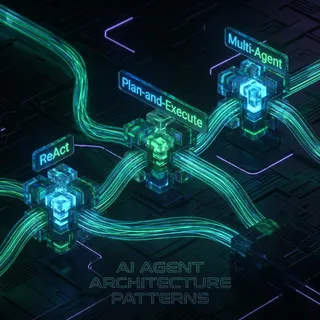
Top 7 AI Workspaces for Architecture Agents in 2026
Top AI workspaces for architecture agents let AI handle BIM modeling, site planning, and design reviews. These platforms support agentic workflows in architecture, engineering, and construction (AEC), but few offer true multi-agent BIM sharing. According to ENR, 16% of A/E firms use generative AI on projects, creating demand for better agent tools.
Top 7 Vector Database Alternatives for AI Agents (2026)
Vector databases serve as the long-term memory for AI agents, storing semantic embeddings that allow models to retrieve context, history, and knowledge. While the market is projected to reach $2 billion by 2027, developers often face a difficult choice between managed services like Pinecone, open-source powerhouses like Weaviate, or integrated solutions that handle indexing automatically. This guide compares the top options based on latency, cost, and deployment model.
Top RAG Storage Backends for AI Applications
RAG adoption surged as developers rushed to use private data with AI models. Choosing the right backend matters. We review the top RAG storage solutions, from specialized vector databases to integrated platforms that handle the entire file pipeline.

Top Tools for RAG Evaluation: Measuring Agent Performance
Retrieval-Augmented Generation (RAG) systems can fail silently, serving confident but incorrect answers. To build reliable agents, you need reliable evaluation pipelines. This guide compares the top tools for RAG evaluation, including Ragas, TruLens, and DeepEval, to help you measure context precision, faithfulness, and answer relevance.

Trae Context Window: Token Limits, Builder Mode Context, and Codebase Indexing
The Trae context window defines the working token capacity ByteDance's AI IDE allocates for prompts, active files, and conversation history across models like Claude 3.5 Sonnet and GPT-4o. While Builder Mode dynamically selects code snippets and compacts session logs, large codebases can saturate active memory. Offloading external documentation and cross-repository context to an MCP-connected workspace prevents token exhaustion during complex development tasks.

What Documents Belong in a Company Brain? An Ingestion Playbook
A company brain is a digital repository containing an organization's core intellectual property, processes, product specs, legal agreements, and meeting transcripts, optimized for AI retrieval. Ingesting the right assets transforms passive documents into queryable assets, but standard vector databases struggle with raw files. This playbook details the exact documents to ingest, the formatting rules for clean ingestion, and how to build structured metadata schemas for legal and financial files.

Zero Retention Workspaces for AI Agents: A Practical Guide
A zero retention workspace gives AI agents a place to read, write, and process files without leaving file content behind once the task is done. This guide covers what zero retention means for agent workspaces (not LLM inference), how ephemeral workspaces fit into enterprise AI rollouts, and how to implement one without losing the audit trail you need for compliance reviews.