How to Build a Company Brain Workflow for Board Reporting
A board reporting company brain workflow centralizes financial models, department scorecards, and strategy memos in a role-restricted workspace so executive teams and AI agents can draft board materials backed by exact document citations. By combining scheduled Cloud Sync with workspace-level isolation, leadership teams eliminate manual data hunting while preventing confidential figures from leaking across internal departments.


Why Manual Governance Workflows Fail the Board Pack Process
Board administrators can spend 20 to 30 hours a month assembling packets for a 12-person board with committees, according to OnBoard's governance cost analysis. For executive leadership teams operating on a quarterly cycle, that workload concentrates into an intense two-week sprint where the chief executive officer, finance leaders, and department heads spend weeks reconciling conflicting spreadsheets, hunting for historical deck slides, and drafting narrative memos.
In high-growth companies, board materials originate across disjointed departmental repositories. Financial models live in spreadsheets, product roadmaps sit in design repositories, sales pipelines reside in customer relationship managers, and strategic risk assessments remain buried in email attachments. When the board meeting approaches, executive teams scramble to copy numbers between presentations and spreadsheets, introducing human transcription errors and version confusion.
A board reporting company brain workflow is a secure, role-restricted operational process that centralizes financial models, KPI scorecards, and strategy memos, enabling executive teams and authorized AI agents to draft board materials backed by exact document citations. Instead of scattering preliminary numbers across insecure personal drives or passing unredacted drafts through consumer messaging channels, a company brain establishes a single operational repository where verified knowledge is continuously maintained, semantically indexed, and accessible to autonomous AI agents and executive leaders alike.
The Hidden Overhead of Scattered Governance Materials
Board reporting differs from routine operational status updates. Board packs require absolute data integrity, strategic coherence, and strict confidentiality. Directors evaluate quarterly burn rates, revenue retention, margin expansion, and hiring forecasts against the strategic plan approved in the prior quarter.
When data lives in isolated silos, the executive team spends valuable time on mechanical tasks rather than strategic analysis. The finance team updates a financial model late at night, but the operating narrative in the draft board deck still reflects earlier revenue projections. By the time directors receive the packet, inconsistencies between the slide deck narrative and the appendix financial statements erode trust in management's operational control.
Chasing department heads for updated figures creates organizational friction. Operating executives spend hours reformatting charts and revising slide bullet points to match changing financial projections. A centralized repository eliminates this scramble by giving all contributors a single, authoritative reference point for verified metrics.
Why Consumer AI Chatbots Risk Executive Confidentiality
Faced with tight deadlines, executives often consider feeding draft reports and financial tables into consumer AI chatbots to generate executive summaries. This shortcut introduces severe risks.
Consumer AI tools lack awareness of corporate confidentiality boundaries. Pasting unannounced financial metrics, confidential merger evaluations, or litigation disclosures into public or unmanaged models risks exposing material non-public information.
General large language models produce ungrounded outputs. A generic chatbot asked to summarize quarterly performance may hallucinate metrics, smooth over variance anomalies, or confuse gross margins with operating margins. Board governance demands precision backed by audited records. Solving the board reporting bottleneck requires bringing verified AI retrieval directly into an intelligent workspace governed by strict access controls.
Related guides
- How to Build a Company Brain Workflow for Competitive IntelligenceA competitive intelligence company brain centralizes competitor teardowns, battlecards, and market research into an...
- How to Build a Company Brain Workflow for Customer OnboardingA customer onboarding company brain workflow unifies architecture diagrams, API specifications, and implementation...
- How to Build a Company Brain Workflow for Due DiligenceA company brain workflow for due diligence centralizes corporate charters, financial audits, and commercial contracts...
- How to Build a Company Brain Workflow for Employee OnboardingAn employee onboarding company brain workflow centralizes handbooks, standard operating procedures, and team playbooks...
- How to Build a Company Brain Workflow for Engineering RFCs and Architecture DecisionsAn engineering RFC company brain workflow unites architecture proposals, decision records, and technical specs inside...
- How to Build a Company Brain Workflow for Incident ResponseAn incident response company brain workflow centralizes infrastructure runbooks, architecture diagrams, and historical...
More on this subject: Agent Memory and Storage (335 guides)
How to Isolate Confidential Board Materials with Workspace Boundaries
Building a company brain for board reporting requires deliberate information architecture and strict access boundaries. Unlike general departmental knowledge bases, board reporting materials contain the company's most sensitive data: executive compensation, audit committee findings, cap tables, acquisition targets, and cash runway projections. Allowing these files to mingle with general company documentation creates substantial legal and operational risk.
Fast.io configures permissions per organization, workspace, and share by member role. Workspace member roles include owner, admin, member, guest, and view. Inside a workspace, every member reaches all files according to their role; Fast.io enforces no folder-level or file-level permissions. This structural model prevents accidental permission leaks by isolating board materials into a dedicated, restricted workspace rather than relying on complex subfolder permissions that often fail during team reassignments.
Restricting Workspace Membership and Join Settings
A Fast.io workspace's join setting defaults to letting any member of its parent organization join. For general project spaces or company knowledge collections, this open posture encourages collaboration. For a board reporting company brain, that setting must be restricted.
To establish an executive enclave, administrators set the workspace join policy to restricted (invite-only). Only named individuals (the CEO, CFO, General Counsel, Corporate Secretary, and authorized operating executives) receive invitations.
Connected AI agents act with the permissions of the user who provisioned their connection or API key, so an agent reaches the workspaces that user belongs to. Create the board agent's key from an account that is a member of the board workspace only, or select only the board workspace on the Review Permissions screen when signing in through OAuth, so its retrieval stays within authorized governance files and unannounced financial metrics do not spread across company staff.
Cloud Sync Without Permission Inheritance Leaks
Executive teams do not need to replace their existing accounting or document software to build a company brain. Fast.io Cloud Sync connects Google Drive, Dropbox, Box, and OneDrive folders directly to a workspace, running one-way or two-way on a schedule or on demand. SharePoint document libraries connect directly through the OneDrive connector.
In conventional cloud storage platforms, syncing or moving shared folders creates major permission headaches. Fast.io gives synced financial spreadsheets the workspace's role permissions instead of the source folder's sharing settings.
When the finance team maintains audited balance sheets in a corporate Google Drive folder, Cloud Sync brings those files into the board reporting workspace on schedule. Files synced into Fast.io adopt the workspace's strict role boundaries, completely ignoring the broad sharing rules of the source drive. An employee with access to the source Google Drive folder cannot see or query the Fast.io board workspace unless explicitly added as a workspace member.
Structuring Board Metrics with Metadata Views
While full-text and semantic search excel at discovering contextual narratives, executive teams also need structured data filtering across historical board cycles. Fast.io Metadata Views turns unstructured board documents into a live, queryable database.
Using Metadata Views, users describe the fields they want extracted in natural language. The underlying AI designs a typed schema across the workspace without requiring custom templates or manual OCR rules. For board reporting, Metadata Views can extract key data fields:
- Fiscal Period: Quarter and fiscal year (such as Q3 2026).
- Meeting Category: Audit Committee, Compensation Committee, Nominating and Governance, or Full Board.
- Core Financial Metrics: Ending Cash, Gross Burn, Net Burn, ARR, and Runway Months.
- Document Classification: Audited Statement, Draft Slide Deck, Committee Memo, or Board Resolution.
- Sign-Off Status: Reviewed by CFO, Legal Approved, or Pending.
This structured layer allows executives and AI agents to filter and sort historical board packs by metric value or fiscal quarter before initiating narrative drafting.
The Four Governance Steps to Build a Board Reporting Company Brain
Transforming disparate financial spreadsheets and executive memos into a finished board packet requires an orderly governance sequence. Ad-hoc workflows result in hurried last-minute reviews and factual discrepancies that undermine board confidence. When departments compile reports in isolation, executives spend the final days before a meeting reconciling conflicting numbers rather than polishing strategy.
By standardizing on a structured four-phase process, executive teams compile comprehensive board decks with speed, precision, and complete auditability:
- Creating a restricted-join executive workspace
- Syncing audited balance sheets and KPI sheets
- Agent synthesis of board highlights with snippet citations
- Secure delivery via expiring links
Following these four phases turns quarterly board preparation into a repeatable, auditable process.
Step 1: Creating the Restricted Executive Workspace
The workflow begins by establishing a dedicated board workspace in Fast.io. The organization administrator creates the workspace under the organization account and immediately changes the workspace join setting from open to restricted. Because any workspace member can manage workspace members by default, the administrator also limits member management to admins and owners.
The administrator assigns appropriate member roles:
- Owner: The Chief Executive Officer or Board Chair.
- Admin: The Chief Financial Officer and General Counsel, who manage membership and configure Cloud Sync connections.
- Member: Senior operating executives (VP Product, VP Sales, VP People) who upload departmental updates.
- View: Internal observers or auditors who require read-only access to final files.
Because permissions are set per organization, workspace, and share by member role, every member admitted to this workspace accesses all contained materials according to their role. Keeping this workspace isolated from regular employee workspaces protects confidential discussions and unannounced performance data.
Step 2: Syncing Audited Balance Sheets and KPI Sheets
Once the workspace is configured, the executive team populates it with primary source documents. Rather than manually uploading files every quarter, the team configures Cloud Sync connections to source repositories:
- Financial Statements and Models: Scheduled one-way Cloud Sync from the finance team's Google Drive or Dropbox repository.
- Sales Scorecards: Scheduled sync from Box containing quarterly booking summaries.
- Departmental Reviews: Direct upload of executive memos and strategic reviews in Word, PowerPoint, or PDF format.
Once files land in the workspace, Fast.io Intelligence Mode automatically indexes them upon arrival. Fast.io combines full-text keyword indexing, vector semantic embeddings, and metadata value search. This hybrid search architecture processes balance sheets, presentation decks, and text memos without requiring external vector databases or complex retrieval plumbing. When updated financial models sync into the workspace, the search index updates automatically.
Step 3: Agent Synthesis of Board Highlights with Snippet Citations
With authoritative files indexed in the company brain, executive teams connect AI agents to draft board summaries, functional overviews, and variance analyses.
Agents connect to Fast.io using the Model Context Protocol (MCP) over Streamable HTTP. Depending on the executive's preferred interface, Fast.io provides dedicated endpoints:
- Claude Applications (Web, Desktop, Mobile): Connect with OAuth at
https://mcp.fast.io/mcp/tools. In Claude, open Customize, select Connectors, add a custom connector pointing tohttps://mcp.fast.io/mcp/tools, and sign in to Fastio. - ChatGPT and Codex: Install the Fastio plugin from the ChatGPT plugin directory, or configure custom MCP servers at
https://mcp.fast.io/mcp/operations. - Coding and Terminal Agents (Cursor, Claude Code, VS Code): Connect directly at
https://mcp.fast.io/mcp/code. Setup steps are detailed in the Fast.io MCP documentation and developer guide.
For teams using Cursor to assemble board narratives, configure ~/.cursor/mcp.json:
{
  "mcpServers": {
    "fast-io": {
      "url": "https://mcp.fast.io/mcp/code"
    }
  }
}
Interactive clients sign in using OAuth in the browser, selecting the restricted board workspace. Automated server agents or scheduled scripts connect by passing a scoped API key as an Authorization: Bearer <api key> header, as documented in storage for agents.
When configuring the agent, executive teams can select a Read Only connection. On a Read Only connection, tools that create, edit, or delete files are omitted entirely, so the AI assistant has no tool on that connection that could change the primary financial records.
The executive prompts the agent to draft the executive summary:
Query the "Q3 Board Reporting" workspace to draft the CEO Executive Summary.
Analyze Q3_Financial_Model.xlsx, Sales_Executive_Scorecard.pdf, and Product_Roadmap_Q3.pdf.
Instructions:
1. Summarize ending cash reserves, operational burn trends, and quarterly expansion.
2. Highlight key revenue drivers and identify any material budget variances.
3. For every factual claim and metric, cite the source file name and, where one applies, the page.
4. If any requested figure is absent from the indexed files, state the omission clearly rather than estimating.
The agent retrieves the indexed chunks and outputs a structured draft:
### Executive Highlights
* **Quarterly Revenue Growth**: Expansion accelerated quarter-over-quarter across enterprise accounts (Source: Q3_Financial_Model.xlsx).
* **Cash Reserves and Runway**: Monthly operational burn remained below budgeted targets, extending total runway (Source: Q3_Financial_Model.xlsx).
* **Enterprise Expansion**: Net revenue retention expanded across key accounts, supported by three multi-year customer renewals (Source: Sales_Executive_Scorecard.pdf, page 4).
* **Infrastructure Costs**: Engineering cloud infrastructure costs exceeded initial estimates due to accelerated model training cycles, offset by lower corporate travel expenses (Source: Q3_Financial_Model.xlsx).
Step 4: Collaborative Refinement and Secure Delivery via Expiring Links
The draft narrative lands in Fast.io Collaborative Notes kept beside the files in the workspace. Collaborative Notes co-edit live with labeled cursors, allowing the CEO, CFO, and legal counsel to edit, annotate, and finalize the packet collaboratively.
Once the executive committee approves the final board deck and financial appendix, distributing the material to external directors requires careful delivery controls. Emailing heavy PDF attachments leaves copies in director inboxes indefinitely, and a sent email cannot be revoked.
Fast.io replaces email attachments with branded shares. Administrators generate a branded share holding the finalized board pack PDF, financial model appendix, and executive summary note.
The administrator configures specific delivery parameters:
- Expiring Links: Set the share link to expire 48 hours after the scheduled board meeting.
- Disable File Downloads: Configure the share to disable file downloads, requiring directors to view materials securely in their browser without saving unencrypted copies to personal laptops.
- Password Protection: Apply an optional access password for an added layer of delivery control.
External directors do not consume user seats on the Fast.io organization account; they open the branded share link directly in their browser without creating an account.


Assemble Cited Board Packs in a Secure Company Brain
Centralize financial models, KPI scorecards, and strategic memos in an isolated workspace. Connect AI agents via MCP to draft verified executive summaries with exact source citations. Monthly plans start with a 14-day free trial.
How to Ground Executive Narratives in Document Evidence
Board directors hold fiduciary obligations to review corporate performance thoroughly and challenge management assumptions. If an executive narrative contains unsupported assertions, exaggerated projections, or conflicting metrics between functional slides, the board's confidence in executive leadership fractures. In severe cases, governance discrepancies delay key decisions regarding financings, executive compensation, or acquisitions.
A company brain workflow enforces operational rigor by tying every generated sentence back to indexed primary documentation. By requiring exact citations for every qualitative assertion and financial data point, leadership teams verify the integrity of their reporting before materials leave the executive suite. This disciplined review protocol protects executive credibility and keeps boardroom discussions focused on strategic execution rather than debating the accuracy of underlying figures.
Reducing Hallucinations Through Citation Grounding
Traditional generative AI generates prose by predicting likely word sequences, which frequently introduces subtle factual distortions. In financial and legal reporting, even a minor phrasing difference (such as conflating billings with recognized revenue) distorts executive governance.
Fast.io Intelligence Mode reduces this risk through source grounding, and its citations let a reviewer check each figure against the file it came from. When an AI agent queries the company brain via MCP, Fast.io retrieves relevant passages from the indexed files and cites the file, the page where one applies, and the supporting snippet.
By reviewing these citations, the corporate secretary or CFO can verify each data point against the underlying audited spreadsheet in seconds. If an executive challenges a variance explanation, the team clicks through to the exact source paragraph rather than spending hours digging through shared drives.
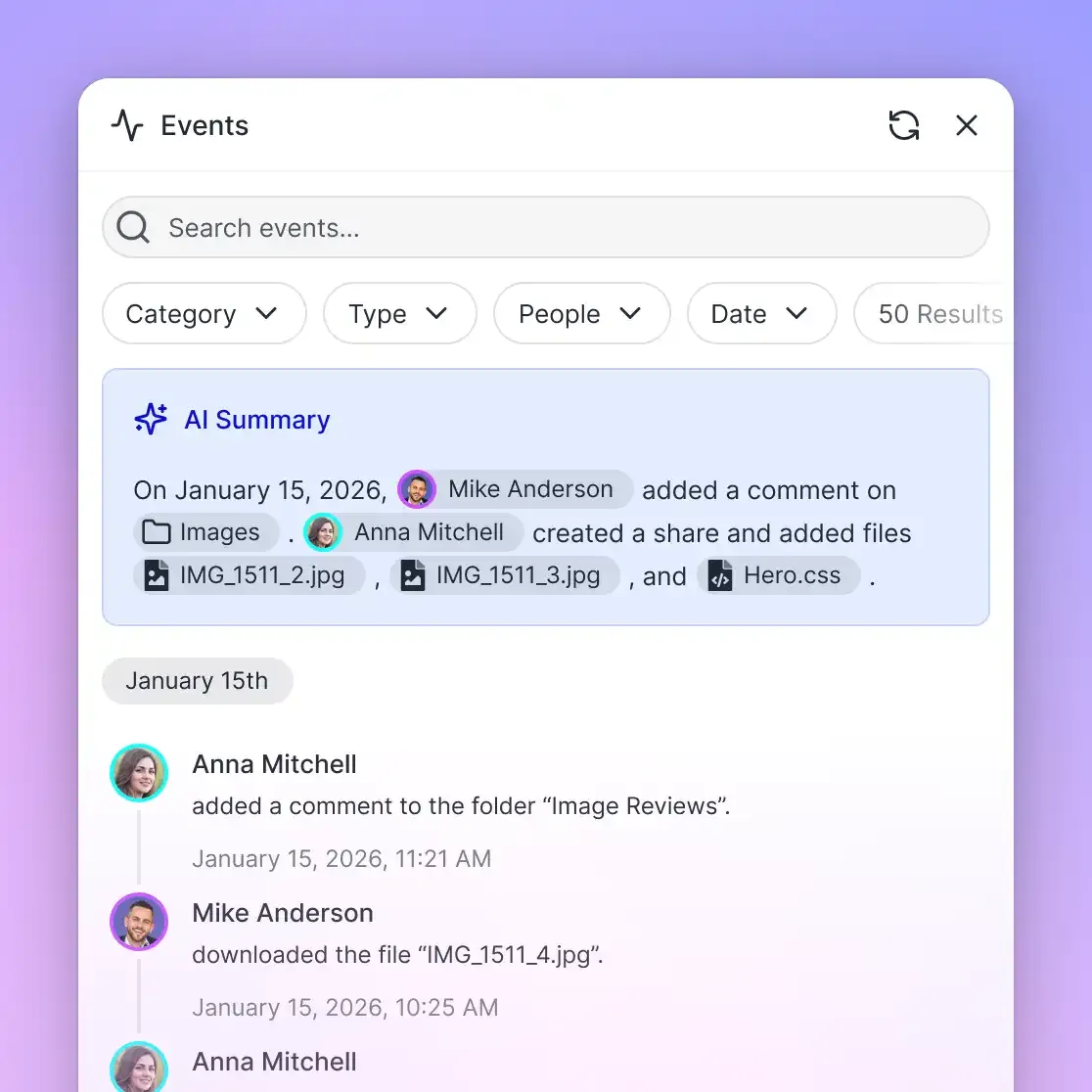
Auditing Workspace Changes with the Detailed Activity Log
Governance compliance requires knowing exactly who touched board reporting materials before publication. Fast.io maintains a detailed activity log of changes across the organization, recording every operational modification.
The detailed activity log records:
- File Modifications: Every upload, edit, rename, move, and deletion of board documents.
- Membership Changes: Who invited new members, changed workspace join policies, or adjusted member roles.
- Share Activity: When branded shares were created or their permissions changed.
The activity log does not record passive views or file downloads; it focuses strictly on operational modifications. This log provides the General Counsel and Corporate Secretary with a clear record of document preparation, verifying that only authorized executives edited board materials prior to distribution.
Version Control and Advisory Locks for Multi-Executive Editing
During the frantic days before a board meeting, multiple executives often review and update materials simultaneously. Fast.io maintains full per-file version history for every document in the workspace. If an accidental overwrite occurs, administrators can restore prior versions with a single click.
When multiple autonomous agents or executive scripts interact with the workspace over MCP, Fast.io supports advisory file locks through MCP actions: lock-acquire and lock-release on the storage_manage tool, and lock-status on the storage tool. An agent acquiring an advisory lock signals to other processes that an update is underway. A lock expires unless heartbeated, other members can see who holds it, and concurrent writes still preserve full version history so no work is lost.
Compare Dedicated Board Portals with Intelligent Workspaces
When modernizing board reporting workflows, leadership teams evaluate several alternative architectures: dedicated board portal software, enterprise search and wiki platforms, standard commodity cloud storage, and intelligent workspaces operating as a company brain. Each approach reflects different tradeoffs between administrative burden, software complexity, data ownership, and cost.
Understanding the architectural differences between these options helps organizations select the right substrate for executive governance and agentic workflows. By examining how each platform handles document storage, security boundaries, and retrieval capabilities, leadership teams make informed infrastructure investments that support long-term executive efficiency. Selecting the right foundation keeps board reporting sustainable as the business scales, avoiding both expensive proprietary lock-in and insecure ad-hoc file sharing workarounds.
The Limits of Dedicated Portals and Standalone Wikis
Dedicated board portal platforms (such as Diligent or OnBoard) are built for board book assembly and director access, and they hold their own copies of board materials. Files prepared in Google Drive or Box are exported and uploaded into the portal for each meeting. When a financial model changes 24 hours before the meeting, the administrator must repeat the export-and-upload cycle.
Enterprise search tools such as Glean or Guru, and wikis such as Notion, answer questions across connected accounts and offer MCP servers, but the board's working files do not live in them, so agents cannot keep notes and shares beside those files.
Standard cloud storage platforms (Google Drive, OneDrive, Dropbox, Box) store files well, and several now add AI assistants or MCP servers of their own, but each covers only its own files, with no shared workspace for people and agents.
Comparing Architectural Models for Board Reporting
A Fast.io intelligent workspace unites secure file storage, automated hybrid indexing, and remote MCP connectivity in one platform.
The comparison table below outlines the core differences:
Transparent Pricing and Resource Allocation
Fast.io operates on a transparent subscription model based on workspaces, storage, seats, and usage credits. Every organization runs on a paid subscription.
Monthly plans start with a 14-day free trial that requires a credit card:
- Starter (
$29/mo): Includes5seats,1 TBstorage,10workspaces, and300,000credits per month. Maximum upload size is25 GB. - Business (
$99/mo): Includes20seats,10 TBstorage,100workspaces, and1,200,000credits per month. Maximum upload size is50 GB. - Enterprise (
$299/mo): Includes50seats (with additional seats at$1a month each, up to200),50 TBstorage,300workspaces, and4,500,000credits per month. Maximum upload size is100 GB.
Annual pricing for plans is available at $99, $499, and $1,999 per year.
Credits cover AI work: chat, file ingestion, agent runs, and document processing, including Metadata Views extraction. Additional credits are billed at $10 per 100,000 credits. Storage beyond the plan is $0.015 per GB a month and extra bandwidth $0.04 per GB, and neither uses credits. Review full tier details on the Fast.io pricing page.
Organizations can run board reporting with a small executive team on the Business plan, since external directors reading branded shares do not use seats.
Sources
References used to verify factual claims in this guide.
-
Board administrators can spend 20 to 30 hours a month assembling packets for a 12-person board with committees.
Frequently Asked Questions
How do executive teams securely compile board packets using AI?
Executive teams establish a role-restricted workspace containing audited balance sheets, KPI scorecards, and strategy memos. With Intelligence Mode enabled, the workspace automatically indexes all files for hybrid semantic search. AI agents connect to the workspace using the Model Context Protocol over Streamable HTTP, synthesizing draft executive summaries and variance analyses backed by exact file and page citations. Executives review drafts in Collaborative Notes before generating secure expiring links for directors.
How do you prevent unauthorized internal access to board materials in a company brain?
Access is controlled through Fast.io workspace permissions and join settings. Administrators configure the board workspace join setting to restricted (invite-only), ensuring general organization members cannot join. Fast.io permissions are assigned per organization, workspace, and share by member role; there are no folder-level or file-level permissions within a workspace. Files synced from Google Drive or OneDrive take the Fast.io workspace's strict role permissions exclusively, preventing accidental internal leakage of unannounced metrics.
Can AI generate board reports with exact financial citations?
Yes. When connected to a Fast.io workspace with Intelligence Mode enabled, AI agents retrieve relevant passages using hybrid search, and Fast.io cites the file, the page where one applies, and the supporting snippet. Prompts instruct the agent to draw figures strictly from retrieved snippets and cite the source for every metric. If a requested metric is not found in the indexed documents, the agent flags the omission rather than fabricating data.
How does Cloud Sync handle permissions for sensitive financial files?
Cloud Sync connects Google Drive, Dropbox, Box, and OneDrive folders to a Fast.io workspace on a schedule or on demand. Files synced from an external drive adopt the Fast.io workspace's permissions exclusively, completely ignoring the sharing settings of the source drive. This prevents internal staff who have access to a shared drive folder from accessing or querying those files inside the restricted board workspace unless explicitly invited.
What is the difference between Intelligence Mode and Metadata Views for board data?
Intelligence Mode provides unstructured retrieval-augmented generation, auto-indexing text and tables for semantic search and AI chat with document citations. Metadata Views provide structured data extraction, using AI to turn unstructured board decks and financial PDFs into a typed, sortable database with fields like fiscal period, meeting committee, ending cash, and sign-off status.
How do external board directors access board materials in Fast.io?
External board members receive a branded share link configured with an expiration date and password protection. To prevent unauthorized distribution, administrators can disable file downloads, allowing directors to review materials securely in their web browser. Board members viewing shared materials do not consume organization user seats and do not need to create accounts.
Related Resources

Assemble Cited Board Packs in a Secure Company Brain
Centralize financial models, KPI scorecards, and strategic memos in an isolated workspace. Connect AI agents via MCP to draft verified executive summaries with exact source citations. Monthly plans start with a 14-day free trial.