How to Build a RAG Knowledge Base: Ingestion, Indexing, and Permissions
Building an enterprise RAG knowledge base requires more than connecting an embedding model to a vector database. Production systems demand reliable multi-source ingestion, hybrid keyword and semantic indexing, and permission boundaries that restrict retrieval to authorized users and agents. Unifying living documents and agent access in an intelligent workspace removes most manual data pipeline work and keeps retrieval within the workspaces and shares each person or agent belongs to.


Why Unpartitioned Documents Cause Retrieval Failures in AI Systems
A retrieval-augmented generation system is only as reliable as the boundary around its source documents: when an autonomous agent searches an unpartitioned vector store, it retrieves confidential payroll spreadsheets as readily as engineering specifications, with no architectural concept of who initiated the prompt. Building an enterprise RAG knowledge base requires solving three interconnected problems: deterministic ingestion across living files, meaning-based indexing that maintains semantic context, and workspace-level permission boundaries that decide what each person or agent can retrieve.
A RAG knowledge base is a structured repository of verified business files that are indexed for semantic and keyword retrieval to ground AI responses with precise citations. It serves as the single source of truth for both human teams and autonomous agents. Without a disciplined architecture, standard retrieval pipelines quickly succumb to information decay, conflicting documentation, and data leakage.
The earliest generation of enterprise AI implementations attempted to solve knowledge retrieval by extracting raw text from PDFs, chunking it into arbitrary token lengths, and dumping the vectors into a standalone vector database. In practice, this naive approach creates severe operational friction. When documents change in underlying cloud storage drives, the vector database becomes stale. Superseded architectural decisions, outdated pricing sheets, and discarded marketing copy linger in the vector space, leading language models to generate hallucinations based on retired facts.
Astera's guide to building a knowledge base for RAG describes knowledge management in this setting as ingesting, indexing, and keeping documents, FAQs, and product specifications current so an AI agent can retrieve the most relevant snippets when it needs them. When knowledge management is treated as an afterthought, retrieval mechanisms break down in two distinct ways:
- Vector Pollution: Outdated, duplicate, or unverified draft documents match semantic similarity thresholds, crowding out authoritative files during retrieval.
- Permission Leakage: Flat vector stores lack organizational boundaries. If security filtering is attempted post-retrieval, filtering out unauthorized documents can leave the agent with few or no relevant passages; if the filtering logic contains a bug, private records leak directly into model completions.
Solving these challenges requires moving away from disconnected vector databases toward an integrated company brain hosted inside an intelligent workspace.
Related guides
- Generative AI Knowledge Base Architecture for Enterprise TeamsAn enterprise generative AI knowledge base unifies document persistence, automated indexing, and agent access in a...
- Company Brain Governance Framework: Access Control, Permissions, and Data HygieneA company brain governance framework regulates how institutional documents are ingested, indexed, accessed, and queried...
- How to Build a Company Brain Workflow for Partner EnablementA partner enablement company brain centralizes technical documentation, sales playbooks, and competitive collateral...
- How to Build a Company Brain Workflow for Sales BattlecardsA company brain workflow for sales battlecards centralizes competitor teardowns, win-loss analysis, and pricing sheets...
- How to Build a Company Brain Workflow for Security QuestionnairesA company brain workflow for security questionnaires centralizes compliance certifications, security policies, and...
- Agent Context Window: Managing Token Budgets in Multi-Step AI SystemsAn agent context window is the finite working memory buffer available to an autonomous AI agent to process...
More on this subject: Agent Memory and Storage (367 guides)
How to Structure and Ingest Documents for a RAG Knowledge Base
The primary challenge in constructing a RAG knowledge base is handling the reality of enterprise file storage. Critical business documentation does not live in neat JSON files waiting for an embedding script. It lives in Google Drive folders, Dropbox shares, Box archives, and OneDrive repositories. It exists across varied formats, including technical specifications in Markdown, contracts in PDF, financial projections in spreadsheets, and onboarding presentations.
To structure documents effectively for retrieval augmented generation, organizations must establish clean data pipelines that bridge existing file storage with the indexing engine.
Automated Document Synchronization
Manual file uploads or one-off batch ingestion scripts create immediate technical debt. As soon as an engineer finishes running an ingestion pipeline, team members continue editing source documents in their cloud drives. Within days, the RAG index drifts out of sync with reality.
Fastio resolves this through Cloud Sync. Cloud Sync connects Google Drive, Dropbox, Box and OneDrive folders to a workspace, one-way or two-way, on a schedule or on demand. SharePoint document libraries connect directly through the OneDrive connector. Because synchronization runs on a schedule or on demand, without custom webhooks or cron scripts, synced files arrive in the workspace and are indexed automatically when Intelligence is on.
Document Chunking and Structural Preservation
Naive RAG pipelines slice documents into fixed token counts (such as 500 tokens with a 50-token overlap). While simple to implement, fixed chunking regularly severs sentences mid-thought, separates table headers from numerical data, and isolates code blocks from their explanatory text.
For high-accuracy retrieval, document stores should preserve structural boundaries:
- Header Hierarchy: Keep section titles (H1, H2, H3) attached to every child paragraph chunk so the retriever retains high-level context.
- Table Integrity: Ingest tabular data as complete structured objects rather than split lines of comma-separated text.
- Document Metadata: Bind file paths, version numbers, authors, and timestamps to each chunk payload before indexing.
Structured Data Extraction with Metadata Views
Unstructured text search is insufficient when agents need exact attribute matching, such as filtering contracts by expiration date or sorting invoices by counterparty. This is where Metadata Views complement the semantic knowledge base.
Metadata Views turn documents into a live, queryable database. Users describe the fields they want extracted in natural language, and the system designs a typed schema (Text, Integer, Decimal, Boolean, URL, JSON, Date & Time), matches files in the workspace, and populates a sortable spreadsheet. No manual OCR templates or extraction scripts are required. Through the MCP server, agents can read field names with metadata action=fields-list, query values with metadata action=search, and extract values with storage_manage action=metadata-extract, bridging the gap between semantic RAG and relational data queries.
Indexing Mechanics: Hybrid Search, Semantic Chunking, and Exact Matches
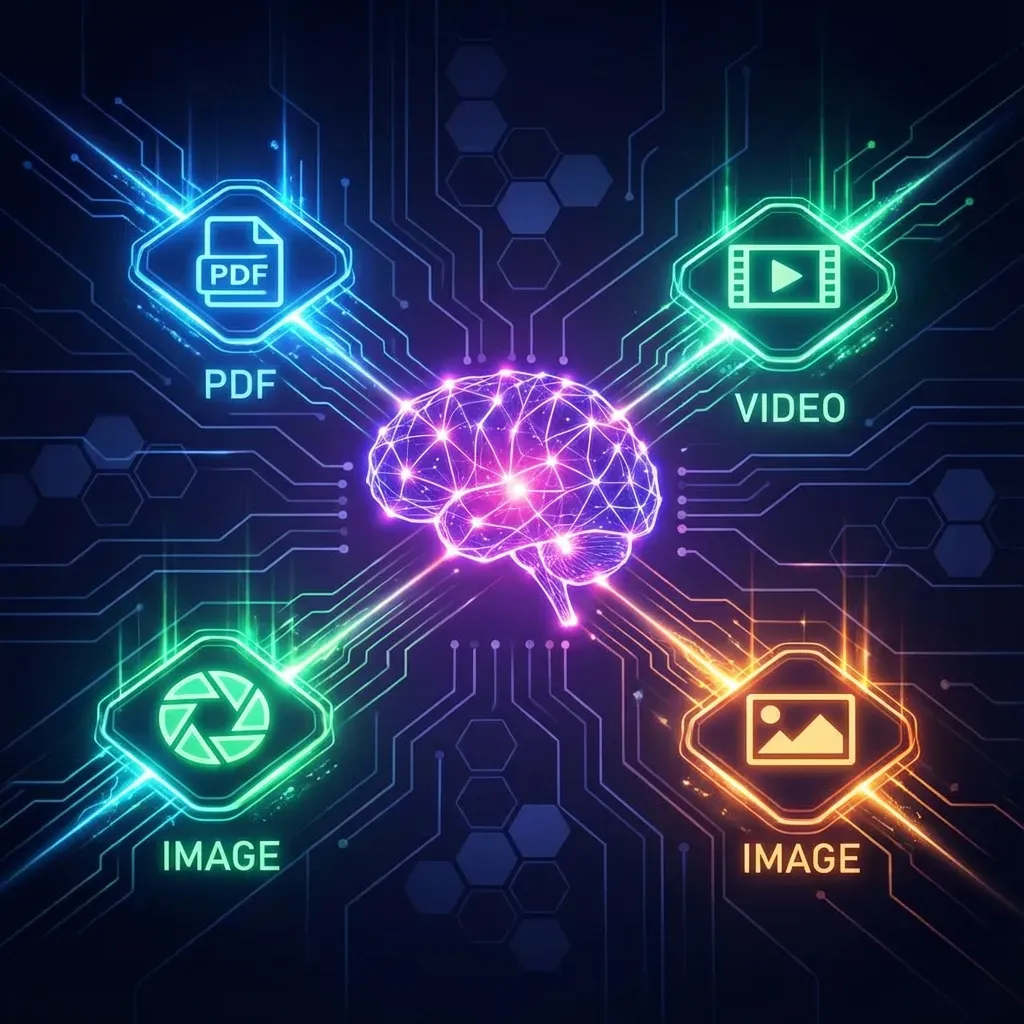
Once documents are ingested into a knowledge base for rag, the retrieval engine must index them for rapid, contextual retrieval. Pure vector search has gained widespread popularity, but in production enterprise environments, vector search alone frequently fails.
Vector embeddings represent semantic concepts as dense numerical arrays. While cosine similarity between dense vectors works exceptionally well for conceptual questions (such as "What are our travel reimbursement policies?"), it struggles with exact alphanumeric queries. When an agent searches for a specific software license key, an API endpoint signature, an employee ID, or an exact legal clause reference like "Section 14.2(b)", vector search often returns conceptually related paragraphs that omit the exact identifier required.
The Power of Hybrid Search
Production RAG architectures rely on hybrid search. Hybrid search evaluates queries across three complementary dimensions:
- Full-Text Keyword Search (BM25): Matches exact terms, acronyms, code identifiers, and specific numerical values.
- Dense Semantic Vector Search: Captures intent, synonyms, and conceptual relationships across languages and phrasing variations.
- Search by Metadata Value: Filters results deterministically by date, file type, author, or custom extracted metadata fields.
In Fastio, turning on Intelligence Mode for a workspace indexes its files as they arrive for keyword and meaning-based search, summaries, and chat, and search can also filter by extracted metadata values. When an agent queries the workspace, search returns the matching files and the passages inside them.
Grounding Responses with Precise Citations
A critical vulnerability of early AI assistants was opaque generation: an LLM would produce an answer without identifying where the information originated, making unsupported answers hard to spot.
A properly configured RAG document store enforces verifiable grounding. In Fastio, search and Intelligence answers cite the specific files, pages, and snippets they came from. When an AI agent generates an architectural summary or drafts a client brief, human reviewers can click directly through to the underlying source document to check each claim against its source.
Managed RAG services such as Amazon Bedrock Knowledge Bases automatically handle ingestion, vector storage, and retrieval optimization. In Fastio, Collaborative Notes kept beside the files let people and agents maintain living operational runbooks, sprint summaries, and instructions that are indexed alongside uploaded documents.


Build an Intelligent RAG Knowledge Base for Your Agents
Centralize your company knowledge in an intelligent workspace. Sync files from Google Drive, Dropbox, Box, or OneDrive, index documents automatically for AI retrieval, and connect agents via the Fastio MCP server. Monthly plans start with a 14-day free trial (credit card required).
Comparing DIY Vector Database Stacks Against Managed Intelligent Workspaces
Engineering teams facing a RAG knowledge base architecture decision frequently debate whether to build a custom vector database pipeline from scratch or deploy a managed intelligent workspace.
Building a DIY RAG stack involves assembling multiple independent components: object storage (such as Amazon S3), document parsers (such as Unstructured or pypdf), embedding generation pipelines (using OpenAI or Cohere APIs), a standalone vector database (such as Pinecone, Qdrant, or Weaviate), and custom middleware to manage access tokens and identity mapping.
The following comparison table outlines the architectural differences between a custom DIY vector database stack and a managed intelligent workspace:
The Hidden Engineering Cost of DIY RAG Stacks
The primary failure point of DIY vector database stacks is maintenance overhead. When an enterprise attempts to maintain its own RAG infrastructure, engineers spend substantial time writing glue code. They must handle rate limits on embedding APIs, manage chunk re-indexing when documents are modified, prune deleted files from vector stores, and build complex authentication proxies so employees cannot query documents outside their clearance level.
A managed intelligent workspace replaces this brittle pipeline. Because the storage layer and the indexing layer are unified inside Fastio workspaces, documents are indexed as they land with Intelligence on, and a file that changes is re-indexed. The team avoids managing separate database clusters, maintaining sync scripts, or monitoring embedding failure queues.
How to Enforce Scoped Permissions Across Workspaces and Shares
Data security in a RAG knowledge base is fundamentally an access control problem. When teams connect AI agents to company data, the biggest fear is cross-boundary information leakage: an engineering agent inadvertently accessing executive payroll sheets, or an external contractor's assistant querying confidential M&A records.
Understanding Fastio's Permission Architecture
Fastio implements a strict, predictable permission model designed to prevent unauthorized retrieval:
- Permissions are set per organization, workspace, and share by member role.
- Crucially, a workspace has no folder-level or file-level permissions. Every member of a workspace can access the whole workspace according to their assigned role.
- When content must be restricted to a specific subset of people or agents, that material lives in its own dedicated workspace or a scoped share.
- Workspace roles include owner, admin, member, guest, and view. Organization roles include owner, admin, and member.
- Transferring workspace ownership automatically demotes the previous owner to admin.
- A workspace's join setting defaults to letting any member of its organization join. Keeping a workspace restricted to named individuals requires restricting that setting.
Scoping Answers to Workspace Membership
In naive RAG architectures, security is evaluated post-retrieval: the vector engine queries all company vectors, and an application layer attempts to filter results before passing them to the language model. This pattern is inherently fragile.
In Fastio, search and Intelligence answer only from the workspaces and shares the asking person or agent belongs to.
When an agent connects with an API key, that key carries specific scopes and acts with the permissions of the user who created it; API keys have no independent role of their own. Furthermore, when files are synced from Google Drive, Dropbox, Box, or OneDrive, they take the Fastio workspace's permissions, not the source drive's sharing settings. A misconfigured sharing setting on the source drive therefore does not change who can reach the synced files in Fastio.
Visibility Through the Detailed Activity Log
Auditability is essential when autonomous agents operate across business documents. Fastio maintains a detailed activity log that records changes across the organization, workspaces, and shares.
The detailed activity log records uploads, edits, file moves, deletions, membership changes, permission adjustments, and share creations. If an agent updates a file or adjusts a share, the action is logged with the agent's identity, providing a clear administrative record of workspace modifications.
Steps to Connect AI Agents to Your Knowledge Base Using Fastio MCP
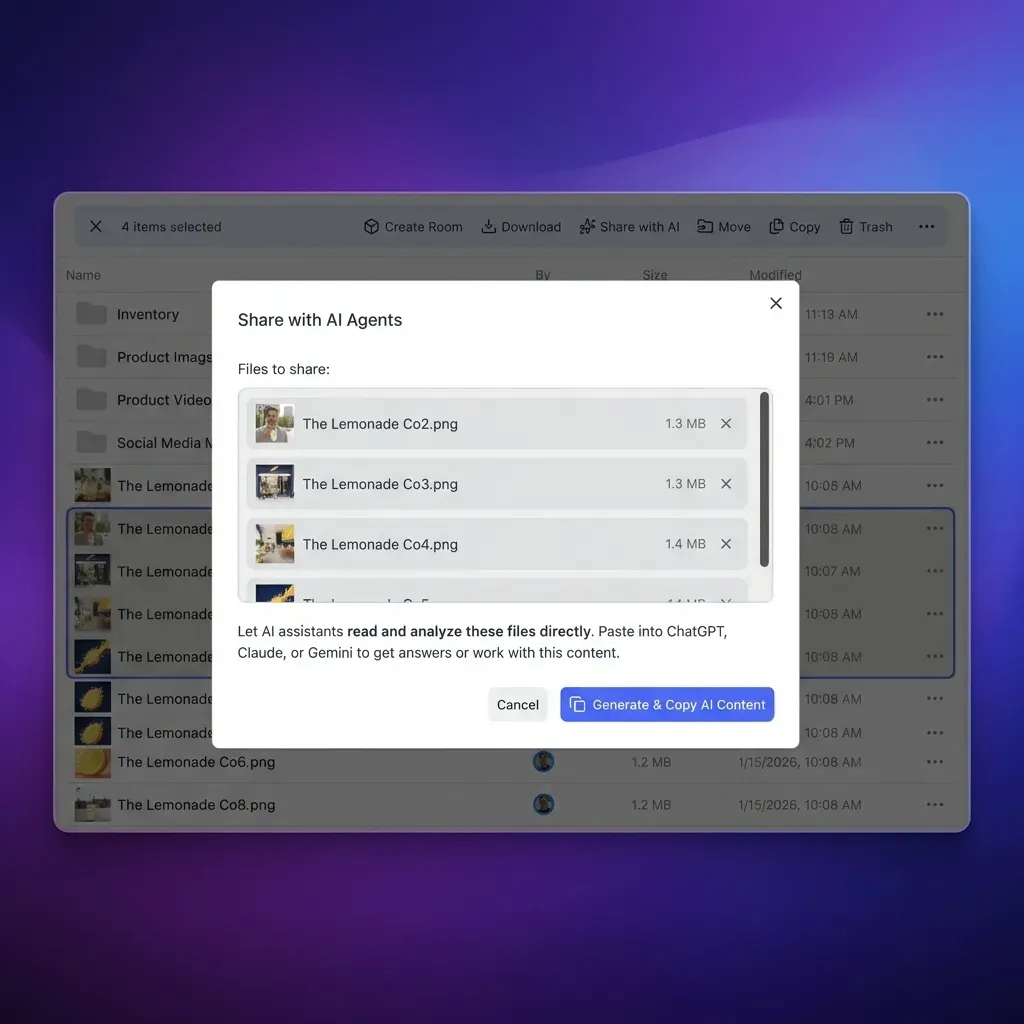
A retrieval augmented generation knowledge base delivers maximum value when autonomous agents can query it dynamically during multi-step tasks. Rather than writing custom HTTP integration code for every agent framework, the modern standard for agent connectivity is the Model Context Protocol (MCP).
Fastio provides a remote MCP server running over Streamable HTTP. Agents connect directly to remote endpoints without requiring local server processes or npx wrappers.
Choosing the Correct MCP Endpoint
Fastio exposes client-specific endpoints tailored to different agent operating environments:
- General AI Clients and Apps:
https://mcp.fast.io/mcp/tools(used for Claude web, desktop, and mobile apps, OpenClaw, Hermes Agent, and general MCP clients). - Coding Agents in IDEs and Terminals:
https://mcp.fast.io/mcp/code(used for Cursor, Claude Code, Cline, VS Code Copilot agent mode, and developer workflows). - ChatGPT and Codex:
https://mcp.fast.io/mcp/operations(used when configuring a custom MCP server; installing the official Fastio plugin from the directory is preferred).
Complete setup documentation is available at mcp.fast.io/docs, and machine-readable agent instructions can be referenced at mcp.fast.io/skill.md.
Practical Configuration for Cursor and Claude
To connect Cursor to your Fastio RAG knowledge base, add the following configuration to your project's .cursor/mcp.json or your global ~/.cursor/mcp.json:
{
  "mcpServers": {
    "fast-io": {
      "url": "https://mcp.fast.io/mcp/code"
    }
  }
}
For Claude Desktop or Claude web, open Customize, navigate to Connectors, add a custom connector pointing to https://mcp.fast.io/mcp/tools, and complete the OAuth sign-in flow. When signing in, you can select whether the agent receives Read Only or Read & Write access, and choose specifically which organizations and workspaces the connection can reach.
Safe Operations: Read-Only Tools and Advisory File Locks
When an agent connects via a Read Only connection, tools that modify or delete data are not offered at all. Because mutating tools do not appear in the tool schema, the agent cannot attempt accidental deletions or unauthorized writes, so it does not spend steps on writes that would be refused.
When agents collaborate with humans and require write permissions, Fastio provides advisory per-file locks:
- Advisory Locks: Acquired via
lock-acquireand released vialock-releaseon thestorage_managetool, with status verified throughlock-statuson thestoragetool. - Non-Exclusive Leases: Locks alert other agents and team members that an active editing lease is held. However, the lock never grants exclusive write rights: anyone with write permission can take it over, and per-file version history keeps every version.
- Real-Time Reactions: Agents can monitor changes across the workspace using the events feed over WebSocket or by calling the activity long-poll endpoint (
GET /current/activity/poll/{entity_id}), so agents can react when files in the workspace change.
Sources
References used to verify factual claims in this guide.
-
Managed RAG services such as Amazon Bedrock Knowledge Bases automatically handle ingestion, vector storage, and retrieval optimization.
-
Astera's guide to building a knowledge base for RAG describes knowledge management in this setting as ingesting, indexing, and keeping documents, FAQs, and product specifications current so an AI agent can retrieve the most relevant snippets when it needs them.
Frequently Asked Questions
What is a RAG knowledge base?
A RAG knowledge base is a structured repository of verified business files that are indexed for semantic and keyword retrieval to ground AI responses with precise citations. Unlike a generic vector store containing disconnected text chunks, a RAG knowledge base preserves document context, version history, and role-based access controls, helping generative models retrieve accurate, authorized information during inference.
How do you structure documents for a RAG knowledge base?
To structure documents for a RAG knowledge base, organize files into distinct workspaces based on project, team, or sensitivity. Keep documents in standard formats like Markdown, PDF, DOCX, or XLSX with clean semantic headings. Use tools like Fastio Metadata Views to extract structured attributes such as dates, categories, and counterparties, and turn on Intelligence so files are indexed for meaning-based search as they arrive.
How do AI agents query a RAG knowledge base via MCP?
AI agents query a RAG knowledge base by connecting to a remote Model Context Protocol (MCP) server over Streamable HTTP. In Fastio, agents connect to `https://mcp.fast.io/mcp/tools` or `https://mcp.fast.io/mcp/code` using OAuth or a scoped API key. The agent calls storage and search tools to execute hybrid semantic and keyword queries, receiving relevant text passages alongside document citations bounded by its workspace membership.
How does Fastio handle permissions for RAG search and AI queries?
Fastio sets permissions per organization, workspace, and share through member roles. There are no folder-level or file-level permissions within a workspace. When an agent or human performs a search or runs an AI query, Intelligence Mode retrieves results exclusively from the workspaces and shares to which that member belongs, so a workspace whose join setting is restricted stays out of the answers of people and agents who are not its members.
Does Fastio sync with Google Drive and other cloud storage providers for RAG ingestion?
Yes. Fastio Cloud Sync connects Google Drive, Dropbox, Box, and OneDrive folders to a workspace, one-way or two-way, on a schedule or on demand. SharePoint document libraries can also connect through the OneDrive connector. Once synced into an Intelligence-enabled workspace, external files are automatically indexed for semantic search and AI chat.
How does hybrid search improve retrieval accuracy over vector search alone?
Pure vector search relies on embedding proximity, which excels at high-level semantic matching but frequently fails on exact strings like serial numbers, acronyms, code identifiers, and legal clauses. Hybrid search combines full-text keyword indexing (such as BM25) with dense vector embeddings and metadata filtering, ensuring the retrieval system captures both conceptual intent and precise technical terms.
Related Resources

Build an Intelligent RAG Knowledge Base for Your Agents
Centralize your company knowledge in an intelligent workspace. Sync files from Google Drive, Dropbox, Box, or OneDrive, index documents automatically for AI retrieval, and connect agents via the Fastio MCP server. Monthly plans start with a 14-day free trial (credit card required).