Fastio Press Room
Facts, boilerplate, leadership bios and press kit downloads for covering Fastio, which gives each project one workspace for its files, its team and its AI agents.
Company Overview
About Fastio
Fastio gives each project one workspace for its files, its team and its AI agents. Teams bring in the source files, add the people working on them and connect the agents they already use, such as Claude, ChatGPT, Codex or Cursor. An agent can find material, read files and, with write access, save new work where teammates can review it. Files, comments and version history stay with the project.
Fastio is a product of VividEngine, LLC. The team started building Fastio in 2021 and launched it on March 21, 2025. VividEngine was founded in 2006 in The Woodlands, Texas, and is also the company behind MediaFire, which has more than 100 million registered users.
Company at a glance
Fastio launched
VividEngine founded
MediaFire registered users
 Company and Products
 Fastio
Project workspaces for teams and AI agents
Fastio brings your files, team and AI agents together in one workspace for each project. Teams choose which workspaces each agent connection can reach and whether it is Read Only or Read & Write, and agents save their work back to the project for the team to review.
VividEngine
The Company Behind Fastio
VividEngine, LLC was founded in 2006 in The Woodlands, Texas. Besides Fastio, it offers MediaFire, which has more than 100 million registered users. Fastio brings the team's cloud storage and file sharing experience to project work involving people and AI agents.
Fact Sheet
Product
Key Features
What a team and its AI agents can do in a Fastio project workspace.
Project workspaces
Each project gets its own workspace with its own members and permissions. The organization owns every workspace, so the files stay with the project when people come and go.
Agent access you choose
Choose which workspaces an agent connection can reach and whether it is Read Only or Read & Write. With write access, an agent saves its work back to the project for the team to review.
Works with the agents you use
Claude, ChatGPT, Codex, Cursor, Gemini, Grok Bot or any MCP client. ChatGPT, Codex and Grok Bot connect through the Fastio plugin. Setup and available features vary by client.
Keyword and semantic search
Search a workspace by keyword. With Deep Indexing turned on, people and agents can also search files by content and meaning once the files finish processing.
Metadata extraction
Describe the fields you want, and Fastio extracts them from the files you choose into a table you can sort and filter.
Cloud Sync
Sync Google Drive, Dropbox, Box and OneDrive folders with a workspace, one-way or two-way, on a schedule or on demand. Teams can start with one project's files instead of migrating everything.
Branded shares, portals and e-signatures
Send work out through branded shares and portals that recipients open without an account, and send documents for e-signature from the workspace.
Version history and activity log
Every file keeps its earlier versions, so a previous version can be restored. The activity log records uploads, edits, moves, deletions and permission changes by people and agents.
CLI and REST API
The Fastio CLI (@vividengine/fastio-cli on npm) and the REST API let developers and agents work with workspaces from a terminal or their own code.
Files are encrypted in transit and at rest. Fastio's built-in AI, and the providers that run it, do not train models on customer files. Read the Trust Center.
Plans and trial
Starter, Business and Enterprise plans include seats, storage and monthly AI credits. Current prices and plan limits are on the pricing page.
3 seats included
Storage and monthly AI credits included
10 seats included
Storage and monthly AI credits included
30 seats included, up to 200
Storage and monthly AI credits included
Monthly plans start with a 14-day trial, and a card is required. If you use all your included trial credits before the trial ends, you'll be automatically upgraded to a full subscription. Annual plans have no trial.
Boilerplate
Describing Fastio
Approved descriptions in several lengths. Click to copy.
Tagline
Project workspaces for your team and AI agents.
Short description
Fastio brings your files, team and AI agents together in one workspace for each project.
Boilerplate, 25 words
Fastio gives teams and AI agents shared project workspaces to find source files, create new work, and keep drafts and feedback together for the team.
Boilerplate, 50 words
Fastio brings files, teams and AI agents together in a workspace for each project. Teams connect compatible agents, use their project material to find answers or draft new work, and review the results together. Files, comments and version history keep the work with the project. Fastio is a VividEngine product.
Boilerplate, 100 words
Fastio gives teams and AI agents a shared workspace for each project. Bring in source files, add the people working on them and connect compatible agents such as ChatGPT, Claude, Codex or Cursor. Ask an agent to find an answer or prepare a draft, then save the result where the team can review and use it. Files, comments and version history stay with the project. Teams choose which workspaces each connection can access and whether it can read or make changes. Fastio is a VividEngine product. VividEngine, LLC also offers MediaFire and is based in The Woodlands, Texas. Visit fast.io.
Leadership
Key People
Derek Labian
Co-founder
Co-founder of Fastio and VividEngine. Derek has spent more than 20 years building and scaling internet products and cloud storage infrastructure used by more than 100 million users. His work focuses on platform engineering, network architecture and large-scale systems design.

Tom Langridge
Co-founder
Co-founder of Fastio and VividEngine. Tom has spent 20 years building technology companies and products used by more than 100 million people. At Fastio, he focuses on shared workspaces where people and AI agents can securely store, search, share and collaborate on files.

Press Kit
Press kit downloads
The press kit is in a public Fastio portal. Open the portal to browse everything, or download one part directly.
Press brief (PDF)
The press brief as a PDF.
Press brief (Word)
The press brief as an editable Word document.
Logos
Fastio logo files.
Product images
Fastio product images.
Leadership photos
Photos of the co-founders, Derek Labian and Tom Langridge.
Full media kit (ZIP)
The whole press kit in one download.
Need something else? Email marketing@fast.io.
Product Visuals
Screenshots
Click any image to download the full resolution version.
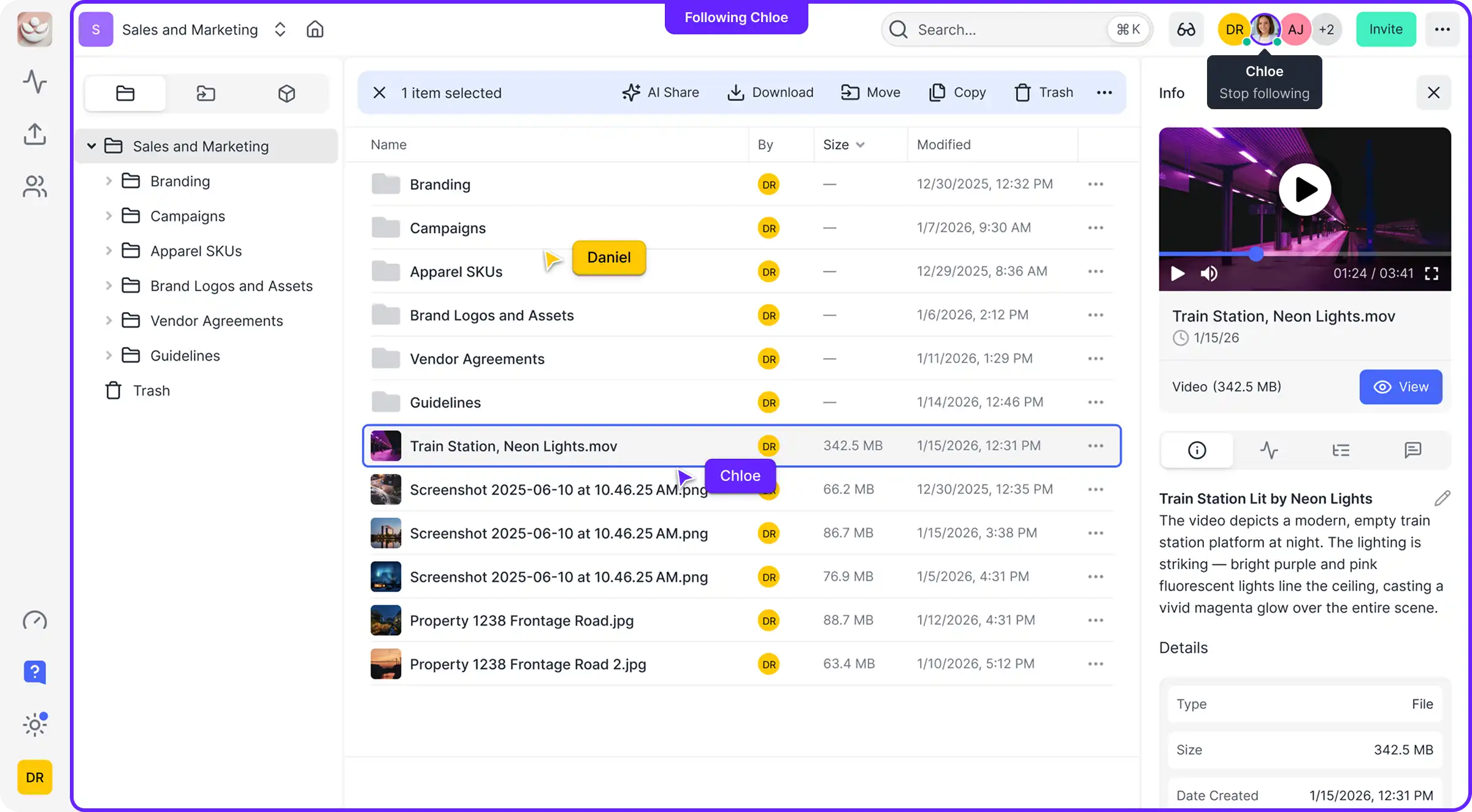
Workspace Dashboard
Workspace dashboard with file management and activity feed
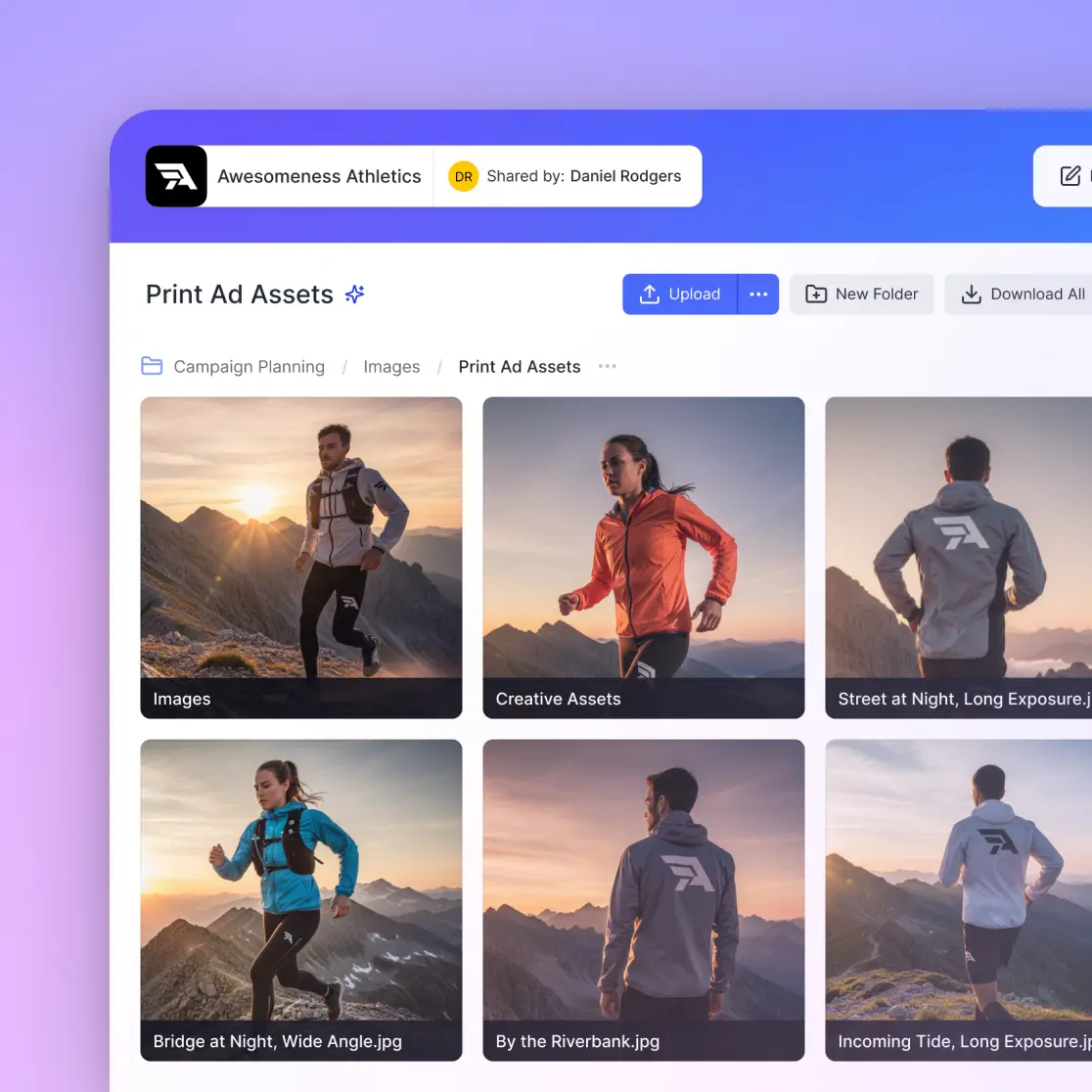
Branded File and Folder Sharing
Custom-branded file and folder sharing with logo and colors
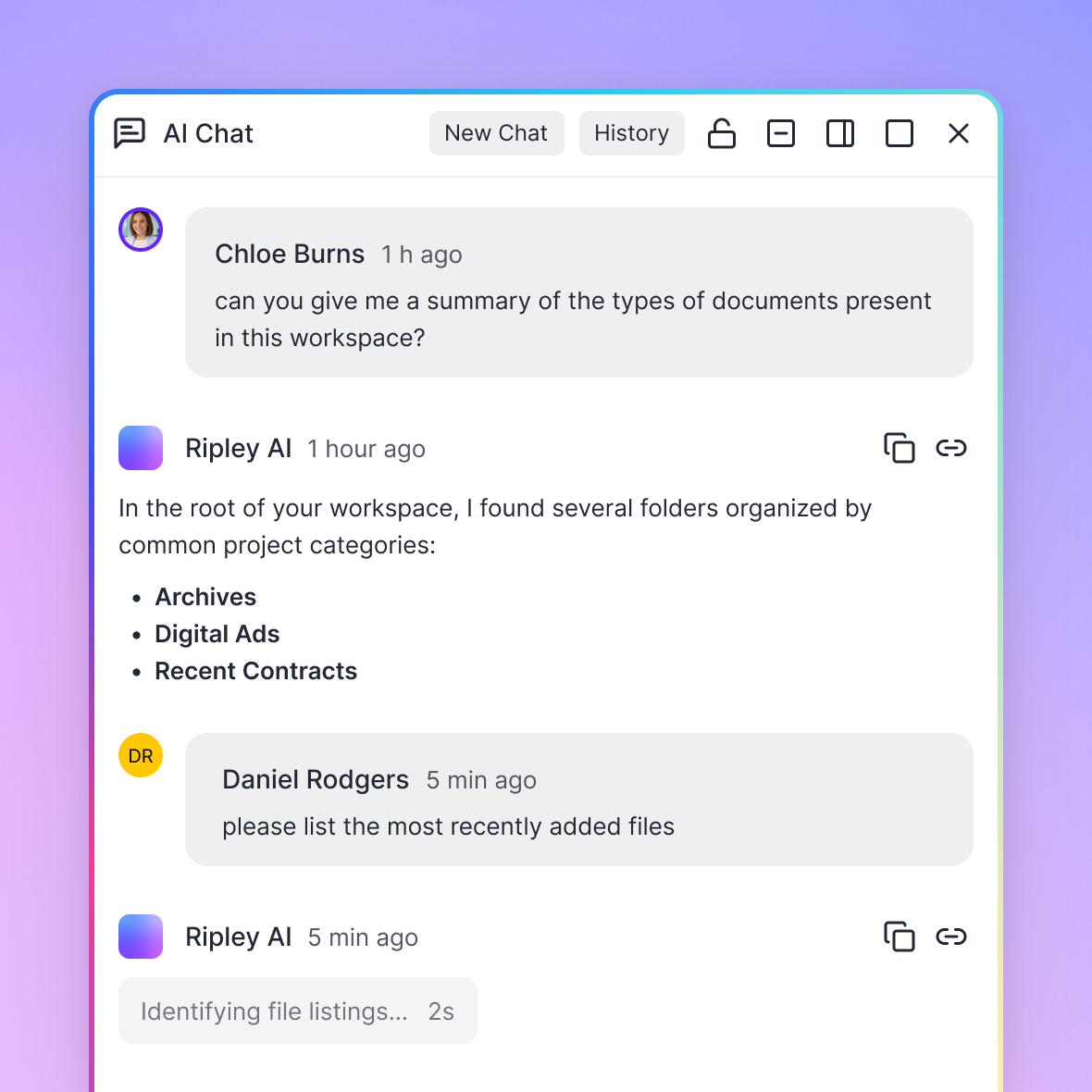
Ripley AI Chat
Ripley AI assistant answering questions about workspace files
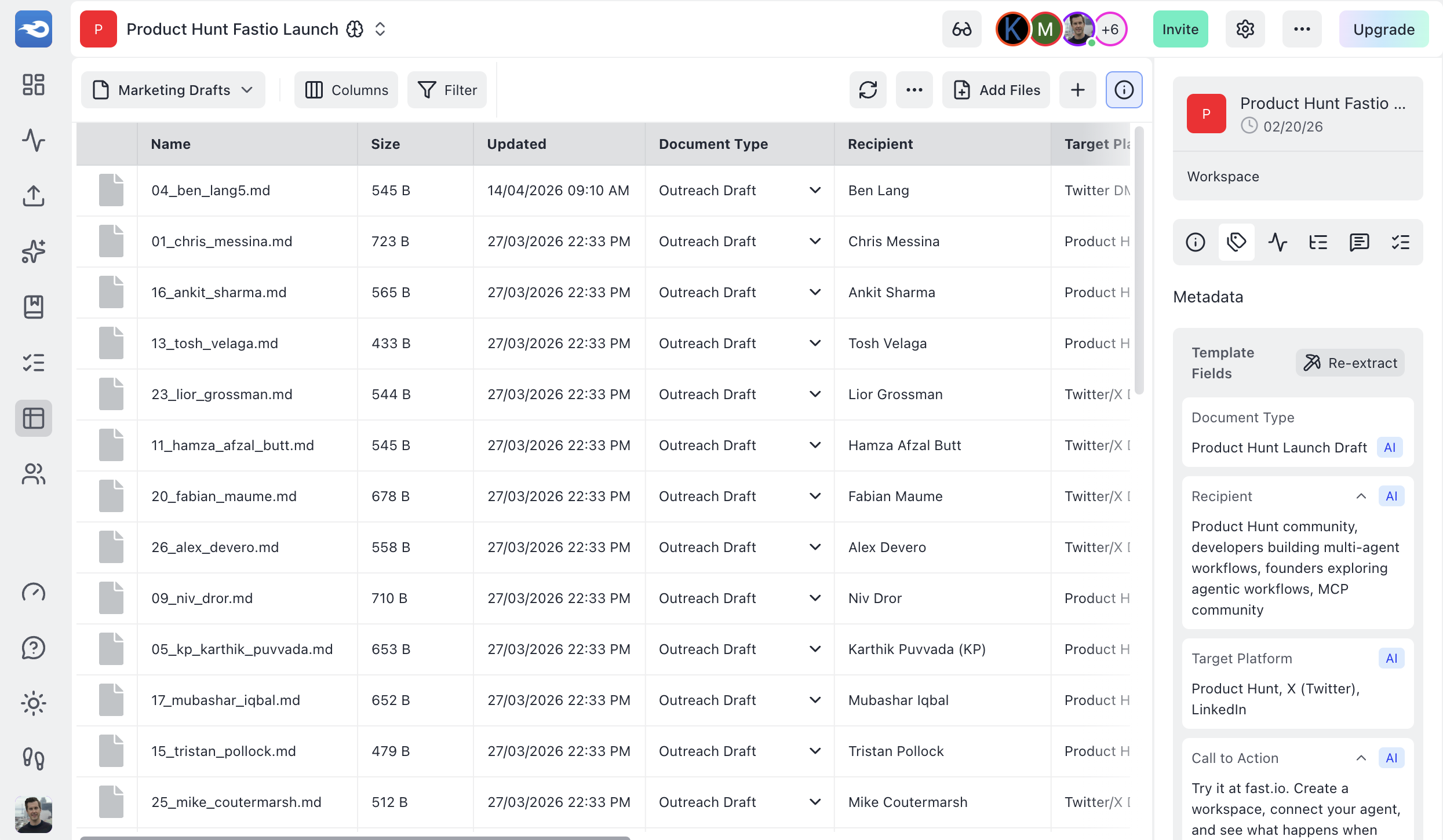
Metadata extraction
AI-powered structured data extraction from documents into a searchable grid
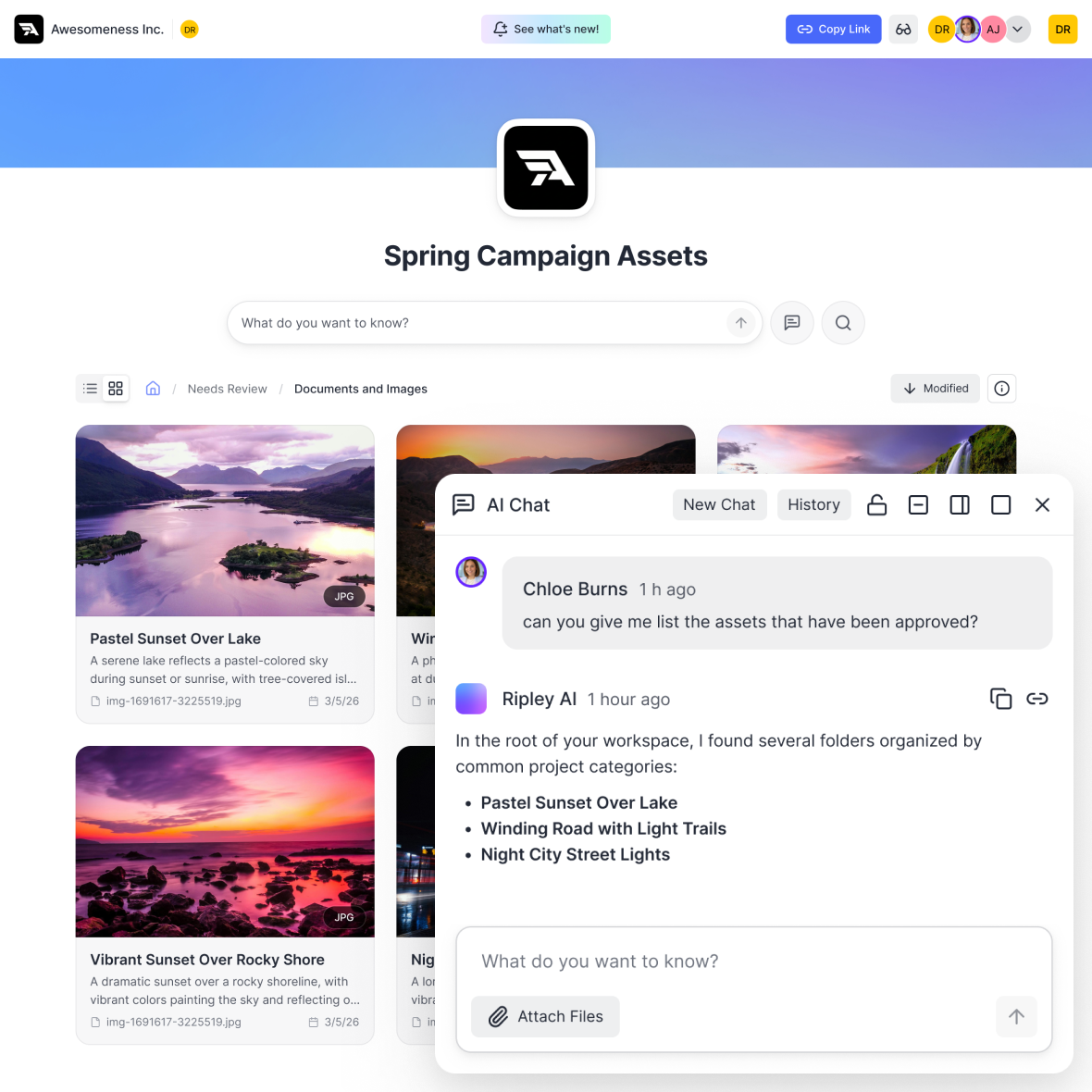
AI Chat With Content
Ask questions about your files and get answers from Ripley AI
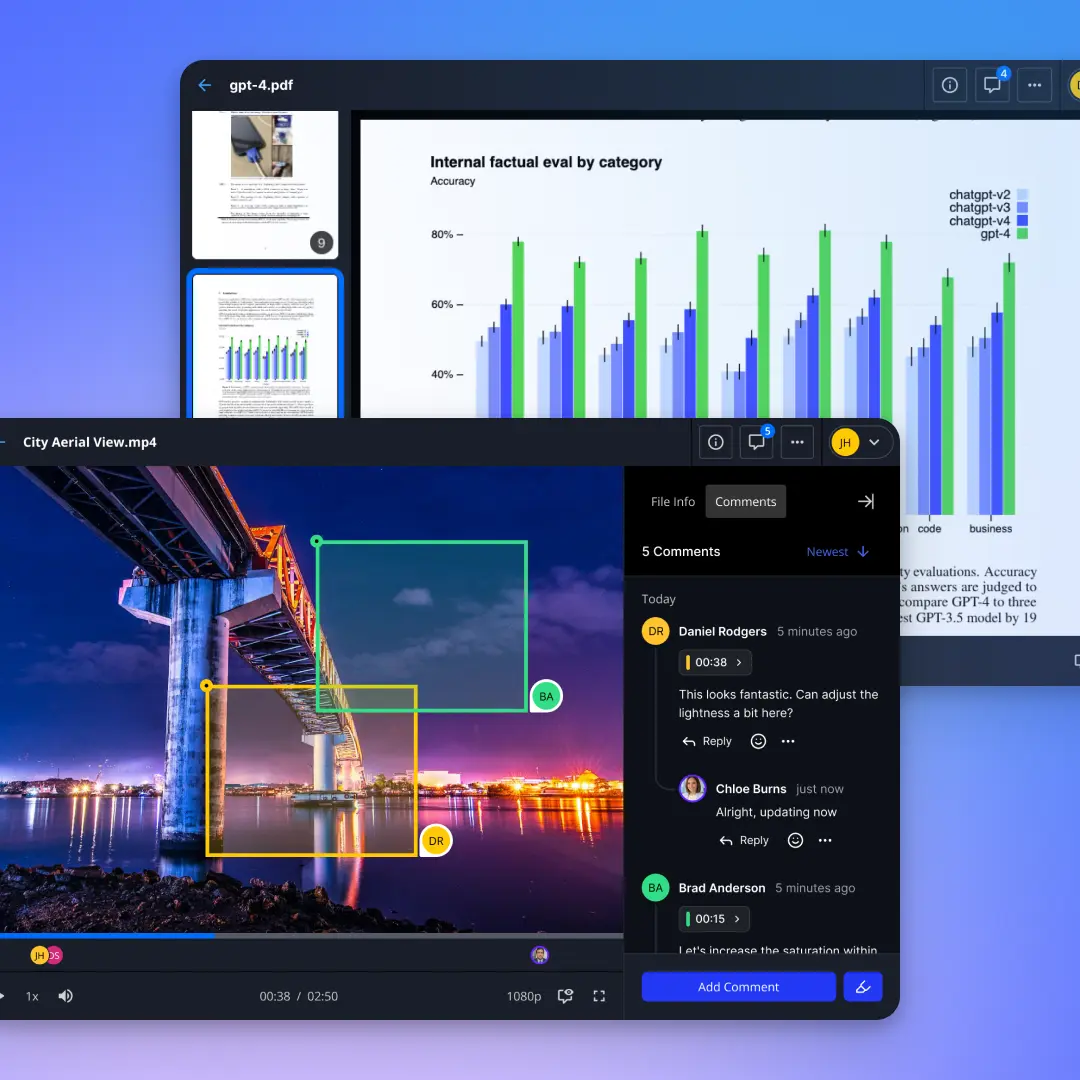
Media Engine
Media previews with video, audio, and document support
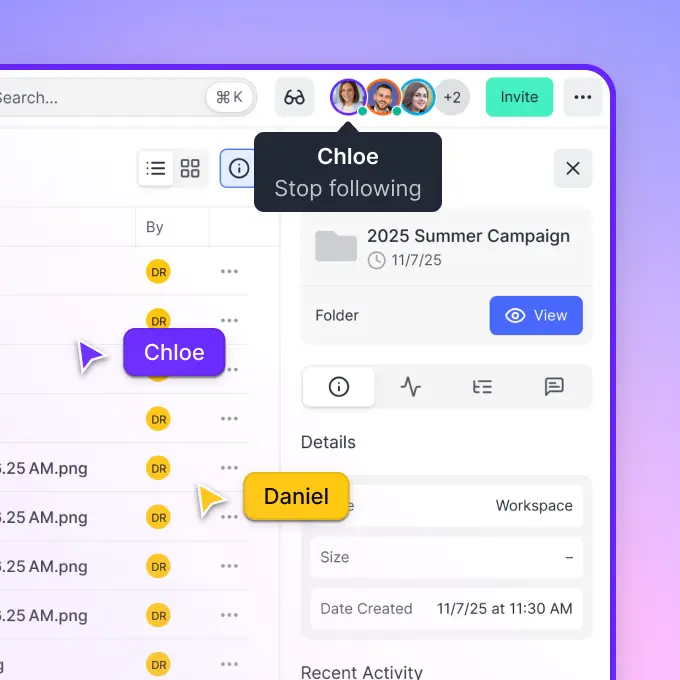
Team Collaboration
Team members working together in a shared workspace
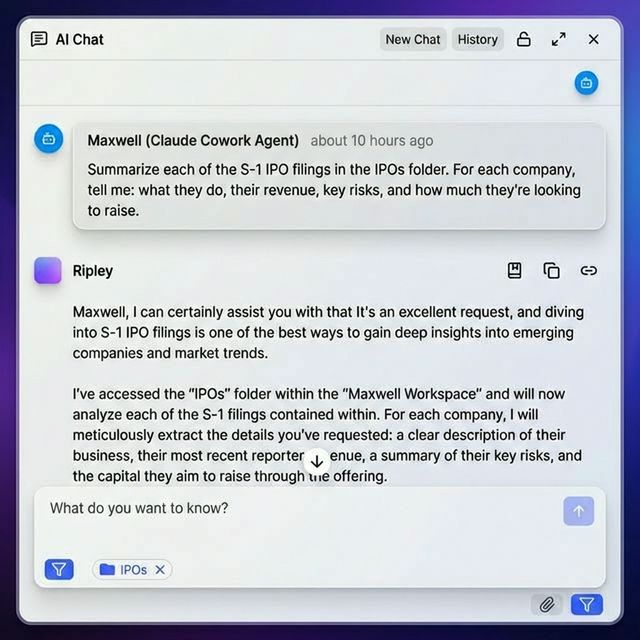
Semantic Search
AI-powered semantic search across workspace documents
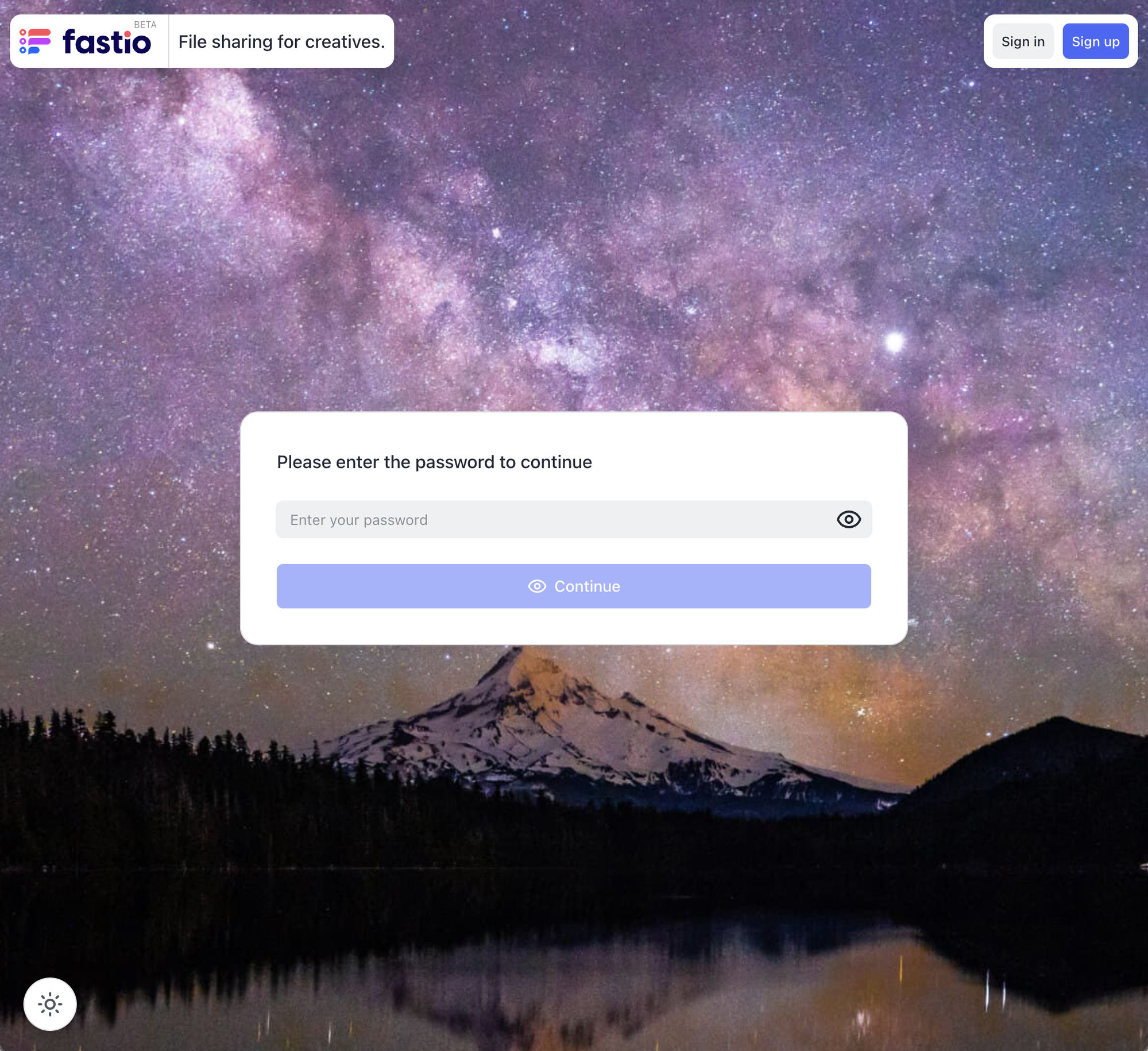
Password Protection
Password-protected sharing with custom branded backgrounds
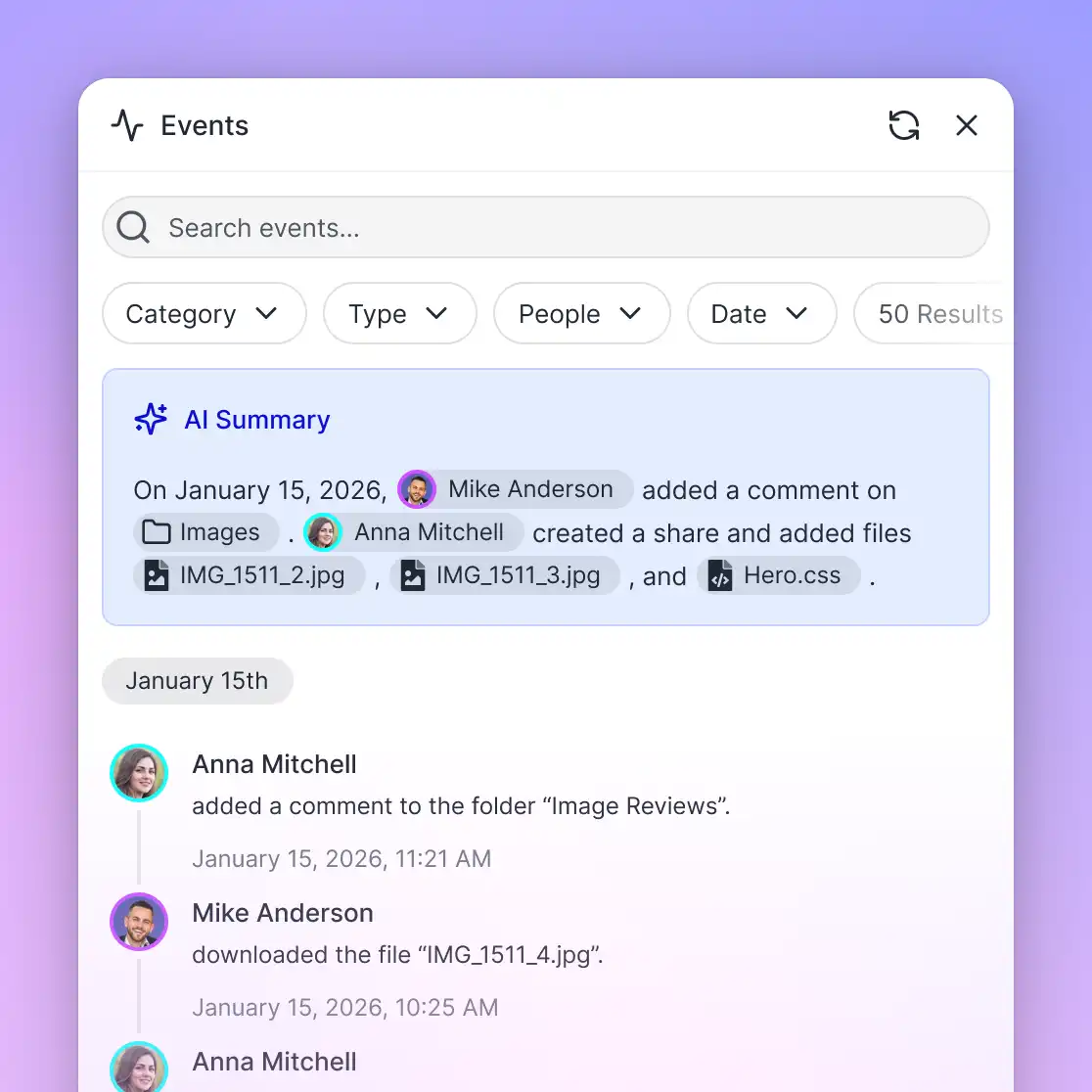
Activity Log
File activity by people and agents, recorded in the activity log
Contact
Get in Touch
Press Inquiries
For media inquiries, interview and demonstration requests, or additional information, contact the press team.
marketing@fast.io 1-833-FASTIO-8Include your outlet or channel, topic and deadline.
Mailing Address
Fastio c/o VividEngine, LLC4747 Research Forest Dr.
Ste 180-265
The Woodlands, Texas 77381-4902
Frequently Asked Questions
FAQs for Press
What is Fastio?
Fastio gives each project one workspace for its files, its team and its AI agents. Teams bring in the source files, add the people working on them and connect the agents they use. An agent can find material, read files and, with write access, save new work where teammates can review it. Files, comments and version history stay with the project.
Who is Fastio for?
Project teams bringing AI agents into everyday work, especially agencies, consultancies and professional services firms. A team can start with one client engagement, campaign or internal project and the files, people and agents it needs.
Which AI agents work with Fastio?
Claude, ChatGPT, Codex, Cursor, Gemini, Grok Bot and any other MCP client. ChatGPT, Codex and Grok Bot connect through the Fastio plugin, and other clients connect to Fastio's hosted MCP server. There is also a CLI (@vividengine/fastio-cli on npm) and a REST API. Setup and available features vary by client.
What can a connected agent access or change?
Only what you allow. You choose which workspaces a connection can reach and whether it is Read Only or Read & Write. A Read Only connection cannot change files. A Read & Write connection can save new work and make changes within its permissions. Whether the client asks for approval before acting depends on the client and its settings.
Does a team have to move all its files into Fastio?
No. Cloud Sync keeps Google Drive, Dropbox, Box and OneDrive folders in sync with a workspace, one-way or two-way, on a schedule or on demand. Teams can also upload files directly, so they can start with one project's files.
How is Fastio priced?
Starter, Business and Enterprise plans include seats, storage and monthly AI credits. Plans include 3, 10 or 30 seats, and Enterprise can add seats up to 200. Additional usage can incur charges. Monthly plans start with a 14-day trial, and a card is required. If you use all your included trial credits before the trial ends, you'll be automatically upgraded to a full subscription. Annual plans have no trial. Current prices are on the pricing page at fast.io/pricing.
Does Fastio train AI on customer files?
No. Fastio's built-in AI, and the providers that run it, do not use customer files, conversations or metadata to train models. If a team connects an external agent, that agent provider's own policies apply to what it reads. Files are encrypted in transit and at rest. The Trust Center at fast.io/trust has the details.
How do Fastio, VividEngine and MediaFire relate?
Fastio is a product of VividEngine, LLC. The team started building Fastio in 2021 and launched it on March 21, 2025. VividEngine was founded in 2006 in The Woodlands, Texas, and is also the company behind MediaFire, which has more than 100 million registered users.
Can we interview the team or see a demo?
Yes. Email marketing@fast.io or call 1-833-FASTIO-8 to request an interview or a product demonstration. Include your outlet or channel, topic and deadline.
Where can we find logos, screenshots and photos?
In the Press Kit section of this page: the press brief as a PDF or Word file, logos, product images, leadership photos and the full media kit as a ZIP, all in a public Fastio portal. Product screenshots are also in the Screenshots section. For anything else, email marketing@fast.io.

Use Fastio for your newsroom
Manage source files, stream 4K HEVC video and audio previews in-browser, share assets with editors via branded portals, and let AI search across your entire archive.