Company Brain for Remote Teams: Asynchronous Context & AI Knowledge Access
A remote company brain unifies documentation, project records, and active business files into an indexed workspace where distributed team members and AI agents retrieve verified context asynchronously. When shared knowledge lives beside working files with semantic search and citations, distributed organizations reduce time-zone delays, limit context drift, and ground automated workflows in authoritative team history.

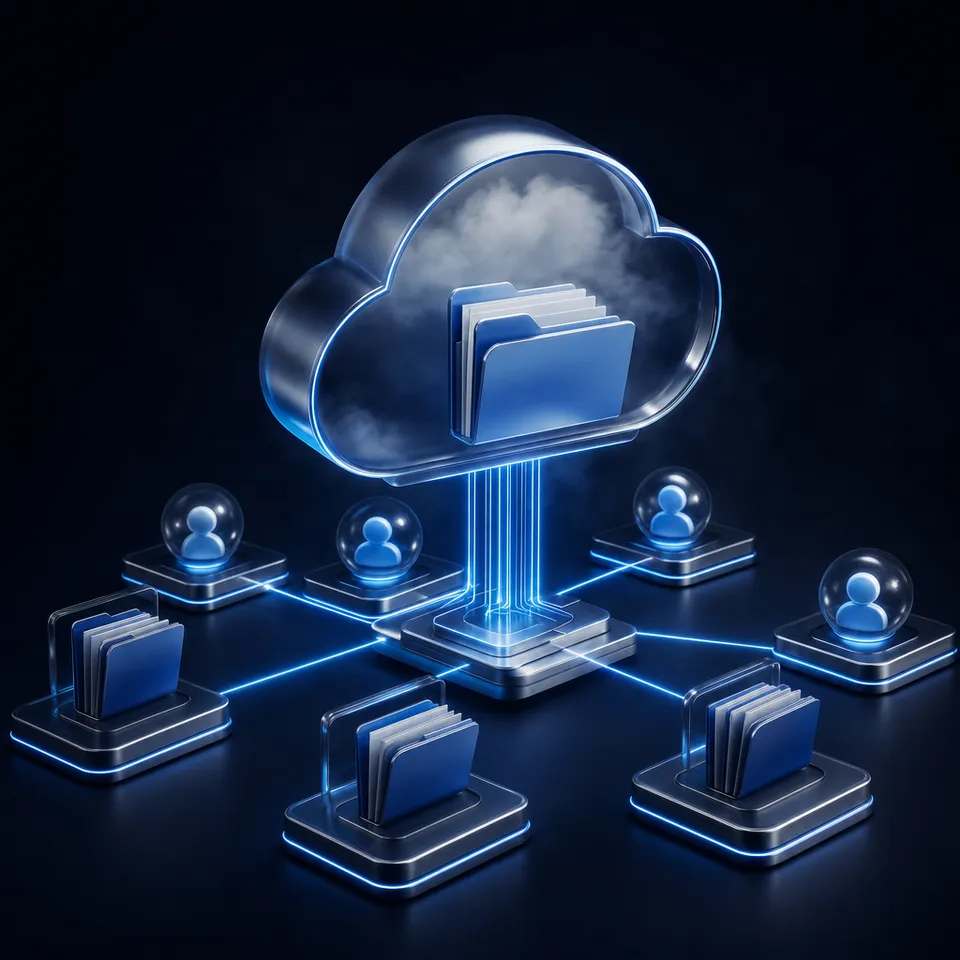
The Asynchronous Context Dilemma in Distributed Organizations
Fabric's guide to building a company brain argues that remote teams benefit most from one, because they can't rely on physical proximity for knowledge transfer. In a distributed team working across time zones, missing context shows up as blocked engineers, delayed project handoffs, and long chat threads asking where the latest specification lives. Distributed work promised autonomy, flexibility, and deep focus. In practice, many remote organizations struggle under the weight of context fragmentation.
When companies transition to remote operations, work communication shifts into messaging applications, video meeting recordings, and distributed cloud drives. Decisions happen in private chat rooms that scroll off screen within days. Architecture choices, client commitments, deployment procedures, and customer onboarding requirements scatter across hundreds of disconnected repositories. Because knowledge is fragmented across disparate platforms, remote workers spend substantial parts of their working day searching for internal information and awaiting asynchronous replies from teammates on the other side of the globe.
The traditional coping mechanism for remote teams is synchronous interruption. An engineer in London who needs to verify an API payload constraint defined by a product architect in San Francisco either waits eight hours for their colleague to wake up or sends a direct message that breaks the architect's focus. If the engineer cannot wait, they proceed on guesswork, risking architectural regressions and wasted sprint cycles. Distributed teams cannot scale when operational knowledge remains locked in human memories or hidden inside private communication channels.
This context deficit becomes critical when organizations introduce autonomous AI agents into their remote workflows. Coding agents in IDEs, research bots, and automated operations tools operate around the clock. However, an AI agent lacks implicit organizational memory. When an agent queries an incomplete or fragmented knowledge base, it can produce plausible but wrong answers, uses superseded design tokens, or executes procedures that violate current company policy. Grounding remote humans and AI agents requires a unified, intelligent company brain where active files and institutional memory live together in one searchable location.
The Shift from Interrupt-Driven Communication to Verified Retrieval
The fundamental flaw of traditional remote knowledge management is the reliance on interrupt-driven communication. When team members treat chat channels as the primary repository of company context, knowledge becomes ephemeral. A decision documented in a chat thread is invisible to anyone who was not tagged in the conversation. When new employees join or existing team members switch projects, they must ask the same questions repeatedly.
An asynchronous knowledge base reverses this dynamic. Instead of asking a colleague for information, team members query an indexed knowledge repository first. For this model to succeed, the repository must meet three criteria:
- Comprehensive Indexing: The repository must ingest both structured documentation and unstructured working files, including PDF specifications, presentation decks, spreadsheet models, and meeting notes.
- Semantic Discovery: Team members must be able to search by meaning rather than guessing exact filenames or keywords used by an author months earlier.
- Verifiable Attribution: Every search result and AI-generated answer must cite the specific source document, page number, and snippet so team members can verify context independently.
When distributed organizations establish a query-first operating habit, time-zone gaps stop blocking routine questions. An engineer in Tokyo, a designer in Berlin, and a customer success lead in Toronto all work from the identical authoritative context, regardless of who is online.
Related guides
- Building a Company Brain for Knowledge Management TeamsKnowledge management teams frequently struggle with fragmented documentation and inefficient search processes. By...
- How to Build a Company Brain for Legal Teams: In-House Knowledge ManagementA company brain for legal teams centralizes executed agreements, standard clause playbooks, and corporate compliance...
- Company Brain for Agency Teams: Multi-Client Workspaces & AI DeliveryA company brain for agency teams organizes briefs, brand assets, strategy decks, and campaign history into a separate...
- How to Build a Company Brain for Customer Success TeamsA company brain for customer success unifies client contracts, onboarding records, and product documentation into an...
- Company Brain for Design Teams: Managing Specs, Systems, and BriefsA company brain for design teams centralizes design tokens, component specifications, user research repositories, and...
- Company Brain for Executive Teams: Private Workspaces and Strategic IntelligenceAn executive company brain is a secure, isolated workspace where leadership teams centralize strategic documentation,...
More on this subject: Agent Memory and Storage (367 guides)
What Is a Company Brain for Remote Teams? Architecture and Core Taxonomy
A remote company brain is a centralized, AI-indexed knowledge repository that allows distributed teams to retrieve verified company context asynchronously without interrupting colleagues across time zones. It replaces scattered documentation and fragmented storage drives, enabling human practitioners and autonomous AI agents to query verified company context using hybrid semantic search.
As Sentra's guide to company brain platforms puts it, a company brain is a shared memory layer that people and AI agents read from and add to, which persists across sessions and sits on top of existing systems. In a remote work environment, this definition distinguishes an active company brain from two common alternatives: wikis and enterprise search tools.
Wikis like Notion and Confluence hold pages that people write and keep current, and both answer questions with AI. Notion AI searches the Notion workspace and connected apps such as Google Drive, SharePoint, and OneDrive and answers with citations, and Rovo in Confluence searches and chats across Confluence, Jira, Slack, and other connected apps. Both also offer MCP servers for AI assistants. The wiki does not change where the work happens, though: engineers write code in Git, sales reps close deals in CRMs, and project leads keep deliverables in cloud storage, so pages that summarize that work need someone to keep them current.
Enterprise search and knowledge platforms connect to files where they already live. Glean offers more than 275 connectors with inherited, strictly enforced permissions, turns findings into cited insights, and runs a permission-aware MCP server. Guru keeps a governed knowledge base whose Knowledge Agents verify information and draw on connected sources such as Google Drive, SharePoint, Confluence, Notion, and Slack, and its MCP server gives tools like ChatGPT, Claude, Cursor, and Claude Code cited, permission-aware answers. In both, the working files themselves stay in the apps where people created them.
Fastio takes a different approach by putting file storage and retrieval in the same place: the files themselves live in the company brain workspace, beside the search. With Intelligence on, files are indexed as they arrive, so when team members upload design briefs, engineering RFCs, legal contracts, or customer interview notes, Fastio indexes their content for keyword and meaning-based search. Team members ask questions in natural language and receive direct answers that cite the specific files, pages, and snippets used. AI agents reach the same workspace through the remote Model Context Protocol (MCP) server and the REST API, where they can also take file locks, co-edit Notes, and save outputs beside the sources.
A 5-Part Knowledge Taxonomy for Distributed Workspaces
An effective company brain for distributed teams requires an intentional organizational architecture. Organizing workspace files into a standardized five-part taxonomy prevents knowledge sprawl and ensures consistent retrieval accuracy for both humans and AI models:
Product Specifications, Architecture Decision Records (ADRs), and RFCs: Technical specifications defining system architecture, data models, API schemas, and infrastructure requirements. ADRs document the rationale behind technical choices, the alternatives evaluated, and the tradeoffs accepted. When technical rationale is indexed, new engineers understand why a system was built a certain way without scheduling retrospective calls.
Standard Operating Procedures (SOPs) and Runbooks: Step-by-step operational workflows covering deployment pipelines, security incident responses, database maintenance, customer escalation paths, and billing reconciliation. Keeping runbooks in the company brain allows on-call engineers in any time zone to resolve incidents quickly using verified instructions.
Commercial Intelligence, Win/Loss Summaries, and Renewal Briefs: Strategic customer context compiled by sales and customer success teams. This category includes executed enterprise contracts, renewal briefs, competitive win/loss reviews, customer feature requests, and packaging guidelines. Housing commercial intelligence in a dedicated workspace gives product managers and marketers direct visibility into customer requirements.
Team Onboarding Packets and Engineering Launch Kits: Comprehensive onboarding materials tailored to specific functional roles. Rather than relying on peer shadowing, new hires consult curated onboarding packets containing repository access guides, development environment configurations, key stakeholder directories, and 30-day milestones.
Asynchronous Meeting Notes and Incident Post-Mortems: Documentation capturing outcomes from cross-functional discussions, strategy reviews, and retrospective post-mortems. By recording decisions and action items in Collaborative Notes kept directly beside project files, distributed teams keep a written record of how projects evolve.
Replacing Synchronous Interruptions: The Asynchronous Knowledge Checklist
Transitioning a remote organization from interrupt-driven chat to an asynchronous company brain requires operational discipline. Distributed teams must establish clear ingestion channels, automate indexing, and train team members to query the repository before escalating questions to colleagues.
The following checklist guides distributed teams through deploying a functioning company brain:
- Step 1: Centralize Core Files in Shared Workspaces: Establish dedicated workspaces organized by function or project rather than individual employee drives. Move architecture specifications, marketing collateral, and customer documentation out of private desktop folders into shared organizational repositories.
- Step 2: Connect External Drives via Cloud Sync: Many remote teams have historical documentation distributed across external services. Cloud Sync connects Google Drive, Dropbox, Box, and OneDrive folders to a Fastio workspace, one-way or two-way, on a schedule or on demand. Files synced from external drives automatically inherit the workspace's indexing and intelligence capabilities.
- Step 3: Enable Intelligence for Semantic Indexing: Enable Intelligence on each active workspace. Once enabled, files are automatically indexed for hybrid search, combining full-text matching with semantic retrieval. Team members can ask natural-language questions and receive answers with source citations.
- Step 4: Extract Structured Context with Metadata Views: Document collections such as vendor contracts, invoices, and employee records contain valuable structured data. Using Metadata Views, teams describe target fields in plain language. Fastio automatically extracts typed data into sortable, filterable spreadsheets with Text, Integer, Decimal, Boolean, URL, JSON, and Date & Time columns without manual data entry.
- Step 5: Mandate Collaborative Notes for Decisions: Use Collaborative Notes kept directly beside project files to record meeting conclusions, action items, and technical decisions. Keeping notes in the workspace ensures that contextual discussions remain attached to the files they govern.
- Step 6: Enforce the Query-First Operating Principle: Train distributed staff to search the company brain before posting questions in public chat channels. If an answer cannot be found in the repository, the person who provides the clarification is responsible for documenting it in the workspace so future team members benefit.
Synchronous Habit Versus Asynchronous Company Brain Workflows
To understand the practical impact of replacing synchronous interruptions with an intelligent company brain, consider how typical operational scenarios unfold under both operating models:
By cutting the waits that cross-timezone questions create, distributed teams reduce project turnaround friction and preserve deep focus across every department.


Give your distributed team and AI agents shared company context
Centralize operational documents, architecture records, and meeting context into an intelligent workspace with semantic retrieval and MCP connectivity. Monthly plans start with a 14-day free trial, which requires a credit card.
Technical Connectivity: How Remote Humans and AI Agents Query the Same Workspace
A defining characteristic of modern remote work is that human employees and autonomous AI agents collaborate within the same digital environment. In an intelligent company brain, human teammates and software agents must access the identical repository of files, notes, and metadata.
Remote team members interact with the company brain through the web app and the Mac and Windows desktop apps. Meanwhile, autonomous AI agents connect to Fastio programmatically using the Model Context Protocol (MCP) over Streamable HTTP or through the REST API at https://api.fast.io/current/.
Fastio provides dedicated MCP endpoints tailored to specific client applications:
- Claude Applications: Claude on web, desktop, mobile, and Claude Cowork connect using the tools endpoint at
https://mcp.fast.io/mcp/toolswith browser-based OAuth authentication. - ChatGPT and Codex: The Fastio plugin is the preferred setup: in ChatGPT, from the plugin directory at chatgpt.com/plugins, and in Codex, with
codex plugin add fast-io@openai-curated-remoteor the Plugins tab. Custom servers for either connect tohttps://mcp.fast.io/mcp/operations. - Coding Agents and IDEs: Developers running Claude Code, Cursor, Gemini CLI, Cline, Devin, or GitHub Copilot agent mode connect to
https://mcp.fast.io/mcp/code.
For technical documentation and setup guides, teams consult https://mcp.fast.io/docs.
Connecting coding agents to the company brain transforms remote software development. A software engineer using Cursor or Claude Code can instruct their agent to implement a new backend endpoint. Through the MCP connection, the agent searches the workspace, inspects architecture decision records, retrieves database schema definitions, and writes code that follows the documented internal standards.
Configuring Model Context Protocol Connections and Advisory Locks
Configuring an AI client to interact with Fastio is straightforward. For instance, developers connecting Cursor to their remote company brain add the Fastio MCP endpoint to their configuration file at ~/.cursor/mcp.json:
{
  "mcpServers": {
    "fast-io": {
      "url": "https://mcp.fast.io/mcp/code"
    }
  }
}
When an agent needs to execute multi-step file operations or collaborate alongside other agents, Fastio provides mechanisms to maintain order:
- Per-File Version History: Every file stored in Fastio retains a complete version history. If an autonomous agent updates a specification or a human editor refines an onboarding document, prior versions are preserved. Remote team members can open earlier versions and restore one at any time.
- Advisory File Locks: When several agents or team members work on the same files, agents can acquire advisory per-file leases via MCP actions
lock-acquireandlock-releaseon thestorage_managetool, and check status usinglock-statuson thestoragetool. An advisory lock shows who is working on a file; it expires unless renewed, anyone with write permission can take it over, and it never blocks writes. - Event Feeds for External Services: External services and custom bot runners can monitor workspace activity using WebSocket connections or the workspace activity long-polling endpoint (
GET /current/activity/poll/{entity_id}), allowing systems to react immediately when new documentation or assets arrive.
Governance, Permissions, and Keeping the Brain Fresh Across Time Zones
Deploying a company brain across a distributed workforce requires disciplined governance and strict access boundaries. Information within an organization is rarely intended for universal viewing. Financial audits, executive compensation discussions, sensitive legal disputes, and client deliverables require strict segregation.
Fastio implements a clean, predictable permission model designed around three core administrative tiers: organizations, workspaces, and shares. Permissions are assigned per organization, workspace, and share based on member roles:
- Organization Roles: Owner, admin, and member.
- Workspace Roles: Owner, admin, member, guest, and view.
A critical structural principle of Fastio is that workspaces do not have folder-level or file-level permissions. Every member of a workspace has access to all files in that workspace corresponding to their assigned role. To restrict access to sensitive documentation, organizations create dedicated workspaces or use scoped shares. For example, financial records live in a dedicated Finance workspace accessible only to authorized accountants and executives.
Furthermore, a workspace's join setting defaults to allowing any member of the organization to join. When configuring confidential workspaces, workspace administrators must restrict this setting to ensure that only explicitly invited members can access the contents.
When files are imported or synced from external cloud drives using Cloud Sync (connecting Google Drive, Dropbox, Box, or OneDrive), the synced files automatically take the Fastio workspace's permissions rather than the source drive's sharing settings. This ensures that access boundaries remain centralized and governed within the company brain.
Search and Intelligence queries respect these boundaries strictly. A human user or AI agent querying the company brain receives answers derived solely from the specific workspaces and shares they belong to.
Detailed Activity Logging, Programmatic Handoff, and Subscription Plans
Keeping a remote company brain accurate requires visibility into workspace modifications. Fastio provides a detailed activity log that records administrative and file changes across an organization. The activity log documents uploads, edits, moves, deletions, membership adjustments, role modifications, and share creation events. It shows who changed what and when, for people and autonomous agents alike.
Organizations also benefit from programmatic administration through agent-to-human ownership transfer. An automation engineer or operations agent can scaffold an organization and hand it to a person with a claim link. An owner can also transfer an organization or a workspace directly to another member, and the previous owner becomes an admin.
Creating a Fastio account is free; doing real work requires an organization on a paid subscription. Monthly plans start with a 14-day free trial, which requires a credit card and ends early if trial credits run out.
Starter is $29 a month (5 seats, 1 TB, 10 workspaces), Business is $99 a month (20 seats, 10 TB, 100 workspaces), and Enterprise is $299 a month (50 seats, 50 TB, 300 workspaces). Annual billing at $290, $990, or $2,990 a year has no trial. Credits cover AI work: chat, file ingestion, agent runs, and document processing, with overage at $10 per 100,000 credits. Storage beyond the plan is $0.015 per GB a month and extra bandwidth $0.04 per GB, billed separately and not in credits.
Sources
References used to verify factual claims in this guide.
-
Remote teams benefit most from a company brain because they cannot rely on physical proximity for knowledge transfer.
-
A company brain is a shared memory layer that people and AI agents read from and add to, which persists across sessions and sits on top of existing systems.
Frequently Asked Questions
What is a company brain for remote teams?
A company brain for remote teams is an intelligent workspace that centralizes documentation, project records, and active business files into an indexed repository. It replaces scattered documentation and fragmented storage drives, enabling distributed employees and AI agents to query verified company knowledge using hybrid semantic search.
How does a company brain improve remote team productivity?
A company brain reduces the need for synchronous 'quick questions' across time zones. Instead of waiting hours for colleagues in other regions to wake up and answer operational questions, remote team members query the indexed repository to retrieve checkable answers with citations to source documents, accelerating project turnaround.
How do distributed teams keep their company brain fresh across time zones?
Distributed teams maintain freshness through Cloud Sync and Collaborative Notes. Cloud Sync connects Google Drive, Dropbox, Box, and OneDrive folders on a schedule or on demand. When decisions are made in meetings or technical reviews, teams document outcomes in Collaborative Notes kept beside working files, ensuring the index stays current.
What tools are needed to build a remote team company brain?
Building a remote company brain requires a unified workspace that combines secure cloud storage, automated semantic indexing, structured document extraction, and API/MCP connectivity. Fastio delivers these capabilities in an integrated environment without requiring external vector databases or complex RAG infrastructure.
How do permissions and access controls work in a remote company brain?
Permissions are configured per organization, workspace, and share based on member roles (owner, admin, member, guest, view). Workspaces do not have folder-level or file-level permissions; every workspace member accesses all files within that workspace according to their role. Sensitive materials are segregated into dedicated workspaces.
Can remote teams connect Google Drive, Dropbox, Box, or OneDrive to Fastio?
Yes. Fastio provides Cloud Sync, which connects Google Drive, Dropbox, Box, and OneDrive folders to a workspace, one-way or two-way, on a schedule or on demand. With Intelligence on, synced files are indexed for semantic search, and they take the permissions of the Fastio workspace.
How do autonomous AI agents access documents in a remote company brain?
Autonomous AI agents connect to Fastio through the remote Model Context Protocol (MCP) server over Streamable HTTP. Coding agents connect to the code endpoint at `https://mcp.fast.io/mcp/code`, Claude applications use `https://mcp.fast.io/mcp/tools`, and ChatGPT or Codex use the Fastio plugin or `https://mcp.fast.io/mcp/operations`. Detailed setup instructions are available at https://mcp.fast.io/docs.
How does a company brain make AI answers checkable?
Fastio grounds answers directly in source documents stored within the workspace. When users or AI agents query the intelligence layer, answers cite specific files, pages, and text snippets so team members can inspect and check the original context.
Related Resources

Give your distributed team and AI agents shared company context
Centralize operational documents, architecture records, and meeting context into an intelligent workspace with semantic retrieval and MCP connectivity. Monthly plans start with a 14-day free trial, which requires a credit card.