Claude and Claude Code
Working with Claude and Claude Code on real file-backed tasks. These pages cover connecting Claude to the systems that hold your work, giving it durable context between sessions, running it against a repository or a document set, and getting its output somewhere a colleague can review. Fast.io connects to Claude Desktop through its MCP server at https://mcp.fast.io/mcp/tools and to Claude Code at https://mcp.fast.io/mcp/code, which is what most of these guides use when an agent needs to read from or write to a shared workspace.
The pages assume you know Claude as a chat product and pick up where that stops being enough, which is usually the first task that spans more than one session or more than one person. They cover project and repository context, tool access, cost and token behaviour, and the review step that turns a good draft into something a team can actually act on without rereading everything from the start.
299 guides in this topic.
Start here

How to Set Up Cross-Platform Sync for Claude Cowork
Syncing Claude Cowork across platforms keeps your files updated everywhere. Instead of dealing with isolated desktop sessions, you can centralize your workspace in the cloud using the Model Context Protocol (MCP). This guide shows how to connect local files to Claude agents on Windows and macOS, so you always work from the same updated files.

7 Essential Claude MCP Plugins to Expand Your AI's Capabilities
Claude MCP plugins (or servers) act as extensions that allow your AI to interface with real-world data and tools. By connecting Claude to databases, file systems, and APIs, you can transform a chatbot into a powerful autonomous agent. This guide covers the top plugins you need to install today.

How to Create a Claude Cowork Shared Workspace for Teams
A Claude Cowork Shared Workspace lets teams and AI agents manage files together in one place. The standard Claude app offers desktop automation but lacks syncing and multiplayer features. This guide explains how to fix those limits using cloud storage, covering the exact file access patterns needed for team agent deployment.
How to Connect Claude to Google Drive: A Complete Guide
Getting your Google Drive files into Claude's context is more annoying than it should be. This guide covers the main approaches, from manual uploads and the official Google Drive connector through to an MCP bridge, so you can choose based on what you actually need Claude to do.

Claude for Students: Free Access, Study Tips, and Student Pricing in 2026
Around 6,600 people search for "claude student discount" every month, and the answer is straightforward: Anthropic does not offer one. But Claude's free tier now includes Sonnet 4.6, web search, file uploads, Projects, and memory across conversations, which covers most undergraduate and graduate workflows without spending anything.

How to Build a Claude Cowork Multi-Agent Orchestration Loop
Multi-agent orchestration in Claude Cowork involves coordinating several Claude agents to work concurrently on shared files and tasks without conflicts. By dividing complex workflows among specialized agents, teams can solve large software engineering and data processing challenges that a single agent cannot handle alone. This guide covers how to set up multi-agent loops, select the right architectural patterns, and implement the file coordination needed to build stable, autonomous systems.
All guides
7 Essential Claude MCP Plugins to Expand Your AI's Capabilities
Claude MCP plugins (or servers) act as extensions that allow your AI to interface with real-world data and tools. By connecting Claude to databases, file systems, and APIs, you can transform a chatbot into a powerful autonomous agent. This guide covers the top plugins you need to install today.

Aider vs Claude Code: Comparing Terminal-Based AI Coding Agents
Aider and Claude Code are CLI-native coding agents that edit local codebases directly from the terminal, bypassing the need for heavy IDE integrations. This comparison evaluates their git-first versus sandbox-first architectures, terminal command execution, and provider strategies. Learn how to connect terminal agents to persistent workspaces.

Anthropic API Pricing in 2026: Costs Per Model and How to Optimize
Anthropic charges per-token with no monthly minimum across three active model tiers: Opus at $5/$25 per million tokens, Sonnet at $3/$15, and Haiku at $1/$5. Prompt caching cuts cached input reads to 10% of the standard rate, and the batch API halves all token costs, allowing combined savings of up to 95% on input tokens. The gap between list price and optimized pricing explains why two teams running identical workloads can see ten-fold differences in their monthly bills.

Anthropic Claude API: Models, Capabilities, and Getting Started
Anthropic's Claude API now spans nine endpoints, four model families, and two development tracks. This guide covers the current model lineup from Fable 5 through Haiku 4.5, walks through capabilities like extended thinking and managed agent sessions, and includes the code to make your first API call.

Anthropic Context Window: Claude Token Limits, Prompt Caching, and MCP Workspaces
The Anthropic context window defines the active token capacity available across Claude models for system instructions, conversations, and attached documents. While standard models support a baseline 200,000-token window, managing large files requires understanding prompt caching breakpoints and project constraints. Connecting Claude to an indexed workspace via the Model Context Protocol allows teams to query expansive corpora through targeted search without exhausting active tokens.

Anthropic Filesystem MCP Server: Setup, Limitations, and Cloud Storage Workspaces
Anthropic's filesystem MCP server (@modelcontextprotocol/server-filesystem) provides the reference implementation for exposing local directory trees to AI models over standard input and output (stdio). While effective for local development, stdio transport breaks when autonomous agents encounter virtual cloud storage stubs or require concurrent multi-agent access. This guide details setup across MCP clients, examines core failure modes, and outlines the transition to indexed cloud workspaces.

Anthropic Output Token Limits: Model Ceilings and Truncation Workarounds
Anthropics output token limit is the maximum number of completion tokens an Anthropic model can generate in a single response, ranging from 4,096 tokens in Claude 3 Haiku to 64,000 tokens in Claude 3.7 Sonnet. When an output exceeds the model ceiling or max_tokens parameter, the API halts generation and returns stop_reason max_tokens. Managing long-form text, nested code, and structured data requires continuation loops, prompt pagination, or persistent workspace storage.

Anthropic Rate Limits: Claude API Tiers, TPM Caps, and Document Processing
Anthropic rate limits enforce throughput constraints measured in requests per minute and tokens per minute across organizational tiers. Breaching these limits returns HTTP 429 errors, halting autonomous agents and data extraction pipelines. Instead of saturating token budgets by sending raw multi-file payloads directly into prompts, engineering teams index document repositories within shared workspaces for targeted retrieval.

Anthropic Token Counter: Count Tokens with the Messages API and Tokenizer
An Anthropic token counter calculates input token consumption for prompts, system instructions, documents, and tool schemas before dispatching calls to the Messages API. Counting tokens in advance prevents request rejections from context overflows, enables accurate prompt caching budgeting, and informs model routing. Using the dedicated count_tokens endpoint or local tokenizer allows engineering teams to budget API usage without incurring inference costs.

Awesome Claude Code: Best Skills, Tools, and Community Resources
The awesome-claude-code ecosystem on GitHub has grown past 200,000 combined stars across 11 curated lists, but most developers never get past bookmarking the top result. This guide breaks down what each list actually covers, which categories of tools matter most, and how to pick the right skills, hooks, and MCP servers for your workflow instead of installing everything at once.

Awesome Claude Skills: Best Agent Skills and Extensions for 2026
Over 24,000 GitHub repositories now contain Claude Code skill definitions, making the ecosystem nearly impossible to navigate without a curated guide. This roundup evaluates the strongest skills across development, design, security, research, and automation, with install commands and links to the four main community directories.

Best Claude Code Alternatives in 2026, Compared
Eight tools compete with Claude Code for AI-assisted coding in 2026. Cursor dominates IDE-based editing, Aider leads open-source terminal agents, and GitHub Copilot turns issues into pull requests autonomously. This guide compares all eight on pricing, model flexibility, and real workflow fit so you can pick the right tool for how you actually write code.

Best Claude Code Courses and Training Programs for 2026
Claude Code authored 326,000 GitHub commits in a single day in March 2026, and the training ecosystem has caught up. This guide evaluates seven courses, from Anthropic's free official program to live cohorts for senior engineers, covering both Claude Code terminal workflows and Claude Cowork collaboration features. Each review includes price, format, skill level, and what you actually build.

Best Claude Cowork Alternatives in 2026
Claude Cowork handles autonomous desktop tasks well for individual paid subscribers, but its single-user design, laptop-dependent execution, and lack of team sharing push many teams toward alternatives. This guide ranks eight options from Microsoft's enterprise Copilot Cowork to free open-source tools like OpenWork and Rowboat, with honest trade-offs on pricing, architecture, and file handling.

Best Claude Model for Coding: Opus vs Sonnet vs Haiku Compared
Opus 4.8 scores 88.6% on SWE-bench Verified, but Sonnet 4.6 reaches 79.6% at 40% lower cost per token. The 9-point gap closes on routine coding tasks like test generation and API scaffolding, where Sonnet's speed advantage compounds into higher real-world productivity. Match your model to your task and the cost difference rarely shows up in code quality.

Best Claude Prompts: Templates, Examples, and Built-In Tools
Anthropic's prompt improver boosted classification accuracy by 30% in testing, yet most Claude users still write prompts from scratch without structured techniques. This guide covers Anthropic's built-in Console tools for generating and improving prompts, seven categories of copy-ready templates, and the Claude-specific techniques that separate generic instructions from production-quality prompts.

Can Claude Access Dropbox? Native Connectors vs Workspace MCP
Claude can access Dropbox files through direct chat attachments, the native Claude Cowork connector, or via remote Model Context Protocol (MCP) servers linked to an indexed cloud workspace. While native connectors fetch full file payloads into prompt context, large documents quickly exhaust model context limits and trigger rate caps. Syncing Dropbox folders into an indexed workspace enables semantic search over pre-indexed chunks without pulling entire directories into conversation memory.

Can Claude Access Google Drive? Permissions, Limits & Fast.io Workspaces
Claude cannot directly browse entire Google Drive file hierarchies in standard web chat, but users can grant access through Claude Cowork integrations, direct imports, or remote MCP workspaces. While native connectors allow reading individual docs and live editing, large corpora trigger API rate limits and permission friction. Bridging drive files into indexed team workspaces provides structured search without full-drive security leakage.

Can Claude Access OneDrive? Direct Connectors vs Workspace MCP
Claude can access OneDrive files through manual file uploads, local desktop sync directory access in Claude Desktop, or remote Model Context Protocol servers connected to cloud storage workspaces. While native Microsoft 365 connectors require enterprise Entra ID tenant consent and transfer full documents into prompt context, remote workspace MCP servers index synced folders in advance. This allows agents to run targeted semantic searches without consuming local disk space.

Can Claude Access SharePoint? Permissions, Security, and Workspaces
Claude cannot browse Microsoft SharePoint without administrative setup, but teams have two primary integration paths. While Anthropic offers a native Microsoft 365 connector for browser chat that requires tenant-wide Entra ID consent, autonomous agents require scoped access. By syncing selected SharePoint libraries into a Fast.io workspace, teams connect Claude via remote MCP for fast, citation-backed search without exposing entire intranet tenants.
Can Claude Edit Google Docs? Native Connector Limitations vs. Workspace Sync
Claude cannot natively edit existing Google Docs in place through its default Google Drive connector. While the connector allows Claude to search, retrieve, and read document text, modifying documents requires manual copy-pasting, custom API automations, or importing files into an indexed workspace. Connecting Claude to an intelligent workspace with Model Context Protocol (MCP) tooling enables structured file updates, collaborative notes, and semantic retrieval.

ChatGPT vs Claude: Strengths, Weaknesses, and Which to Choose
Claude Opus 4.6 leads coding benchmarks while GPT-5.4 scores higher on broad knowledge tasks. Neither platform wins every category. This comparison breaks down real benchmark data, API pricing at every tier, and writing quality to help you pick the right AI model for your work.

Claude 3.5 Sonnet Context Window: 200,000 Token Limit and Output Budgets
The Claude 3.5 Sonnet context window is 200,000 input tokens with a maximum output limit of 8,192 tokens per request. This buffer holds roughly 150,000 words of technical text, tool definitions, and files. While 200,000 tokens accommodates deep reasoning, repeatedly stuffing full archives exhausts memory and inflates costs. Connecting assistants to indexed external workspaces via remote Model Context Protocol servers enables targeted retrieval without hitting context ceilings.

Claude 3.5 Sonnet Rate Limits: API Tiers, Message Caps, and Throughput
The Claude 3.5 Sonnet rate limit defines Anthropic throughput caps on requests per minute (RPM) and tokens per minute (TPM) across API tiers, alongside Claude.ai session message limits. Tier 1 accounts encounter strict ceilings of 50 RPM and 40,000 TPM, where a single prompt analyzing a large codebase can trigger immediate throttling. Managing token consumption requires prompt caching, request pacing, and decoupled file storage through external MCP workspaces.
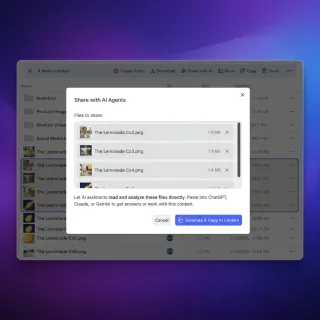
Claude 3.7 Sonnet Context Window: 200K Tokens, Extended Thinking, and Pricing
Anthropic's Claude 3.7 Sonnet pairs a 200,000-token input context window with a dynamic thinking budget capable of producing up to 128,000 output tokens. While the expanded capacity handles complex reasoning and large codebases, multi-file uploads and deep thinking tokens can rapidly exhaust context boundaries and API rate limits. Effective implementations combine prompt caching with external workspace indexing to keep model context focused on high-value generation.

Claude 4: Models, Capabilities, and How to Choose
Claude 4 is Anthropic's current-generation model family, spanning three capability tiers with a 25x pricing gap between the cheapest and most expensive option. This guide compares Opus 4.8, Sonnet 4.6, and Haiku 4.5 by context window, thinking mode, latency, and cost, then maps each tier to the workloads where it fits best.

Claude 5-Hour Limit Explained: Reset Rules, Token Consumption, and Workarounds
The Claude 5 hour limit is Anthropic's rolling rate-limiting mechanism that dynamically restricts user message volume over a five-hour window based on prompt length, model tier, and conversation context size. Message allowances fluctuate based on conversation length and file attachment volume, because Claude re-reads the full context with each turn. Managing token consumption through prompt batching and external workspace retrieval via MCP prevents unexpected throttling.

Claude Agent SDK vs OpenAI Agents SDK: A Developer's Comparison
Claude Agent SDK and OpenAI Agents SDK take opposite approaches to building AI agents. This comparison breaks down their architectures, tool calling patterns, multi-agent support, and production features so you can pick the right one for your project.

Claude Agents: Features, Managed Agents API, and How to Build with Them
Anthropic now offers three distinct surfaces for running Claude as an autonomous agent, each built for different use cases. Managed Agents launched in beta in April 2026 with cloud sandboxes and self-hosted options. Claude Code runs agents in your terminal. The Messages API gives you full control over the agent loop. This guide covers what each surface does, how they compare, and how to start building with them.

Claude AI Courses: Best Training Programs and Certifications for 2026
Anthropic launched 20 free courses on Skilljar, a $99 proctored certification exam, and a $150 million nonprofit fellowship in the first half of 2026. This guide covers every official Anthropic Academy course, the CCA-F certification, and the Claude Corps fellowship, with recommended learning sequences for developers, business users, and educators.

Claude App: How to Download and Use Claude on Every Platform
Anthropic ships Claude across six platforms, but each one gives you different capabilities. This guide covers how to download and install the Claude app on iOS, Android, Mac, Windows, web, and Chrome, plus a breakdown of which features work where and how Claude Cowork turns the desktop app into an autonomous work tool.

Claude Artifact Size Limits: Token Ceilings, Rendering Caps, and Workarounds
Claude artifact size limits are bounded by the model's maximum output token generation cap (typically 4,096 to 8,192 tokens) and iframe rendering memory constraints. While Claude processes a 200,000-token input context, single-turn generations cut off when they reach output ceilings, leaving incomplete code or blank previews. Managing complex apps requires modular decomposition, precise continuation prompts, and external workspace storage.

Claude Artifacts: How to Create Interactive Apps, Documents, and Code
Anthropic ships Artifacts on every Claude plan, including the free tier, yet most users treat the feature as a code preview pane rather than a prototyping environment. This guide walks through every artifact type, from single-file React apps to Mermaid diagrams, with creation workflows, publishing steps, and honest coverage of where the sandbox stops and real development starts.

Claude Attachment Limit: File Caps, Size Ceilings, and Knowledge Retrieval
The Claude attachment limit restricts web chat uploads to 20 files per conversation with a 500MB maximum file size, while Claude Projects caps individual files at 30MB within the shared context window. Long PDFs face visual processing cutoffs at 100 pages and hard rejections past 1,000 pages. For research libraries and multi-document corpuses that exceed these ceilings, indexing files in an external workspace with remote retrieval prevents token exhaustion and keeps context windows clear.

Claude Best Practices: Context Setup, Prompting, and Workflow Tips
Anthropic reports that building a layered context system with identity and voice files improves Claude output quality more than switching between models. Yet most users still rely on blank-slate prompting. This guide consolidates the official Anthropic best practices for Cowork and Code with practical patterns for CLAUDE.md sizing, skill chunking, permission mode selection, and outcome-oriented prompting that produce consistently better results.

Claude Box Connector: Connecting Anthropic Agents to Box Cloud
A Claude Box connector links Anthropic Claude models to enterprise Box storage, enabling AI agents to search and inspect corporate documents. While native Box connectors let agents browse directory trees, scanning complex enterprise folders triggers context bloat, API rate limits, and permission barriers. Fast.io syncs Box folders into an intelligent workspace, allowing Claude to execute hybrid search over remote MCP without downloading complete files.

Claude Character Limit: Prompt Caps, Paste Rules, and Workspaces
The Claude character limit is the interface paste boundary in Claude.ai where long pasted text is automatically converted into a text attachment. In Claude Projects, project knowledge is limited by the context window at 30MB per file. Direct prompts trigger message length warnings as inputs grow, while large attachments compound token usage across conversational turns. Indexing document archives in a Fast.io workspace and querying via remote MCP keeps prompts compact.

Claude Cloud Storage: Connecting Multi-Cloud Repositories via MCP
Claude cloud storage connects cloud file systems with Anthropic Claude models using Model Context Protocol (MCP) servers and workspace sync engines. Organizations store records across fragmented providers including Dropbox, Google Drive, Box, OneDrive, and SharePoint. Connecting Claude through an intelligent Fast.io workspace avoids tool call sprawl and unreadable file errors by indexing documents on arrival for remote MCP retrieval.

Claude Code Agents: Subagents, Background Agents, and Agent Teams
Claude Code ships three delegation layers that solve the biggest bottleneck in AI-assisted coding: context window management. Subagents isolate side tasks in separate context windows, background agents run work concurrently, and agent teams coordinate across independent sessions. This guide covers the full hierarchy with configuration examples and decision frameworks for choosing the right agent type.

Claude Code Box Integration: Connect CLI Agents to Box via MCP
Claude Code Box integration connects Anthropic's command-line coding agent to enterprise Box storage via the Model Context Protocol, grounding code generation in enterprise documentation. While Box offers a hosted remote MCP server, direct terminal retrieval floods prompt context with large files. Syncing Box folders into an indexed Fastio workspace lets developers query precise semantic excerpts via MCP while keeping Box as the primary repository.

Claude Code Box MCP: Connecting Claude Code CLI to Box Cloud Storage
Claude Code Box MCP is an architectural setup enabling Claude CLI coding assistant to search, read, and write files in Box repositories through Model Context Protocol. While native Box connectors crawl directories sequentially and pull raw files into terminal prompts, connecting Box folders to an intelligent Fast.io workspace pre-indexes documentation for hybrid search. Developers query technical specifications and schemas directly from the command line without context dilution or rate limits.

Claude Code Cheat Sheet: Commands, Shortcuts, and Quick Reference
Claude Code ships with 30+ slash commands and 10+ keyboard shortcuts, yet most developers stick to the same five or six. This reference organizes every command by workflow, explains the three permission modes that control agent autonomy, and covers advanced features like hooks, effort levels, and MCP connections that most cheatsheets skip.

Claude Code Commands: Complete CLI and Slash Command Reference
Claude Code ships over 70 slash commands, 50+ CLI flags, and a fully customizable keybinding system. Most developers use fewer than ten. This reference organizes every command by workflow stage, from first-time project setup through shipping a pull request, so you can find the right command without scrolling through alphabetical docs.

Claude Code Compaction: How Context Compaction Works and How to Avoid It
Claude Code context compaction condenses terminal history, tool results, and bash logs into a summary when sessions approach token limits. While compaction prevents session crashes, it discards intermediate diffs, debug outputs, and path-scoped rules. Controlling compaction with focus prompts, project-root directives, and external MCP storage preserves critical developer context.

Claude Code Context Window: Managing Token Limits in Terminal Agents
The Claude Code context window determines how much conversation history, source code, and command output a terminal agent retains during active development. When complex debugging loops and repetitive file reads saturate working memory, automated compaction summarizes prior turns to prevent context exhaustion. This guide explains how the working buffer fills, how to control compaction thresholds, and how to offload large technical documentation to external Fast.io workspaces via remote MCP.

Claude Code Degradation: Why Reasoning Declines in Long Sessions and How to Prevent It
Claude Code degradation occurs when extended agent sessions accumulate excessive tool outputs, bash logs, and lossy compactions, causing instruction drift and file state errors. While Claude supports large context capacities, attention dilution erodes reasoning precision long before reaching token limits. Understanding these context mechanics and structuring sessions with modular persistence keeps agent execution reliable.

Claude Code File Size Limits: CLI Truncation and Large File Handling
Claude Code imposes strict operational file size limits in the terminal, truncating file reads and command outputs past internal buffer thresholds to preserve context. While Claude web projects accept files up to 30MB, local CLI agents require line-bounded reads, scoped grep filters, or external indexed workspaces to inspect large datasets without triggering silent truncation.

Claude Code GitHub Integration: Actions, Enterprise, and Repository Setup
Claude Code connects to GitHub through three integration surfaces that most guides treat in isolation: Actions for CI/CD automation, Enterprise Server for on-premise deployments, and OAuth-based auth for cloud and Claude Cowork coding sessions. This guide covers setup, configuration, and authentication for each integration point, with workflow examples you can copy into your repository today.

Claude Code Google Drive MCP: Connecting Terminal Agents to Drive
Claude Code Google Drive MCP connects Anthropic's command-line agent to Google Drive files through the Model Context Protocol. While native connectors require local OAuth redirect handling and pull entire documents into terminal prompts, connecting through an intelligent Fast.io workspace indexes Drive records on arrival. Developers query technical specifications, schemas, and project requirements using hybrid search via remote MCP without exhausting context windows.

Claude Code IDE Extensions: VS Code and JetBrains Setup Guide
Claude Code's awareness among developers jumped from 31% to 57% between mid-2025 and January 2026, yet most setup guides cover only the terminal CLI or VS Code in isolation. This guide walks through installing and configuring Claude Code across both VS Code and JetBrains IDEs, compares feature parity with the CLI, and shows how to connect IDE-based agents to persistent workspaces where files survive between sessions.

Claude Code Limits: Quotas, 200K Context Windows, and 5-Hour Usage Caps
Claude Code operates under two distinct boundaries: length limits dictated by a 200,000-token context window and usage limits enforced through 5-hour rolling windows and weekly organization caps. Every command, file read, and diff compounds in the session history, draining user quotas rapidly during iterative coding sessions. Controlling token consumption requires active terminal hygiene and offloading large codebase references to external storage through the Model Context Protocol.

Claude Code Memory Limits: CLAUDE.md Sizing, Auto-Memory, and Context Workarounds
Claude Code memory limits represent the size thresholds and retention boundaries governing CLAUDE.md files, persistent auto-memory directories, and active session compaction. Operating within a 200,000-token context window, Claude Code reads manual instruction files at launch and automatically records session learnings to a 200-line index. When context fills or projects outgrow local files, offloading large reference corpora to external workspaces prevents memory bloat.

Claude Code Message Limit: Quotas, Compaction, and Large-Context Workarounds
Claude Code message limits define the maximum prompt token size and message frequency allowed in a CLI session before context compaction or rate limits trigger. Operating within a 200,000-token context window, terminal sessions compact history before reaching capacity to preserve memory. Offloading large documentation and multi-repository codebases to an indexed Fast.io workspace through MCP prevents context exhaustion and keeps development sessions responsive.

Claude Code Models: How to Configure and Switch Models
Claude Code offers four model tiers with a 10x cost spread between the cheapest and most capable option. Your default model depends on your subscription type, and switching requires one command. This guide covers which model to pick for each coding task, three ways to switch mid-session, how aliases resolve differently across providers, and how effort levels give you finer cost control than model switching alone.

Claude Code OneDrive MCP: Connect Terminal Coding Agents to Cloud Storage
Connecting Claude Code to Microsoft OneDrive using Model Context Protocol enables terminal coding agents to query project documentation on demand. Rather than mounting local OneDrive sync folders that clog context windows with raw files or fail on unhydrated Files On-Demand stubs, developers sync OneDrive folders into an indexed Fast.io workspace. Claude Code queries the remote MCP endpoint, retrieving precise semantic passages with verified citations.

Claude Code Plugins: How to Build, Discover, and Install Plugins
Anthropic's official Claude Code marketplace hit 101 plugins by early 2026, with community registries indexing over 14,000 more. This guide walks through the plugin system from first principles: what plugins actually contain, how to build one from scratch, how to discover and install existing plugins, and how to distribute your own through marketplaces.

Claude Code Pricing: Plans, Costs, and Usage Limits Explained
Anthropic doubled Claude Code's five-hour usage caps in May 2026, but most pricing guides still lump chat and coding costs together. This guide separates the two: subscription tiers (Free through Enterprise), per-token API rates for each model family, the rolling-window mechanics that actually govern how much coding you get per day, and the hidden overhead that inflates real-world bills beyond sticker price.

Claude Code Pro Opus Limits: Quotas, Throttling & Agent Workarounds
Claude Pro subscriptions share a single rolling five-hour usage budget across web chat, desktop apps, and the Claude Code CLI. Running Claude Code with Claude 3 Opus consumes this quota rapidly because autonomous tool execution loops resend accumulated context on every turn. Managing your terminal session with targeted model routing, lean project context, and remote workspace search keeps development moving without hitting disruptive rate limits.

Claude Code Prompts: CLAUDE.md, Custom Commands, and Prompt Engineering
Claude Code v2.1.193 assembles over 500 distinct prompt fragments at session start, but developers control their experience through three layers: CLAUDE.md project files for persistent context, custom slash commands for reusable workflows, and Agent SDK options for programmatic configuration. Each layer has specific scoping, caching, and composition rules that determine how instructions reach the model.

Claude Code Proxy Setup: Corporate Networks, API Gateways, and ANTHROPIC_BASE_URL
Corporate proxy servers, TLS inspection appliances, and API gateways all sit between Claude Code and the Anthropic API. Misconfigure any layer and you get cryptic SSL errors or silently dropped connections. This guide covers every proxy scenario: HTTPS_PROXY for network routing, custom CA certificates for TLS inspection, mutual TLS for client authentication, and ANTHROPIC_BASE_URL for API gateway integration.

Claude Code Rate Limits: 5-Hour Usage Caps, 429 Errors, and Workarounds
Claude Code rate limits enforce execution thresholds across terminal requests, tokens per minute, and five-hour rolling usage windows. Autonomous tool-calling loops can trigger HTTP 429 errors within minutes as multi-file inspections compound prompt size. Diagnosing subscription caps versus API tier limits enables developers to manage session context, switch models, and connect external indexed workspaces for large codebases.

Claude Code Remote Control: Access and Control Sessions from Any Device
The average developer using Claude Code spends 20 hours per week in sessions, but until recently every one of those hours required sitting at the same terminal. Remote Control changes that constraint by bridging a running local session to any browser or the Claude mobile app, so your filesystem, MCP servers, and project configuration stay local while the conversation travels with you.

Claude Code Remote MCP: Connecting Cloud Storage to Terminal Agents
A Claude Code remote MCP configuration connects Anthropic terminal-based agent to cloud-hosted MCP servers using HTTP and SSE transports, giving command-line workflows direct access to indexed remote workspaces. Developers running agents in cloud shells, containers, or local terminals can query team documentation without mounting bulky local volumes. This guide covers Streamable HTTP and SSE setup, resolving cloud storage bottlenecks, and structuring queries against shared knowledge stores.

Claude Code Review: How to Use /code-review and Ultrareview
Claude Code ships a built-in /code-review command that scans diffs for correctness bugs and improvement opportunities at five effort levels, from a quick local pass to a multi-agent cloud analysis. This guide covers command syntax, effort level selection, the --comment and --fix flags, ultrareview's deep multi-agent pipeline, and managed Code Review for GitHub pull requests so you can pick the right review depth for every change.

Claude Code Session Limit Reached: Causes, Compaction, and Workarounds
Claude Code session limits occur when cumulative terminal output, command history, and file reads saturate the agent active context window or five-hour rolling usage quota. Running the /compact command condenses prior conversational turns into structured checkpoints while preserving critical project state. For large codebases, moving documentation and reference files into an indexed MCP workspace prevents context exhaustion and keeps developer sessions responsive.

Claude Code SharePoint MCP: Connecting Terminal Agents to Enterprise Docs
Claude Code SharePoint MCP connects Anthropic's command-line agent to Microsoft SharePoint document libraries through the Model Context Protocol. While native connectors require complex Azure app registrations and pull entire files into prompt context, connecting through an intelligent Fast.io workspace indexes SharePoint records upon sync. Developers can query architecture specifications and database schemas from the terminal without context window blowups.

Claude Code Skills: How to Create, Install, and Use Custom Skills
Claude Code skills are SKILL.md instruction files that extend what Claude can do, automatically loaded when relevant to a task. With 345 community skills already available and the Agent Skills open standard gaining traction across nine coding tools, custom skills have become the primary way developers encode repeatable workflows into their AI coding environment.

Claude Code Subagents: How to Create and Use Specialized AI Agents
Most AI coding sessions degrade after an hour because file reads, search results, and test output flood the context window. Claude Code subagents fix this by running side tasks in isolated context, each with a custom system prompt, scoped tool access, and independent model selection. Creating, configuring, and deploying subagents takes a few minutes and the payoff in context quality is immediate.

Claude Code Teams: Multi-Agent Orchestration Guide
Claude Code agent teams split complex coding tasks across multiple independent AI sessions. Each teammate gets its own context window and communicates through a shared task list and direct messaging. This guide covers enabling the experimental flag, spawning teammates, choosing display modes, designing tasks for parallel execution, and integrating persistent storage for human handoff.

Claude Code Terminal Setup: Running Coding Agents in Team Workspaces
Command line coding agents often cause silent overwrites when running concurrently on developer workstations. This guide explains how to install and configure Claude Code in the terminal, run parallel sessions with background dispatch, and connect agents to shared workspaces via remote MCP for reliable team handoffs.
Claude Code Token Limit: Output Caps, Compaction, and Workspace Architecture
The Claude Code token limit defines the boundaries on input context, per-turn output generation, and rolling session usage during CLI workflows. Although models like Claude 3.7 Sonnet support a 200,000-token context window and 64,000 thinking output tokens, repetitive tool outputs rapidly consume capacity. Effective engineers combine auto-compaction, selective file targeting, and external workspace retrieval to maintain coding velocity.

Claude Code Token Usage: How to Track, Inspect, and Reduce Token Burn
Claude Code token usage measures the cumulative input, output, prompt-cached, and tool-invocation tokens consumed during an interactive terminal coding session. Managing these costs requires inspecting live session consumption with built-in commands, understanding prompt cache invalidation dynamics, and keeping multi-turn contexts compact. For large codebases and reference corpora, offloading search to an external workspace prevents verbose file reads from exhausting the model's context window.

Claude Code Usage Limits: Rate Windows, Plan Caps, and Token Strategies
Claude Code routinely consumes 10 to 100 times more tokens per interaction than a standard Claude.ai chat message, which is why Pro plan users regularly exhaust their five-hour quota in under an hour of active coding. This guide breaks down the dual-layer rate limit system, compares caps across every plan tier from Free to Enterprise, and covers practical strategies for extending your effective coding time without upgrading.

Claude Code vs Cline: API Costs and Pricing Model Comparison
An analysis of the operational costs and billing models behind Claude Code and Cline. We break down the math of token consumption, prompt caching, and context management to show developers how to budget for agentic coding tools.

Claude Code vs Cline: MCP Integration Comparison
This guide provides a detailed Claude Code vs Cline MCP integration comparison for developers. We break down configuration file structures, transport layers (stdio, SSE, and Streamable HTTP), and practical setup steps for remote servers like Fast.io.

Claude Code vs Cline: The Ultimate Command and Shortcut Cheat Sheet
Claude Code and Cline take distinct paths to autonomous development. While Claude Code runs in the terminal with CLI commands, Cline integrates into VS Code with visual approval gates. This cheat sheet details keyboard shortcuts and configuration JSON rules.

Claude Code vs GitHub Copilot: Which AI Coding Tool Wins in 2026?
Claude Code scored 88.6% on SWE-bench Verified with Opus 4.8, while GitHub Copilot's agent mode last published 56% on the same benchmark. The gap narrows when you factor in Copilot's inline completions, multi-model flexibility, and native GitHub integration. This comparison covers where each tool wins, what the actual costs look like in 2026, and how the most productive teams combine both.

Claude Code vs OpenCode: Which Terminal AI Agent Fits Your Workflow
Claude Code handles roughly 4% of all public GitHub commits, while OpenCode has collected 179,000 stars as the leading open-source alternative. Both are terminal-based AI coding agents, but they take opposite architectural bets: Claude Code trades model flexibility for a polished, vertically integrated experience, and OpenCode trades that polish for freedom to run any model from any provider.

Claude Code vs. Windsurf (Now Devin Desktop): CLI Autonomy vs. IDE Workspaces
Choosing between a command-line agent and an integrated development environment shapes your daily coding loop. While Claude Code offers terminal-first autonomy that works alongside any text editor, Windsurf (renamed Devin Desktop in June 2026) builds agentic reasoning into a VS Code fork. This guide compares their architecture, execution models, and how teams can coordinate their inputs without file conflicts.

Claude Compaction Failed Unexpectedly: Causes, Fixes, and Context Offloading
Claude Code triggers automated compaction when session context approaches the 200,000-token boundary, summarizing prior conversation turns to preserve working memory. When oversized file reads, sprawling tool outputs, or heavy startup prompts exceed compression thresholds, the CLI halts with unexpected compaction failures. Resolving these errors requires targeted session recovery, scoped manual compaction, and offloading heavy documentation to indexed workspaces via Model Context Protocol.

Claude Computer Use: How It Works and How to Set It Up
Claude computer use lets Claude see your screen, control the mouse, and type text to automate tasks across any desktop application. Opus 4.8 scores 84% on Online-Mind2Web for autonomous web navigation, leading all single-agent systems. This guide covers the screenshot-action loop, model selection, API setup with code examples, desktop app configuration, and safety practices for production deployments.

Claude Computer Use: Working with Files and Documents
Claude Computer Use lets Claude interact with files on your computer by seeing your screen, clicking through folders, and running file operations. Unlike traditional file APIs, Computer Use relies on visual understanding to navigate file managers, preview documents, and organize files like a human would.
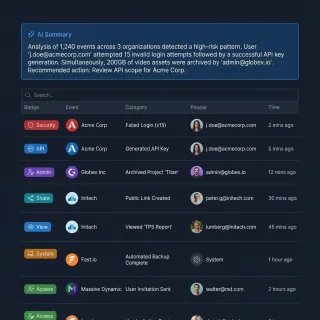
Claude Connectors Data Access: Permissions, Governance, and Safe Storage Sync
Claude Connectors data access refers to the permission boundaries, authentication protocols, and file-level scopes that govern what external data Claude can read or modify. When teams connect AI models directly to cloud drives, broad read permissions often expose entire corporate file trees. A safer governance model isolates project files in shared workspaces, synchronizes designated folders on a schedule, and lets Claude search indexed documents through scoped remote MCP connections.

Claude Connectors: How AI Connectors Work and How to Connect Cloud Storage
Claude Connectors are standardized integrations and Model Context Protocol (MCP) bridges that allow Anthropic's Claude models to interface with external apps, APIs, and cloud file stores. Connecting AI directly to unindexed cloud drives leads to broad permission exposure and severe context bloat. Teams solve this by syncing folders from Google Drive, Dropbox, Box, or OneDrive into an intelligent workspace, allowing Claude to query indexed excerpts through remote MCP.

Claude Context Limit: Token Windows, Memory Saturation, and Workspace Search
Claude context limit is the 200,000-token operational boundary that caps the cumulative volume of conversation history, system instructions, and file attachments processed in a single session. While chat sessions accept file uploads up to 500MB, all extracted text must fit within active working memory alongside conversational turns. Connecting Claude to an indexed workspace via remote MCP lets teams search deep document libraries on demand without saturating context memory.
Claude Context Window Size: 200K to 1M Token Limits by Plan and Model
Claude's context window size is the maximum volume of combined prompt, conversation history, and uploaded file tokens that Anthropic's models can process in active working memory during a single session. On paid plans, Claude provides a 200,000-token capacity across Claude 3.5 and 3.7 Sonnet, scaling up to 1,000,000 tokens on expanded tiers. When document archives exceed active token memory, teams connect external workspaces over MCP for indexed retrieval.

Claude Context Window: Sizes, Limits, and How to Maximize It
Claude's context window determines how much text fits in a single conversation, and it varies more than most developers realize. Depending on the model, plan, and surface, you get anywhere from 200K to 1M tokens. Tokenizer differences mean the same 1M-token limit holds roughly 555,000 words on Opus 4.8 and 750,000 words on Sonnet 4.6, and features like compaction and automatic summarization extend conversations well past those native limits.

Claude Cowork Box Connector: Connecting Team Storage & Workspaces
A Claude Cowork Box connector links Anthropic's collaborative agent workspace to enterprise Box repositories, allowing team agents to query enterprise documents, design collateral, and specifications. While native connectors enable direct folder browsing, traversing nested directory trees causes API rate limiting, high token costs, and context saturation. Syncing Box folders into Fast.io workspaces lets Claude Cowork run fast hybrid searches over remote MCP without downloading complete files.
Claude Cowork Connectors: Cloud Storage Setup, Latency, and Fast Sync
Claude Cowork connectors are built-in workspace bridges that permit Anthropic's Claude Cowork desktop environment to read and manipulate external documents across cloud storage platforms. Pointing conversational agents at unindexed folder trees causes severe latency and context bloat. Syncing folders from Google Drive, Dropbox, Box, or OneDrive into an intelligent workspace allows Claude Cowork to query pre-indexed document excerpts through remote Model Context Protocol (MCP) endpoints.

Claude Cowork Demo: What Each Task Type Looks Like Before You Subscribe
Opt-in SaaS trials convert at a median 14%, yet Claude Cowork has no free trial, requiring a $20/month Pro subscription before you can run your first task. This written walkthrough covers the five-step task loop and four core use cases so you can evaluate Cowork before subscribing.

Claude Cowork Dropbox: Native Connector Setup and Retrieval Performance
The Claude Cowork Dropbox connector allows Anthropic Claude to directly browse, search, and ingest files stored in Dropbox accounts during user conversations. While native connectors enable direct file browsing for single documents, querying large folders causes API rate limiting, high token costs, and context saturation. Syncing Dropbox folders into Fast.io workspaces lets Claude Cowork run fast hybrid searches over remote MCP without downloading complete files.

Claude Cowork Features, from File Access to Scheduled Tasks
A Growth Unhinged survey found that 32% of GTM operators now use Cowork as their primary Claude product, matching both Chat and Code in adoption within months of launch. This guide maps every Cowork feature, from folder-scoped file access and sub-agent coordination to scheduled tasks and MCP connectors, so you can evaluate which capabilities actually apply to your workflows.

Claude Cowork on Linux: Workarounds, Alternatives, and Setup
Nearly 28% of professional developers use Linux as their primary OS, but Claude Cowork officially ships only for macOS and Windows. This guide walks through four practical approaches to get Cowork working on Linux: a reverse-engineered native build, repackaged .deb and .rpm installers, SSH tunneling from a supported machine, and Claude Code as a terminal-native alternative that runs on Linux without any workarounds.

Claude Cowork OneDrive Connector: File Access & Benchmarks
Connecting Claude Cowork to Microsoft OneDrive allows AI agents to access enterprise files during collaborative work sessions. Direct connectors pull entire unindexed folder trees across the Microsoft Graph API, increasing latency and token consumption. Syncing OneDrive folders to a Fastio workspace enables pre-indexed hybrid search via remote MCP, reducing retrieval overhead while maintaining strict folder-level boundaries.

Claude Cowork Pricing: What Each Plan Actually Unlocks
Anthropic bundles Claude Cowork into every paid Claude subscription rather than selling it separately, which means the real pricing question is not whether you can access Cowork but how much agentic work each tier actually supports. Pro at $20/month, Max at $100 or $200/month, Team at $25/seat, and Enterprise at custom pricing all grant the same Cowork features, but agentic tasks burn through usage allowances five to twenty times faster than regular chat.

Claude Cowork Review 2026: Honest Assessment After Real Use
A Growth Unhinged survey found that 32% of GTM operators now use Cowork as their primary Claude product, matching Chat and Code in adoption within months of its early 2026 launch. That speed signals real utility, but early reviews focus on first impressions rather than sustained use. The harder questions are about reliability over weeks, what daily use actually costs, and the security tradeoffs Anthropic acknowledged before shipping.

Claude Cowork SharePoint: Connecting Document Libraries via MCP
Connecting Claude Cowork to SharePoint document libraries allows AI agents to query enterprise knowledge without broad tenant permissions. Native connectors require Global Administrator consent across Microsoft Entra ID and search entire corporate tenants. Syncing document libraries to Fastio creates a scoped workspace with built-in hybrid search, allowing Claude Cowork to retrieve precise citations via remote MCP.

Claude Cowork vs Claude Code: Which One Should You Use?
Claude Code now accounts for roughly 4% of all public GitHub commits, and Claude Cowork went generally available in April 2026. Both products run on the same agentic model, but they target different workflows entirely. This guide compares them feature by feature, covering file access, MCP support, scheduling, plugins, and output types, so you can pick the right one for the way you actually work.

Claude Cowork vs Microsoft Copilot: Same Model, Different Workflows
Claude Cowork and Microsoft Copilot Cowork both run on Claude's agentic model, but they target different workflows. The core split is architectural: Claude Cowork runs locally on your desktop with cross-application reach, while Copilot Cowork operates in the Microsoft 365 cloud with organizational context through Work IQ. That difference drives every practical gap in governance, team collaboration, and pricing.

Claude CSV File Limit: Token Caps, File Limits, and Data Workarounds
The Claude CSV file limit allows uploads up to 30MB in Projects or 500MB in individual chats, but tabular datasets are constrained by token conversion within Claude's context window. Because CSV rows are parsed as raw text tokens, large spreadsheets quickly trigger context exhaustion. Connecting an intelligent workspace via MCP allows Claude to search and extract specific records without loading full tables into context.

Claude Daily Limit: Usage Caps, Reset Times, and Workarounds
Claude daily limits refer to the message and token caps imposed on Claude.ai accounts, which operate as fixed 24-hour allowances on the Free tier and rolling 5-hour dynamic windows on paid plans. Free tier users typically receive roughly 30 messages per 24 hours depending on demand, while Pro subscribers receive at least 5 times the usage of free users within dynamic 5-hour windows. Offloading large documents to external workspaces via MCP preserves your daily conversation budget.

Claude Desktop App: Features, Setup, and Tips
The Claude desktop app bundles Chat, Cowork, and Code into a single native application for Mac, Windows, and ChromeOS. This guide covers system requirements, installation, and practical workflows for each tab, plus tips for desktop extensions, computer use, and connecting Claude to external tools via MCP servers.

Claude Desktop Context Window: Token Limits, MCP Overhead, and Document Retrieval
Claude Desktop operates with a standard 200,000-token input context window (with options up to 1,000,000 tokens on select models) shared across system prompts, attached files, conversation turns, and connected MCP tool schemas. Local MCP servers and document attachments can consume tens of thousands of tokens. Connecting Claude Desktop to an indexed cloud workspace via remote MCP lets teams query large document libraries using targeted retrieval instead of exhausting working memory.

Claude Desktop File Size Limits: Chat Uploads, Projects, and MCP Buffers
The Claude Desktop file size limit is 500MB per file in direct chat uploads and 30MB in Projects, but local filesystem MCP integrations encounter practical JSON-RPC buffer limits between 4MB and 10MB. Understanding these distinct ceilings prevents Electron application crashes, context window exhaustion, and IPC timeout errors. This guide details documented upload limits, local transport bottlenecks, and how to query gigabyte-scale document archives using external intelligent workspaces.

Claude Developer Guide: API, Console, SDKs, and Building with Claude
Anthropic's Claude developer platform spans nine APIs, seven official SDKs, a CLI, and a managed agents framework. Most tutorials stop at a basic Python quickstart and never cover batch processing (50% cost savings) or prompt caching (90% input cost reduction). This guide walks the full stack from Console setup to production deployment.

Claude Dropbox Connector: Claude Cowork Setup vs. Fast.io MCP Workspaces
A Claude Dropbox connector links Anthropic's Claude assistant to Dropbox shared folders, enabling AI agents to search and inspect cloud documents. While native connectors in Claude Cowork provide direct access for single-file reviews, scanning large project directories causes context bloat and timeout errors. Fast.io syncs Dropbox folders into an intelligent workspace, letting Claude run targeted hybrid searches over remote MCP without downloading complete files.

Claude Dropbox Not Working: Troubleshooting Connection, Sync & File Limits
When teams find the Claude Dropbox not working as expected, the issue usually stems from expired OAuth refresh tokens, Dropbox Business team folder namespace conflicts, or payload timeouts. Fixing these failures requires re-authenticating the connector, configuring team space routing headers, and respecting latency limits. For reliable multi-agent workflows, syncing Dropbox storage into persistent workspaces provides search-by-meaning without hitting agent memory caps.

Claude Enterprise Plan: Features, Security, Compliance, and Deployment Options
Claude Enterprise bundles four product surfaces, Chat, Code, Cowork, and Security, under one admin umbrella with SOC 2 and ISO 27001 certification and a HIPAA-ready configuration. This guide covers what the plan includes, how the 28 security and compliance integrations work, deployment options across AWS Bedrock, Google Cloud Vertex AI, and Azure Foundry, and what the seat-plus-usage pricing model costs in practice.

Claude Excel Limits: File Sizes, Row Caps, and Large Spreadsheet Analysis Fixes
The Claude Excel limit encompasses a 500MB upload cap in chat, a 30MB cap in Projects, and token boundaries when converting spreadsheets into prompt context. Large workbooks with thousands of rows frequently trigger truncation or formula stripping during direct analysis. Sizing worksheets, converting to CSV, or querying workbooks through an external Model Context Protocol connection allows teams to analyze large datasets without hitting prompt boundaries.

Claude Exporter: How to Export Claude Conversations to PDF, Markdown, and More
Anthropic's built-in data export gives you a raw JSON dump of your entire Claude history, but browser extensions let you save individual conversations as PDF, Markdown, HTML, and more. This guide compares the leading Claude exporter tools by format support, privacy posture, and bulk export capabilities so you can pick the right one without handing your data to a third party.

Claude File Size Limits: Chat, Projects, and Context Ceilings Explained
The Claude file size limit is 500MB per file in standard chats (up to 20 files) and 30MB per file in Claude Projects, with overall document capacity constrained by Claude's 200,000-token context window. While chats accept large raw data files, Claude Projects enforces text extraction and no fixed file count cap. Teams working with larger enterprise document collections avoid context exhaustion by keeping files in an indexed workspace and searching via MCP.

Claude Filesystem Connector: Local Stubs vs Remote Agent Storage
The Claude filesystem connector links Claude Desktop and Claude Cowork to local file paths and mounted directories through the Model Context Protocol. Pointing local filesystem connectors at cloud-synchronized folders introduces unhydrated file stubs, zero-byte read errors, and process freezes. Connecting Claude to indexed remote workspaces over Streamable HTTP eliminates local sync lag and provides semantic retrieval across team files.
Claude for Students: Free Access, Study Tips, and Student Pricing in 2026
Around 6,600 people search for "claude student discount" every month, and the answer is straightforward: Anthropic does not offer one. But Claude's free tier now includes Sonnet 4.6, web search, file uploads, Projects, and memory across conversations, which covers most undergraduate and graduate workflows without spending anything.

Claude Google Docs Integration: Connecting Claude to Google Workspace Docs
Setting up a Claude Google Docs integration allows AI agents and chat assistants to reference Google Workspace documents directly. While native connectors load whole files into active prompts, pairing Google Drive with remote MCP workspaces indexes documents for semantic search, eliminating token bloat and context exhaustion.
Claude Google Drive Connector Timeout: Causes, Fixes & Indexed MCP Sync
Claude Google Drive connector timeouts occur when Claude Cowork or Claude Desktop exceeds client execution windows while waiting for Google Drive API folder enumeration. While reconnecting OAuth resolves invalid tokens, persistent hanging stems from unindexed folder traversals and heavy file payload transfers. Pre-indexing Drive folders in a cloud workspace and searching via remote MCP provides instant responses without API timeouts.

Claude Google Drive Not Working: Troubleshooting Guide and Workarounds
When Claude Google Drive is not working, connection failures typically stem from expired OAuth credentials, Google Workspace admin policies, or context limits on large files. While resetting authorization resolves temporary drops, standard connectors cannot overcome the limits of dumping raw file text into prompts. Teams can keep Google Drive while importing files into an indexed workspace, querying documents via remote MCP search.
Claude Haiku Context Window: Token Limits, Latency, and Workarounds
The Claude Haiku context window provides a 200,000-token input memory buffer for high-speed processing across autonomous agent loops and document workflows. While Haiku processes large prompts with low latency, repetitive context stuffing inflates token usage and degrades retrieval accuracy. Understanding token limits, output caps, and external retrieval through the Model Context Protocol allows developers to run fast agent workflows without exhausting context limits.

Claude Haiku vs Sonnet: Which Model Should You Use?
Claude Haiku 4.5 costs $1 per million input tokens. Sonnet 4.6 costs $3. That 3x price gap runs through every dimension of the comparison, from batch processing to prompt caching. The models differ on more than price: Sonnet's 1M-token context window is five times Haiku's 200K, and Sonnet adds adaptive thinking that scales reasoning depth by task complexity.

Claude Image Limits: Upload Caps, File Sizes, and Vision Token Math
The Claude image limit restricts uploads to 5 images per prompt, 30MB per image file, and maximum dimensions of 8000x8000 pixels. While Claude converts images into visual tokens using a 28x28 pixel patch formula, Claude Projects knowledge bases exclude standalone image files entirely. Teams managing image datasets and visual document archives can bypass chat upload bottlenecks by connecting external workspaces through the Model Context Protocol.

Claude Max File Size: Limits for Web Chat, Projects, and Workarounds
Claude's max file size is 500MB per file in standard chat (up to 20 files) and 30MB per file in Claude Projects, where file count is uncapped but cumulative text must fit within the model context window. While standard chat handles attachments ephemerally, Projects loads persistent files into prompt memory or triggers automated retrieval. When document libraries exceed these thresholds, teams store files in external workspaces and query them on demand using the Model Context Protocol.

Claude Max Plan: Features, Usage Limits, and Whether It Is Worth the Upgrade
Anthropic doubled Claude Code's five-hour rate limits on May 6, 2026, making the Max plan's 5x and 20x multipliers stretch further than at launch. This guide breaks down what each tier actually includes, how usage caps work in practice, and how to decide whether Pro at $20/month already covers your workflow or whether Max at $100 or $200 justifies itself through fewer interruptions.

Claude Max Tokens: Output Limits, Thinking Budgets, and API Parameters
Claude max tokens refers to the max_tokens parameter in Anthropic's API that governs the upper bound of generated output tokens per response, distinct from the 200,000-token input context window. While legacy models capped output at 4,096 tokens, Claude 3.5 Sonnet supports 8,192 tokens, and Claude 3.7 Sonnet reaches a 64,000-token ceiling with extended thinking. Managing token settings, thinking budgets, and external retrieval prevents truncated code and failed API requests.

Claude Memory Limit: Working Memory, Context Allocation, and Long-Term Storage
Understanding the Claude memory limit requires distinguishing between active working context (200,000 to 1,000,000 tokens) and persistent profile memory across sessions. In Claude Projects, files are capped at 30MB each and bounded by the overall context window. When conversational compaction drops critical detail or project knowledge reaches capacity, connecting external workspaces through MCP provides a durable retrieval layer for large file collections.

Claude Memory: How It Works, Controls, and Best Practices
Fifty-seven percent of organizations now deploy AI agents in production, but quality remains the top blocker because context disappears between sessions. Claude's memory feature synthesizes your conversation history every 24 hours, carrying your preferences, projects, and working style into every new chat. The feature is available on all plans from Free through Enterprise, with project-specific memory spaces, incognito mode, import/export, and org-wide admin controls.

Claude Message Limit: Rules, Reset Times, and Large File Workarounds
The Claude message limit is Anthropic's dynamic usage cap that limits how many messages a user can send within a rolling 5-hour window, dynamically throttling capacity based on conversation length and document attachment size. Direct file uploads accelerate quota depletion by compounding tokens on every turn. By placing document archives in a Fast.io workspace and connecting via remote MCP, teams query indexed files without burning message allowances.
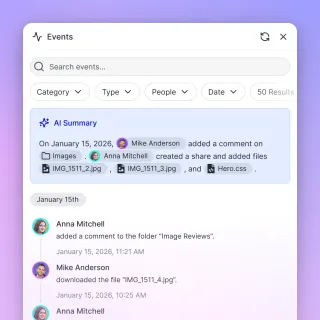
Claude Microsoft 365 Connector: Setup, Architecture, Limits & Sync
The Claude Microsoft 365 connector connects Anthropic models to OneDrive, SharePoint, Outlook, and Teams through Microsoft Entra ID. While the native connector provides direct conversational access, heavy document queries frequently run into Microsoft Graph API throttling and context window token bloat. Synchronizing SharePoint libraries and OneDrive folders into an indexed Fastio workspace lets agents query relevant excerpts over remote MCP with full citations.

Claude Model Comparison 2026: Opus vs Sonnet vs Haiku vs Fable
Anthropic's Claude family spans four model tiers from Haiku 4.5 at $1 per million input tokens to Fable 5 at $10. Each tier trades speed for capability at a different price point, and the right choice depends on your workload, plan, and whether you're using Cowork or the API. This guide breaks down every current model's specs, benchmarks, and real costs so you can pick without guessing.

Claude Multi-Agent Coworking: Architecture and Patterns
Claude multi-agent coworking is an architectural pattern where several specialized Claude agents share a single workspace to collaboratively solve complex tasks. This guide covers the three dominant coordination patterns, concurrency controls for shared files, context-sharing strategies that keep token costs manageable, and how to wire everything together with persistent storage and event-driven triggers.

Claude OneDrive MCP: Connect Claude to Microsoft OneDrive via Fast.io
Claude OneDrive MCP connects Anthropic Claude models to Microsoft OneDrive storage for reading, searching, and organizing documents. Pointing local filesystem tools at OneDrive folders often crashes agents on 0-byte Files-on-Demand stubs, while native enterprise connectors require extensive Microsoft Entra administration. Fast.io bridges this gap by syncing OneDrive folders into cloud workspaces, enabling Claude to query indexed files through a consolidated remote MCP toolset.

Claude OneDrive Not Working: Fix Connector Sync and File Stub Errors
Claude OneDrive connection failures occur when Microsoft Graph API throttling limits large folder indexing, tenant admin consent is withheld, or cloud-only files cannot be read by Claude. Local connectors stall on 0-byte Files On-Demand placeholders, while native integrations face strict rate limits. Syncing folders into an indexed Fastio workspace lets Claude query documents through remote Model Context Protocol search without network timeouts.

Claude Opus Context Window: Token Limits, Pricing, and Large-Corpus Search
The Claude Opus context window defines the active working memory available for complex reasoning, document analysis, and agentic workflows. While newer frontier releases extend capacity, stuffing raw files into active prompts triggers steep token costs and attention degradation. Connecting Claude to an intelligent Fast.io workspace through remote Model Context Protocol endpoints allows teams to search indexed documents with targeted passage retrieval.

Claude PDF Limit: Page Caps, File Sizes, and How to Query Long Documents
The Claude PDF limit is Anthropic's constraint that restricts uploaded PDF documents to a maximum file size of 32 MB in API payloads and a hard limit of 100 pages for visual analysis. Direct chat uploads support files up to 500 MB and 1,000 pages for text extraction, but flood active context windows with unneeded tokens. Indexing multi-hundred page documents in an external workspace with remote retrieval allows Claude to query large libraries without token bloat.

Claude Plugins: How to Find, Install, and Use Plugins, Connectors, and Skills
Claude ships three distinct extension types: plugins, connectors, and skills. Each has its own installation method, plan requirements, and permission model. The practical differences determine which plans, platforms, and workflows each type supports.

Claude Pricing Guide: Every Plan Compared
The average Claude Code developer spends $150 to $250 per month before optimization, yet most pricing guides only compare the Free and Pro tiers. This guide breaks down all six Claude plans, covers API token costs by model, and explains when Max 5x, Max 20x, Team, or Enterprise pricing actually makes sense for your workflow and budget.
Claude Pro Claude Code Limits: 5-Hour Rolling Caps and Token Budgets
Claude Pro Claude Code limits enforce a 5-hour rolling session window and weekly compute limits on Anthropic's $20/month plan, draining much faster than web chat due to automated file reads and diffs. Because Claude Code resends conversation history and file context on every turn, multi-file refactoring can deplete rolling allowances in under two hours. Managing context with compact commands, focused project rules, and remote MCP search prevents repetitive file reads from consuming quota.

Claude Pro Context Window: 200K Limit, Dynamic Throttling, and Project Caps
Claude Pro provides a 200,000 token context window, matching the raw capacity of free Claude 3.5 Sonnet while adding priority queue access during peak traffic. While chat sessions accept individual files up to 500 MB across 20 uploads, Claude Projects cap individual files at 30 MB and require all knowledge to share active memory. For teams working with larger document archives, connecting external persistent workspaces over MCP avoids context exhaustion.

Claude Pro Limits: Message Caps, Usage Resets, and Large-Corpus Solutions
Claude Pro limits grant subscribers 5x more usage than the free tier, with roughly 45 messages every 5 hours on flagship models. While chat conversations accept up to 20 files at 500MB each and Projects support unlimited files up to 30MB within context memory, large document libraries quickly exhaust prompt tokens. Teams managing extensive corpora connect Claude to indexed Fast.io workspaces via MCP to search files on demand.

Claude Pro Plan: Features, Pricing, and Whether It's Worth the Upgrade
Claude's paid subscriptions more than doubled in early 2026, with the $20/month Pro tier driving most of that growth. This guide breaks down what Pro includes beyond the free plan, how its rolling usage limits actually work in practice, and the specific scenarios where upgrading makes financial sense.

Claude Pro vs Max: Which Plan Fits Your Workflow
Claude Pro and Claude Max share every feature Anthropic offers: Opus, Sonnet, extended thinking, Claude Code, Cowork, and web search all ship with both plans. The difference is how much you can use them before hitting a rate limit. Pro costs $20/month with standard usage limits. Max costs $100/month for 5x capacity or $200/month for 20x. This comparison breaks down where that extra headroom matters and gives you a framework for deciding whether the upgrade pays for itself.

Claude Project File Size Limit: The 30MB Upload Ceiling and MCP Storage
The Claude Project file size limit is Anthropic's 30MB per-document ceiling on individual files uploaded to a Project persistent knowledge base, compared to 500MB in standard chats. While project file counts are officially unlimited, cumulative text must fit within the model context window before automated retrieval activates. Teams working with extensive technical libraries avoid context exhaustion by storing documents in an external workspace and querying them on demand via MCP.

Claude Project Knowledge Limit: Context Caps, Capacity Math, and Large-Corpus Fixes
The Claude Project Knowledge limit is the 200,000-token context window boundary capping the text, code, and documentation pinned to a project. While Anthropic permits unlimited files up to 30MB each, dense technical content rapidly fills available capacity. When Claude Project Knowledge is full, connecting external workspaces via MCP allows teams to query large document collections without context caps.
Claude Projects Context Window: Token Limits, Capacity Math, and Large-Corpus Search
Claude Projects enforces a 200,000-token context window that must accommodate all pinned Project Knowledge, custom instructions, and active conversation history combined. When background documents fill the context budget, conversational runway shrinks and forces teams to prune files or rely on lossy summarization. Connecting Claude to an intelligent workspace over remote MCP allows teams to search multi-gigabyte document libraries without consuming static context tokens.
Claude Projects Token Limit: Knowledge Caps, Capacity Math, and MCP Workspaces
Claude Projects enforces no fixed file-count limit, but cumulative Project Knowledge is bounded by the model context window of 200,000 tokens on Pro plans and up to 500,000 tokens on Team plans. Individual uploads are capped at 30MB each, with text extracted directly into context memory. When knowledge bases outgrow the active context ceiling, connecting a remote MCP workspace lets Claude query indexed documentation dynamically without exhausting context tokens.

Claude Prompt Engineering: Techniques and Best Practices
A Fortune 500 deployment achieved 20% higher accuracy on customer responses by applying Claude-specific prompting techniques instead of generic patterns. This guide covers six core techniques from Anthropic's official documentation, from XML tag structuring and few-shot examples to adaptive thinking and context engineering for agentic systems.

Claude Prompt Limit: Maximum Input Length, Character Caps, and Workarounds
Claude prompt limits define the volume of text and context a model processes in a single turn. Anthropic bounds conversational prompts by the model's 200,000 token context window rather than an arbitrary character count, though specialized fields like Project custom instructions enforce explicit caps. Offloading reference documents to external workspaces via remote MCP servers avoids prompt bloat while preserving conversation history.

Claude Rate Limits Explained: API, Chat, and Cowork Usage Caps
Anthropic doubled Claude's five-hour rate limits on May 6, 2026, backed by over 300 megawatts of new compute from a SpaceX partnership. Cowork sessions still consume 5 to 20 times more usage allocation than standard chat, leaving Pro plan users throttled within an hour of active agentic work. The gap between chat and agentic consumption is where most users miscalculate their plan needs, and no existing guide maps the limits across all three Claude surfaces: API, chat, and Cowork.
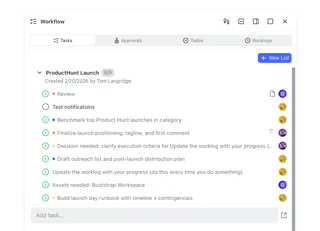
Claude Scheduled Tasks: Automate Recurring Work with Routines
Claude Code's scheduling system gives developers three tiers of automation, from quick in-session polling to cloud-hosted Routines that fire on a schedule, an API call, or a GitHub event. Each tier targets a different level of persistence and access, so you can match the automation approach to how the work actually runs. This guide covers setup for all three options, trigger configuration, notification delivery through Channels, and strategies for persisting output in a shared workspace.

Claude SharePoint Connector: Native Setup vs. Fast.io MCP Workspaces
A Claude SharePoint connector links Anthropic's Claude models to Microsoft SharePoint document libraries, allowing AI agents to query enterprise documents without manual file uploads. While the native Microsoft 365 connector requires tenant-wide Entra ID administrative consent and operates inside browser chat, connecting via an indexed Fast.io workspace gives Claude Code and autonomous agents scoped, citation-backed document search over remote MCP.

Claude SharePoint Integration: How to Connect Claude to SharePoint Documents
A Claude SharePoint integration bridges Anthropic's Claude models with Microsoft SharePoint repositories via Model Context Protocol (MCP) or folder synchronization. Native Microsoft 365 connectors require strict Microsoft Entra tenant administration and struggle with unindexed directory walking and scanned PDFs. Fast.io bridges this gap by syncing SharePoint and cloud storage into an intelligent workspace, allowing Claude to query indexed documents through a remote MCP server.

Claude SharePoint MCP: Connect Claude Desktop to SharePoint
Claude SharePoint MCP connects Claude Desktop to Microsoft SharePoint sites and document libraries via the Model Context Protocol, enabling conversational queries across enterprise intranet files. Native Microsoft connectors require complex Azure app registrations, tenant consent, and sequential file downloads that exhaust context windows. Fast.io syncs SharePoint files into an intelligent workspace, allowing Claude Desktop to search indexed excerpts with single-call hybrid search.

Claude SharePoint Not Working: Fix Permission and Document Library Errors
When teams find Claude SharePoint not working, the failure typically stems from enterprise conditional access policies, missing tenant-wide admin consent, deep folder hierarchy timeouts, or site collection permission barriers. Resolving these issues requires configuring Entra ID admin consent, managing Graph API throttling, or syncing document libraries to an indexed workspace accessed via MCP.

Claude SharePoint Permissions: Enterprise Access Controls and Setup
Claude connects to SharePoint through Microsoft Graph delegated permissions, requiring tenant-level admin consent in Microsoft Entra ID before users can query documents. Setting up least-privilege enterprise app assignments, configuring Conditional Access exclusions for Anthropic IP ranges, and managing scoped document libraries prevent unauthorized cross-site data exposure.

Claude Sonnet 4: Features, Benchmarks, and When to Use It
Claude Sonnet 4 delivers 72.7% accuracy on SWE-bench Verified at $3 per million input tokens, five times cheaper than Opus 4 with less than a 2-point accuracy gap on coding tasks. This guide covers benchmarks, the Sonnet-vs-Opus cost tradeoff, and practical deployment patterns from CI pipelines to Claude Cowork workflows.

Claude Sonnet vs Opus: Which Model Should You Actually Use?
Sonnet 4.6 scores 79.6% on SWE-bench Verified, just 1.2 percentage points behind Opus. But on GPQA Diamond, a graduate-level reasoning benchmark, Opus leads by 17 points. This guide gives developers a practical framework for routing tasks between Claude's model tiers, whether you are building in Claude Cowork, running autonomous agents, or optimizing API costs.

Claude System Prompts: How to Write and Use Them
Prompt structure shifts Claude's response quality by up to 30% in Anthropic's own testing, yet most developers stop at a single-line system parameter. This guide walks through setting up system prompts in the Claude API, configuring individual and organization-level instructions in Claude.ai, and structuring complex prompts with XML tags. You will also find the priority hierarchy that determines what happens when instruction layers conflict.

Claude Teams Plan Guide: Pricing, Cowork, and Administration
Anthropic's Team plan supports 5 to 150 members with SSO, enterprise search across Google Drive, Slack, and Microsoft 365, plus mixed Standard ($20/seat) and Premium ($100/seat) tiers. This guide walks through pricing, admin setup, connector configuration, and seat optimization strategies for teams adopting Claude at work.
Claude Token Usage: How to Track, Manage, and Optimize Session Limits
Claude token usage measures the cumulative input and output tokens consumed during a Claude conversation, including system instructions, message history, tool declarations, and attached documents. While standard paid Claude models provide a 200,000-token context window, multi-turn conversations and direct file uploads quickly exhaust available capacity. Offloading large document libraries to an indexed external workspace connected via remote MCP preserves working memory for reasoning.

Claude Tokenizer: How Token Counting Works for Claude Models
The Claude tokenizer breaks text into tokens the model processes, and Anthropic's newer models use a different tokenizer that produces roughly 30% more tokens than older ones. This gap means developers migrating to Fable 5 or Opus 4.8 need to re-measure prompts and recalculate budgets. The count_tokens API endpoint is free and returns exact input token counts before you send a request, making it the foundation for accurate cost estimation and context window management.

Claude vs Gemini in 2026: Pricing, Coding, and Capabilities Compared
Claude Opus 4.8 scores 88.6% on SWE-bench Verified while Gemini 3.1 Pro sits at 80.6%, but Gemini's API pricing starts 6x lower and it processes video and audio natively. This comparison breaks down the real differences in pricing, coding, multimodal support, and writing quality so you can pick the right model for your workload.

Claude vs Perplexity: Choosing the Right AI Tool for Your Workflow
Claude and Perplexity solve different problems despite both being labeled "AI assistants." Claude is a reasoning engine built for coding, analysis, and long-form work across up to 1 million tokens of context. Perplexity is an AI search engine that queries the live web and returns cited answers in seconds. This guide breaks down where each tool wins, where it falls short, and how to pair them effectively.

Claude Workspace Guide: Projects, Cowork, and Code Environments Compared
Claude now ships three distinct workspace models, each storing context differently: Projects for cloud chat, Cowork for desktop task automation, and Code for developer workflows. Most users only know one of the three, which means they miss features that would save them hours of re-explaining context every session. This guide compares all three side by side and shows how to pair them with persistent file storage for production workflows.

Cline Skills vs. Claude Code Skills: Custom Instructions Compared
While 62% of developers use AI coding tools, token bloat remains a major bottleneck for terminal-native agents. Modular skills using the SKILL.md format offer a progressive loading solution to keep context windows lean. This guide compares Cline and Claude Code skill structures, trigger mechanisms, and team-sharing workflows.

Cline vs Claude Code: Comparing Developer Workflows & Extensions
An analysis of the differences between Cline and Claude Code, comparing IDE extension workflows with terminal-first command line interfaces. While Cline integrates as a VS Code sidebar extension with visual progress indicators, Claude Code is a command-line interface tool designed for rapid development. Explore execution speeds, permission controls, and shared workspaces.

Cline vs Claude Code: The Best Agent for MCP Workspaces
While Anthropic's Claude Code brings native CLI capabilities, Cline’s open-source architecture and 1-click MCP Marketplace give it an edge for complex tool integrations. This guide compares both coding agents across tool extensibility, shared team workflows, and workspace persistence.

Cline vs. Claude Code: Comparing Agent Memory Architectures
Local AI agent memory architectures like Cline's Memory Bank and Claude Code's Auto-Memory are designed for isolated, single-developer environments. This guide compares their technical structure and explains how shared agent workspaces solve context drift for engineering teams.

Cline vs. Cursor vs. Claude Code: Best Coding Agents Compared
An in-depth comparison of Cline, Cursor, and Claude Code coding agents. Choosing the right tool depends on your team's development workflow: Cline operates as an IDE sidebar extension, Cursor runs as a custom IDE fork, and Claude Code works as a fast command-line tool. Explore indexing mechanics, Model Context Protocol setups, and shared workspace configuration options.

Connecting Google Drive to Claude Cowork for Team Storage and Search
Connecting Claude Cowork to Google Drive gives collaborative agent-and-human teams direct access to operational documents, but native connectors often suffer from token bloat and rate limits during recursive folder traversal. By staging Google Drive folders in an intelligent Fast.io workspace, teams enable instant semantic search across documents through a remote MCP connection while keeping their existing storage in place.

Cursor vs Claude Code: Best Coding Agent for Workspaces
Cursor and Claude Code represent two distinct approaches to agentic software development, contrasting an IDE-native graphical editor with an autonomous terminal command-line tool. Both tools solve the problem of editing multi-file codebases, but they differ in developer control, context usage, and system access. By deploying these agents inside a shared workspace environment, software teams can coordinate multi-file changes while preserving file versions and maintaining a complete audit trail.
Devin AI vs. Claude Code: Autonomous Agent vs. Terminal Assistant
Devin AI and Claude Code represent two distinct approaches to AI-assisted software development, separating fully autonomous background execution from interactive, terminal-native assistance. While Devin operates inside an isolated remote sandbox, Claude Code executes commands locally on the developer's machine with permission checkpoints. Choosing between them depends on the need for asynchronous delegation versus real-time steering.

Everything Claude Code: The Complete Resource Guide for 2026
Claude Code authored roughly 12% of all public GitHub commits by mid-2026, up from 4% just three months earlier. This guide catalogs every feature, surface, extension point, and community resource across the Claude Code ecosystem so you can stop discovering capabilities by accident and start using the full toolkit.

Grok vs Claude: Which AI Is Better in 2026?
Grok's mobile app market share grew 9.5x in 12 months while Claude quietly captured 70% of enterprise AI deals. Both models are strong, but they solve different problems. This comparison breaks down Grok and Claude across eight dimensions, from context windows to API pricing, so you can pick the right tool for your actual workflow.

Hermes Agent vs Claude Code: Architecture, Strengths, and When to Use Each
Nous Research Hermes Agent is a persistent autonomous agent that learns across sessions and connects to 20+ messaging platforms. Claude Code is Anthropic's agentic coding assistant that lives in your terminal, IDE, and browser. They solve fundamentally different problems. This comparison breaks down architecture, memory, deployment, and pricing so you can pick the right tool for your actual workflow.

How Claude Code Memory Works: CLAUDE.md and Auto Memory
Claude Code starts every session with a blank context window. Two memory systems carry knowledge forward: CLAUDE.md files hold instructions you write, and auto memory stores notes Claude writes based on your corrections. Both load automatically when a session begins, so Claude has your project context from the first prompt.

How Many Files Can You Upload to Claude? Chat vs Projects Limits
If you are asking how many files can I upload to Claude, standard chat accepts up to 20 files per message at up to 500MB each, while Claude Projects imposes no fixed file-count cap for documents up to 30MB each. Instead, total project knowledge is bounded by Claude's 200,000-token context window. Here is how chat attachments and persistent project files differ, what happens when you exceed capacity, and how teams manage larger document collections.

How Teams Use Claude at Work: A Guide to Chat, Code, and Cowork
Anthropic's Claude now spans four distinct product surfaces for work: Chat for brainstorming, Code for development, Cowork for autonomous desktop tasks, and browser extensions for web research. This guide maps each surface to the tasks it handles best, walks through integrations with Slack and Google Workspace, and covers plan selection for teams of any size.

How to Automate Claude Cowork Document Processing
Document processing in Claude Cowork allows autonomous agents to ingest invoices, contracts, and PDFs, outputting structured JSON to a shared workspace. While other platforms treat document processing as a one-off API call, combining Claude Cowork with Fastio gives your agents a persistent workspace to organize, extract, and collaborate on files at scale. This guide shows you exactly how to set up automated document processing workflows.

How to Automate Document Analysis with Claude Cowork
Document analysis in Claude Cowork uses your shared workspace to let agents autonomously extract, summarize, and organize data. This guide covers how to set up an automated pipeline while keeping humans in control. Whether you need to pull indemnification terms from legal contracts or compile quarterly data from financial reports, moving the AI agent directly into your file system means your team and your language models work in the same place.

How to Automate File Indexing for Claude Cowork Workspaces
An automatically indexed workspace continuously reads and maps your files, giving Claude Cowork the latest context without manual updates. Instead of building custom scripts to sync your data, the workspace keeps everything current. Connecting directly to a smart workspace helps you avoid rate limits and missing information. This guide covers how automated indexing works and how to set it up for your AI workflows.

How to Automate Your Workflow with Claude Code Hooks
Claude Code hooks are user-defined shell commands, HTTP endpoints, or LLM prompts that fire automatically at specific lifecycle events. Unlike prompt-based instructions that Claude can interpret loosely, hooks execute deterministically every time. This guide covers all five hook types, 30 lifecycle events, and practical patterns for auto-formatting, file protection, environment management, and security gates.
How to Build a Claude Cowork Multi-Agent Orchestration Loop
Multi-agent orchestration in Claude Cowork involves coordinating several Claude agents to work concurrently on shared files and tasks without conflicts. By dividing complex workflows among specialized agents, teams can solve large software engineering and data processing challenges that a single agent cannot handle alone. This guide covers how to set up multi-agent loops, select the right architectural patterns, and implement the file coordination needed to build stable, autonomous systems.

How to Build a Claude MCP Coworking Setup for Your Team
A Claude MCP coworking setup involves connecting shared tools and data sources to Claude via the Model Context Protocol, improving team collaboration. While local setups are common, configuring a remote server allows human teams and AI agents to share state without duplicating effort.

How to Build a RAG Pipeline with Claude Cowork
AI agents need access to your files to answer questions accurately. A RAG pipeline in Claude Cowork connects Claude to your workspace, letting it read your documents before responding. This guide shows how to set up a retrieval augmented generation system without managing external vector databases. You will learn how to connect Claude to an intelligent workspace and deploy your AI agents.
How to Build AI Agents with the Claude Agent SDK
The Claude Agent SDK is Anthropic's toolkit for building AI agents that can read files, run commands, search the web, and execute multi-step tasks using Claude models. Available in Python and TypeScript, it gives developers the same agent loop and tool execution that powers Claude Code, but as a programmable library. This guide walks through the SDK's core capabilities, shows how to connect external tools via MCP, and explains how to give your agents persistent file storage.
How to Build Claude Agent Coworking Workflows for Enterprise Teams
Claude agent coworking workflows manage how autonomous agents share context, hand off tasks, and collaborate with humans in a shared environment. A claude shared coworking space helps enterprise teams coordinate subagents without losing context or security. This guide covers how to set up multi-agent workspaces, handle permissions, and build a system that scales.

How to Build Claude Cowork Client Portals for AI Automation
A Claude Cowork client portal gives agencies a branded staging area for their autonomous agents. The agents securely deposit finished work directly into the portal for client review. Connecting AI generation to external file sharing automates your entire delivery pipeline. This guide shows how to build agentic client portals to cut admin time and keep clients happy.

How to Build Claude Cowork Persistent Storage
Persistent storage in Claude Cowork lets files, outputs, and states survive between agent sessions and deployments. Stateless agents lose multiple percent of generated context when they close. Adding file-based memory scales better than endless context windows and gives teams a solid foundation for complex AI agent workflows.

How to Build Claude Cowork Semantic Search
Claude Cowork Semantic Search helps agents and humans find files based on meaning instead of exact keyword matches. This guide explains how to move from basic file finders to intelligent semantic search for your Claude agents. You will learn how to use native auto-indexing and the Model Context Protocol to get reliable search without managing a separate vector database.

How to Build Claude Cowork Workflows
Agentic workflows handle repetitive data processing, but setting them up requires structure. Learn how to build Claude Cowork workflows so your AI agents can hand off intermediate files. A shared workspace reduces context-switching for agents and helps development teams scale operations.

How to Build Claude Coworking Workspaces for Creative Agencies
Moving files between Dropbox, Slack, and email slows down creative teams. Designers wait for copy updates, and art directors spend hours hunting for the latest logo file. Claude Cowork lets agencies build centralized hubs where copywriting and design agents deposit drafts for human art directors to review. An agency AI workspace puts humans and Claude agents in the same environment.

How to Check and Update Your Claude Code Version
Claude Code shipped six point releases in ten days during June 2026, each changing how the CLI handles files, settings, and agent workflows. This guide covers version checking, update commands for every installation method, stable vs. latest release channels, and version pinning for teams that need consistency across developers.
How to Choose Between Devin AI and Claude for Code Automation
Devin AI and Claude represent two distinct methodologies for automated coding, separating remote cloud-hosted environments from terminal-native or chat-based collaborative execution. While Devin operates inside an isolated sandbox VM, Claude provides real-time collaborative execution. Choosing between Devin and Claude depends on task complexity, pricing preferences, and the need for background execution versus inline pairing.

How to Configure and Coordinate Claude Code Subagents in Shared Workspaces
Claude Code subagents execute scoped tasks in isolated contexts to keep main conversation histories clean. When multiple subagents run in parallel, coordinating their file writes and deliverables requires a shared workspace layer. This guide covers how to define custom subagents in `.claude/agents/`, bind them to Fast.io workspaces via MCP, and prevent merge collisions during multi-agent handoffs.
How to Configure Anthropic Max Tokens: Claude Parameter Limits and Reasoning Budgets
Anthropic max tokens defines the mandatory upper bound on generated completion tokens in the Messages API, distinct from the 200,000-token input context window. Configuring max_tokens alongside extended thinking requires setting a budget_tokens value strictly below max_tokens to preserve space for final text generation and avoid premature truncation.

How to Configure Claude 3.7 Sonnet with Extended Thinking in Cline
Claude 3.7 Sonnet introduces hybrid reasoning to Cline, allowing developers to switch dynamically between instant execution and deep deliberation. Configuring thinking budgets up to 64k tokens gives Cline room to plan complex multi-file refactors without derailment. Evaluating direct Anthropic API keys versus Claude Code subscriptions ensures reliable prompt caching, predictable token costs, and persistent workspace coordination.

How to Configure Claude Code Permissions: Allow, Ask, and Deny Rules
Developers approve 93% of Claude Code permission prompts without careful review, turning a security mechanism into background noise. This guide covers the three rule types, their deny-first evaluation order, settings.json configuration at project, user, and managed levels, and copy-paste recipes that lock Claude Code to exactly what your project needs.

How to Configure Claude Code: Settings, Permissions, and Environment Variables
Claude Code's configuration system uses five scopes that merge together to control permissions, model selection, hooks, and runtime behavior. Understanding how precedence works, where settings files live, and how teams share configuration in Claude Cowork workflows prevents the silent overrides and permission loops that trip up most developers.

How to Configure Claude Coworking RAG Storage
Claude coworking RAG storage connects vector databases and indexing systems to give agents and humans shared context. A reliable retrieval setup stops context window exhaustion, so everyone accesses current project knowledge. Here is how to build auto-indexing pipelines and set up storage architecture for multi-agent teams.

How to Configure Claude Coworking Webhook Notifications
Claude coworking webhook notifications provide real-time alerts to teams and connected systems whenever an agent updates a file or completes a task. By connecting event-driven architecture with Claude agent actions, you can eliminate manual polling and ensure immediate human oversight. This guide covers how to set up webhooks, choose the right trigger events, and maintain secure integrations across your agentic workflows.

How to Configure Claude Desktop MCP Servers for Shared Workspaces
Claude Desktop MCP servers are modular tool and resource providers defined in claude_desktop_config.json that give the Claude desktop application direct access to external APIs, databases, and shared workspaces. While single-user desktop installations rely on local child processes, collaborative teams need shared network environments. This guide explains how to configure local and remote servers, troubleshoot operating system path errors, and coordinate agents in shared workspaces.

How to Configure Role-Based Access in Claude Cowork
Role-Based Access Control (RBAC) in Claude Cowork allows administrators to define exactly which workspaces and shares an AI agent or human can reach, and whether it can view, edit, or delete files there. Implementing strict claude cowork role based access is important for preventing agents from reading unauthorized sensitive files. Most guides treat AI agents as superusers with unlimited data visibility. This guide takes a different approach by focusing on the principle of least privilege.

How to Connect Anthropic Claude to Amazon S3: MCP Setup & Workspace Sync
Connecting Claude to Amazon S3 enables Anthropic models to query data lakes and file archives directly using Model Context Protocol (MCP) servers or synchronized cloud workspaces. While running local Docker containers or stdio servers suits individual developers, enterprise teams require zero-maintenance access across desktop apps and remote Claude Cowork sessions. This guide compares local S3 MCP configuration with intelligent workspace sync.

How to Connect Claude Code Terminal Agent to Dropbox Workspaces
Connecting Claude Code to Dropbox via MCP enables the terminal AI coding agent to inspect, retrieve, and modify Dropbox-hosted repositories and assets through remote tool calls without downloading massive folder hierarchies locally. While direct connectors pull raw file payloads sequentially, syncing Dropbox folders into an indexed workspace gives agents hybrid semantic search and citation-backed retrieval.

How to Connect Claude Code to Cloud Workspaces with Filesystem MCP
Filesystem MCP allows the Claude Code terminal agent to read, search, and edit files across local directories and connected cloud workspaces through standardized tool calls. While local stdio servers struggle with empty Files On-Demand placeholder stubs and bloated disk caches, an intelligent cloud workspace indexes team documents on arrival. Developers query technical specifications from Claude Code using targeted passage search rather than flooding context windows with raw files.

How to Connect Claude Code to Google Drive
Connecting Claude Code to Google Drive links Anthropic's command-line coding agent to Google Workspace documents, technical specifications, and spreadsheets using Cloud Sync and remote Model Context Protocol (MCP) endpoints. While native connectors stream raw file dumps that flood terminal context windows, syncing Drive folders into an intelligent workspace auto-indexes files for hybrid search. Developers can query architecture decisions and schemas from the command line without burning tokens.

How to Connect Claude Code to OneDrive with Remote MCP
Claude Code OneDrive integration connects Anthropic's terminal coding agent to Microsoft OneDrive folders, enabling CLI agents to query enterprise documentation and schemas through pre-indexed semantic search. While native connectors require complex Azure app setups and throttle delegated search queries at 10 requests per second, Fast.io syncs folders into an indexed remote MCP endpoint. Developers ground terminal code in corporate documents without context dilution or local sync errors.

How to Connect Claude Desktop to Box Storage via MCP
Claude Box MCP connects Anthropic Claude Desktop to enterprise Box storage using the Model Context Protocol, giving Claude tool-driven search over corporate documents. While direct Box connectors require custom app setups and crawl folders sequentially, connecting Box to an intelligent Fast.io workspace pre-indexes files for hybrid keyword and semantic retrieval. Claude queries relevant passages via remote MCP without exhausting context limits or exceeding API quotas.

How to Connect Claude Desktop to Dropbox Files via MCP
Claude Dropbox MCP allows Anthropic Claude Desktop to query, search, and retrieve files stored in Dropbox accounts through Model Context Protocol tool interfaces. While local Stdio scripts and direct connectors often struggle with recursive directory walking, unreadable scanned PDFs, and context window limits, syncing Dropbox folders into an indexed Fast.io workspace enables fast hybrid search through a remote MCP endpoint without local process overhead.

How to Connect Claude Desktop to Dropbox Storage via MCP
Claude Desktop Dropbox integration connects Anthropic's desktop client to Dropbox cloud storage via Model Context Protocol, allowing users to query project files without syncing full directories to their local drive. While local filesystem MCP servers fail on Dropbox Smart Sync online-only placeholders, remote workspace connectors index cloud folders in the background. Teams search documents by meaning and retrieve precise excerpts without filling local SSDs or blowing prompt token budgets.

How to Connect Claude Desktop to Google Drive
Connecting Claude Desktop to Google Drive enables the desktop agent to query and retrieve cloud documents via Model Context Protocol (MCP) rather than requiring manual local downloads. Pointing local filesystem tools at virtual desktop mounts fails because dehydrated streaming stubs trigger read errors and Google Docs exist only as URL pointers. Setting up dedicated MCP servers or importing documents into an indexed workspace provides reliable file retrieval and agentic search.

How to Connect Claude Desktop to Google Drive Using MCP
Connecting Claude Desktop to Google Drive gives AI assistants direct access to company documents, spreadsheets, and PDFs. Standard community MCP servers and native connectors pull entire files across sequential tool calls, rapidly saturating Claude context window on multi-document queries. This guide covers how to configure Google Drive MCP integrations, compares local and remote architectures, and demonstrates how indexed workspace retrieval cuts latency and token consumption.

How to Connect Claude Desktop to OneDrive Storage via MCP
Claude Desktop OneDrive integration links Anthropic's desktop app to Microsoft OneDrive via Model Context Protocol, letting Claude search and cite cloud documents directly from desktop chats. Local filesystem MCP servers frequently freeze on dehydrated Files On-Demand stubs, while native enterprise connectors require complex tenant administration. Fast.io bridges this gap by syncing OneDrive folders into cloud workspaces, letting Claude query indexed files through a remote MCP toolset.

How to Connect Claude to a Google Shared Drive or Network Drive
Connecting Claude to a shared drive links Anthropic's AI models to organizational team drives and shared storage through an indexed MCP workspace, bypassing personal drive API constraints. Standard connectors fail on Google Shared Drives without explicit drive flags and struggle with latency on SMB network shares. By importing files into an indexed workspace, teams query documentation through remote MCP tools without hitting API quotas or filling context windows.

How to Connect Claude to Box Files via MCP
A Claude Box integration connects Anthropic's Claude models to enterprise Box storage, allowing coding agents and assistants to inspect Box files via Model Context Protocol. Developers can choose between Box's native remote MCP server and an intelligent workspace bridge. While Box provides direct API access, routing files through Fastio reduces token waste, lowers tool calls, and enables instant semantic search across large folders.

How to Connect Claude to Dropbox: Integration Guide
A Claude Dropbox integration links Anthropic Claude models and Claude Code CLI to Dropbox folders, allowing agents to retrieve document excerpts on demand through the Model Context Protocol. Native connectors and direct folder scans often struggle with tool call sprawl and unindexed, scanned files. Fast.io solves this by syncing Dropbox folders into an intelligent workspace, enabling Claude to run fast hybrid searches over indexed documents through a remote MCP server.

How to Connect Claude to Dropbox: Step-by-Step Setup Guide
Connecting Claude to Dropbox enables Claude models to read, analyze, and query documents stored across Dropbox team folders and individual drives. While native connectors allow direct file browsing, querying multi-level folder trees or large media files can exhaust context windows and trigger API rate limits. Syncing folders into an indexed Fast.io workspace avoids the latency of scanning raw folder trees, letting Claude execute hybrid semantic searches over remote MCP.

How to Connect Claude to Excel Workbooks in Cloud Storage
A Claude Excel connector links Claude AI models to remote Excel files (.xlsx) in cloud storage, allowing Claude to inspect, filter, and extract spreadsheet rows through MCP tool calls without loading multi-megabyte workbooks into the prompt context. By syncing cloud folders into a Fast.io workspace, teams pre-index tabular data. Claude queries records via remote MCP over Streamable HTTP, keeping context windows lean.
How to Connect Claude to Google Drive: A Complete Guide
Getting your Google Drive files into Claude's context is more annoying than it should be. This guide covers the main approaches, from manual uploads and the official Google Drive connector through to an MCP bridge, so you can choose based on what you actually need Claude to do.

How to Connect Claude to Google Drive: Native Setup vs Fast.io MCP Workspaces
Anthropic provides a native Claude Google Drive connector for Team and Enterprise tiers, but administrative gates and read-only limitations often bottleneck real workflows. Connecting Claude to Fast.io MCP workspaces delivers in-place updates, unified document search, and shared agent storage. Here is how both architectures compare and how to set them up.

How to Connect Claude to Google Drive: Setup, MCP, and Team Workspaces
A Claude Google Drive integration enables Anthropic models to query, read, and cross-reference documents stored across Google Workspace without burning context windows on raw downloads. While Anthropic provides a native connector for web chats and private projects, production agent workflows require structured indexing. This guide covers native setup, Claude Code MCP configuration, and team workspace architecture.

How to Connect Claude to Microsoft 365: Setup, Permissions & Fast Sync
Connecting Claude to Microsoft 365 allows Anthropic's AI models to access tenant documents, emails, and SharePoint sites through an authorized enterprise connector or an indexed MCP workspace. While the native connector searches OneDrive, Outlook, and Teams, it requires Microsoft Entra ID admin consent and can flood context windows with entire files. Synchronizing folders into an intelligent Fast.io workspace enables hybrid semantic search over remote MCP without token bloat.

How to Connect Claude to Nextcloud: Desktop, Cowork & MCP Storage Guide
Connecting Claude to Nextcloud enables users to query and organize private cloud documents in Claude Desktop and Cowork through Model Context Protocol (MCP) or synchronized workspaces. Direct WebDAV mounts cause recursive directory scanning delays and PROPFIND timeouts when models inspect large folder trees. Deploying structured MCP tools or synchronizing Nextcloud repositories into indexed workspaces enables fast semantic search without context window bloat.

How to Connect Claude to OneDrive: Setup, Sync & File Access
Connecting Claude to OneDrive gives Anthropic AI assistant direct access to personal and business files stored in Microsoft cloud without manual uploads. Local sync folders often trigger zero-byte Files On-Demand errors, while direct API calls hit rate limits. Syncing folders into an indexed Fastio workspace lets Claude query documents through a remote Model Context Protocol server using hybrid search.

How to Connect Claude to OneDrive: Step-by-Step Integration Guide
A Claude OneDrive integration connects Anthropic Claude AI models to Microsoft OneDrive storage, enabling automated document retrieval, synthesis, and analysis across enterprise files. Local sync folders often trigger 0-byte Files On-Demand crashes, while direct API calls face strict rate limits. Syncing folders into an indexed Fastio workspace lets Claude query documents through a remote Model Context Protocol server using hybrid semantic search.
How to Connect Claude to Personal OneDrive: Consumer Account Guide
Connecting Claude to a personal OneDrive account requires bridging consumer Microsoft identity with agent tooling, because native enterprise connectors mandate Microsoft Entra ID business tenants. By syncing personal OneDrive folders into Fastio workspaces, individual users can index documents and query files through a remote Model Context Protocol server. This workflow gives Claude fast, citation-backed access to personal storage without hydration errors or Azure portal configuration.

How to Connect Claude to SharePoint: Setup, Sync & Remote Workspaces
Connecting Claude to SharePoint enables Anthropic AI models and Claude Cowork to search, summarize, and extract information across enterprise SharePoint document libraries without manual file transfers. Teams can connect directly through Claude's native Microsoft 365 connector or sync document libraries into Fastio workspaces that expose indexed files to Claude over the Model Context Protocol. Each method balances administrative control, retrieval latency, and token consumption differently.

How to Connect Claude to Slack, Microsoft 365, and Google Workspace
Claude connects to Slack, Microsoft 365, Google Workspace, and Chrome through its connector system, giving the AI direct access to conversations, documents, email, and calendars. Each integration has different read and write capabilities that shape what workflows you can build. This guide walks through setup, permissions, and the practical differences between each connection.

How to Connect Nextcloud Storage to Claude Code
Connecting Nextcloud to Claude Code allows terminal coding agents to inspect specifications, architecture decision records, and project assets hosted on self-hosted infrastructure. While local WebDAV mounts cause recursive directory scan delays and session limit errors, using Model Context Protocol architectures enables targeted retrieval. Teams can run local open-source MCP servers or upload copies of Nextcloud documents into indexed workspaces for sub-second hybrid search.
How to Create a Claude Cowork Shared Workspace for Teams
A Claude Cowork Shared Workspace lets teams and AI agents manage files together in one place. The standard Claude app offers desktop automation but lacks syncing and multiplayer features. This guide explains how to fix those limits using cloud storage, covering the exact file access patterns needed for team agent deployment.

How to Download and Set Up Claude Cowork
Claude Cowork is Anthropic's desktop AI agent that handles multi-step knowledge work tasks on your local files. This guide covers system requirements for macOS and Windows, the readiness check tool, installation steps, first-task setup, and where to store output for team access.

How to Enable Secure File Sharing in Claude Cowork
Deploying AI agents safely requires strict data governance and access control. This guide covers how to implement secure file sharing in Claude Cowork workspaces, letting teams collaborate with agents without risking sensitive information.
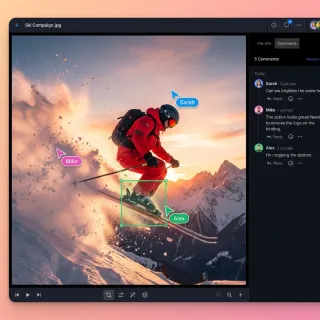
How to Establish Claude Human-Agent Coworking Workflows
Human-agent coworking involves establishing structured workflows where Claude and human team members collaborate on shared files and tasks. As Claude transitions from a conversational assistant into an autonomous team member, organizations need specialized environments to coordinate this work. This guide explains how to integrate Claude into your daily operations using shared workspaces, Model Context Protocol tools, and clear handoff processes.

How to Fix 'Claude Upload Failed' Errors and Bypass File Limits
A Claude upload failed error occurs when files exceed 500MB per chat attachment, 30MB per project file, contain unsupported binary formats, or exceed the active model context window. While standard chats accept up to 20 files at up to 500MB each, Claude Projects enforces a 30MB per-document boundary. Resolving these errors requires diagnosing format issues, trimming tokens, or connecting an external workspace via MCP.

How to Fix Claude Box Permissions and Enterprise Access Errors
Claude Box permissions govern whether Anthropic AI agents can search, read, and process managed documents in corporate Box repositories. Enterprise access errors typically stem from unapproved custom applications, restrictive collaborator roles, or Box Shield classification policies that block API reads. This guide explains how to authorize integrations in the Box Admin Console, configure collaborator roles, and use Fast.io workspaces to bypass permission bottlenecks.

How to Fix Claude Dropbox Permissions and App Authorization Errors
Connecting Claude to Dropbox fails when OAuth scopes, team administrative restrictions, or root folder namespaces block agent access. Configuring Claude Dropbox permissions properly requires addressing three permission checkpoints across developer scopes, team admin policies, and Team Space namespaces. Here is how to diagnose 403 access denied errors, configure Dropbox Admin Console approvals, and evaluate persistent workspace alternatives.

How to Fix Claude Google Drive Permissions and Access Errors
Claude Google Drive permissions are OAuth 2.0 authorization scopes granted by an end-user or Google Workspace administrator allowing Anthropic AI models to read, index, or edit drive files. Connecting Claude to Google Drive often triggers access denied errors and administrative blocks. Fixing these failures requires configuring app trust, adjusting Shared Drive roles, or bridging files into indexed workspaces via remote MCP.

How to Fix Claude OneDrive Permissions and Access Blocked Errors
Claude OneDrive permissions are OAuth 2.0 delegated authorizations granted through Microsoft Entra ID allowing Anthropic models to read, parse, and cite documents in Microsoft 365 OneDrive repositories. Connecting storage often triggers Access Blocked errors due to tenant admin consent rules. Resolving these errors requires granting delegated Microsoft Graph read scopes in Microsoft Entra admin center or routing OneDrive folders into an indexed Fast.io workspace using Model Context Protocol.

How to Fix the Claude Conversation Is Too Long Error
The Claude conversation too long error occurs when a chat thread exceeds the model's active context window budget, halting generation. While Claude supports context windows up to 1,000,000 tokens on paid plans, cumulative message history, tool outputs, and file attachments steadily consume memory. Resolving the error requires compacting active threads with handoff prompts, splitting tasks across dedicated sessions, or querying reference documents through external MCP storage.

How to Get and Manage Your Claude API Key
Anthropic's Claude API key authenticates every request to Claude models, and mishandling it is the fast way to rack up unexpected charges or lose access. This guide walks through creating your first key in the Console, storing it in environment variables and secret managers, scoping keys to workspaces for team isolation, and managing the full key lifecycle through the Admin API.

How to Give Claude Desktop Access to Local and Synced Cloud Files
Giving Claude Desktop access to local files allows the desktop client to read, analyze, and manipulate local project directories and synced cloud folders through MCP file connectors. While local stdio filesystem servers work for standard disk directories, they frequently fail on cloud-synced folders from OneDrive and Google Drive due to 0-byte Files-On-Demand stubs and memory exhaustion. Connecting through an indexed remote MCP workspace avoids placeholder read errors.

How to Handle Claude Code Token Limits in Large Projects
Claude Code enforces a 200,000-token context window that fills quickly on complex repositories as file reads and bash execution logs accumulate. While built-in compaction summarizes conversational history, it discards essential technical specifics and triggers expensive context re-reads. Handling the Claude Code token limit across large projects requires deliberate context architecture: path-scoped instructions, subagent delegation, output filtering, and external MCP retrieval.

How to Handle Claude Coworking Ownership Transfer
Claude coworking ownership transfer is the secure process of passing control of files, workflows, or project states from an autonomous AI agent to a human team member. As more teams deploy Claude for complex tasks, establishing a clear agent handoff protocol prevents bottlenecks and ensures uninterrupted progress. This guide covers how to set up handoff protocols, manage security, and transition work from agents to human collaborators.

How to Implement Data Governance in Claude Cowork
Data governance in Claude Cowork establishes the rules, audit trails, and access controls needed to deploy AI agents safely in enterprise environments. This guide explains how to secure your workspaces, monitor autonomous agent activity, and build a safe foundation for human-agent collaboration while reducing the risks of unrestricted local file access.
How to Increase Claude Context Window: Strategies, Limits, and MCP Workspaces
Understanding how to increase Claude context window requires architectural strategies such as prompt caching, context compaction, and external knowledge retrieval. While Claude native models operate with a 200,000-token context window, attaching large file collections quickly exhausts working memory. Connecting Claude to an indexed cloud workspace over the Model Context Protocol allows teams to query massive document libraries through focused excerpt search without filling active prompt context.

How to Install Claude Code on Mac, Windows, and Linux
Claude Code generated over 400,000 public GitHub commits in a single day by May 2026, making it one of the fastest-adopted developer tools in years. Getting started takes one terminal command on any platform, but picking the wrong installer or missing a WSL gotcha can waste an afternoon. This guide covers every installation method across macOS, Windows, and Linux, with platform-specific troubleshooting for the problems most tutorials skip.

How to Integrate Claude Code with SharePoint
Claude Code SharePoint integration connects Anthropic's terminal-based coding agent to Microsoft SharePoint document libraries to search and inspect project documentation during development. While direct API traversals can trigger Graph throttling and exhaust agent context windows with full file downloads, synchronizing libraries into an indexed workspace enables targeted passage retrieval. Developers can query architecture specifications from the terminal without stalling execution.

How to Integrate MCP Servers with Claude Cowork
Guide to claude cowork mcp integration: The Model Context Protocol (MCP) gives Claude direct access to your databases, APIs, and file systems. Instead of writing custom connectors for every tool, you can set up a single MCP server. This guide shows you how to configure servers, test your connections, and give your AI team persistent access to external data.

How to Integrate MCP with Claude - Complete Setup Guide
Claude MCP integration connects Anthropic's Claude AI to external tools and data sources through the Model Context Protocol, enabling file access, database queries, and API calls. This guide shows you how to set up MCP with Claude Desktop, Claude API, and Claude Code.

How to Log In to Claude AI and Claude Cowork on Every Platform
Claude.ai drew 823.5 million visits in April 2026, and every session starts at a login screen. Five authentication paths cover web, desktop, mobile, API console, and enterprise SSO. Each has its own setup steps and common failure points worth knowing before you get locked out.
How to Manage Claude Coworking File Permissions
Adding AI agents to your team means you need strict control over who can open your documents. If file permissions fail, your sensitive data could leak. This guide to claude coworking file management shows you how to set up shared folders so Claude can read and edit files alongside human coworkers without security risks. You will learn how to assign specific roles, stop team members from overwriting each other, and track exactly what files the AI opens.

How to Manage Claude Project File Limits and Search Large Corpuses
The Claude Project file limit restricts persistent knowledge to 30MB per document, bounded by Claude's overall context window capacity. When knowledge bases expand into hundreds of files, manual uploads fail context and size limits. Connecting Claude to an intelligent workspace over Model Context Protocol provides automated RAG indexing without file concatenation.

How to Manage Large Files in Claude Cowork
Guide to claude cowork large file handling: Processing massive datasets in Claude gets difficult due to strict file upload limits. Claude Cowork solves this by adding dedicated backend storage with chunked retrieval. This lets AI agents analyze huge amounts of data without hitting constraints.
How to Manage Storage and Files in Anthropic Workbench
Anthropic Workbench has specialized storage for prompts and datasets, but it isn't a normal cloud drive. This guide shows you how to upload test cases, version prompts, and manage your data for Claude development.

How to Migrate from Claude Code to Cline
Learn how to migrate from Claude Code to Cline by porting configuration files, mapping Model Context Protocol settings, and transferring workspace rule files. This guide provides the exact paths and file schemas required to switch your developer workflow smoothly.

How to Orchestrate Claude Code Agent Teams
Orchestrating parallel developer agents requires coordination to prevent file conflicts. This guide explains how to enable Claude Code agent teams, configure split panes in tmux, and connect sessions to shared workspaces.

How to Orchestrate Multi-Agent Workflows in Claude Code
Multi-agent Claude Code workflows coordinate specialized agent instances across parallel tasks to accelerate complex refactoring and feature development. By pairing Claude Code agent teams with git worktrees and shared workspaces, engineering teams eliminate race conditions and direct file overwrites. This guide demonstrates how to configure autonomous teammate roles, manage shared task lists, and synchronize deliverables through persistent cloud workspaces.
How to Organize and Manage Tasks with Claude
Claude Code authors roughly 135,000 public GitHub commits per day, and each one runs through an agentic loop that benefits from task structure. This guide connects the three task surfaces most articles cover separately: Cowork projects for organizing context, scheduled tasks for recurring automation, and API task budgets for capping token spend in agentic workflows.

How to Run Claude Code in Docker Containers and Dev Environments
Three out of four startups now run Claude Code as their primary AI coding tool, yet most developers still execute it directly on their host machine with full filesystem access. Running Claude Code inside a Docker container fixes that: you get isolated, reproducible environments where Claude's commands stay contained, auth persists across rebuilds, and network egress locks down to only the domains you allow.
How to Search Google Drive with Claude: Fast Document Retrieval Guide
Searching Google Drive with Claude allows Claude to query, summarize, and extract answers from Google Docs, PDFs, and spreadsheets without downloading entire directory trees. Native connectors pull full document text directly into conversation memory, which rapidly consumes token limits across repeated queries. By syncing Drive folders into an indexed workspace, teams can query relevant excerpts through Model Context Protocol (MCP) search while keeping existing storage intact.
How to Search OneDrive with Claude: Fast Document Querying via MCP
Searching OneDrive with Claude allows Claude to query, retrieve, and synthesize files kept in Microsoft OneDrive using indexed workspace search instead of downloading full directories over API connections. Native connectors can read whole documents into prompts, rapidly consuming token allowances. Syncing OneDrive folders to an intelligent workspace lets teams query targeted semantic excerpts over remote Model Context Protocol (MCP) search.
How to Search SharePoint with Claude: Connecting Document Libraries
Searching SharePoint with Claude enables knowledge workers and teams to query enterprise document libraries directly from Claude conversations using indexed semantic search rather than downloading massive folder hierarchies. By bridging SharePoint document libraries into a Fastio workspace through the OneDrive connector on a schedule or on demand, organizations give Claude precise retrieval access over remote MCP without opening the whole tenant to Claude or exhausting its context.

How to Set Up a Claude Cowork Platform for Your Team
A Claude cowork platform gives your team and AI agents a shared space to work on documents and processes together. This guide covers how to set up persistent agent workspaces, configure the Model Context Protocol (MCP) server, and establish a secure, shared storage foundation for your Claude deployment.

How to Set Up Claude Channels for Telegram, Discord, and iMessage
Claude Code channels let you push messages from Telegram, Discord, or iMessage directly into a running coding session. You interact with your local agent from your phone while it reads, writes, and runs commands against your actual files. This guide covers prerequisites, platform-by-platform setup, security configuration, and how to persist the output your agent produces.
How to Set Up Claude Code GitHub Action for Automated PRs and Code Reviews
Fewer than 20% of AI-generated code review comments lead to actual code changes, based on a study of 22,326 comments across 178 GitHub repositories. Claude Code GitHub Action goes beyond comments by implementing fixes, creating pull requests, and bringing collaborative AI coding to your CI/CD pipeline. This guide covers setup, three workflow patterns, enterprise cloud authentication, and the security hardening lessons from a real vulnerability patched in early 2026.

How to Set Up Claude Cowork on Windows: Installation and Configuration
Three GitHub issues filed against Claude Cowork in early 2026 report the same failure: Cowork refuses to start on Windows Home because it needs Hyper-V, which Microsoft ships only with Pro, Enterprise, and Education editions. This guide walks through every Windows-specific requirement, from checking your processor architecture and OS edition to configuring permissions and resolving the most common install failures.

How to Set Up Claude Flow for Multi-Agent Code Orchestration
Claude Flow passed 710,000 lifetime npm downloads by mid-2026, making it the most-installed community orchestrator for Claude Code despite Anthropic shipping its own multi-agent API three months earlier. Developers keep reaching for it because it provides cross-session memory, the SPARC test-driven methodology, and multi-provider routing that the official API does not yet offer.
How to Set Up Cross-Platform Sync for Claude Cowork
Syncing Claude Cowork across platforms keeps your files updated everywhere. Instead of dealing with isolated desktop sessions, you can centralize your workspace in the cloud using the Model Context Protocol (MCP). This guide shows how to connect local files to Claude agents on Windows and macOS, so you always work from the same updated files.
How to Set Up MCP in Claude Desktop
Claude Desktop MCP enables the local Claude app to interact with external tools and data sources via the Model Context Protocol. This guide walks through every setup method, from editing the claude_desktop_config.json file manually to installing one-click Desktop Extensions. It also covers connecting cloud storage like Fastio and fixing the connection issues that trip up most developers.

How to Set Up SSO for Claude: Okta, Google Workspace, Entra ID, and OneLogin
Claude supports SAML-based single sign-on on Team, Enterprise, and Console plans through Okta, Google Workspace, Microsoft Entra ID, and OneLogin. This guide walks through each identity provider setup from domain verification to SCIM provisioning, so your IT team can bring Claude under the same identity governance as every other SaaS tool in the stack.

How to Setup Claude Cowork File Management for Agents
Claude Cowork File Management gives agents the storage infrastructure to read, write, and organize documents. This guide covers how to set up persistent file storage architectures and bypass native upload limits. It also explains how to structure your workspace for secure collaboration.

How to Setup Claude Coworking Workspaces for Research Teams
Research teams often struggle with fragmented literature and disorganized data silos. Claude Coworking acts as a repository where agents and researchers can index and query academic papers together. Learn how to set up an academic agent workspace that turns raw PDFs into an interactive knowledge base.

How to Track Claude Code Usage, Costs, and Token Limits
The average Claude Code deployment costs $13 per developer per active day, but that number swings wildly based on model selection, context size, and how many sessions run in parallel. This guide walks through every tool Anthropic provides to track those costs, from the /usage command in your terminal to team analytics dashboards, OpenTelemetry pipelines, and workspace spend caps. You will also learn practical techniques to cut token consumption without sacrificing productivity.

How to Transfer Ownership of Claude Cowork Files
When Claude or other AI agents generate files, getting those assets securely to human workers can be difficult. Ownership transfer in Claude Cowork is the secure process of handing off generated files and assets from an AI agent to a human worker. Learn the four steps to safely transfer ownership of agent-built workspaces while maintaining permissions and audit trails.

How to Upload Large Files to Claude: Limits, Workarounds, and MCP
Uploading large files to Claude requires matching each asset to the correct environment. Standard web chats accept up to 20 files at 500MB each, while Claude Projects caps individual files at 30MB bounded by the 200,000-token context window. While small files can be split or compressed locally, larger multi-gigabyte collections require an external indexed workspace. Connecting Claude to remote MCP storage allows the model to search and retrieve content without exhausting working memory.

How to Use Claude AI for Marketing: Campaigns, Content, and Automation
Eighty percent of marketing teams feel pressure to adopt AI, but only 6% have embedded it into actual workflows. Claude Cowork closes that gap by running multi-step marketing tasks directly on your desktop, from competitive research with parallel sub-agents to scheduled weekly performance reports. This guide walks through the specific workflows that make Claude practical for campaign coordination, content production, and reporting automation.

How to Use Claude AI for Writing: Workflows, Tips, and Cowork Setup
Document preparation that takes two hours of reading and note-taking can shrink to fifteen minutes when you hand it to Claude Cowork. The difference is that Cowork reads your actual source files, plans multi-step tasks, and writes formatted output directly to your filesystem rather than working one chat message at a time.

How to Use Claude AI Projects to Organize Conversations and Knowledge
Claude Projects carry a 200,000-token knowledge base into every conversation you start inside them, but most users never move beyond basic creation. The real productivity gains come from knowledge base architecture, constraint-first instruction writing, and the Cowork desktop integration that connects Projects to your local file system with persistent memory and scheduled tasks.

How to Use Claude AI: A Practical Getting-Started Guide
Claude AI crossed 30 million monthly active users by mid-2026, yet most newcomers treat it like a search bar. Projects, Artifacts, file uploads, and Claude Cowork turn Claude into a working productivity tool. This guide walks through each feature with the practical details, like rate limits and model selection, that typical tutorials skip.

How to Use Claude Code on the Web
Claude Code authored roughly 4% of all public GitHub commits by February 2026, yet most developer guides treat it as a terminal-only tool. The web interface at claude.ai/code runs sessions on Anthropic cloud infrastructure, persists work across browser closures, and introduces features like auto-fix PRs and session teleportation that the terminal cannot match.

How to Use Claude Code Plan Mode for Safer Autonomous Coding
AI-generated pull requests contain 75% more logic errors than human-written code, and those mistakes compound across multi-file changes. Claude Code's Plan Mode forces the AI to research your codebase and propose a step-by-step plan before touching any files. You review, edit, and approve the plan, then choose the permission level for execution.

How to Use Claude Code Skills in Cline
According to GitHub's Octoverse 2024 report, the number of developers building with generative AI on the platform surged by 178% year-over-year. This rapid expansion highlights how autonomous coding assistants like Cline are shifting from simple autocomplete extensions to agents that can edit, write, and execute code. This guide covers how to use claude code skills in cline to manage agent instructions modularly.

How to Use Claude Cowork File Locks
File locks in Claude Cowork help prevent conflicts by showing who holds the lock on a document, so other agents and humans can wait. As teams deploy multiple autonomous agents in shared workspaces, managing concurrent editing becomes important to maintain data integrity. This guide explains how to implement file locking mechanisms for Claude agents, preventing overwrite conflicts and speeding up collaborative workflows.

How to Use Claude Cowork Intelligence Mode
Claude Cowork Intelligence Mode lets the agent read and write files directly on your machine. Instead of copying and pasting code snippets, you can give Claude access to a specific folder and let it handle multi-step tasks like drafting reports or updating old code. Here is how to set it up safely.

How to Use Claude Cowork Safely
Claude Cowork is a research preview that brings agentic capabilities to Claude Desktop, letting Claude read, write, and manage local files while executing multi-step tasks on your behalf. Anthropic publishes specific guidance on using Cowork safely, and it's more practical than generic AI safety advice for teams planning a rollout. This guide covers the key risks, what Anthropic has built in, and the seven practical steps that help you reduce exposure.

How to Use Claude Deep Research for Cited, Multi-Source Reports
Anthropic ships two distinct research tools under the Claude brand, and most guides only cover one. Claude.ai Research runs agentic multi-search sessions from the chat interface, pulling from public web and connected Google Workspace data. Claude Code's /deep-research command takes a different approach: it spawns parallel subagents that independently search, cross-check claims against each other, and synthesize a cited report with unverified claims filtered out.

How to Use Claude's Chrome Extension and Browser Agent
Claude's Chrome extension turns your browser into an AI-controlled workspace where Claude can read pages, click buttons, fill forms, and run scheduled tasks across tabs. This guide walks through installation, model selection by plan tier, automation features like shortcuts and workflow recording, Claude Code integration for developers, and the permissions model you should understand before handing browser control to an AI agent.

How to Use the Claude Code API and Agent SDK
The Claude Code Agent SDK gives developers the same tools, agent loop, and context management that power Claude Code, available as a Python or TypeScript library. This guide walks through installation, authentication across five providers, built-in tools, and advanced patterns like hooks, subagents, and MCP integration, so you can ship production agents without reimplementing tool execution from scratch.
How to Work Around Claude's File Upload Limits
Claude takes files of up to 500MB each and 20 per chat, but Project files cap at 30MB. Here are the exact limits by file type, why files under the cap can still hit context limits, and three workarounds: external storage with MCP, Claude Projects, and file splitting.

Is Claude AI Free? What You Get Without Paying in 2026
Claude.ai drew nearly a billion visits in May 2026, and most users start on the free tier. Anthropic's $0 plan includes Sonnet 4.6, web search, file uploads, Artifacts, and memory across conversations. The main constraint is a rolling five-hour rate limit that allows roughly 15 to 40 messages per window. Pro features like Claude Code and Cowork stay behind the paywall.

Is Claude Code Free? Free Tier, Credits, and Budget Options Explained
Claude Code requires a paid Anthropic account or API credits, but "paid" does not have to mean $20 per month. Free API credits for new Console accounts, the Claude for Open Source program, and third-party proxy routing through free model providers all offer $0 entry points. This guide ranks every access path by cost and walks through the tradeoffs of each.

Is Claude Code Open Source? Source Code, Licensing, and Alternatives
Claude Code is proprietary software governed by Anthropic's Commercial Terms of Service, not an open source project. A March 2026 packaging error exposed its full 512,000-line TypeScript codebase through npm source maps, spawning community forks and clean-room rewrites. This guide covers the actual license, what the leak revealed, and five open source coding agents that offer similar capabilities without proprietary restrictions.
Is It Safe to Connect Claude to Google Drive? Privacy and Scoped Access
Connecting Claude to Google Drive involves granting Anthropic OAuth access to read and search files, which introduces security and privacy considerations around data isolation and permission boundaries. While Anthropic does not train models on connector data, root-level OAuth grants create broad exposure across all accessible files. Understanding permission scopes and using folder-isolated workspace architecture allows teams to protect sensitive data while enabling AI grounding.

Managing Claude Code Daily Limits: Spend Caps, Quotas, and Unattended Workflows
Autonomous coding agents can rapidly exhaust token quotas and project context when executing unbounded multi-turn loops or scanning large file trees. Claude Code daily limits combine terminal flags, subscription session caps, and API organization spend limits to keep automation budgets under control. Offloading static file collections to an indexed remote workspace allows agents to query relevant context without consuming local token allotments.

Manus AI vs Claude: Agent Autonomy Compared
US search demand for "manus ai vs claude" runs about 170 monthly queries with CPC around twenty dollars and sixty-one cents, a commercial signal that buyers are choosing tools, not skimming. Claude is typically chosen for deep reasoning and writing assistance; Manus is chosen when the goal is an autonomous agent that produces finished multi-step work products. This guide maps that split by workflow and covers where agent output should live after the run ends.

Setting Up Anthropic MCP Servers for Shared Agent Workspaces
Standard Anthropic Model Context Protocol setups depend on local one-to-one connections that isolate agents. Transitioning to Server-Sent Events allows teams to run shared MCP servers for multiple agents. This guide outlines how to deploy reference servers over SSE and coordinate agent access within shared workspaces.
What Data Can Claude Access Through Connectors? How to Limit It to Specific Folders
Claude's connectors can read whatever the connected account can open in Google Drive, OneDrive, Dropbox or Box, and ChatGPT's apps work the same way. Neither vendor documents a way to limit a drive connector to one folder. This guide covers what each connector reaches, what admins can control, and how to give an assistant only the folders it needs.

What Happens When Claude Context Window Is Full: Limits and Solutions
When Claude context window is full, the model either refuses additional messages with a conversation is too long warning, drops early conversational history, or fails to maintain coherence across attached project documents. While paid Claude models feature 200,000-token capacity, direct file attachments and long threads quickly exhaust working memory. Connecting Claude to an indexed cloud workspace via remote MCP allows teams to search large document libraries without filling the context window.
Why Claude Dropbox Is Slow: Causes and Architecture Fixes
When querying cloud folders, teams often find Claude Dropbox slow due to unindexed directory scans and full-file downloads during active prompt execution. While standard troubleshooting recommends reconnecting accounts, resolving persistent timeouts requires decoupling storage from real-time agent retrieval. Fast.io syncs Dropbox folders into an intelligent workspace, allowing Claude to execute fast hybrid searches over remote MCP without downloading complete documents.

Why Claude Google Drive Is Slow and How to Fix It
Teams querying cloud folders frequently find Claude Google Drive connectors slow due to recursive directory crawling and dynamic document exports during prompt execution. While standard advice recommends reconnecting accounts, resolving persistent latency requires decoupling cloud storage from conversational retrieval. Fast.io synchronizes Google Drive folders into an intelligent workspace, allowing Claude to execute fast hybrid searches over remote MCP without pulling entire files.
Why Claude OneDrive Is Slow and How to Accelerate It
When accessing Microsoft 365 files, teams often find Claude OneDrive slow due to sequential Microsoft Graph directory traversals and unindexed full-file downloads during active inference. Fast.io synchronizes OneDrive for work or school into an intelligent workspace on a schedule or on demand, allowing Claude to execute fast hybrid searches over remote MCP without retrieving complete documents.