7 Best Cloud Storage Options for Machine Learning Datasets
ML training datasets regularly exceed 1 TB, and data preparation eats up about 80% of project time according to industry surveys. Picking the right storage platform matters. This guide compares seven cloud storage options across the features ML teams actually care about: large file handling, dataset versioning, team collaboration, API access, and cost per terabyte.

Why ML Datasets Need Specialized Storage
Standard cloud drives were built for documents and photos. ML datasets break their assumptions in a few key ways.
Size: A single ImageNet-scale dataset runs about 150 GB. Medical imaging datasets, autonomous driving corpora, and large language model training sets routinely hit tens of terabytes. Consumer cloud storage with 2 GB upload limits or per-file size caps can't handle this.
Structure: ML datasets are not flat collections of files. They include directory hierarchies (train/val/test splits), metadata sidecar files, label annotations, and preprocessing scripts. Your storage platform needs to preserve this structure without flattening or renaming things.
Versioning: Every time you clean, augment, or re-label your data, you create a new version of the dataset. Without proper version tracking, teams lose the ability to reproduce experiments. According to a 2024 Weights & Biases survey, reproducibility failures cost ML teams an average of 2.5 weeks per quarter.
Access patterns: Training jobs read data sequentially and in large batches. Evaluation scripts make random reads across files. Inference pipelines pull single records. A good ML storage platform handles all three patterns without becoming a bottleneck.
Collaboration: ML is a team sport. Data engineers prepare datasets, ML engineers train models, stakeholders review outputs. Everyone needs access to the same files, but with different permission levels.
Related guides
- Top 10 Cloud Storage APIs for AI ApplicationsA cloud storage API for AI is a programmatic interface that lets AI applications store, retrieve, and manage files and...
- Best Cloud Storage for AI Agents: Top 7 Platforms ComparedCloud storage for AI agents provides persistent file access, version control, and API-driven operations that let...
- Local vs Cloud Storage for AI Agents: A Complete ComparisonLocal storage gives AI agents lower latency and full data control, but cloud storage cuts DevOps time and scales...
- How to Give AI Agents Secure Cloud File StorageAutonomous agents need more than vector memory. They need actual file storage to read documents, generate reports, and...
- ChatGPT Cloud Storage: Connect Cloud Drives Without Rate LimitsConnecting ChatGPT to cloud storage often triggers strict rate limits and context saturation when querying multi-file...
- Firebase Storage File Size Limit: Client SDKs, Cloud Functions, and Bucket QuotasThe Firebase Storage file size limit reaches 5 TB per object at the Google Cloud Storage bucket layer, but real-world...
More on this subject: Agent Memory and Storage (261 guides)
How We Evaluated These Platforms
We scored each platform across six criteria specific to ML dataset workflows:
- Large file support: Maximum file size, upload speed for multi-gigabyte files, and chunked upload APIs
- Dataset versioning: Built-in version tracking, branching, or snapshot capabilities
- Team collaboration: Sharing datasets across team members, external collaborators, and stakeholders
- API and SDK access: Programmatic upload/download, S3 compatibility, and integration with ML frameworks
- Pricing at scale: Cost per TB/month for storage and egress, since ML datasets get large fast
- ML ecosystem integration: Native connectors to PyTorch, TensorFlow, Hugging Face, and common training pipelines
We focused on platforms where you can store and manage datasets, not full MLOps suites. If you need model training, experiment tracking, and deployment tooling, look at platforms like Vertex AI or SageMaker. This list is about where to put your data.
Quick Comparison Table
Here is a side-by-side overview before the detailed breakdowns.
- Amazon S3: Object storage standard. Unlimited scale, S3 API, strong ML ecosystem. $0.023/GB/month (Standard). Best for teams already on AWS.
- Google Cloud Storage: GCS with Cloud Storage FUSE for POSIX access. Native Vertex AI integration, up to 2.9x training throughput with caching. $0.020/GB/month (Standard). Best for TensorFlow and Vertex AI teams.
- Hugging Face Hub: Git-based dataset hosting with built-in
datasetslibrary. Free for public datasets, Pro for private. Best for open-source ML and NLP tasks. - DVC (Data Version Control): Git-like versioning for datasets, works on top of any cloud storage backend. Free and open source. Best for teams that want Git-style version control for data.
- MinIO: Self-hosted S3-compatible object storage. High performance, runs on your own hardware. Free (open source) or enterprise licensing. Best for on-prem and air-gapped environments.
- Backblaze B2: S3-compatible with free egress via CDN partners. $0.006/GB/month. Best for cost-sensitive teams storing large archives.
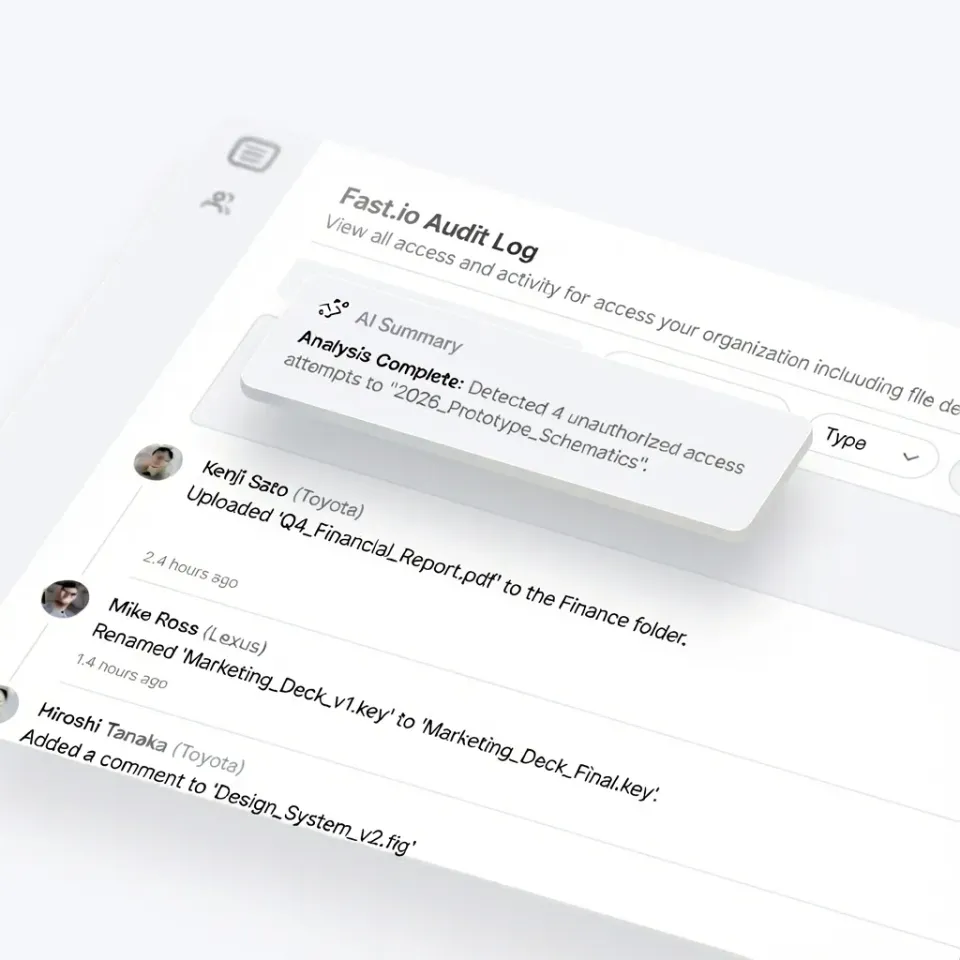
- Fastio: Cloud-native storage with built-in team sharing, AI-powered search, branded portals, and MCP integration. 14-day Business Trial (card required). Best for teams that need to share datasets with stakeholders or collaborators outside the engineering team.


Store and Share Your ML Assets on Fastio
Fastio gives you workspaces, team permissions, and branded sharing portals so everyone from data engineers to stakeholders can access the data they need.
The 7 top Cloud Storage Platforms for ML Datasets
1. Amazon S3
Amazon S3 is the default choice for most ML teams. It offers generous storage, a well-documented API, and native integration with SageMaker, EMR, and every major ML framework.
Key strengths:
- No practical file size limit (5 TB per object with multipart upload)
- Tiered storage classes (Standard, Infrequent Access, Glacier) let you optimize cost by dataset access frequency
- Direct integration with SageMaker training jobs, PyTorch
s3fs, and TensorFlowtf.io - Versioning built into the bucket configuration
Limitations:
- Egress costs add up quickly when pulling large datasets across regions ($0.09/GB)
- IAM permission management is powerful but complex for cross-team sharing
- No built-in UI for browsing datasets or sharing with non-technical stakeholders
Best for: Teams already on AWS who need reliable, scalable object storage with broad ML framework support.
Pricing: $0.023/GB/month (Standard), $0.0125/GB/month (Infrequent Access). Egress: $0.09/GB after the first 100 GB/month.
2. Google Cloud Storage
Google Cloud Storage pairs well with Vertex AI and TensorFlow workloads. The standout feature for ML teams is Cloud Storage FUSE, which mounts GCS buckets as local file systems. With its built-in caching layer, Google reports up to 2.9x higher training throughput compared to direct reads.
Key strengths:
- Cloud Storage FUSE with caching provides near-local read performance for training jobs
- Native TPU and Vertex AI integration for TensorFlow pipelines
- Object versioning and lifecycle management for dataset archival
- Transfer Service for moving datasets from other clouds or on-prem
Limitations:
- FUSE caching works best for sequential reads; random access patterns still hit latency
- GCS pricing is competitive but egress to non-Google destinations is expensive
- Less ecosystem support outside the Google/TensorFlow stack
Best for: Teams running TensorFlow on Vertex AI or Google Kubernetes Engine who want fast POSIX-style access to cloud datasets.
Pricing: $0.020/GB/month (Standard), $0.010/GB/month (Nearline). Egress: $0.12/GB for inter-region.
3. Hugging Face Hub
Hugging Face Hub is the GitHub for ML datasets. It hosts datasets in Git-based repositories with built-in support for the datasets Python library, dataset cards (documentation), and dataset viewers that render samples directly in the browser.
Key strengths:
- Git-based versioning with full commit history for every dataset change
- The
datasetslibrary streams data directly into training loops without downloading entire datasets - Dataset viewer shows sample rows, statistics, and schema in the browser
- Large community of public datasets you can fork and modify
Limitations:
- Git LFS has practical limits around 50 GB per repo for smooth operation
- Private datasets on the free tier are limited; Pro or Enterprise plans needed for large private repos
- Not designed for raw object storage at petabyte scale
Best for: NLP and computer vision teams working with public datasets, or teams that want Git-style collaboration on data with built-in documentation.
Pricing: Free for public datasets. Paid Pro plans for private datasets and increased storage. Enterprise pricing for large organizations.
4. DVC (Data Version Control)
DVC adds Git-like version control to your datasets without storing the actual data in Git. It tracks dataset versions using lightweight pointer files in your Git repository while storing the actual data on any backend (S3, GCS, Azure Blob, SSH, or local disk).
Key strengths:
- Full dataset versioning that works alongside your existing Git workflow
- Backend-agnostic: works with S3, GCS, Azure Blob, HDFS, SSH, and local storage
- Pipeline tracking ties datasets to the code and parameters that produced them
- Free and open source with no vendor lock-in
Limitations:
- Adds complexity to your workflow (another CLI tool to learn and maintain)
- No built-in UI for browsing datasets or sharing with non-engineers
- Large teams need discipline around remote storage configuration and access
Best for: ML teams that already use Git and want reproducible dataset versioning without changing their storage provider.
Pricing: Free (open source). The underlying storage costs depend on your chosen backend.
5. MinIO
MinIO is a high-performance, S3-compatible object store you run on your own infrastructure. It is popular with teams that need to keep data on-prem for regulatory, latency, or cost reasons.
Key strengths:
- S3-compatible API means existing S3-based ML pipelines work without code changes
- Runs on bare metal, VMs, or Kubernetes with consistent performance
- No egress fees since data stays on your network
- Erasure coding and bitrot protection for data integrity
Limitations:
- You manage the infrastructure: hardware, networking, backups, and upgrades
- No built-in team collaboration features like sharing links or access portals
- Scaling beyond a single cluster requires careful planning
Best for: Organizations that need on-prem or air-gapped ML data storage with S3 compatibility, or teams that want to avoid cloud egress costs entirely.
Pricing: Free (GNU AGPL). Enterprise license with support available for production deployments.
6. Backblaze B2
Backblaze B2 offers S3-compatible object storage at about one-quarter the cost of AWS S3. Combined with free egress through CDN partners (Cloudflare, Fastly), it is one of the cheapest options for storing large ML datasets.
Key strengths:
- Storage at $0.006/GB/month, about 75% cheaper than S3 Standard
- Free egress via Cloudflare CDN partnership (Bandwidth Alliance)
- S3-compatible API for drop-in replacement in existing pipelines
- No minimum file size or per-request charges for small files
Limitations:
- Fewer regions than AWS or GCS (primarily US and EU)
- No native ML framework integrations; you configure it as an S3-compatible endpoint
- Limited IAM and permission granularity compared to AWS
Best for: Cost-conscious teams storing large archival datasets where egress cost is a primary concern.
Pricing: $0.006/GB/month storage. Free egress via Bandwidth Alliance partners. Standard egress: $0.01/GB.
7. Fastio
Fastio takes a different approach than raw object storage. It is cloud-native team storage with built-in collaboration, AI-powered search, and sharing portals that make it easy to get datasets in front of people outside your engineering team. For ML teams, the value is in the collaboration layer. You can upload a dataset, organize it in workspaces, invite team members with fine-grained permissions, and share specific folders with external reviewers through branded portals. The built-in RAG (Retrieval Augmented Generation) lets you ask questions about your uploaded documents and data files without building a separate search pipeline. Fastio also has an official MCP server, so AI agents running on Claude can read and write files directly. Fastio offers a 14-day Business Trial (credit card required).
Key strengths:
- Workspace-based organization with fine-grained team permissions
- Branded sharing portals for distributing datasets to external collaborators
- Built-in AI search and RAG for querying dataset documentation
- Usage-based credits with generous per-plan allowances
- MCP integration for AI agent workflows
Limitations:
- Not a raw object storage service; not designed for petabyte-scale training data served directly to GPU clusters
- Better suited for dataset distribution, collaboration, and handoff than for streaming data directly into training loops
Best for: ML teams that need to share datasets, model outputs, or evaluation results with collaborators, clients, or stakeholders who work outside the command line. Pairs well with S3 or GCS as the training data backend.
Pricing: Plans start at $9.99/month with a 14-day Business Trial, card required; see pricing details.

How to Choose the Right Storage for Your ML Data
The right choice depends on your team size, data volume, and how you need to share data.
If you need raw throughput for training pipelines, start with Amazon S3 or Google Cloud Storage. Both handle petabyte-scale datasets and integrate natively with major ML frameworks. Pick based on which cloud you already use.
If reproducibility is your top priority, add DVC on top of your cloud storage. It gives you Git-style versioning for datasets without changing your storage backend.
If you work with public datasets or the Hugging Face ecosystem, Hugging Face Hub is the natural home. The streaming datasets library and built-in dataset viewer save a lot of setup time.
If you need to keep data on-prem, MinIO gives you S3 compatibility without leaving your network. No egress fees, no cloud dependency.
If cost is the primary constraint, Backblaze B2 at $0.006/GB/month with free egress through Cloudflare is hard to beat for archival storage.
If you need to share datasets with collaborators outside your engineering team, Fastio provides workspaces, branded portals, and AI-powered search so stakeholders can browse and discuss data without needing AWS credentials. Many production ML teams use a combination. A common pattern:
- Training data: S3 or GCS for high-throughput reads during training
- Version control: DVC tracking dataset lineage in Git
- Collaboration: Fastio for sharing datasets, results, and model outputs with the broader team
Best Practices for Storing ML Datasets in the Cloud
No matter which platform you pick, these practices will save you time and money.
Use storage tiers aggressively
Most datasets follow a pattern: heavy access for a few weeks during active training, then rare access afterward. Move old datasets to cold storage (S3 Glacier, GCS Archive, B2) once training is complete. This can cut storage costs by 70-90%.
Version everything from day one
It is tempting to overwrite datasets when you clean or re-label them. Do not do this. Use DVC, Git LFS, or native object versioning from the start. The cost of re-creating a lost dataset version is always higher than the storage cost of keeping it.
Separate raw data from processed data
Keep your original raw data immutable. Store processed versions (cleaned, augmented, split) in separate paths or buckets. This makes it easy to reprocess from scratch when your pipeline changes.
Plan for egress costs
Downloading a 5 TB dataset from S3 costs about $450 in egress fees. If your training happens on a different cloud or on-prem, these costs add up fast. Consider Backblaze B2 with Cloudflare for free egress, or keep training compute in the same region and cloud as your data.
Document your datasets
A dataset without documentation becomes useless within months. Include a README with the source, collection methodology, schema, known biases, and licensing. Hugging Face dataset cards are a good format to follow even if you do not use Hugging Face Hub.
Sources
References used to verify factual claims in this guide.
-
S3 Standard costs $0.023/GB/month, Infrequent Access costs $0.0125/GB/month, and egress is $0.09/GB after the first 100 GB/month This can cut storage costs by 70-90% when moving datasets to cold storage tiers like S3 Glacier or GCS Archive Downloading a 5 TB dataset from S3 costs about $450 in egress fees Egress fees when downloading data can add $900 or more per full download on S3 for 10 TB How much does it cost to store 10 TB of ML data in the cloud storage
-
Google Cloud Storage Standard costs $0.020/GB/month, Nearline costs $0.010/GB/month, and inter-region egress is $0.12/GB
-
Google reports up to 2.9x higher training throughput with Cloud Storage FUSE caching Native Vertex AI integration with up to 2.9x throughput via Cloud Storage FUSE caching
-
Backblaze B2 storage costs $0.006/GB/month with free egress via Bandwidth Alliance partners and standard egress at $0.01/GB Backblaze B2 storage at $0.006/GB/month is about 75% cheaper than S3 Standard If cost is the primary constraint, Backblaze B2 offers storage at $0.006 per GB per month
-
Git LFS has practical limits around 50 GB per repo for smooth operation on Hugging Face Hub
-
S3 supports up to 5 TB per object with multipart upload
-
Reproducibility failures cost ML teams an average of 2.5 weeks per quarter according to a 2024 Weights & Biases survey
-
Fastio offers a 14-day Business Trial requiring a credit card
-
Data preparation eats up about 80% of project time according to industry surveys
-
A single ImageNet-scale dataset runs about 150 GB in size
-
Consumer cloud storage with 2 GB upload limits or per-file size caps
-
ML training datasets regularly exceed 1 TB and data preparation consumes most project time
-
Amazon S3 and Google Cloud Storage handle petabyte-scale storage with high throughput for large ML datasets
Frequently Asked Questions
What is the top cloud storage for large datasets?
Amazon S3 and Google Cloud Storage are the most common choices for large ML datasets because they handle petabyte-scale storage with high throughput. For cost-sensitive workloads, Backblaze B2 offers similar S3-compatible storage at about one-quarter the price. The best choice depends on which cloud your training infrastructure runs on and how much egress you expect.
How do you store machine learning training data?
Store training data in cloud object storage like S3 or GCS, organized by dataset version and split (train/val/test). Use a version control tool like DVC to track changes alongside your code. Keep raw data immutable and store processed versions separately. Move inactive datasets to cold storage tiers to reduce costs.
Which cloud platform is best for AI and ML?
AWS is the most widely used platform for ML workloads, with SageMaker for training and S3 for storage. Google Cloud is strong for TensorFlow teams with Vertex AI and TPU support. The best platform depends on your existing cloud infrastructure, preferred frameworks, and budget. Most teams pick the cloud they already use rather than migrating.
How do teams share ML datasets?
Teams typically share ML datasets through cloud storage buckets with IAM permissions (S3, GCS), Git-based repositories (Hugging Face Hub, DVC), or collaboration platforms with built-in sharing (Fastio). For sharing with stakeholders outside the engineering team, platforms with web-based browsing and branded portals work better than raw S3 bucket access.
How much does it cost to store 10 TB of ML data in the cloud?
Storage costs for 10 TB vary significantly across providers such as S3, GCS, and Backblaze B2. Cold storage tiers like S3 Glacier bring baseline storage costs down substantially. Egress fees when downloading data can add $900 or more per full download on S3, making Backblaze B2 with free Cloudflare egress attractive for frequently accessed archives.
Related Resources

Store and Share Your ML Assets on Fastio
Fastio gives you workspaces, team permissions, and branded sharing portals so everyone from data engineers to stakeholders can access the data they need.