Enterprise RAG: System Architecture, Data Ingestion, and Access Control
Enterprise RAG is an architectural pattern that grounds large language model responses in verified internal company documents, enforcing access boundaries and citation provenance at query time. Moving retrieval-augmented generation to enterprise production requires overcoming messy document formats, dynamic access controls, and knowledge staleness. Pairing hybrid retrieval with workspace and share permissions delivers cited answers to employees and AI agents while limiting what each asker can retrieve.

Why Naive Vector RAG Fails on Enterprise Documents
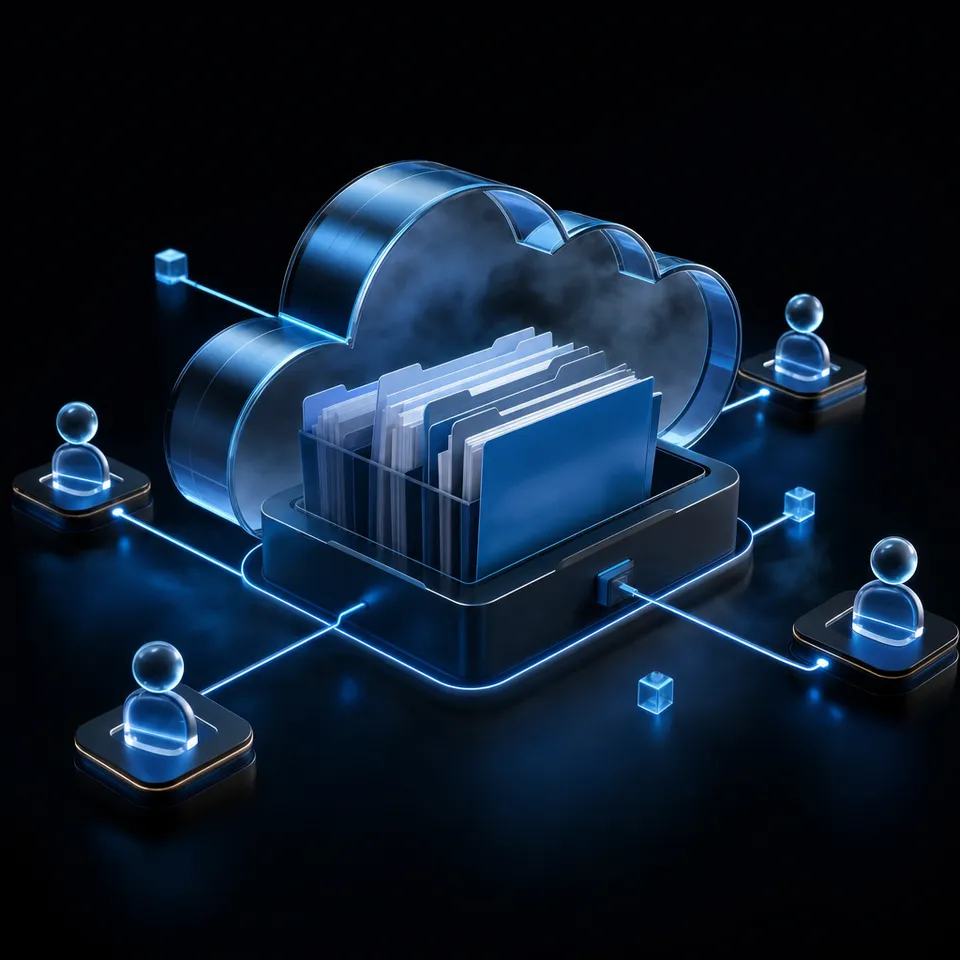
A proof-of-concept RAG system built on a local vector database can answer questions from a dozen clean markdown files in an afternoon, but deploying that same architecture across an enterprise corpus immediately breaks on two unaddressed realities: messy multi-format document hierarchies and unmapped permission boundaries. In an engineering sandbox, every document is public, every document is brief, and every document is plain text. In a production enterprise, knowledge is scattered across multi-page contract PDFs, complex spreadsheets, scanned intake packets, architectural decision records, and living meeting notes across multiple departments.
Enterprise RAG is an architectural pattern that grounds large language model responses in verified internal company documents, enforcing access boundaries and citation provenance at query time. Unlike generic consumer assistants that generate answers from static training weights, enterprise retrieval augmented generation anchors generation in the living operating records of the business. The system must retrieve the exact clause, figure, or procedure relevant to an employee's question, synthesize a coherent response, and provide verifiable citations back to the source files.
Moving beyond toy demonstrations requires recognizing that vector similarity search represents only a fraction of the necessary architecture. Naive vector RAG architectures suffer from four distinct points of failure when exposed to enterprise company documents:
- Parsing and Extraction Collapse: Real enterprise documents rarely arrive as cleanly structured plain text. They arrive as complex PDFs with multi-column layouts, embedded tables, headers, footers, and scanned attachments. Naive recursive character splitters slice through table rows and section headers indiscriminately, shredding tabular context and generating incoherent vector embeddings.
- Context Fragmentation: When documents are split into arbitrary chunks without structural metadata, the retriever loses parent-child context. A paragraph stating "the liability cap is limited to fees paid in the prior twelve months" becomes completely ungrounded if the chunk loses its association with Master Services Agreement Amendment 3, Section 14.
- Authorization Blindness: Standard vector databases store vector embeddings and basic text metadata in a flat collection. They possess no native concept of enterprise identity, organizational roles, or document confidentiality. If an assistant performs vector similarity search across a company-wide collection, a junior employee asking about compensation can inadvertently retrieve confidential executive payroll files.
- Knowledge Staleness and Synchronization Drift: Enterprise documents are not static museum artifacts; policies, pricing sheets, and project scopes change continuously. If the retrieval pipeline depends on manual batch embedding jobs, the model answers from obsolete files, generating confabulated recommendations based on expired guidance.
To address these vulnerabilities, engineering teams must replace flat vector prototypes with governed enterprise RAG architectures that treat ingestion, indexing, access boundaries, and agent interoperability as foundational subsystems.
Building a dependable company brain requires moving away from the assumption that a vector database alone solves enterprise search. The true foundation of enterprise retrieval augmented generation is an intelligent, governed document layer where access controls, structured data extraction, and hybrid retrieval operate in concert.
Related guides
- RAG Security: Architecture, Threat Models, and Retrieval Access ControlRAG security requires moving beyond model alignment filters to protect the data retrieval layer where enterprise...
- Company Brain Governance Framework: Access Control, Permissions, and Data HygieneA company brain governance framework regulates how institutional documents are ingested, indexed, accessed, and queried...
- Enterprise RAG for Autonomous AgentsEnterprise RAG enables autonomous agents to retrieve relevant information from an organization's secure documentation....
- RBAC in RAG: Mapping Enterprise Roles to Context RetrievalRole-based access control for retrieval-augmented generation (RBAC RAG) restricts context retrieval to authorized...
- How to Build and Query Box RAG Workspaces with AI AgentsBox RAG enables AI agents to retrieve and cite context from enterprise Box documents without downloading entire folder...
- Cloud Storage Indexing for LLMs: Architecture, Chunking & MCP RetrievalConnecting large language models directly to raw cloud storage repositories causes prompt token exhaustion, high...
More on this subject: Agent Memory and Storage (365 guides)
How to Build a Production Five-Stage Enterprise RAG Pipeline
Deploying production RAG in an enterprise environment requires a structured, multi-stage pipeline designed to maintain data integrity from the moment a file enters storage until a synthesized answer reaches the user. While toy implementations collapse this process into simple embedding generation and top-k vector cosine similarity, a production enterprise RAG pipeline executes five distinct stages: Ingestion, Chunking/Indexing, Permission-Aware Retrieval, LLM Synthesis, and Citation Verification.
1. Multi-Format Ingestion
The ingestion stage serves as the intake gateway for company knowledge. In an enterprise, documents originate across disparate cloud storage platforms, project repositories, and departmental drives. Rather than requiring employees to manually upload files into an isolated database, an enterprise ingestion layer connects directly to Google Drive, Dropbox, Box, and OneDrive via scheduled or on-demand Cloud Sync. Files must be ingested without manual conversion, accepting formats ranging from scanned PDFs and DOCX contracts to spreadsheets, presentation slides, and collaborative markdown notes. During ingestion, file metadata, author identity, folder hierarchy, and creation dates are extracted and bound to the document object.
2. Structural Chunking and Indexing
Once ingested, documents must be parsed into searchable units while preserving their semantic integrity. Naive RAG pipelines break documents into arbitrary 500-token blocks, splitting sentences, isolating headers from their underlying paragraphs, and destroying tables. Production enterprise RAG uses structural chunking that respects document layout, keeping table cells grouped with their column headers and associating subsections with parent headings.
Indexing must not rely solely on dense vector embeddings. Dense embeddings excel at conceptual semantic matching, understanding that "indemnification limits" is related to "liability caps." However, dense vectors struggle with exact lexical matches, such as product serial numbers, legal case citations, employee IDs, and specific acronyms. A production pipeline implements hybrid search, building dual indices: a dense vector index for semantic conceptual retrieval, and a sparse inverted index (such as BM25) for exact keyword and term matching.
Anthropic's 2024 research on contextual retrieval reported that Contextual Embeddings reduced the top-20-chunk retrieval failure rate by 35%, and that combining Contextual Embeddings with Contextual BM25 reduced it by 49%. By combining dense semantic embeddings with sparse BM25 keyword matching and metadata filters, the system captures both abstract meaning and exact terminology across the document corpus.
3. Permission-Aware Retrieval
When a user or AI agent submits a query, the retrieval engine must never search a global, flat document pool. The permission-aware retrieval stage evaluates the identity and membership of the requester before retrieving candidate chunks. Retrieval engines execute this authorization check using pre-retrieval filtering, bounding the candidate search space exclusively to the workspaces, shares, and repositories that the user is explicitly authorized to view. By filtering candidate documents by organizational and workspace membership prior to search execution, the system keeps restricted passages out of the candidate pool, avoiding leaks through retrieval and top-k context starvation.
4. LLM Synthesis and Grounded Generation
Once authorized chunks are retrieved and reranked, they are assembled into the language model's context window. In an enterprise RAG architecture, the generation prompt enforces strict grounding instructions. The system prompt instructs the model to synthesize responses exclusively from the provided context passages and to decline answering when the retrieved documents do not contain sufficient evidence. This constraint reduces hallucinations and makes the model less likely to invent policies, financial numbers, or legal commitments when internal documentation is silent.
5. Citation Verification and Provenance
The final stage of the pipeline validates that every substantive statement in the synthesized answer maps directly back to a verified passage in the retrieved context. Rather than providing ungrounded prose, the system outputs explicit citations indicating the source file name, page number, and specific text snippet. This provenance layer allows human operators to check the model's output, click through to the source document, and confirm that the policy or operational rule is accurate and currently in effect. For automated AI agents, these citations give a checkable record that can be logged and passed downstream to human supervisors.


Deploy Production Enterprise RAG in an Intelligent Workspace
Centralize company documents, automate hybrid indexing, and connect AI agents to your enterprise RAG pipeline through the Fast.io remote MCP server. Monthly plans start with a 14-day free trial, credit card required.
How to Ingest Complex Formats and Connect Multi-Cloud Storage
The primary reason enterprise RAG initiatives stall during pilot testing is data ingestion failure. In developer demos, RAG pipelines are tested on clean markdown files, clean documentation sites, or short text summaries. In production, enterprise documentation is chaotic: scanned PDF contracts with faint text, multi-tab financial models with complex formulas, PowerPoint presentations with embedded diagrams, and hundreds of daily email summaries.
Multi-Cloud Synchronization and Document Intake
Enterprise knowledge does not reside in a single silo. Legal teams store executed agreements in Box, marketing maintains brand collateral in Google Drive, finance manages audit models in OneDrive and SharePoint libraries, and operations teams store technical specs across Dropbox folders. Forcing knowledge workers to abandon their existing storage platforms and manually upload files into an isolated vector database creates immediate friction, resulting in incomplete, out-of-date knowledge bases.
A production enterprise RAG architecture relies on automated Cloud Sync connectors. Cloud Sync connects Google Drive, Dropbox, Box, and OneDrive folders directly to a central workspace, operating one-way or two-way, on a schedule or on demand. Because Cloud Sync runs on a schedule or on demand rather than in real time, a change in the source drive reaches the workspace on the next sync. When new files land in a synced workspace with Intelligence enabled, the platform indexes them automatically for semantic search, keyword search, summarization, and citation-backed chat.
Structuring Tables, Financials, and Unstructured Spreadsheets
Standard recursive text splitters treat tables as linear strings of text, separating numerical values from their column and row headers. When an employee asks for the operating margin in Western Europe, a naive chunker might retrieve an isolated percentage figure without the column header "Western Europe" or the row header "Operating Margin." The language model is left with orphaned digits, leading to incorrect completions.
Handling complex tabular and financial data requires structural parsing that converts tables into markdown grids or JSON representations where column and row headers remain bound to each data cell. For highly structured document sets, such as vendor invoices, commercial leases, and insurance binders, semantic chunking should be paired with structured data extraction.
This is where Metadata Views enhances enterprise RAG. While Intelligence Mode auto-indexes files for full-text and semantic vector retrieval, Metadata Views turn unstructured documents into a live, queryable database. Users describe the fields they want extracted in natural language, and AI designs a typed schema across seven distinct field types: Text, Integer, Decimal, Boolean, URL, JSON, and Date & Time.
The system scans the workspace, classifies matching documents, and populates a filterable data grid without requiring rigid OCR templates or manual coordinate mapping. An engineering or operations team can extract counterparty names, effective dates, governing laws, and payment terms from hundreds of contracts. When an employee or agent queries the system, hybrid search queries both the unstructured document text and the structured metadata fields, enabling deterministic filtering (such as finding contracts where renewal dates precede a specific deadline and payment terms match net thirty) alongside semantic retrieval.
Grounding With Living Collaborative Notes
Not all enterprise knowledge resides in formal static files. Essential institutional knowledge often lives in informal project debriefs, meeting agreements, and operational handover notes. When these notes are kept in external wikis or private desktop apps, they remain disconnected from the core document corpus.
In an intelligent company brain, Collaborative Notes sit directly inside the workspace alongside the files they describe. These markdown notes are indexed automatically for AI grounding, co-edited live with labeled cursors for people and agents alike. When an agent and a human team member review a complex document together, both can draft summaries, add contextual annotations, and document decisions in real time. Agent Intents let agents and team members announce which file or note they are working on before making changes, so others can see it and avoid overlapping work.
How Enterprise RAG Enforces Access Boundaries and Permissions
Security is the primary barrier preventing enterprise organizations from deploying retrieval augmented generation at scale. In a traditional corporate file repository, security relies on compartmentalization: employees can only view the files in folders and directories they have been granted permission to access. When organizations introduce a naive RAG layer, they frequently collapse these compartmentalized boundaries into a single vector database, creating a severe vulnerability: unauthorized privilege escalation through retrieval.
The Failure of Prompt-Based and Post-Retrieval Access Control
When security teams raise concerns about confidential data leakage in RAG systems, developers often attempt to solve the problem at the wrong layer. A common mistake is attempting to enforce access boundaries through prompt engineering, instructing the language model: "Only answer this question if the user is authorized to know executive compensation data."
Prompt-based access control fails consistently. Language models cannot act as secure authorization policy enforcement points. Users can bypass prompt instructions through basic prompt injection, contextual rephrasing, or indirect queries (such as asking the model to calculate average salary trends across department bands).
Another flawed approach is post-retrieval filtering, where the retrieval engine searches a global vector database, retrieves the top-k most relevant chunks, and then discards chunks that the user is not permitted to see. If an unauthorized employee asks a question closely related to a restricted project, all top-k retrieved chunks may originate from restricted documents. When the post-retrieval filter strips those chunks out, the model is left with zero context (top-k context starvation) or falls back to low-relevance ungrounded context, while inadvertently signaling to the user that confidential documents on that topic exist.
Workspace Permissions and Boundary Enforcement
As a general design rule, dependable enterprise RAG security applies authorization before retrieval rather than after it: access boundaries should limit the candidate pool before semantic search or vector comparisons run.
Fastio's permission model is built around organization, workspace, and share boundaries. Permissions are configured per organization, workspace, and share through explicit member roles:
- Organization Roles: Owner, Admin, and Member.
- Workspace Roles: Owner, Admin, Member, Guest, and View.
Crucially, permissions inside a workspace apply to the entire workspace. There are no folder-level or file-level permissions inside a workspace; every member of the workspace reaches the workspace's contents according to their assigned role. When sensitive materials (such as executive compensation, pending litigation briefs, or acquisition analyses) must be restricted to specific individuals, those materials are placed in a dedicated workspace or a share.
Furthermore, a workspace's join setting defaults to allowing any member of the parent organization to join. To protect sensitive departmental files, administrators restrict the join setting so that only explicitly invited members can access the workspace. When a user or an AI agent submits a query, search and Intelligence queries retrieve data exclusively from the workspaces and shares that the asker belongs to. If a user is not a member of the executive workspace, search and Intelligence return nothing from it.
When documents are synced from external drives via Cloud Sync, the synced files take the Fastio workspace's permissions rather than inheriting the source drive's complex external sharing settings. This keeps external folder permissions from opening unintended paths into the workspace.
Operational Auditing and Conflict Prevention
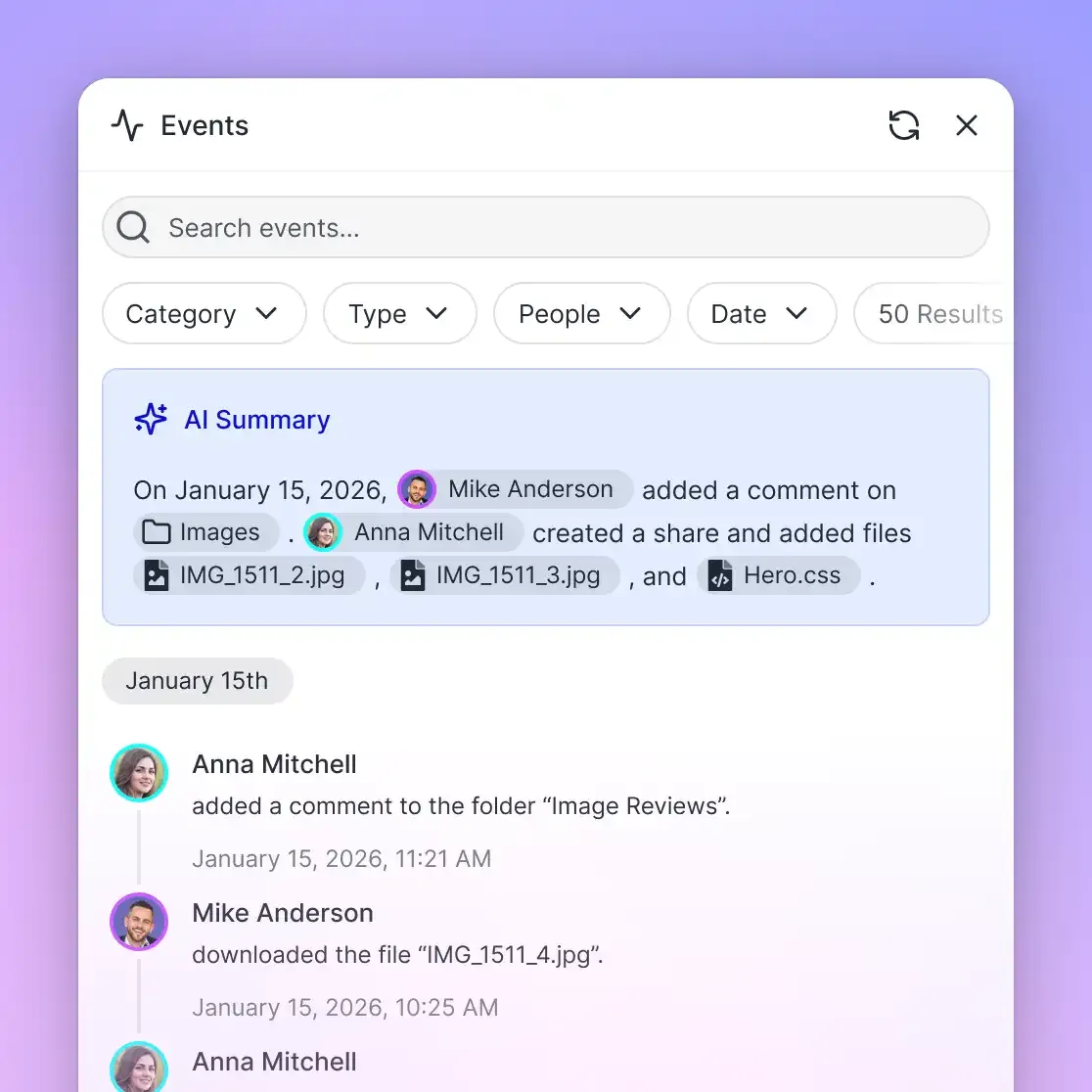
A production enterprise RAG system must provide clear visibility into how documents change. Governance in Fastio is anchored by a detailed activity log that records storage changes and system activity across the organization:
- File creations, uploads, edits, moves, and deletions.
- Membership additions, role updates, and permission changes.
- Share creation.
The detailed activity log follows what changed in the workspace, providing a record of human and agent modifications. Every file maintains a full per-file version history, allowing teams to inspect prior iterations, review document modifications made by autonomous agents, and restore an earlier version after an unintended edit.
To help avoid write collisions during multi-agent workflows, Fastio provides advisory file locks. An AI agent or human collaborator can acquire a temporary lease on a file via MCP actions (lock-acquire and lock-release on the storage_manage tool). Locks are advisory; they signal active edits to other collaborators and agents in the workspace, expiring automatically unless heartbeated, while per-file version history keeps every version, so a concurrent write does not erase earlier work.
Connecting AI Agents to Enterprise RAG via the Model Context Protocol
The enterprise RAG landscape is undergoing a fundamental transition: moving from passive, single-user chat widgets to active multi-agent systems. In a first-generation RAG deployment, an employee opens a browser tab, types a question into a search bar, and reads an answer generated by an LLM. In an agentic architecture, autonomous AI agents (such as Claude Code, Cursor, Codex, or custom departmental bots) actively query company knowledge, cross-reference multiple specifications, draft deliverables, and coordinate directly with human colleagues.
Connecting AI agents to enterprise RAG requires a standardized communication layer that eliminates custom API wrappers and fragile webhook integrations. The Model Context Protocol (MCP) provides this universal open standard, allowing frontier AI models to discover, read, and manipulate enterprise workspaces through structured tools.
Fast.io Remote MCP Server Architecture
Fastio exposes a consolidated, action-based remote MCP server operating over Streamable HTTP. Rather than requiring developers to install local node daemons or manage complex client bridges, agents connect directly to remote endpoints tailored to their operational context:
https://mcp.fast.io/mcp/tools: The primary endpoint for interactive Claude applications (claude.ai, Claude Desktop, Claude mobile, and Claude Cowork via Claude's connector), Manus, and general personal-agent runtimes such as OpenClaw and Hermes Agent. It provides dedicated read and manage tools for each domain, includingstorageandstorage_manage,shareandshare_manage,uploadandupload_manage, andworkspaceandworkspace_manage.https://mcp.fast.io/mcp/operations: The dedicated endpoint for ChatGPT and Codex when setting up a custom MCP server, though the Fastio plugin is the preferred setup for both.https://mcp.fast.io/mcp/code: The optimized endpoint for coding agents, including Claude Code, Cursor, Gemini CLI, Cline, Roo Code, Continue, Devin Desktop, and VS Code Copilot agent mode. It exposes focused tools includingauth,auth_manage,upload,upload_manage,search,execute,execute_manage, andhow-to.
For interactive tools like Claude or Cursor, authentication occurs via browser-based OAuth. On the Review Permissions screen, the user selects Read Only or Read & Write permissions and specifies precisely which organizations and workspaces the agent is permitted to reach. In Read Only mode, tools that modify data are not offered at all, so an agent on that connection has no tools that change files. For headless scripts, background workers, and CI pipelines, authentication uses a scoped API key passed via the Authorization: Bearer <api key> header over Streamable HTTP. Complete setup instructions and client configurations are documented at https://mcp.fast.io/docs, and the agent guide is at https://mcp.fast.io/skill.md.
Real-Time Reactivity via Workspace Event Feeds
Traditional enterprise search systems require periodic polling to detect when new files arrive, consuming excessive network bandwidth and compute overhead. Conversely, outbound webhook triggers can fail behind strict corporate firewalls.
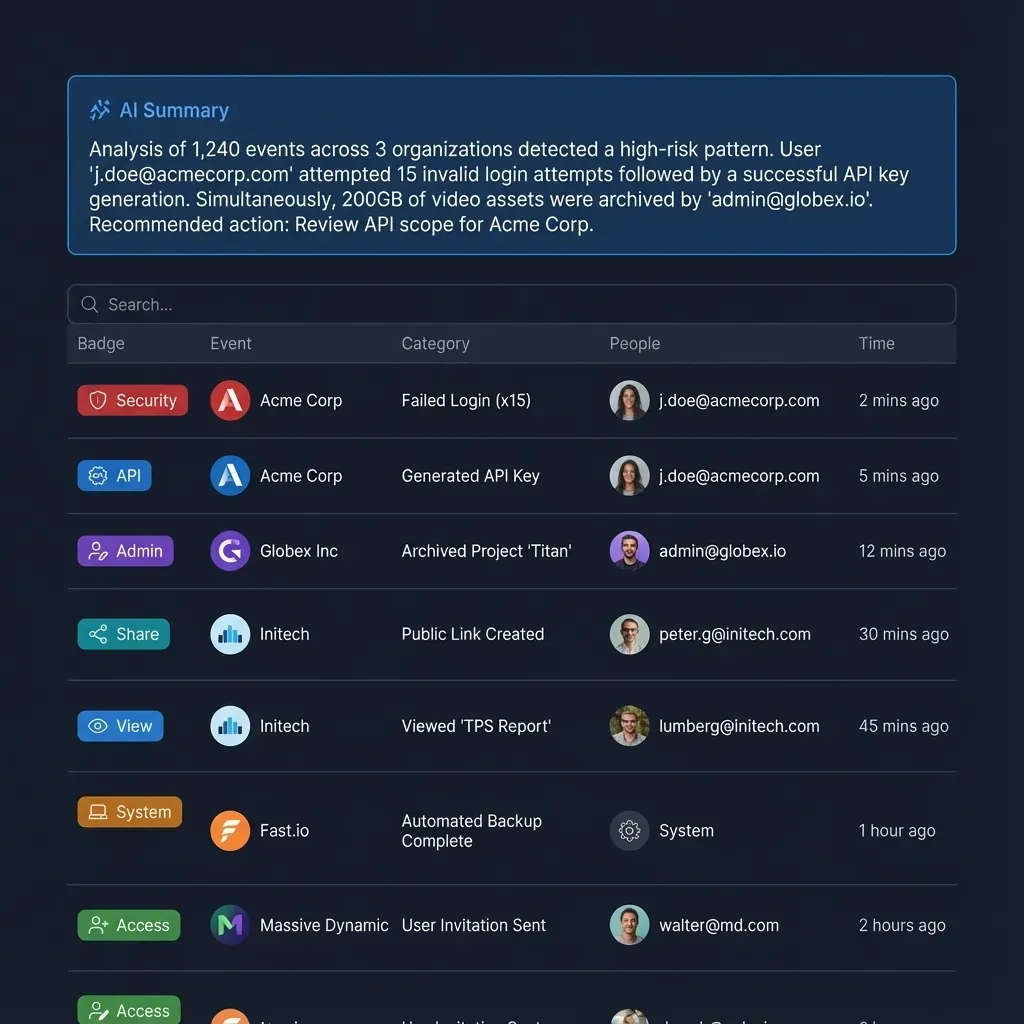
Fastio resolves this coordination bottleneck through an integrated workspace activity feed accessible via WebSocket or long-polling HTTP requests (GET /current/activity/poll/{profile_id}/?wait=95&lastactivity={timestamp}). An autonomous monitoring agent can subscribe to a workspace's activity stream, hold an open long-poll or WebSocket connection, and react as soon as a new contract, technical brief, or customer transcript is added. Upon notification, the agent queries the updated files via Intelligence search, synthesizes key takeaways, and posts an executive summary to a Collaborative Note beside the source document.
Human-in-the-Loop Collaboration and Ownership Transfer
A common risk in agentic enterprise RAG is orphan automation: AI agents generating thousands of unmonitored documents without human oversight. Dependable architectures incorporate explicit human-in-the-loop handoff mechanisms.
In Fastio, this handoff is built in through ownership transfer. An AI agent can create an organization, configure workspaces, ingest source files, turn on Intelligence so the files are indexed, and extract structured fields with storage_manage action=metadata-extract, then read the field names with metadata action=fields-list and query values with metadata action=search. Once the environment is ready, the agent hands the organization to a person with a claim link. An owner can also transfer an organization directly to a person who is already a member of it; with a direct transfer, the previous owner is demoted to admin, so the agent keeps admin access while the person takes ownership.
By uniting multi-cloud ingestion, hybrid retrieval, workspace and share permissions, and standardized MCP connectivity, organizations transform static document archives into a living, governed company brain that supports people and AI agents alike.
Sources
References used to verify factual claims in this guide.
-
Contextual Embeddings reduced the top-20-chunk retrieval failure rate by 35%, and combining Contextual Embeddings with Contextual BM25 reduced it by 49%.
Frequently Asked Questions
What is enterprise RAG?
Enterprise RAG (Retrieval-Augmented Generation) is an architectural pattern that grounds large language model responses in verified internal company documents, enforcing access boundaries and citation provenance at query time. It replaces generic training memory with facts drawn from internal corporate files, so answers can be checked against current internal sources.
How does enterprise RAG handle document permissions and access control?
Production enterprise RAG enforces security by filtering retrieval candidates based on the identity and workspace membership of the user or agent making the query. In Fastio, permissions are defined at the organization, workspace, and share levels by member role, ensuring search and Intelligence queries retrieve data only from spaces the asker is authorized to access.
What is the difference between RAG and enterprise search?
Traditional enterprise search returns a list of matching documents, links, or text snippets that a human must manually open, read, and synthesize. Enterprise RAG combines search retrieval with generative language models, analyzing the retrieved passages to answer questions directly, synthesize multi-document findings, and cite the exact source files and pages.
What are the common challenges in enterprise RAG?
The primary challenges include parsing complex multi-format documents (such as tables and scanned PDFs), preventing context fragmentation, maintaining index freshness as files update across cloud drives, and mapping enterprise permission models to prevent unauthorized data exposure.
How do multi-agent systems interact with an enterprise RAG knowledge base?
Multi-agent systems connect to the knowledge base through standardized interfaces like the Model Context Protocol (MCP) or REST APIs. Agents query indexed files, co-edit Collaborative Notes beside source documents, coordinate concurrent modifications using advisory file locks, and subscribe to workspace activity feeds over WebSocket or long-polling.
How does Cloud Sync handle file permissions when syncing company documents?
When documents are synced from external drives like Google Drive, Dropbox, Box, or OneDrive into a Fastio workspace, they take the Fastio workspace's role-based permissions rather than the source drive's sharing settings. If sensitive files must be limited to specific individuals, they should be placed in a dedicated workspace with a restricted join setting, or in a share.
Related Resources

Deploy Production Enterprise RAG in an Intelligent Workspace
Centralize company documents, automate hybrid indexing, and connect AI agents to your enterprise RAG pipeline through the Fast.io remote MCP server. Monthly plans start with a 14-day free trial, credit card required.