How to Manage Fastio Workspace Permissions API
The Fastio workspace permission management API lets developers set granular role-based access control (RBAC) for AI agents and teams. Use it to restrict access at organization, workspace, folder, and file levels with roles like viewer, editor, agent, and owner. This ensures agents only access authorized files, filling the gap in competitor docs on scoping permissions for autonomous agents.

What Is the Fastio Workspace Permission Management API?
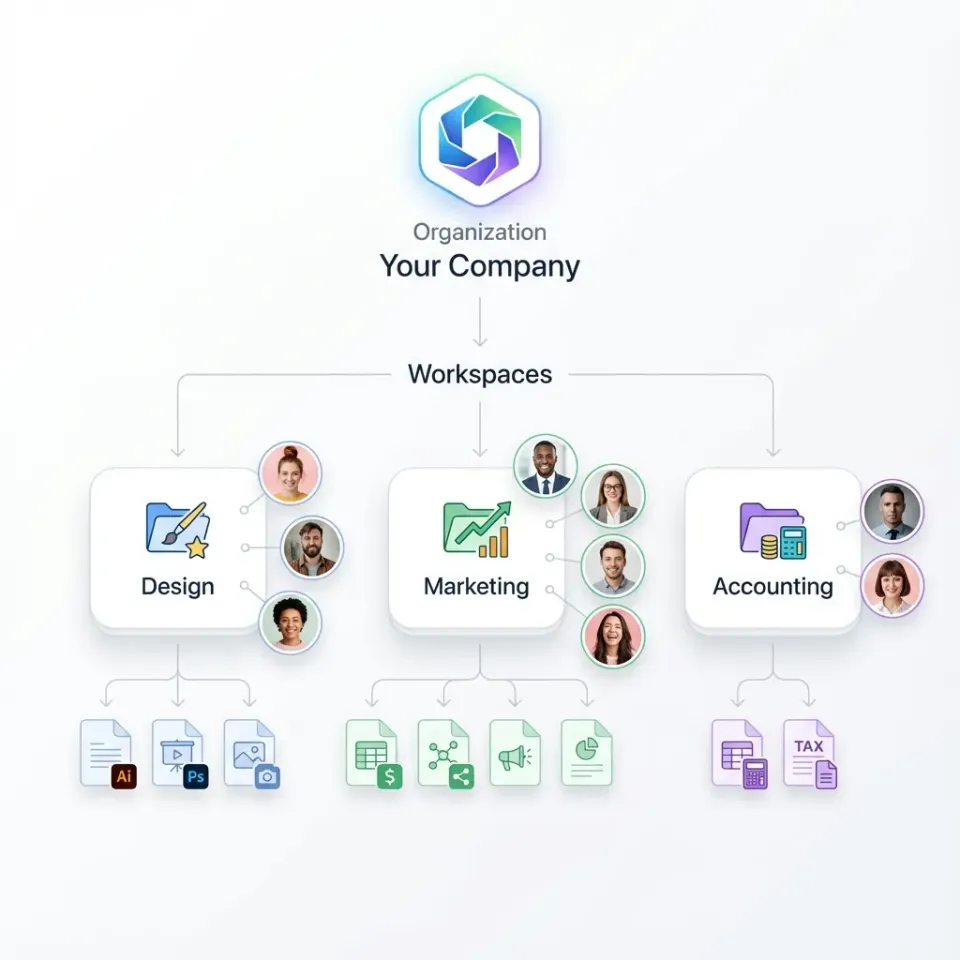
The Fastio Permission Management API enables strict role-based access control, ensuring AI agents only access authorized files.
It supports granular permissions across four levels: organization, workspace, folder, and file. Core permission levels and their programmatic identifiers are:
These roles apply via member management endpoints for orgs, workspaces, and shares. Permissions inherit down the hierarchy unless overridden.
Related guides
- How to Create Fastio Workspaces Programmatically via APIProgrammatic workspace creation allows developers to dynamically spin up isolated, intelligence-ready Fastio...
- How to Build an Agentic Workspace with the Fastio APIAn agentic workspace built with the Fastio API provides persistent memory, file sharing, and tools for autonomous...
- How to Implement Cross-Workspace Search with Fastio APICross-workspace search with the Fastio API allows centralized systems to securely query data across multiple isolated...
- How to Manage LLM Context Windows EffectivelyLLM context management is the practice of efficiently handling the limited context window of large language models by...
- How to Extract Metadata from Google Workspace Files via APIGoogle Workspace files live entirely in the cloud, so there is no local file to parse with traditional metadata tools....
- How to Automate Fastio Workspaces with GitHub ActionsSetting up test environments manually slows down your deployment cycle. By using GitHub Actions to provision Fastio...
More on this subject: Agent Memory and Storage (263 guides)
Permission Hierarchy and Inheritance
Permissions follow a clear hierarchy in Fastio.
Organization-level roles control access to all workspaces. Workspace roles override org for that workspace. Folder and file permissions allow fine-grained overrides.
For example, an "editor" at workspace level can edit all files unless a folder grants only "viewer". This setup supports complex agent teams where different agents handle different tasks.

How to Add Members and Set Roles via API
Use POST /{entity_type}/{entity_id}/members/ to add users or agents.
curl example (add editor to workspace):
curl -X POST https://api.fast.io/current/workspaces/{workspace_id}/members/ \\
  -H "Authorization: Bearer {token}" \\
  -d "user_id={user_or_agent_id}&role=editor"
Replace {entity_type} with "orgs", "workspaces", or "shares". Common roles: viewer, editor, agent, owner.
Node.js example:
const response = await fetch(`https://api.fast.io/current/workspaces/${wsId}/members/`, {
  method: 'POST',
  headers: {
    'Authorization': `Bearer ${token}`,
    'Content-Type': 'application/x-www-form-urlencoded',
  },
  body: new URLSearchParams({
    user_id: agentId,
    role: 'agent'
  })
});
List members with GET /{entity_type}/{entity_id}/members/.



Secure Agent Workspaces Now
Start with generous storage, included credits/month. No card needed.
Granular Folder and File Permissions
Beyond member roles, set ACLs on folders/files for non-member access.
Use storage endpoints to set permissions on nodes.
Example: Restrict folder to editors only:
POST /workspaces/{ws_id}/storage/{folder_id}/acl/ with rules array defining user_id/role.
Inheritance: Child nodes inherit unless explicit ACL set. Agents benefit from file locks alongside permissions for concurrent safety.
Best Practices for Agent Permission Scoping
Competitors overlook agent-specific scoping. Follow these:
- Use "agent" role for API-only access, avoiding UI clutter.
- Scope to folders for task isolation: analysis agent gets /data/, delivery agent /output/.
- Combine with the events feed (WebSocket or long-poll) for reactive workflows: watch for permission changes.
- Audit via events/search/ filtered by "permission_change".
For multi-agent: owner creates, delegates editor/agent roles, monitors via activity logs.

Troubleshooting Permission Issues
Common errors:
- 1680 APP_DENIED: Insufficient role.
- Check token scopes with /user/.
- List effective permissions via /members/{id}/effective/.
Test with curl, verify inheritance.
Frequently Asked Questions
How do I manage permissions in Fastio?
Use member management API endpoints for orgs, workspaces, shares. POST /entity_type/entity_id/members/ with user_id and role.
Can I restrict AI agent access via the Fastio API?
Yes, assign 'agent' role for API-only access. Granular to folders/files for scoped operations.
What are Fastio RBAC roles?
Viewer (read), Editor (read/write), Agent (API), Owner (full).
Does permission inherit to subfolders?
Yes, unless overridden by explicit ACL.
How to audit permission changes?
Query events/search/ with type=permission_change.
Related Resources

Secure Agent Workspaces Now
Start with generous storage, included credits/month. No card needed.