GitHub Copilot
GitHub Copilot in and beyond the editor: agent mode, custom instructions, extensions, code review, and the pipeline work that grows out of it. These pages are aimed at teams who already have Copilot and want it doing more than autocomplete, which usually means giving it access to context that lives outside the repository. Where a build or an agent run produces artifacts that need to outlive the job, they cover getting those files into shared storage with an API key rather than a person in the loop.
Coverage runs from editor configuration through repository-level instructions to the agent features that changed what Copilot can reasonably be asked to do. The pages are honest about where it still needs supervision, particularly on large refactors and anything touching credentials, and they cover the review habits that stop generated code becoming next quarter's maintenance problem. Where output needs to leave the repository, they cover that step too.
141 guides in this topic.
Start here

How to Setup and Use GitHub Copilot in IntelliJ IDEA
The official GitHub Copilot plugin integrates AI-powered completions directly into JetBrains IntelliJ IDEA, but most setup guides are written for VS Code and omit the JetBrains-specific steps. Learn how to configure global instruction files, resolve network proxy limits, and fix SSL trust issues inside the JetBrains Runtime environment. Then, see how Fast.io shared workspaces store and version these configurations for engineering teams.

GitHub Copilot API Key: Authentication and SDK Setup Guide
A comprehensive developer guide to GitHub Copilot's authentication architecture. Learn why Copilot avoids static API keys, how to configure OAuth and Personal Access Tokens, set up the official SDK, authenticate editors like Neovim, and secure agent files in shared workspaces.
Top Integrations for Microsoft Copilot Studio
Microsoft Copilot Studio lets businesses build custom AI agents, but its real power comes from connecting to external systems. This guide explores the top integrations, from Salesforce to Fastio MCP, that let your agents access real-time data and automate workflows.

How to Get GitHub Copilot for Free: All Eligible Plans and Limits
On June 1, 2026, GitHub officially transitioned its Copilot ecosystem to a usage-based billing model, introducing GitHub AI Credits to measure and bill API consumption [GitHub Blog: Transitions in Copilot Billing]. Under this new system, the standard GitHub Copilot Free plan limits individual developers to 2,000 code completions and 50 chat requests per month [GitHub Copilot: Plans & pricing].

GitHub Copilot Pricing: Plans, Cost Breakdown, and Usage-Based Alternatives
GitHub transitioned its Copilot coding assistant to usage-based billing powered by GitHub AI Credits on June 1, 2026. This comparison details the monthly subscription plans, credit allowances, and features of the Free, Pro, Pro+, Max, Business, and Enterprise tiers. It also examines the broader cost shift from seat-based pricing to execution-centric workspaces like Fast.io.

How to Read and Reference PDFs with GitHub Copilot
While GitHub Copilot doesn't natively parse PDFs, developers can feed PDF content into their workflow using text extraction, custom Model Context Protocol (MCP) servers, or third-party workspaces. This guide explains how to configure these systems to read and reference PDF context directly inside your coding editor.
All guides

10 GitHub Pages Examples and Templates to Customize with Copilot
Selecting a pre-built layout is the fastest way to launch a static website. Learn about 10 popular GitHub Pages examples and templates, how to write Copilot prompts to customize your layouts, and how to automate deployments using GitHub Actions.

Base44 vs GitHub Copilot: Vibe Coding vs Pair Programming
An analysis of the differences between Base44 and GitHub Copilot, comparing vibe coding with editor autocomplete. While 68% of developers use Copilot, 46% do not trust AI-generated code accuracy. Evaluate code ownership, hosting mechanics, and how Fastio workspaces coordinate team development.

Best Copilot Alternatives in 2026: Productivity and Coding Tools Compared
GitHub Copilot moved every paid plan to usage-based billing on June 1, 2026, and Microsoft 365 Copilot still costs $30/user/month before you add the required base license. Both changes pushed teams to evaluate alternatives. This guide separates the two Copilot products, covers the strongest alternatives for each, and includes free options that hold up for real work.

Best Copilot Builder Frameworks for Developers in 2026
Copilot builder frameworks let developers embed context-aware AI assistants directly into their products. This guide compares seven frameworks across language support, deployment model, MCP compatibility, and human-in-the-loop controls to help you pick the right one for your stack.

Best Practices for Organizing Your GitHub Copilot Workspace Directory Structure
A structured repository directory layout using standardized .github/copilot-instructions.md files provides persistent, layerable context that guides GitHub Copilot's answers. This guide covers how to organize workspace files, manage path-specific instructions, and use active workspaces to maintain code versioning.

Building a GitHub Copilot File Handoff Workflow with MCP Storage
GitHub Copilot helps developers write code faster, but manual clipboard copy-pasting breaks version control and increases errors. You can automate delivery by configuring Copilot with a custom Model Context Protocol (MCP) server. This guide shows how to build an automated file handoff workflow that writes files to a shared Fastio workspace, extracts build metrics, and hands code to human reviewers.

Can Copilot Access OneDrive? File Permissions, Personal vs Business & Setup
Users asking can Copilot access OneDrive will find that retrieval depends on whether they use a personal account or an enterprise Microsoft 365 tenant. The assistant queries Microsoft Graph to inherit the authenticated user file permissions, ensuring private folders remain inaccessible to unauthorized colleagues. Overshared tenant links can cause unexpected data exposure unless permissions are audited or files are synced to managed workspaces.

Can Copilot Access SharePoint? Permissions, Libraries, and Setup
Microsoft Copilot can access SharePoint document libraries when users hold explicit read permissions through Microsoft Graph and tenant sensitivity policies allow indexing. While Microsoft 365 Copilot queries enterprise libraries natively, teams using external AI agents face tenant lock-in and Graph throttling. Connecting SharePoint folders through scheduled workspace sync provides cross-agent search without modifying enterprise access controls.

Cline vs Cursor vs Copilot: Choosing the Right AI Developer Tool (2026)
Only 29% of professional developers trust AI code output to be accurate, according to the 2025 Stack Overflow Developer Survey, yet 51% use these tools daily. This tension defines the divide between autocomplete extensions like GitHub Copilot, custom-forked IDEs like Cursor, and autonomous agents like Cline. Choosing the right tool requires evaluating their execution environments, cost structures, and collaboration layers.

Cline vs GitHub Copilot: Comparing Autocomplete and Coding Agents in 2026
According to the Stack Overflow 2025 Developer Survey, 81 percent of developers have concerns about data privacy and security when using AI agents. This comparison details the core differences between Cline vs GitHub Copilot, focusing on autocomplete suggestions versus agentic workflows, model choice, permission models, and security boundaries.

Configuring GitHub Copilot inside GitHub Codespaces for Teams
A technical guide to automating GitHub Copilot inside GitHub Codespaces. Pre-configuring vscode extensions in devcontainer.json cuts developer onboarding times to seconds, while Fast.io workspaces persistent storage secures and organizes team outputs.

Connecting Microsoft Copilot Studio to OneDrive: Knowledge Limits vs. Fast.io MCP
Connecting Microsoft Copilot Studio to OneDrive allows agents to ground responses on user documents, but native connectors face synchronization delays, account-level permission silos, and heavy token consumption across multi-file queries. Syncing OneDrive folders into an indexed Fast.io workspace lets Copilot Studio agents query files through remote Model Context Protocol tools in a single step without Graph API throttling.

Copilot Agents in SharePoint: How to Build, Configure and Ground Agents
A Copilot agent in SharePoint provides a scoped AI assistant grounded on specific document libraries to answer queries and summarize team content. While native agents operate within Microsoft 365 interfaces, external developer environments face multi-library and licensing barriers. Synchronizing SharePoint libraries into a Fast.io workspace allows external agents in Claude, Cursor, or custom frameworks to query indexed documentation over remote MCP.

Copilot Box Integration: Microsoft Copilot vs. Fast.io Workspaces
A Copilot Box integration connects Microsoft 365 Copilot to Box content via Microsoft Graph connectors, allowing enterprise users to query Box files within Office applications. While this provides native search inside Teams and Word, it enforces steep per-seat licensing, indexing delays, and tenant ingestion limits. Connecting Box to Fastio workspaces offers an alternative: folder synchronization, automatic semantic indexing, and direct MCP access for autonomous agents.

Copilot Context Window: Limits in Chat, CLI, and Agent Mode
The Copilot context window determines how many tokens of code, conversation history, and system instructions GitHub Copilot or Microsoft Copilot can evaluate at once. Standard IDE chat interfaces cap prompt context between 8,000 and 32,000 tokens, while GitHub Copilot CLI and agent mode reach 128,000 tokens with background compaction. Indexing extensive technical documentation in an external workspace over MCP prevents context exhaustion.

Copilot Dropbox Integration: Microsoft 365 Copilot vs. Fast.io Workspaces
A Copilot Dropbox integration connects Microsoft Copilot to Dropbox repositories via Microsoft Graph connectors or intelligent workspaces, enabling AI models to retrieve indexed document sections on demand without traversing full directory trees. While native connectors index files through scheduled crawls, they require steep per-seat licenses and exclude comments. Fast.io lets teams keep Dropbox storage, sync folders into workspaces, and connect agents via remote MCP.

Copilot File Size Limit: Document Ceilings Across Microsoft Copilot & Studio
The Copilot file size limit is 50MB per file, with up to 20 files per conversation, in Microsoft Copilot chat, and 15MB per file for documents users send to Copilot Studio agents, while administrative knowledge base ingestion supports up to 512MB per file. While runtime uploads to Copilot Studio agents are capped at 40 pages per PDF, makers can ingest up to 500 files into custom knowledge bases. Understanding these distinct ceilings prevents upload failures and shows when teams need external workspace indexing.

Copilot File Upload Limits, Formats, and Workarounds for Large Files
The Copilot file upload limit restricts direct document attachments to 10 MB per file across standard chat interfaces, with specialized caps ranging from 3 MB in Security Copilot to 15 MB in Copilot Studio runtime chat. Attempting to upload unsupported formats causes immediate processing failures. Teams needing to query large document libraries can avoid attachment limits by indexing files in an external workspace and querying them via Model Context Protocol.

Copilot Message Limit: Turn Caps, Daily Quotas, and Solutions
The Copilot message limit is Microsoft conversational session cap that restricts chats to 30 interaction turns per topic and 300 total turns per day. These session boundaries prevent hallucination drift but disrupt complex research and multi-document analysis when threads abruptly lock. Rather than starting empty chats and losing conversational context, technical teams externalize document storage into indexed workspaces queryable through the Model Context Protocol.
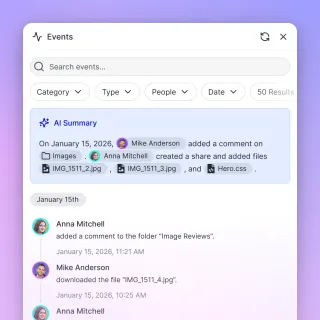
Copilot Prompt Limit: Caps, Truncation, and Context Workarounds
The Copilot prompt limit restricts inputs to 2,000 characters for anonymous users and 4,000 characters for personal accounts, while Microsoft 365 Copilot clamps inputs between 4,000 and 8,000 characters per turn. GitHub Copilot relies on model token windows rather than character boxes. When analyzing large repositories, pushing raw text into chat triggers truncation. Teams resolve these boundaries by indexing files in an external workspace over MCP.

Copilot Search SharePoint: How M365 Graph Search Works & Troubleshooting
Copilot search in SharePoint uses Microsoft Graph Semantic Index to match natural language queries against indexed document libraries and metadata. When newly uploaded files fail to appear in search results, asynchronous tenant batch schedules and permission inheritance settings are typically responsible. This guide breaks down how Microsoft Graph search functions, provides a diagnostic checklist for missing documents, and outlines hybrid indexing strategies for external agent workspaces.

Copilot Studio SharePoint Connector: Limitations & Faster Workspaces
The Copilot Studio SharePoint connector links custom AI agents to Microsoft 365 document libraries using Microsoft Graph search and Entra ID security trimming. In enterprise deployments, teams encounter multi-hour indexing queues and API throttling limits. Connecting Copilot Studio to Fastio workspaces over the Model Context Protocol delivers pre-indexed semantic search, structured metadata extraction, and sub-second answer grounding without replacing existing document stores.

Copilot Studio Token Limits: Knowledge Caps, Context Windows, and Workarounds
Microsoft Copilot Studio enforces distinct limits on request throughput, billing credits, and generative context windows. When generative answers pull from extensive knowledge sources, prompt token saturation causes retrieval truncation and runtime errors. This guide details how Copilot Studio budgets context across conversational turns and how to architect external retrieval to bypass document caps.

Copilot vs ChatGPT: Features, Pricing, and Key Differences in 2026
Microsoft Copilot and ChatGPT both run on OpenAI's GPT model family, but they target different workflows. ChatGPT is a standalone AI platform with 900 million weekly active users, while Copilot is an integration layer across Windows, Edge, and Microsoft 365. This guide breaks down pricing, features, and practical tradeoffs so you can pick the right tool for how you actually work.

Copilot vs Gemini: Which AI Assistant Is Better in 2026?
Gemini's 2-million-token context window is 5x larger than Copilot's, and it scores nearly double on SWE-bench coding benchmarks. But raw AI performance rarely decides the purchase. This comparison breaks down pricing tiers, coding workflows, writing quality, multimodal support, and the ecosystem lock-in that actually determines which assistant your team will use every day.

Devin AI vs. GitHub Copilot: Autonomous Agent vs. Editor Autocomplete
Choosing between Devin AI and GitHub Copilot represents a decision between autonomous cloud sandboxes and IDE-integrated code completions. While Copilot acts as an inline helper under direct developer supervision, Devin operates asynchronously in isolated virtual machine containers. This analysis compares their architecture, execution security, pricing structures, and explains how shared workspaces prevent context silos.

Fixing GitHub Copilot Activation Failed in VS Code
When the GitHub Copilot extension fails to activate in Visual Studio Code, standard troubleshooting like restarting the editor often fails to resolve the issue. This guide explains how to debug activation failures by clearing local token caches, resolving operating system credential mismatches, and configuring proxy or SSL certificate settings.

Gemini Code Assist vs GitHub Copilot: Developer Comparison
Choosing between Gemini Code Assist and GitHub Copilot requires assessing how your development team manages workspace context and cloud dependencies. This comparison evaluates how each assistant integrates with developer repositories, handles multi-file context ingestion, and manages codebase knowledge.

GitHub CLI: How to Supercharge Your Terminal with Copilot
The legacy gh-copilot extension is retired and no longer functions. This guide provides the three steps to install and authenticate the new standalone GitHub Copilot CLI, helping developers run multi-step agentic workflows directly from their command line.

GitHub Copilot API Developer Guide: Uptime, Metrics, and Agent Integration
An in-depth developer guide to the GitHub Copilot REST API. Learn how to manage seats programmatically, download daily usage metrics, orchestrate automated repository operations via the Agent Tasks API, and persist analytics in team workspaces.
GitHub Copilot API Key: Authentication and SDK Setup Guide
A comprehensive developer guide to GitHub Copilot's authentication architecture. Learn why Copilot avoids static API keys, how to configure OAuth and Personal Access Tokens, set up the official SDK, authenticate editors like Neovim, and secure agent files in shared workspaces.

GitHub Copilot API Request Format: Headers and Payload Guide
A comprehensive developer guide to formatting requests for GitHub Copilot's completions and chat models. Learn required headers, JSON payload structures, and how to verify request signatures for custom developer integrations.

GitHub Copilot Certification Study Guide: How to Pass Exam GH-300
Passing the GitHub Copilot Certification exam (GH-300) requires mastering seven key domains, including responsible AI, prompt engineering, data privacy policies, and admin exclusions. This guide details the exam objectives, the 4S prompt framework, and how to schedule your test through Pearson VUE.
GitHub Copilot Edit Context Limit: Working Set Bounds and Best Practices
The GitHub Copilot Edit context limit defines the maximum token allocation and file count permitted in Copilot Edits' active working set when executing synchronized multi-file code modifications in VS Code. While VS Code lifted its initial 10-file attachment cap in version 1.98, multi-file refactoring runs reliably with 3 to 7 files. Exceeding token budgets causes truncated diffs or dropped edits, making selective scoping and external context retrieval through Fast.io MCP essential.

GitHub Copilot Enterprise: Codebase Awareness and Governance for Teams
GitHub Copilot Enterprise offers organization-wide codebase awareness by indexing private repositories and centralizing developer context. This guide explains how to configure custom workspace instructions, manage repository-specific indexation policies, and establish security controls. It also details the pricing differences between Copilot plans and compares persistent team workspaces for agentic collaboration.

GitHub Copilot Limits: Plan Quotas, Rate Caps, and Context Boundaries
Understanding GitHub Copilot limits requires tracking how monthly quotas, chat throttling, and workspace indexing rules interact across plan tiers. While paid subscriptions offer unlimited code completions, rate caps and context boundaries restrict large-scale queries and repository indexing. Learning these boundaries helps developers avoid unexpected throttling and structure large documentation corpuses effectively.

GitHub Copilot Models Explained
GitHub Copilot now ships more than two dozen selectable foundation models from OpenAI, Anthropic, Google, Microsoft, and Moonshot AI, each priced through AI credits where one AI request costs one US cent. This guide maps those models to Chat, CLI, and cloud agent surfaces, shows how to switch them, and explains when extended context or higher reasoning is worth the credit spend.

GitHub Copilot Personal Access Token Permissions for MCP
Setting up a GitHub Model Context Protocol (MCP) server with administrative credentials exposes your entire account history to an AI agent. This guide provides a secure, minimal-scope checklist for configuring personal access token permissions across fine-grained and classic tokens.
GitHub Copilot Pricing: Plans, Cost Breakdown, and Usage-Based Alternatives
GitHub transitioned its Copilot coding assistant to usage-based billing powered by GitHub AI Credits on June 1, 2026. This comparison details the monthly subscription plans, credit allowances, and features of the Free, Pro, Pro+, Max, Business, and Enterprise tiers. It also examines the broader cost shift from seat-based pricing to execution-centric workspaces like Fast.io.

GitHub Copilot Rate Limits: Tier Caps, Throttling, and Solutions
GitHub Copilot rate limits govern request frequency and model usage to prevent service degradation during burst coding sessions. When automated agents or developer tools trigger HTTP 429 errors, the root cause is often model-specific concurrency bottlenecks or excessive prompt tokens rather than an exhausted monthly plan. Understanding the boundary between request caps, token throttling, and remote context indexing prevents workflow interruptions.

GitHub Copilot Review: Is the Coding Assistant Still Worth It in 2026?
Evaluating GitHub Copilot in 2026 requires looking past simple autocomplete to analyze its usage-based credit pricing and the introduction of autonomous workspace editing. While it remains a popular choice for in-editor completions, its credit ceilings and subscription updates have changed the developer value equation. This review explores the capabilities, costs, and integrations to help you decide if it is still worth it.

GitHub Copilot Status Check Commands and Diagnostics Guide
When GitHub Copilot experiences connection failures, developers must isolate local network, proxy, and certificate issues using terminal status checks and diagnostic tools. This guide explains how to use curl commands, VS Code diagnostics, and IDE logs to verify Copilot's connectivity and trace connection issues in restricted corporate environments.

GitHub Copilot Status: How to Check and Troubleshoot Uptime
During the service degradations on April 9, 2026, approximately 84% of new GitHub Copilot coding agent sessions were delayed, with queue wait times peaking at 54 minutes. This guide explains how to check official status channels, troubleshoot IDE connection issues, and implement fallback strategies like offline workspaces and Model Context Protocol (MCP) servers to maintain developer velocity during AI outages.

GitHub Copilot Token Limit: Context Windows, Chat Caps, and MCP Solutions
The GitHub Copilot token limit restricts inline code completion to a sliding window of approximately 2,048 to 4,096 tokens around the cursor, while standard Copilot Chat sessions allocate between 8,192 and 128,000 tokens depending on the active model. Extended context tiers support up to one million tokens for complex refactors. Offloading reference files to an external index via the Model Context Protocol keeps the active chat window lean.

GitHub Copilot vs Aider: Which AI Coding Assistant Fits Your Workflow?
An IDE-integrated autocomplete engine is designed to minimize keystrokes by guessing the next few characters, but it cannot plan multi-file refactors or commit its own changes. In this comparison of GitHub Copilot vs Aider, we analyze how editor autocomplete and terminal coding agents fit into your development pipeline.

GitHub Copilot vs ChatGPT: Which AI Tool is Best for Coding?
Choosing between GitHub Copilot and ChatGPT depends on where you are in the software development lifecycle. This comparison examines how IDE-integrated autocomplete and browser-based conversational reasoning complement each other, and explains how engineering teams can use persistent agent workspaces to manage shared context.

GitHub Copilot vs Cursor: AI Coding Tools Compared
Selecting between a plugin that extends your current IDE and a dedicated editor built for AI-native features represents a major shift in software development. This guide compares GitHub Copilot and Cursor across autocomplete models, codebase indexing, and multi-file editing capabilities, explaining how developers can combine their features and collaborate in shared team workspaces.

GitHub Copilot vs DeepSeek: AI Coding Assistants Compared
Choosing between GitHub Copilot and DeepSeek means evaluating a fully integrated commercial SaaS product against a cost-effective open-weights model family. We compare their integration pathways, including third-party bridges like Continue and Vizards, pricing models, and security boundaries. We also explore how centralized workspaces bridge the team collaboration gap.

GitHub Copilot vs Qodo: AI Code Generation vs. Testing and Quality
Evaluate GitHub Copilot and Qodo to build a secure software pipeline. While Copilot generates code drafts in the editor, Qodo provides verification through unit test creation and pull request reviews. Learn how these tools connect to Fastio workspaces using the Model Context Protocol to manage persistent coding outputs with full version history.

GitHub Copilot vs Sourcegraph Cody: Multi-Repo Code Search vs Autocomplete
This article compares GitHub Copilot and Sourcegraph Cody across codebase-wide context, indexing methods, and model flexibility. It highlights the differences between completion-first autocomplete and search-first repository indexing, and explains how workspaces resolve context limitations for coding agents.

GitHub Copilot vs Supermaven: Autocomplete Speed and Context Compared
An autocomplete latency of half a second does not sound like much, but it is enough to break a developer's flow state. This article compares GitHub Copilot and Supermaven on speed, context window limits, and architecture, highlighting how custom networks process large codebase contexts.

GitHub Copilot vs. Bolt.new: WebContainer Sandbox vs. Local IDE Assistant
Comparing GitHub Copilot and Bolt.new evaluates whether writing code using local IDE assistants or generating full-stack web applications inside browser sandboxes fits a team's workflow. We explore how developers combine these tools for zero-to-one builds and subsequent local scaling.

GitHub Copilot vs. v0.dev: Front-End UI Builder vs. Code Assistant
An analytical comparison between GitHub Copilot and v0.dev, focusing on their respective strengths in backend logic and frontend layout generation. We look at how to prototype interfaces in a visual sandbox and integrate them with full project context in your local editor. This comparison helps you configure a development pipeline that connects these tools with shared agent workspaces.
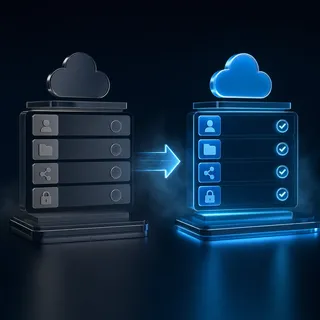
GitHub Copilot Workspace Alternatives for Agentic Teams
Following the retirement of the GitHub Copilot Workspace technical preview, development teams require alternative environments to coordinate multiple AI agents and human developers. While local IDE extensions excel at individual tasks, they lack the shared persistence and intelligence required for team-wide collaboration. This comparison guide details how to bridge the gap using remote, persistent workspaces and the Model Context Protocol.

GitHub Desktop vs. GitHub Copilot CLI for Git Commits: GUI vs. Terminal Workflow
Comparing GitHub Desktop and GitHub Copilot CLI for Git commits helps developers choose between a graphical, visual diff-review system and a terminal-based command-line helper. While GitHub Desktop offers one-click commit message generation and custom model settings in a visual staging UI, GitHub Copilot CLI enables interactive plan execution and programmatic shell automation. Understanding the tradeoffs between these workflows ensures cleaner repository histories and faster development loops.

GitHub Personal Access Token Requirements for the GitHub Copilot API
An analysis of the Personal Access Token requirements for the GitHub Copilot API. Learn how to configure classic PAT scopes and fine-grained permissions for organization billing and seat management, and explore how to automate provisioning using authenticated REST requests.

GitHub Personal Access Token vs. Fine-Grained Token for GitHub Copilot
Choosing between classic and fine-grained personal access tokens determines the security boundary of GitHub Copilot CLI and custom developer agents. While classic tokens grant all-or-nothing access to your entire account, fine-grained tokens allow repository-level isolation and enforce the specific permissions required by Copilot. This comparison details their capabilities and walks through the resource owner configuration quirk that commonly blocks CLI authentication.

GitLab Duo vs GitHub Copilot Agent Mode: Platform vs IDE AI Coding
Selecting the right AI coding tool requires understanding the divide between local editor autonomy and platform-wide DevSecOps governance. While GitHub Copilot Agent Mode operates directly in your IDE to plan and edit files, GitLab Duo coordinates asynchronous tasks across the entire development pipeline. This guide explores the architectural differences and workflow choices between the two platforms.

GitLab Duo vs GitHub Copilot Security: Enterprise AI Comparison
A detailed comparison of GitLab Duo vs GitHub Copilot security capabilities. This analysis covers GitHub's pull request autofix metrics, GitLab's agentic SAST vulnerability resolution, and training data privacy policies in enterprise environments.

GitLab Duo vs GitHub Copilot: Developer AI Comparison
A direct comparison of GitLab Duo and GitHub Copilot, evaluating their capabilities in code generation, security scanning, pipeline debugging, and multi-agent coordination. While GitHub Copilot remains a strong developer environment assistant, GitLab Duo offers deeper lifecycle integration from planning to security.

How Copilot File Search Works and How to Fix Missing Results
Copilot file search retrieves documents from OneDrive and SharePoint by combining lexical matching with semantic vector indexing through Microsoft Graph. When files go missing from search results, the issue typically stems from indexing lag, permission trimming, unsupported formats, or query scope limits. Understanding Microsoft Graph indexing mechanics and deploying indexed workspaces with remote MCP access allows AI models to locate documents reliably without hitting API throttling.

How to Analyze GitHub Trending Repositories with GitHub Copilot Chat
Analyzing trending repositories with GitHub Copilot Chat enables developers to examine files, trace entry points, and comprehend repository structure in the browser prior to cloning the codebase. This approach eliminates the need to download dependencies locally for initial exploration. By combining Copilot Chat's semantic search with Fast.io's persistent shared workspaces, teams can document code reviews and build central repositories of technical evaluations.

How to Automate GitHub REST API Tasks with GitHub Copilot
Automating repository configurations requires a deep understanding of rate boundaries, especially since authenticated GitHub REST API requests are capped at 5,000 requests per hour. Learn how to prompt GitHub Copilot to write production-grade scripts that handle pagination, rate limits, and error recovery, and how to store outputs in Fastio.

How to Automate Workflows with GitHub Actions and Copilot
GitHub Actions workflows can run the Copilot CLI in programmatic mode to automate code reviews, generate pull request summaries, and analyze build errors. This guide details the YAML configuration, token permissions, and billing policies required for a secure integration, and shows how to persist build assets in Fastio workspaces.

How to Build a Developer Portfolio with GitHub Copilot and Pages
A developer portfolio is a critical asset for showcasing projects, but standard templates often look identical. This guide shows you how to use GitHub Copilot to design, style, and deploy a unique portfolio site for free on GitHub Pages. We cover prompting strategies, styling custom layouts, local testing, and managing assets.

How to Configure and Use MCP Servers in GitHub Copilot
Integrating the Model Context Protocol (MCP) with GitHub Copilot allows developers to connect their AI assistant directly to external tools, databases, and APIs. This guide explains how to establish workspace settings in VS Code, manage repository settings on GitHub.com, and securely route persistent files through Fastio workspaces.

How to Configure Copilot Studio SharePoint Authentication and Permissions
Copilot Studio SharePoint authentication governs how an AI agent proves user identity through Entra ID to honor SharePoint access control lists during generative retrieval. Without properly configured delegated permissions and app registrations, generative answer nodes silently fail to retrieve document contents across web channels. This guide details configuring Entra ID registrations, setting Graph API scopes, and resolving web canvas cookie restrictions.

How to Configure Fastio MCP Integration with Microsoft Copilot Studio
Integrating Fastio MCP with Microsoft Copilot Studio lets enterprise chat assistants search, read, and manage workspace files securely. Connecting Copilot to Fastio via MCP removes the need to build custom middleware connectors. This saves engineering teams weeks of development time. This guide covers the complete configuration process so you can give your Microsoft agents instant access to file management.

How to Configure GitHub Codespaces Devcontainer for GitHub Copilot
Standardizing your development environment with a devcontainer.json configuration file ensures that team members have pre-installed access to GitHub Copilot and the Copilot CLI. Learn how to configure editor extensions, terminal tools, and authentication settings for a frictionless developer onboarding workflow.

How to Configure GitHub Codespaces for GitHub Copilot Agent Mode
DeployHQ's GitHub Copilot guide notes that GitHub Copilot is the most widely used AI coding assistant, with over 20 million developers and 90% of Fortune 100 companies using its capabilities. Setting up its autonomous Agent Mode in GitHub Codespaces requires pre-installing extensions, enabling terminal command execution, and loading custom rules within the devcontainer.json configuration.

How to Configure GitHub Codespaces for GitHub Copilot MCP Servers
Running Model Context Protocol (MCP) servers inside cloud-hosted development environments requires a shift from local configuration to version-controlled container settings. Discover how to configure GitHub Codespaces for GitHub Copilot MCP servers, set up devcontainer.json customizations, and securely mount external tools like Fast.io.

How to Configure GitHub Codespaces Port Forwarding for Copilot Custom Endpoints
Configuring port forwarding for custom Copilot endpoints allows developers inside containerized Codespaces to securely route Copilot requests to mock APIs or enterprise LLM proxies. Discover how to bypass private port authentication restrictions using local loopback tunnels and devcontainer configuration settings.

How to Configure GitHub Copilot Custom Instructions for Your Projects
An independent telemetry study shows that developer activity increases code output by 5.4% to 20.0% with context-aware AI tools. This guide demonstrates how to configure github copilot instructions for repository-wide and path-specific scopes, ensuring your assistant respects project boundaries.

How to Configure GitHub Copilot MCP Support for Custom Database Schemas
This guide explains how to configure github copilot mcp support for custom database schemas, enabling AI agents to ground their SQL generation in database catalogs. Providing direct access to schema structures via the Model Context Protocol changes this dynamic by letting coding tools inspect catalogs before writing a single character.

How to Configure GitHub Copilot Settings for Content Exclusion and Data Privacy
GitGuardian's 2026 report found that developers leaked over 28 million secrets in public GitHub commits in 2025, which is a 34% increase year-over-year. Managing GitHub Copilot settings and content exclusions is essential to stop AI coding assistants from exposing credentials, database schemas, and proprietary code. This guide details the steps to set up official content exclusion rules, configure data privacy settings, and establish secure developer workspaces.

How to Configure GitHub Copilot Settings for Data Training and Privacy
Starting on April 24, 2026, GitHub updated its data training policies for Copilot Free, Pro, and Pro+ plans to enable interaction logging by default. Individual subscribers must manually disable this collection in their profile settings to prevent local code snippets from being used for AI training. This step-by-step guide explains how to opt out of data training, manage organization-level policies, and establish secure context boundaries to protect your code.

How to Configure Repository-Level Custom Instructions for GitHub Copilot
Failing to guide AI coding assistants leads to code duplication and technical debt. According to GitClear's 2026 report, The Maintainability Gap: AI Code Quality in 2026, which analyzed 623 million code changes, code duplication rose eightfold as developers accepted generic code suggestions. Creating a github copilot repository configuration using a copilot-instructions.md file helps developers enforce coding standards, scoping rules, and structural guidelines across their entire codebase.

How to Connect and Use Google Drive with GitHub Copilot
Standard GitHub Copilot configurations lack a native connector for Google Drive, requiring developers to copy context manually. By mounting Google Drive folders to Fastio, teams can expose files through a remote Model Context Protocol (MCP) server. This setup allows Copilot to read specifications, spreadsheets, and database schemas directly within Visual Studio Code or the CLI.
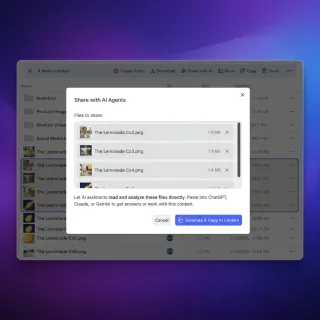
How to Connect Copilot Studio to an MCP Server
Adding an MCP server to Microsoft Copilot Studio turns a basic chatbot into an agent that can store files, query documents, and use external tools. This guide walks through connecting Copilot Studio to MCP servers like Fastio, step by step.

How to Connect Copilot to Box via MCP: Setup and Rate Limits
Connecting Copilot to Box via MCP allows GitHub Copilot to execute targeted retrieval on enterprise Box files using standardized MCP server endpoints. In VS Code, developers can authorize the Box remote MCP server to ground code generation in specifications and architectural docs. However, high-frequency coding loops can exhaust Box API rate limits, making server-indexed workspace caching a practical operational pattern.

How to Connect Copilot to Google Drive via MCP
A Copilot Google Drive MCP setup connects GitHub Copilot agent runtime to Google Drive files via the Model Context Protocol, enabling local coding agents to query cloud documentation and project assets. Standard workflows force developers to paste raw text or dump unindexed folder payloads into prompt context. By importing Google Drive documents into Fast.io workspaces, Copilot executes semantic search over indexed files to retrieve precise citations directly inside Visual Studio Code.

How to Connect Copilot to OneDrive: Fix Hydration & Rates
Connecting Copilot to OneDrive links AI coding assistants to Microsoft OneDrive folders, allowing models to search project specifications without downloading entire directories. Local Files-On-Demand sync causes 0-byte placeholder reads and rate-limit stalls, but remote MCP workspaces provide indexed search without local hydration.

How to Connect Copilot to OneDrive: Integration Guide for Teams
A Copilot OneDrive integration connects AI coding assistants to Microsoft OneDrive folders, allowing models to search and reference stored documents without downloading entire directories. Local agents reading OneDrive sync folders often fail on 0-byte Files On-Demand placeholders, while direct Microsoft Graph queries hit strict rate limits. Syncing folders into an indexed Fastio workspace lets agents run hybrid search over remote MCP with fewer tool calls and sub-second retrieval.

How to Connect Copilot to SharePoint Files via Fast.io Workspaces
A Copilot SharePoint integration connects Microsoft Copilot and GitHub Copilot agents to SharePoint document libraries, allowing AI models to retrieve indexed document sections on demand without traversing full directory trees. While native Microsoft Graph connectors offer direct grounding, they introduce API throttling and high round-trip latency. Syncing SharePoint folders into an intelligent Fast.io workspace exposes a remote MCP server for targeted passage search with fewer tool calls.

How to Connect Copilot to SharePoint via MCP: Integration Guide
Connecting Copilot to SharePoint via MCP allows coding assistants in VS Code to retrieve enterprise SharePoint documentation without navigating Microsoft Graph permissions manually. While native Microsoft connectors target in-browser Office workflows and enforce strict API throttling, syncing SharePoint folders into an intelligent Fast.io workspace allows GitHub Copilot to search pre-indexed specifications over remote MCP without context window bloat.

How to Connect Copilot to SharePoint: Copilot Studio and MCP
Connecting Copilot to SharePoint links enterprise document libraries to Microsoft Copilot Studio and GitHub Copilot for contextual retrieval and code grounding. While native Copilot Studio connectors rely on Microsoft Graph search indexing, developer IDE agents require direct semantic access via the Model Context Protocol without pulling raw files into prompt memory.

How to Connect GitHub Copilot to Dropbox Files via MCP
Connecting GitHub Copilot to Dropbox via MCP equips VS Code Copilot agent mode with direct semantic search over cloud Dropbox assets via remote protocol endpoints. Direct file traversal over cloud storage APIs consumes thousands of tokens and risks rate limits. Synchronizing Dropbox folders into an indexed Fast.io workspace enables fast hybrid retrieval through a remote MCP server without local process overhead.
How to Connect GitHub Copilot to MCP Storage: Developer Setup Guide
Microsoft reported that GitHub Copilot reached 4.7 million paid subscribers as of January 2026, a 75% year-over-year increase [Microsoft Q2 FY26 Earnings Call]. This guide explains how to connect GitHub Copilot to MCP storage, bridging the code-context gap. Using remote MCP endpoints, the assistant can read, write, search, and manage files in a secure cloud workspace.

How to Connect GitHub Copilot to OneDrive via MCP
Connecting GitHub Copilot to OneDrive via MCP enables developers to query enterprise specifications and technical documentation directly from VS Code agent chat without syncing large folders locally. Local sync approaches fail when assistants hit 0-byte Files On-Demand placeholders, while direct Microsoft Graph calls trigger query throttling. Syncing folders into an indexed Fastio workspace lets agents execute hybrid search over remote MCP with fewer tool calls and sub-second retrieval.
How to Connect GitHub Copilot to SharePoint Document Libraries
Connecting GitHub Copilot to SharePoint allows software engineers to ground coding recommendations in enterprise architecture documents, PRDs, and API specs stored in SharePoint libraries. Because GitHub Copilot lacks a native SharePoint connector in VS Code, teams sync libraries into Fastio via OneDrive and query indexed files through remote MCP. This approach avoids dumping raw files into prompt context while keeping specs synchronized.
How to Connect Microsoft Copilot Studio to Dropbox
A Copilot Studio Dropbox connector enables custom copilots to search, retrieve, and ground generative responses on Dropbox files. Direct cloud folder indexing introduces administrative overhead, crawl delays, and context bloat from unindexed files. By synchronizing Dropbox folders into an indexed workspace, teams ground Copilot agents using hybrid semantic search over remote MCP without per-turn Dropbox API calls.

How to Connect Microsoft Copilot Studio to Google Drive
A Copilot Studio Google Drive connector enables Microsoft Copilot agents to ground generative responses on Google Workspace files without manual document uploads. Direct API crawling across unindexed cloud folders causes conversational context bloat and triggers restrictive connector rate limits. By pairing existing Google Drive storage with an indexed workspace, enterprise teams ground Copilot agents using hybrid semantic search over remote MCP.

How to Connect Microsoft Copilot to Box for Enterprise Search and Workspaces
A Copilot Box connector links Microsoft Copilot to Box cloud storage, letting enterprise teams search and ground conversational agents across non-Microsoft documents. While native Graph connectors index Box files into Microsoft 365 over scheduled crawl cycles, teams can also sync Box folders into Fastio workspaces to query indexed files directly via the remote MCP server. This guide covers setup, indexing tradeoffs, and configuration steps for production deployments.
How to Connect Microsoft Copilot to Google Drive
Connecting Microsoft Copilot to Google Drive enables enterprise teams using Microsoft 365 Copilot to search, summarize, and ground responses in documents stored across Google Workspace via remote MCP. Organizations with multi-cloud storage can choose between administrative Graph connectors with rigid crawl schedules and lightweight MCP architectures that query indexed workspaces directly.

How to Debug GitHub Action Status Failures with GitHub Copilot
GitHub Actions status checks can block pull request merges and disrupt continuous integration. Developers can resolve these failures in seconds by using GitHub Copilot directly in the workflow interface. This guide outlines how to trigger the Explain error tool and apply automatic code suggestions for rapid troubleshooting.

How to Edit Multiple Files Simultaneously with GitHub Copilot Edits
GitHub Copilot Edits is a workspace editing feature that lets you add multiple files to a working set and issue natural language commands to modify them concurrently. This guide covers how to set up your files, prompt the model, and review the proposed diffs, while organizing your workspace files in collaborative teams.

How to Fix GitHub Copilot Login Errors in GitHub Codespaces
Developers frequently encounter authentication issues when running GitHub Copilot inside containerized environments like GitHub Codespaces. These errors typically stem from expired browser tokens, network domain blocks, or out-of-sync configurations. This guide explains how to clear auth caches, verify network domains, and establish stable workspace configurations.

How to Fix GitHub Student Developer Pack Copilot Validation Failed Errors
When your GitHub Student Developer Pack is approved but GitHub Copilot displays a validation failed error, backend propagation delays or outdated local tokens are usually the cause. This step-by-step troubleshooting guide explains how to force a manual benefit sync and refresh your local IDE authentication tokens to restore access.

How to Generate a GitHub Personal Access Token for Copilot and AI Agents
Connecting coding agents to your repositories requires secure authentication. Fine-grained personal access tokens enforce the principle of least privilege by scoping access to specific repositories and permissions. This guide provides step-by-step instructions to generate and troubleshoot GitHub access tokens for AI assistants.
How to Get GitHub Copilot for Free: All Eligible Plans and Limits
On June 1, 2026, GitHub officially transitioned its Copilot ecosystem to a usage-based billing model, introducing GitHub AI Credits to measure and bill API consumption [GitHub Blog: Transitions in Copilot Billing]. Under this new system, the standard GitHub Copilot Free plan limits individual developers to 2,000 code completions and 50 chat requests per month [GitHub Copilot: Plans & pricing].

How to Get GitHub Copilot Free with the Student Developer Pack
Verified students can bypass the monthly subscription fee for AI-assisted coding by utilizing the GitHub Education program. The GitHub Student Developer Pack provides access to over 80 partner offers, including the GitHub Copilot Student plan, saving students upwards of 1,000 USD in annual software costs. This guide details the verification requirements, activation timeline, and how to use the benefit for team workflows.

How to Ground GitHub Copilot with GitHub API Documentation
Grounding GitHub Copilot with the official GitHub API documentation ensures that the assistant generates up-to-date and syntactically correct code when writing automation scripts. Using repository-wide instruction files, developers can enforce API standards and prevent hallucinations. This guide explains how to configure custom rules, manage path-specific scripts, and use persistent workspaces with MCP tools.

How to Host GitHub Pages from Private Repos vs Fast.io for Copilot Builds
Deploying Copilot builds from private repositories to GitHub Pages presents severe security risks since sites are public by default. For internal tools, documentation, and agent outputs, Fast.io provides a private, secure alternative with granular access control and automatic semantic indexing.

How to Manage GitHub Copilot Billing and Seat Costs for Development Teams
GitHub Copilot billing operates on a usage-based credit model where seats and credit consumption are managed at the organization level. This guide explains how seat additions are prorated and how budget limits control overage costs.

How to Manage GitHub Copilot Workspace and Spaces Limits
GitHub Copilot Workspace was a technical preview that GitHub sunset on May 30, 2025. Its successor for organizing project context, Copilot Spaces, operates within token budgets that limit the volume of code and documents manually referenced in a single chat session. Learn how to manage context size limits, resolve exceeded size limit errors, configure instruction files, and integrate persistent shared workspaces.

How to Manage Microsoft Copilot SharePoint Permissions and Prevent Oversharing
Copilot SharePoint permissions determine what internal data AI agents and employees can surface through natural language queries. While Copilot enforces role-based security trimming, broad site links and inherited permissions frequently expose sensitive files across a tenant. This guide details how to audit oversharing, configure Restricted Content Discovery, enforce Purview sensitivity labels, and isolate confidential files using scoped workspaces.

How to Migrate from GitLab Duo to GitHub Copilot
Learn how to migrate from gitlab duo to github copilot by transferring repository histories, converting CI/CD pipeline files, and setting up editor extensions. This guide details the steps required to transition developer environments, configure workspace-level custom instructions, and establish shared collaboration workspaces.

How to Optimize GitHub Copilot Subscription Costs for Software Agencies
Software agencies routinely pay for AI coding seats that nobody is using, because licenses are assigned when a developer joins a client project and rarely reclaimed when they roll off. This guide outlines a step-by-step policy checklist to help project managers implement GitHub Copilot subscription optimization for software agencies, audit developer seat usage, and reclaim inactive licenses.

How to Query GitHub Copilot Usage Metrics via GitHub API
Relying on subjective developer surveys fails to measure actual adoption. This guide explains how to query GitHub Copilot usage metrics via GitHub API, download daily telemetry reports, and parse the raw Newline-Delimited JSON (NDJSON) payload. Learn how to centralize these metrics into shared workspaces for custom reporting and analysis.

How to Query the GitHub Copilot API with External Tool Context
Querying the Copilot API with external context allows developers to pass custom file systems, test outputs, and environmental metrics directly within request prompts. This step-by-step guide explains how to query github copilot api using external tool context, authenticate programmatically, invoke the chat completions endpoint, and structure context payloads for accurate code suggestions.
How to Read and Reference PDFs with GitHub Copilot
While GitHub Copilot doesn't natively parse PDFs, developers can feed PDF content into their workflow using text extraction, custom Model Context Protocol (MCP) servers, or third-party workspaces. This guide explains how to configure these systems to read and reference PDF context directly inside your coding editor.

How to Renew GitHub Copilot in GitHub Student Developer Pack
Renewing your GitHub Student Developer Pack and Copilot benefits requires re-verifying your enrollment status through the GitHub Education portal. This guide details the step-by-step renewal process, how to resolve the common synchronization delay that causes paid checkout pages, and how to connect your development files to persistent workspaces.

How to Run OpenCode Beside GitHub Copilot in VS Code
Learn how to run OpenCode beside GitHub Copilot in VS Code to build a productive hybrid AI development environment. This guide covers how to resolve auto-completion overlays, manage keyboard shortcut conflicts, and configure settings.json to run both extensions concurrently. Discover how to connect your terminal-based agents to Fast.io for persistent, shared workspace storage.

How to Set Up a GitHub Copilot Shared Workspace for Engineering Teams
Engineering teams often struggle with inconsistent suggestions and fragmented context when using AI assistants. Setting up a github copilot shared workspace for teams unifies coding standards across repositories. This guide walks through configuring organization-level policies, repository Markdown files, and Model Context Protocol configurations to establish a shared environment. We also look at how a persistent cloud storage layer connects local IDE tools to team knowledge.

How to Set Up GitHub Copilot in VS Code with Custom MCP Servers
This guide explains how to set up a github copilot vscode workspace configuration with custom Model Context Protocol (MCP) servers, configure user-level settings, and connect your coding tools to a secure, shared workspace.
How to Setup and Use GitHub Copilot in IntelliJ IDEA
The official GitHub Copilot plugin integrates AI-powered completions directly into JetBrains IntelliJ IDEA, but most setup guides are written for VS Code and omit the JetBrains-specific steps. Learn how to configure global instruction files, resolve network proxy limits, and fix SSL trust issues inside the JetBrains Runtime environment. Then, see how Fast.io shared workspaces store and version these configurations for engineering teams.

How to Structure and Configure GitHub Copilot Custom Prompts and Templates
Standardizing coding standards across engineering teams requires move-in ready instructions rather than ad-hoc prompting. By placing custom markdown templates and project-wide configuration files directly in your repository's .github folder, teams can align GitHub Copilot's suggestions with their unique architectures. This guide details how to configure `.github/copilot-instructions.md` and `.github/prompts/*.prompt.md` files to automate developer workflows.

How to Troubleshoot Expired GitHub Personal Access Tokens in GitHub Copilot
When GitHub Copilot fails to connect due to an expired token, developers often get trapped in authentication loops. This guide explains how to clear cached local credentials from local storage and configure fine-grained personal access tokens to restore your coding assistant connection.

How to Troubleshoot GitHub Status Errors in the GitHub Copilot Extension
Troubleshooting connection failures in the GitHub Copilot extension requires verifying HTTP proxy configurations, trust stores, and certificate chains. Setting the IDE log level to Trace and allowlisting the correct domains resolves most unreachable errors. This guide outlines the steps to identify proxy issues, configure environment variables, and manage local certificates.

How to Use GitHub Copilot
GitHub Copilot Free limits individuals to 2,000 code completions and 50 chat requests per month, so the real skill is spending those turns on Chat, CLI, and multi-file context instead of Tab-only autocomplete. This guide walks through plan access, first suggestions, first chat, and the surfaces that matter after day one.

How to Use GitHub Copilot Chat
GitHub Copilot Chat is the conversational interface for Copilot that answers coding questions, explains code, and helps implement changes in context. Official docs put it on the GitHub website, IDEs, Mobile, Windows Terminal, and the CLI, yet most guides still treat it as a VS Code panel only. This article walks through your first IDE chat, slash commands, non-IDE surfaces, and how teams keep chat-generated artifacts in a shared workspace.

How to Use GitHub Copilot CLI
GitHub Copilot CLI is included across Free through Enterprise plans as a terminal-native coding agent that plans, edits, runs tools, and works with issues and pull requests. Most install guides stop after the first prompt. This walkthrough covers install, auth, slash commands, /fleet handoff, MCP storage, and shared workspaces for CLI outputs.

How to Use GitHub Copilot in GitLab CI/CD Pipelines
Running GitHub Copilot CLI in headless GitLab CI/CD pipelines allows development teams to run automated code reviews and security checks before code is merged. Since runners are non-interactive, you must authenticate headless sessions using Personal Access Tokens stored as masked variables. Pushing the generated review reports to a persistent workspace ensures they are archived, versioned, and easily searchable.

How to Use GitHub Status Page API for GitHub Copilot Status Checks
Integrating programmatic health checks for GitHub Copilot prevents development delays when cloud coding APIs experience outages. In this guide, you will learn how to query the public GitHub status API, locate Copilot's component ID, and write scripts to detect disruptions. Implementing automated failover checks ensures developer workspaces and autonomous coding agents degrade gracefully during platform downtime.

How to Use MCP Servers with GitHub Copilot
GitHub Copilot's MCP integration lets Copilot Chat connect to external MCP servers for file storage, databases, and APIs beyond its built-in code completion. With a single JSON config file in VS Code, you can turn Copilot from a coding assistant into an agent that executes multi-step workflows.

How to Use the GitHub API with GitHub Copilot Chat
This guide explains how to use github api with github copilot chat to query repository issues, check pull request statuses, and search codebases using natural language. This details the syntax, slash commands, and policies required to integrate GitHub data directly into your active IDE editor context.

Managing the GitHub Copilot Chat Token Limit in Large Codebases
The GitHub Copilot Chat token limit restricts active model context to budgets between 8,000 and 128,000 tokens for standard sessions, with extended context modes scaling up to one million tokens. When large repositories or attached files exceed these input ceilings, Copilot truncates reference material without explicit warnings. Connecting your editor to an indexed external workspace over the Model Context Protocol provides semantic code retrieval without consuming conversation memory.

Managing the GitHub Copilot Context Window & Token Limits
Managing the active token memory in GitHub Copilot is essential for complex repository operations. This guide details how to inspect and compress your session state with terminal slash commands, configure environment variables for custom providers, and offload repository context to an intelligent workspace layer.

Microsoft 365 Copilot Limits: Grounding Ceilings, File Caps, and Tenant Quotas
Microsoft 365 Copilot enforces strict operational boundaries across runtime grounding, prompt lengths, and tenant indexing. While SharePoint stores files up to 250 GB, Copilot limits real-time document grounding to 150 MB, caps ungrounded SharePoint answers at 7 MB, and throttles generative requests across Microsoft Graph. This guide details file size ceilings, token boundaries, Semantic Index latency, and architectures for grounding AI agents on large document collections.

Microsoft Copilot Character Limit: Prompt Caps and Document Workarounds
The Microsoft Copilot character limit caps prompt input boxes at 2,000 characters for anonymous users and 4,000 characters for signed-in accounts, blocking raw pastes of lengthy reports or source data. While enterprise tiers expand prompt capacities up to 16,000 characters, users analyzing large corpora face persistent truncation errors. Teams can bypass conversational prompt boundaries by indexing files in an external workspace and querying them over the Model Context Protocol.

Microsoft Copilot Daily Limit: Daily Chat Caps, AI Credits, and Corpus Storage
Microsoft Copilot daily limits restrict how many prompts, deep reasoning queries, and AI credits an account can consume across a rolling 24-hour window. While free accounts face dynamic capacity throttling and rolling resets, Microsoft 365 subscriptions enforce distinct feature limits alongside monthly AI credit pools. Understanding how chat caps differ from per-thread conversation limits helps teams maintain throughput without exhausting daily compute budgets.

Microsoft Copilot Studio File Size Limit: Upload Caps and Knowledge Workarounds
The Microsoft Copilot Studio file size limit restricts direct document uploads for generative answers knowledge bases to 512 MB per file within Microsoft Dataverse storage. When document repositories exceed these upload caps or the 500-file ceiling, external retrieval through Model Context Protocol servers connects agents directly to persistent workspaces without ballooning Dataverse storage costs.

Microsoft Copilot Studio Limits: Capacity, Messages, and Knowledge Caps
Microsoft Copilot Studio limits cap tenant capacity at 25,000 monthly credits per pack, limit direct knowledge uploads to 500 files, and close sessions after 60 minutes or 100 turns. When knowledge collections exceed native Dataverse storage or burst rates trigger 8,000 requests per minute throttling, workflows stall. Connecting Copilot Studio to an external indexed workspace via remote Model Context Protocol (MCP) bypasses native knowledge ceilings while preserving prompt context.

Microsoft Copilot Token Limit: Prompt Caps, File Windows, and Solutions
The Copilot token limit refers to the maximum prompt input and conversation token budget enforced by Microsoft Copilot, spanning 2,000 to 4,000 characters in consumer chat and up to 32k tokens in enterprise editions. Understanding how Microsoft partitions prompt caps, turn limits, and tenant document retrieval helps teams avoid silent document truncation. When dealing with extensive enterprise files, externalizing retrieval through intelligent workspaces prevents context exhaustion.

Microsoft Copilot vs GitHub Copilot: Same Brand, Different Jobs
Microsoft Copilot and GitHub Copilot share a brand but solve different jobs: general productivity assistance versus AI-assisted software development. About 390 monthly US searches still ask whether they are the same product. They are separate subscriptions with different surfaces, audiences, and coding depth, and many organizations buy both.

OpenCode vs GitHub Copilot Workspace: AI Agent Workspace Comparison
An in-depth comparison of OpenCode and the sunset GitHub Copilot Workspace, exploring the architectural differences between local terminal-native agents and cloud-hosted visual workspaces. Learn how model flexibility, local execution, and persistent shared storage shape modern agentic development workflows.

Replit Agent vs. GitHub Copilot: Full-Stack App Builder vs. IDE Pair Programmer
Replit Agent and GitHub Copilot represent two distinct approaches to AI-assisted software development. While Replit Agent builds and deploys full-stack applications autonomously in a browser-based sandbox, GitHub Copilot serves as an inline pair programmer inside local editors. This guide compares their capabilities, pricing structures, and how teams can use intelligent workspaces for persistent developer handoffs.

The Best Storage for GitHub Copilot Workflows: Object Storage vs Intelligent Workspaces
Evaluating storage for GitHub Copilot workflows requires looking beyond raw gigabytes to active context delivery. While traditional object storage platforms require complex custom database synchronization pipelines to feed developer tools, intelligent workspaces index files automatically. This article compares these two approaches, detailing how Model Context Protocol integrations and metadata extraction layers can eliminate context bottlenecks for development teams.

The Future of GitHub Copilot Extensions: Transitioning to MCP
The sunsetting of legacy GitHub App-based Copilot extensions has led to a standard architecture. By transitioning to the Model Context Protocol (MCP), developers can build integrations once and run them across Copilot, Claude, and other IDE hosts. This guide covers how to establish workspace configurations, configure environment variables, and route persistent context through Fast.io workspaces.
Top Integrations for Microsoft Copilot Studio
Microsoft Copilot Studio lets businesses build custom AI agents, but its real power comes from connecting to external systems. This guide explores the top integrations, from Salesforce to Fastio MCP, that let your agents access real-time data and automate workflows.

Trending GitHub Copilot Tools & Ecosystem Integrations
A look at trending GitHub Copilot tools, custom instructions, and Model Context Protocol setups. We explain how extensions, repository rules, and persistent agent workspaces reduce development context-switching.