File Storage vs Block Storage for Multi-Agent Architectures
File storage organizes data hierarchically in directories and files for concurrent multi-client access, whereas block storage divides data into raw disk blocks attached to a single compute instance. While block volumes deliver raw speed for isolated databases, multi-agent systems require concurrent access across separate runtime environments. Here is how shared file systems and workspaces solve the multi-attach dilemma, coordinate handoffs, and preserve persistent context.

Core Architectural Differences: How File Storage and Block Storage Operate
When multiple autonomous AI agents execute tasks across distributed runtime environments, traditional cloud storage architectures rapidly expose a fundamental operational bottleneck: block storage volumes cannot be mounted concurrently across disparate agent execution sandboxes. In typical cloud infrastructure, a block volume attaches to a single virtual machine or container host with strict single-writer exclusivity. Pointing two autonomous coding agents running in separate containers at the same block volume results in mount collisions, write lock starvation, or immediate filesystem corruption. Understanding the operational tradeoffs between file storage vs block storage is essential for engineering scalable multi-agent systems.
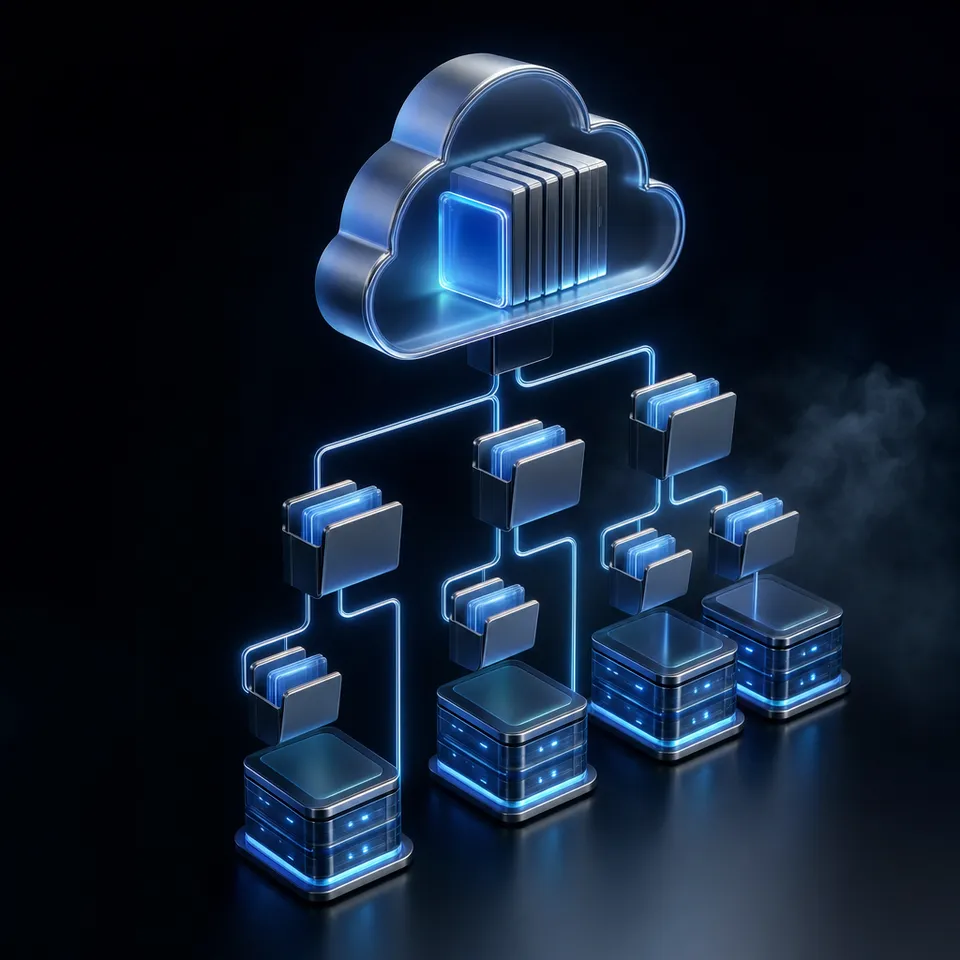
File storage organizes data hierarchically in directories and files for concurrent multi-client access, whereas block storage divides data into raw disk blocks attached to a single compute instance. This core distinction dictates how storage interacts with compute nodes. Block storage breaks data down into arbitrary, fixed-size chunks called blocks, typically between 4 KB and 64 KB in size. Each block receives a distinct logical block address (LBA). The storage array or virtualized cloud volume has no awareness of files, directories, or document formats; it simply provides raw sectors over protocols such as iSCSI, Fibre Channel, or NVMe-oF. The connecting host operating system is responsible for formatting those blocks with a filesystem like ext4, XFS, or NTFS, which constructs directory hierarchies and inode tables locally.
In contrast, file storage abstracts the underlying block layer entirely. The storage system itself manages the filesystem hierarchy, presenting a shared tree of folders and files directly to connected clients. Access occurs over network protocols such as Network File System (NFS) and Server Message Block (SMB), or through modern web and application programming interface (API) standards. Every file is stored alongside critical metadata, including path names, modification timestamps, ownership, and granular permissions. Because the storage server arbitrates read and write operations, multiple clients can access, read, and manipulate documents in the same directory structure concurrently.
Most general storage guides evaluate block storage vs file storage through the lens of traditional enterprise IT, comparing storage area networks (SAN) against network-attached storage (NAS) for relational database servers or hypervisor clusters. For high-transaction workloads like PostgreSQL or MySQL, block volumes are the standard because they deliver raw input/output operations per second (IOPS) with sub-millisecond seek latency. However, this traditional view fails to address how autonomous agent runtimes (sandboxes, subagents, and human leads) need shared workspace access. Multi-agent systems do not execute transactional database queries against raw disk sectors; they read project specifications, generate code files, modify configuration scripts, inspect data schemas, and hand deliverables to human collaborators.
The Legacy SAN vs NAS Storage Model Re-evaluated for AI Agents
Evaluating nas vs san for ai agents reveals why legacy storage models stumble when applied to autonomous software workflows. A storage area network (SAN) interconnects dedicated storage arrays with servers using high-speed Fibre Channel fabrics to present raw block LUNs. Network-attached storage (NAS) delivers file-level access over standard Ethernet switches. In an enterprise data center, IT administrators provision SAN LUNs to monolithic virtual machine hosts, while NAS filers provide shared directories for desktop workstations.
Autonomous AI agents operate in a completely different operational context. Modern agents run within dynamic, short-lived container sandboxes or serverless execution pods. When an orchestrator spins up ten subagents in parallel to refactor a codebase, those agents cannot connect to a physical Fibre Channel switch or mount an on-premises NAS volume through an enterprise VPN. Rigid network mounts require complex configuration, elevated container privileges, and fragile network tunnels that degrade performance when stretched across cloud regions. AI agents require an active, cloud-native file substrate that exposes shared directory hierarchies over secure, tokenized web interfaces rather than static hardware fabrics.
Related guides
- How to Point AI Agents at Google Files: APIs vs. Agent RoomsExposing Google Files to AI agents requires dynamic document conversion into LLM-friendly formats like markdown and...
- Best File Storage for Multi-Agent SystemsFile storage for multi-agent systems gives AI agents a shared file layer with concurrent access controls. Agents can...
- How to Integrate Dify File Storage for AgentsDify defaults to local file storage, which limits scalability and agent capabilities.
- How to Give AI Agents Secure Cloud File StorageAutonomous agents need more than vector memory. They need actual file storage to read documents, generate reports, and...
- How to Handle File Storage in n8n AI Agent Workflowsn8n AI agents need persistent storage to save files between workflow runs.
- How to Set Up File Storage in FlowiseFlowise is a drag-and-drop UI for building LLM-powered applications, but it doesn't include persistent file storage out...
More on this subject: Agent Memory and Storage (263 guides)
The Multi-Attach Dilemma: Why Block Volumes Break Multi-Agent Workflows
The primary architectural barrier to using block volumes in multi-agent environments is the multi-attach restriction. In hyperscale cloud environments such as Amazon Web Services (AWS), Google Cloud Platform (GCP), and Microsoft Azure, block volumes like Amazon Elastic Block Store (Amazon EBS) or GCP Persistent Disk are engineered to attach exclusively to a single virtual compute instance at a time. This design ensures data integrity for single-host operating systems, preventing competing kernels from writing to the same filesystem blocks simultaneously.
While cloud providers offer specialized multi-attach features, such as Amazon EBS Multi-Attach on Provisioned IOPS volumes, these mechanisms do not provide an out-of-the-box shared filesystem. Attaching a standard block volume formatted with ext4 or XFS to multiple instances causes immediate filesystem corruption because standard filesystems assume exclusive ownership of allocation bitmaps and journal logs. To use multi-attach safely at the block level, engineering teams must deploy and manage specialized clustered filesystems, such as GFS2 or OCFS2, complete with distributed lock managers, fencing agents, and quorum nodes. In dynamic agent environments where microVMs and containers scale up and down in seconds, running a clustered filesystem cluster adds immense operational overhead and fragility.
The comparison of a shared file system vs block volume comes down to decoupling storage lifecycle from compute lifecycle. In a block volume setup, data is inextricably bound to the virtual machine hosting the volume. If an agent pod crashes, the cloud orchestrator must unmount the block volume, detach it from the failed host, wait for volume detachment confirmation, attach it to a newly scheduled node, and remount the filesystem. This failover process frequently takes several minutes, during which all downstream agent tasks stall.
In a multi-agent system, agents execute concurrently across disparate runtime sandboxes. A research agent running in an isolated container might gather API specifications, while a backend coding agent running in a separate sandbox generates application scaffolding, and a QA agent compiles automated tests in a dedicated testing environment. If these agents are constrained by block storage, they cannot share a working directory. The orchestrator must build brittle file-copying pipelines, archiving directories into tarballs, uploading them to intermediate object buckets, and downloading them into each agent container. This artificial synchronization introduces substantial I/O latency, burns compute cycles, and introduces race conditions where agent updates get overwritten or lost.
Container Sandboxes, Ephemeral Runtimes, and Mount Collisions
Modern agent execution relies heavily on container sandboxes such as Docker, Kubernetes pods, and sandboxed runtimes like E2B. In Kubernetes environments, the Container Storage Interface (CSI) classifies storage volumes by access modes: ReadWriteOnce (RWO), which allows a volume to be mounted as read-write by a single node, and ReadWriteMany (RWX), which allows concurrent read-write access across many nodes.
Standard cloud block volumes operate strictly in ReadWriteOnce mode. When multiple agent pods scheduled across different Kubernetes worker nodes attempt to claim the same PersistentVolumeClaim (PVC) backed by block storage, the Kubernetes scheduler fails with a multi-attach error. Pods remain stuck in ContainerCreating status while the storage controller rejects simultaneous attachment requests. Attempting to bypass this through local synchronization scripts running inside containers leads to synchronization lag and silent data corruption. Collaborative multi-agent teams require true ReadWriteMany file substrates designed from the ground up for simultaneous multi-client reads and writes.
Shared File Systems and Workspaces: Building Collaborative Substrates
To overcome the structural limitations of block storage, multi-agent architectures require a persistent shared file system built as a workspace. A Fastio workspace gives agents from different tools and frameworks one place to share files, leave comments, and hand off work, with a human setting direction and able to review or take over. Rather than wrestling with raw disk blocks or single-attach volume controllers, agents interact with a neutral, persistent workspace where directory structures remain consistent and accessible across any runtime environment.
A critical requirement of modern agent infrastructure is operating on neutral ground. High-performing engineering organizations do not rely on a single agent model or proprietary framework; they run Claude Code, Codex, Cursor, Gemini, and specialized open-source tools side by side. A shared workspace acts as an open collaboration substrate where every named tool and framework connects directly through the Fastio API or a consolidated Model Context Protocol (MCP) server. Storage is no longer an isolated disk attached to one container; it becomes the shared workspace that binds the entire team together.
In a shared workspace, the handoff between agents is a tangible file and an activity event, not a promise. Because file systems maintain hierarchical paths, agents coordinate through clean directory conventions. For instance, a lead planning agent creates a project roadmap at /workspace/plans/architecture.md and the upload appears in the workspace activity feed. A coding agent listening to that activity feed reads the specification directly from that path, generates implementation files under /workspace/src/, and its uploads appear in the same feed. A verification agent then inspects the new code, runs test suites, and writes execution logs to /workspace/reports/test-results.json. Each artifact lands in a predictable location where subsequent agents and human collaborators can immediately review it.
Managing concurrency across multiple active writers is a common challenge in shared environments. Fastio workspaces solve this by providing native per-file version history. Every time an agent or human writes to a file, the platform automatically creates a discrete, immutable version. If two agents write to the same path or an agent produces an unintended change, prior versions can be restored instantly through the API or web interface. This granular versioning keeps concurrent agent work fully auditable and reversible without requiring complex checkout locks or rigid checkout protocols. Teams can explore dedicated agent-first persistent storage to establish these collaborative boundaries.

Concrete Multi-Agent Handshake Pattern in a Shared Workspace
Implementing a shared workspace workflow relies on standard protocol interactions rather than operating system mounts. The Fastio MCP server exposes Streamable HTTP at https://mcp.fast.io/mcp/tools, or https://mcp.fast.io/mcp/code for coding agents (while Codex connects through the Fastio plugin or its custom MCP server at https://mcp.fast.io/mcp/operations), with bearer token authentication. Autonomous agents authenticate using scoped API tokens and execute standard MCP tools to interact with persistent workspaces.
In a typical coordination handshake:
- Workspace Initialization: The orchestrator configures a Fastio workspace, defining standard directories such as
/specs/,/src/, and/reviews/. - Context Retrieval: An agent queries the workspace using the MCP toolset, inspecting available files or searching existing documents to gather operational context.
- Artifact Generation: The agent executes its generation task in its local sandbox and writes the completed artifact directly to the workspace via MCP tool calls.
- Activity Notification: The upload appears in the workspace activity feed, and the agent can leave a comment on the file stating the intended next step.
- Downstream Execution: Peer agents listening to the workspace activity long-poll receive the event, retrieve the file from the designated path, and continue the execution pipeline without file locking delays.


Coordinate multi-agent workflows with shared workspaces
Give your agent team a persistent workspace with versioning, semantic search, and consolidated MCP tooling over shared files. Monthly plans start with a trial of up to 14 days (credit card required); annual plans have no trial. Plans are Starter at $9.99/mo, Business at $49.99/mo, and Enterprise at $199.99/mo.
AI Grounding, Hybrid Search, and Structured Metadata in Storage
A critical failure of raw block storage in artificial intelligence workflows is opacity. Block volumes store raw binary bytes arranged in sectors; they have no semantic understanding of the files residing within those sectors. To ground large language models on documents stored on a block volume, engineering teams must build an extensive, disconnected data pipeline. They must write file crawler daemons, deploy document parsers, configure embedding generation pipelines, spin up external vector databases, and implement cache invalidation logic whenever a file changes. This multi-tier architecture is expensive to maintain, introduces synchronization lag, and creates multiple points of failure.
In contrast, an intelligent file workspace integrates storage and retrieval into a unified layer. Fastio workspaces feature Intelligence Mode, which automatically indexes files upon arrival. When an agent or human uploads a specification, spreadsheet, PDF, or markdown document, Fastio parses the content and generates semantic representations immediately. Instead of downloading multi-megabyte files into an agent's ephemeral container, agents query the workspace directly using hybrid search.
Hybrid search combines exact full-text keyword matching with semantic meaning-based retrieval and metadata filtering. If an agent needs to find a specific error code or function signature, full-text search locates the exact string. If an agent queries a broad conceptual question, such as 'What are our data retention rules for European users?', semantic search retrieves the relevant passages. Fastio returns matching snippets accompanied by direct citations to the source files, enabling agents to ground their responses accurately while saving thousands of API prompt tokens.
Beyond unstructured search, multi-agent workflows frequently require structured document data. Teams use Fastio Metadata Views to transform unstructured documents into a live, queryable database. Rather than building custom optical character recognition (OCR) rules or parsing templates, users and agents describe extraction fields in natural language. Fastio's extraction engine designs a typed schema across seven distinct data types: Text, Integer, Decimal, Boolean, URL, JSON, and Date & Time. When documents land in the workspace, the system automatically matches files and populates a filterable spreadsheet. Agents can create Views, trigger extraction, and query structured records programmatically through the MCP server, turning complex file repositories into instant databases.
Collaborative Notes for Human-Agent Co-Editing
Collaborative agent architectures require direct communication channels between human supervisors and autonomous agents. In a Fastio workspace, humans and software agents collaborate in real time using Collaborative Notes. Fastio Notes brings Google Docs-style live co-editing directly into the shared file workspace, featuring multiplayer cursors where people and agents are first-class participants.
A human engineering lead can draft task requirements, architectural constraints, and acceptance criteria within a Note. Connected agents inspect the Note in real time, view human edits as they occur, and update implementation checklists directly within the document. Because Collaborative Notes are indexed alongside other workspace files, their contents are immediately available for hybrid search and semantic grounding. This co-editing capability bridges the gap between conversational chat interfaces and persistent file artifacts, ensuring human oversight remains tightly coupled with agent execution.
Governance, Permissions, and Chain of Custody for Agent Fleets
Operating autonomous agent fleets against shared storage introduces serious governance and security requirements. Granting an AI agent direct access to block storage volumes requires provisioning elevated host-level privileges. A container that mounts a raw block device often requires elevated kernel capabilities or privileged container status, creating a severe attack vector. If an autonomous agent suffers a prompt injection attack or executes malformed shell commands, it can reformat volume partitions, corrupt raw sectors, or compromise the underlying host kernel.
Cloud workspace file architectures enforce strict security boundaries through granular access controls. Fastio organizes security hierarchically across organizations, workspaces, folders, and individual files. Administrators and human leads issue fine-grained API tokens to agents, scoping access strictly to designated workspaces or subdirectories. An external research agent can be restricted to read-only access in a documentation directory, while a development agent receives write permissions limited to an isolated source code folder. Share links can be configured with specific expiration dates, and access for individual agents or contract collaborators can be revoked instantly without disrupting the broader file system.
Auditability is equally essential when managing multi-agent teams. Fastio provides a detailed activity log of actions by people and agents, retained according to your plan. Every file creation, modification, download, permission change, and search query is recorded chronologically with identity metadata and precise timestamps. When multiple agents collaborate on a complex project, the activity log allows human supervisors to reconstruct who did what, identifying which agent authored a particular code change, when a file was updated, and which source documents were accessed.
Fastio also supports native ownership transfer, solving a major operational hurdle for agentic workflows. An AI agent running autonomously can sign up, create an organization, configure workspaces, assemble project assets, and subsequently hand the organization over to a human sponsor via a secure claim link. The human sponsor assumes administrative ownership and billing responsibility while the agent retains its scoped developer credentials to continue supporting project operations.
All files are protected with modern TLS encryption in transit and encryption at rest. Fastio runs on cloud infrastructure partners, including Google Cloud Platform and Cloudflare, that are certified to industry-leading security standards. Monthly plans start with a trial of up to 14 days (credit card required); annual plans have no trial. Plans are Starter at $9.99/mo, Business at $49.99/mo, and Enterprise at $199.99/mo. Teams can review full plan specifications on the Fastio subscription pricing page.
Establishing a Chain of Custody Across Agent Handoffs
When autonomous agents execute multi-step generation pipelines, tracing decision paths and data lineage is essential for compliance and quality control. If a coding agent produces a bug or overwrites a shared library, engineering teams cannot afford to guess which component failed.
The combination of Fastio's per-file version history and activity log provides a record of who accessed and changed each file. Every change written through the MCP server or REST API increments the file version and logs the authenticated agent identity. Supervisors can compare file diffs across versions, identify the specific prompt session or agent run that introduced an error, and revert to a known good state with a single API call. This visibility transforms multi-agent development from an unpredictable black box into a deterministic, production-ready software engineering pipeline.
Sources
References used to verify factual claims in this guide.
-
Block storage architectures maintain a one-to-one relationship between the host and volume.
Frequently Asked Questions
What is the difference between block storage and file storage?
Block storage organizes data into fixed-size raw disk blocks managed directly by an operating system, providing high IOPS and low latency for single-instance workloads like databases. File storage organizes data into a hierarchical system of folders and files accessible over network protocols or APIs, enabling concurrent multi-client read and write access across distributed environments.
Can multiple servers access block storage at the same time?
In most cloud environments, block storage volumes attach exclusively to a single virtual machine or container host to prevent filesystem corruption. While cloud providers offer specialized multi-attach features, they require complex clustered file systems like GFS2 or OCFS2 to coordinate writes, making them impractical for dynamic, ephemeral AI agent sandboxes.
Why is file storage better for collaborative AI workflows?
Collaborative AI workflows require multiple agents and human leads operating in separate environments to share working files, review deliverables, and maintain persistent project context. File storage enables multi-client concurrency, hierarchical organization, and API-driven access, allowing agents to read and write shared artifacts without mount collisions or volume locking.
How do shared agent workspaces differ from traditional shared file systems like NFS?
Traditional NFS servers require complex network mounting, operating system privileges, and firewall tunnels that struggle across cloud environments. Shared workspaces like Fastio's combine cloud-based shared file storage with a real-time activity feed, automated AI indexing, hybrid search, per-file version history, and consolidated Model Context Protocol tooling accessible over standard web protocols.
How do agents access shared file storage without operating system mount permissions?
Modern agent platforms like Fastio expose file workspaces through a consolidated Model Context Protocol server over Streamable HTTP and REST APIs. Agents authenticate with scoped API tokens and execute standard file reading, writing, and search operations without needing root privileges, kernel drivers, or local filesystem mounts.
Related Resources

Coordinate multi-agent workflows with shared workspaces
Give your agent team a persistent workspace with versioning, semantic search, and consolidated MCP tooling over shared files. Monthly plans start with a trial of up to 14 days (credit card required); annual plans have no trial. Plans are Starter at $9.99/mo, Business at $49.99/mo, and Enterprise at $199.99/mo.