How to Build a Multi-Agent RAG System with Shared Workspace Storage
Multi-agent architectures address the limitations of single-agent RAG systems by distributing tasks among specialized nodes. By separating document search from context synthesis, these systems achieve higher retrieval accuracy and reduce hallucinations. This guide explains how to construct a collaborative RAG pipeline using a shared workspace substrate for persistent document storage and sync.

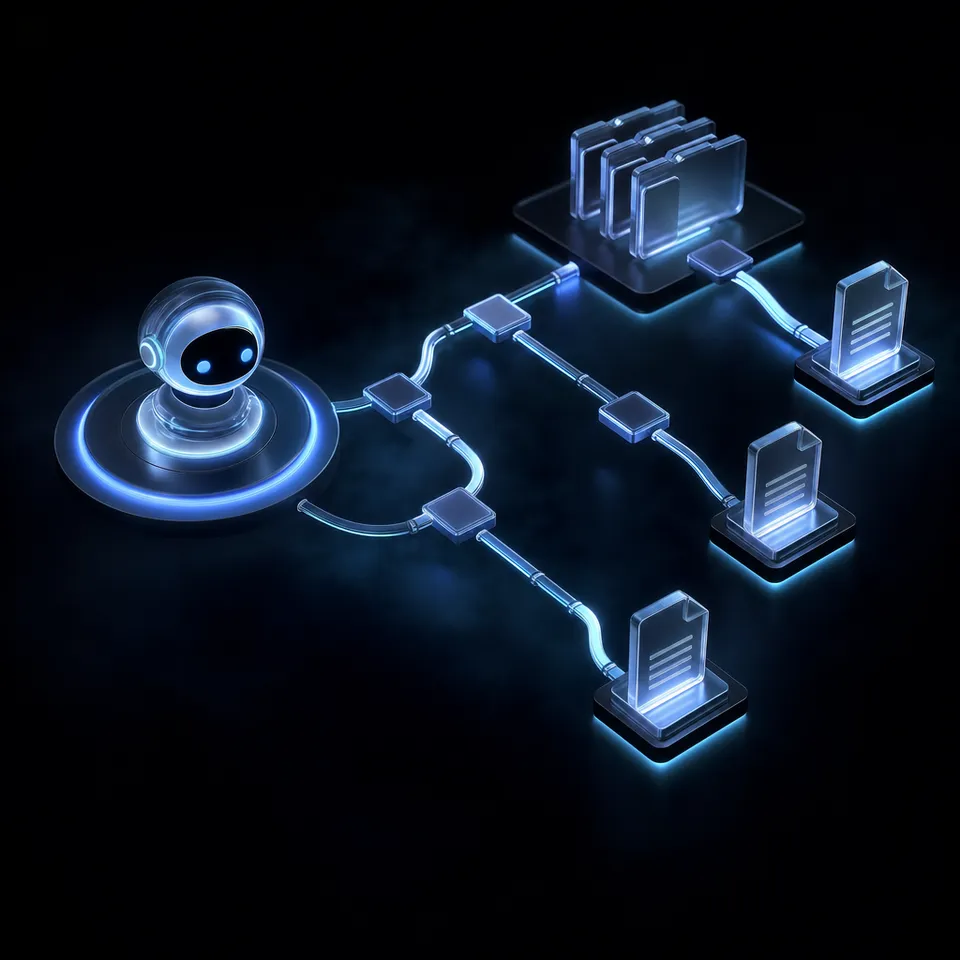
How a Multi Agent RAG System Separates Search from Synthesis
Multi-agent RAG systems achieve up to 30% higher retrieval accuracy by separating search from synthesis, as demonstrated by Yan et al (2025). Traditional retrieval-augmented generation designs run as a single-pass workflow where a single language model retrieves data, ranks documents, and generates answers. This single-pass design introduces significant cognitive load, which leads to retrieval errors and context window crowding. When an agent is forced to execute keyword queries, evaluate source relevance, and draft a response in one iteration, performance degrades. Separating these tasks into specialized agents increases system accuracy and ensures that context processing remains focused.
A collaborative retrieval-augmented generation pipeline splits these operations across a team of specialized agents. A routing agent, a retrieval agent, a validator agent, and a generation agent cooperate to process a user query. Each agent has a specific role, operating within a narrow context window to perform its tasks. The system uses a shared storage substrate to pass file references and document lists between the nodes, which avoids prompt bloat and context drift.
The step-by-step pipeline flows as follows:
- User Query: The user submits a natural language request to the RAG system.
- Routing Agent: Analyzes the query, identifies the intent, and maps the request to the target directories in the shared storage layer.
- Retrieval Agent: Executes a hybrid search across the specified corpus, combining exact keyword matching with semantic vector search.
- Validator Agent: Reviews the retrieved snippets, checks their relevance, and filters out files that do not directly support the query.
- Generation Agent: Synthesizes the filtered sources, generates a response with citations, and writes the output back to the workspace.
By dividing the pipeline into discrete steps, developers can optimize each agent independently. The retrieval agent can run query expansion techniques without affecting the synthesis quality. The validator agent can perform source cross-checks without running generation models. This modular architecture results in higher precision, better document coverage, and cleaner context delivery to the final generation model.
Related guides
- Google Workspace Shared Drive: Connecting Organization Storage to AI AgentsA Google Workspace Shared Drive provides organization-owned storage where files belong to the team rather than an...
- 10 Best Storage Solutions for RAG Pipelines in 2026RAG pipelines need two storage layers: document stores for raw files before ingestion, and vector databases for...
- How to Set Up an AI Agent Shared WorkspaceA shared workspace gives multiple AI agents a single place to read, write, and organize files without stepping on each...
- Best File Storage for Multi-Agent SystemsFile storage for multi-agent systems gives AI agents a shared file layer with concurrent access controls. Agents can...
- How to Build Persistent Storage for Agentic WorkflowsAgentic workflow storage lets autonomous agents maintain state, share files, and persist progress across long-running...
- RAG Architecture: Storage Strategies for Document RetrievalRAG storage architecture encompasses the document store, vector database, and file management layer that power...
More on this subject: Agent Memory and Storage (263 guides)
Why Vector Databases Alone Fail the Workspace Storage Lifecycle
Standard RAG implementations rely on dedicated vector databases to store embeddings. However, competitors focus on vector databases without addressing the actual storage lifecycle of raw source documents, dynamic user uploads, and workspace sync. A vector database is a search index, not a document storage system. In a production environment, documents are updated, new files are uploaded, and permissions are modified in real time. Managing a vector index separate from the underlying documents introduces synchronization challenges and operational overhead.
If a human manager uploads a new PDF to a folder, a separate sync daemon must detect the file, split the text, generate embeddings, and write them to the vector database. If a document is updated, the stale embeddings must be deleted and replaced. If a team member modifies access permissions, the vector database must be updated to prevent unauthorized agents from accessing sensitive data. Maintaining these bridges requires custom middleware, which increases system complexity.
Software agents require a unified environment where files, previews, search indexes, and access rules are managed in one system. While developers can use local storage, S3, or basic cloud folders like Google Drive, these options present limitations. Local files isolate data on individual hard drives. Object storage like S3 requires custom indexers and lacks collaboration features. Cloud folders require manual configurations for agent API access.
Shared workspaces like Fastio solve these challenges. Fastio provides shared Fastio workspaces where humans and software agents collaborate on the same files, shares, and workflows. Instead of buying individual seats for agents, organizations use usage-based credits, making it cost-effective to scale agent workloads. When a file is uploaded, the workspace automatically indexes the file for semantic search, full-text search, and metadata queries. This built-in indexing eliminates the need for separate vector database synchronizers.
How to Configure Fastio Workspaces for Collaborative RAG
To build this architecture, developers can register the official Fastio MCP server. Fastio exposes streamable HTTP at /mcp and legacy Server-Sent Events (SSE) at /sse. This MCP server provides agents with tools to query the workspace, read files, write updates, and manage folders. The agents connect to the MCP server using long-lived API keys generated by the organization administrator.
Once the workspace is established, developers enable Intelligence Mode. Intelligence Mode automatically indexes uploaded files for semantic search and Q&A. When a query is received, the retrieval agent uses Fastio's Hybrid Search tool. This tool combines exact full-text matching with semantic retrieval, allowing agents to search by filename, document content, or custom metadata values.
The validator agent then takes the search results and reviews the source passages. Collaborative retrieval reduces document hallucinations by validating sources across multiple agent reviewers, as shown by Barnett et al (2024). By running cross-agent reviews on retrieved documents, the validator agent ensures that the final response is grounded in evidence.
Fastio handles concurrent access by maintaining a complete version history for every file. If two agents attempt to write to the same output document, Fastio saves each change as a separate version. This version history prevents data loss and allows developers to inspect changes. Human supervisors can review these versions, track agent activity in the events feed, and restore prior states if needed.



Build a collaborative RAG pipeline with shared storage
Establish an intelligent workspace where your retrieval and generation agents collaborate on versioned files. Search with hybrid queries, extract structured data, and manage RAG workflows with the Fastio MCP server. Starts with a 14-day trial.
How to Structure Document Extraction with Metadata Views
Storing raw documents is only the first step in a RAG pipeline. Agents often need to extract structured data from files to perform analytics or trigger workflows. Standard search queries return unstructured text, which requires parsing. Fastio provides Metadata Views to turn documents into a live, queryable database. Users describe the fields they want extracted in natural language, and Fastio's extraction engine designs a typed schema, matches files in the workspace, and populates a filterable spreadsheet.
This extraction layer supports Text, Integer, Decimal, Boolean, URL, JSON, and Date & Time formats. It works with PDFs, images, Word documents, spreadsheets, scanned pages, and handwritten notes. When building data extraction steps into RAG workflows, developers can reference Metadata Views to query structured document details.
For example, in a legal contract review pipeline, the RAG system must track contract deadlines and counterparties. The validator agent can call Fastio's Metadata Views API to extract the effective date, counterparty names, and governing law into structured columns. In a financial pipeline, the system can extract invoice totals, payment terms, and vendor names.
This extraction runs incrementally. If a developer adds a new column to a Metadata View, Fastio processes only the new field, saving credits and computing time. Software agents can create these Views, trigger extraction runs, and query the resulting database table using the MCP server, providing a clean data feed for downstream generation agents.
How to Manage Handoff and Realtime Events in RAG Orchestration
An autonomous RAG system must connect to human workflows. A collaborative pipeline uses event-driven automation. Fastio surfaces activity updates via a WebSocket live activity feed and a realtime activity feed you can poll, which track uploads, version changes, and comments in real time. Agents can listen to the WebSocket events feed or poll activity to react when new files are added to specific folders.
For example, when a user uploads a new document, the WebSocket events feed notifies the retrieval agent to run ingestion, the validator agent to verify the data, and the generation agent to write a summary. Once the summary is complete, the generation agent saves it into a shared pending-review/ folder rather than publishing it directly.
A human editor works from version history to review the change: the editor opens the file, compares it against the prior version, reads any agent comments left alongside it, and either approves the summary as final, edits it directly, or restores an earlier version if the generated summary isn't usable.
Human-agent collaboration is also supported by ownership transfer. An agent account can set up the organization, configure the workspaces, and import initial documents using Cloud Import from Google Drive or OneDrive. Once the pipeline is established, the agent transfers the organization to a human manager via a claim link. The human manager creates an account and starts a 14-day Business Trial, which requires a credit card. Fastio offers three subscription plans:
- Starter plan: 3 seats, 250 GB, 100,000 credits/mo at $9.99/mo with a 14-day Business Trial.
- Business plan: 10 seats, 5 TB at $49.99/mo with a 14-day Business Trial.
- Enterprise plan: 30 seats, 25 TB at $199.99/mo with a 14-day Business Trial.
Every activity, from agent queries to human reviews, is recorded in Fastio's activity log. The log shows who did what and when, so all operations remain auditable. Combining event-driven WebSocket feeds, version history, and shared workspaces allows developers to build multi-agent RAG systems that scale without losing human oversight.
Sources
References used to verify factual claims in this guide.
- 1 Yan et al. 2025: Beyond Self-Talk: A Communication-Centric Survey of LLM-Based Multi-Agent Systems Accessed
Multi-agent RAG systems achieve up to 30% higher retrieval accuracy by separating search from synthesis, as demonstrated by Yan et al (2025).
- 2 Barnett et al. 2024: Seven Failure Points When Engineering a Retrieval Augmented Generation System Accessed
Collaborative retrieval reduces document hallucinations by validating sources across multiple agent reviewers, as shown by Barnett et al (2024).
-
The human manager creates an account and starts a 14-day Business Trial, which requires a credit card. - Starter plan: 3 seats, 250 GB, 100,000 credits/mo at $9.99/mo with a 14-day Business Trial. - Business plan: 10 seats, 5 TB at $49.99/mo with a 14-day Business Trial. - Enterprise plan: 30 seats, 25 TB at $199.99/mo with a 14-day Business Trial.
Frequently Asked Questions
What is multi-agent RAG?
A multi-agent RAG system is a collaborative retrieval-augmented generation pipeline where specialized agents coordinate to retrieve, filter, and synthesize information from a corpus. By separating the search process from synthesis, this architecture achieves higher retrieval accuracy and minimizes context window crowding.
How do multiple agents collaborate in RAG systems?
Agents collaborate by using shared file workspaces rather than sending raw document data in their prompts. A routing agent identifies the query intent, a retrieval agent queries the database, a validator agent checks source relevance, and a generation agent synthesizes the final response. Each agent communicates by referencing file paths and node IDs.
What is the best storage architecture for a multi-agent RAG?
The best storage architecture is a unified, shared workspace with built-in version history and auto-indexing. Traditional vector databases isolate indexes from raw documents, creating synchronization lag. A unified workspace like Fastio handles storage, access rules, version control, and hybrid search in a single system.
Related Resources

Build a collaborative RAG pipeline with shared storage
Establish an intelligent workspace where your retrieval and generation agents collaborate on versioned files. Search with hybrid queries, extract structured data, and manage RAG workflows with the Fastio MCP server. Starts with a 14-day trial.