Enterprise RAG for Autonomous Agents
Enterprise RAG enables autonomous agents to retrieve relevant information from an organization's secure documentation. This guide explains how to architect agentic RAG using workspace-level permissions and automated indexing, moving beyond fragmented file storage to a unified intelligent workspace.

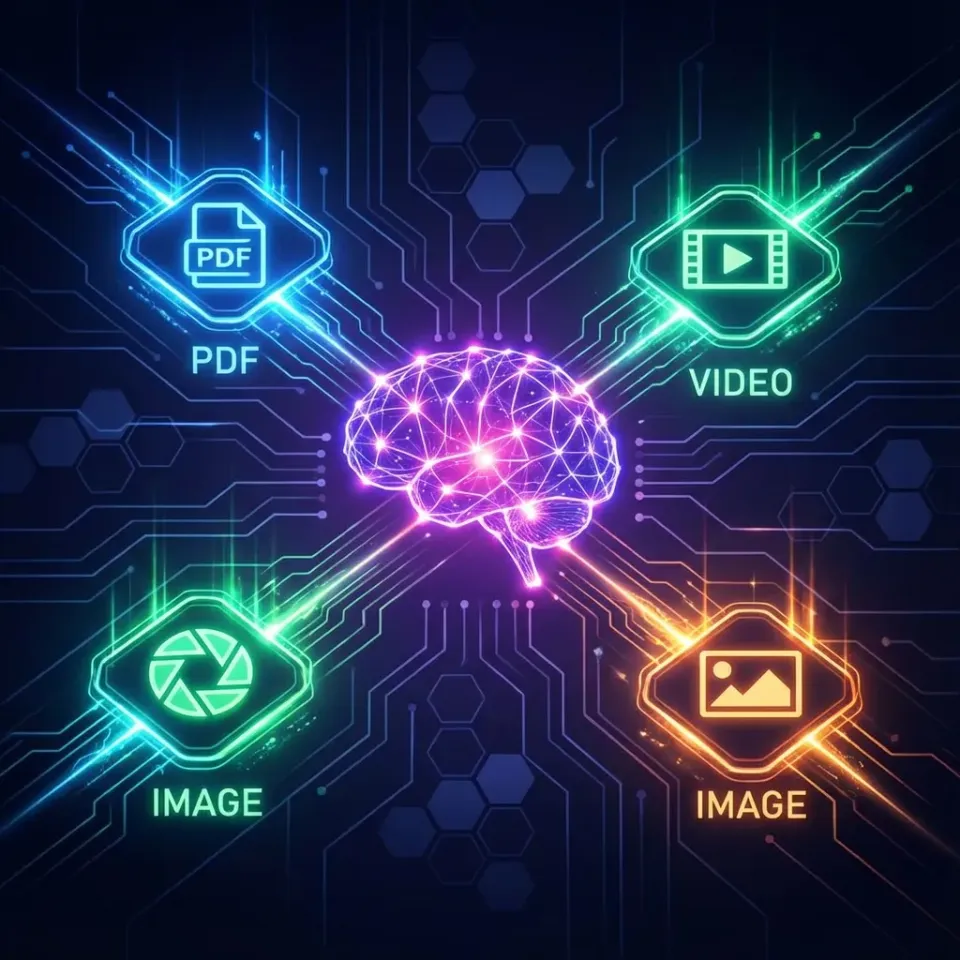
The RAG Challenge: Siloed Data and Semantic Noise
Two autonomous agents tasked with the same documentation repository can give different answers because they work from different slices of memory, or be denied access to the documents required to complete a task. The fix is not a more complex prompt, but a shared, indexed workspace where permissions define what documents are accessible to the agent and the human team simultaneously.
Many enterprise RAG architectures struggle because they treat storage as a dumb bucket and the RAG engine as an expensive, fragile add-on. When files are distributed across personal drives, disparate folder structures, and un-indexed local machines, the retrieval pipeline becomes a liability. Agents cannot efficiently search what they cannot see, and they cannot search what they have no permission to open.
In an enterprise setting, this issue is compounded by the knowledge gap. Teams keep their most valuable documentation, contracts, project specifications, and architectural decisions, locked in folders that are invisible to the agents tasked with supporting them. When developers attempt to build custom RAG pipelines, they often face a recurring problem: they must implement folder-level or file-level permissions to ensure that agents do not surface unauthorized data, which complicates the infrastructure, adds management overhead, and increases the likelihood of retrieval failure.
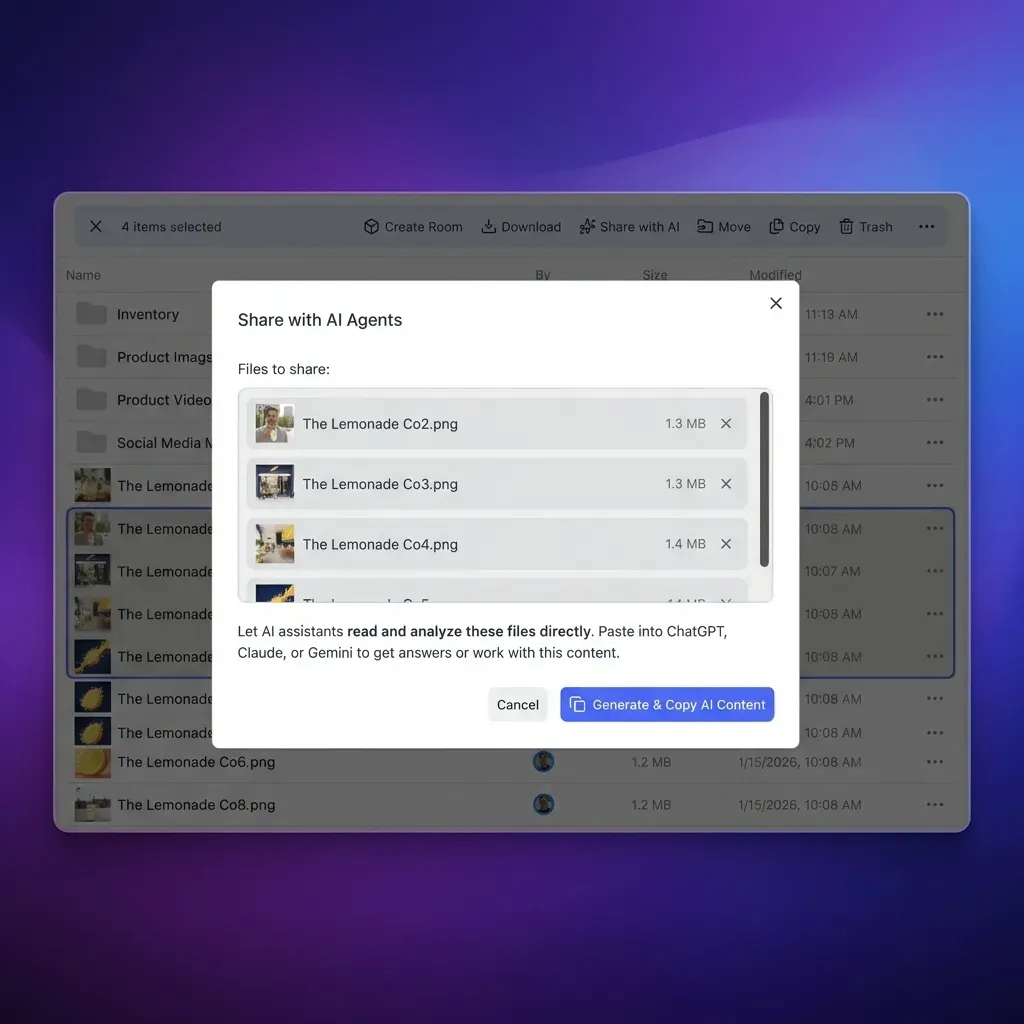
The alternative is an intelligent workspace that replaces this siloed approach. Instead of treating storage as an afterthought, an intelligent workspace with Intelligence on indexes files as they arrive, providing both keyword and semantic search as part of the storage layer. This removes the need for a separate vector database and a re-indexing job of your own, so the agent searches the same files the team is working on.
Without a unified intelligent workspace, enterprise agents fall into the semantic noise trap. They work from partial information because retrieval reaches only the files that happen to be connected to it and misses context stored elsewhere. In an intelligent workspace, an agent’s search is semantic and bounded by the workspaces and shares its authorizing user belongs to, and answers from Intelligence chat cite the files they draw on, so a person can check each answer against a source that user is allowed to open.
Related guides
- Enterprise RAG: System Architecture, Data Ingestion, and Access ControlEnterprise RAG is an architectural pattern that grounds large language model responses in verified internal company...
- How to Design a Company Brain Architecture for People and AI AgentsA company brain architecture unites operational storage, hybrid search, and autonomous agents inside an authoritative...
- How to Implement Vector Search on SharePoint Files for AI AgentsTraditional SharePoint lexical indexing leaves AI agents unable to resolve conceptual queries or semantic synonyms...
- How to Optimize RAG Retrieval for Autonomous AgentsOptimizing RAG for agents involves tuning chunk sizes and retrieval strategies to provide actionable context for...
- RBAC in RAG: Mapping Enterprise Roles to Context RetrievalRole-based access control for retrieval-augmented generation (RBAC RAG) restricts context retrieval to authorized...
- Best Knowledge Graph Tools for RAG: Enhancing Agent MemoryRAG systems often fail when they only use vector search. Adding a knowledge graph gives AI agents the context to...
More on this subject: Agent Memory and Storage (365 guides)
Defining Permission-Aware Retrieval at the Workspace Layer
Permission-aware retrieval is a critical requirement for enterprise RAG, and it is hard to get right at scale. If an agent operates with the authority of the user who invoked it, but that user does not know which files they have access to, the retrieval process becomes an exercise in frustration.
In Fastio, permissions are established at the organization, workspace, and share levels. Avoiding folder-level and file-level permissions simplifies the management of sensitive information. Every member of a workspace has access to all files within it, according to their assigned role. If a specific set of documents must be restricted to a smaller group, you move those files into a separate workspace and restrict its join setting (by default, any organization member can join a workspace), or you create a dedicated share. This model avoids the complexity of inherited permissions, which can lead to accidental data exposure.
When an autonomous agent interacts with an intelligent workspace through the Fastio MCP server, it acts with the permissions of the user who authorized the connection, within the organizations and workspaces chosen when the connection was approved. Because search and intelligence features only answer from the workspaces and shares the asker belongs to, the permission boundary is effectively enforced by the platform, not just the agent application.
This is a significant improvement over traditional RAG architectures where the application developer must write complex filtering logic to ensure that an agent only searches documents within a permitted scope. Because the agent's queries are bound to workspace and share membership, results come only from content the authorizing user can reach. This keeps the agent's behavior predictable, because the workspace configuration decides what information is queryable.
Also, this workspace-level permissioning model means that a reviewer who belongs to the same workspaces can open the same files the agent retrieved from. This reduces the "why did the agent see that?" confusion and allows the team to verify the agent's citations against the documents themselves, within the same permission-governed environment.
Managing Sensitive Information
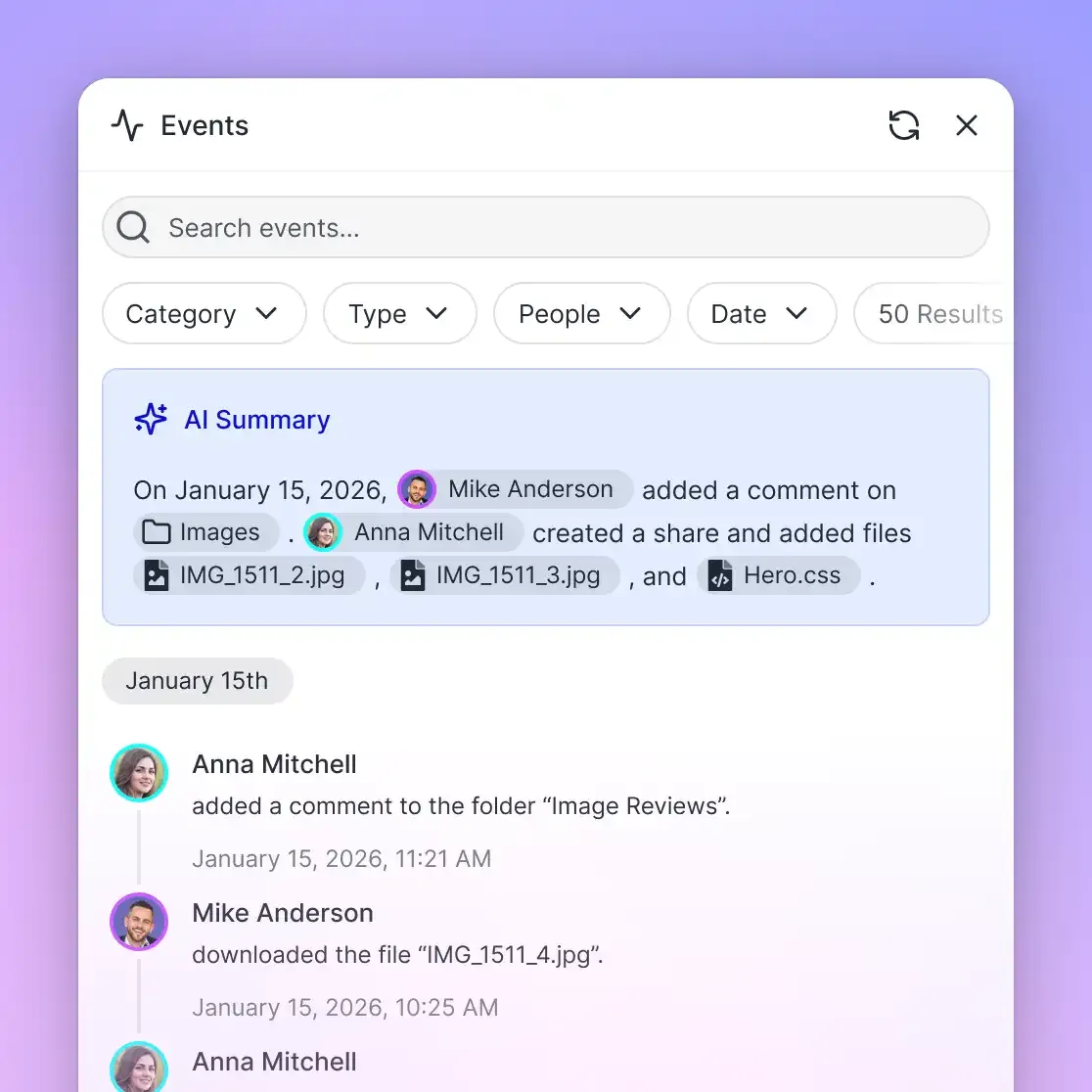
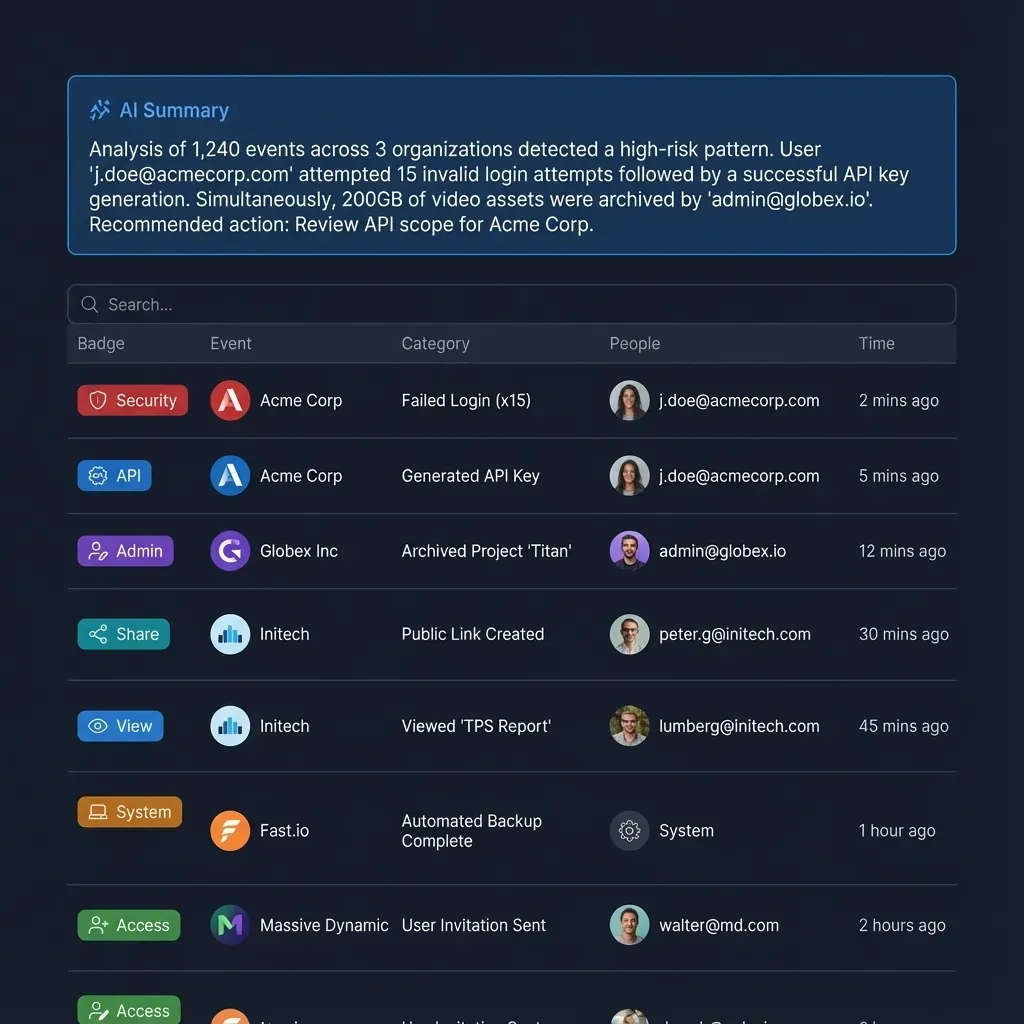
To maintain security, keep highly sensitive files in their own workspaces and restrict those workspaces' join setting, since by default any organization member can join a workspace. This keeps those files out of agent tasks run under the access of people who are not members. When a human member needs access, they are granted permission through the organization or workspace role. The detailed activity log provides a clear trail of who uploaded, edited, moved, or deleted documents, ensuring that even in highly automated environments, there is accountability for every file modification.


Build an Intelligent Company Brain
A unified workspace where your agent and team work together on your files, indexed for RAG and secure by design. Monthly plans start with a 14-day free trial (credit card required).
How Intelligent Workspaces Automate the RAG Pipeline
The traditional RAG pipeline is a heavy, multi-step process: fetch, parse, clean, embed, store, and query. Every step is an opportunity for error, latency, or mismatch. An intelligent workspace shifts this model by moving the ingestion and indexing process as close to the storage layer as possible.
Files arrive in an intelligent workspace by upload or through Cloud Sync for Google Drive, Dropbox, Box and OneDrive. With Intelligence on, each file that lands in the workspace is indexed for both keyword-based and semantic search. There is no separate vectorization step, no manual pipeline to maintain, and no batch job to run. The workspace keeps every version of a file, allowing agents to retrieve historical content if necessary.
This approach allows for living retrieval. If an agent is tasked with summarizing project progress, it does not query a separate vector database that was last rebuilt overnight; it queries the workspace's own index. A file uploaded or changed in the workspace is available to the agent right away and becomes searchable by meaning once indexing finishes, and files from a connected drive arrive each time Cloud Sync runs, on its schedule or on demand. This also enables strong metadata extraction using Metadata Views, which can turn unstructured files into queryable structured data. Over the MCP toolset, agents extract field values with storage_manage action=metadata-extract, read the field names with metadata action=fields-list, and query values with metadata action=search, which is more reliable than semantic search alone for structured document types like invoices, contracts, or project logs.
Keeping storage and the index in one place shortens the gap between a file changing and the agent seeing the change. With Intelligence on, files uploaded to the workspace are indexed as they arrive, and files from a connected drive come in each time Cloud Sync runs, so a team that needs fresher copies can run a sync on demand. Agents that work from stale copies can give out-of-date answers, so an index that follows the files reduces that risk, and citations let a person check each answer against the current file.
Operationalizing Handoffs and Ownership in Agentic Workspaces
The relationship between an agent and a human team is not one-way. A well-designed autonomous agent frequently reaches a point where human judgment is required, perhaps to approve a final contract, review an architectural decision, or transfer ownership of a completed project.
In an intelligent workspace, this handoff is handled cleanly through the same platform that stores the agent’s work. Because the agent and the human team operate in the same workspace, they share the same context. When an agent completes a task, it saves the output as a versioned file. If the agent owns a workspace it built, it can transfer ownership directly to a human team member who already belongs to the workspace and its organization. That person becomes the owner and the agent is demoted to admin, so it keeps admin access for ongoing maintenance or future tasks. An agent that built a whole organization can hand it to a person with a claim link.
The activity log acts as the bridge between agent and human. When an agent modifies a document or creates a share, that action is recorded in the platform's detailed activity log, just like any human action. This provides the transparency needed for teams to trust agent outputs. Teams can subscribe to workspace activity through the events feed, over WebSocket or long-poll, so their tools see when an agent uploads an output or modifies a specific file. That does not depend on the agent remembering to send an email or post a message, which can be lost if the agent loses its session context or the connection drops.
Also, because every file keeps a full version history, a human reviewer can always restore a prior version of a document if an agent’s edit introduced an error. This is essential for agent-human collaboration. It treats the agent as a collaborator rather than a black-box generator, allowing for a structured, auditable, and easily reversible interaction model between autonomous agents and their human counterparts.
Implementing Fastio MCP for Scalable Agentic Access
To connect your autonomous agents to the workspace, you use the Fastio MCP server. This provides a unified set of action-based tools for workspace storage, uploads, shares, and AI. The MCP server ensures that the agent has a standardized, authenticated, and secure way to interact with your data.
The setup process is straightforward and varies slightly depending on the client. For general-purpose agents, you connect to https://mcp.fast.io/mcp/tools. For coding agents like Cline, Cursor, or Devin, you use https://mcp.fast.io/mcp/code. For ChatGPT and Codex, the Fastio plugin is the preferred setup, with https://mcp.fast.io/mcp/operations as the custom-server fallback. These endpoints handle the authentication flow and tool exposure.
When you authorize an agent, Fastio's Review Permissions screen lets you choose which organizations and workspaces it can reach and whether it gets Read Only or Read & Write access. Once the agent is connected, it has access to the toolset, allowing it to perform operations like reading files, searching for information, creating new documents, or managing workspace structure (with Read Only, the tools that change data are not offered).
The MCP toolset includes specific _manage tools for write-operations (for example, storage_manage for moving, renaming, or deleting files, while new files go up through upload_manage). Because writes live in separate tools, a connection authorized as Read Only is not offered them at all, so an agent on that connection cannot change or delete data. If you are building a custom agent using a framework, you can call these tools directly, ensuring that your agent interacts with the workspace in a supported, reliable manner.
When an agent uploads, moves, or deletes a file through these tools, the change is recorded in the activity log, and with Intelligence on, new content is indexed for search. Because the agent works in the same workspace as the team, its output is in front of human collaborators as soon as it is saved. This is what makes agentic workspaces useful: the agent is not just a consumer of data, it is an active participant in the team's workflow, building and modifying the same files the team relies on. For more detailed setup, refer to the MCP documentation to understand how to surface these tools in your specific agent environment.
Frequently Asked Questions
How do autonomous agents use RAG in Fastio?
Autonomous agents use the built-in intelligence of a Fastio workspace to perform RAG. With Intelligence on, files are indexed as they arrive, so agents can use semantic search and chat tools to query workspace contents, with citations to the source files. Because agents connect via MCP, they operate within the same permission boundaries as human team members.
Does Fastio support folder-level permissions?
Fastio does not use folder-level or file-level permissions. Permissions are set at the organization, workspace, and share level by member role. To restrict data, place files in a separate workspace and restrict its join setting (by default, any organization member can join a workspace), or create a restricted share.
How does Cloud Sync work with autonomous agents?
Cloud Sync connects Google Drive, Dropbox, Box, and OneDrive folders to a workspace. It operates one-way or two-way, on a schedule or on demand. With Intelligence on, synced files are indexed after they arrive in the workspace, making them available for agentic RAG and search.
Can I transfer ownership of a workspace from an agent to a human?
Yes. The agent account that owns a workspace can transfer ownership to a human team member who already belongs to the workspace and its organization. The previous owner is demoted to admin, so the human has full authority over the content while the agent keeps admin access for continued operation. An agent can also hand a whole organization to a person with a claim link.
How does the activity log work for agents?
The detailed activity log records every change made to a workspace, whether by a person or an autonomous agent. This includes uploads, edits, moves, deletions, and changes to membership or permissions, providing a clear audit trail of workspace activity.
Related Resources

Build an Intelligent Company Brain
A unified workspace where your agent and team work together on your files, indexed for RAG and secure by design. Monthly plans start with a 14-day free trial (credit card required).