Building a Company Brain for Sales Engineering: Faster Technical Wins
A sales engineering company brain organizes product specifications, architecture blueprints, security whitepapers, and API documentation into a single intelligent workspace. Connecting AI assistants through the Model Context Protocol gives solutions architects instant retrieval with source citations. This implementation guide details document ingestion, workspace access boundaries, MCP integration, and technical asset delivery.


The Technical Bottleneck in Enterprise Pre-Sales Cycles
A survey by Gartner found that 47% of digital workers struggle to find information or data needed to effectively perform their jobs. In enterprise software sales, that information friction falls hardest on the sales engineering team.
Enterprise pre-sales cycles stall when technical validation hits an internal communication wall. During deep-dive calls and architecture reviews, prospective buyers ask exacting questions about infrastructure, security, and integration. A solutions architect or sales engineer faces queries regarding mutual TLS support, database tenancy isolation models, regional failover recovery time objectives, and data residency boundaries. The answers exist inside the company, but they sit scattered across internal engineering wikis, legacy Google Drive folders, Jira release tickets, and previous RFP spreadsheets.
A company brain for sales engineering is a dedicated technical knowledge workspace that indexes product specifications, architecture diagrams, security questionnaires, and API docs, allowing sales engineers and AI agents to retrieve technical answers with source citations they can check.
When technical documentation is fragmented across disconnected systems, sales engineers spend hours hunting down product managers and systems architects. They comb through Confluence spaces and Slack channels trying to confirm whether an undocumented API parameter supports asynchronous webhooks. While the sales engineer searches for verification, deal momentum decays. Prospects interpret slow technical turnarounds as a signal that the underlying product is immature or that the vendor lacks technical depth.
Standard enterprise search tools and shared drives fail to resolve this constraint. Traditional folder hierarchies force sales engineers to guess where an engineer saved a deployment blueprint. Legacy keyword search queries return hundreds of outdated documents containing matching terms, leaving the sales engineer unable to determine which file represents the production state. Meanwhile, pasting customer questions into public consumer AI chat tools introduces security risks and produces ungrounded hallucinations that invent features or compliance standards the software does not support.
A structured technical company brain solves this bottleneck by unifying technical assets into an intelligent workspace. Files are indexed automatically upon arrival for hybrid search, combining keyword precision with semantic meaning. Solutions architects and AI assistants retrieve exact paragraphs, schemas, and diagrams with traceable source citations, turning days of internal research into immediate, defensible answers.
Related guides
- How to Set Up a Company Brain in Ten Minutes: Quickstart GuideScattered documents across disparate drives prevent human workers and autonomous AI agents from retrieving accurate...
- Knowledge Base Best Practices for Human Teams and AI AgentsKnowledge base best practices are operational standards for structuring, synchronizing, and securing central...
- Building a Company Brain for Marketing Teams: Brand Assets, Messaging, and AI GroundingA company brain for marketing teams unifies brand guidelines, messaging frameworks, customer evidence, and competitor...
- How to Build a Company Brain for Technical Support TeamsA company brain for technical support centralizes verified runbooks, diagnostic guides, and engineering escalations in...
- How to Build a Company Brain Workflow for Engineering RFCs and Architecture DecisionsAn engineering RFC company brain workflow unites architecture proposals, decision records, and technical specs inside...
- Company Brain Workflow for RFP Responses: Accelerating Technical BidsA company brain workflow for RFP responses centralizes past winning proposals, technical specifications, and security...
More on this subject: Agent Memory and Storage (335 guides)
What Documents Belong in a Sales Engineering Company Brain
Building an effective knowledge base requires deliberate curation. Dumping entire corporate file archives into a workspace introduces semantic noise that degrades retrieval precision. A sales engineering company brain should prioritize high-value reference collateral that directly answers prospective customer inquiries and accelerates technical evaluation.
Technical pre-sales documentation falls into four core pillars:
1. Architecture and Infrastructure Specifications
Enterprise buyers need to know how software runs inside their ecosystem before signing a contract. This pillar provides complete transparency into deployment models, infrastructure topologies, and data pipelines. Key assets include:
- High-level system architecture blueprints and network topology diagrams.
- Multi-tenant data isolation specifications and tenant database schemas.
- Disaster recovery runbooks, backup schedules, recovery point objectives, and failover mechanics.
- Cloud infrastructure requirements, container specifications, and compute sizing matrices.
- Performance benchmarks, request latency profiles, and horizontal scaling limits.
2. Security, Privacy, and Compliance Collateral
Security reviews represent one of the longest phases in enterprise procurement. Centralizing security documentation enables rapid completion of vendor risk assessments. Required assets include:
- Independent audit summaries and third-party penetration testing reports.
- Data encryption standards covering data in transit and data at rest.
- Identity management documentation, role-based access control specifications, and credential policies.
- Privacy whitepapers, data retention schedules, and regional data transfer frameworks.
- Incident response plans and business continuity procedures.
3. API, SDK, and Integration Documentation
Technical evaluators frequently request developer documentation to verify that the platform integrates smoothly with their tech stack. This category includes:
- Production OpenAPI specifications and Swagger schemas.
- Webhook event definitions, retry mechanics, and signature verification guides.
- Authentication flows covering OAuth 2.0 grant types, personal access tokens, and scoped keys.
- Software Development Kit guides with verified code examples across supported languages.
- Third-party system integration maps and database connector specifications.
4. Historical Pre-Sales Intelligence and RFP Repositories
Completed proposals and technical evaluations contain reusable, vetted answers to recurring buyer questions. High-value materials include:
- Completed Standardized Information Gathering questionnaires and Cloud Security Alliance Consensus Assessments Initiative Questionnaires.
- Competitive technical battlecards analyzing competitor architecture tradeoffs.
- Proof-of-concept evaluation templates with agreed exit criteria.
- Technical win-loss post-mortems documenting why prospective buyers accepted or rejected specific architectural designs.
To structure repetitive files such as security questionnaires and vendor assessments, teams use Metadata Views. Rather than relying on manual data entry or brittle optical character recognition templates, Metadata Views use artificial intelligence to extract typed schema fields directly from unstructured documents. A sales engineering lead can configure a Metadata View to parse dozens of completed RFP spreadsheets and security PDFs, automatically extracting typed fields such as Assessment Date, Certifying Body, Encryption Protocol, and SLA Percentage into a structured, queryable table. Sales engineers can filter and sort these fields across historical records while retaining full access to the underlying files.
A Four-Step Playbook for Deploying a Sales Engineering Knowledge Base
Setting up a dedicated sales engineering company brain does not require custom vector databases or dedicated machine learning infrastructure. An intelligent workspace organizes, indexes, and surfaces technical documentation using built-in capabilities.
Follow this four-step playbook to deploy a functional technical company brain:
Step 1: Centralize Technical Assets via Cloud Sync and Direct Upload
The first step is gathering scattered technical collateral into a single workspace. Cloud Sync connects Google Drive, Dropbox, Box, and OneDrive folders to a Fastio workspace, one-way or two-way, on a schedule or on demand. If product engineering maintains specifications in Google Drive and security teams store audit reports in Box, Cloud Sync pulls those files into the workspace on a schedule without manual file transfers.
For large architectural diagrams, high-resolution topology schematics, and video demonstrations, sales engineers upload files directly. Direct upload allowances accommodate multi-gigabyte files without external transfer utilities, scaling with organization tiers.
Step 2: Enable Intelligence Mode for Automatic Semantic Indexing
Once files arrive in the workspace, enabling Intelligence Mode activates automatic indexing for Retrieval-Augmented Generation. Fastio runs hybrid search across all workspace files, combining exact keyword matching with semantic vector retrieval.
When a sales engineer searches for an exact configuration parameter like MAX_CONCURRENT_STREAMS, the keyword index retrieves the exact code definition. When the engineer asks a conceptual question such as "How do we prevent noisy neighbors from exhausting memory in worker nodes?", semantic search identifies conceptual passages across architecture whitepapers and design documents. Every answer generated in chat includes explicit source citations referencing the exact file name, page number, and text snippet.
Step 3: Connect AI Assistants via Remote Model Context Protocol
A company brain should be accessible directly within the tools sales engineers use daily. Fastio provides a remote Model Context Protocol server operating over Streamable HTTP.
Solutions architects using Claude Desktop or web apps connect to https://mcp.fast.io/mcp/tools using OAuth sign-in. Sales engineers working in developer environments like Cursor or VS Code connect to https://mcp.fast.io/mcp/code. This configuration allows the AI assistant to query the workspace index directly from chat, pulling live technical facts into code generation prompts, proposal drafts, and architecture reviews.
Step 4: Package and Deliver Verified Technical Bundles via Fastio Shares
After retrieving and verifying technical information, sales engineers must deliver documentation to external buyers. Instead of sending bulky email attachments that bounce or unbranded cloud links, sales engineers create branded Fastio Shares.
Shares can be configured in Send mode for delivering technical evaluation packets, Receive mode for collecting prospect log files and configuration samples, or Exchange mode for collaborative proof-of-concept trials. Sales engineers can set expiration dates, configure access passcodes, and disable file downloads to protect sensitive pre-release architecture blueprints.


Build Your Technical Sales Company Brain
Centralize architecture blueprints, security documentation, and API specifications in an intelligent workspace with remote MCP support for Claude and Cursor. Monthly plans start with a 14-day free trial, credit card required.
Configuring AI Assistants via Remote MCP for Technical Deal Support
Integrating artificial intelligence into pre-sales workflows requires a reliable connection between the language model and internal documentation. The Model Context Protocol provides an open standard for connecting AI clients to external data sources.
Fastio hosts a remote MCP server over Streamable HTTP, eliminating the need to run local command-line bridges or host containerized middleware. The server provides dedicated endpoints tailored to specific client applications:
- Claude applications (web, desktop, and mobile) connect to
https://mcp.fast.io/mcp/tools. - Coding environments (Cursor, Claude Code, VS Code, and IDE agents) connect to
https://mcp.fast.io/mcp/code. - ChatGPT and Codex connect by installing the Fastio plugin directly from the plugin directory, with a custom MCP fallback at
https://mcp.fast.io/mcp/operations.
Connecting Developer and IDE Environments
Solutions architects who write integration code or review customer schemas often work inside code editors. To connect Cursor to the company brain, add the remote MCP endpoint to the configuration file located at ~/.cursor/mcp.json or .cursor/mcp.json in the root of the project:
{
  "mcpServers": {
    "fast-io": {
      "url": "https://mcp.fast.io/mcp/code"
    }
  }
}
When connecting Claude Desktop, open Customize, select Connectors, add a custom connector with https://mcp.fast.io/mcp/tools, and sign in to Fastio using OAuth in the browser window that opens. Fastio displays a Review Permissions screen where the user selects Read Only or Read & Write permissions and scopes access to specific organizations and workspaces. Once connected, turn on Fastio under Connectors in any chat. For headless automation, background scripts, or continuous integration environments, agents authenticate by passing an API key as a Bearer token in the Authorization header. Setup instructions and tooling details are documented at https://mcp.fast.io/docs.
Practical Pre-Sales AI Query Workflows
With MCP configured, sales engineers interact with the company brain using natural language queries that yield grounded technical answers:
User Prompt:
"A prospect in the financial sector requires mutual TLS authentication on all inbound API calls.
Query the architecture workspace and confirm whether our edge ingress gateway supports mTLS.
Cite the exact configuration guide and parameter names."

AI Response (via Fastio MCP):
"According to 'edge-ingress-architecture-v3.pdf' (page 14, section 4.2):
Our edge ingress gateway supports mutual TLS termination using client certificate verification.
The ingress controller exposes two primary configuration keys:
- tls.client_ca_cert_bundle: Specifies the trusted CA certificates.
- tls.verify_client_mode: Set to 'RequireAndVerify' for strict mTLS enforcement.
Source: edge-ingress-architecture-v3.pdf, page 14."
Workspace Boundaries and Permission Scoping
A company brain must maintain strict security boundaries to prevent cross-contamination of sensitive deal data. Fastio sets permissions per organization, workspace, and share based on assigned member roles (owner, admin, member, guest, view). There are no folder-level or file-level permissions inside a workspace. Every member of a workspace accesses all files in that workspace according to their role.
To prevent sales engineers or connected AI agents from retrieving confidential executive files, legal contracts, or customer-specific data from other deals, sensitive information is separated into distinct workspaces. Because any organization member can join a workspace by default, set each deal workspace's join setting to "No one can join automatically" and invite the deal team. Search and Intelligence operations query only the specific workspaces and shares that the authenticated user or agent belongs to.
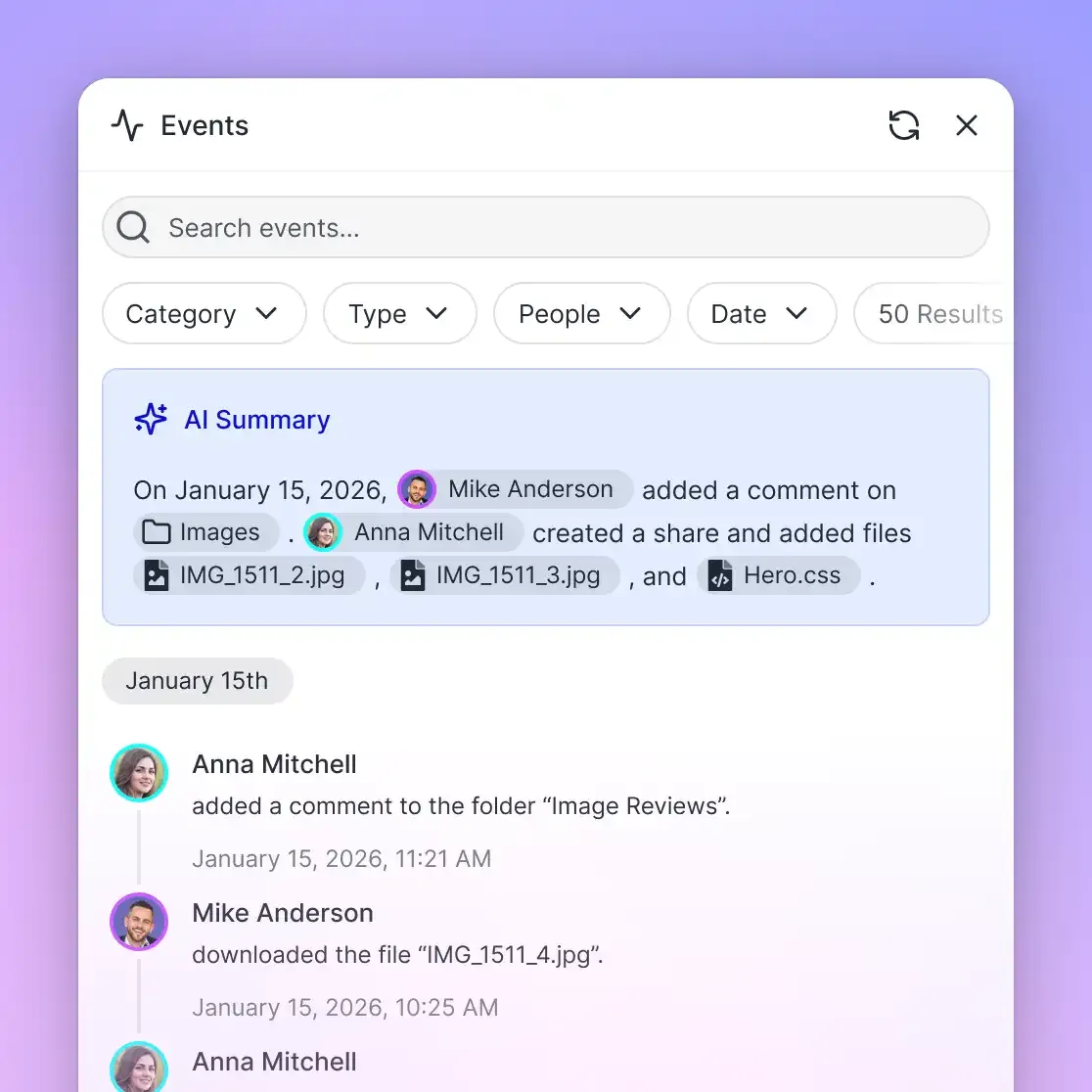
Documentation freshness is maintained through built-in workspace tools. When an engineering team updates an architecture schematic, per-file version history keeps every previous draft, so sales engineers can open or restore an earlier version. Collaborative Notes sit alongside files in the workspace, supporting live co-editing with labeled cursors for people and agents. Advisory Agent Intents allow an agent or engineer to announce what document they are editing before making changes. A detailed activity log records changes across the workspace, including file uploads, edits, moves, deletions, and share creation, maintaining an accurate history of team modifications.
Packaging Technical Validation Bundles for Prospective Enterprise Buyers
Answering technical questions internally is only half the battle. Sales engineers must package verified technical artifacts into accessible, professional delivery bundles that prospective enterprise buyers can review with their security and architecture review boards.
Traditional delivery methods introduce substantial friction. Sending raw PDF files as email attachments frequently fails due to strict attachment size restrictions. Using personal file-sharing links lacks corporate branding and forces prospects through cumbersome account creation screens.
Fastio Shares provide a controlled, branded delivery surface for technical pre-sales collateral:
1. Branded Technical Evaluation Portals
Sales engineers can create dedicated shares for prospective deals, organizing architecture diagrams, compliance summaries, API documentation, and trial licenses into a single branded portal. External evaluators open the share directly in a web browser without creating a Fastio account. Custom branding displays company logos and colors, reinforcing institutional credibility during competitive evaluations.
2. Granular Delivery Controls and Document Protection
Technical bundles often contain proprietary architecture diagrams and unreleased product roadmaps. Sales engineers protect sensitive collateral using built-in share controls:
- Disable File Downloads: Turn off downloads on sensitive architectural specifications. Prospective buyers can view diagrams and read whitepapers directly in the web previewer, but cannot download the source files.
- Expiring Access Links: Configure share links to expire automatically at the conclusion of a proof-of-concept evaluation window.
- Access Passcodes: Protect confidential security whitepapers with unique access passcodes delivered through secure channels.
- Receive Shares for Customer Samples: When evaluating customer datasets, sales engineers deploy Receive shares that allow enterprise prospects to upload test schemas, network logs, and sample files directly into the workspace without exposing other workspace contents.
3. Integrated E-Signature for Evaluation Agreements
Proof-of-concept trials and security data sharing often require signed mutual Non-Disclosure Agreements or POC evaluation terms. Fastio includes e-signature capabilities built into every plan.
Sales engineers can initiate signature requests directly from the workspace. Documents can be routed to multiple signers in sequence or parallel, with optional one-time passcodes for signers. Once signed, Fastio generates a tamper-evident audit certificate and files the executed document back into the workspace automatically. Because e-signature is included on every plan, teams can collect signatures without a separate tool, and the signed document stays beside the technical trial assets.
Sustainable Knowledge Base Economics
Maintaining a sales engineering company brain scales predictably across growing revenue teams:
| Plan Tier
| Monthly Price | Seats & Storage | Workspaces & AI Credits | | :--- | :--- | :--- | :--- | | Starter | $29/mo | 5 seats, 1 TB storage | 10 workspaces, 300,000 credits | | Business | $99/mo | 20 seats, 10 TB storage | 100 workspaces, 1,200,000 credits | | Enterprise | $299/mo | 50 seats included (expandable up to 200 at $1/seat), 50 TB storage | 300 workspaces, 4,500,000 credits |
Monthly subscriptions begin with a 14-day free trial that requires a credit card. Credits cover AI work: chat, file ingestion, agent runs, and document processing, while storage and seats scale with each tier.
With one indexed workspace per deal, sales engineers answer technical questions from current, cited documents instead of waiting on engineering.
Sources
References used to verify factual claims in this guide.
-
A survey by Gartner found that 47% of digital workers struggle to find information or data needed to effectively perform their jobs.
Frequently Asked Questions
How can sales engineers use a company brain?
Sales engineers use a company brain to centralize product specifications, architecture blueprints, API schemas, and historical RFP answers in one intelligent workspace. When responding to prospect technical questions or completing security questionnaires, sales engineers and connected AI assistants query the workspace using hybrid search, retrieving answers that cite their source files and pages so they can be checked.
What documents should be in a sales engineering knowledge base?
A comprehensive sales engineering knowledge base contains four key categories: system architecture blueprints (network topologies, tenant isolation models, disaster recovery plans), security and compliance collateral (audit summaries, encryption standards, vulnerability reports), API and developer specifications (OpenAPI definitions, webhook payloads, SDK documentation), and pre-sales commercial intelligence (completed RFP spreadsheets, competitive battlecards, proof-of-concept templates).
How does AI help sales engineers answer technical questions faster?
AI assistants connected to an intelligent company brain via the Model Context Protocol query indexed workspace files dynamically. Instead of manually searching through disparate folders or waiting for engineering responses, the AI evaluates natural language queries against indexed technical documentation, returning precise architectural explanations, configuration parameters, and code snippets with verifiable citations.
How do workspace permissions protect sensitive pre-sales customer data?
Fastio manages permissions per organization, workspace, and share based on member roles, with no folder-level or file-level permissions inside a workspace. Pre-sales teams isolate sensitive prospect data, proprietary customer configurations, and confidential legal agreements by creating dedicated deal workspaces. Because any organization member can join a workspace by default, set each deal workspace's join setting to "No one can join automatically" and invite the deal team. Search and Intelligence operations then query only the workspaces and shares the user or agent belongs to, which keeps one prospect's data out of another deal's answers.
Does Fastio sync with Google Drive and other cloud storage providers?
Yes. Cloud Sync connects Google Drive, Dropbox, Box, and OneDrive folders to a Fastio workspace, one-way or two-way, on a schedule or on demand. When product engineering or security teams update documentation in connected cloud repositories, Cloud Sync updates the workspace files, and Intelligence Mode re-indexes the new content for search and AI retrieval.
How do solutions architects connect AI tools like Claude or Cursor to the company brain?
Fastio provides a remote Model Context Protocol server over Streamable HTTP. Solutions architects using Claude Desktop or web applications connect to `https://mcp.fast.io/mcp/tools` via OAuth sign-in. Solutions architects working in developer environments like Cursor or VS Code configure their editor MCP settings file to point to `https://mcp.fast.io/mcp/code`. AI assistants can then search and retrieve workspace documents directly within their conversational workflow.
Related Resources

Build Your Technical Sales Company Brain
Centralize architecture blueprints, security documentation, and API specifications in an intelligent workspace with remote MCP support for Claude and Cursor. Monthly plans start with a 14-day free trial, credit card required.