How to Implement Multi-Tenant Workspaces with Fastio API
Implementing multi-tenant workspaces with the Fastio API allows B2B AI applications to guarantee strict data isolation between different customer organizations. Each tenant receives a dedicated organization containing isolated workspaces, with granular permissions and scoped AI features like RAG. This approach simplifies compliance by limiting agent data context to specific tenants and supports scaling through programmatic API calls.

Multi-Tenant Basics and Fastio Fit
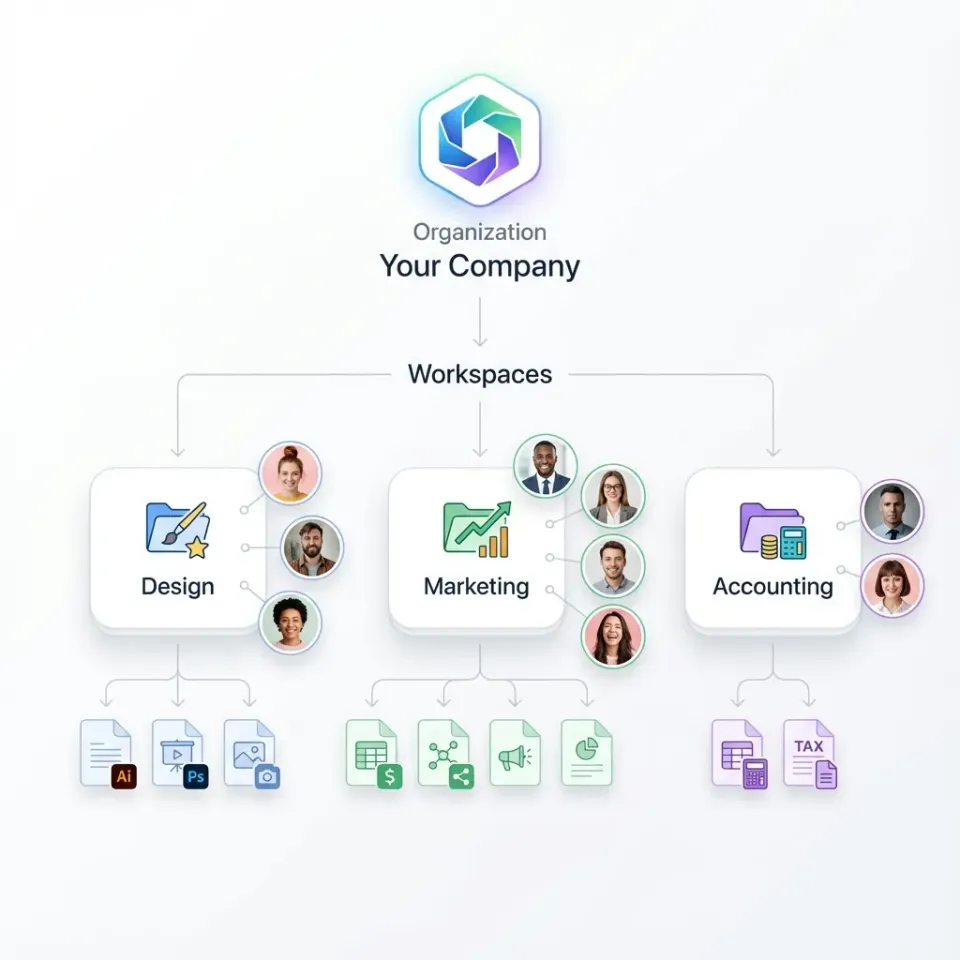
Multi-tenant architecture lets one SaaS application serve multiple customers from a shared codebase and infrastructure while keeping their data separate. Fastio supports this through its organization and workspace model. An organization acts as a tenant container, holding one or more workspaces for project-specific storage.
Workspaces provide the isolation layer. Files in one workspace stay separate from others, even within the same organization. Permissions apply at organization, workspace, folder, and file levels. For B2B SaaS, assign one organization per tenant, then create workspaces for their projects or teams.
This setup avoids shared storage pools where data leaks occur. Instead, each tenant's data lives in dedicated structures. Fastio's API handles creation dynamically during tenant onboarding.

Related guides
- Fastio API vs AWS EFS for Agent Workspaces: A Practical GuideYour choice of storage architecture determines if your AI agents can act on their own or need human help. AWS EFS...
- How to Enforce AI Agent Quotas per WorkspacePer-workspace quota enforcement applies storage, request, and token limits to each agent workspace independently so one...
- How to Implement Persistent Storage for AutoGen using Fastio APIAdding persistent storage to AutoGen via Fastio API allows multi-agent conversations to share and modify files reliably...
- How to Choose Between Fastio API vs Box API for Agent WorkspacesBox API handles traditional enterprise document management, while Fastio API provides native vector search and...
- Fastio API vs Supabase Storage for Agent WorkspacesPicking the right backend for your AI application shapes your engineering roadmap. Developers often treat all cloud...
- How to Implement Cross-Workspace Search with Fastio APICross-workspace search with the Fastio API allows centralized systems to securely query data across multiple isolated...
More on this subject: Agent Memory and Storage (263 guides)
Creating Tenant Organizations Programmatically
Start by authenticating with the Fastio API using an API key or bearer token. Explore plans and the 14-day Business Trial at /pricing/.
Use POST /current/org/ to create an organization for a new tenant:
curl -X POST https://api.fast.io/current/org/ \\
  -H "Authorization: Bearer YOUR_JWT" \\
  -d "name=Tenant Name" \\
  -d "domain=tenant1" \\
  -d "billing_plan=business"
The response includes the org_id (19-digit number) or domain for future references. Organizations own billing and members. Add tenant admins with POST /current/org/{org_id}/member/.
For SaaS, trigger this on signup. Store the org_id in your database linked to the tenant record.
Transferring Organization Ownership
Agents provisioning resources can create an organization and hand it over to a human tenant admin through a claim link using Ownership Transfer.
Provisioning Workspaces per Tenant
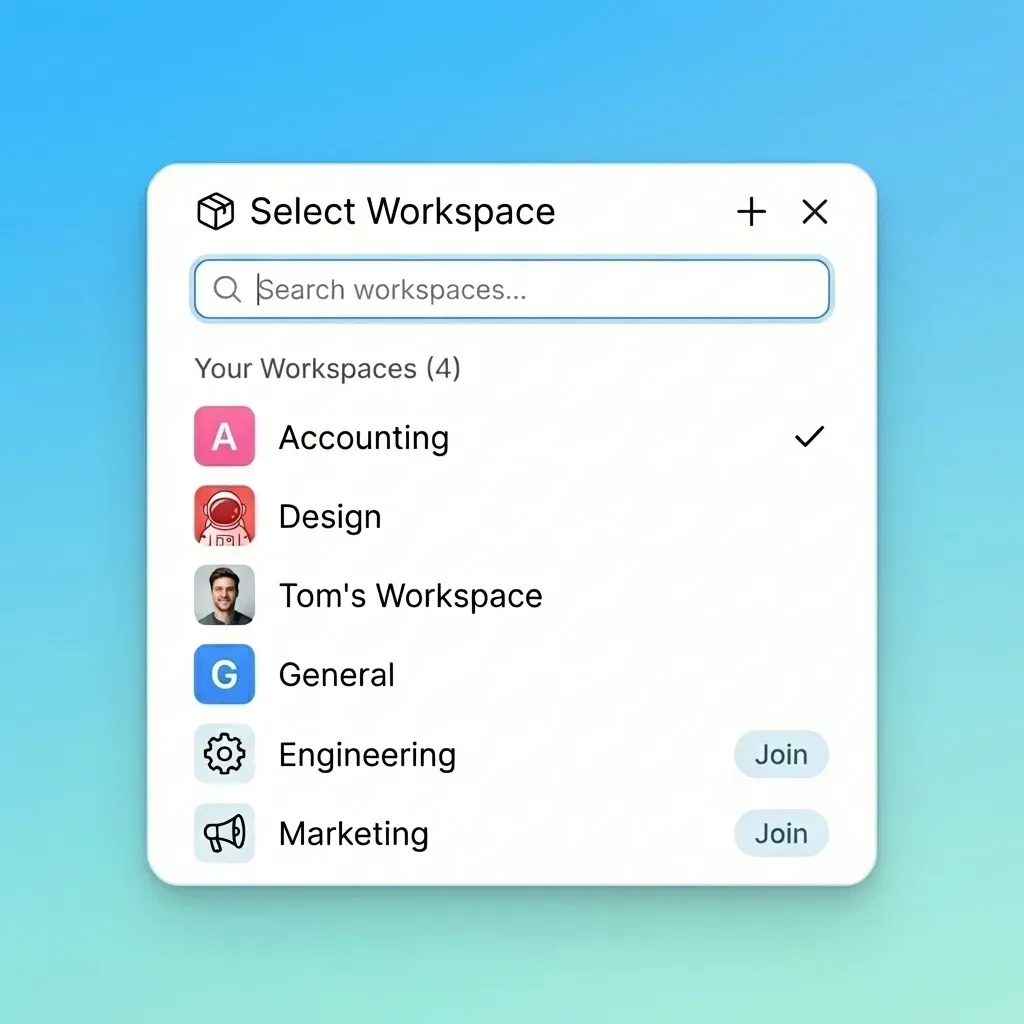
Once the organization exists, create workspaces inside it. Workspaces hold files, shares, and AI indexes.
curl -X POST https://api.fast.io/current/org/{org_id}/workspace/ \\
  -H "Authorization: Bearer YOUR_JWT" \\
  -d "folder_name=tenant-project-1" \\
  -d "name=Tenant Project Workspace"
Each workspace gets independent storage root. List them with GET /current/org/{org_id}/workspace/.
In multi-tenant SaaS, create one workspace per tenant project. This keeps data segmented even if tenants have multiple teams.
Enforcing Data Isolation with Permissions
Fastio permissions prevent cross-tenant access. Roles include owner, admin, member, guest, view-only.
Set at creation or update via member endpoints. For example, add a tenant user:
curl -X POST https://api.fast.io/current/org/{org_id}/member/ \\
  -H "Authorization: Bearer YOUR_JWT" \\
  -d "user_id=tenant-user-id" \\
  -d "role=admin"
Workspaces inherit org members but allow overrides. Files and folders have granular controls.
Audit logs track all actions across tenants. Query with GET /current/events/search/?org_id={org_id}.


Build Multi-Tenant Workspaces Now
Get started with Fastio's 14-day Business Trial (card required; see /pricing/). Create isolated orgs and workspaces via API.
Per-Tenant AI with Intelligence Mode
Enable Intelligence Mode on tenant workspaces for isolated RAG. Files auto-index for semantic search scoped to that workspace.
Toggle via API:
curl -X POST https://api.fast.io/current/workspace/{workspace_id}/intelligence/ \\
  -H "Authorization: Bearer YOUR_JWT" \\
  -d "enabled=true"
Queries stay within the workspace boundary, providing 100% vector isolation per tenant. Ask questions like "Summarize contracts in this workspace" – results cite only tenant files.
Attachments work without intelligence, but scoped RAG requires it. Costs: 10 credits/page ingestion.

Scaling and Best Practices
Follow these practices for robust multi-tenant setups:
- Use one org per tenant for billing and top-level isolation.
- Create workspaces per project or team within tenants.
- Enable intelligence only on needed workspaces to save credits.
- Use activity feed polling or the WebSocket events feed for tenant events like file uploads.
- Monitor usage with GET /current/org/{org_id}/billing/usage/.
- Transfer ownership for tenant handoff: POST /current/org/{org_id}/transfer/token/create/.
Handle rate limits (headers provided). Paginate lists with offset/limit.
Monitoring Tenant Activity and Compliance
Track tenant actions with activity polling: GET /current/activity/poll/{entity_id}.
Logs include uploads, views, permission changes. AI summarizes activity feeds.
For SaaS dashboards, aggregate per org_id and monitor usage via billing endpoints or activity feeds.
Frequently Asked Questions
How do I isolate client data in Fastio?
Create a separate organization or workspace per client. Permissions and storage are scoped to these containers, preventing cross-access. Intelligence Mode ensures RAG queries stay within the client's workspace.
Can Fastio support multi-tenant SaaS applications?
Yes. The API allows dynamic creation of organizations and workspaces per tenant during signup. Granular permissions and per-workspace AI provide isolation without custom infrastructure.
What is the best way to structure Fastio for multi-tenancy?
Assign one organization per tenant, with one or more workspaces inside. This mirrors standard SaaS patterns while leveraging Fastio's native isolation.
Does Fastio provide vector isolation for AI agents?
Yes. Intelligence Mode indexes files per workspace. RAG queries scope to folders or workspaces, guaranteeing no cross-tenant data leakage.
How do I onboard tenants programmatically?
Authenticate as your SaaS agent, POST /org/ for the tenant org, then POST /workspace/ inside it. Add tenant users as members.
Related Resources

Build Multi-Tenant Workspaces Now
Get started with Fastio's 14-day Business Trial (card required; see /pricing/). Create isolated orgs and workspaces via API.