How to Build a Company Brain Workflow for Quarterly Business Reviews
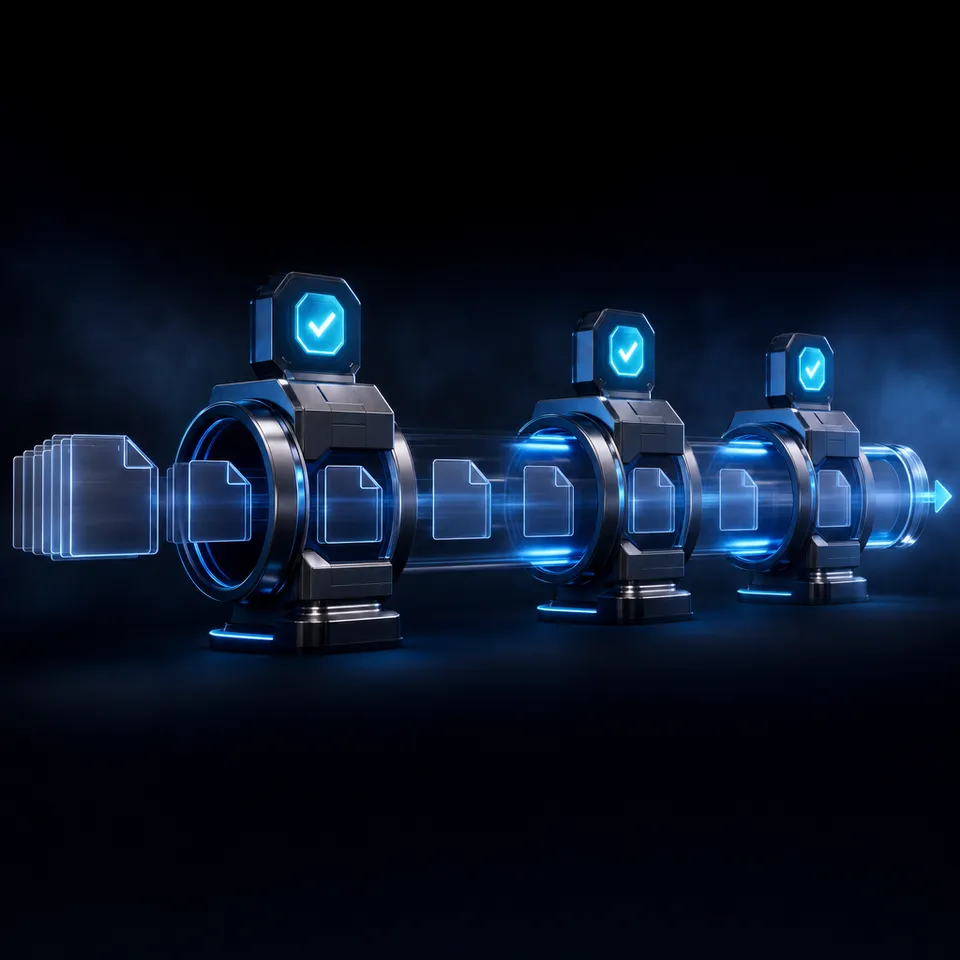
A company brain workflow for quarterly business reviews unifies historical account notes, product delivery specifications, and performance metrics into an intelligent workspace accessible to teams and AI agents. By indexing operational documents on arrival, customer success teams cut data gathering time and build executive review decks from source-cited answers.

Why Quarterly Business Reviews Stall on Fragmented Account Data
A survey by Gartner found that 47% of digital workers struggle to find information or data needed to effectively perform their jobs. In quarterly business review preparation, this information friction turns executive meetings into stressful exercises in data archaeology. Customer success managers, account executives, and solutions architects spend days tracking down scattered context across historical check-in notes, engineering deliverables, support escalations, and contract amendments. When these records remain scattered across disparate cloud drives and private inboxes, account teams enter high-stakes client reviews with incomplete context and unverified claims.
A QBR company brain workflow is an automated knowledge consolidation process where historical account notes, product delivery specs, and performance metrics are indexed in a shared workspace to generate source-cited quarterly review decks.
Much QBR advice focuses on slide template aesthetics rather than the data gathering bottleneck across disparate cloud drives and account histories. Polishing presentation slides does nothing to solve the root problem: account teams spend hours copying and pasting outdated metrics, hunting for contract renewals, and guessing at the status of technical deliverables.
Without an integrated knowledge base, customer review cycles encounter three major operational bottlenecks:
- Data collection fatigue: Account leads manually pull support ticket logs, query product usage numbers, and read months of call notes to piece together what occurred during the quarter.
- Unverifiable claims: When executive slides present summary statistics or project milestones without direct links to underlying contracts or technical specifications, client stakeholders question the validity of the review.
- Context loss between handoffs: When account managers change or engineering leads rotate, institutional knowledge stays trapped in individual heads or local desktop folders, leaving new team members unprepared for renewal discussions.
The comparison table below contrasts conventional manual review preparation with a centralized QBR company brain workflow.
Establishing a dedicated Fast.io company brain replaces fragmented data gathering with an intelligent workspace that indexes account context automatically.
Related guides
- How to Build a Company Brain Workflow for Board ReportingA board reporting company brain workflow centralizes financial models, department scorecards, and strategy memos in a...
- How to Build a Company Brain Workflow for Competitive IntelligenceA competitive intelligence company brain centralizes competitor teardowns, battlecards, and market research into an...
- How to Build a Company Brain Workflow for Customer OnboardingA customer onboarding company brain workflow unifies architecture diagrams, API specifications, and implementation...
- How to Build a Company Brain Workflow for Due DiligenceA company brain workflow for due diligence centralizes corporate charters, financial audits, and commercial contracts...
- How to Build a Company Brain Workflow for Employee OnboardingAn employee onboarding company brain workflow centralizes handbooks, standard operating procedures, and team playbooks...
- How to Build a Company Brain Workflow for Engineering RFCs and Architecture DecisionsAn engineering RFC company brain workflow unites architecture proposals, decision records, and technical specs inside...
More on this subject: Agent Memory and Storage (336 guides)
Designing the Architecture of a QBR Company Brain
Designing an effective QBR company brain requires clear organizational boundaries, granular access rules, and structured document categories. Rather than dumping all client files into a shared general folder, teams configure isolated workspaces that reflect client relationships and project milestones.
Workspace Isolation and Boundary Control
Permissions in Fast.io are set per organization, workspace, and share through member roles: owner, admin, member, guest, and view. There are no folder-level or file-level permissions within a workspace. Every member of the workspace accesses all files in that workspace according to their assigned role.
For quarterly business review workflows, the proper architecture is dedicated workspace isolation per client account (such as qbr-client-acme-corp). This containerized boundary prevents cross-tenant data visibility. Internal account representatives, solutions architects, and customer success leads collaborate inside the specific client workspace without exposing other customer records or internal revenue targets.
Workspace join settings default to letting any member of the organization join. To keep client QBR workspaces restricted to assigned account team members, administrators restrict this join setting during workspace creation.
Core Account Documentation to Ingest
A comprehensive QBR company brain holds the complete operational record of the client relationship across previous quarters:
- Account governance and commercial agreements: Master services agreements, current statements of work, service level agreements (SLAs), and signed contract amendments.
- Product delivery and engineering specifications: Architecture decision records, technical integration roadmaps, API specifications, and milestone completion sign-offs.
- Operational and performance metrics: Quarterly SLA uptime reports, support ticket summaries, incident post-mortems, and customer feedback surveys.
- Executive meeting records: Collaborative Notes recorded during weekly or monthly check-in calls, documenting agreed action items, unresolved technical blockers, and executive priorities.
Ingestion Pathways and Cloud Sync
Teams do not need to manually re-upload their existing documentation collections. Cloud Sync connects Google Drive, Dropbox, Box, and OneDrive folders to a workspace, one-way or two-way, on a schedule or on demand. It is never continuous, live, or real-time, allowing teams to set controlled synchronization cadences that match their quarterly review schedule. When SharePoint libraries are used, they connect directly through the OneDrive connector.
Files synced from external drives adopt the Fast.io workspace's permissions rather than the source drive's sharing settings. This behavior keeps old drive shares from carrying over, so only members of the restricted workspace can query the account documentation.
Dual-Layer Intelligence: Semantic Retrieval and Structured Extraction
A complete QBR knowledge base provides two distinct intelligence capabilities:
- Unstructured Retrieval with Intelligence Mode: When Intelligence Mode is enabled on an account workspace, incoming files are automatically indexed for hybrid search, which pairs full-text keyword matching with semantic vector retrieval. Internal team members query the workspace using plain language through Fast.io AI workspace intelligence. Responses include direct citations referencing file names, the page where one applies, and text passages.
- Structured Extraction with Metadata Views: While semantic search answers qualitative questions, executive presentations require quantitative summaries. Metadata Views document data extraction turns unstructured documents into a queryable data grid. Teams describe the fields they need in plain English, and the system extracts typed fields across seven data types: Text, Integer, Decimal, Boolean, URL, JSON, and Date & Time.
Four Steps to Build a Company Brain Workflow for Quarterly Business Reviews
Transforming fragmented account files into an operational review workflow follows a clear, four-step preparation sequence.
Step 1: Sync Historical Account and Support Logs
Begin by establishing an isolated workspace for the client account and synchronizing all operational records:
- Create a dedicated workspace within your organization, using a consistent naming scheme such as
qbr-client-acme. - Restrict the workspace join setting so that general organization members cannot join automatically. Assign
adminandmemberroles to the designated account executive, customer success lead, and technical account manager. - Connect existing cloud repositories using Cloud Sync. Link Google Drive, Dropbox, Box, or OneDrive folders containing the client's past contracts, support reports, and delivery logs. Maximum single file upload sizes are
25 GBon Starter,50 GBon Business, and100 GBon Enterprise. - Enable Intelligence Mode on the workspace. All incoming PDF reports, Word documents, spreadsheets, presentations, and Markdown notes are indexed on arrival without requiring manual vector database setup or chunking configurations.
Step 2: Run Semantic Intelligence Queries
With documentation indexed, account leads query the company brain using natural language to uncover trends across the past quarter:
- What were the primary product blockers reported during the previous quarter, and what resolution dates were agreed upon?
- Summarize the top three feature enhancement requests submitted by the client technical team since the last executive review.
- Which SLA targets experienced downtime or delay over the past ninety days, and what were the documented root causes?
Fast.io evaluates these queries using hybrid search across the workspace index, delivering concise summaries backed by page-level citations. Team members click directly through to source contracts and incident post-mortems to verify facts before adding them to the presentation deck.
Step 3: Synthesize Wins, Risks, and Goals
Review preparation requires balancing qualitative milestones with quantitative deliverables. Using Metadata Views, account teams turn incoming project trackers and service logs into structured records:
- Create a Metadata View over the workspace's SLA reports and statement of work deliverables.
- Define extraction columns in natural language, specifying deliverable status (Text), milestone target date (Date & Time), completion sign-off (Boolean), and measured uptime percentage (Decimal).
- The extraction engine scans the workspace, classifies matching documents, and populates the data grid automatically.
- Account leads filter the data grid to isolate pending deliverables, identify renewal risks, and calculate contract milestone achievement rates across the quarter.
Step 4: Co-Edit Live Review Notes with Labeled Cursors
Consolidate findings into a unified executive brief using Collaborative Notes kept beside the files in the workspace:
- Create a new markdown note titled
Q4-Executive-Review-Briefdirectly in the account workspace. - Account managers, customer success leads, and autonomous AI agents open the note simultaneously.
- Fast.io Notes support live co-editing: participants see each other's edits and cursors in real time, with agents displaying their own labeled cursors.
- People and agents use Agent Intents to announce the note or file they are about to work on. Intents are advisory and never block anyone, but they show who is working where.
- Outline the core agenda: quarterly business wins, technical deliverable status, ongoing risk mitigations, and strategic growth goals for the upcoming quarter.


Build a QBR Company Brain Across Your Customer Workspaces
Centralize customer account histories, technical specs, and performance metrics in an intelligent workspace with cited AI retrieval and native MCP agent tooling. Monthly plans start with a 14-day free trial, credit card required.
Connecting AI Agents to the QBR Workspace via MCP
While account managers review documentation in the browser, modern customer operations teams use autonomous AI agents to automate data consolidation, draft executive briefs, and flag account renewal risks. Fast.io provides native Model Context Protocol (MCP) support, enabling AI agents to read, query, and write files directly within the client workspace.
Connecting MCP Clients over Streamable HTTP
Fast.io hosts a remote MCP server over Streamable HTTP. Clients do not need local npm packages or custom daemon scripts. Full setup instructions are documented at https://mcp.fast.io/docs, with tool specifications at https://mcp.fast.io/skill.md and onboarding guidelines at https://fast.io/agents.md. Learn more about storage integration on our storage for agents page.
Clients connect to designated endpoints based on their operational profile:
- Interactive Personal Assistants: Claude (web, desktop, and mobile) and general agents connect to
https://mcp.fast.io/mcp/tools. Users authenticate through browser OAuth, picking which organizations and workspaces the connection can access. - ChatGPT and Codex: Users install the Fastio plugin directly from the ChatGPT plugin directory, or configure a custom MCP connection pointing to
https://mcp.fast.io/mcp/operations. - Coding and Terminal Agents: Claude Code, Cursor, Devin Desktop, Cline, and terminal agents connect to
https://mcp.fast.io/mcp/code. - Headless Frameworks and Background Scripts: Autonomous agent scripts running LangGraph, CrewAI, AutoGen, or custom Python workers pass a scoped API key as an HTTP header:
Authorization: Bearer <api key>.
To connect Cursor for an account operations lead, add the server to ~/.cursor/mcp.json or .cursor/mcp.json in your project root:
{
  "mcpServers": {
    "fastio-qbr": {
      "url": "https://mcp.fast.io/mcp/code"
    }
  }
}
In Claude Desktop or Claude Web, open Customize, select Connectors, add a custom connector with https://mcp.fast.io/mcp/tools, complete OAuth sign-in, and turn the connector on in chat.
Querying Account History with the Consolidated MCP Toolset
Once connected, an agent uses the consolidated MCP toolset to inspect workspace files without downloading data locally:
- Semantic Storage Search: An agent calls the storage search action to retrieve customer context across quarterly files. For example, prompting an agent to Identify all unresolved security questions from the September meeting notes triggers a search across indexed meeting transcripts and outputs the exact file references.
- Executing Structured Queries: Agents read the workspace's field names with
metadata action=fields-list, start extraction for chosen fields withstorage_manage action=metadata-extract, and query the extracted values withmetadata action=search, pulling structured contract values directly into draft presentation outlines.
Advisory File Locks for Concurrent Multi-Agent Editing
When multiple agents or automated background pipelines contribute to QBR documentation, they coordinate editing states using advisory file locks:
- Agents acquire advisory locks using
lock-acquireand release them usinglock-releaseon thestorage_managetool. Lock status can be inspected withlock-statuson thestoragetool. - Advisory locks expire automatically unless heartbeated, signaling to human teammates and other agents that a file is actively being updated.
- Because locks are advisory rather than restrictive, concurrent writes land safely, and per-file version history preserves every version for auditing.
Agent-to-Human Ownership Transfer
In automated customer success setups, an autonomous provisioning agent can initialize an organization, configure the client's QBR workspace, establish Cloud Sync connections, and ingest initial documentation. Once setup is complete, the agent initiates an ownership transfer via a claim link, and the human customer operations director becomes organization owner, retaining full governance over the account environment.
Delivering the QBR Deck and Maintaining Account Hygiene
Once the executive review brief is synthesized, account teams must deliver the presentation to client executives securely and establish operational hygiene for the upcoming quarter.
Delivering Reviews Through Branded Client Shares
Rather than sending confidential quarterly presentations as unencrypted email attachments, teams distribute materials through branded shares:
- Create a branded share link pointing to the finalized quarterly review presentation and supporting appendix documents.
- Customize the share interface with company branding, colors, and a vanity path to deliver a professional client presentation.
- Configure client security settings: set link expiration dates, restrict access to specific recipient email addresses, or disable file downloads so clients review the presentation in the browser instead of saving local copies.
- External client stakeholders access the shared review without creating an account and without consuming organization member seats.
Preserving Account Auditability with the Activity Log
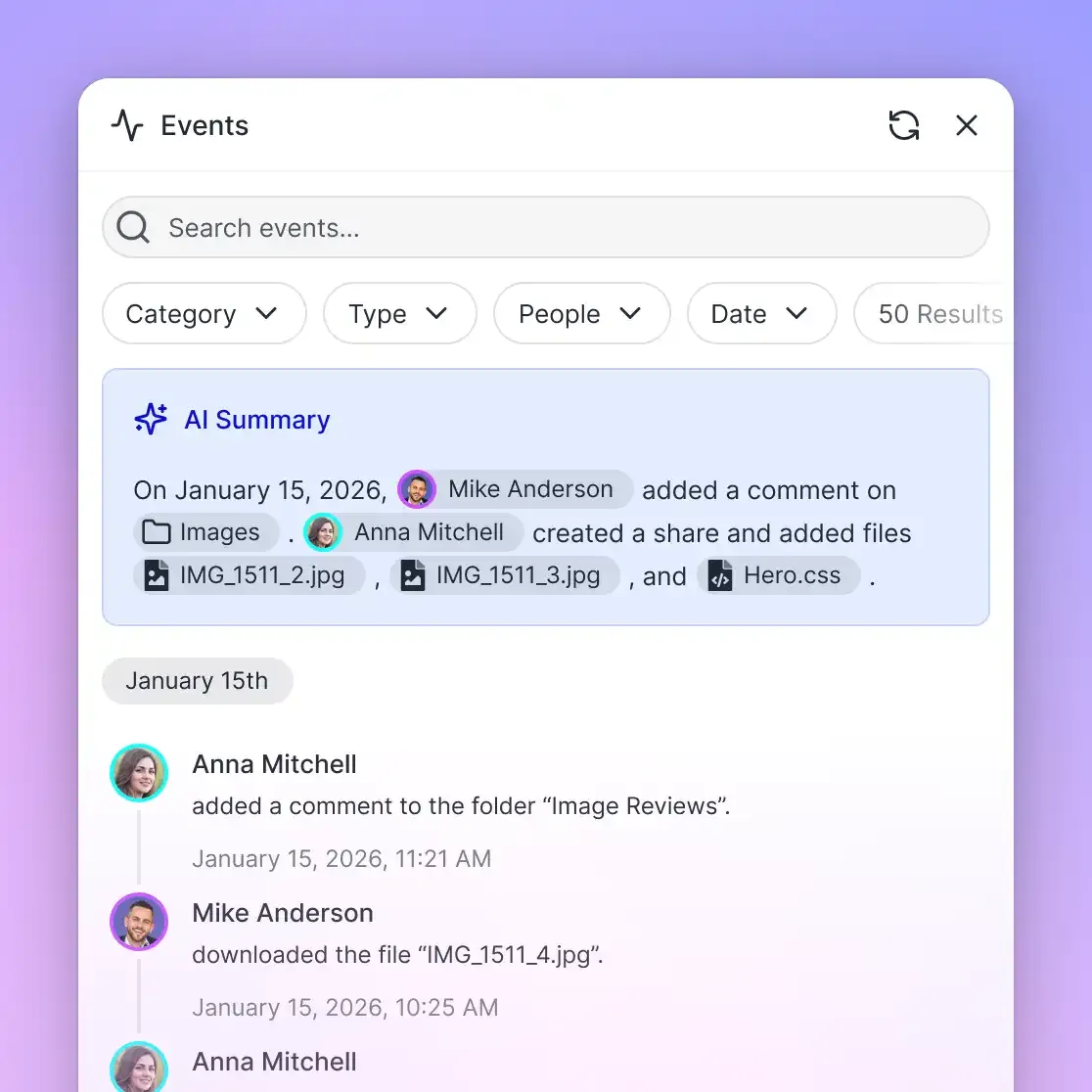
Maintaining institutional trust requires visibility into document changes throughout the account lifecycle. Fast.io provides a detailed activity log that records operational actions across workspaces and shares. The log records file uploads, version replacements, file moves, deletions, membership adjustments, role updates, and share creations.
When a team member updates an SLA performance spreadsheet or an AI agent deposits an updated QBR summary brief, the activity log provides full visibility into what changed and who initiated the action. The activity log tracks storage and administrative modifications, not read-only events such as views or downloads.
Preserving Historical Quarter Integrity with Version History
Account documentation changes constantly as contracts renew and project scopes adjust. Whenever a team uploads a revised review deck or an updated statement of work, Fast.io automatically generates a new version entry. Every file retains its complete version history, allowing account teams to compare previous quarterly presentations, verify historical commitments, and restore earlier document iterations if needed.
Transparent Subscription Plans and Resource Allocation
Fast.io operates on a transparent subscription model structured around workspaces, storage, seats, and usage credits. Every organization operates on a paid subscription.
Monthly plans start with a 14-day free trial that requires a credit card:
- Starter (
$29/mo): Includes5seats,1 TBstorage,10workspaces, and300,000credits per month. Maximum single upload size is25 GB. - Business (
$99/mo): Includes20seats,10 TBstorage,100workspaces, and1,200,000credits per month. Maximum single upload size is50 GB. - Enterprise (
$299/mo): Includes50seats (with additional seats at$1a month each, up to200),50 TBstorage,300workspaces, and4,500,000credits per month. Maximum single upload size is100 GB.
Credits cover AI work: chat, file ingestion, agent runs, and document processing, including Metadata Views extraction. Additional credit blocks are billed at $10 per 100,000 credits. Extra storage beyond plan allowances is $0.015 per GB per month, and additional bandwidth is $0.04 per GB, billed separately and not in credits. Review comprehensive tier details on the Fast.io pricing page.
External customer executives reviewing materials through branded shares do not consume member seats, allowing organizations to present quarterly reviews to broad stakeholder groups without increasing seat costs.
Sources
References used to verify factual claims in this guide.
-
A survey by Gartner found that 47% of digital workers struggle to find information or data needed to effectively perform their jobs.
Frequently Asked Questions
How do you prepare for a QBR using a company brain?
Preparing for a QBR using a company brain begins by centralizing account records, delivery specifications, support logs, and meeting notes in a dedicated workspace. Enable Intelligence Mode to index files on arrival for hybrid keyword and semantic search. Account teams then query the workspace to synthesize customer milestones, track unresolved blockers, and co-edit review notes alongside AI agents, backing every deck insight with page-level citations.
What documents should be ingested for quarterly business reviews?
A QBR company brain should ingest customer contracts and statements of work, architecture diagrams, product delivery specifications, SLA uptime and incident reports, customer support ticket summaries, quarterly milestone roadmaps, and Collaborative Notes from ongoing status calls. Synchronizing folders from Google Drive, Dropbox, Box, or OneDrive brings existing team assets directly into the workspace.
Can AI summarize customer account health across multiple quarters?
Yes. Because workspace Intelligence Mode indexes all uploaded documents for semantic retrieval, an AI model or connected agent can analyze account records across multiple quarters. Teams can query historical trends, compare delivery speed against contractual milestones, and identify recurring support issues across quarters, with every summarized point citing the exact file name and passage.
How does permission-aware retrieval protect sensitive client QBR data?
Permission-aware retrieval enforces security at the organization, workspace, and share boundaries by member role. There are no folder-level or file-level permissions within a workspace. By isolating each client or account in a dedicated workspace and restricting the default join setting, sensitive account terms and performance data remain strictly confidential. Search and AI chat only retrieve information from workspaces and shares where the requesting user or agent is an authorized member.
Does Fast.io sync with Google Drive for QBR source files?
Yes. Fast.io provides Cloud Sync for Google Drive, Dropbox, Box, and OneDrive folders. Teams can also sync SharePoint libraries through the OneDrive connector. Cloud Sync runs one-way or two-way, on a schedule or on demand, but is never continuous or live. Synced files adopt the permissions of the Fast.io workspace, ensuring consistent access governance across all account files.
How do Metadata Views differ from Intelligence Mode during QBR prep?
Intelligence Mode handles unstructured retrieval, allowing users and agents to execute semantic searches, generate summaries, and run RAG chat with page-level citations. Metadata Views provide structured data extraction, converting documents into a live, queryable spreadsheet with typed fields across Text, Integer, Decimal, Boolean, URL, JSON, and Date & Time. During QBR prep, Intelligence Mode synthesizes narrative account summaries, while Metadata Views extract tabular metrics like SLA performance numbers, contract renewal dates, and deliverable completion status.
Related Resources

Build a QBR Company Brain Across Your Customer Workspaces
Centralize customer account histories, technical specs, and performance metrics in an intelligent workspace with cited AI retrieval and native MCP agent tooling. Monthly plans start with a 14-day free trial, credit card required.