RAG Authorization: Enforcing Context Boundaries for AI Retrieval
RAG authorization is the systematic verification of a requester's access rights before returning vector search chunks, document summaries, or grounded citations from a retrieval engine. Without strict retrieval boundaries, semantic search exposes restricted documents to unauthorized users and autonomous agents. This guide details how to implement permission-aware retrieval, evaluate pre-filtering versus container partitioning, and enforce isolated context boundaries across enterprise pipelines.


What Is the Context Boundary Problem in RAG Retrieval?
When an internal retrieval augmented generation pipeline indexes an enterprise file system, semantic similarity does not respect file permissions. Standard vector databases calculate cosine distance across text chunks without native knowledge of who issued the prompt, and feeding those retrieved chunks into a language model context window bypasses the access controls of the underlying storage system.
RAG authorization is the systematic verification of a requester's access rights before returning vector search chunks, document summaries, or grounded citations from a retrieval engine.
In conventional enterprise search systems, access control lists operate directly at the file or directory level. When an employee searches an intranet, the underlying index filters documents against that user's directory groups before returning any matching links. Retrieval-Augmented Generation breaks this security model by changing both the granularity of data and the method of consumption. Documents entering a RAG system are split into short passages, converted into high-dimensional vector embeddings, and stored in a shared collection.
When an employee asks an internal assistant about executive compensation or acquisition targets, an unpartitioned vector database calculates nearest neighbors across the entire document corpus. If passages from confidential board minutes score highest in semantic similarity, the retrieval engine retrieves those passages and injects them into the language model prompt. The language model synthesizes an authoritative response quoting private figures, exposing confidential material to someone who could never open the source document.
The security exposure compounds when deploying autonomous AI agents. Autonomous agents execute multi-step research plans, call retrieval tools programmatically, and write synthetic summaries back into shared file repositories. If an agent operates without strict context boundaries, it can extract restricted context from one department's repository and deposit the resulting analysis into a general workspace, creating secondary data leakage across the organization.
Why Vector Indexes Are Permission-Blind
Vector databases are designed for high-dimensional geometric proximity calculations rather than identity governance. Algorithms like Hierarchical Navigable Small World graphs or Inverted File indexes evaluate dot products or Euclidean distances between floating-point arrays. The mathematical scoring function evaluates topical relevance, not access authorization.
Unless the retrieval engine deliberately evaluates identity boundaries before executing the search query, every embedded chunk in the database remains equidistant from the prompt. An unpartitioned vector index treats an executive strategy deck, a customer support ticket, and an internal engineering specification as interchangeable geometric points.
The Context Injection Threat Vector
Beyond naive data leaks, permission-blind retrieval creates vulnerabilities to indirect context injection. If an adversary or disgruntled employee places malicious instructional text inside a document that an agent later retrieves, the injected instructions execute within the agent's context window.
When retrieval systems pull text indiscriminately across tenant or department boundaries, malicious context injected into low-security files can hijack high-privilege agent sessions. Preventing this cross-contamination requires enforcing deterministic context boundaries at the retrieval layer before documents ever enter prompt memory.
Related guides
- Context Window Limits: Architectural Boundaries, KV Cache, and Large FilesA context window limit is the absolute ceiling on the number of sequential tokens an AI model can hold in its active...
- Dropbox RAG: How to Implement Retrieval-Augmented Generation with DropboxDropbox RAG enables AI agents to query and retrieve precise text passages from Dropbox folders through an indexed...
- Gemini 1.5 Pro Context Window: 2M Limits, Latency, and Workspace RAGThe Gemini 1.5 Pro context window offers 2,097,152 tokens of input capacity, processing audio, video, and text in a...
- Grok 3 Context Window: Token Limits, Performance, and RetrievalThe Grok 3 context window is the 1-million-token input buffer supported by xAI's flagship reasoning model, enabling the...
- How to Optimize Your RAG Context Window: Token Budgets and SizingA RAG context window requires strict token budgeting across system instructions, conversation history, and retrieved...
- RAG Security: Architecture, Threat Models, and Retrieval Access ControlRAG security requires moving beyond model alignment filters to protect the data retrieval layer where enterprise...
More on this subject: Agent Memory and Storage (310 guides)
Why Prompt-Level Filtering and Post-Query ACLs Fail
Engineering teams confronting retrieval leakage often attempt quick remedies that fail under real operational conditions. The two most common shortcuts are prompt-based instructions and post-retrieval filtering. Both approaches introduce severe security gaps or system failures. Relying on conversational instructions leaves data unprotected against prompt extraction, while filtering results after similarity search starves the language model of relevant context and multiplies query latency. Implementing production RAG requires understanding why these superficial access controls break down before architecting a deterministic retrieval layer. Security boundaries must exist at the data retrieval plane rather than relying on probabilistic generative filters or retrospective result pruning.
The Vulnerability of Linguistic Access Controls
A frequent mistake in early RAG designs is attempting to enforce authorization through system prompt instructions. Developers instruct the language model: 'You are an internal assistant. Only answer questions using documents the user has permission to view. If a document contains confidential personnel data, do not disclose it.'
Linguistic instructions fail because generative language models are probabilistic text prediction engines, not deterministic security boundaries. Once sensitive chunks enter the context window, the model's self-attention layers process those tokens regardless of system prompts. Adversarial users, simple prompt reframing, or requests for alternate output formats easily bypass linguistic instructions. Asking the model to summarize text in JSON, output the third sentence of each context passage, or write a summary based on the background notes routinely extracts the restricted data. Authorization must occur at the retrieval layer before text enters prompt memory.
The Context Void of Post-Retrieval Filtering
In a post-retrieval filtering architecture, the retrieval engine queries a global vector database for the top candidate chunks based strictly on semantic similarity. Once the top matches return, the application layer checks the source document identifiers against the user's access permissions, discarding any chunk the user cannot view.
While post-filtering prevents unauthorized chunks from reaching the language model, it creates three major operational failures:
- The Context Void: If the top ten most relevant passages reside inside confidential files that the requester cannot view, the post-filter discards all ten. The language model receives an empty context window, producing an incorrect refusal or hallucinating an answer, even when valid, authorized documents sit at ranks eleven through twenty.
- Latency Multiplication: To avoid empty context windows, the pipeline must implement iterative backfilling. The retrieval engine fetches extra candidates, evaluates access controls, measures the surviving count, and re-queries the vector database if the quota is unmet. Each iterative round-trip adds network overhead and database load, multiplying total generation latency.
- Hot-Path Policy Overhead: Evaluating complex group memberships or relationship-based access control rules across dozens of candidate chunks during live user queries introduces significant compute latency to the search pipeline.
Architectural Patterns for RAG Retrieval Authorization
Production RAG systems implement authorization using three primary architectural patterns. Each pattern represents a distinct tradeoff between index complexity, synchronization overhead, query latency, and boundary isolation.
1. Pre-Filtering with Chunk Metadata
In a pre-filtering architecture, document access control lists are translated into metadata tags attached to each vector embedding during ingestion, such as an array of authorized user or group identifiers. When a query arrives, the retrieval service appends a boolean metadata filter to the vector query, restricting Approximate Nearest Neighbor search strictly to chunks matching the requester's identity.
While pre-filtering prevents unauthorized chunks from entering similarity calculations, it introduces an acute permission synchronization burden. When an administrator adjusts access permissions in an external file system, every chunk derived from those files must be located and updated across the vector database. In enterprise environments with millions of chunks and continuous permission adjustments, metadata drift creates windows of vulnerability where stale permissions leak documents or block authorized users.
2. Decoupled Policy Engines
Some architectures decouple authorization logic from the vector database by routing candidate lookups through a dedicated policy engine, such as OpenFGA or Cerbos. The policy engine evaluates relationship graphs (OpenFGA) or policy rules (Cerbos) to determine whether the requester can access specific document objects.
Decoupled policy engines centralize governance rules across diverse applications. However, evaluating transitive relationship graphs for multiple candidate chunks during live search queries introduces significant latency to the retrieval path.
3. Container-Partitioned Retrieval
Instead of maintaining a massive, flat vector index where access controls must be parsed on every chunk or evaluated via external graphs, container-partitioned retrieval organizes documents into hard, isolated boundaries. Search for each workspace, tenant, or dedicated share is limited to the containers the caller belongs to.
Container-partitioned retrieval keeps snippets from other containers out of an answer without query-time ACL parsing. When an agent or employee submits a query, the retrieval engine limits the search to the workspaces the caller belongs to, so it does not return citations from containers outside that set.


Enforce RAG Authorization Across Your AI Workspaces
Deploy intelligent workspaces where RAG authorization is enforced by container boundaries. Connect agents over MCP with scoped permissions and automatic document indexing on a 14-day free trial.
A Three-Step Authorization Pipeline for Production Retrieval
Building a production RAG pipeline requires moving access enforcement to the retrieval layer. The three-step authorization pipeline below decouples semantic search from user identity checks while preventing cross-boundary context leakage.
Step 1: Context Identity Verification
The pipeline first establishes the authenticated identity and execution context of the caller before evaluating any document search.
- Interactive User Sessions: The application validates the caller's session token (such as an OAuth bearer token) and resolves their confirmed organization and workspace memberships.
- Autonomous Agent Sessions: Headless workers and background agents present scoped API keys. The pipeline maps the key to its authorized scopes and workspace grants.
- Access Mode Resolution: The pipeline determines whether the caller holds Read Only or Read & Write permissions. If an agent connects with Read Only scopes, tools that alter documents are not offered, preventing state modifications at the protocol level.
Step 2: Container Boundary Resolution
Rather than translating user identity into a massive list of individual file IDs or security group tags, the authorization layer resolves the request into an explicit array of authorized container identifiers, such as specific workspace IDs or scoped share IDs.
If an agent is assigned to 'Project Alpha' and 'Client Review Beta', the query planner targets exclusively those two containers. Files outside those containers are omitted from the search scope entirely, removing the need for runtime ACL evaluation on individual chunks.
Step 3: Isolated Search Execution and Grounded Synthesis
The retrieval engine executes hybrid search, combining semantic vector retrieval, full-text keyword indexing, and metadata filtering, strictly within the boundaries of the resolved containers.
When relevant chunks are identified, the retrieval engine formats the context with grounded citations, explicitly referencing the file name, workspace ID, page number, and snippet text. The language model receives only verified chunks from authorized containers. Because every chunk in the prompt originated from a container the user is confirmed to access, any synthesized answer or cited snippet stays within the user's legitimate context boundary.
interface RetrievalContext {
  requesterId: string;
  requesterType: 'user' | 'agent';
  authorizedWorkspaceIds: string[];
  accessMode: 'read' | 'read_write';
}

interface SearchQuery {
  query: string;
  limit?: number;
}

interface GroundedCitation {
  workspaceId: string;
  fileName: string;
  snippet: string;
  score: number;
}

// Step 1: Context Identity Verification
async function resolveRetrievalContext(token: string): Promise<RetrievalContext> {
  const identity = await verifyCallerIdentity(token);
  return {
    requesterId: identity.id,
    requesterType: identity.isAgent ? 'agent' : 'user',
    authorizedWorkspaceIds: identity.workspaceMemberships,
    accessMode: identity.scopes.includes('write') ? 'read_write' : 'read',
  };
}

// Step 2 & 3: Container Boundary Resolution and Isolated Search
async function executeAuthorizedRetrieval(
  context: RetrievalContext,
  search: SearchQuery
): Promise<GroundedCitation[]> {
  if (context.authorizedWorkspaceIds.length === 0) {
    return [];
  }
  const citations = await executeWorkspaceSearch({
    targetWorkspaces: context.authorizedWorkspaceIds,
    textQuery: search.query,
    maxResults: search.limit ?? 5,
  });
  return citations;
}
Implementing Container Boundaries with Fast.io Workspaces and MCP
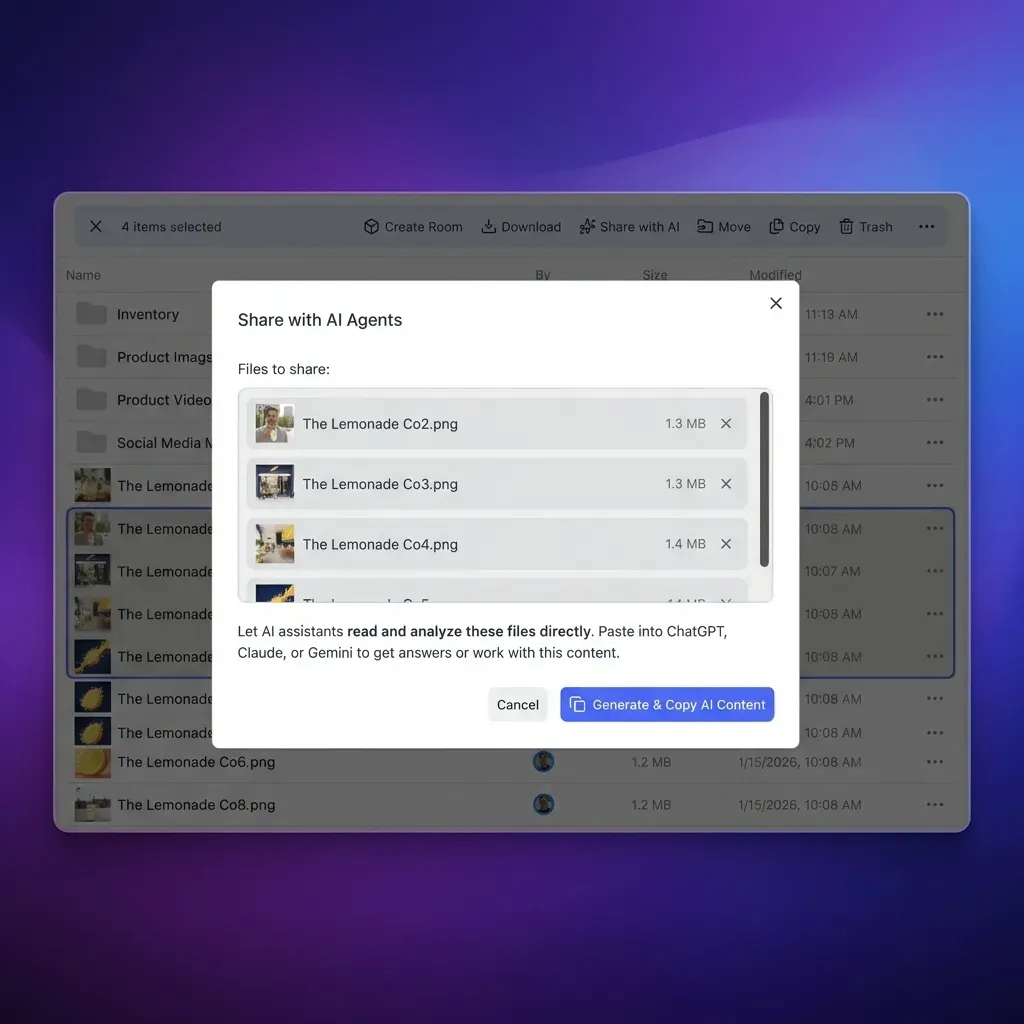
Fast.io delivers container-scoped context retrieval natively, combining persistent cloud storage, automated document indexing, and scoped agent access without requiring an external vector database.
Container-Based Permission Model
Fast.io permissions are set per organization, workspace, and share by member role. A workspace has no folder-level or file-level permissions; every member of the workspace reaches the whole workspace according to their assigned role. Workspace roles are owner, admin, member, guest, and view. Organization roles are owner, admin, and member. Ownership transfer lets an agent build an organization and hand it to a person with a claim link. An owner can also transfer an organization or a workspace directly to another member, and the previous owner becomes an admin.
Because there are no folder-level or file-level permissions inside a workspace, the retrieval boundary is clean and deterministic. Material that only specific individuals or agents may see lives in its own dedicated workspace or share.
Intelligence Mode and Native RAG Isolation
When Intelligence Mode is enabled on a workspace, Fast.io automatically indexes workspace files for hybrid search (combining full-text, semantic search, and metadata extraction).
Search and Intelligence answer strictly from the workspaces and shares the asking person or agent belongs to. A share's AI answers only from that share's files. The system returns answers accompanied by citations pointing to exact files, pages, and snippets, so each answer can be checked against its sources. Because retrieval runs only within the workspaces and shares the caller belongs to, answers do not draw on workspaces the caller is not a member of. Learn more about configuring intelligent storage on our workspaces product page and exploring AI capabilities.
Connecting Agents via the Remote MCP Server
Agents connect to Fast.io workspaces through its remote Model Context Protocol server over Streamable HTTP:
- Claude and general clients connect at
https://mcp.fast.io/mcp/tools. - ChatGPT and Codex custom servers connect at
https://mcp.fast.io/mcp/operations(the Fast.io plugin is preferred where available). - Coding agents (Claude Code, Cursor, Cline, Devin) connect at
https://mcp.fast.io/mcp/code. - Complete setup documentation and agent skill references are maintained at Fast.io MCP setup guide and Fast.io MCP skill reference. Developers building autonomous workflows can also review storage for agents.
Interactive clients sign in using OAuth in the browser. On the Review Permissions screen, the person signing in chooses Read Only or Read & Write and which organizations and workspaces the connection reaches. Headless agents connect using a scoped API key passed via the Authorization: Bearer <api key> header. API keys carry scopes and act with the permissions of the user who created them; they have no role of their own.
Crucially, when a client connects with Read Only permissions, the tools that change data are not offered, so the client has no write tool to call.
Cloud Sync and Permission Decoupling
Enterprise documents frequently originate in third-party storage. Cloud Sync connects Google Drive, Dropbox, Box, and OneDrive folders (including SharePoint libraries through the OneDrive connector) to a Fast.io workspace. Cloud Sync runs one-way or two-way, on a schedule or on demand, never continuous or real-time.
Files imported or synced through Cloud Sync take the Fast.io workspace's permissions, and the source drive's sharing settings do not carry over. What an agent or user can retrieve is decided entirely by Fast.io workspace membership, decoupling retrieval authorization from external permission sprawl.
Governance, Activity Logging, and Access Hygiene for Retrieval Agents
Operating a secure RAG pipeline requires continuous operational hygiene. Establishing clear policies for workspace creation, audit tracking, and agent credentials prevents access creep as teams scale.
Auditing through the Detailed Activity Log
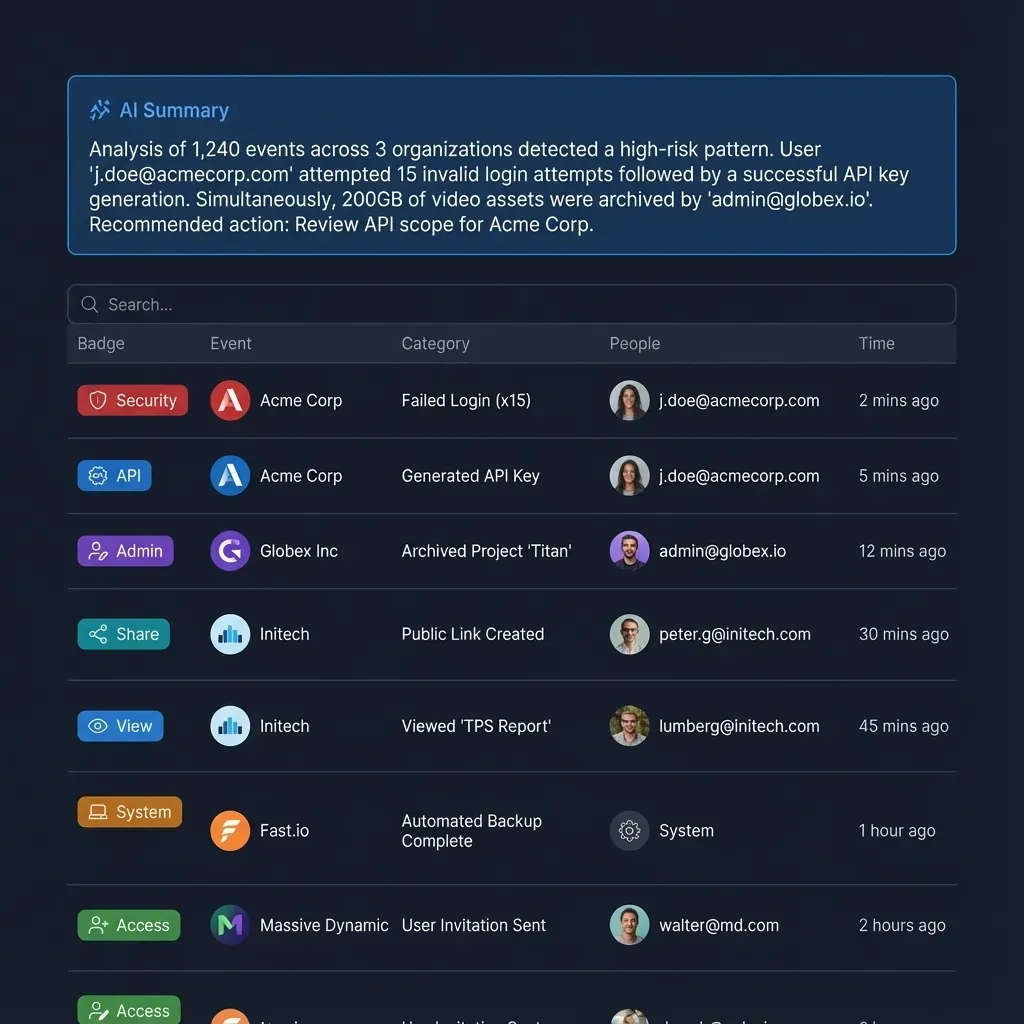
Fast.io maintains a detailed activity log that records modifications across the organization: file uploads, edits, moves, deletions, membership changes, permission adjustments, and share creation.
The activity log records changes, including who modified access and when, for both people and autonomous agents. It does not record read-only events such as views, previews, opens, or downloads. For security and engineering leads, the log provides a clear record of when workspace memberships were altered or new external shares were provisioned.
Managing Workspace Join Settings
By default, a workspace's join setting allows any member of the parent organization to join. When configuring a workspace for confidential RAG pipelines (such as executive strategy, compensation data, or legal matters), administrators must explicitly restrict the join setting upon creation. Restricting the join setting ensures that only named individuals and explicitly authorized agents can access the workspace and query its intelligence index.
Multi-Agent Coordination and Advisory File Locks
When multiple autonomous agents operate in the same workspace, advisory file leases prevent race conditions. Agents acquire and release file locks through MCP actions (lock-acquire and lock-release on storage_manage, and lock-status on storage). File locks expire automatically if not renewed, other workspace members can inspect who holds the lock, and concurrent writes are preserved in per-file version history.
Structured Extraction with Metadata Views
When pipelines require structured document data rather than unstructured text chunks, Metadata Views extract typed schema fields (Text, Integer, Decimal, Boolean, URL, JSON, Date & Time) directly from files into a queryable table. Agents query specific fields without scanning entire text corpora, minimizing context consumption and keeping data extraction precise. For broader team knowledge architecture, see our guide on building a company brain.
Frequently Asked Questions
What is retrieval authorization in generative AI?
Retrieval authorization in generative AI is the systematic verification of a requester's access rights before returning vector search chunks, document summaries, or grounded citations from a retrieval engine. It prevents language models from ingesting and synthesizing confidential documents that the querying user or agent has no permission to read.
How do you implement authorization in a RAG pipeline?
Implementing authorization in a RAG pipeline requires moving access controls to the retrieval layer rather than relying on language model prompts. This is achieved by verifying the requester's identity, resolving their authorized container boundaries (such as workspaces or scoped shares), and executing vector and keyword searches strictly within those containers.
How do you prevent RAG from surfacing confidential context?
Prevent RAG from surfacing confidential context by isolating documents into distinct, container-partitioned workspaces rather than indexing all company files into a single flat vector collection. When retrieval queries run solely against containers where the user or agent holds verified membership, unauthorized context cannot enter the prompt.
What is the difference between pre-filtering and post-filtering in RAG?
Pre-filtering applies access control rules or metadata filters to candidate documents before calculating vector similarity, ensuring unauthorized chunks are never evaluated. Post-filtering retrieves the top-k chunks across a global index and then removes unauthorized items. Post-filtering frequently causes context voids, where all top matches are discarded and the model receives insufficient context.
Does Cloud Sync inherit permissions from Google Drive or SharePoint?
Files synced into a Fast.io workspace through Cloud Sync from Google Drive, Dropbox, Box, or OneDrive (or SharePoint libraries via OneDrive) take the Fast.io workspace's permissions. The source drive's sharing settings do not carry over, meaning retrieval access is governed entirely by Fast.io workspace membership.
Why shouldn't you rely on LLM system prompts for RAG authorization?
LLM system prompts operate after retrieval has already placed sensitive text into the context window. Language models are probabilistic generative engines, not deterministic security boundaries. Through adversarial prompts, indirect prompt injection, or alternate formatting instructions, users and agents can extract raw context from the prompt regardless of system instructions.
Related Resources

Enforce RAG Authorization Across Your AI Workspaces
Deploy intelligent workspaces where RAG authorization is enforced by container boundaries. Connect agents over MCP with scoped permissions and automatic document indexing on a 14-day free trial.