Cloud Storage Indexing for LLMs: Architecture, Chunking & MCP Retrieval
Connecting large language models directly to raw cloud storage repositories causes prompt token exhaustion, high latency, and API throttling. Production RAG retrieval requires a dedicated indexing pipeline that syncs files from Google Drive, Dropbox, Box, or OneDrive, parses documents into semantic chunks, and builds hybrid search indexes. Exposing indexed workspaces through the Model Context Protocol gives agents fast, citation-backed answers without transferring full files.


Why Direct Cloud Storage Queries Fail for LLMs
Pointing an autonomous agent or language model at an unindexed commercial cloud storage folder fails the moment the directory exceeds a few dozen files. The failure is not the reasoning capacity of the model, but the architectural mismatch between recursive directory traversal over REST APIs and the constraints of LLM context windows.
When teams first connect LLMs to Google Drive, Dropbox, Box, or OneDrive, they typically rely on direct API connectors or basic tool wrappers. These connectors expose rudimentary file system primitives to the model: listing folders, getting file metadata, and downloading file contents. For simple lookups involving one known file path, direct tool calling works. As soon as the agent must answer broader questions across project archives, customer folders, or contract repositories, the workflow collapses into severe latency and operational instability.
Context Exhaustion and Latency from Unindexed Traversals
Consider what happens when an autonomous agent tries to locate specific contractual provisions across an enterprise account. Without a pre-built index, the agent must browse the file tree. It calls folder listing endpoints, parses JSON directory trees, evaluates candidate filenames, and downloads files one by one into memory.
Transferring unindexed multi-gigabyte cloud folders directly into LLM context windows causes severe token exhaustion and high latency. A standard commercial lease or vendor agreement consumes thousands of tokens when converted to plain text. If an agent inspects six candidate agreements to find a single indemnification clause, it consumes substantial context window capacity before it even begins generating an answer.
This unindexed transfer causes three immediate failures:
- Attention Degradation: Ingesting tens of thousands of tokens of irrelevant text causes attention dilution. LLMs often miss specific clauses buried in the middle of long documents, leading to incomplete answers or hallucinations.
- Inference Latency: Sequential file downloads over cloud storage APIs introduce massive network overhead. Downloading multiple binary files, running local text extraction, and submitting multi-turn prompts can take several minutes per question.
- Runaway Token Costs: Repeatedly feeding entire documents into the context window for every search query burns input tokens at unsustainable rates across production workflows.
Dynamic Rate Limits and Namespace Contention
Commercial cloud repositories are engineered for human interactive sessions and desktop sync clients, not programmatic bursts from autonomous AI agents. APIs like Google Drive API, Dropbox API v2, Box API, and Microsoft Graph enforce strict rate limits to protect infrastructure stability.
Dropbox API v2 applies dynamic per-app rate limits that throttle burst agent file scans with 429 status codes, returning a Retry-After header that specifies the wait duration. When an autonomous agent loops through directory trees, it makes dozens of rapid requests across listing and download endpoints. Once the request threshold is exceeded, the API throttles traffic. These rate limits are dynamic, adjusting in real time based on organization-wide traffic and platform load. Although responses often include a Retry-After header indicating how many seconds the agent must wait, naive agent loops that retry immediately will trigger extended penalty blocks.
Write operations encounter even harsher restrictions due to namespace lock contention. When multiple agents or subagent threads attempt to save summary briefs, extracted metadata, or audit notes into the same cloud folder, storage platforms lock the parent namespace to ensure data consistency. On Dropbox, concurrent folder writes trigger too_many_write_operations errors. On Microsoft Graph, concurrent writes to OneDrive or SharePoint libraries return HTTP 423 Locked or conflict errors. Fixed-interval retries worsen contention, causing agent execution loops to fail completely.
The Competitor Gap in Standard RAG Tutorials
Most retrieval-augmented generation tutorials assume a tidy local folder of text files on a developer machine, followed by a script that pushes vectors into a standalone database. This idealized setup ignores how commercial cloud repositories operate in the enterprise.
In production environments, corporate knowledge resides in Google Drive, Dropbox, Box, and OneDrive. These repositories are constantly updated by human team members. Files are added, renamed, moved, and revised throughout the day. Permissions change, proprietary binary formats predominate, and folders contain complex nested hierarchies. Building a production RAG pipeline requires solving cloud synchronization, delta tracking, document parsing, and standardized agent access before vector math ever enters the equation.
Related guides
- How to Build a Multi-Agent RAG System with Shared Workspace StorageMulti-agent architectures address the limitations of single-agent RAG systems by distributing tasks among specialized...
- Google Drive RAG: How to Build Retrieval-Augmented Generation Over Drive FilesGoogle Drive RAG is an architecture where AI agents retrieve relevant document chunks from Google Drive storage using...
- OpenAI File Storage vs Cloud Storage MCP: Architecture GuideOpenAI file storage provides built-in vector stores and file search for assistants, but copying enterprise documents...
- RAG Architecture: Storage Strategies for Document RetrievalRAG storage architecture encompasses the document store, vector database, and file management layer that power...
- Map Cloud Storage as a Network Drive: Architecture, Pitfalls & Modern SyncWhen teams map cloud storage as a network drive, they use filesystem emulation protocols to present remote object...
- OpenRouter Context Windows: Model Limits, Costs, and MCP Storage ArchitectureOpenRouter routes requests across hundreds of language models with context windows ranging from 4,096 tokens to more...
More on this subject: Agent Memory and Storage (310 guides)
The Four Core Stages of Cloud Storage Indexing Architecture
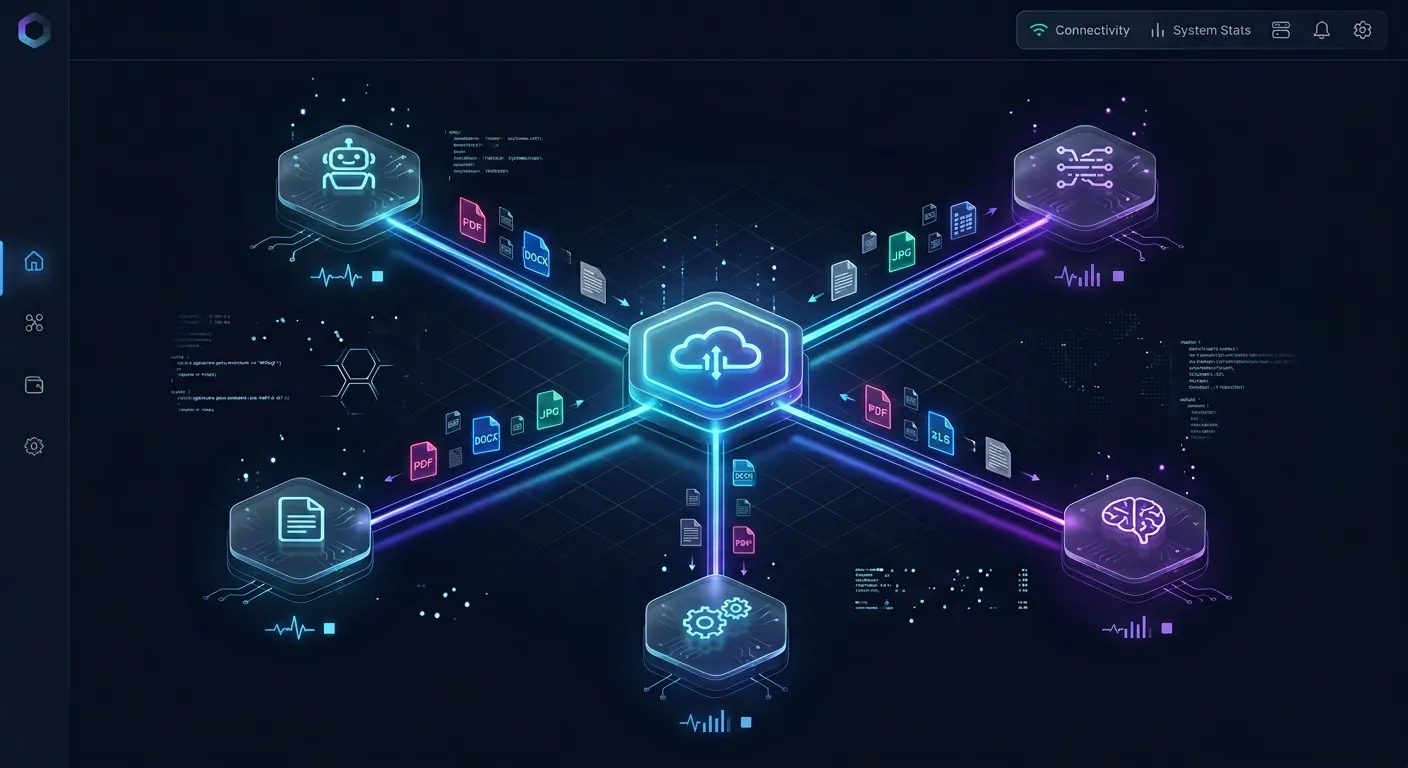
Cloud storage indexing for LLMs is the architectural process of parsing, chunking, and indexing documents stored in cloud repositories so AI models can search and cite relevant content via RAG or MCP without transferring full files. Rather than treating cloud storage as an external file system that models browse interactively, a modern retrieval pipeline decouples ingestion from model inference across four distinct stages.
+-----------------------------------------------------------------------------+
|                            Stage 1: Cloud Sync Ingestion                    |
|  Google Drive / Dropbox / Box / OneDrive ===> Scheduled / On-Demand Sync   |
+-----------------------------------------------------------------------------+
                                       |
                                       v
+-----------------------------------------------------------------------------+
|                       Stage 2: Parsing & Semantic Chunking                  |
|  Text Extraction | Layout Detection | Table Serialization | Smart Boundaries|
+-----------------------------------------------------------------------------+
                                       |
                                       v
+-----------------------------------------------------------------------------+
|                     Stage 3: Hybrid Lexical & Semantic Indexing             |
|   BM25 Inverted Index  +  Dense Vector Embeddings  +  Typed Metadata Views  |
+-----------------------------------------------------------------------------+
                                       |
                                       v
+-----------------------------------------------------------------------------+
|                        Stage 4: MCP Tool-Call Retrieval                     |
|  Claude Code / Cursor / Codex / Custom Agents <== Remote MCP (Search Action)|
+-----------------------------------------------------------------------------+
Stage 1: Cloud Sync Ingestion and Delta Tracking
The first stage bridges commercial cloud storage repositories with the indexing pipeline. Instead of having AI models connect directly to third-party storage APIs during prompt execution, a background synchronization engine pulls content into an organized workspace.
In Fastio, Cloud Sync connects Google Drive, Dropbox, Box, and OneDrive folders to a workspace. Synchronization runs one-way or two-way, on a schedule or on demand (SharePoint document libraries are accessed through the OneDrive connector). Running sync on a schedule or on demand isolates the primary cloud storage account from high-frequency agent traffic.
The sync engine uses provider delta APIs and change tokens to track modifications. When a user uploads a new contract in Google Drive or updates a spreadsheet in OneDrive, the sync engine detects the modification cursor and transfers only the altered file. This background ingestion eliminates API rate limits during agent runtime and guarantees that the retrieval index mirrors the current state of enterprise storage.
Stage 2: Document Parsing and Extraction Pipelines
Cloud storage repositories hold diverse, unstructured file formats. Before text can be indexed, binary files must pass through specialized parsing pipelines:
- Native Text Stream Extraction: Extracts clean character streams from digitally authored PDF, DOCX, and PPTX files while stripping non-printable control characters.
- Layout and Hierarchy Detection: Identifies structural elements including document titles, headings, bulleted lists, footnotes, and page numbers. Preserving heading hierarchy ensures that child text blocks maintain their parent context.
- Table Extraction and Normalization: Tabular data in spreadsheets or PDF reports requires structural preservation. The parser converts tables into markdown pipe tables or key-value schemas so that row-column associations remain intact during search.
- Optical Character Recognition (OCR): Processes scanned images, TIFF files, and non-selectable PDF pages to extract machine-readable text layers.
Stage 3: Lexical, Semantic, and Metadata Indexing
Once documents are parsed into clean text, the indexing engine generates multi-dimensional search structures:
- Sparse Lexical Index (BM25): Tokenizes text into word stems and calculates term frequency-inverse document frequency weights. Lexical indexing ensures exact matches for specialized terminology, product SKU numbers, person names, and legal section numbers.
- Dense Vector Index: Passes text chunks through an embedding model to generate high-dimensional vector representations. Dense embeddings capture semantic similarity, allowing queries to match conceptually related text even when the user uses different vocabulary.
- Structured Metadata Index: Extracts file-level attributes such as file path, last modified date, author, file size, and custom tags into relational fields. This allows agents to apply strict pre-filtering to candidate search spaces.
Stage 4: MCP Tool-Call Query Retrieval
The final stage exposes the indexed workspace to LLMs and autonomous agents through the Model Context Protocol (MCP). The model never interacts with raw vector databases or storage endpoints. Instead, it interacts with standardized tools served over Streamable HTTP.
When an agent needs information to answer a user prompt, it issues a structured tool call (such as the storage tool with action: "search"). The search engine executes a hybrid retrieval query, ranks the candidate chunks, and returns only the most relevant text passages along with document citations and version metadata. The agent synthesizes an accurate answer with exact source attribution while reading only a few hundred tokens of context.
Document Chunking and Extraction Strategies for Business Documents
Chunking is the bridge between raw document parsing and vector indexing. How you segment text determines whether an LLM receives coherent, actionable context or fragmented, misleading snippets. Business documents require specialized chunking strategies that respect semantic and structural boundaries.
Why Naive Fixed-Size Chunking Fails Business Workflows
Many introductory RAG implementations employ naive fixed-size chunking, splitting text strictly by character or token counts (for example, fixed chunks with an overlapping character window). While simple to code, fixed-size slicing causes severe structural failures in business documents:
- Severed Financial Tables: Splitting a balance sheet or pricing matrix halfway through separates numerical figures from their column headers. An LLM reviewing the resulting chunk cannot verify whether a number represents quarterly revenue, gross margin, or operating expenses.
- Fractured Legal Clauses: Legal contracts consist of general provisions followed by specific exceptions and liability caps. If a fixed-size chunk boundary splits an indemnification rule from its carve-outs, the LLM will generate advice that misstates the contract terms.
- Broken Code and Schema Blocks: Slicing through JSON configuration files or code snippets destroys syntactic validity, preventing models from interpreting structured settings.
Structural and Semantic Boundary Chunking
Production indexing pipelines use layout-aware and semantic chunking to preserve logical integrity across enterprise files:
- Heading-Aware Section Chunking: The parser uses document headings (H1, H2, H3) as natural split points. Each chunk corresponds to a complete topic, section, or policy clause. Heading paths are prepended to each chunk (for example,
Enterprise Agreement > Section 4: Payment Terms > 4.2 Late Penalties), ensuring the LLM understands the context of the excerpt. - Parent-Child Hierarchical Chunking: To balance search precision with generation context, the pipeline generates two tiers of chunks. Small child chunks are indexed for dense vector search, providing high sensitivity to specific queries. Each child chunk links to a larger parent chunk. When a child chunk matches a query, the retrieval engine passes the full parent chunk to the LLM, giving the model complete contextual grounding.
- Table Serialization: Rather than treating tables as continuous text, the parser converts each table into a markdown pipe table or serialized JSON rows. If a table spans multiple pages, the header row is duplicated at the start of each serialized chunk.
Structured Document Extraction with Metadata Views
Unstructured chunking works well for open-ended research, but operational workflows often require structured, tabular data extraction from business documents.
Fastio provides Metadata Views, which turn workspace documents into a live, queryable database. Users describe the fields they want extracted in natural language, and AI designs a typed schema across seven field types: Text, Integer, Decimal, Boolean, URL, JSON, and Date & Time.
+-----------------------------------------------------------------------------+
|                       Fastio Metadata Views Architecture                    |
+-----------------------------------------------------------------------------+
| Incoming Files: Contracts, Invoices, Receipts, Purchase Orders (PDF / Word) |
|                                      |                                      |
|                                      v                                      |
| Schema Definition: Typed Fields (Text, Integer, Decimal, Boolean, Date, URL)|
|                                      |                                      |
|                                      v                                      |
| AI Extraction: Automatically extracts values without manual OCR templates   |
|                                      |                                      |
|                                      v                                      |
| Queryable Surface: Filterable table queryable by agents and users via MCP   |
+-----------------------------------------------------------------------------+
Metadata Views operate without manual templates or rigid OCR rules. The system extracts data across PDFs, Word documents, spreadsheets, presentations, and scanned pages. When a team adds new schema columns, the engine extracts the new fields across existing files without re-uploading documents. AI agents can create Metadata Views, trigger extraction, and query extracted records via MCP, enabling models to perform structured SQL-like filtering alongside semantic search.


Connect your cloud repositories to indexed agent workspaces
Keep your existing files in Google Drive, Dropbox, Box, or OneDrive while giving AI agents hybrid search, structured metadata extraction, and versioned workspaces through MCP. Starts with a 14-day trial.
How Hybrid Search and MCP Tools Retrieve Cloud Documents
Relying solely on dense vector search for enterprise document retrieval introduces notable failure modes. While vector embeddings capture conceptual meaning, they often struggle with exact keyword lookups. A production cloud storage indexing architecture combines sparse lexical search, dense vector retrieval, and structured metadata filtering into a unified hybrid retrieval engine.
Why Dense Vector Embeddings Alone Are Insufficient
Dense vector embeddings map text into a continuous mathematical space where semantic proximity corresponds to conceptual similarity. This makes vector search effective for queries like "employee termination guidelines" or "confidentiality obligations."
However, vector embeddings struggle with precise alphanumeric lookups common in business operations:
- Alphanumeric Identifiers: Invoices, purchase orders, and tracking numbers have arbitrary token representations that do not map to meaningful semantic concepts in vector space.
- Component SKUs and Part Numbers: Part numbers often produce nearly identical embeddings despite describing different physical components.
- Exact Proper Nouns and Legal References: Searching for specific company names, litigation case numbers, or statutory references requires exact character matching. Vector search often returns conceptually similar entities instead of the exact target.
Implementing Hybrid Search with Reciprocal Rank Fusion
To resolve this limitation, hybrid search combines sparse lexical retrieval (BM25) with dense vector search using Reciprocal Rank Fusion (RRF).
BM25 scores documents based on exact term frequencies and rarity across the collection, ensuring that unique part numbers and proper nouns score highly. Dense vector search identifies semantically related text even when different wording is used.
Reciprocal Rank Fusion merges these two ranked result lists into a single unified score:
RRF_Score(d) = (1 / (60 + Rank_BM25(d))) + (1 / (60 + Rank_Vector(d)))
In this formula, Rank(d) represents the 1-based ordinal position of document d in each search result set, and 60 is a standard smoothing constant. Documents that appear near the top of both keyword and semantic lists achieve the highest combined scores. When coupled with metadata filters (such as filtering by workspace, folder path, or creation date), hybrid search delivers pinpoint retrieval accuracy across massive cloud archives.
The Model Context Protocol Interface for Retrieval
The Model Context Protocol (MCP) provides an open standard for connecting LLMs to external tools and data stores. Fastio hosts a remote MCP server over Streamable HTTP, giving agents access to workspace storage and indexing tools without requiring local daemon installations or custom REST clients.
Clients connect to dedicated Streamable HTTP endpoints based on their operational profile:
- Claude and General Agent Runtimes: Claude web, desktop, and mobile applications, as well as general runtimes like OpenClaw and Hermes Agent, connect to
https://mcp.fast.io/mcp/tools. - Coding Agents: Terminal and IDE agents, including Claude Code, Cursor, Cline, Devin Desktop, and VS Code Copilot agent mode, connect to
https://mcp.fast.io/mcp/code. - ChatGPT and Codex: Connect via the Fastio plugin in the plugin directory, or configure a custom MCP connection to
https://mcp.fast.io/mcp/operations.
Below is an example of an MCP tool call executed by an agent searching an indexed cloud workspace:
{
  "jsonrpc": "2.0",
  "id": "search-req-104",
  "method": "tools/call",
  "params": {
    "name": "storage",
    "arguments": {
      "action": "search",
      "search": "indemnification liabilities and intellectual property carve-outs",
      "folders_scope": ["Contracts/2026/Enterprise"]
    }
  }
}
The MCP server executes the hybrid search across pre-indexed chunks and returns structured results directly into the agent conversation stream:
{
  "jsonrpc": "2.0",
  "id": "search-req-104",
  "result": {
    "content": [
      {
        "type": "text",
        "file": "Contracts/2026/Enterprise/Acme_MSA_v2.pdf",
        "version": 4,
        "relevance": 0.94,
        "text": "Section 8.3 (IP Indemnification): Supplier shall defend, indemnify, and hold harmless Customer against third-party claims alleging infringement of registered intellectual property rights."
      }
    ]
  }
}
The agent incorporates the verified excerpt and file metadata into its response, delivering factual answers with explicit citations while consuming only the tokens required for the relevant excerpt.
How Fastio Workspace Sync Compares to Native API Connectors
Engineering teams evaluating cloud storage retrieval face a fundamental architectural choice: connect AI agents directly to storage providers through native API connectors, or decouple storage from execution using an indexed workspace synchronization layer.
Comparing Direct API Connectors to Decoupled Workspace Sync
Direct connectors, such as native cloud connectors in Claude Cowork, allow models to interact with Dropbox, Google Drive, Box, or OneDrive by issuing API requests directly against provider endpoints. While this approach avoids standing up intermediary storage, it forces the AI model to perform file system navigation during the active user session. Every folder listing and document download draws against provider API quotas, incurs latency, and consumes prompt tokens.
The decoupled architecture used by Fastio separates persistent storage from agent execution. Your team retains Google Drive, Dropbox, Box, or OneDrive as the primary system of record. Cloud Sync connects those repositories to an organization-owned Fastio workspace, one-way or two-way, on a schedule or on demand (SharePoint document libraries connect through the OneDrive connector).
+-----------------------------------------------------------------------------+
|                      Decoupled Workspace Architecture                       |
+-----------------------------------------------------------------------------+
|  Primary Storage: Google Drive / Dropbox / Box / OneDrive / SharePoint     |
|                                     |                                       |
|             Cloud Sync (One-Way or Two-Way, Scheduled or On-Demand)        |
|                                     v                                       |
|  Fastio Intelligent Workspace (Org-Owned, Pre-Indexed, Hybrid Search)       |
|                                     |                                       |
|                     Remote MCP Server (Streamable HTTP)                     |
|                                     v                                       |
|  AI Agents: Claude Code, Cursor, Codex, ChatGPT, Custom Frameworks          |
+-----------------------------------------------------------------------------+
Once files arrive in the workspace, Intelligence Mode automatically indexes their contents for full-text, semantic, and metadata search. When an agent queries the repository, it executes a fast hybrid search against the pre-computed index via MCP, retrieving only the relevant text passages and citations.
Measured Retrieval Performance and Cost Efficiency
In head-to-head testing across cloud storage connectors, Fastio was measured the fastest and lowest cost of the providers tested (see the published benchmark report).
Because documents are pre-indexed in the workspace, agents bypass recursive directory traversals and multi-megabyte file downloads. By pulling only concise, ranked excerpts and citations through MCP, the agent minimizes prompt token consumption, reduces execution latency, and eliminates provider API throttling.
Multi-Agent Coordination and Persistence Controls
Real-world deployments frequently involve multiple AI agents and human teammates collaborating in shared repositories. Fastio provides specific coordination controls to prevent conflicts and maintain operational integrity:
- Advisory File Leases: Agents can acquire, heartbeat, and release advisory file locks using the
lock-acquireandlock-releaseactions on thestorage_managetool, and check lock status usinglock-statuson thestoragetool. These leases signal active editing tasks to other agents and humans without blocking writes. Concurrent writes both land safely, and per-file version history preserves every revision. - Per-File Version History: Every update creates a distinct version. If an agent produces a malformed file or overwrites critical content, team members can review differences and restore previous versions.
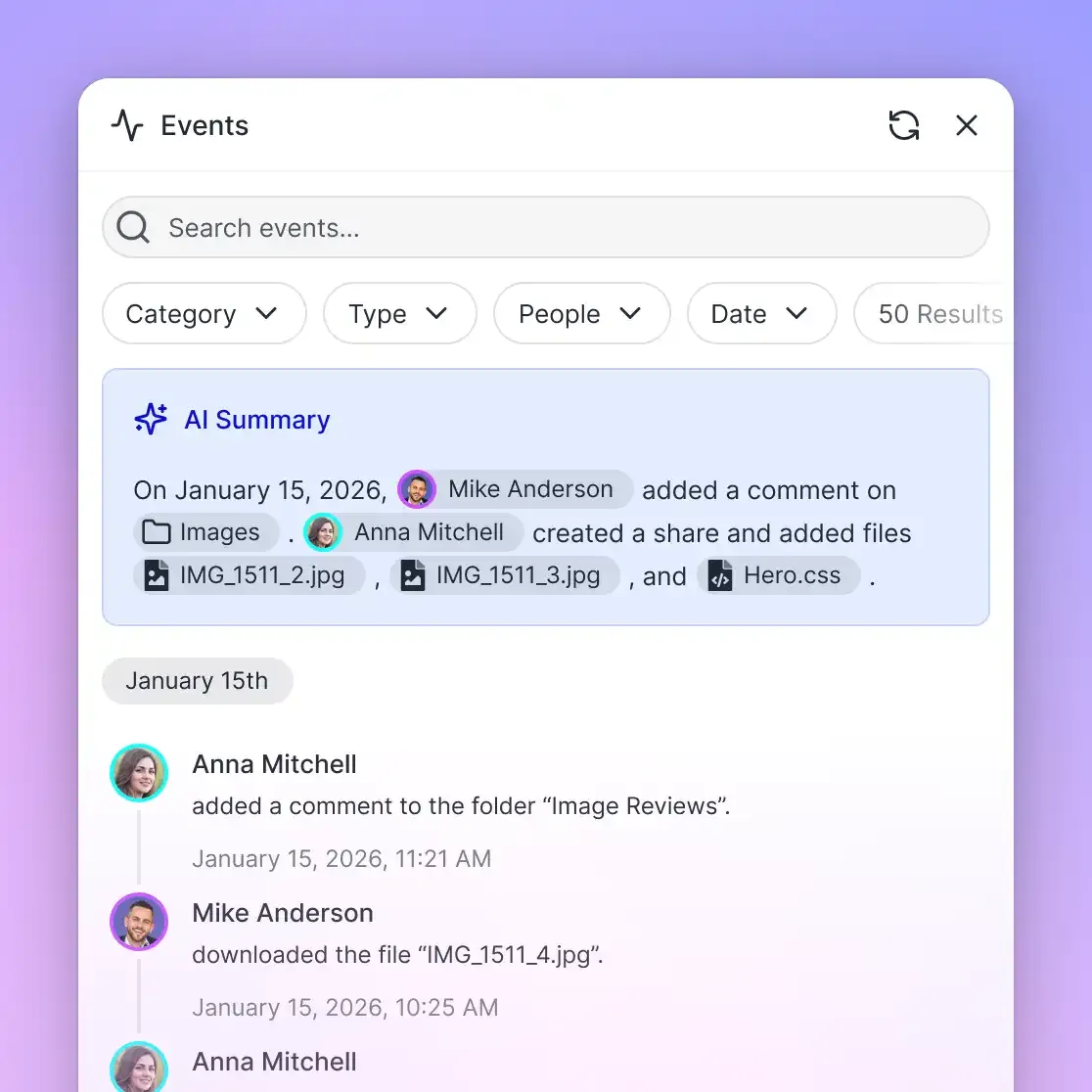
- Detailed Activity Log: A detailed activity log records workspace modifications, including uploads, edits, file moves, deletions, membership updates, and share creation across humans and agents alike.
- Granular Role-Based Permissions: Permissions are configured per organization, workspace, and share. Every workspace member accesses content according to their assigned role, preventing unauthorized access across team boundaries.
- Collaborative Notes: Notes stored beside files provide shared workspace instructions, project briefs, and task notes that both human users and AI agents can read and update.
- Integrated E-Signature: Documents generated by agents can be sent directly for signature (e-signature). Teams can configure sequential or parallel signers with optional one-time passcodes. Once completed, a tamper-evident audit certificate is generated, and the executed agreement is filed back into the workspace automatically.
Monthly plans start with a 14-day free trial that requires a credit card and ends early if trial credits run out. Plans are Starter at $9.99/mo (3 seats, 250 GB, 5 workspaces, 100,000 credits a month), Business at $49.99/mo (10 seats, 5 TB, 50 workspaces, 600,000 credits a month), and Enterprise at $199.99/mo (30 seats included, more at $1 a seat up to 200, 25 TB, 200 workspaces, 3,000,000 credits a month). Annual plan billing is $99, $499, and $1,999 a year. Extra storage is 1.5 cents per GB a month and extra bandwidth 4 cents per GB. Credits meter AI work, and overage is $10 per 100,000 credits.
Sources
References used to verify factual claims in this guide.
-
Dropbox API v2 applies dynamic per-app rate limits that throttle burst agent file scans with 429 status codes, returning a Retry-After header that specifies the wait duration.
Frequently Asked Questions
How do LLMs search large cloud storage folders efficiently?
Large language models search large cloud storage folders efficiently by decoupling file ingestion from retrieval. Rather than having the model recursively browse directory trees and download raw files during a chat session, a background indexing engine syncs files into a workspace, parses documents into semantic chunks, and builds hybrid search indexes. The model then queries the pre-indexed repository through tool calls, retrieving only the relevant text excerpts with source citations.
What is the difference between direct cloud storage connectors and indexed RAG retrieval?
Direct cloud storage connectors act as live API proxies that translate model actions into immediate folder listing and file download calls. This approach forces the model to ingest entire files into prompt context, leading to token exhaustion, high latency, and API rate limits. Indexed RAG retrieval parses, chunks, and indexes files in the background, allowing models to perform hybrid keyword and semantic searches that return small, focused passages rather than full documents.
How does MCP enable LLMs to query indexed cloud storage?
The Model Context Protocol (MCP) provides an open standard for LLMs and autonomous agents to connect to external systems. An MCP server connects to indexed cloud storage over Streamable HTTP and exposes search and retrieval tools. When an agent requires context, it invokes an MCP search tool with specific query strings and folder filters. The server runs hybrid retrieval across the pre-indexed workspace and returns ranked text snippets, metadata, and document citations directly into the model context.
Does Fastio sync with Google Drive?
Yes. Fastio Cloud Sync connects Google Drive, Dropbox, Box, and OneDrive folders to a workspace. Synchronization can be configured one-way or two-way, and runs on a schedule or on demand. Once connected, files in your Google Drive folders are automatically indexed for hybrid search, structured metadata extraction, and agent retrieval via MCP.
How does hybrid search combine keyword matching and semantic embeddings for cloud documents?
Hybrid search combines sparse lexical matching (such as BM25) and dense vector embeddings using ranking algorithms like Reciprocal Rank Fusion (RRF). Lexical search captures exact terms, alphanumeric identifiers, part numbers, and contract codes, while vector search captures conceptual meaning and contextual synonyms. Merging the ranked results ensures high precision for both specific factual lookups and broad conceptual queries.
How does Cloud Sync handle updates without triggering cloud storage rate limits?
Cloud Sync minimizes API overhead by executing scheduled or on-demand batch sync operations rather than streaming rapid, unbatched API calls during agent reasoning loops. It tracks changes using provider cursors and delta endpoints, transferring only modified or newly created files. By performing ingestion in the background, Cloud Sync shields agent workflows from dynamic provider rate limits and namespace write lock contention.
Related Resources

Connect your cloud repositories to indexed agent workspaces
Keep your existing files in Google Drive, Dropbox, Box, or OneDrive while giving AI agents hybrid search, structured metadata extraction, and versioned workspaces through MCP. Starts with a 14-day trial.