How to Build a Company Brain for Finance Teams: Security, Isolation, and AI Retrieval
A company brain for finance teams centralizes accounting policies, vendor agreements, audit files, and financial models in an indexed workspace where people and AI query records with citations. Traditional cloud drives depend on folder sharing that is easy to get wrong, and finance work often spans several apps. Dedicated workspaces with restricted join settings and typed metadata extraction keep confidential records separate and easy to retrieve.


Why Finance Teams Need an Isolated Company Brain
A survey by Gartner found that 47% of digital workers struggle to find information or data needed to effectively perform their jobs. In corporate finance organizations, that information friction compounds across period-end closes, vendor contract renegotiations, and annual external audits. Financial controllers, FP&A analysts, and connected AI agents search across fragmented environments, including disconnected cloud drives, personal email inboxes, local desktop downloads, and shared network volumes. Locating an executed master service agreement or verifying an amortization schedule often requires manual searches through complex directory trees.
The root cause of this breakdown is structural. Traditional cloud storage acts as a digital filing cabinet. It stores spreadsheets, presentation decks, and PDF contracts, and some drives add AI assistants, but the evidence for one question is often spread across several drives and inboxes. Standard keyword search queries frequently fail when searching across multi-tab financial models, scanned receipts, or complex legal agreements with non-standard phrasing. When team members attempt to use generic consumer AI chatbots, they must manually locate relevant files, copy and paste excerpts into chat windows, and risk exposing confidential operational figures to external model training.
A company brain for finance teams is a strictly permissioned workspace where accounting policies, vendor agreements, audit files, and budget models are indexed for natural language inquiry and closed to general organization members once its join setting is restricted.
An intelligent company brain operates on fundamentally different mechanics. An AI workspace for finance documents indexes files on arrival for keyword and meaning-based search. Both human finance professionals and connected AI agents work from the identical source of truth, asking natural language questions and receiving answers grounded in document citations. Whether preparing for an interim audit testing cycle or reviewing vendor payment terms, the finance team queries authoritative records directly.
Consolidating core financial records into an indexed workspace closes the gaps between accounting, strategic finance, procurement, and external audit teams. Every participant works with verified documentation, reducing the cycle time required to answer questions from executive leadership or external stakeholders.

Related guides
- How to Build a Company Brain for Customer Success TeamsA company brain for customer success unifies client contracts, onboarding records, and product documentation into an...
- How to Build a Company Brain for Legal Teams: In-House Knowledge ManagementA company brain for legal teams centralizes executed agreements, standard clause playbooks, and corporate compliance...
- How to Build a Company Brain for Technical Support TeamsA company brain for technical support centralizes verified runbooks, diagnostic guides, and engineering escalations in...
- Building a Company Brain for Marketing Teams: Brand Assets, Messaging, and AI GroundingA company brain for marketing teams unifies brand guidelines, messaging frameworks, customer evidence, and competitor...
- How to Design a Company Brain Metadata Schema for AI Search and RetrievalA company brain metadata schema provides the organizational framework AI agents and humans need to locate documents,...
- How to Build a Company Brain Workflow for Board ReportingA board reporting company brain workflow centralizes financial models, department scorecards, and strategy memos in a...
More on this subject: Agent Memory and Storage (335 guides)
What Assets Belong in a Finance Knowledge Base
Establishing a reliable company brain finance repository requires organizing foundational records into clear operational categories. Dumping uncurated spreadsheets and draft memos into a single folder creates noise for retrieval systems and slows down team analysis. A structured layout allows semantic search algorithms and AI agents to locate specific clauses and numbers without confusion.
A comprehensive finance company brain centers on five primary document classes:
- Accounting Policies and Revenue Recognition Memos: Official documentation defining revenue recognition rules, capitalization thresholds, GAAP or IFRS technical positions, depreciation schedules, and expense authorization policies.
- Vendor Master Agreements and Procurement Contracts: Master services agreements, statements of work, vendor rate cards, payment terms, early payment discount schedules, and renewal notice windows.
- Financial Models, Budget Forecasts, and Board Materials: Annual operating plans, rolling forecasts, variance analysis workpapers, capitalization tables, debt schedules, and executive board reporting decks.
- Audit Schedules and PBC (Prepared by Client) Workpapers: Prior-year audit workpapers, tie-out schedules, tax filings, transfer pricing documentation, and internal control checklists.
- Treasury and Banking Authorizations: Banking signatory records, corporate resolutions, credit facility agreements, and loan covenant compliance certificates.
Structuring Documents with Metadata Views
Raw financial records often contain structured figures buried inside dense text, scanned tables, or multi-page PDF agreements. Finding every vendor contract with net 60 payment terms or identifying software subscriptions with automatic renewal clauses previously required paralegals or financial analysts to inspect each document individually.
Fast.io solves this document extraction problem through Metadata Views. Metadata Views turn unstructured documents into a live, queryable database. Rather than relying on rigid OCR templates or manual data entry, users define the required fields using natural language. The system builds a typed schema supporting Text, Integer, Decimal, Boolean, URL, JSON, and Date & Time formats, extracts values directly from workspace files, and populates a filterable spreadsheet view.
In a finance workspace, a team can run a Metadata View across vendor agreements to automatically extract Counterparty, Effective Date, Expiration Date, Total Contract Value, Payment Terms, and Renewal Notice Window into distinct columns. Finance controllers can filter for agreements expiring soon or sort by payment terms to optimize cash disbursements. Connected AI agents can query the same extracted values with metadata action=search over the Model Context Protocol (MCP), without parsing the underlying PDFs.
Maintaining Operational Context with Collaborative Notes
Financial processes and accounting interpretations evolve. Recording internal accounting guidelines in static PDFs often results in teams referencing superseded guidance during close cycles.
Fast.io provides Collaborative Notes that sit directly beside files in the workspace. Notes use standard markdown formatting and are indexed automatically for semantic search. They co-edit live, allowing people and agents to see each other's labeled cursors and edits as they type. Controllers and analysts keep period-end close checklists, reconciliation memos, and audit PBC tracking notes beside the supporting files, keeping commentary and source evidence linked together in one view.
Security Rules for Confidential Financial Workspaces
Corporate financial documents require strict isolation. Financial records contain sensitive data, including payroll registers, executive compensation, valuation models, and confidential banking details. Traditional cloud storage often relies on nested folder permissions that can break when files are moved or when inherited sharing settings cascade downward.
Finance teams building an intelligent company brain must adhere to three core security rules:
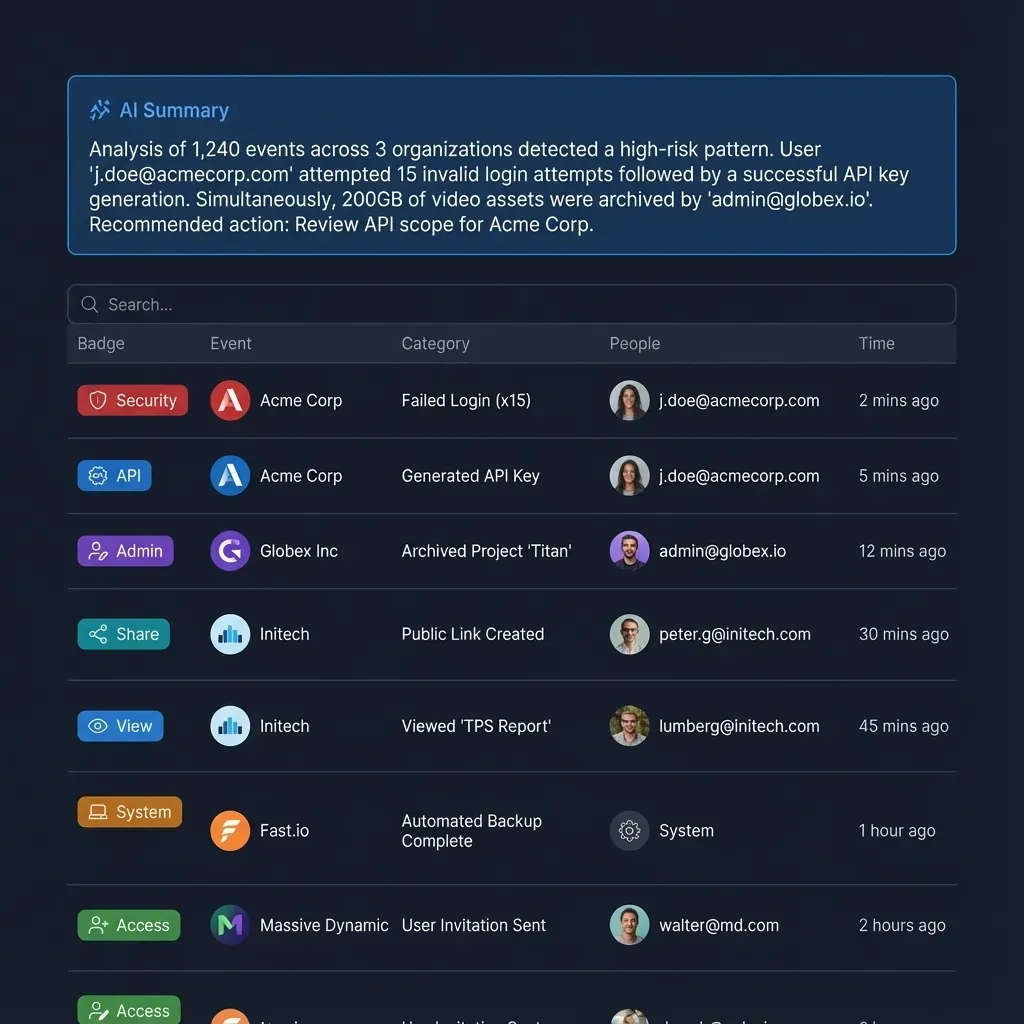
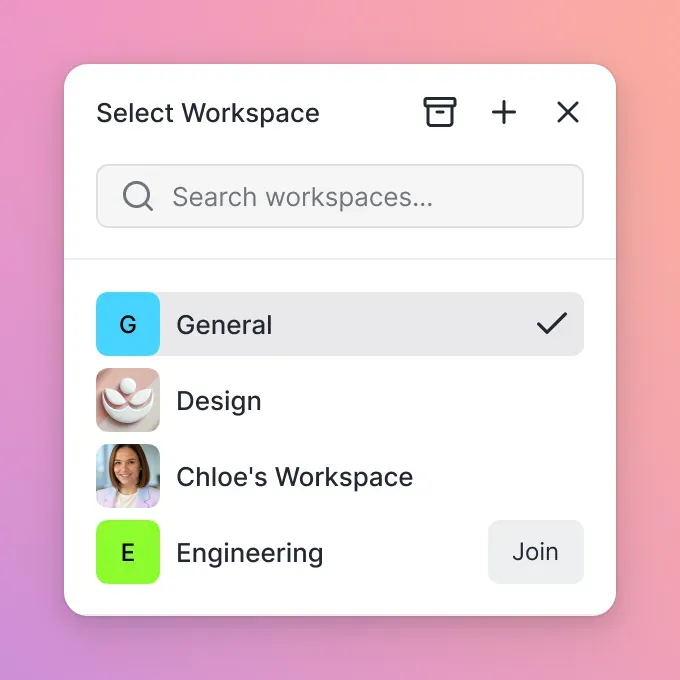
- Restrict workspace join permissions: Fast.io workspaces default to open join settings, allowing any organization member to discover and enter the workspace. For finance teams, administrators must restrict the join setting so that membership requires explicit invitation.
- Isolate sensitive records in dedicated workspaces: Fast.io sets permissions per organization, workspace, and share through member roles (owner, admin, member, guest, view). There are no folder-level or file-level permissions within a workspace. Material that only designated staff may inspect, such as executive compensation or acquisition models, must live in its own separate workspace.
- Use activity logs to track modifications: The detailed activity log maintains a clear record of storage changes and administrative actions, including uploads, edits, file moves, deletions, membership updates, and share creation. Reviewing these events helps controllers track when audit workpapers or financial models are updated and who made the change.
Cloud Sync and Permission Boundaries
Many finance organizations keep historical files in corporate repositories like Microsoft OneDrive or Google Drive. Fast.io provides Cloud Sync to connect Google Drive, Dropbox, Box, and OneDrive folders directly to a workspace. Synchronization operates one-way or two-way, on a defined schedule or on demand, never continuous, live, or real-time. Document libraries from SharePoint are also supported through the OneDrive connector.
A critical security rule governs synchronization: files imported or synced from an external cloud drive adopt the Fast.io workspace permissions, not the sharing settings of the source drive. If a folder on OneDrive had broad sharing permissions across the company, syncing it into a restricted Fast.io finance workspace isolates those files immediately. Only members explicitly invited to the Fast.io workspace can view or query the synced records.
Sharing Financial Files with External Auditors and Tax Advisors
During year-end audits and tax preparation, finance teams must deliver large volumes of supporting schedules to external accounting firms. Instead of emailing unencrypted spreadsheets or creating broad shared drive folders, finance teams create branded Shares (Send, Receive, or Exchange).
A Share can be configured with password protection, strict expiration dates, and disabled file downloads. External auditors open the share link directly in their browser without creating an account or consuming an organization seat on your plan. For sensitive documents like representation letters, engagement agreements, or board consents, finance teams use built-in e-signature capabilities. Documents can be routed to signers in sequential or parallel order, with optional one-time passcodes, a tamper-evident audit certificate, and the signed copy filed back into the workspace.


Build a Secure Company Brain for Your Finance Team
Consolidate accounting policies, vendor agreements, and audit files in a strictly permissioned workspace where people and AI query source documents with citations. Monthly plans start with a 14-day trial.
Querying Financial Records with AI Agents via MCP
An intelligent company brain bridges human analysts and autonomous AI agents. Rather than relying on manual file lookups, financial analysts can connect tools like Claude, ChatGPT, or custom Python agents directly to their financial document repository using the Model Context Protocol (MCP).
Fast.io hosts a remote MCP server using Streamable HTTP. Clients connect directly to dedicated endpoints based on their operational model:
- For Claude (desktop, web, mobile) and personal agent runtimes:
https://mcp.fast.io/mcp/tools - For ChatGPT and OpenAI Codex: install the Fastio plugin (the preferred setup), or add a custom server at
https://mcp.fast.io/mcp/operations - For coding agents such as Claude Code, Cursor, or Cline:
https://mcp.fast.io/mcp/code
Setup instructions for all clients are available at https://mcp.fast.io/docs.
Intelligence Mode and Built-in RAG with Source Citations
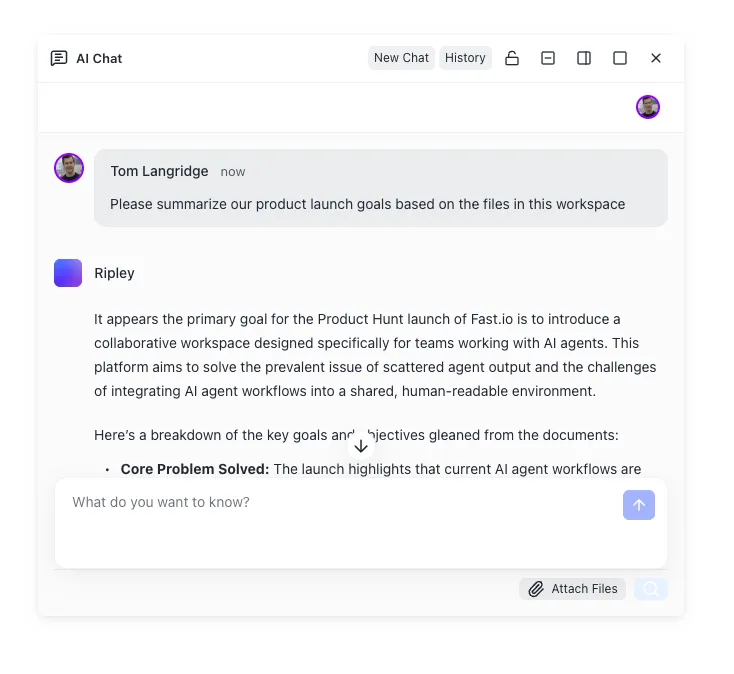
When Intelligence Mode is enabled on a finance workspace, all uploaded contracts, spreadsheets, and memos are indexed automatically for hybrid search, combining keyword matching with semantic retrieval. When an analyst or agent submits a query, Fast.io returns answers backed by source citations. Each answer cites the file name, the page where one applies, and the text excerpt used.
This citation mechanism makes financial answers checkable. If a financial analyst asks about early termination penalties in a software contract, the AI assistant returns the exact clause and links directly to the executed agreement in the workspace.
<!-- Prompting an AI agent connected to a finance company brain -->
Query the finance workspace for all vendor agreements in the "IT-Software" directory.
Extract the counterparty name, annual contract value, payment terms, and notice period required for termination without cause.
Check for auto-renewal clauses that trigger within 60 days of fiscal year end.
Provide a markdown table summarizing findings and cite the document name and page number for each record.
Advisory File Locks for Concurrent Multi-Agent Workflows
During intensive financial closes, multiple agents or human analysts may interact with the same workspace. Fast.io provides advisory per-file locks accessible via MCP actions (lock-acquire and lock-release on the storage_manage tool, and lock-status on the storage tool). An advisory lock signals to other team members and connected agents that an analyst is actively revising a model or reconciling a ledger, so others can coordinate their updates. Because advisory locks never block writes, Fast.io's per-file version history keeps every save.
Implementation Architecture, Setup, and Workspace Economics
When planning a finance team knowledge base, finance leaders typically evaluate four architectural patterns. Comparing them highlights why dedicated intelligent workspaces are uniquely suited for confidential financial workflows:
Step-by-Step Finance Workspace Setup
- Create an Isolated Finance Workspace: Log in to Fast.io, create a workspace dedicated to finance, and immediately restrict the workspace join setting to named members only.
- Organize Core Directories: Establish root folders for Accounting Policies, Vendor Contracts, Financial Models, and Audit Workpapers.
- Ingest Existing Records: Use Cloud Sync to schedule imports from OneDrive, SharePoint, or Google Drive, or run URL imports for specific archives without local file transfers.
- Build Metadata Views: Configure views on contract and invoice folders. Define typed fields for Counterparty, Contract Value, Payment Terms, and Expiration Date.
- Connect AI Assistants via MCP: Configure Claude or ChatGPT with the remote MCP endpoints, allowing team members to query policies and analyze contracts directly from their AI chat clients.
Workspace Subscription Tiers and Capacity
Fast.io organizes plans into three transparent tiers. Creating an account is free; doing real work requires an organization on a paid subscription. Monthly plans start with a 14-day free trial, which requires a credit card.
Credits cover AI work: chat, file ingestion, agent runs, and document processing. Storage, bandwidth, and seats are included in each plan tier. Storage beyond the plan is $0.015 per GB a month and extra bandwidth $0.04 per GB, billed separately and not in credits. Seats apply solely to organization members; external auditors and consultants accessing files through branded Shares do not consume a seat.
Centralizing your accounting policies, vendor agreements, and financial models into an intelligent Fast.io workspace gives your team and connected AI assistants an authoritative, strictly isolated source of financial truth.
Sources
References used to verify factual claims in this guide.
-
A survey by Gartner found that 47% of digital workers struggle to find information or data needed to effectively perform their jobs.
Frequently Asked Questions
How do finance teams keep sensitive documents private in an AI company brain?
Finance teams maintain privacy by establishing dedicated workspaces with restricted join settings. In Fast.io, permissions are assigned per organization, workspace, and share through member roles. Because there are no folder-level or file-level permissions within a workspace, confidential materials such as payroll registers, capitalization tables, or acquisition models are isolated into separate workspaces accessible only to authorized finance personnel. AI agents connecting via Model Context Protocol (MCP) only retrieve data from the workspaces and shares the connecting account belongs to.
Can finance teams query vendor contracts for payment terms using AI?
Yes. Finance teams can query contracts using natural language through Fast.io Intelligence Mode or extract terms automatically using Metadata Views. By defining fields like Counterparty, Payment Terms, and Due Date, Metadata Views parse PDFs and Word documents into a filterable database. Analysts and connected AI agents can ask specific questions such as which agreements have net 60 terms or early payment discounts, receiving exact citations referencing the contract name and page number.
How do permissions work when importing spreadsheets and PDFs from OneDrive into a finance workspace?
Files synced or imported from Microsoft OneDrive, SharePoint, Google Drive, Box, or Dropbox take on the permissions of the destination Fast.io workspace, completely overriding the sharing settings of the source cloud drive. This prevents permission creep, ensuring that files previously accessible across broad company folders on OneDrive become strictly restricted to designated finance workspace members once imported.
What happens when an external auditor needs access to financial files?
Finance teams can create purpose-built Shares (Send, Receive, or Exchange) to provide external auditors with temporary access to specific audit folders or PBC schedules. Shares support password protection, expiration dates, and disabled file downloads. External auditors access files directly in a web browser without creating an account or consuming an organization seat on your plan.
How does Fast.io track modifications and audit trails across financial records?
Fast.io maintains a detailed activity log that records storage changes and administrative events, including uploads, edits, moves, deletions, membership changes, and share creation. The activity log tracks the timestamp and identity of the user or agent making each change. Fast.io also preserves full per-file version history, allowing controllers to review prior revisions or restore previous versions of spreadsheets and models at any time.
Does Fast.io sync with Google Drive, OneDrive, and SharePoint?
Yes. Cloud Sync connects Google Drive, Dropbox, Box, and OneDrive folders to a workspace. Synchronization runs one-way or two-way, on a schedule or on demand, never continuous, live, or real-time. SharePoint document libraries are accessible through the OneDrive connector. A folder can also be brought in once with Cloud Import, and URL import pulls a file from a public URL, without transferring data through a local machine.
What is the difference between Intelligence Mode and Metadata Views in a finance context?
Intelligence Mode provides conversational search, summarization, and RAG retrieval across workspace documents, delivering natural language answers backed by file and page citations. Metadata Views provide structured data extraction, turning collections of contracts, receipts, or invoices into a filterable, sortable spreadsheet with typed columns like text, dates, and numbers. Teams often use Metadata Views for contract portfolio analysis and Intelligence Mode for freeform inquiries.
Related Resources

Build a Secure Company Brain for Your Finance Team
Consolidate accounting policies, vendor agreements, and audit files in a strictly permissioned workspace where people and AI query source documents with citations. Monthly plans start with a 14-day trial.