Now in Grok Bot
Use Fastio in Grok Bot
Add the Fastio plugin and your Bots get a shared Fastio workspace. They store files, answer from your documents with citations, and share work with your clients.
Opens the Fastio listing on x.ai.

Fastio for Grok Bot
by Fastio
Fastio workspaces for agents and the people they work with: files, shares, comments, metadata and AI search through the Fastio MCP server, plus the agent guide as a skill.
Published by Fastio on the Cursor Marketplace (opens in a new tab). By clicking “Add to Grok Bot”, you accept the terms.
Add to Grok Bot (opens the Fastio listing in a new tab)Don't have Grok Bot? Download Grok Bot (opens in a new tab)
Add it in three steps
Grok Bot adds plugins from the Cursor Marketplace. Fastio's is one of them.
-
Step 1: Open the Fastio listing
The listing for Grok Bot is on x.ai. It shows the Fastio plugin and an Add to Grok Bot button.
Open the listing (opens in a new tab) -
Step 2: Select Add to Grok Bot
The plugin brings two things to your Bots: the Fastio MCP server and the Fastio agent guide, a skill that tells a Bot how to use it.
-
Step 3: Give a Bot a Fastio task
Message a Bot with something to do in Fastio. The first time it uses Fastio, it asks you to sign in to Fastio.
Grok Bot is in beta on desktop (macOS and Windows) and iOS. Get Grok Bot (opens in a new tab)
Try these with a Bot
Once the plugin is added, message a Bot like a teammate. Use your own workspace, file and client names.
- Writer Bot Edits the launch plan with the file locked
- Research Bot Finds answers in your documents
- Ops Bot Shares work with clients and hands it off
Create a Fastio workspace called Q4 Launch and upload the drafts you made today. Search my Legal workspace in Fastio for the Acme MSA and tell me the termination notice period. Quote the passage. Lock Launch-plan.docx in Fastio while you edit it, then leave a comment that sums up your changes. Create a branded Fastio share for the Northwind Deliverables folder and give me the link. Set up a Fastio Receive share where Northwind can upload their brand assets. What your Bots can do with Fastio
Your Bots share one cloud computer. A Fastio workspace is shared with the people the work is for: your team and your clients.
Shared workspace
Many Bots, one workspace
Give several Bots the same Fastio workspace and they work from one set of files. The people on your team see the same files, comments and activity.
- A visible lock shows when a file is being edited
- Comments are attached to files, for Bots and people alike
- Version history keeps every version


Cited answers
Answers from your documents, with the source
Turn on Intelligence for a workspace and a Bot can ask Fastio about the files in it. Each answer cites the document it came from, and the page where one applies.
- Search by keyword or by meaning
- Pull the exact passage an answer rests on
- Read and set file metadata
Branded shares
Send work to clients, and get theirs back
A Bot can create a branded share in Send, Receive or Exchange mode. The client opens it in a browser with no account, and what they upload lands in the share.
- Send, Receive and Exchange modes
- Password protection and expiration
- Your logo on the share page

Handoff
Hand the finished work to a person
When the job is done, a Bot can transfer ownership of the organization it set up to a member you name. The new owner gets its workspaces, files and shares.
- Ownership moves to a member of the organization
- The activity log records the transfer
- Everything stays open at go.fast.io

The same plugin in Cursor
Grok Bot adds Fastio's plugin from the Cursor Marketplace, so Cursor can use it too. Run this in Cursor's chat to add it.
Fastio on the Cursor Marketplace (opens in a new tab)/add-plugin fast-io Other ways to connect Grok
Grok on the web and the Grok CLI connect to the Fastio MCP server directly. Each signs in on Fastio's own page in your browser, where you choose Read Only or Read & Write and which workspaces it can reach.
Add Fastio to Grok at grok.com as a custom connector.
- 1
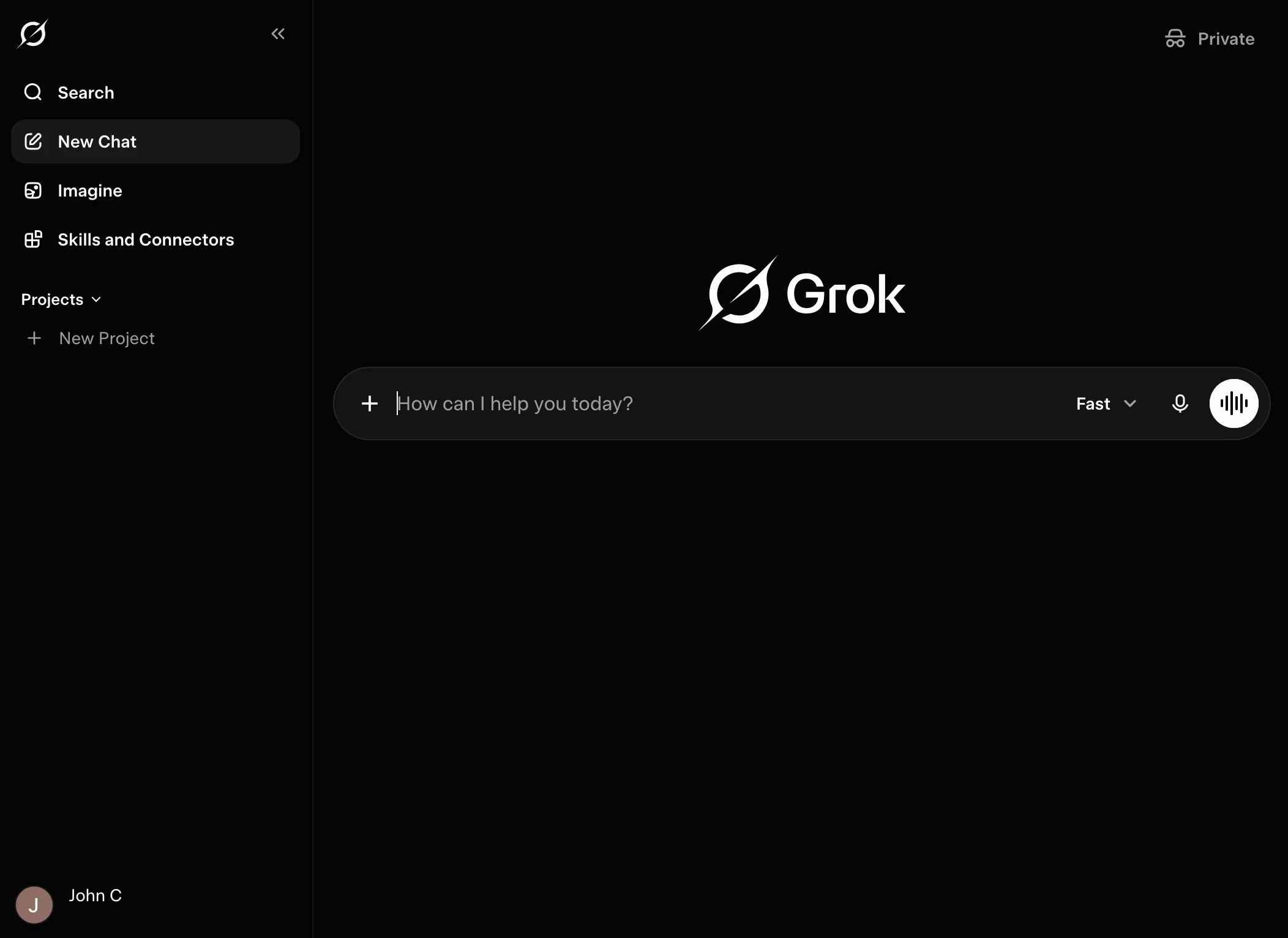
Open Grok at grok.com and select Skills and Connectors in the left sidebar.
- 2
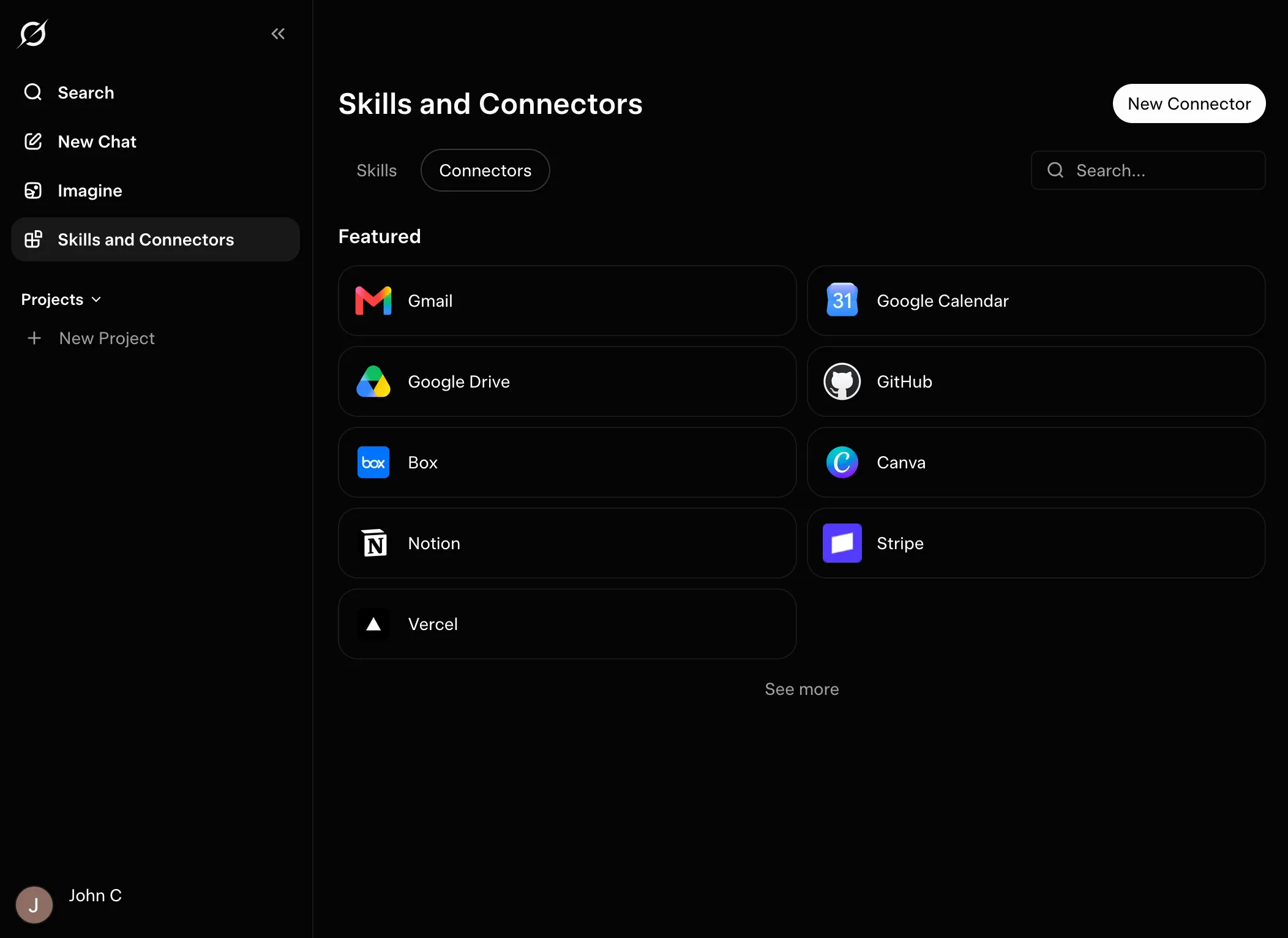
Open the Connectors tab and select New Connector in the top right.
- 3
Choose Custom and give the connector a name.
Fastio - 4
Paste this address into the URL field, then select Add Connector.
https://mcp.fast.io/mcp/ tools - 5
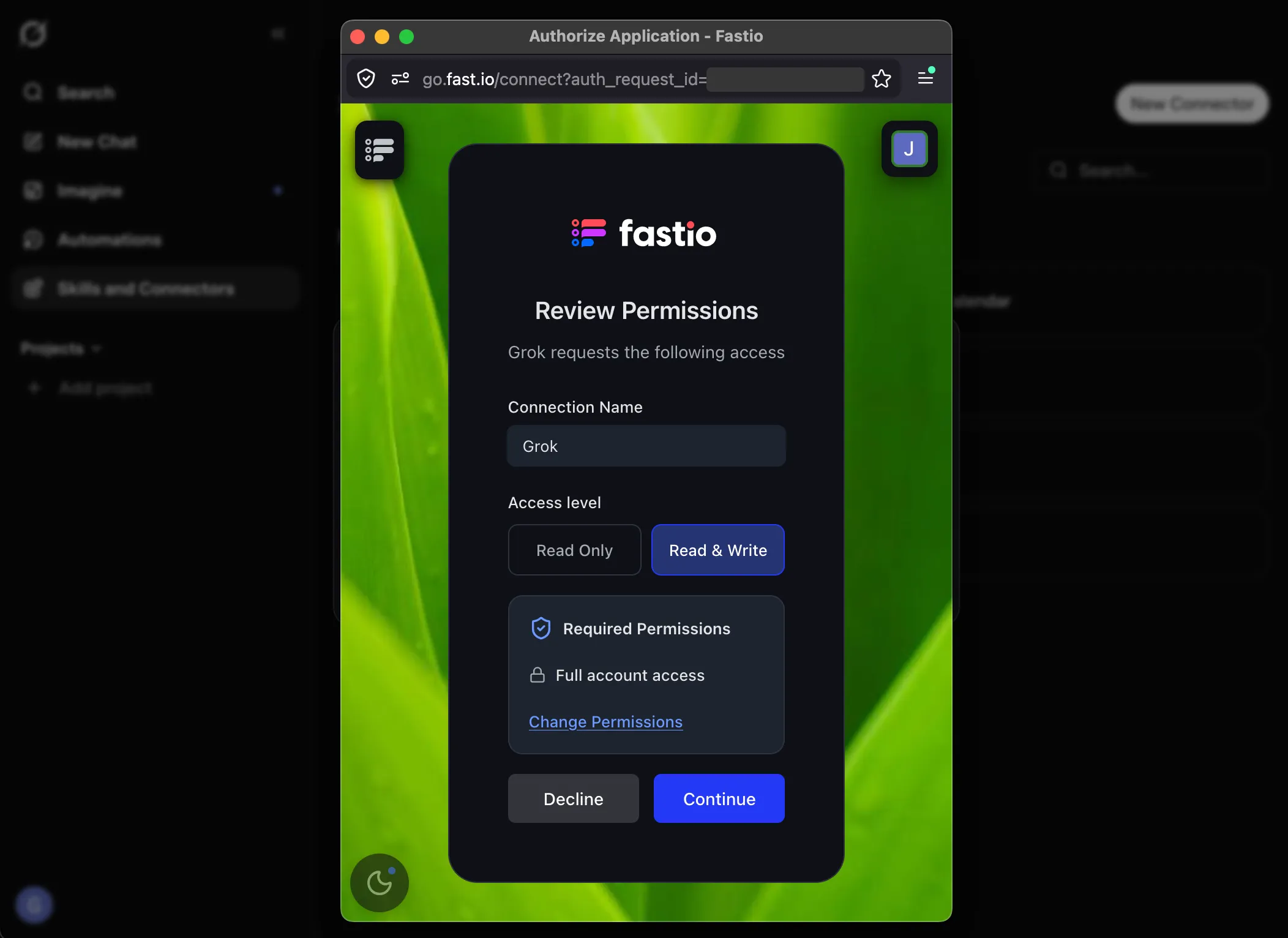
Fastio opens its Review Permissions screen. Choose an access level and which workspaces Grok can reach, then select Continue.
- 6
Check the Fastio account shown and select Approve. Fastio finishes the authorization and returns you to Grok.
- 7
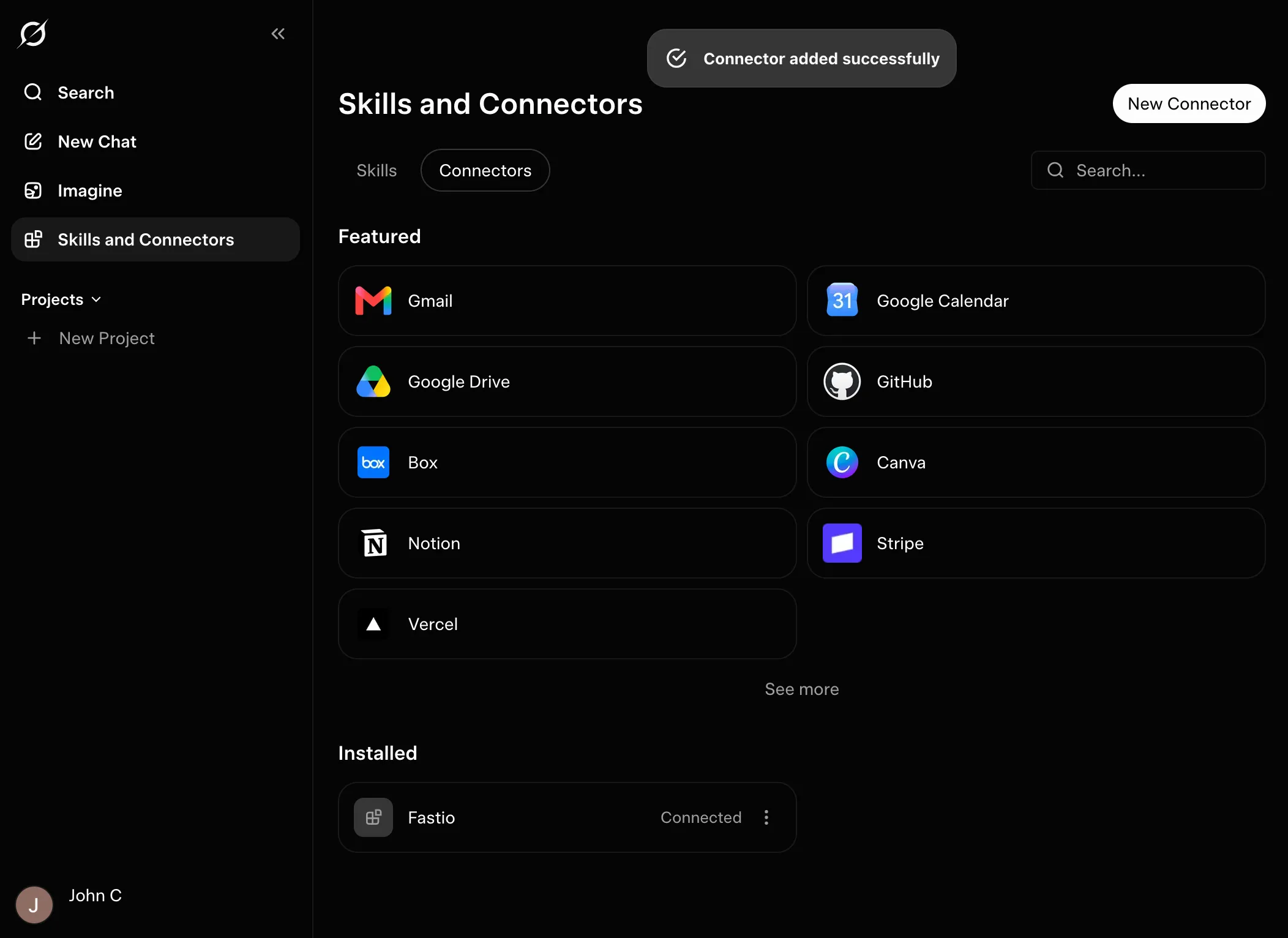
Fastio appears under Installed as Connected. Ask Grok for details about your Fastio account to confirm.
Add Fastio to the Grok CLI from its MCPs menu.
- 1
Open your terminal and run
grokto start a session. - 2
Type
/mcpsand press Enter.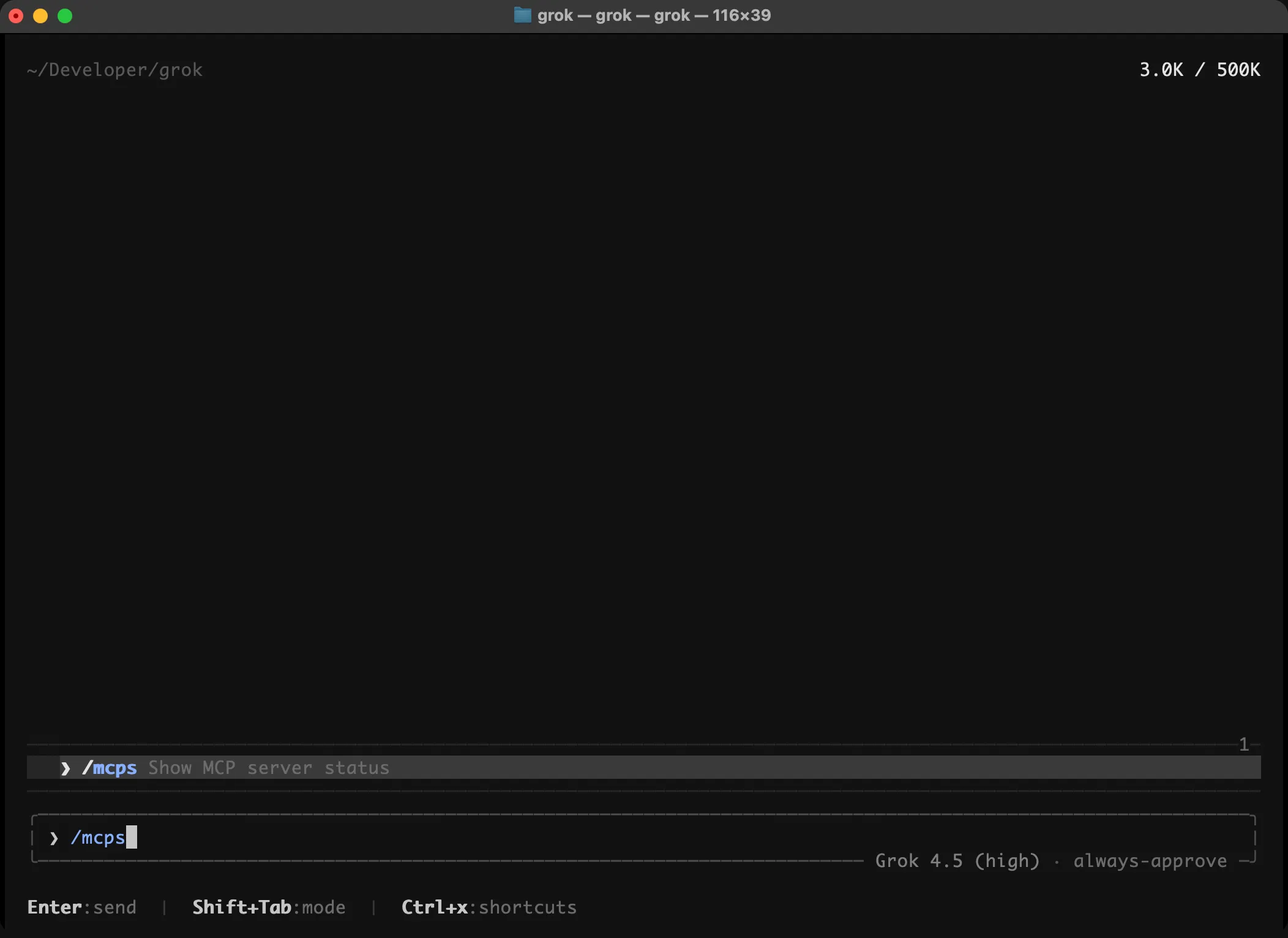
- 3
The menu lists the MCP servers you have added. Press a to add one.
- 4
Paste this address and press Enter. The server's name is filled in for you.
https://mcp.fast.io/mcp/ code - 5
Fastio appears as
fastwith aneeds authstatus. Press i to sign in.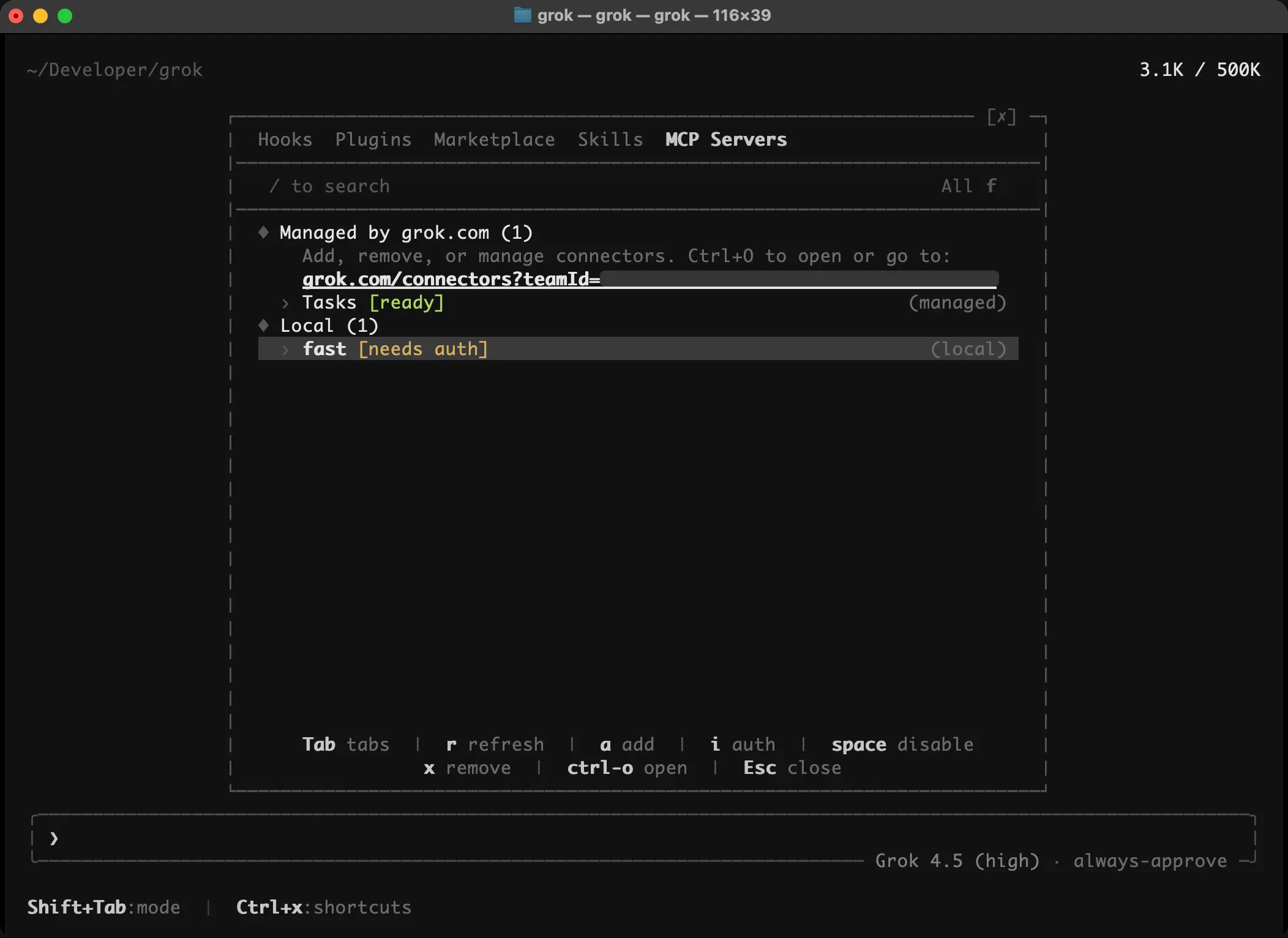
- 6
Your browser opens Fastio's Review Permissions screen. Check the access level (Read & Write is selected) and select Continue.
- 7
Check the Fastio account shown and select Approve. When the browser says authorization is complete, close it and return to the terminal.
- 8
fastnow showsready. Press Esc to close the panel.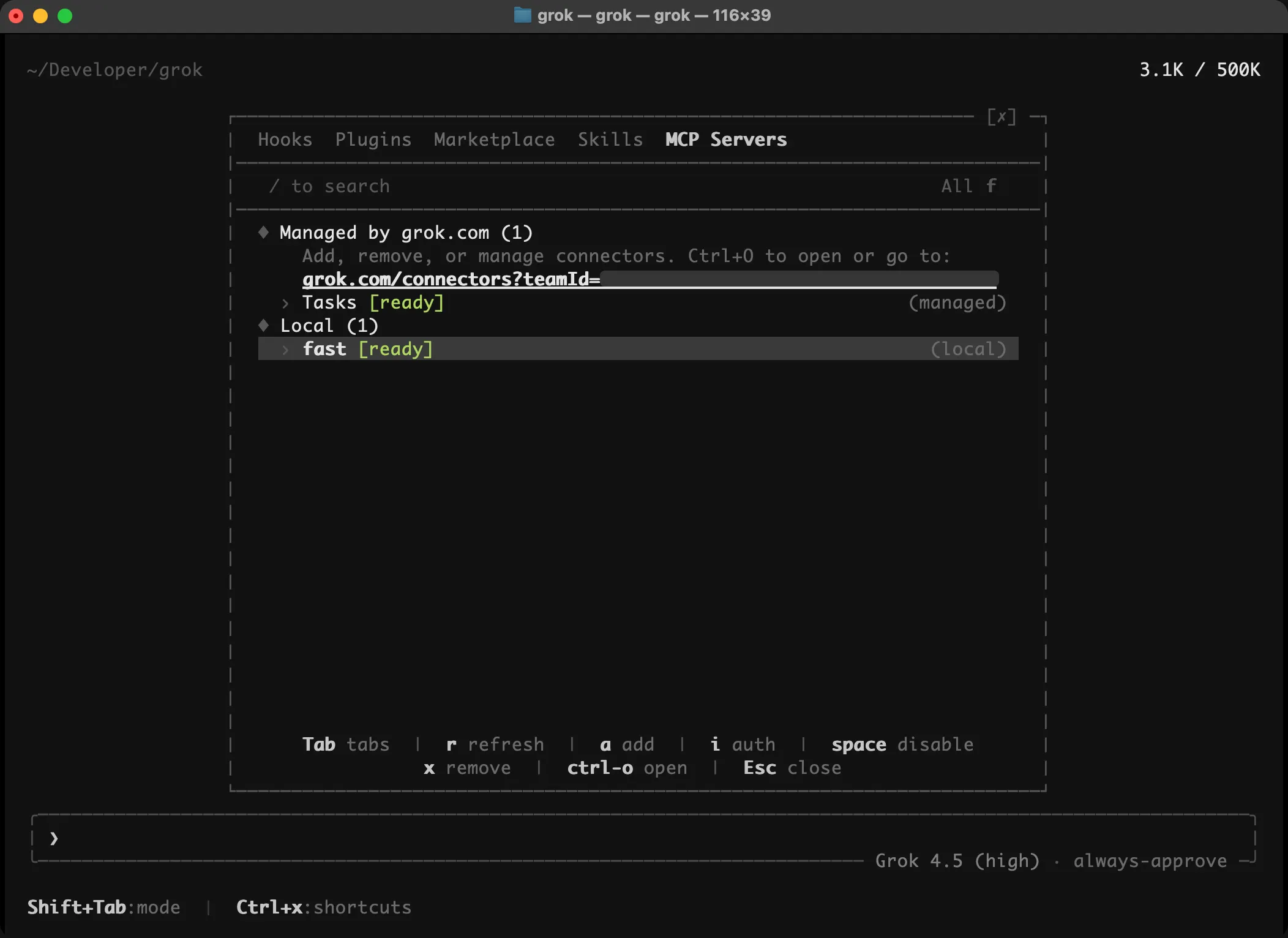
- 9
Start a new Grok session and ask "What can you tell me about my Fastio account?"
Try these prompts
Copy and paste these into Grok to see Fastio in action.
List all workspaces in this account Create a new folder named "Images" Give me a link to this newly created folder Fastio CLI
Grok CLI users are already in the terminal. The Fastio CLI gives you the same workspace tools (upload, search, share) as a standalone command, and includes a built-in MCP server via fastio mcp.
npm install --global @vividengine/fastio-cli FAQ
What is the Fastio plugin for Grok Bot?
It is the Fastio plugin from the Cursor Marketplace, which Grok Bot can add. It gives your Bots the Fastio MCP server, for files, shares, comments, metadata and AI search in your Fastio account, and the Fastio agent guide, a skill that tells a Bot how to use those tools.
How do I add Fastio to Grok Bot?
Open the Fastio listing for Grok Bot on x.ai and select Add to Grok Bot. Then message a Bot with a task for Fastio. The first time it uses Fastio, it asks you to sign in to Fastio.
Who can use Grok Bot?
Grok Bot is in beta. It runs on desktop (macOS and Windows) and iOS, for SuperGrok, SuperGrok Plus and Heavy subscribers and for Cursor Pro, Pro+, Ultra and Teams subscribers.
How does sign-in work?
The first time a Bot uses Fastio, it asks you to sign in to Fastio. The Fastio MCP server signs in with OAuth, so there is no API key to copy or store.
Can several Bots work in the same Fastio workspace?
Yes. Your Bots and the people you invite can work in the same workspaces. A visible lock shows when a file is being edited, comments are attached to files, and version history keeps every version.
Can a Bot answer questions about my documents?
Yes, once Intelligence is on for the workspace. A Bot can ask Fastio about the files in it, and each answer cites the documents it came from, with the page where one applies. Without Intelligence, search finds file names but not what is inside the files.
Can my Bots share files with people who don't use Grok Bot?
Yes. A Bot can create a branded share in Send, Receive or Exchange mode. Share links are regular web addresses, and recipients get previews, downloads and comments in a browser without needing an account.
Can I connect Grok to Fastio without Grok Bot?
Yes. Grok on the web can add Fastio as a custom connector at https://mcp.fast.io/mcp/tools, and the Grok CLI can add it from the /mcps menu at https://mcp.fast.io/mcp/code. Both sign in on Fastio's own page in your browser.
Once Grok Bot is connected
Connecting is the first step. Here is what the workspace behind it does.
Works with Your Agent
A consolidated MCP toolset, persistent files, and somewhere for your agent to put its output.
Ripley AI
Search everything stored, chat with documents, and get summaries without opening a file.
Secure Workspaces
Org-owned shared spaces with granular permissions and per-file version history.
Cloud Import
Bring existing files in from Google Drive, Dropbox, OneDrive, Box, or any public URL.
Customizable Shares
Hand finished work to clients through links or branded portals. No account needed to open one.
Company Brain
Cited answers drawn from the documents your organization already has.

Give your Bots a shared workspace
Add the Fastio plugin to Grok Bot. Your Bots keep their work in Fastio, where your team and your clients can see it.