Generative AI Knowledge Base Architecture for Enterprise Teams
An enterprise generative AI knowledge base unifies document persistence, automated indexing, and agent access in a single permission-bounded workspace. Keeping files, search, and agent access together removes the separate vector pipeline that has to be kept in step with source drives, and answers stay within the workspaces and shares each person or agent belongs to.


Why Disconnected Vector Databases Break in Enterprise Gen AI Workflows
When an enterprise connects a generative AI model or autonomous agent to an unpartitioned vector database, the system can break in two predictable ways: synchronization drift between source drives and the vector index, and cross-departmental data leakage from flat permissions. A language model pointed at a disconnected vector store can answer queries confidently using documentation that was modified, archived, or deleted in the company's primary storage months earlier. Such failures come less from model reasoning limits than from the architectural disconnect between where employees create documents and where retrieval systems store context.
A generative AI knowledge base provides persistent, permission-bounded document storage and automated retrieval for LLMs and autonomous agents without manual vector DB maintenance. In an enterprise environment, this knowledge base functions as the authoritative company brain: a unified repository where the operational documents a business runs on (client agreements, technical specifications, incident postmortems, architecture decision records, standard operating procedures, and agent outputs) reside in living workspaces.
Zendesk describes an AI knowledge base as a centralized inventory of information powered by machine learning and natural language processing. By moving beyond manual keyword searches, intelligent repositories allow generative models and human teams to retrieve checkable answers with source citations.
The Mechanics of Vector Database Drift
Most initial Retrieval-Augmented Generation (RAG) implementations treat knowledge retrieval as a static data pipeline. Engineers extract text from PDFs, slice files into arbitrary token chunks, generate dense vector embeddings, and load those vectors into an external vector database.
While this standalone approach demonstrates technical viability in proof-of-concept demos, it introduces severe operational friction across an organization:
Synchronization Latency and Drift: Enterprise documents evolve continuously. Product managers revise roadmaps in Google Drive, engineers adjust API schemas in Markdown, and legal teams update compliance terms in Box. A standalone vector database holds only what its ingestion pipeline sends it, so keeping it in step with these drives is a job the team builds and runs. As source files update, the vector store keeps stale chunks until the pipeline replaces them. When a user asks an LLM about current system behavior, the retriever can surface obsolete chunks, and the model can produce misleading answers grounded in retired facts.
Orphaned Chunk Accumulation: When an employee deletes or moves a source document in cloud storage, a downstream vector database does not register the deletion unless the pipeline sends one. The vector store accumulates orphaned embeddings that continue to match query similarity thresholds, polluting the retrieval corpus over time.
Loss of Document Structure: Fixed-token chunking (such as arbitrary character windows) ignores document hierarchy. Chunking cuts tables in half, separates code blocks from setup instructions, and detaches subheadings from their parent sections. When an agent queries an enterprise generative AI knowledge store, it can receive isolated text fragments stripped of surrounding operational context.
Infrastructure Maintenance Overhead: Maintaining a standalone vector pipeline requires engineering teams to write and support custom parsers, chunking heuristics, embedding worker queues, rate-limit retries, and database maintenance scripts. When the team changes embedding models, the whole corpus has to be re-embedded and re-indexed.
Knowledge Workspaces and Enterprise Search Platforms
Organizations seeking an enterprise generative AI knowledge store often consider enterprise search and knowledge platforms such as Glean, Guru, or Notion AI. Glean indexes content from connected workplace applications, inherits each source's permissions, and offers a permission-aware remote MCP server. Guru describes itself as a governed knowledge layer whose Knowledge Agents give cited, permission-aware answers, and its MCP server lets AI tools query that knowledge and draft or update Guru Cards. Notion AI searches Notion pages, connected apps, and uploaded PDFs in Google Drive, SharePoint, and OneDrive with citations, and Notion MCP lets an assistant search a workspace and create and edit pages.
The operational difference in an integrated cloud workspace like Fastio is where the working files live: the source files sit in the workspace where people and AI agents collaborate, so agents search them, take file locks, co-edit Notes, and save outputs beside the sources under one set of workspace and share permissions. The workspace serves as both the persistent file system and the intelligence engine. With Intelligence on, files that land in the workspace are indexed as they arrive, changes are kept in version history, and agents reach the files through the Model Context Protocol (MCP), so no separate synchronization pipeline sits between the files and the index.
Related guides
- How to Build a RAG Knowledge Base: Ingestion, Indexing, and PermissionsBuilding an enterprise RAG knowledge base requires more than connecting an embedding model to a vector database....
- How to Design a Company Brain Architecture for People and AI AgentsA company brain architecture unites operational storage, hybrid search, and autonomous agents inside an authoritative...
- Phi-4 Context Window: Token Limits, Architecture, and Context ExpansionThe Microsoft Phi-4 context window provides 16,000 tokens in the 14B base model, while Phi-4-mini expands sequence...
- Agent Context Window: Managing Token Budgets in Multi-Step AI SystemsAn agent context window is the finite working memory buffer available to an autonomous AI agent to process...
- Company Brain Governance Framework: Access Control, Permissions, and Data HygieneA company brain governance framework regulates how institutional documents are ingested, indexed, accessed, and queried...
- Company Brain vs. Wiki: Why File-Centric Workspaces Replace Static Internal PagesA company brain replaces static wiki pages by turning operational files into an indexed context layer queryable by...
More on this subject: Agent Memory and Storage (367 guides)
Core Architecture of an Enterprise Generative AI Knowledge Base
Deploying a generative AI document repository across an enterprise requires treating document storage, automated indexing, and model connectivity as a single unified infrastructure layer. Rather than stitching together separate storage buckets, embedding microservices, and database clusters, a generative AI knowledge base unifies these capabilities directly within the workspace.
Automated Document Ingestion Across Cloud Drives
Enterprise knowledge rarely originates in one central directory. Cross-functional teams use varied platforms suited to their workflows: engineering maintains Markdown specifications and JSON schemas; legal stores executed vendor contracts in Box; marketing produces strategy documents in Google Drive; operations maintains financial schedules in Microsoft OneDrive or SharePoint document libraries.
Demanding that every department migrate its day-to-day authoring workflow into a new application creates organizational resistance. A modern generative AI knowledge base bridges these storage platforms through automated Cloud Sync.
Cloud Sync connects Google Drive, Dropbox, Box and OneDrive folders to a workspace, one-way or two-way, on a schedule or on demand. SharePoint document libraries connect through the OneDrive connector (OneDrive for Business). Between runs, a synced folder holds the files as of its last sync, so the sync schedule decides how fresh synced content is. When external documents sync into the workspace, they take the Fastio workspace's permissions rather than the source drive's sharing settings. A misconfigured sharing setting on the source drive therefore does not change who can reach the synced files in Fastio.
Hybrid Retrieval: Combining Keywords, Semantics, and Metadata
Early retrieval architectures relied almost exclusively on dense vector similarity. While vector proximity excels at conversational intent and conceptual matches (such as retrieving vacation leave procedures from HR handbooks), pure vector search can miss on technical enterprise queries:
- Alphanumeric Identifiers: Queries containing part numbers, software error codes, API route parameters, or contract clause numbers can fail under pure cosine similarity. Dense vector models map these precise strings to broad semantic concepts, returning unrelated paragraphs that lack the target identifier.
- Exact Acronyms and Technical Terms: In engineering and legal environments, exact acronyms carry strict legal and operational meanings. Dense embeddings often conflate distinct industry terms with general vocabulary.
Production generative AI knowledge bases resolve this through hybrid search. In Fastio, enabling Intelligence on a workspace automatically indexes files on arrival for both keyword and meaning-based search. The retrieval engine combines three complementary search modes:
- Keyword Search: Full-text matching that finds the exact word or phrase, such as a name, an invoice number, a clause title, or an error code, in filenames and file contents.
- Semantic Search: Meaning-based matching, so a search for "termination terms" also finds "end of agreement."
- Metadata Filtering: Filters on field values extracted from documents, such as an amount over a threshold or a governing-law jurisdiction.
Search runs keyword and semantic matching together and ranks the results in one list, and a metadata filter narrows that list to files with matching field values. An agent gets back the matching files and the exact passages inside them, so exact identifiers arrive alongside related passages.
Structured Extraction via Metadata Views
Unstructured text retrieval handles narrative documents effectively, but enterprise operations frequently demand tabular precision. For example, financial auditors need to aggregate payment terms across vendor contracts, and security teams need to catalog encryption standards across technical architecture reviews.
To bridge unstructured document storage and structured relational querying, Fastio provides Metadata Views. Metadata Views turn documents into a live, queryable database. Users describe the fields they want extracted in natural language, and AI designs a typed schema supporting Text, Integer, Decimal, Boolean, URL, JSON, and Date & Time fields.
Metadata Views match files in the workspace and populate a sortable, filterable spreadsheet automatically without requiring custom OCR rules or predefined templates. When new documents arrive, the extraction engine populates the configured schema fields. Through the MCP server, agents read field names with metadata action=fields-list, query values with metadata action=search, and extract values with storage_manage action=metadata-extract, so models can query structured fields alongside semantic search.
Grounding Model Completions with Checkable Citations
A generative AI model that produces ungrounded answers creates legal, operational, and financial risk for an enterprise. When answers lack provenance, human reviewers must manually hunt down source files to verify claims.
An enterprise generative AI knowledge base makes answers checkable. In Fastio, Intelligence answers cite the specific files, pages, and snippets they came from, and search returns the exact passages that matched. When an AI agent drafts an architectural summary, a compliance brief, or an onboarding guide from workspace files, team members can open the cited page and check each claim against its source before acting on it.

How to Compare Standalone Vector DB Stacks with Integrated AI Workspaces
Engineering teams evaluating a generative AI knowledge base architecture typically weigh two primary approaches: assembling a custom DIY vector database stack from disparate cloud components, or deploying an integrated intelligent workspace.
A DIY vector stack requires provisioning object storage, document extraction tools, embedding models, a standalone vector database (such as Pinecone, Qdrant, Milvus, or Weaviate), and custom middleware to manage access control lists.
The table below contrasts the operational and architectural characteristics of a standalone vector database stack with an integrated generative AI knowledge workspace:
The Operational Burden of DIY Vector Pipelines
The primary failure point of custom vector database stacks is ongoing pipeline maintenance. Teams can underestimate the friction of maintaining custom ingestion glue code. When upstream cloud drives modify rate limits, document parsers encounter unexpected PDF layouts, or embedding models deprecate old endpoints, ingestion pipelines can fail silently.
Furthermore, standalone vector databases store mathematical embeddings, not the living files themselves. When an AI agent identifies a relevant document chunk, the vector database alone gives it no way to modify the source document, append collaborative notes, or hand off an updated artifact to a human colleague. Through the index, the agent stays in an external retrieval layer.
In contrast, an integrated workspace like Fastio serves as the execution environment where files live and agents work. Beside the files, teams maintain Collaborative Notes for people and agents. Notes co-edit live with labeled cursors as people and agents type, allowing team members and agents to maintain living operational runbooks, sprint plans, and project summaries directly alongside referenced source documents.


Deploy an Enterprise Gen AI Knowledge Base for Your Agents
Centralize your organization's files in an intelligent workspace. Sync documents from Google Drive, Dropbox, Box, or OneDrive, index content with Intelligence for cited answers, and connect AI agents via the Fastio MCP server. Monthly plans start with a 14-day free trial (credit card required).
Why Generative AI Knowledge Bases Require Workspace-Level Permissions
Security in an enterprise generative AI knowledge base is fundamentally an authorization and boundary problem. If an AI assistant or autonomous agent has unconstrained read access to an organization's document repository, it presents an immediate risk of cross-boundary data leakage. An agent assisting an engineer with an infrastructure question might surface executive compensation data, unannounced acquisition targets, or sensitive customer contract terms in response to a conversational prompt.
Where Post-Retrieval Filtering Falls Short
Many custom RAG architectures attempt to solve authorization through post-retrieval security filters: the retriever queries the entire company vector index, and an application layer attempts to filter out unauthorized chunks before passing them to the model context window.
This post-retrieval model introduces critical security and performance vulnerabilities:
- Context Window Depletion: If the top retrieved chunks belong to restricted documents that the requesting user cannot view, post-retrieval filters strip those chunks out, which can leave the model with few or no relevant passages.
- Authorization Bugs: Complex application-level access filters are susceptible to logic bugs, and each new data source adds rules that have to stay correct.
- Stale Access Permissions: If a user's security group changes in an external identity directory, a standalone vector database can keep serving chunks based on stale metadata cached during initial ingestion until the pipeline re-syncs permissions.
Scoping Answers to Workspace and Share Membership
In Fastio, what anyone can ask about is bounded by membership: search and Intelligence answer only from the workspaces and shares the asking person or agent belongs to.
Permissions in Fastio are set per organization, workspace, and share, by member role:
- No Folder-Level or File-Level Permissions: A workspace has no folder-level or file-level permissions. Every member of a workspace can access the entire workspace according to their assigned role.
- Workspace Segregation: Material that only certain people or agents may see lives in its own dedicated workspace or share. For example, sensitive HR compensation files live in an HR workspace whose join setting is restricted, while general engineering documentation lives in an Engineering Architecture workspace.
- Managing Workspace Join Settings: A workspace's join setting defaults to letting any member of its parent organization join. Restricting a workspace to named individuals requires administrators to restrict that join setting in workspace configuration.
- Member Roles: Organization roles include owner, admin, and member. Workspace roles include owner, admin, member, guest, and view.
- Ownership Handoff: When an owner transfers workspace ownership to another colleague or administrator, the platform demotes the previous owner to admin automatically.
- API Key Scoping: API keys carry specific scopes and act with the permissions of the user who created them; they have no independent role of their own.
- Read Only Safety: With a Read Only connection, tools that change data are not offered at all, so the agent does not spend steps on writes that would be refused.
Auditability Through the Detailed Activity Log
Enterprises deploying generative AI require visibility into file changes and administrative modifications. Fastio maintains a detailed activity log that records changes across an organization, workspaces, and shares.
The detailed activity log records uploads, edits, file moves, deletions, membership changes, permission adjustments, and share creations. If an autonomous agent uploads an updated technical specification, adjusts a share setting, or modifies workspace files, the action is recorded in the detailed activity log with the actor's identity, providing an accountable operational record.
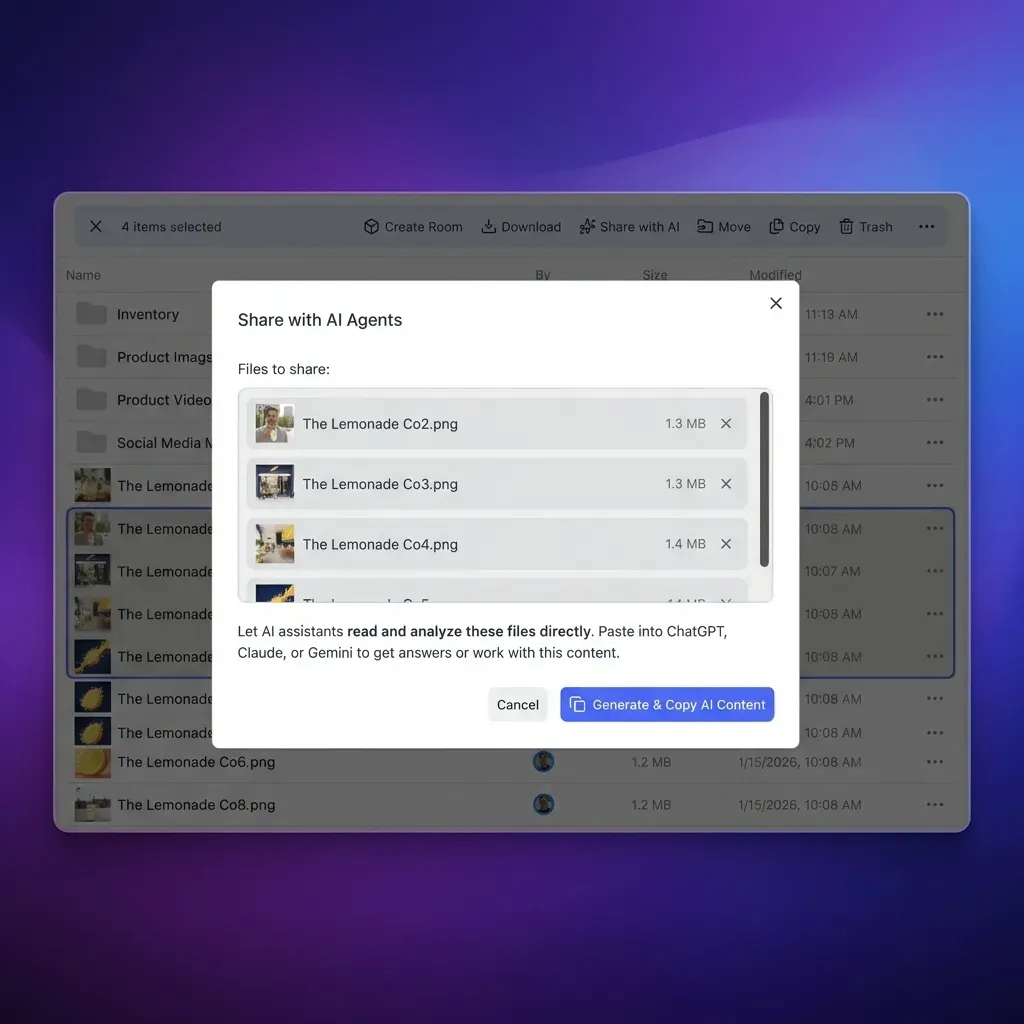
Steps to Connect Autonomous AI Agents to Fastio MCP
A generative AI document repository delivers maximum organizational value when autonomous agents can dynamically query, analyze, and update documentation during multi-step tasks. Rather than writing brittle custom integration scripts for every AI framework, teams can standardize on the Model Context Protocol (MCP).
Fastio provides a remote MCP server hosted at mcp.fast.io operating over Streamable HTTP. Agents connect directly to remote endpoints without requiring local server processes, background node daemons, or bridge adapters.
Selecting the Dedicated Remote MCP Endpoint
Fastio exposes client-specific endpoints tailored to distinct agent environments:
Complete setup instructions for team members are available at mcp.fast.io/docs, while machine-readable agent guides can be referenced at mcp.fast.io/skill.md and agent onboarding at fast.io/llms.txt.
Configuring Cursor, Claude, and Terminal Agents
For development teams using Cursor as an AI coding environment, configure the knowledge base by adding the following snippet to .cursor/mcp.json in your repository root or global ~/.cursor/mcp.json:
{
  "mcpServers": {
    "fast-io": {
      "url": "https://mcp.fast.io/mcp/code"
    }
  }
}
For Claude Web, Claude Desktop, or Claude mobile:
- In Claude, open Customize, then Connectors.
- Add a custom connector and enter
https://mcp.fast.io/mcp/toolsas the server URL. - Select Connect and sign in to Fastio in the browser window that opens.
- On the Review Permissions screen, select your desired permission level (Read Only or Read & Write) and choose which organizations and workspaces Claude may access.
- In any chat conversation, turn Fastio on from the + menu under Connectors.
For Claude Code in the terminal:
claude mcp add --transport http fast-io https://mcp.fast.io/mcp/code
Run /mcp inside Claude Code to complete browser authentication.
For headless bots, CI jobs, or custom Python agent frameworks, pass your scoped API key as an authorization header:
Authorization: Bearer <api_key>
The Consolidated MCP Toolset and Advisory File Locks
The Fastio MCP server serves a consolidated toolset split between reading and data modification:
- On
https://mcp.fast.io/mcp/tools: General operations are divided between read tools (storage,workspace,share,upload) and manage tools (storage_manage,workspace_manage,share_manage,upload_manage). Reads stay onstorage, while operations that create, move, delete, or lock files callstorage_manage. - On
https://mcp.fast.io/mcp/code: Coding tools includeauth,auth_manage,upload,upload_manage,search,execute,execute_manage, andhow-to. Read requests callexecute(GET operations), while write operations route throughexecute_manage.
When multiple agents or human collaborators operate within the same workspace, file locks help them coordinate writes:
- Advisory Per-File Leases: Acquired using
lock-acquireand released vialock-releaseonstorage_manage, with active status verified throughlock-statusonstorage. - Non-Exclusive Writing: An advisory lock alerts other team members and agents that an active editing lease is held. However, a lock expires unless renewed, anyone with write permission can take it over, and it never grants exclusive write rights: concurrent writes both land, and per-file version history keeps earlier versions for audit and rollback.
- Real-Time Activity Monitoring: Agents can monitor workspace activity over WebSocket feeds or through the activity long-poll endpoint (
GET /current/activity/poll/{entity_id}?wait=95&lastactivity={timestamp}), so agents can react when files in the workspace change.
Plans and Credits for Growing Teams
Deploying an enterprise generative AI knowledge base starts with knowing what it costs. Fastio plans are monthly or annual subscriptions. Monthly plans start with a 14-day free trial that requires a credit card; annual plans have no trial.
Available plan tiers provide structured resources for teams of all sizes:
- Starter: $29 a month or $290 a year, with 5 seats, 1 TB of storage, 10 workspaces, and 300,000 credits a month.
- Business: $99 a month or $990 a year, with 20 seats, 10 TB of storage, 100 workspaces, and 1,200,000 credits a month.
- Enterprise: $299 a month or $2,990 a year, with 50 seats included (extra seats $1 a month each, up to 200), 50 TB of storage, 300 workspaces, and 4,500,000 credits a month.
Credits cover AI work: chat, file ingestion, agent runs, and document processing. Additional usage is $10 per 100,000 credits, while seats and storage within the plan come with each subscription.
Sources
References used to verify factual claims in this guide.
-
Zendesk describes an AI knowledge base as a centralized inventory of information powered by machine learning and natural language processing.
Frequently Asked Questions
What is a generative AI knowledge base?
A generative AI knowledge base is a persistent, permission-bounded repository of organizational documents indexed for semantic and keyword retrieval to ground AI responses with precise citations. Unlike standalone vector databases that store mathematical embeddings detached from source files, a generative AI knowledge base unifies document persistence, automated cloud drive synchronization, and model access in a single workspace.
How do generative AI models access corporate knowledge safely?
Generative AI models access corporate knowledge safely through permission scoping and standardized protocols like the Model Context Protocol (MCP). In Fastio, models query workspaces over Streamable HTTP using OAuth 2.0 or scoped API keys. Search and Intelligence answer only from the workspaces and shares the asking person or agent belongs to, so a workspace whose join setting is restricted stays out of the answers of people and agents who are not its members.
Why do generative AI knowledge bases require workspace-level permissions?
Generative AI knowledge bases require workspace-level permissions because an agent can surface anything its retrieval scope reaches, so that scope needs a clear boundary. Fastio enforces role-based access per organization, workspace, and share, with no folder-level or file-level permissions. Sensitive documents reside in dedicated workspaces with a restricted join setting, so agents and team members query only the workspaces and shares they belong to.
How does an integrated knowledge workspace reduce vector database drift?
An integrated knowledge workspace reduces vector drift by keeping the search index on the same files the workspace stores. On each scheduled or on-demand run, Cloud Sync brings new and changed files from Google Drive, Dropbox, Box, or OneDrive into the workspace, and with Intelligence on, changed files are re-indexed. There is no separate copy of embeddings to keep in step, so answers come from the workspace files as of the latest sync.
Does Fastio sync with Google Drive, OneDrive, Box, and Dropbox?
Yes. Fastio Cloud Sync connects Google Drive, Dropbox, Box, and OneDrive folders to a workspace, one-way or two-way, on a schedule or on demand. Microsoft SharePoint document libraries connect through the OneDrive connector. Files synced into an Intelligence-enabled workspace are indexed automatically for hybrid search and AI queries.
How do AI agents interact with structured document data alongside unstructured text?
AI agents interact with structured document data using Fastio Metadata Views. Metadata Views transform unstructured documents like PDFs, invoices, and contracts into a typed, queryable spreadsheet using natural language schema definitions. Through MCP, agents read field names with `metadata action=fields-list`, query values such as dates, amounts, and counterparties with `metadata action=search`, and extract values with `storage_manage action=metadata-extract`, giving relational precision alongside unstructured semantic search.
Related Resources

Deploy an Enterprise Gen AI Knowledge Base for Your Agents
Centralize your organization's files in an intelligent workspace. Sync documents from Google Drive, Dropbox, Box, or OneDrive, index content with Intelligence for cited answers, and connect AI agents via the Fastio MCP server. Monthly plans start with a 14-day free trial (credit card required).