Context Window Limits: Architectural Boundaries, KV Cache, and Large Files
A context window limit is the absolute ceiling on the number of sequential tokens an AI model can hold in its active attention buffer during an inference pass, determined by model architecture and available GPU memory. While frontier models support hundreds of thousands of tokens, large file attachments rapidly consume the key-value cache and degrade attention. Teams managing extensive document corpora query external workspaces over MCP instead of overloading model context.

What Is a Context Window Limit?
Anthropic documents in its Claude file upload guidelines that a chat accepts up to 20 files at up to 500MB each, while a project accepts files up to 30MB each with an unlimited file count, provided the total content fits within Claude's context window. Outside of newer flagship models, Claude maintains a baseline context window limit of 200,000 tokens on paid plans, which accommodates roughly 500 pages of text. While marketing announcements promote context windows expanding into millions of tokens, the operational reality of model inference remains bounded by physical GPU hardware and attention mechanics.
A context window limit is the absolute ceiling on the number of sequential tokens an AI model can hold in its active attention buffer during an inference pass, determined by model architecture and available GPU memory. Every input token, system prompt, conversation history turn, tool definition, and newly generated output token competes for space inside this boundary.
Understanding how context boundaries govern model behavior requires distinguishing three technical realities:
- Architectural context window limits: The total token capacity allocated to the prompt, conversation history, tool definitions, and working context during an inference step. When this limit is reached, older tokens must be truncated, summarized, or evicted to accept new input.
- Input context versus output completion limits: Input context defines the volume of text and document data the model can read in a single request. Output completion limits restrict the volume of text the model can generate in a single response, typically 4,096 to 8,192 tokens for standard production models, or tens of thousands of tokens for specialized reasoning models.
- External file retrieval versus prompt stuffing: Attaching dense documents directly to a prompt forces raw text into active GPU memory, increasing latency and diluting attention. Remote file search over the Model Context Protocol (MCP) decouples document storage from model inference by querying indexed files and retrieving only relevant excerpts into the active context buffer.
When users attach documents to an LLM conversation, tokenizers split words, code syntax, and whitespace into token units. In standard English prose, 1,000 tokens represent roughly 750 words. In dense technical manuals, structured JSON files, or source code repositories, punctuation, indentation, and specialized syntax increase token density, so a dense manual can consume tens of thousands of tokens upon initial parsing.
The table below outlines context window capacities, output ceilings, and file handling mechanics across major language model environments verified in October 2026:
These limits determine how software engineers and analytical teams design production workflows. Relying on raw context expansion alone creates memory bottlenecks, increases API billing, and introduces attention degradation across long document sequences.
Related guides
- Context Window Management: Architectural Strategies for AI Agents and LLMsContext window management prevents large language models and autonomous agents from degrading in performance as...
- Google Gemini Context Window: Token Limits, Architecture, and Handling Large FilesThe Google Gemini context window spans 1,048,576 input tokens and 65,536 output tokens on current Gemini 3 models such...
- GPT-4.5 Context Window: Token Limits, Output Caps, and Large Corpus HandlingThe GPT-4.5 context window provides 128,000 total tokens of working memory paired with a 16,384 maximum completion...
- Grok Context Window: Token Limits, Architecture, and Large File HandlingThe Grok context window spans from 256,000 tokens on grok-build-0.1 up to 1,000,000 tokens on Grok 4.3 and the Grok...
- ChatGPT Projects Context Window: Token Limits, Hidden Context and MCPThe ChatGPT Projects context window provides a 128,000-token working memory buffer shared across custom instructions,...
- Codestral Context Window: 256K Limits and Codebase ManagementThe Codestral context window provides a 256,000-token working memory designed for repository-wide reasoning and...
More on this subject: Agent Memory and Storage (310 guides)
Attention Complexity and Key-Value Cache Memory
The reason context window limits exist is rooted in the computational mathematics of the transformer architecture. Standard multi-head self-attention calculates relationships between every token in an input sequence and every other token. This comparison requires computing dot products between Query and Key matrices, scaled by the square root of the head dimension, and multiplied by the Value matrix.
In standard self-attention, this computation scales with the square of the sequence length, representing quadratic complexity during the initial prefill phase. Doubling an input prompt from 50,000 tokens to 100,000 tokens quadruples the number of pairwise token interactions the GPU must process.
While the prefill phase computes the prompt all at once, text generation occurs autoregressively, predicting one token at a time. To avoid recalculating attention vectors for all preceding tokens during every generation step, inference engines store the intermediate Key and Value tensors in high-speed GPU memory (VRAM). This working storage is known as the Key-Value (KV) cache.
The memory footprint of the KV cache scales linearly with sequence length, batch size, model layer count, and hidden dimensions:
KV Cache Memory (Bytes) = 2 * Precision_Bytes * Layers * Heads * Head_Dimension * Sequence_Length * Batch_Size
For large parameter models operating in 16-bit precision, the key-value cache expands linearly with sequence length and batch size, demanding substantial dedicated memory allocations for active attention vectors alongside model weights:
When serving multiple concurrent users on extended sequences, key-value cache memory quickly exceeds available physical memory.
Hardware manufacturers and model architects have introduced optimizations to manage this memory pressure:
- Grouped-Query Attention (GQA): Rather than allocating separate Key and Value heads for every Query head, GQA shares single Key and Value heads across groups of Query heads. This reduces KV cache size while maintaining model reasoning capabilities.
- PagedAttention: Developed for modern inference servers such as vLLM, PagedAttention partitions the KV cache into fixed-size memory blocks, similar to virtual memory paging in operating systems. This prevents memory fragmentation and allows dynamic memory allocation.
- FlashAttention: FlashAttention reorganizes attention computation into tiled blocks executed in fast GPU SRAM, avoiding unnecessary memory reads and writes to slower High Bandwidth Memory (HBM).
While these optimizations make long sequences computationally feasible, they do not eliminate physical hardware boundaries. Ingesting large files into active context remains expensive, both in GPU memory consumption and response latency.
Why Large Document Attachments Trigger Context Degradation
Beyond hardware memory limits, stuffing large files directly into an LLM prompt triggers cognitive degradation. Advertised context limits represent the maximum number of tokens an inference engine can ingest without crashing; they do not guarantee that the model will process all information with uniform accuracy.
Nelson F. Liu and co-authors documented this degradation as the "Lost in the Middle" phenomenon in their 2023 evaluation of long-context language models. In empirical tests, models frequently concentrate attention scores on tokens at the beginning of the prompt (the primacy effect) and tokens at the end of the prompt (the recency effect). Information located in the middle third of the sequence suffers from degraded retrieval fidelity.
Synthetic evaluations often measure context performance using "needle in a haystack" tests, where a single sentence is placed inside a 100,000-token text block. While frontier models often retrieve that isolated fact with high accuracy, real-world document analysis requires synthesizing arguments, cross-referencing conflicting clauses, and tracking structured tables. Under real-world conditions, large document attachments dilute attention, causing models to hallucinate facts, overlook explicit instructions, or generate generic responses.
File attachment boundaries on consumer and enterprise AI platforms reflect these constraints. In Anthropic's documented Claude mechanics, standard direct chat conversations accept up to 20 files at up to 500MB each. In contrast, Claude Projects limits individual files to 30MB each.
A common misunderstanding in developer forums suggests that Claude Projects enforces a hard ceiling of 50 uploaded files. That claim is incorrect. Anthropic's documentation confirms that the number of files in Claude Projects is unlimited, but total content must fit within Claude's context window. Early users encountered perceived file caps because typical business documents and technical specifications consume 3,000 to 4,000 tokens each. When uploading 50 standard documents, the cumulative token count reaches the 200,000-token context boundary. If a team uploads compact markdown files containing 400 tokens each, Claude Projects accepts hundreds of individual files without issue.
Document formats also dictate how Claude processes content:
- Short PDFs (100 pages or fewer): Claude extracts text and performs visual analysis on embedded images, charts, and architectural diagrams.
- Long PDFs (101 to 1000 pages): Claude performs text extraction only, ignoring visual graphics and layout structures.
- Oversized PDFs (Exceeding 1000 pages): Claude rejects the upload entirely with an error stating the file is too large.
- Non-PDF files (DOCX, CSV, TXT, HTML, JSON): Claude performs text extraction only. Embedded images inside Word documents or spreadsheets are ignored.
Anthropic addresses these project context constraints through automatic retrieval: when project knowledge approaches the context window limit, Claude automatically enables RAG mode to expand project capacity by up to 10x while maintaining quality responses. In this mode, Claude indexes project files and searches them internally rather than loading the entire corpus into the prompt buffer. However, Anthropic restricts individual files uploaded to Claude Projects to 30MB, and organizations managing large archives or code repositories must look beyond raw file attachments.


Query large document libraries without hitting context limits
Store your documents and codebases in an intelligent workspace. Connect Claude or your coding agent through remote MCP to search indexed files on demand with zero context window bloat. Monthly plans start with a 14-day free trial, credit card required.
Comparing In-Context Prompting, Vector Databases, and Remote MCP
Engineering teams working with large technical corpora, legal document sets, or code repositories have abandoned raw prompt stuffing in favor of decoupled architectures. Instead of forcing entire file archives into the active context buffer, modern systems separate document persistence from model inference.
Three primary patterns have emerged for providing language models with access to large document libraries:
1. Extended In-Context Prompting
The simplest approach passes entire files directly into the prompt using models with context windows spanning 128,000 to 2,000,000 tokens.
- Advantages: Requires no external database or search infrastructure; preserves complete raw document text in the attention matrix.
- Tradeoffs: High per-query API costs; increased time-to-first-token latency; vulnerability to the Lost in the Middle effect; risk of context window exhaustion when working with multiple large files.
2. Custom Local Vector Databases
Teams build dedicated retrieval-augmented generation pipelines using vector databases such as Chroma, Pinecone, or Qdrant. Documents are converted to text, split into fixed-size chunks, converted into vector embeddings, and stored in a vector index.
- Advantages: Decouples file storage from prompt size; retrieves only top-k chunks relevant to the user's query.
- Tradeoffs: Chunker boundaries frequently split tables, code functions, and legal clauses across chunks, destroying context; requires maintaining embedding pipelines, chunking heuristics, and database infrastructure; loses document-level version history.
3. Remote Workspaces Connected via Model Context Protocol (MCP)
The Model Context Protocol, introduced by Anthropic, provides an open standard for connecting AI models to external tools and data stores over standard protocols. Rather than uploading files into an ephemeral chat or building custom vector pipelines, teams store their documents in a centralized, versioned workspace.
When an AI model requires context, it invokes remote MCP tools to query the workspace. The server executes hybrid search (combining exact keyword matching, semantic vector search, and structured metadata filtering) across the indexed files, returning only the most relevant excerpts and direct file citations into the model's active context window.
This approach keeps model prompt buffers compact, eliminates KV cache bloat, and provides access to multi-gigabyte document libraries without modifying underlying vendor upload limits.
How to Manage Large File Corpora with Fast.io and MCP
Fast.io provides an intelligent workspace platform designed for teams collaborating with AI agents. Rather than attempting to bypass or alter a vendor's native upload limits, Fast.io provides a centralized, indexed workspace for large file collections that exceed LLM context window boundaries.
Organizations ingest documents into Fast.io workspaces through direct file uploads, URL imports, or automated folder synchronization. Cloud Sync connects Google Drive, Dropbox, Box, and OneDrive folders to a workspace, one-way or two-way, on a schedule or on demand. Once files land in a workspace, Fast.io's Intelligence Mode indexes them automatically, preparing text, tables, and document metadata for hybrid search without requiring a separate vector database.
For structured documents such as contracts, invoices, and technical specifications, Fast.io provides Metadata Views (/product/document-data-extraction/). Users define extraction fields in plain language, and the platform extracts typed metadata (dates, currency values, counterparties, JSON structures) into a queryable tabular view. Agents can create Views, trigger extraction, and filter results directly through MCP actions.
Fast.io exposes its storage and intelligence capabilities to AI assistants through remote MCP endpoints operating over Streamable HTTP:
- Claude Applications (Claude web, desktop, and mobile): Open Customize, then Connectors; add a custom connector and paste
https://mcp.fast.io/mcp/tools; select Connect and sign in to Fastio in the window that opens. During sign-in, review permissions and select Read Only or Read & Write access for specific workspaces. In any chat, turn Fastio on from the + menu under Connectors. Setup steps are detailed at https://mcp.fast.io/docs, and agent instructions are detailed at https://mcp.fast.io/skill.md. - Coding Agents (Claude Code, Cursor, Cline, Devin Desktop, and VS Code Copilot agent mode): Connect to
https://mcp.fast.io/mcp/code. For Claude Code, runclaude mcp add --transport http fast-io https://mcp.fast.io/mcp/code, then run/mcpinside Claude Code to sign in. In Cline, configure"type": "streamableHttp"with thehttps://mcp.fast.io/mcp/codeURL. In Cursor, add the server to.cursor/mcp.json.
{
  "mcpServers": {
    "fast-io": {
      "url": "https://mcp.fast.io/mcp/code"
    }
  }
}
When an agent needs information from a 400-page specification or a multi-gigabyte repository, it calls Fast.io's search tools over MCP. The workspace searches the indexed documents, extracts the relevant passages, and passes only those focused paragraphs into the active context window. The agent receives accurate answers with document citations, while prompt token usage remains low.
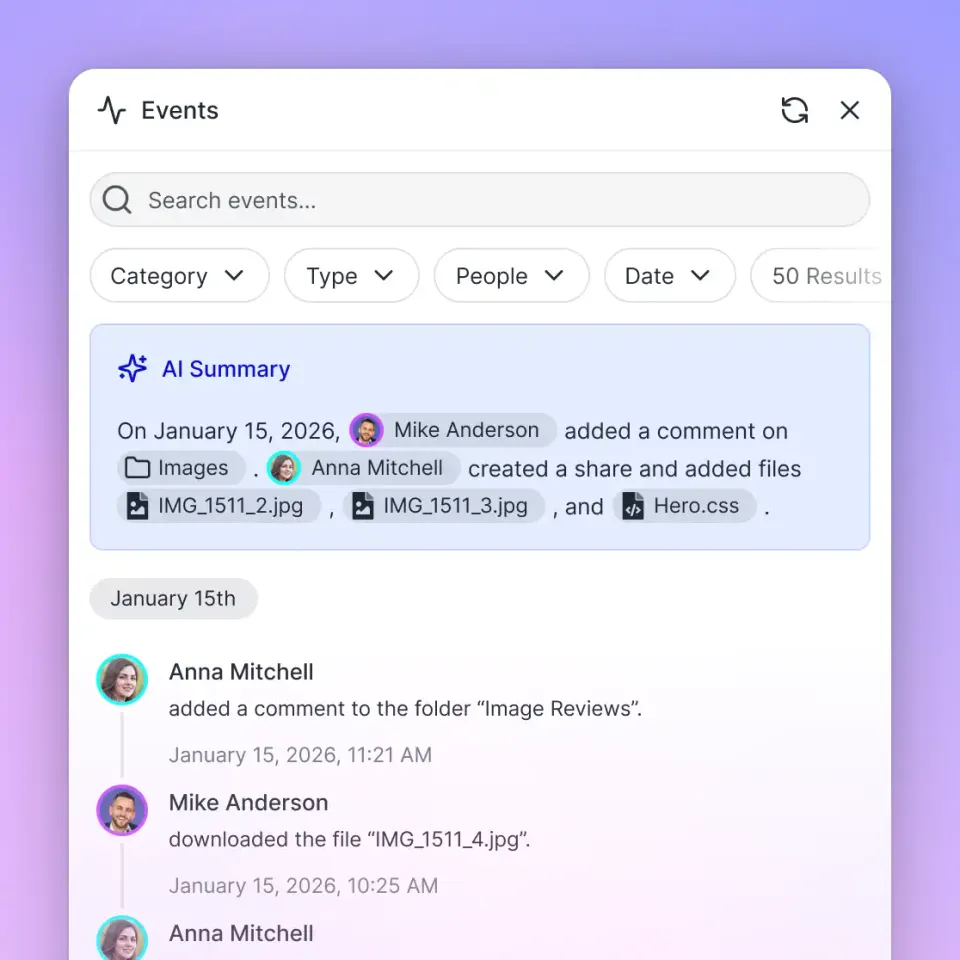
Workspaces maintain a detailed activity log that records changes across the organization, tracking file edits, uploads, deletions, moves, and permission updates across humans and agents. Role-based permissions are configured per organization, workspace, and share, ensuring team members and agents access only the content assigned to their role. Each file retains full version history, allowing teams to review revisions and revert edits if an agent makes unintended changes.
Fast.io organization plans provide scalable capacity for engineering teams, as detailed on the Fast.io pricing page:
Monthly plans start with a 14-day free trial that requires a credit card. Credits meter AI work. Storage beyond plan allowances is billed at 1.5 cents per GB a month, and extra bandwidth is billed at 4 cents per GB.
By combining intelligent workspace storage with remote MCP tools, teams eliminate context window limits as a bottleneck, allowing AI agents to work across massive archives while keeping latency low and inference accurate.
Sources
References used to verify factual claims in this guide.
-
Anthropic restricts individual files uploaded to Claude Projects to 30MB each, while direct chat conversations accept up to 20 files at up to 500MB each.
-
When project knowledge approaches the context window limit, Claude automatically enables RAG mode to expand project capacity by up to 10x.
Frequently Asked Questions
What is the context window limit of an LLM?
A context window limit is the maximum number of sequential tokens an AI model can hold in its active attention buffer during an inference pass. This limit encompasses the system instructions, user prompts, conversation history, tool definitions, and generated output tokens. When this boundary is reached, earlier content must be truncated or summarized.
What happens when an AI model reaches its context window limit?
When an AI model reaches its context window limit, it can no longer accept new inputs without discarding prior content. In chat applications, the interface either evicts older messages from memory or runs an automated summarization step. In raw API calls, exceeding the context limit results in a request rejection error.
How do you bypass context window limits for large documents?
To query documents that exceed model context windows, teams use retrieval-augmented generation or remote workspaces connected via the Model Context Protocol (MCP). Instead of pasting full documents into prompts, files are stored in an external workspace, indexed automatically, and queried dynamically so that only relevant excerpts enter the model's active context window.
What is the difference between input context limits and output completion limits?
Input context limits define the maximum volume of prompt instructions, conversation history, and document data a model can read in a single request. Output completion limits restrict the number of tokens the model can generate in a single response, typically capped at 4,096 to 8,192 tokens for standard models.
Why does the key-value cache require so much GPU memory during inference?
During autoregressive generation, language models save intermediate Key and Value projection vectors in GPU memory to avoid recomputing attention across previous tokens at every step. For large parameter models, this key-value cache expands linearly with sequence length and batch size for each concurrent user, creating substantial memory pressure on long prompts.
How many files can you upload to Claude Projects before hitting the context window limit?
Claude Projects has no fixed file-count cap; Anthropic allows an unlimited number of files up to 30MB each, provided the total content fits within Claude's context window. The common belief that projects cap uploads at 50 files is a myth resulting from typical 4,000-token documents filling Claude's 200,000-token baseline context at roughly 50 files.
What is the difference between raw context window expansion and retrieval-augmented generation?
Raw context window expansion forces entire documents into the model's attention matrix, which increases GPU memory usage, raises API token costs, and risks the Lost in the Middle attention degradation. Retrieval-augmented generation stores documents externally and injects only relevant excerpts into the prompt on demand, maintaining low latency and high accuracy.
How does Fast.io enable AI models to query files that exceed their context window?
Fast.io stores files in shared workspaces with capacity defined by organization subscription tiers. Intelligence Mode indexes documents for hybrid search. Models like Claude connect through remote MCP endpoints (`https://mcp.fast.io/mcp/tools` or `https://mcp.fast.io/mcp/code`) and search the workspace dynamically, retrieving only pertinent passages into context.
Related Resources

Query large document libraries without hitting context limits
Store your documents and codebases in an intelligent workspace. Connect Claude or your coding agent through remote MCP to search indexed files on demand with zero context window bloat. Monthly plans start with a 14-day free trial, credit card required.