 Claude + Fastio
 Claude MCP Server
One shared workspace for your team's files and Claude. Claude searches it, answers with citations, and saves its work where your team can see it.
Monthly billing only. Card required. The trial ends after 14 days or when trial credits run out, whichever comes first. Then your selected plan bills automatically unless you change or cancel it before then. Annual plans have no trial and bill immediately.
What Claude gets
-
Shared workspaces
Your team and Claude work from the same files, and answers cite the documents they come from.
-
OAuth sign-in, scoped access
No API keys. Choose Read Only or Read & Write and which workspaces Claude can reach.
-
Cloud Sync
Sync folders from Google Drive, Dropbox, Box and OneDrive, on a schedule or on demand. OneDrive for Business also reaches SharePoint libraries.
Get started with Claude Desktop
Connect Fastio to Claude Desktop with a custom connector.
First, we'll ensure Claude can upload to Fastio
Open Claude Desktop and click Customize in the sidebar.
Add *.fast.io to allowlist
Go to Capabilities, scroll down to Domain allowlist, paste the domain below, then click Add. This allows Claude to upload files to your workspaces.
*.fast.io 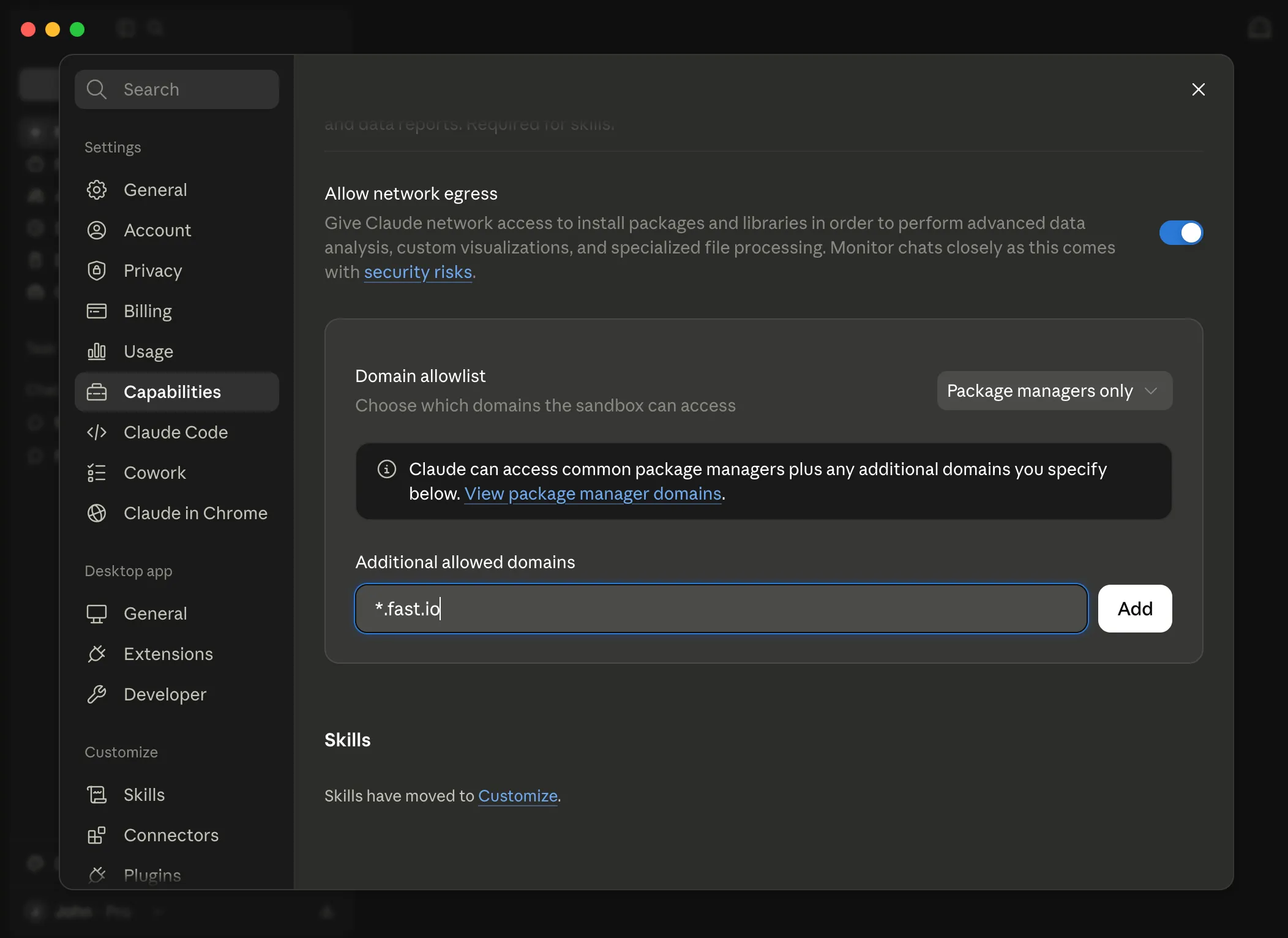
Go to Connectors
Still in the Customize panel, click Connectors in the left sidebar.
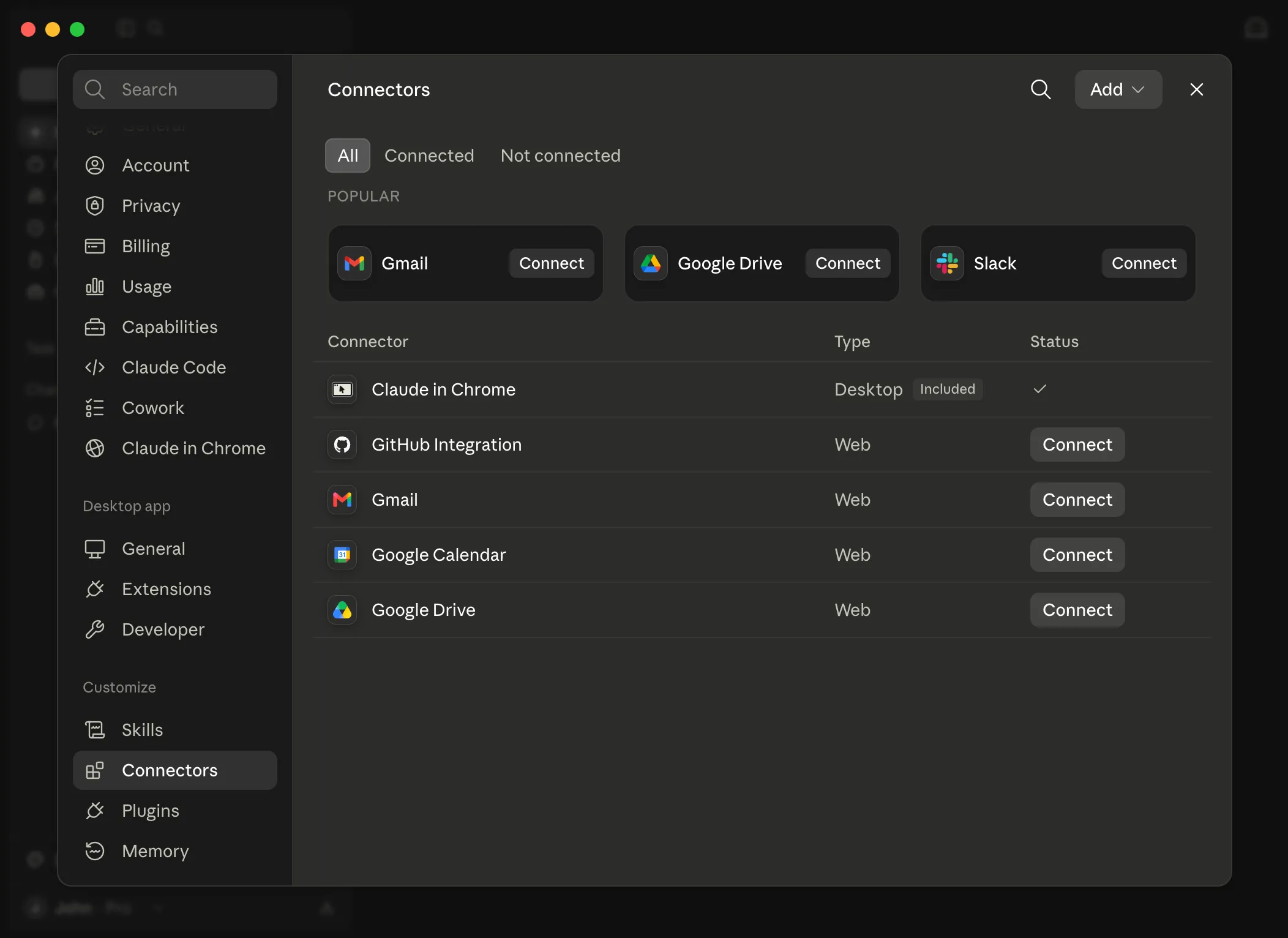
Add a custom connector
Click the Add button at the top of the Connectors list and select Add custom connector from the dropdown.
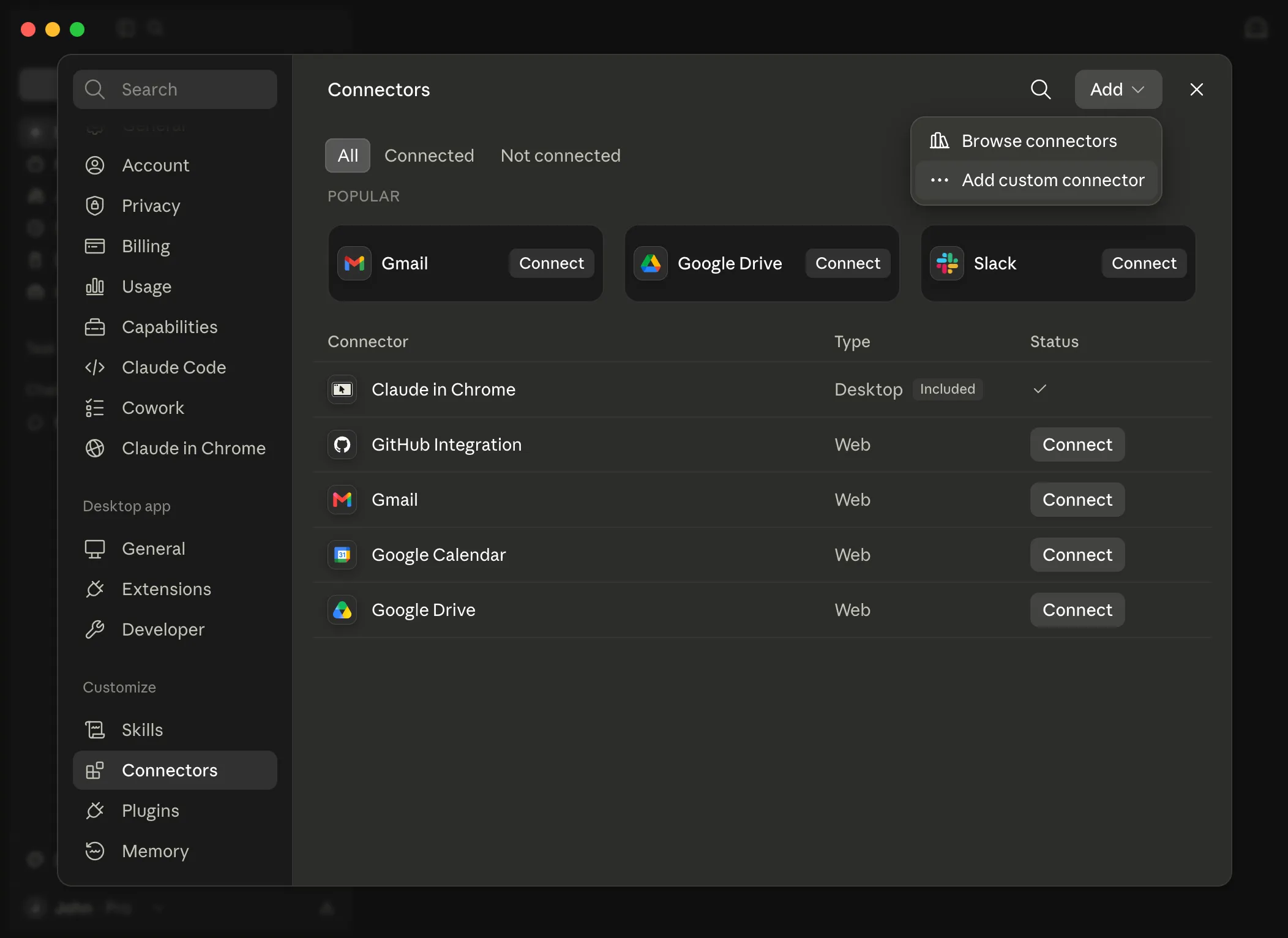
Enter the connector name
In the dialog, enter the connector name Fastio.
Fastio 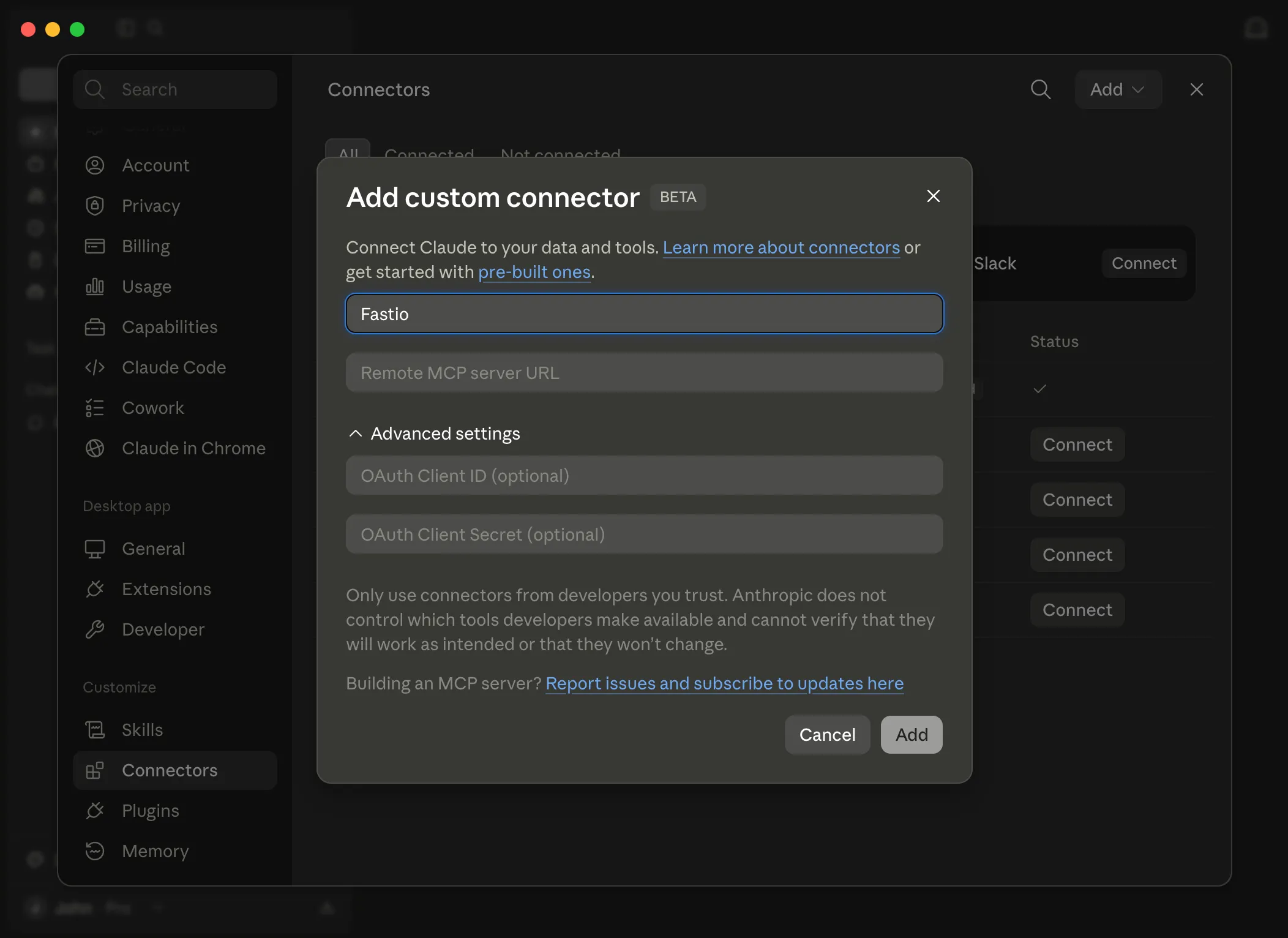
Add the MCP server URL
Paste the MCP URL below into the Remote MCP server URL field, then click Add.
https://mcp.fast.io/mcp/tools Connect to the Fastio MCP Server
The Fastio connector is now added. Click the Connect button to sign in and authorize access.
Review permissions
You'll be redirected to Fastio to review permissions. Select your Access level and click Continue.
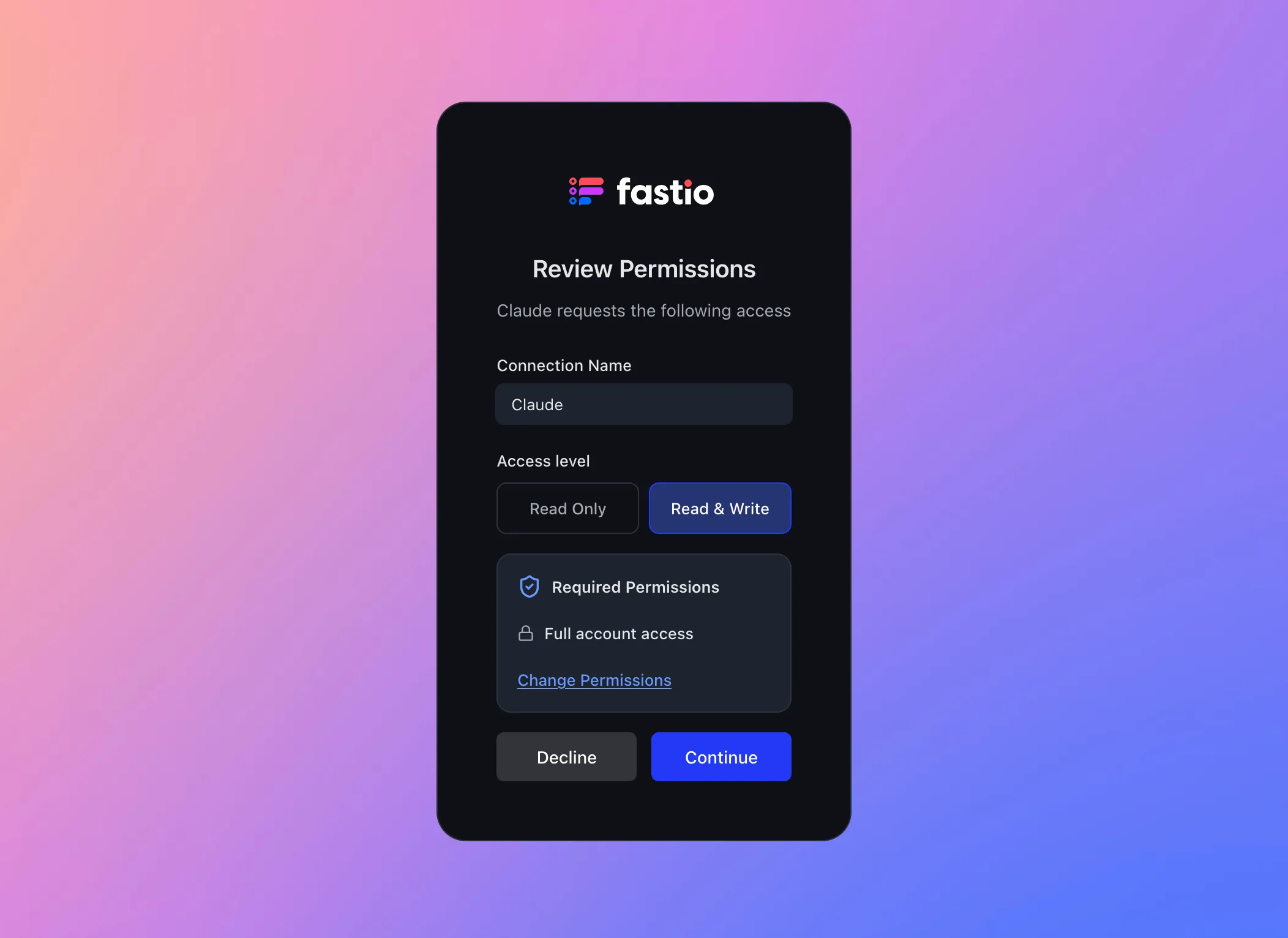
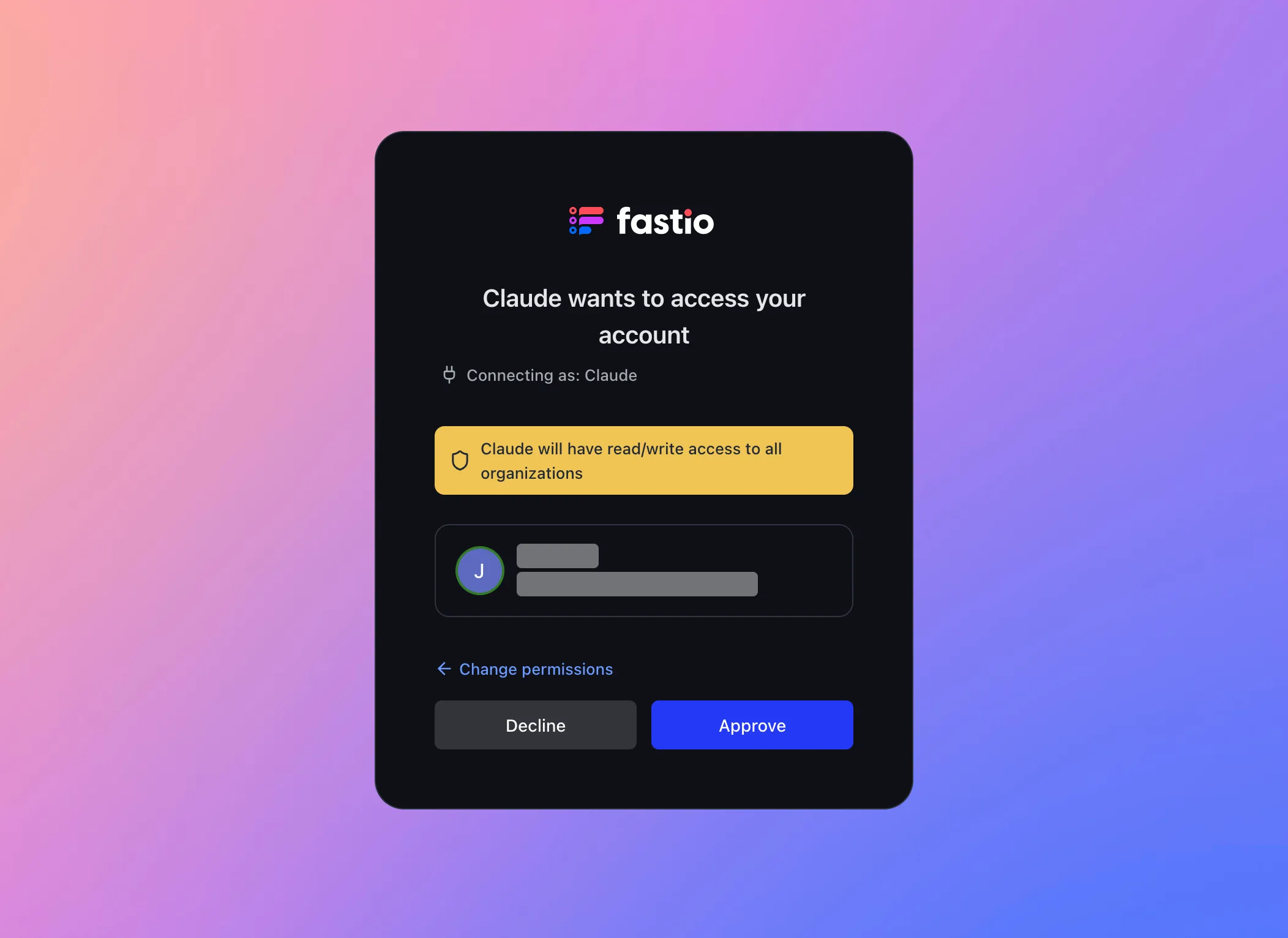
Approve the connection
Confirm the connection by clicking Approve to grant the Fastio MCP Agent access to your account.
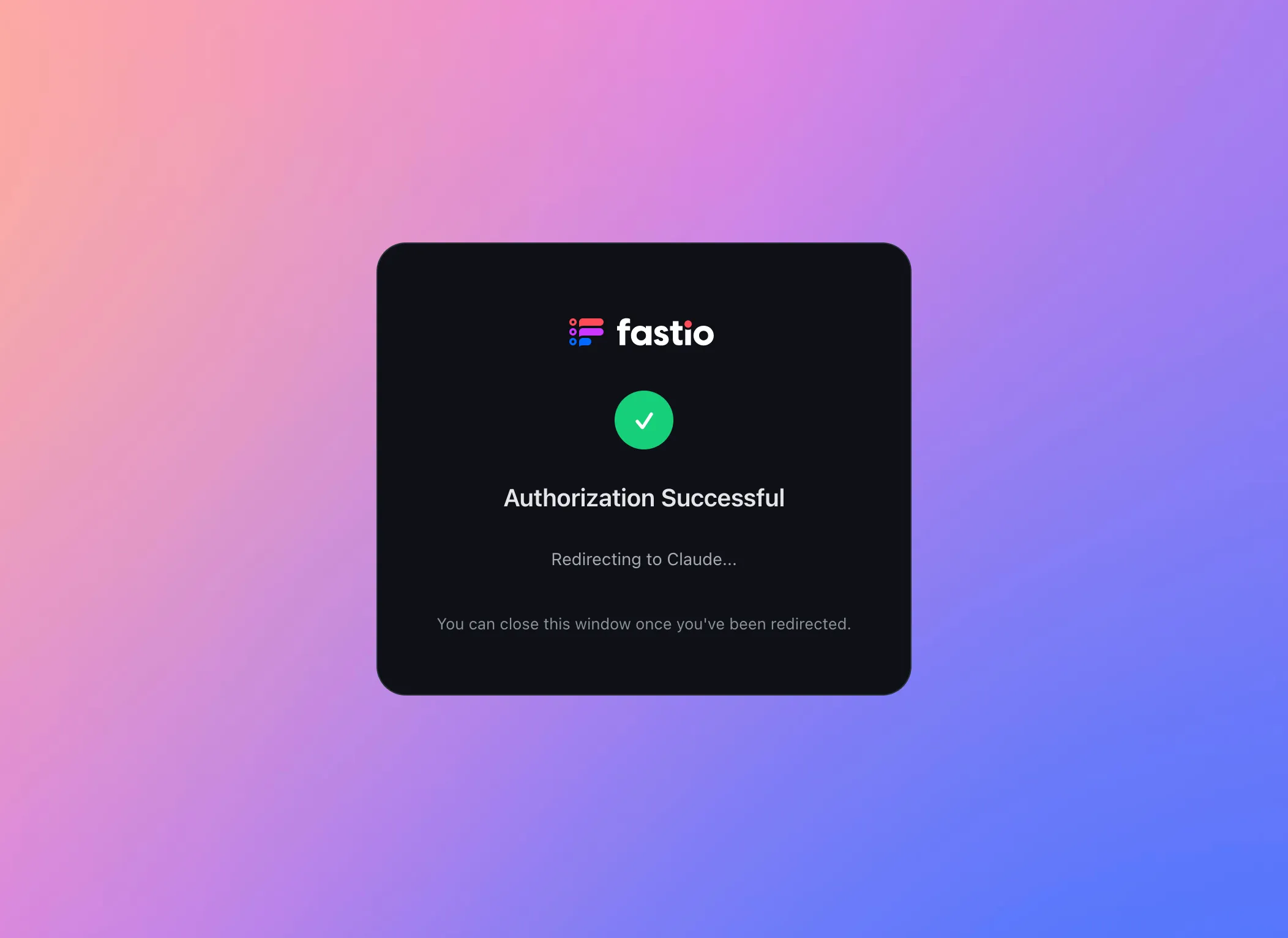
Authorization successful
After approval, you'll see a confirmation page. Your browser will then prompt you to open Claude Desktop.
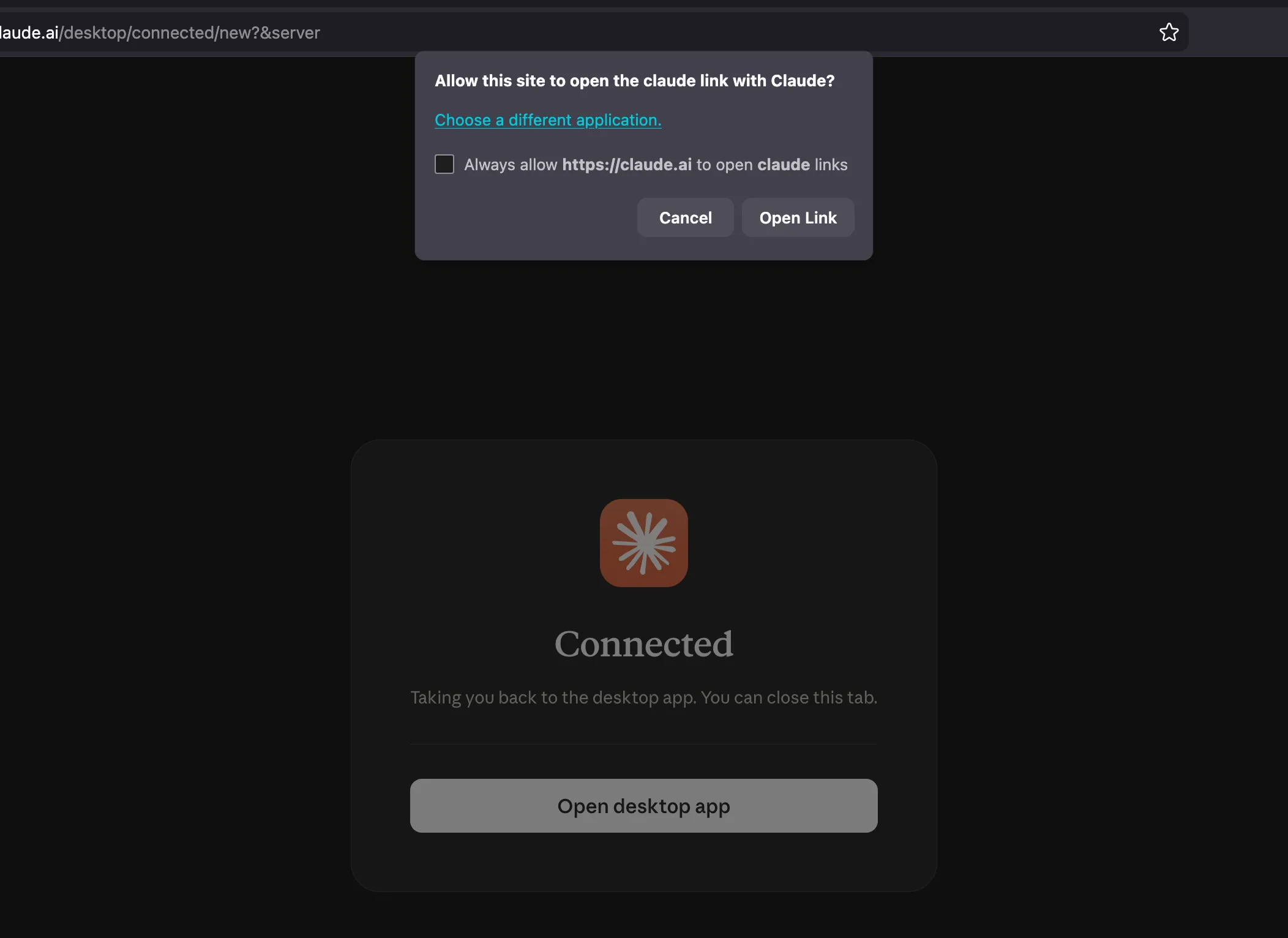
Open Claude Desktop
Click Open Link in the browser prompt to return to Claude Desktop.
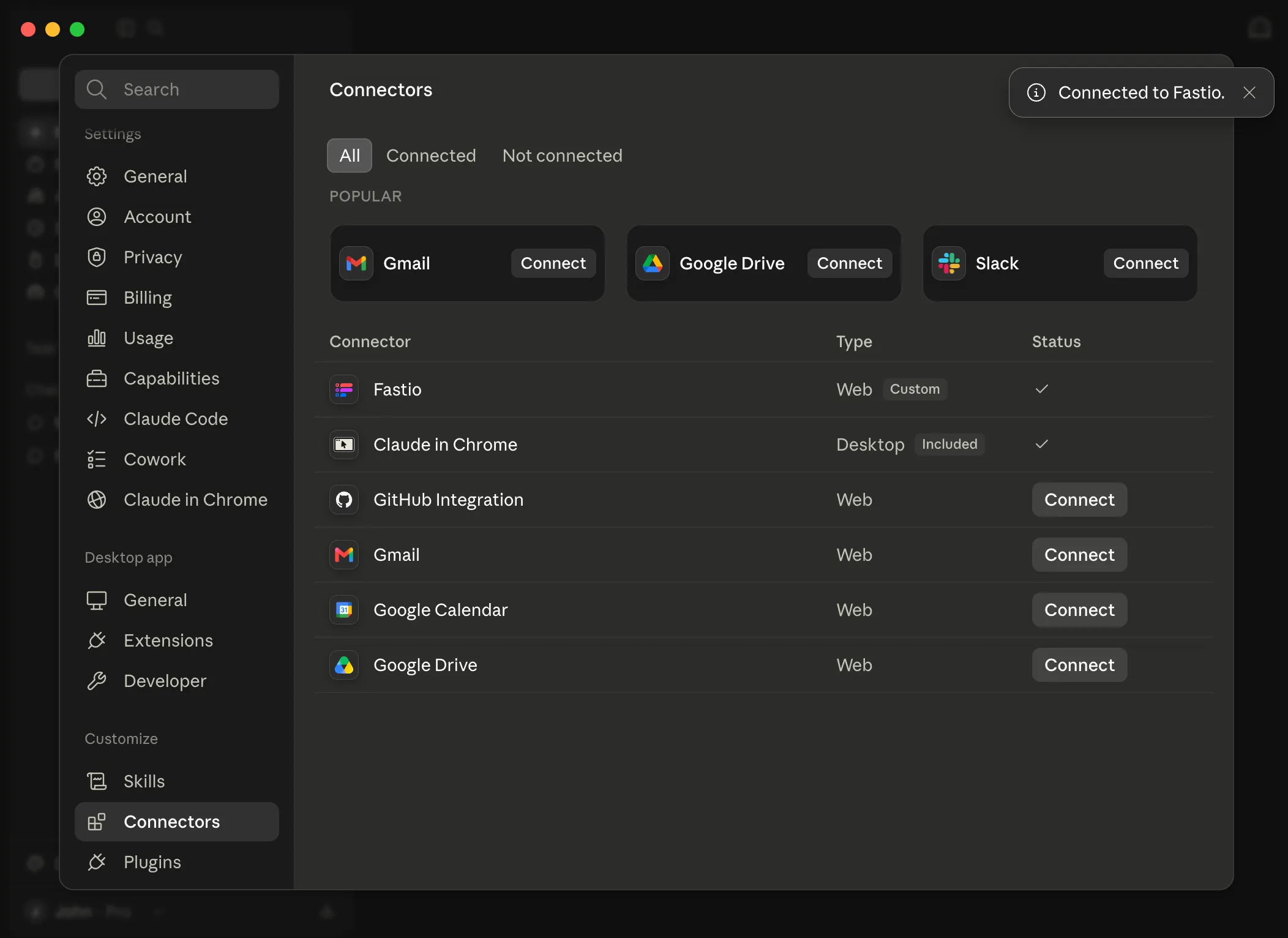
Connection confirmed
You're back in Claude Desktop. The Fastio connector shows a checkmark and a confirmation toast appears in the corner.
NOTE: If the connector doesn't update to show a checkmark, try restarting Claude Desktop and check again.
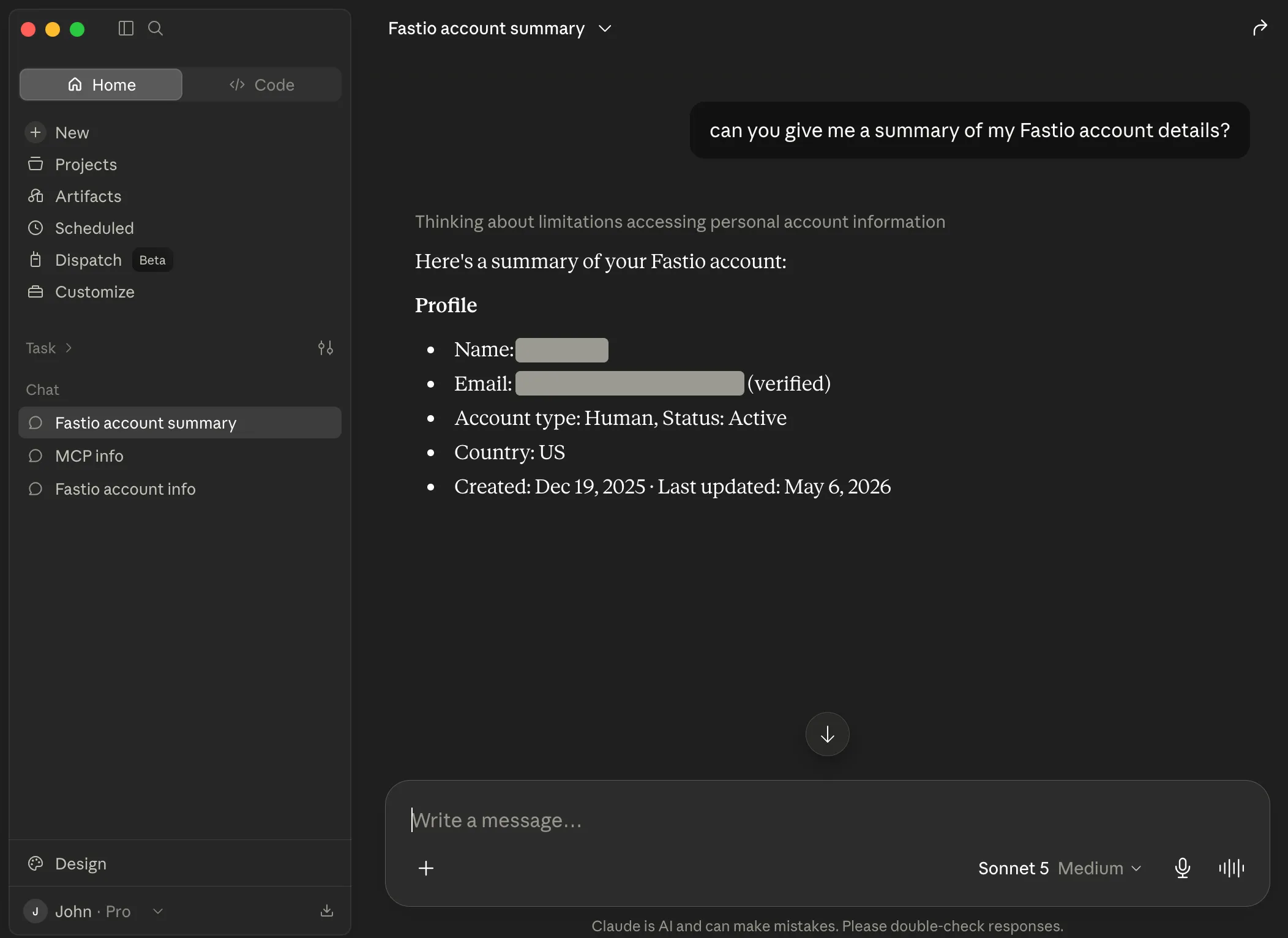
You're all set
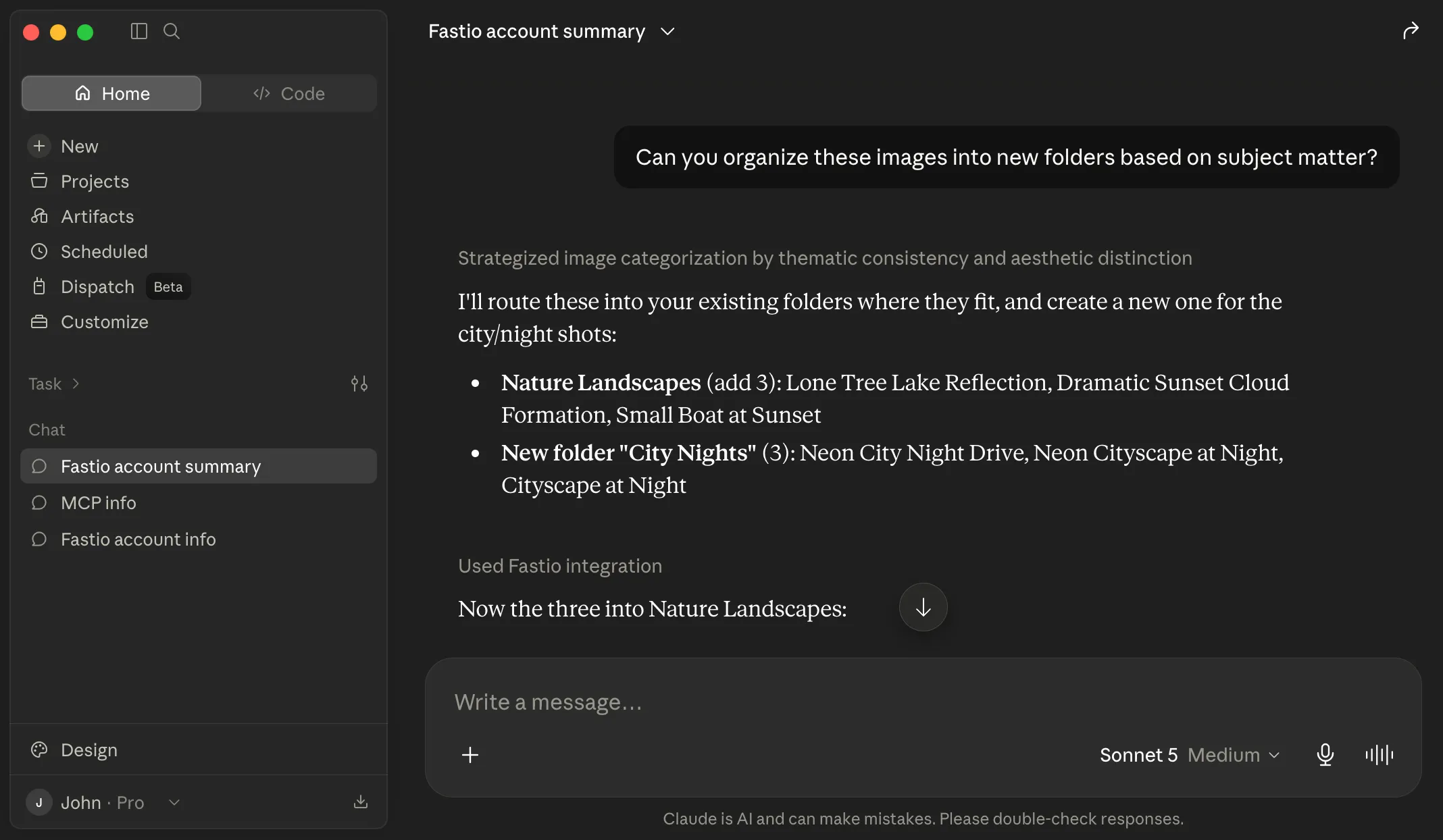
Claude is now connected to your Fastio account. In a chat, turn Fastio on from + then Connectors, then ask Claude for details about your account to confirm the connection.
Try these prompts
Copy and paste these into Claude to see Fastio in action.
List all workspaces in this account Create a new folder named "Images" Give me a link to this newly created
folder 
Everything your agents need to get work done
Give Claude a secure space to store, analyze, and share files alongside your team.
API
org_manage Create project-scoped workspaces on demand. Intelligence mode auto-indexes files for RAG.
Files + Folders
storage, storage_manage CRUD, move, copy, versions, locks, previews for 10+ formats. Chunked uploads up to 100 GB per file, by plan.
Import
upload_manage Import files from any URL. OAuth support for Google Drive, OneDrive, Box, Dropbox. No local I/O.
Semantic Search
storage action=search Find files by meaning, not keywords. "Show me contracts with indemnity clauses" works.
AI Chat (RAG)
ai_manage action=ask Ask questions across entire workspaces. Auto-summarization, citations, metadata extraction.
MCP Server
mcp.fast.io Consolidated tools via Streamable HTTP. Session state persisted in Durable Objects.
Activity Feed
event, event_manage Search the audit log, summarize recent activity with AI, and long-poll for changes instead of polling in a tight loop.
Ownership Transfer
org_manage action=transfer-ownership Build for humans, then hand off. Agent keeps admin access after transfer.
Shares & Content Portals
share_manage Three modes: Send (deliver), Receive (collect), Exchange (collaborate). Password protection, expiration, branding.
Comments & Annotations
comment, comment_manage Region-anchored feedback on images, timestamps on video/audio, page-specific on PDFs. Threaded replies.
$49.99/mo for 10 seats. Choose Business when you start the 14-day trial.
Monthly usage covers storage, bandwidth, and AI operations. Resets every 30 days. Starter is $9.99/mo and Enterprise $199.99/mo. Compare plans
Once Claude is connected
Connecting is the first step. Here is what the workspace behind it does.
Works with Your Agent
A consolidated MCP toolset, persistent files, and somewhere for your agent to put its output.
Ripley AI
Search everything stored, chat with documents, and get summaries without opening a file.
Secure Workspaces
Org-owned shared spaces with granular permissions and per-file version history.
Cloud Import
Bring existing files in from Google Drive, Dropbox, OneDrive, Box, or any public URL.
Customizable Shares
Hand finished work to clients through links or branded portals. No account needed to open one.
Company Brain
Cited answers drawn from the documents your organization already has.
FAQ
What is the Fastio MCP server?
It's a server that provides Claude with a consolidated set of workspace tools. By adding it to your config, Claude can upload files, create share links, and query documents using RAG.
How does authentication work?
You sign in on Fastio's own sign-in page in your browser: in Claude Desktop when you select Connect on the connector, and in Claude Code when you run /mcp. You choose Read Only or Read & Write and which workspaces Claude can reach, so there are no API keys to manage.
Can I see what Claude uploads?
Yes. Everything Claude stores is accessible at go.fast.io. You can browse, preview, comment on, and download files from any device.
Does this work with Claude Desktop and Claude Code?
Yes. It works with both. For Claude Desktop, you add a custom connector under Customize, then Connectors. For Claude Code, you use the 'claude mcp add' command.
What are the usage limits on the plans?
Choose Business when you start the 14-day trial, which requires a card. Business ($49.99/mo) includes 10 seats, 5 TB storage, 50 workspaces and 600,000 credits/mo. Starter ($9.99/mo) includes 3 seats, 250 GB storage, 5 workspaces and 100,000 credits/mo. Enterprise ($199.99/mo) includes 30 seats, 25 TB storage, 200 workspaces and 3,000,000 credits/mo.
Can Claude share files with people who don't use Claude?
Yes. Share links are regular web URLs. Recipients open them in a browser and get previews, downloads, and commenting features without needing an account.
Claude Code users are already in the terminal.
The Fastio CLI gives you the same workspace tools — upload,
search, share — as a standalone command. It also includes a
built-in MCP server via fastio mcp.
npm install --global @vividengine/fastio-cli
Learn more

Give Claude a professional workspace
Enable the consolidated MCP toolset for Claude in minutes. Built-in shared workspaces, RAG search, and file sharing.