Structured vs Unstructured Knowledge Base Data in a Company Brain
A company brain relies on both structured data and unstructured files to provide accurate, reliable answers. By bridging these formats through hybrid retrieval and metadata extraction, your team can maximize the precision and context of AI-driven workflows, ensuring that both human workers and agents get the exact data they need.


The Dual Nature of Company Knowledge
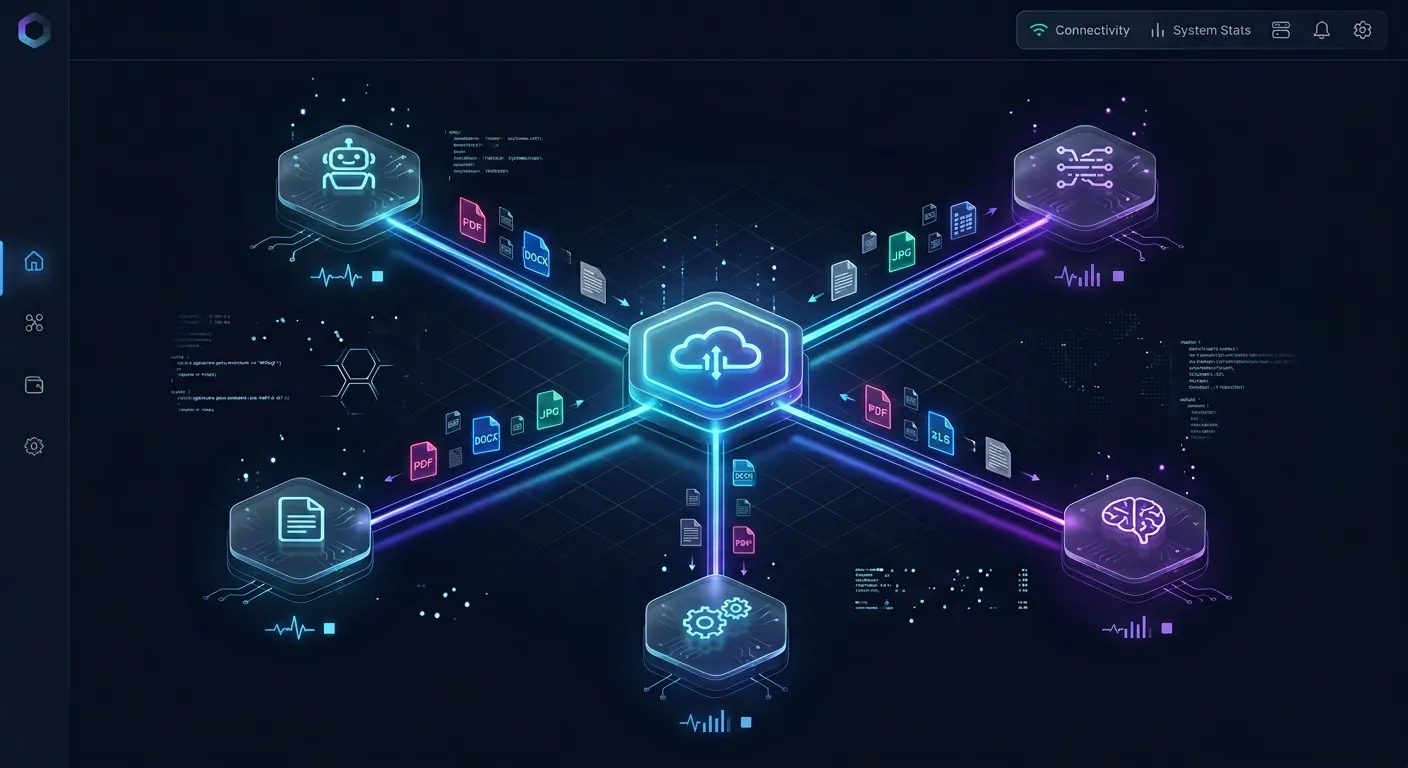
Two coding agents pointed at the same repository can overwrite each other's work without either one noticing. The fix is not a smarter agent; it is a shared place to put work where the second agent can see what the first one did. This same challenge exists across all enterprise knowledge: when structured data and unstructured files live in isolated silos, both human workers and AI agents lose critical context.
Much of the information a business generates is unstructured, appearing in text documents, PDFs, presentations, and communication logs. Conversely, structured data, organized in databases, spreadsheets, or specific metadata fields, provides the context and precision that structured querying demands. A company brain must retrieve from both efficiently to be useful.
In an intelligent workspace with Intelligence on, files are indexed as they arrive for keyword and meaning-based search, summarization, and chat. When your team asks a question, the system should pull from both the full-text content of a technical specification and the structured metadata of a contract. This dual approach is what differentiates a collection of disconnected files from a true company brain.
Without a unified approach, organizations fall into the "silo trap," where unstructured data lives in one platform and structured metrics in another. This prevents agents from delivering answers that are both contextually rich and mathematically precise.
Helpful references: Fastio Workspaces, Fastio Collaboration, and Fastio AI.
Related guides
- Enterprise RAG: System Architecture, Data Ingestion, and Access ControlEnterprise RAG is an architectural pattern that grounds large language model responses in verified internal company...
- Knowledge Retrieval Best Practices for AI AgentsEffective knowledge retrieval is the cornerstone of reliable agentic AI. By moving beyond simple vector search to...
- Best RAG Tools and Platforms for 2026Retrieval-augmented generation tools connect large language models to external knowledge sources, letting AI generate...
- How to Extract Metadata from SVG Vector FilesSVG files store metadata as XML elements and attributes, including title, desc, Dublin Core RDF blocks, viewBox...
- Google Drive RAG: How to Build Retrieval-Augmented Generation Over Drive FilesGoogle Drive RAG is an architecture where AI agents retrieve relevant document chunks from Google Drive storage using...
- How to Build Persistent Memory for Semantic Kernel AgentsSemantic Kernel memory lets AI agents store and retrieve information using vector embeddings. This guide covers setting...
More on this subject: Agent Memory and Storage (367 guides)
Bridging the Gap: Hybrid Retrieval for Unstructured Data
While semantic search allows agents to find the meaning inside unstructured documents, unstructured data often lacks the explicit constraints needed for factual precision. If you ask an AI, "Show me all invoices due next week," semantic search might retrieve documents containing the word "invoice" and dates, but it may struggle to filter those results accurately by the actual due date field.
This is where hybrid retrieval becomes critical. Hybrid retrieval merges the flexibility of semantic understanding with the exactness of keyword and metadata filtering. This approach helps ensure that agents do not just "guess" based on similarity, but rather ground their answers in the specific facts identified through structured extraction and precise searching.
Fastio employs hybrid search, which combines full-text search, semantic search, and search-by-metadata-value. This creates a system that understands both the intent behind a query and the precise data points required to fulfill it.
Combining keyword and semantic retrieval can find passages that embedding search alone misses, such as exact identifiers, names, and codes. By integrating structured metadata, you transform unstructured files from static containers into dynamic, queryable assets.
The Role of Hybrid Retrieval in Enterprise Workspaces
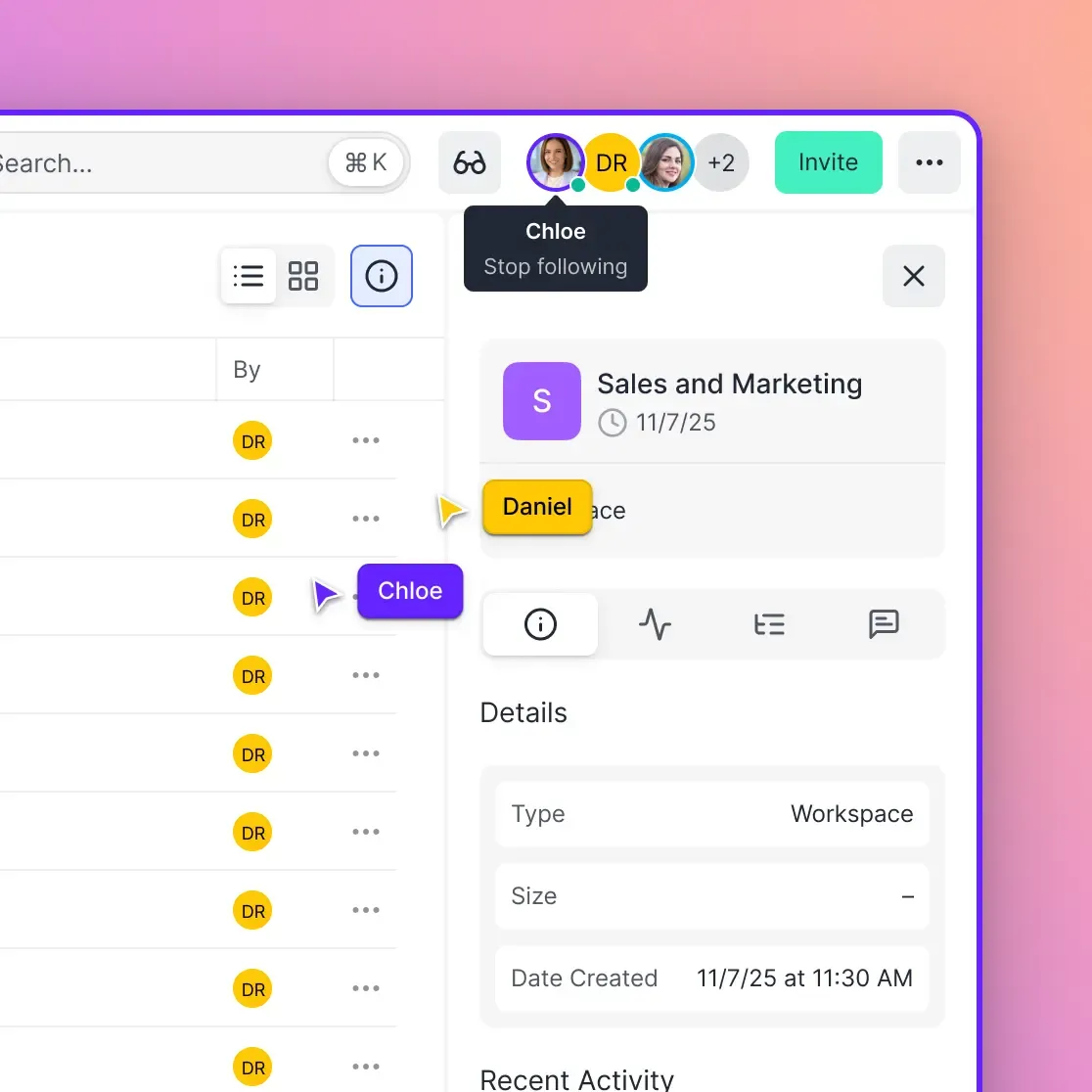
Hybrid retrieval is the operational backbone of any effective company brain. Without it, you are forced to choose between the flexibility of vector-based semantic search and the rigid, high-accuracy requirements of structured database queries. Hybrid approaches allow you to have both, ensuring that agents have a reliable mechanism for grounding their responses.
Why Pure Semantic Search Fails Complex Queries
Pure semantic search relies on vector embeddings, which are excellent at capturing the "gist" of a query but notoriously poor at exact matching. If a user asks for "Contract #12345," a purely semantic search might return 50 contracts with similar themes but fail to locate the specific ID requested. Hybrid systems bypass this limitation by treating structured fields as hard constraints, ensuring that retrieval is as precise as it is context-aware.


Build a company brain that understands your unstructured documents
Connect your documents, enable Intelligence Mode, and start querying your files with hybrid search. Monthly plans include a 14-day free trial (credit card required).
Turning Files into Queryable Databases with Metadata Views
You do not need to manually structure every file to make it queryable. Fastio Metadata Views allow you to turn documents into a live, queryable database without templates or complex OCR rules.
You describe the fields you want to extract in natural language, and the system designs a typed schema, covering Text, Integer, Decimal, Boolean, URL, or Date and Time, and automatically populates a sortable, filterable spreadsheet. This works with PDFs, images, Word documents, and spreadsheets. Over MCP, agents extract field values with storage_manage action=metadata-extract, read the field names with metadata action=fields-list, and query values with metadata action=search, so contract dates, invoice totals, or policy numbers can be queried as easily as unstructured text.
Metadata Views act as the structured extraction layer, while Intelligence Mode provides the unstructured search and summarization. This allows your team to perform complex queries such as "Show me contracts where the governing law is California and the renewal date is before January 2027" across a workspace full of unstructured PDF contracts.
This structured data is not just for human viewing. Through the Fastio MCP server, agents can query the extracted values with metadata action=search, or pass a metadata filter to storage action=search alongside a content query, then build reports or take further actions based on specific extracted values.
Agent Interaction with the Company Brain
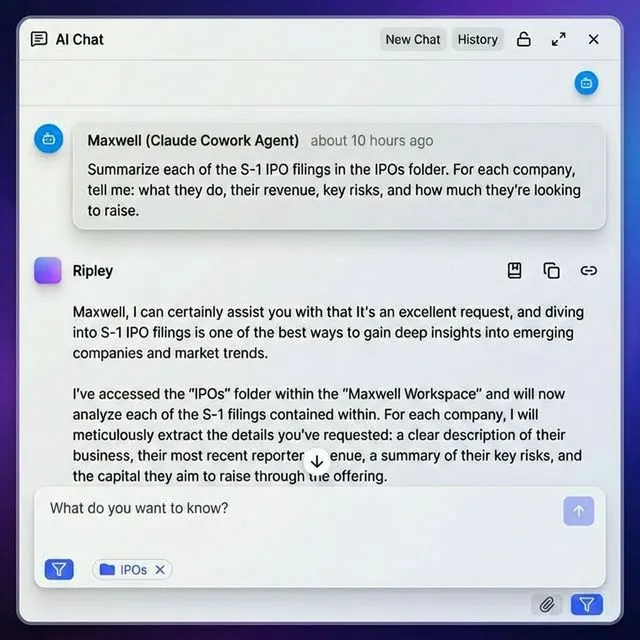
Agents reach your company brain through the Fastio MCP server. Because humans and agents work from the same intelligent workspace, an agent can perform the same structured query that a human does through the UI.
Once the MCP server is connected, agents search with storage action=search and ask questions with ai_manage action=ask, whose answers cite the files they draw on, with the page where one applies and the supporting passage. Coding agents connected at https://mcp.fast.io/mcp/code search content with its search tool and make read-only API calls with execute. Access is bounded by membership; search and Intelligence answer only from the workspaces and shares the asker belongs to.
Whether you are using Claude, ChatGPT, Cursor, or a custom agent, they all operate within this unified governance model. Ownership transfer lets an agent build an organization and hand it to a human with a claim link. An owner can also transfer an organization directly to a person who is already a member of it, and the previous owner is demoted to admin, so the work produced in the company brain stays manageable long-term.
Best Practices for Structuring Your Company Brain
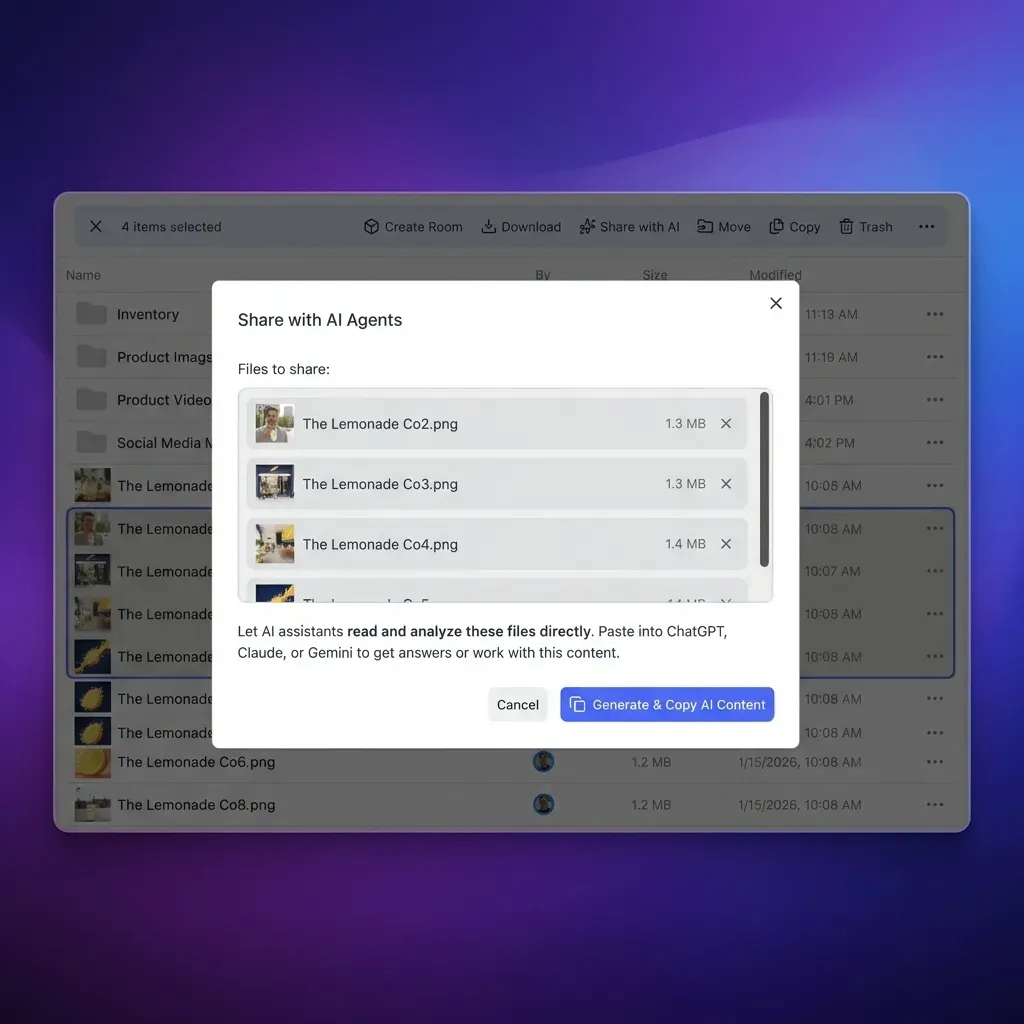
To build an effective company brain, treat your workspace as an active participant rather than a passive storage unit.
First, use a workspace per matter or project, with consistent folder structures inside it, so the Fastio permission model does the work. Permissions are set per organization, workspace, and share, not per folder or file, and because any organization member can join a workspace by default, restrict the join setting on workspaces that hold sensitive material.
Second, embrace Metadata Views early. As soon as you ingest a new class of documents, define a schema to extract key fields. This turns your file repository into a queryable database from day one.
Finally, use the events feed. Subscribe to workspace activity over WebSockets or long-poll to ensure your agents are reacting in near-real-time to updates. This moves your company brain from a reactive lookup tool to a proactive agentic environment.
Common Failure Modes in Knowledge Retrieval
The most common failure in knowledge retrieval is relying on a single, one-size-fits-all retrieval strategy. A system that uses only semantic search can return near matches when the question needs an exact one, while a system that relies only on structured databases can miss the nuance hidden in unstructured documents.
Another frequent mistake is failing to set clear membership boundaries. A company brain should only surface files to agents and users that they have explicit permission to access. Fastio achieves this by tying Intelligence retrieval directly to the workspace and share memberships.
Lastly, ignoring version control is a common failure. When multiple agents and humans edit documents and metadata, you need a way to track changes. Fastio keeps a version history for every file and records changes in its detailed activity log, so you can review who changed what and restore earlier file versions, even when automated agents make the edits.
Frequently Asked Questions
Why do I need hybrid search for enterprise documents?
Unstructured documents provide context, but they lack the rigid structure needed for precise filtering. Hybrid search combines semantic understanding with exact metadata and keyword matching, so retrieval is both flexible and precise.
Can I extract data from existing files without templates?
Yes. Fastio Metadata Views use natural language to define fields and automatically extract structured data from files like PDFs, images, and Word documents without needing OCR rules or manual templates.
Does Fastio sync with Google Drive?
Yes. Cloud Sync connects Google Drive, Dropbox, Box, and OneDrive folders to a workspace, one-way or two-way, on a schedule or on demand. Files synced from another drive take the Fastio workspace permissions, not the source drive sharing settings.
Related Resources

Build a company brain that understands your unstructured documents
Connect your documents, enable Intelligence Mode, and start querying your files with hybrid search. Monthly plans include a 14-day free trial (credit card required).