Internal Knowledge Base Examples: Structures, Templates, and Taxonomies
An internal knowledge base centralizes an organization's operational files, decisions, playbooks, and reference documents for instant retrieval by human teammates and AI agents. By moving past static wikis and disorganized cloud drives, structured taxonomies and standard document templates prevent context contamination and broken workflows. This guide covers practical knowledge base structures, standard operating templates, and workspace patterns for unified human and autonomous agent retrieval.

Why Modern Teams Need an Agent-Ready Company Brain
When an autonomous agent and an engineer pull from different versions of an operational document, both execute their tasks in good faith, yet the resulting deployment breaks. Traditional knowledge bases treat documentation as a passive library for human eyes. Critical operating procedures end up scattered across personal cloud folders and unindexed chat messages. When an engineer searches for an answer, they lose time tracking down colleagues; when an AI agent queries a fragmented document store, it retrieves conflicting drafts and hallucinates outdated parameters. The failure is not a lack of documentation, but the lack of an operational knowledge taxonomy designed for both human comprehension and machine retrieval.
An internal knowledge base is a centralized, structured repository where an organization's operational files, decisions, playbooks, and reference documents are organized for instant retrieval by humans and AI. Moving beyond static wikis requires treating documentation as active infrastructure: a unified intelligent company brain where files are indexed upon arrival, search answers cite verified sources, and both people and autonomous agents work from identical records.
The Hidden Costs of Information Fragmentation
Information fragmentation creates friction:
- Context contamination: When working drafts, superseded proposals, and personal notes mingle in the same unpartitioned folder, semantic retrieval algorithms ingest obsolete data alongside authoritative policies.
- Lexical mismatch: Traditional keyword search requires an exact vocabulary match. If an employee searches for "remote office stipend" while the official document is titled "distributed equipment expense policy," the query returns zero results.
- Orphaned knowledge: When project teams complete an initiative, their working documents and architectural sketches remain locked in private drives. New hires spend weeks reconstructing decisions that exist only as tribal knowledge.
The friction of unorganized documentation is measurable. A survey of 4,861 employees found that 47% struggle to find the information they need to do their jobs well. When files are scattered across personal drives and siloed folders, teams lose hours recreating existing work or making decisions on incomplete context.
The Anatomy of an Active Company Brain
A modern company brain functions as an active retrieval layer rather than a digital filing cabinet. In an intelligent workspace, documentation serves both people and programmatic agents:
- Automatic file indexing: Unstructured documents (PDFs, spreadsheets, text files, and presentations) are parsed as soon as they land in storage. The workspace builds keyword and meaning-based indices automatically, removing manual metadata tagging.
- Citation-backed answers: When a human or an AI agent queries the workspace, the intelligence layer generates answers that cite specific source files, page numbers, and text snippets.
- Universal agent connectivity: Autonomous coding agents, research bots, and automated assistants connect to the same workspace through the Model Context Protocol (MCP) or the REST API, reading live context and filing structured deliverables directly beside team assets.
How Modern Workspaces Differ from Legacy Wikis and Search Portals
Enterprise search tools like Glean index external SaaS apps, enterprise wikis like Guru surface contextual cards, and Notion AI provides generative text search. Each serves distinct discovery needs.
The architectural difference with an intelligent workspace is that files live where agents execute work. Rather than syncing read-only snapshots to a separate search index, the operational files and technical specifications reside directly in the workspace. When an agent updates a design or generates a test report, the newly created file is indexed automatically and becomes available for human review and agent retrieval once processed.
Related guides
- How to Build a Collaborative AI Knowledge Base for TeamsAn AI knowledge base is an intelligent workspace where humans and AI agents collaborate on organizational knowledge....
- 18 agentic workflows to run against your company brainYour agent starts every session knowing nothing about your company. A company brain fixes that. One Fastio workspace...
- The Ultimate Company Brain Setup Checklist for Teams and AgentsLearn how to build a unified knowledge base using this practical company brain setup checklist. Connect team...
- How to Build a Company Brain for Human-Agent CollaborationBuilding a centralized company brain is essential for organizations deploying AI agents. As teams adopt autonomous...
- How to Build an Internal Knowledge Base for Teams and AI AgentsAn internal knowledge base centralizes operational documents, specifications, and operating procedures so human teams...
- Best Knowledge Base Tools for AI Chatbots in 2026A knowledge base for AI chatbots is a structured repository of documents, FAQs, and data that an LLM-powered chatbot...
More on this subject: Agent Memory and Storage (310 guides)
Internal Knowledge Base Structures: Four Operational Taxonomies
Organizing an internal knowledge base requires balancing human intuition with machine retrieval efficiency. Humans scan headings and folder labels; semantic search engines and LLM agents parse directory paths, text chunks, and contextual boundaries. A well-designed taxonomy prevents context contamination by ensuring that preliminary drafts, active standards, and archived records do not bleed into the same query context.
Below are four structural taxonomies proven across technical, operational, and client-facing organizations.
1. Functional Departmental Hierarchy
The functional hierarchy organizes top-level workspaces around business disciplines. This model works best for small to mid-sized organizations establishing their first formal company brain, providing clear ownership for each department.
company-brain/
├── 00_company_handbook/
│   ├── core_values_and_mission.md
│   ├── employee_benefits_guide.pdf
│   └── travel_and_expense_policy.md
├── 01_engineering/
│   ├── architecture_standards/
│   │   ├── api_design_guidelines.md
│   │   └── database_migration_playbook.md
│   └── runbooks/
│       ├── production_incident_response.md
│       └── staging_deployment_checklist.md
├── 02_product/
│   ├── specifications/
│   │   └── user_authentication_v2_spec.md
│   └── user_research/
│       └── enterprise_interview_summaries.pdf
└── 03_sales_and_revops/
    ├── battlecards/
    │   └── competitor_differentiation.md
    └── pricing_matrices/
        └── enterprise_pricing_tiers.pdf
To maintain retrieval speed, keep this hierarchy to a maximum of three folder levels. Deeply nested trees create cognitive friction for employees and fragment document relationships during semantic retrieval.
2. Project and Initiative Taxonomy
For consulting firms, agencies, and cross-functional product organizations, organizing knowledge by active projects ensures that all assets related to a single deliverable stay contained within a unified boundary.
workspaces/
├── initiative_checkout_v2/
│   ├── 00_charter/
│   │   └── executive_summary.md
│   ├── 01_specs_and_architecture/
│   │   ├── checkout_flow_wireframes.pdf
│   │   └── payment_gateway_adr.md
│   ├── 02_meeting_decisions/
│   │   └── stakeholder_alignment_notes.md
│   └── 03_deliverables/
│       ├── api_contract_v1.json
│       └── checkout_service_runbook.md
└── client_delivery_acme/
    ├── contracts/
    │   └── executed_statement_of_work.pdf
    └── deliverables/
        └── architecture_audit_report.pdf
Organizing by initiative isolates context. When an autonomous agent is tasked with summarizing recent decisions for the checkout project, it operates exclusively within that project workspace, preventing cross-pollination from unrelated initiatives.
3. Document Lifecycle and Maturity Taxonomy
Knowledge decays if drafts are not formally segregated from canonical standards. The lifecycle taxonomy classifies files based on their operational stability and authority.
technical-knowledge/
├── 01_rfcs_and_proposals/
│   ├── rfc_014_event_streaming.md
│   └── rfc_015_multi_region_failover.md
├── 02_active_canonical_sops/
│   ├── ops_001_database_restore.md
│   ├── ops_002_ssl_rotation.md
│   └── ops_003_data_export.md
├── 03_incident_records/
│   ├── postmortem_auth_latency.md
│   └── postmortem_storage_limits.md
└── 04_archive_and_deprecated/
    ├── legacy_rest_v1_docs.md
    └── cluster_bootstrap_v1.md
This structure solves a major AI retrieval issue: semantic search returning obsolete designs. By moving deprecated assets into an archive directory, teams can scope agent searches to the active folders, keeping generative answers focused on active standards.
4. Human and Agent Co-Working Substrate
When human engineers and autonomous agents (such as Claude Code, Cursor, or OpenClaw) collaborate in a single environment, workspaces need agreed write boundaries. This taxonomy establishes explicit partitions for reference assets, working inputs, agent scratchpads, and published deliverables. Fast.io has no folder-level permissions, so these folders are conventions written into agent briefs, not access rules.
agentic-workspace/
├── 01_reference_policies/          # Reference authority; agents read, do not edit
│   ├── coding_style_guide.md
│   └── security_constraints.json
├── 02_working_inputs/              # Human-curated task specifications
│   ├── feature_brief.md
│   └── user_feedback_batch.csv
├── 03_agent_scratchpad/            # Agent workspace for intermediate artifacts
│   ├── parser_draft_v1.py
│   └── intermediate_embeddings.json
└── 04_published_deliverables/      # Verified outputs ready for human review
    ├── feature_summary.md
    └── changelog_update.md
In this architecture, autonomous agents read baseline standards from reference policies and pull input files from working inputs. The agent creates intermediate drafts and test runs in the scratchpad. Once verified, the agent writes the final report to published deliverables, notifying human teammates that the work is ready for review.
Standard Documentation Templates for Consistent Human and Agent Retrieval
Standardized document templates improve knowledge base usability for human readers and AI agents. When articles share a consistent heading hierarchy, explicit metadata blocks, and standardized sections, several benefits follow:
- Predictable chunking: Semantic search splits documents into semantic chunks. Consistent formatting ensures that prerequisites, core procedures, and troubleshooting steps remain bound to their relevant headers rather than splitting awkwardly across chunk boundaries.
- Rapid human scanning: Operations staff can locate critical instructions in seconds during an outage rather than parsing narrative paragraphs.
- Deterministic agent extraction: Autonomous agents querying via the Model Context Protocol can extract specific fields (such as prerequisites or rollback steps) without ambiguous natural language parsing.
Below are four foundational templates designed for direct deployment in your company brain.
Template 1: Production Standard Operating Procedure (SOP)
Use this template for actionable operational procedures, system runbooks, and recurring maintenance tasks.
SOP-042: Restoring Database Volume from Snapshot

Metadata:
- Owner / DRI: Database Engineering Lead
- Last Reviewed: 2026-11-10
- Review Cadence: Quarterly
- Target Audience: DevOps, On-Call Engineers
- Classification: Internal Operational

Objective and Scope:
Outlines recovery sequence for restoring primary database volumes following storage failure or corruption.
- Trigger Event: Primary database corruption or disaster recovery validation drill.
- Execution Window: 30 minutes maintenance window.

Prerequisites:
- Administrative credentials for cloud infrastructure console
- Database client installed locally or on bastion host
- Active incident triage channel opened in internal communication platform

Execution Sequence:
1. Drain incoming application traffic to affected cluster:
   $ kubectl scale deployment web-api --replicas=0 -n production
2. Query available automated storage snapshots:
   $ cloud-cli db snapshots list --db-instance-id prod-postgres-01
3. Execute volume restoration command:
   $ cloud-cli db restore-from-snapshot --target-id prod-postgres-restored --snapshot-id snap-current

Verification Checklist:
- Restored volume answers socket connection health checks
- Execute schema consistency check script via administrative terminal
- Confirm table row counts match expected pre-incident totals
- Validate read and write latencies remain within standard baseline thresholds

Rollback and Escalation:
- If restored volume fails verification, do not route production traffic
- Escalate immediately to Database Infrastructure DRI and post update in triage room
Template 2: Architecture Decision Record (ADR)
Use this template to capture technical choices, design trade-offs, and architectural evolutions.
ADR-018: Protocol Selection for Remote Agent Connections

Metadata:
- Status: Accepted
- Deciders: Core Platform Architect, Lead Infrastructure Engineer
- Date Approved: 2026-11-10
- Technical Domain: Developer Platform and Agent Interfaces

Context and Problem Statement:
Autonomous agents and developer CLI tools require a unified communication interface to read and write workspace documents.

Evaluated Alternatives:
- Option A (Legacy Poll-Based API): Simple to deploy; high connection latency, frequent polling overhead.
- Option B (Raw WebSocket Stream): Bi-directional streaming; complex client reconnection handling through enterprise firewalls.
- Option C (Streamable HTTP JSON-RPC): Modern protocol standard, clean request-response flow; requires modern reverse proxy routing.

Decision Outcome:
Adopt Streamable HTTP JSON-RPC via the Model Context Protocol (MCP) as primary interface for autonomous agent operations.

Consequences:
- Positive: Unified authentication and tool definitions across desktop IDEs, CLI agents, and background workers.
- Negative: Requires developer tooling to maintain compliant Streamable HTTP client configurations.
Template 3: Role Onboarding Checklist
Standardizing role onboarding ensures every new hire and contractor gains immediate access to necessary repositories, tools, and domain documentation.
Role Onboarding Guide: Senior Platform Engineer

Employee Information:
- Employee Name: Jane Doe
- Start Date: 2026-11-10
- Hiring Manager: Platform Engineering Director
- Onboarding Buddy: Senior Staff Engineer

Day One: Foundational Setup
- Configure identity provider credentials and register hardware authentication devices
- Review company handbook workspace and acknowledge data governance guidelines
- Join primary platform engineering communication channels
- Verify read access to core code repositories and container registries

Week One: Technical Immersion
- Review api_design_guidelines.md in engineering architecture folder
- Review staging_deployment_checklist.md in runbooks folder
- Read three most recent Architecture Decision Records (ADRs 041-043)
- Run local test suite using standard local development environment script

Week One Milestone: First Pull Request
- Select an initial starter issue from engineering backlog
- Submit pull request with unit test coverage, pass CI checks, and deploy to staging

First 30 Days: Operational Competence
- Shadow primary on-call engineer during scheduled production maintenance window
- Complete first independent production deployment under buddy supervision
- Schedule first monthly retrospective with hiring manager
Template 4: Autonomous Agent Task Brief
When directing autonomous AI agents to research, code, or generate documentation, provide a structured brief.
Agent Task Brief: Synthesize Quarterly Competitive Positioning Matrix

Execution Parameters:
- Task ID: task-20261110-092
- Target Agent: Coding and Research Agent
- Assigned Workspace: product-strategy
- Execution Mode: Read and Write via Model Context Protocol

Objective:
Synthesize competitive positioning documents and customer interview summaries into a structured feature comparison matrix.

Source Context (Read Scope):
Read exclusively from the following files in product-strategy workspace:
- 02_product/user_research/enterprise_interview_summaries.pdf
- 03_sales_and_revops/battlecards/competitor_a_differentiation.md
- 03_sales_and_revops/battlecards/competitor_b_differentiation.md

Execution Constraints:
- Do not access or cite files outside product-strategy workspace.
- Do not invent capabilities or benchmark scores not explicitly supported by source documents.
- Acquire an advisory lock on target deliverable file before writing.

Deliverable Specifications:
- Output Path: 04_published_deliverables/quarterly_competitive_feature_matrix.md
- Output Format: Markdown table with columns for Feature Category, Internal Platform, Competitor A, Competitor B, Customer Impact, and Source Citation.
- Citation Requirement: Every row must cite source filename and section heading where data was verified.


Build an Internal Knowledge Base for Your Team and Agents
Unify your internal knowledge base examples, SOPs, and project documentation in an intelligent workspace with semantic search, citations, and native MCP agent access. Start your 14-day free trial on any monthly plan.
How to Enforce Permission Boundaries Across Knowledge Workspaces
In a knowledge base accessed by employees and autonomous agents, access control cannot be an afterthought. If confidential documents (such as executive compensation tables, pending litigation filings, or API secret keys) sit in the same unpartitioned data pool as general engineering documentation, semantic search engines and LLM agents will retrieve and expose sensitive chunks in response to general queries.
Securing an internal knowledge base requires establishing predictable, coarse-grained permission boundaries that can be verified and audited.
Why Document-Level Access Lists Break Semantic Retrieval
Many legacy file repositories attempt to manage security through fine-grained, document-level Access Control Lists (ACLs) or folder-level inheritance overrides. When applied to retrieval-augmented generation (RAG) and AI agent workflows, this granular model introduces serious failures:
- Vector index synchronization lag: When an employee transfers departments or leaves an organization, updating permissions across thousands of individual file ACLs takes time. If permissions in an external vector database do not update in real time with the primary storage system, permission leakage occurs.
- Query-time latency penalties: Evaluating complex, nested document-level permission logic during vector similarity search slows down query performance, degrading both human search and autonomous agent loops.
- False negatives from misconfigured filters: Overly complex permission inheritance often results in over-filtering. An authorized team member or agent might be denied access to an essential deployment SOP simply because a parent folder had an uninherited permission block.
Setting Coarse-Grained Boundaries by Workspace Role
Fast.io avoids these failure modes with an explicit, coarse-grained boundary model. Permissions are set strictly per organization, workspace, and share, by member role.
Crucially, there are no folder-level or file-level permissions inside a workspace. Every member of a workspace accesses all files in that workspace according to their designated role:
- Workspace Roles: Owner, Admin, Member, Guest, and View.
- Organization Roles: Owner, Admin, and Member.
Because permissions do not exist at the folder or file level, security boundaries are easy to see: if a group of documents must be restricted to a specific set of individuals, those documents are placed in their own dedicated workspace or an access-controlled share. General policies live in an open workspace accessible to all employees, while executive materials live in a restricted workspace.
By default, a workspace's join setting allows any member of its organization to join. To keep a sensitive workspace limited strictly to named individuals and specific agents, administrators adjust the join setting to restricted access.
This design ensures predictable retrieval: search and Intelligence Mode answer exclusively from the specific workspaces and shares the asking person or agent belongs to. An agent that belongs only to the engineering workspace cannot search or retrieve data from the legal or finance workspaces.
Permission Normalization for Synced Cloud Drives
Many companies maintain legacy repositories across external cloud storage providers. Fast.io provides Cloud Sync to connect Google Drive, Dropbox, Box, and OneDrive folders directly to a workspace, one-way or two-way, on a schedule or on demand. (SharePoint libraries are accessible through the OneDrive connector.)
Cloud Sync operates on a schedule or on demand; it is never continuous, live, or real-time.
When files sync into a Fast.io workspace from an external drive, they take the Fast.io workspace's permissions, not the source drive's sharing settings. External drives often accumulate legacy link shares and forgotten guest access. Overriding those settings with Fast.io workspace roles ensures clean governance across all ingested documentation.
Tracking State Changes with the Detailed Activity Log
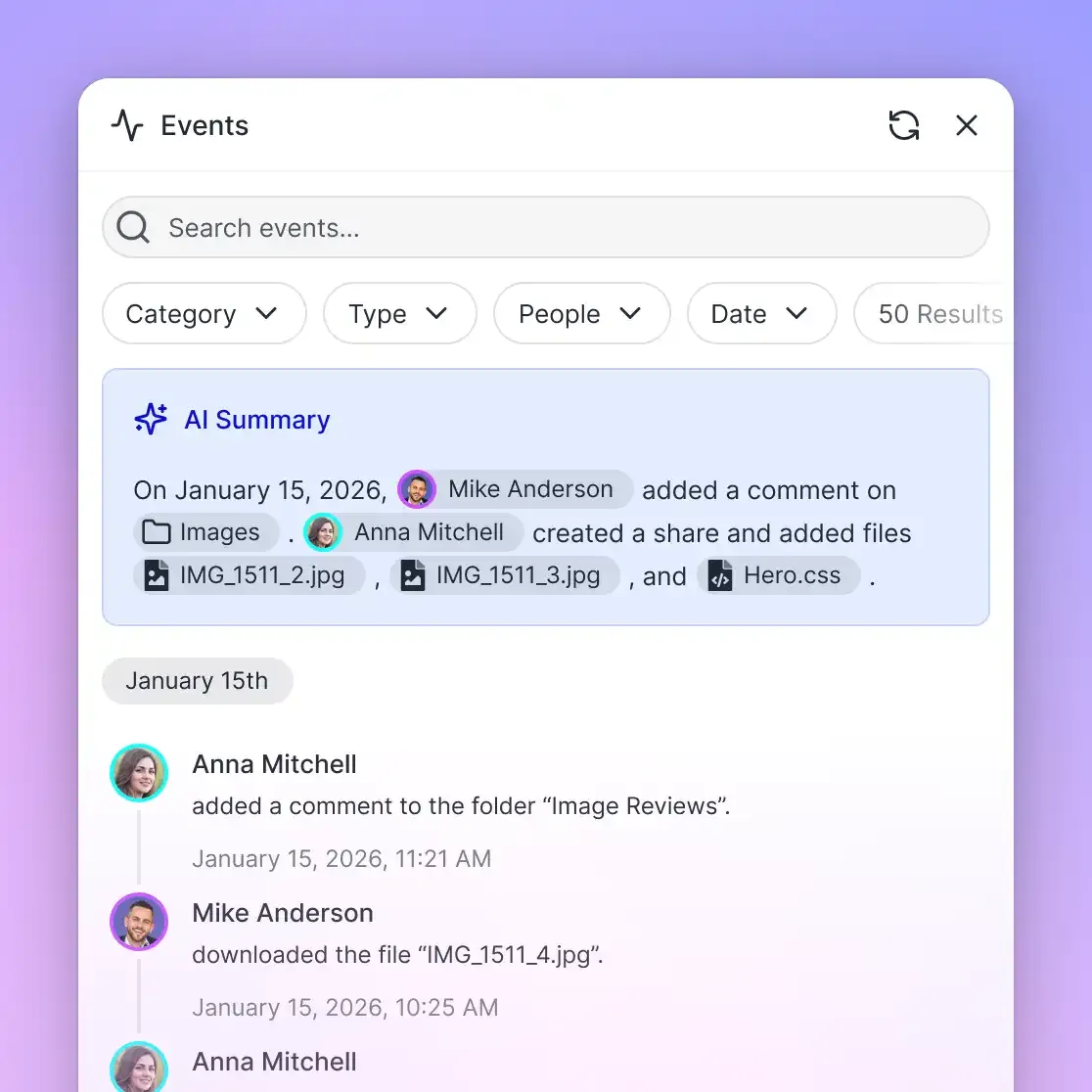
Maintaining governance across an evolving knowledge base requires visibility into operational events. Fast.io provides a detailed activity log that records operational changes across the organization: file uploads, edits, moves, deletions, membership adjustments, and share creations.
When an autonomous agent generates a project brief or a team member updates a runbook, the activity log records the actor, the timestamp, and the exact operational change.
The detailed activity log records changes, not reads. It does not record read-only events such as views, downloads, opens, or previews. It is an operational change audit that keeps collaborative human and agent modifications accountable over time.
Steps to Maintain Knowledge Freshness Across Human and Autonomous Workflows
An internal knowledge base is a living operating system. Documentation naturally decays as software versions advance and operational processes evolve. Without active maintenance workflows, employees lose trust in written guides and revert to asking colleagues for verbal answers.
Maintaining continuous accuracy across human and autonomous agent teams requires combining clear human ownership, structured extraction tooling, and programmatic concurrency controls.
Preventing Knowledge Decay with Directly Responsible Individuals
Every workspace and top-level documentation category should have an assigned Directly Responsible Individual (DRI). The DRI is accountable for the accuracy of their domain's knowledge base.
Effective DRI maintenance workflows incorporate three simple rules:
- Mandatory review cadences: High-velocity runbooks and onboarding checklists are reviewed quarterly; general company policies are reviewed semi-annually.
- Post-incident documentation updates: Following any production outage, the incident postmortem must include pull requests or direct updates to the relevant SOPs before closing the ticket.
- Deprecation over deletion: When a procedure is superseded, move the document to the archive directory and add a deprecation notice at the top pointing to the new canonical SOP.
Extracting Structured Records with Metadata Views
Much of an organization's critical knowledge lives inside unstructured documents: vendor agreements, employment contracts, and client invoices. Searching through hundreds of PDFs for specific data points is tedious for humans and error-prone for agents.
Fast.io provides Metadata Views to turn unstructured documents into a live, queryable database. Users describe the fields they want extracted in natural language. The system designs a typed schema (supporting Text, Integer, Decimal, Boolean, URL, JSON, and Date & Time fields), matches files in the workspace, and populates a filterable spreadsheet without custom OCR templates.
Metadata Views extract contract dates, invoice line items, or compliance terms from PDFs, Word files, and presentations. Autonomous agents can create views, trigger extractions, and query structured tables via MCP tools.
Concurrency Safeguards: Advisory Locks, Versioning, and Notes
When human team members and autonomous agents operate in the same workspace simultaneously, systems need protections against conflicting edits and accidental overwrites:
- Advisory File Locks: Before modifying a file, an agent acquires an advisory lease via the Model Context Protocol using the
storage_managetool with thelock-acquireaction. Teammates and other agents can check the lock state using thestoragetool withlock-status. The lock expires automatically unless renewed by regular heartbeat, and it can be released withlock-release. Advisory locks do not grant exclusive write blocking: concurrent writes still land, and version history preserves both changes. - Per-File Version History: Every file stored in a Fast.io workspace maintains a complete, restorable version history. If an autonomous agent misinterprets a task brief and overwrites a technical specification, team members can restore the earlier version.
- Collaborative Notes: Teams can record working notes and agent instructions directly beside files within the workspace. Notes co-edit live: when teammates or agents open the same note, each sees the others' labeled cursors and edits as they type.
Autonomous Provisioning and Ownership Transfer
In modern agentic architectures, AI agents can provision workspaces, ingest reference files, and configure knowledge bases on demand.
Fast.io supports an agent-to-human handoff workflow: an autonomous agent provisions the organization and workspaces, configures Cloud Sync connections, and uploads baseline playbooks. The agent then transfers ownership to a human stakeholder via a claim link and keeps admin access, placing governance in human hands. An owner can also transfer an organization or a workspace directly to another member, and the previous owner becomes an admin.
Connecting Your Knowledge Base to AI Agents via MCP
To enable autonomous agents to search and interact with your internal knowledge base, connect them to the Fast.io remote Model Context Protocol server over Streamable HTTP at dedicated endpoints:
- Claude apps and general clients: Connect via
https://mcp.fast.io/mcp/tools. - ChatGPT and Codex custom servers: Connect via
https://mcp.fast.io/mcp/operations(or install the Fastio plugin directly from the directory). - Coding agents in IDEs and terminals: Connect via
https://mcp.fast.io/mcp/code(for Claude Code, Cursor, Gemini CLI, Cline, and Roo Code).
Detailed setup procedures are available at https://mcp.fast.io/docs, with tool specifications outlined at https://mcp.fast.io/skill.md. Review workspace storage for agents to understand headless agent integration patterns.
Getting Started with an Intelligent Workspace
Organizations can start by creating a shared workspace, uploading foundational SOPs, and enabling Intelligence Mode for semantic search and citation-backed RAG answers.
To support different organizational requirements, Fast.io plans provide predictable capacity tiers:
Monthly subscriptions start with a 14-day free trial that requires a credit card. Fast.io meters AI processing through monthly credit allowances rather than per-seat AI surcharges, with overage billed in separate credit blocks. Extra storage beyond plan limits is billed in cents per gigabyte rather than credits. Review current options on the pricing page.
By establishing clean directory taxonomies, standard document templates, and coarse-grained workspace boundaries, your team creates an intelligent company brain that empowers human colleagues and autonomous agents to build with confidence.
Sources
References used to verify factual claims in this guide.
-
A survey of 4,861 employees found that 47% struggle to find the information they need to do their jobs well.
Frequently Asked Questions
What should be included in an internal knowledge base?
An effective internal knowledge base includes company policies, employee onboarding checklists, department-specific standard operating procedures (SOPs), architecture decision records (ADRs), system runbooks, and role descriptions. It should also house customer-facing playbooks, contract templates, and reference materials that teams consult for daily operations.
What are the best examples of an internal knowledge base structure?
Common knowledge base structures include functional departmental taxonomies (Engineering, Product, Sales, People Ops), project-centric models (organizing by active initiatives and client deliverables), lifecycle taxonomies (segregating proposals, active canonical SOPs, and deprecated archives), and agentic co-working substrates that separate reference policies from working scratchpads.
How do you organize company documentation for AI search?
To optimize documentation for AI search, keep folder hierarchies flat (two to three levels maximum), use standardized Markdown templates with explicit headings and metadata blocks, and segregate deprecated drafts from active policies. In Fast.io, enabling Intelligence Mode on a workspace automatically indexes files for semantic search and citation-backed question answering.
How do teams keep an internal knowledge base up to date?
Teams maintain accuracy by assigning a Directly Responsible Individual (DRI) to every core category, establishing mandatory review cadences, updating SOPs during post-incident reviews, and archiving deprecated documents rather than deleting them. Workspaces also use advisory file locks and per-file version history to manage concurrent updates safely.
How do permissions work across an internal knowledge base in Fast.io?
Permissions are defined per organization, workspace, and share by member role (Owner, Admin, Member, Guest, and View). There are no folder-level or file-level permissions inside a workspace; all members access all files in that workspace according to their role. Restricted materials live in separate, dedicated workspaces or access-controlled shares.
What is the difference between Intelligence Mode and Metadata Views?
Intelligence Mode provides unstructured retrieval: it indexes workspace documents for semantic search, summarization, and citation-backed AI chat. Metadata Views provide structured data extraction: AI analyzes unstructured files (such as contracts or invoices) to populate typed fields in a live, filterable spreadsheet without requiring custom OCR rules.
Does Fast.io sync with Google Drive and other cloud storage providers?
Yes. Fast.io provides Cloud Sync for Google Drive, Dropbox, Box, and OneDrive folders, as well as SharePoint libraries through the OneDrive connector. Cloud Sync operates one-way or two-way, on a schedule or on demand, but is never continuous or real-time. Synced files inherit the permissions of the Fast.io workspace.
Related Resources

Build an Internal Knowledge Base for Your Team and Agents
Unify your internal knowledge base examples, SOPs, and project documentation in an intelligent workspace with semantic search, citations, and native MCP agent access. Start your 14-day free trial on any monthly plan.