Company Brain Workflow for Release Notes: From Specs to Changelogs with AI
A company brain workflow for release notes transforms technical specifications, pull requests, and architecture decision records into customer-facing changelogs. By centralizing product documentation in an indexed workspace, AI agents synthesize user-focused updates grounded in verified technical sources. This end-to-end pipeline keeps technical claims checkable and bridges the gap between engineering commits and customer value.

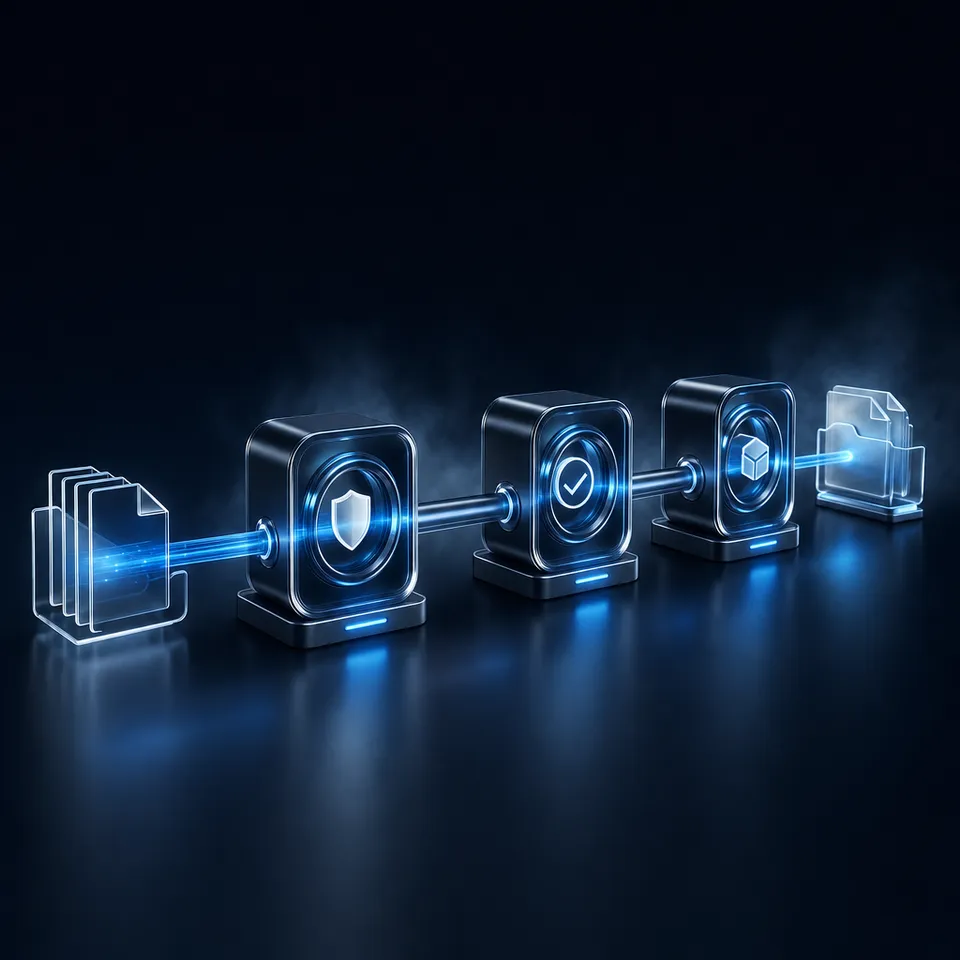
Why Manual Release Notes Fail and What a Company Brain Solves
In software engineering, release notes represent the primary bridge between shipped code and customer adoption. Product managers and engineering leads often spend hours at the close of every sprint manually gathering context from fragmented systems. Technical specifications sit in cloud drives, pull request discussions remain buried in git repositories, and product decisions hide inside issue trackers. Reconciling these records under release deadlines creates two chronic operational problems. The first problem is the unedited commit dump. Teams frequently copy merge commit titles or raw developer messages directly into customer communications. Bullet points such as "fix: resolve auth token interceptor race condition" or "refactor payload serializer" explain implementation mechanics to engineers, but they tell customers nothing about what changed in their day-to-day workflow. The second problem is ungrounded marketing drift. When non-technical writers attempt to interpret complex engineering tickets without authoritative reference documents, they produce speculative copy. Writers guess what a bug fix achieved or exaggerate a minor API update into an overhaul. These inaccuracies can create confusion, add to support ticket volume, and erode user trust. A company brain workflow for release notes is a structured operational pipeline where technical specifications, PR summaries, and decision records stored in a workspace are synthesized by AI agents into verified customer-facing changelogs. Grounding changelog generation in indexed workspace source files makes technical claims checkable. Instead of asking a language model to guess what an engineering task involved from memory or a brief prompt, the model reads the approved requirements document, the architectural decision record, and the verified pull request summary directly from the workspace. Fastio provides this operational foundation through an intelligent company brain. When files land in a workspace with Intelligence Mode on, Fastio indexes their contents for keyword and semantic search. When an AI agent drafts release notes from workspace search and chat, the answers it works from cite the source files and pages, so an editor can check each claim.
The Structural Disconnect Between Commits and Customers
Engineers write commit messages to record technical history for other developers and for continuous integration pipelines. These records emphasize the mechanism of a change: which database migration ran, which internal interface was modified, or which dependency version was updated.
Customers read release notes to answer a different question: what can I do today that I could not do yesterday? If an update resolves a memory leak during background file indexing, a developer describes the garbage collection tuning. A customer needs to know that batch uploads no longer freeze the browser interface during large transfers. Bridging this gap requires translating code changes into operational outcomes, which demands access to original product intent documents.
Grounding Changelogs in Authoritative Source Documents
When AI models generate text without direct access to authoritative source documents, they interpolate plausible details. In release notes, this tendency leads to subtle factual errors. A model might assert that an API change applies to all endpoints when the specification limited it to mobile clients, or claim that a new export format supports XML when the engineering team built only JSON.
A company brain reduces this guesswork by giving AI agents the approved source documents to work from. By placing product requirements documents, design specifications, and pull request diff summaries in an indexed workspace, agents retrieve passages from those files and cite them, so an editor can check each statement against its source. Instruct the agent to leave out any capability it cannot find in the workspace files, and have an editor confirm that it did.
Related guides
- How to Build a Company Brain Workflow for Sales BattlecardsA company brain workflow for sales battlecards centralizes competitor teardowns, win-loss analysis, and pricing sheets...
- How to Build a Company Brain Workflow for Security QuestionnairesA company brain workflow for security questionnaires centralizes compliance certifications, security policies, and...
- How to Design a Company Brain Architecture for People and AI AgentsA company brain architecture unites operational storage, hybrid search, and autonomous agents inside an authoritative...
- Company Brain vs. Wiki: Why File-Centric Workspaces Replace Static Internal PagesA company brain replaces static wiki pages by turning operational files into an indexed context layer queryable by...
- How to Build a Company Brain Workflow for Architecture Decision RecordsAn Architecture Decision Record (ADR) company brain workflow is a structured system for indexing finalized software...
- How to Build a Company Brain Workflow for Board ReportingA board reporting company brain workflow centralizes financial models, department scorecards, and strategy memos in a...
More on this subject: Agent Memory and Storage (367 guides)
The Four-Stage Release Notes Generation Pipeline
Constructing an AI release notes workflow requires moving beyond casual chat prompts or basic repository webhook scripts. Effective release communication follows an organized four-stage operating pipeline: Source Ingestion, Semantic Indexing, Agent Synthesis via MCP, and Editorial Review.
This structured progression transforms unstructured engineering records into polished, publication-ready customer updates while keeping every claim verifiable against original specifications. By treating release notes as an engineering pipeline rather than an ad-hoc writing task, teams hand the retrieval and synthesis steps to AI agents while preserving human editorial oversight. Each stage operates on persistent files stored in intelligent workspaces, ensuring that both software developers and AI agents collaborate from identical context without manual synchronization.
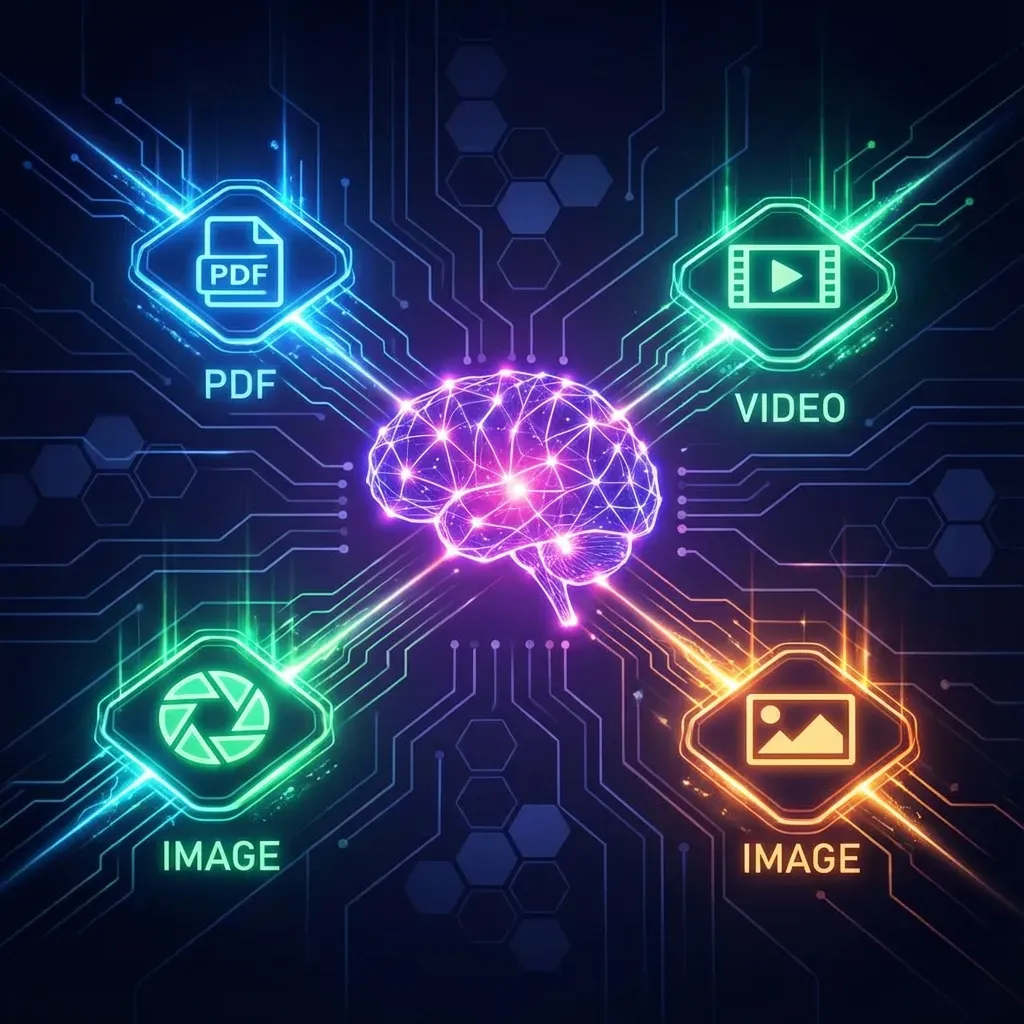
Stage One: Source Ingestion for Specifications and PR Summaries
The pipeline begins by consolidating all relevant sprint artifacts into a central workspace. A dependable release notes workflow requires three categories of source documents:
- Product Requirements Documents (PRDs) and user stories that explain why features were prioritized and what user problems they solve.
- Architecture Decision Records (ADRs) and technical specifications that detail functional boundaries, security considerations, and system limits.
- Merged pull request summaries, QA validation reports, and issue tracker exports that record what was completed and verified during the sprint.
In Fastio, files arrive in the workspace through several direct methods. Teams upload documents directly, use URL Import to pull assets from external web locations without local file storage overhead, or configure Cloud Sync. Cloud Sync connects Google Drive, Dropbox, Box, and OneDrive folders to the workspace, one-way or two-way, on a schedule or on demand. This allows product managers keeping specs in Google Drive or engineers storing specifications in Box to contribute source materials on each scheduled or on-demand sync run, without manual file transfers.
Stage Two: Semantic Indexing and Structured Metadata Views
Once documents enter a workspace with Intelligence Mode on, Fastio indexes their contents for hybrid search, combining full-text, semantic similarity, and metadata matching.
To convert messy sprint documentation into an organized index, teams use Metadata Views. Metadata Views turn unstructured documents into a live, queryable database without custom OCR rules or rigid templates. Users describe the fields they want in natural language, and the system extracts typed values directly from uploaded PDFs, markdown specs, and design documents.
For a release notes brain, a Metadata View can automatically extract and structure the following fields:
- Feature Name (Text): The official user-facing name defined in the specification.
- Release Category (Text): Categorization into New Features, Enhancements, Bug Fixes, or Breaking Changes.
- Target Audience (Text): Identification of affected roles, such as Workspace Admins, Developers, or Standard Members.
- Breaking Change Flag (Boolean): True or False indicator derived from architecture decision records.
- Source Reference (URL): Direct link back to the originating pull request or design document.
This structured extraction allows both human editors and autonomous agents to query, sort, and filter sprint deliverables before drafting begins.
Stage Three: Agent Synthesis via Model Context Protocol
With source files indexed and structured, AI agents connect to the workspace through the Model Context Protocol (MCP). The Fastio MCP server runs remotely over Streamable HTTP, providing standard endpoints designed for specific agent environments:
https://mcp.fast.io/mcp/codefor coding agents working in development environments such as Cursor, Claude Code, VS Code, and terminal CLI tools.https://mcp.fast.io/mcp/toolsfor general agents and Claude desktop and web applications.https://mcp.fast.io/mcp/operationsfor ChatGPT and Codex custom servers (the Fastio plugin is the preferred setup for both).
Agents connect to the server and search the workspace with the server's search tool. When drafting a changelog entry, the agent searches for documents matching the sprint milestone. The agent reads the technical specifications, extracts user outcomes from the PRD, and cross-references pull request notes to write benefit-driven draft copy. Because answers cite specific files and snippets, the agent can include exact document citations for internal review.
Stage Four: Editorial Review and Source Verification
The final stage pairs human judgment with agent output. While AI models excel at synthesizing complex documents into readable prose, human editors verify product positioning, tone, and strategic timing. In Fastio, drafted changelogs are saved into Collaborative Notes stored directly alongside source files in the workspace. Notes support live co-editing where team members and AI agents review and edit text together without external document transfers. Editors check claims using the citations attached to the agent's draft. Per-file version history keeps earlier versions of each note and file, which can be restored, while the detailed activity log records when files are uploaded, edited, or moved.


Draft release notes from an intelligent company brain
Connect your specifications, pull requests, and AI agents in one shared workspace. Draft changelogs grounded in your technical documents with the Fastio MCP server. Monthly plans start with a 14-day free trial, which requires a credit card.
How to Set Up a Release Notes Brain in Fastio
Wiring a release notes brain in Fastio takes about ten minutes: create the workspace, turn on Intelligence Mode, and connect your drafting agent to the MCP server. Syncing and indexing then continue in the background. The setup centers on establishing an organized workspace structure, setting role permissions, and connecting your drafting agents through MCP.
To maintain clarity across multiple development cycles, establish a dedicated workspace within your organization named "Product Releases & Changelogs." Within this workspace, organize documentation using clean directory conventions, such as /sprints/2026-Q4/ or /releases/v2.4/.
Access permissions in Fastio are set per organization, workspace, and share by member role; workspace roles are owner, admin, member, guest, and view. A Fastio workspace has no folder-level or file-level permissions. Every member of a workspace can access all files in that workspace according to their assigned role. If certain unreleased product features or sensitive security disclosures must be restricted to specific team members, keep those files in a separate workspace whose join setting is set so no one can join automatically (by default, any organization member can join a workspace) and whose member management is limited to admins and owners, or deliver them through a dedicated share.
When files sync from Google Drive, Dropbox, Box, or OneDrive, they adopt the Fastio workspace's permissions rather than the permissions of the source drive. The synced copies follow the workspace's access settings, while the originals in the source drive keep whatever sharing they already have there.
Connecting Coding and Drafting Agents Through MCP
Coding agents and terminal tools connect directly to the Fastio MCP server using Streamable HTTP at https://mcp.fast.io/mcp/code. Setup documentation and step-by-step guides are available in the Fastio MCP documentation, while broader architecture patterns are outlined in storage for agents.
For Cursor users, configure the server in ~/.cursor/mcp.json (or .cursor/mcp.json inside your project root):
{
  "mcpServers": {
    "fast-io": {
      "url": "https://mcp.fast.io/mcp/code"
    }
  }
}
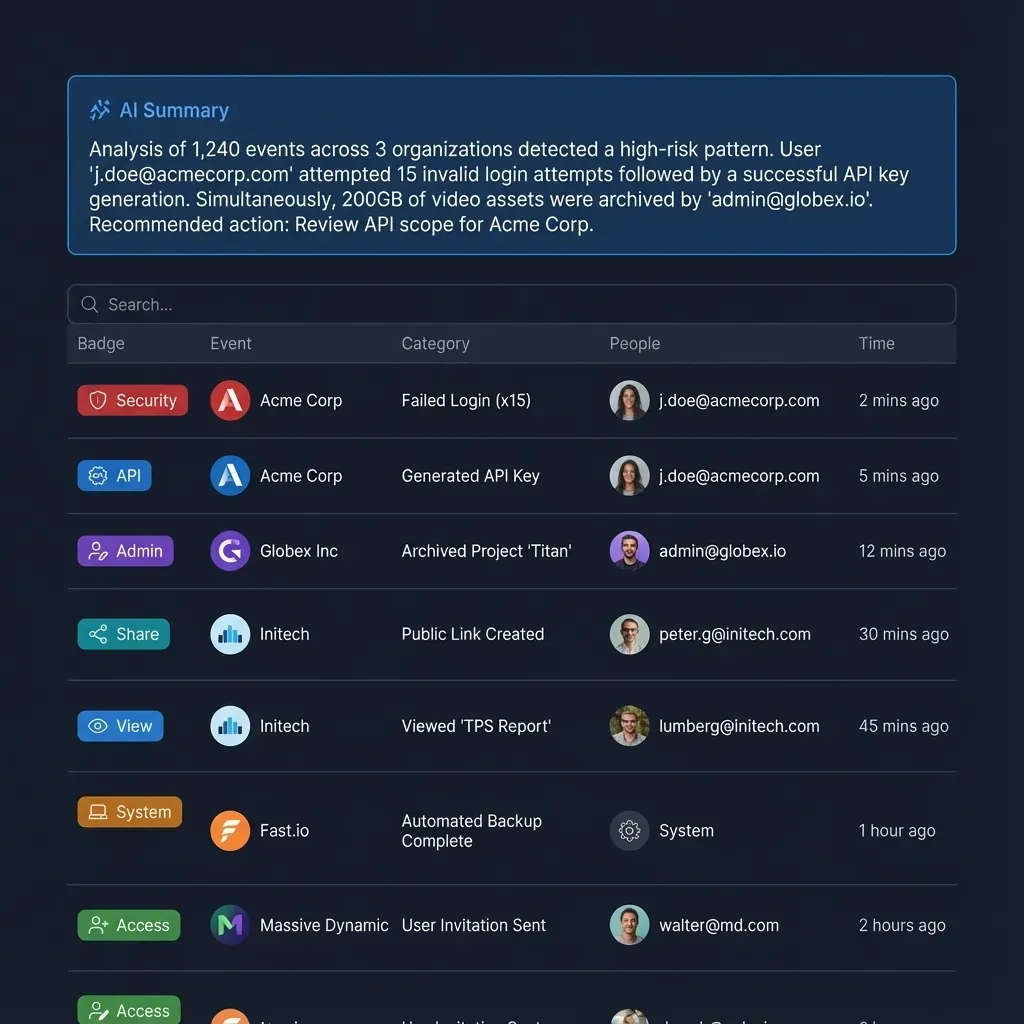
Once connected, the agent searches the release workspace for the specifications and merged pull request summaries for the target milestone and reads the metadata values Metadata Views extracted for those files, such as the breaking change flag. The agent reads the functional requirements, identifies breaking changes, and drafts customer-facing copy into a Collaborative Note saved beside the source files. Per-file version history keeps the note's earlier versions, while the detailed activity log records when documents and notes are updated.
Collaborative Review and Publishing Handoff
After an agent synthesizes the raw sprint documentation, product managers and technical writers review the generated draft in Collaborative Notes. The note sits directly in the release workspace, allowing reviewers to check claims against the source documents and pull request records without context switching.
Because Fastio tracks per-file version history, earlier versions saved by editors and agents stay in the note's version history and can be restored. When the final customer changelog is ready, teams can export the text to their public documentation portal, distribute it via email, or share a read-only view with external stakeholders through a branded file share that disables downloads.
Frequently Asked Questions
How do you automate release notes using a company brain?
When software teams automate changelogs with a company brain, they cut manual copy-pasting and avoid commit dumps. The process begins by ingesting sprint documentation, technical specifications, and pull request records into a centralized workspace. With Intelligence Mode on, files are indexed for full-text and semantic retrieval as they enter the workspace. AI agents connect to the workspace through the Model Context Protocol, retrieve source documents matching the sprint milestone, and synthesize customer-focused descriptions grounded in original requirements. The resulting drafts are saved into Collaborative Notes for editorial review.
What source files are needed to generate accurate software changelogs?
Accurate software changelogs require three core types of source documents: Product Requirements Documents (PRDs) that explain customer context and feature goals, Architecture Decision Records (ADRs) that document technical boundaries and system changes, and merged pull request summaries or issue tracker exports that detail resolved defects. Grounding AI agents in these three sources makes claims checkable and keeps changelogs aligned with delivered value.
How do AI agents ground customer-ready release notes in source documents?
AI agents work from indexed workspace source files rather than generating text from ungrounded prompts. Using the Fastio MCP server over Streamable HTTP, the agent searches for approved specifications, reads the metadata values Metadata Views extracted, such as breaking change flags and target roles, and cites the specific document passages it used in its draft. The citations make each claim checkable, so an editor can confirm it before publication while developer jargon is translated into practical customer outcomes.
Does Fastio sync with Google Drive to ingest release specifications?
Yes, Cloud Sync connects Google Drive, Dropbox, Box, and OneDrive folders to a Fastio workspace, one-way or two-way, on a schedule or on demand. When product managers store PRDs in Google Drive or engineering teams maintain technical documentation in Box, Cloud Sync brings those documents into the workspace on each scheduled or on-demand sync run. Synced files adopt the Fastio workspace permissions and, with Intelligence Mode on, are indexed for AI retrieval.
Can external stakeholders view draft release notes before publication?
External stakeholders can review draft changelogs when teams create a branded share link with view-only permissions. Fastio shares can be durable or expiring, and you can disable file downloads so reviewers can read the drafts without downloading them. External reviewers access the shared material through a browser link without needing an organization account or consuming a subscription seat.
Related Resources

Draft release notes from an intelligent company brain
Connect your specifications, pull requests, and AI agents in one shared workspace. Draft changelogs grounded in your technical documents with the Fastio MCP server. Monthly plans start with a 14-day free trial, which requires a credit card.