How Teams Use Claude at Work: A Guide to Chat, Code, and Cowork
Anthropic's Claude now spans four distinct product surfaces for work: Chat for brainstorming, Code for development, Cowork for autonomous desktop tasks, and browser extensions for web research. This guide maps each surface to the tasks it handles best, walks through integrations with Slack and Google Workspace, and covers plan selection for teams of any size.


Why Teams Are Switching to Claude
Moody's reduced credit memo preparation from 40 hours to two minutes after deploying Claude across its analyst teams. That is not a typo. Forty hours of financial research, cross-referencing, and document assembly compressed into the time it takes to make coffee. The difference came not from better prompts, but from using the right Claude product surface for structured, multi-step analytical work.
Claude's growth in enterprise reflects this pattern. Over 1,000 customers now spend more than $1 million annually on Anthropic's products. The adoption is driven by measurable productivity gains: Slack reports 97 minutes saved per user each week through Claude-powered summarization, and Spotify cut complex code migration time by 90%.
What changed is scope. Claude in 2026 is not a single tool. It is four distinct interfaces, each designed for a different kind of work:
- Chat for interactive thinking, drafting, and analysis
- Code for software development across terminals, IDEs, and the web
- Cowork for autonomous multi-step tasks on your desktop
- Browser extensions for research and summarization while you browse
The shift in how companies deploy AI at work is worth noting. In 2024 and early 2025, most teams gave employees access to a chat interface and called it done. The teams seeing the largest productivity gains in 2026 are the ones that matched different AI surfaces to different work types. A marketing analyst should not use the same tool as a software engineer, and a file organization task should not run through the same interface as a brainstorming session. Claude's four-surface approach reflects this principle, though it does require teams to understand what each surface does before they can capture the full benefit.
This guide covers all four surfaces, explains when to use each one, and walks through the integrations and pricing decisions that determine whether Claude actually fits your workflow.
Related guides
- Best OpenClaw Integrations for ProductivityOpenClaw integrations connect autonomous agents to human collaboration tools. By connecting your local AI agent to apps...
- How to Use GitHub Copilot ChatGitHub Copilot Chat is the conversational interface for Copilot that answers coding questions, explains code, and helps...
- Claude Teams Plan Guide: Pricing, Cowork, and AdministrationAnthropic's Team plan supports 5 to 150 members with SSO, enterprise search across Google Drive, Slack, and Microsoft...
- Claude Workspace Guide: Projects, Cowork, and Code Environments ComparedClaude now ships three distinct workspace models, each storing context differently: Projects for cloud chat, Cowork for...
- How to Set Up Claude Cowork on Windows: Installation and ConfigurationThree GitHub issues filed against Claude Cowork in early 2026 report the same failure: Cowork refuses to start on...
- Claude Artifacts: How to Create Interactive Apps, Documents, and CodeAnthropic ships Artifacts on every Claude plan, including the free tier, yet most users treat the feature as a code...
More on this subject: Claude and Claude Code (278 guides)
Four Ways to Use Claude at Work
Each Claude surface is built for a specific type of work. Using the wrong one wastes time. Here is what each does and when to reach for it.
Claude Chat: Your Thinking Partner
Claude Chat is the conversational interface at claude.ai and in desktop apps for macOS and Windows. It handles tasks where you need interactive back-and-forth: drafting emails, analyzing uploaded documents, brainstorming product strategy, or working through a complex decision.
Chat supports Projects, which let you attach reference documents and custom instructions that persist across conversations. An operations team can create a Project with their SOPs and policy documents attached, so every conversation starts with that context loaded. No re-uploading, no repeated instructions.
For teams, Projects is the most underused feature. You can share a Project with team members so everyone has the same reference documents and instructions. A customer support team can create a Project with product documentation, tone guidelines, and common escalation procedures. Every agent gets consistent answers grounded in the same source material, without each person building their own prompt from scratch.
Chat works well for one-off questions and creative exploration. It falls short when the task involves multiple files, requires executing steps in sequence, or needs to interact with your file system.
Claude Code: Developer Workflow
Claude Code is a coding agent that runs in your terminal, inside VS Code, Cursor, and JetBrains IDEs, or through the web and mobile apps. It reads your entire codebase and makes coordinated changes across multiple files.
Developers using Claude Code save 3 to 5 hours per week on average, with top-quartile users reporting 5 to 8 hours. By May 2026, Claude Code was generating over 403,000 daily commits on GitHub.
What it handles well:
- Writing new features and fixing bugs with full codebase context
- Refactoring across large monorepos
- Creating and running test suites
- Opening pull requests from Slack messages or terminal commands
- Explaining unfamiliar code during team onboarding
Code also integrates with Slack, so a project manager can describe a bug in a channel and Claude Code will investigate, write a fix, and open a PR without anyone touching a terminal.
The ROI for Code is straightforward to measure. Engineering teams using Claude Code report an average return of 2.5x to 3.5x on their subscription cost, measured in developer hours saved. Top-quartile teams see 4x to 6x returns. The math works because Code handles the tasks developers find most tedious: writing test boilerplate, debugging obscure errors, and performing repetitive refactoring across dozens of files.
Claude Cowork: Autonomous Desktop Agent
Cowork is the newest Claude surface, and it fills a gap the other products do not cover: multi-step tasks that involve files and folders on your local machine. You describe a task in the Claude Desktop app, point Cowork at a folder, and it plans and executes the work while you watch.
The next section covers Cowork in depth, including specific use cases and limitations.
Claude for Chrome: Web Research on the Fly
The Chrome extension lets you interact with Claude while browsing any website. Highlight text and ask Claude to explain, summarize, or rewrite it. Pull information from multiple tabs into a single conversation.
This surface works best for quick research tasks: checking competitor pricing pages, summarizing long articles, or gathering data from several sources without switching between browser and chat.

Claude Cowork: Delegating Desktop Tasks to an AI Agent
Claude Cowork is designed for knowledge workers who need AI to do real work, not just answer questions. Here is how it works: you open the Cowork interface in the Claude Desktop app, describe a task, and give Claude access to a folder on your computer. Claude reads the relevant files, creates a plan, and executes each step autonomously. You can watch the progress in real time and redirect if needed.
Tasks Cowork handles well:
- File organization. One user pointed Cowork at a Downloads folder containing 374 files accumulated over six months, including 40+ receipt screenshots and duplicate PDFs. Cowork sorted files by type, applied consistent naming conventions, and moved duplicates to a separate folder.
- Document preparation. Give Cowork a folder of source materials and ask it to assemble a structured brief, proposal, or report. It reads across multiple documents and synthesizes them into a single output.
- Research synthesis. Point Cowork at a folder of research papers, analyst reports, or meeting transcripts and ask for a summary with key themes and actionable takeaways.
- Data extraction. Cowork can read contracts, invoices, and financial reports, then extract specific fields into structured spreadsheets. Legal teams use this for contract review. Finance teams use it for invoice processing.
The safety model:
Cowork keeps humans in control. It shows you what it is doing at each step, pauses before consequential actions, and never makes decisions that could cause damage without your approval. If you do not like where it is headed, you can pause and redirect at any time.
Getting good results from Cowork:
Be specific about what you want. "Organize my Downloads folder" works, but "Sort my Downloads folder by file type, rename each file with a date prefix in YYYY-MM-DD format, and move anything older than 90 days to an Archive subfolder" gets you exactly what you need on the first try. The more structured your request, the less iteration required.
Point Cowork at the right folder scope. Giving it access to your entire home directory when it only needs one project folder slows it down and increases the chance of unintended changes. Keep the scope tight.
When to use Cowork instead of Chat:
The distinction is conversation vs. delegation. Use Chat when you want to think through a problem with AI as a sounding board. Use Cowork when you have a defined task involving multiple files and you would rather hand it off entirely.
Availability and pricing:
Cowork is available on all paid plans starting at $20/month (Pro). It runs through the Claude Desktop app on macOS and Windows. The free plan does not include Cowork.
Current limitations:
Cowork operates within your local file system. It cannot send emails, post to Slack, or interact with web applications. If your files live in cloud storage like Google Drive or Dropbox, you will need to sync them locally first, or use a workspace platform that Claude can access through MCP to read and write files directly.


Give your Claude workflows persistent shared storage
Persistent workspace with MCP endpoint for Claude Cowork output, Intelligence Mode for semantic search, and granular permissions.
Connecting Claude to Your Existing Tools
Claude integrates with the workplace platforms most teams already use, which means you can start getting value without rebuilding your tool stack.
Slack
The Claude Slack integration lets team members interact with Claude directly in channels and DMs. Tag @Claude to summarize long threads, answer questions about shared documents, or draft responses to customer inquiries. Slack's internal data shows their employees save 97 minutes per week using Claude for thread summarization.
Claude Code also works through Slack. A product manager can describe a bug or feature request in a channel, and Claude Code will investigate the codebase, write a solution, and open a pull request. No terminal required on the requester's end.
Google Workspace
On Pro plans and above, Claude connects to Gmail and Google Drive. Claude can search your email history, summarize conversation threads, and pull context from shared Drive documents. This is useful for preparing meeting briefs or finding information scattered across email chains and shared folders.
Microsoft 365
For teams running on Microsoft's ecosystem, Claude integrates with Outlook, OneDrive, and SharePoint. Enterprise teams commonly use this to let Claude reference internal documentation stored in SharePoint libraries without manually downloading and uploading files.
Chrome Extension
Beyond the standalone browser experience, Claude's Chrome extension works alongside these integrations. You can use it to pull information from web applications that do not have dedicated Claude connectors. Reading a competitor's pricing page, extracting data from a web dashboard, or summarizing a support ticket in your helpdesk tool are all handled through the extension.
MCP: The Custom Integration Layer
The Model Context Protocol (MCP) lets Claude connect to any tool or data source through a standardized interface. Teams build MCP servers that expose internal databases, project management systems, or documentation platforms to Claude.
This is where persistent file storage becomes relevant. Claude Cowork generates files on your laptop. Getting those files to the rest of your team means either emailing them around or syncing to a shared location. Workspace platforms like Fast.io expose an MCP endpoint that Claude can use to read from and write to shared workspaces directly. Files uploaded through MCP are automatically indexed by Fast.io's Intelligence Mode for semantic search, so your team can ask questions about Claude-generated documents without manually organizing them.
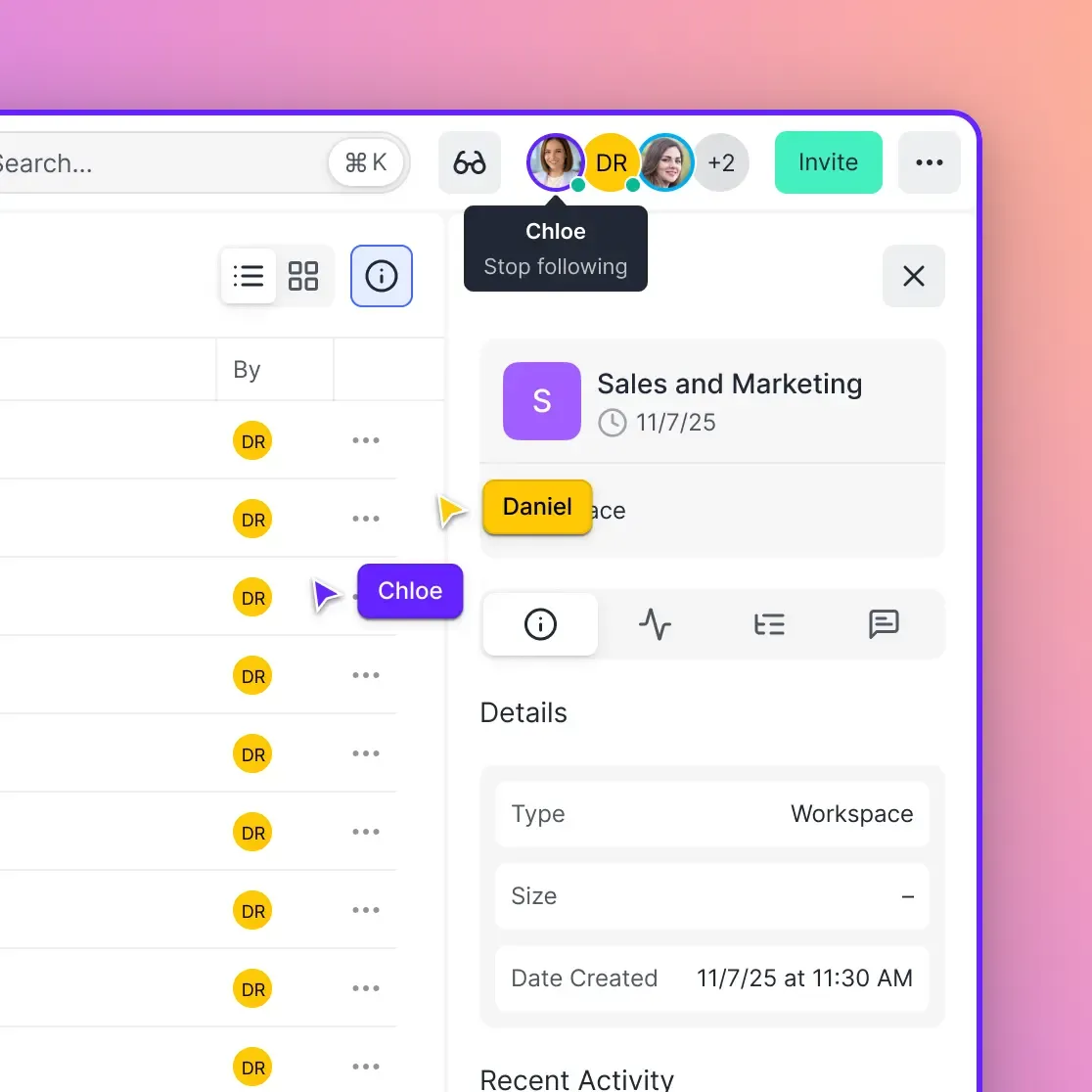
Fast.io provides shared workspaces and a remote MCP endpoint where Claude Cowork can persist and organize files.
How to Pick the Right Claude Plan
Claude offers five pricing tiers. Here is how to think about which one fits.
Free ($0)
Includes Chat, Code, web search, and basic file handling. Good enough for trying Claude on personal tasks and deciding whether it fits your workflow. No Cowork access, no workplace integrations.
Pro ($20/month)
Adds Cowork, Design, deep research, and connectors for Slack, Google Workspace, and Microsoft 365. This is the entry point for daily work use. If you need Cowork or any integrations, Pro is the minimum.
Max ($100 or $200/month)
Same features as Pro with 5x or 20x the usage capacity. Pick this if you regularly hit Pro limits, which happens quickly for heavy Code or Cowork users. The 5x tier at $100/month covers most power users. The 20x tier at $200/month is for developers who run Claude Code throughout the entire workday.
Team ($25/month per seat, annual billing)
Designed for groups of 5 to 150. Includes everything in Pro plus admin controls, shared billing, and the option to add Premium seats at $125/month with 5x usage. Teams can mix Standard and Premium seats, so you only pay for heavy usage capacity where you need it.
Enterprise ($20/seat + usage-based pricing)
For organizations that need SSO, SCIM provisioning, audit logs, compliance APIs, role-based access control, and data retention policies. Enterprise also includes Claude Security for automated vulnerability detection in codebases. If your procurement team requires SOC 2 or HIPAA-readiness, this is the tier to evaluate.
Practical advice:
Start with Pro for individuals or a small pilot group. Move to Team once you have five or more regular users. The per-seat cost barely increases, but you gain admin controls and centralized billing that simplify expense tracking. Only go Enterprise if you need SSO, compliance features, or audit trails.
For developer teams specifically, watch Code usage closely. The Pro tier's limits can feel constraining within the first week if your team is actively coding with Claude. Budgeting for at least some Max or Premium seats from the start avoids the friction of unexpected throttling.
Where Claude Needs Help and What to Pair It With
Claude handles text and code analysis, generation, and transformation well. But it has real limitations that teams should plan around rather than discover the hard way.
File output stays local by default.
Claude Cowork creates files on your machine. Claude Code writes to your local repository. Neither pushes output to a shared location automatically. If one analyst uses Cowork to process 50 contracts and extract key terms, those results sit on their laptop until someone manually shares them.
For small teams, this is manageable. For larger teams running Claude across multiple people, it creates a fragmented output problem. The fix is connecting Claude to shared storage through MCP. Cloud options include Google Drive, Dropbox, or S3 for basic file sync. For teams that want AI-indexed shared output, Fast.io workspaces provide MCP-native storage where both humans and agents can read and write. Files are indexed for semantic search once Intelligence Mode is enabled, which means team members can ask questions about Claude-generated reports without knowing which folder they landed in. Fast.io offers a 14-day Business Trial across Starter, Business, and Enterprise plans.
No project management built in.
Claude does not track deadlines, assign work, or manage approval chains. It can draft a project plan or summarize a status update, but the coordination layer needs to live in a dedicated tool: Asana, Linear, Jira, or whatever your team already uses.
Context limits over long sessions.
Claude's 200,000-token context window is large, but very long conversations lose coherence. For ongoing projects, start fresh conversations regularly and use Projects to maintain persistent context through attached reference documents.
No image or video editing.
Claude analyzes images and describes them, but it cannot edit photos, produce video, or design interactive prototypes. For creative teams, Claude handles the text and strategy layer while visual production stays in Figma, Premiere, or your existing design tools.
No direct web actions.
Claude Chat and Cowork cannot fill out web forms, navigate apps, or post to social media on your behalf. The Chrome extension reads web content but does not interact with pages. If your workflow requires browser-based automation, you will need a separate agent framework or RPA tool.
The practical takeaway:
Use Chat for thinking, Code for building, Cowork for delegating file-heavy tasks, and the Chrome extension for quick research. Connect Claude to your team's shared workspace through MCP so output does not stay trapped on individual laptops. Pick the plan tier that matches your actual usage, not the one with the most features. Then measure what saves time and adjust.
Sources
References used to verify factual claims in this guide.
-
Moody's reduced credit memo preparation from 40 hours to two minutes Slack reports 97 minutes saved per user each week Spotify cut complex code migration time by 90%
-
Developers using Claude Code save 3 to 5 hours per week on average Claude Code generating over 403,000 daily commits on GitHub by May 2026 Over 1,000 customers spend more than $1 million annually on Anthropic's products Engineering teams report average ROI of 2.5x to 3.5x on Claude Code subscription cost
Frequently Asked Questions
How can I use Claude at work?
Claude offers four product surfaces for work tasks. Chat handles brainstorming, drafting, and document analysis through a conversational interface. Code is a developer agent for writing, debugging, and refactoring software. Cowork runs autonomous multi-step tasks on your desktop, like file organization and data extraction. The Chrome extension lets you research and summarize web content while browsing. Start with the surface that matches your most frequent task type.
What is Claude Cowork?
Claude Cowork is an autonomous desktop agent built into the Claude Desktop app. You describe a task, point it at a folder on your computer, and it executes multi-step work on its own: sorting files, assembling documents, extracting data from contracts, and synthesizing research across sources. It shows its progress in real time and pauses before consequential actions so you stay in control. Cowork is available on Pro ($20/month) and higher plans for macOS and Windows.
Does Claude integrate with Slack?
Yes. Claude integrates with Slack on Pro plans and above. Team members can tag @Claude in channels to summarize threads, answer questions about shared documents, and draft responses. Claude Code can also receive task descriptions through Slack and produce pull requests without the requester opening a terminal.
Can I use Claude for free at work?
The free plan includes Claude Chat, Claude Code, and web search. It works for individual tasks and evaluation purposes. However, Cowork, workplace integrations (Slack, Google Workspace, Microsoft 365), and higher usage limits require a paid plan starting at $20/month for Pro.
What is the difference between Claude Code and Claude Cowork?
Claude Code is built for software developers. It reads codebases, writes and debugs code, runs tests, and opens pull requests. Claude Cowork is built for knowledge workers who need to process files and documents without writing code. Think of Code as a programming partner and Cowork as an administrative assistant who can work through a stack of files on your behalf.
How much does Claude cost for a team?
Team plans start at $25 per seat per month with annual billing, or $30 per seat monthly. This includes all Pro features plus admin controls, shared billing, and the option to add Premium seats at $125/month for users who need 5x the standard usage capacity. Enterprise plans start at $20 per seat plus usage-based pricing and add SSO, SCIM, audit logs, and compliance features.
Related Resources

Give your Claude workflows persistent shared storage
Persistent workspace with MCP endpoint for Claude Cowork output, Intelligence Mode for semantic search, and granular permissions.