Claude Code Agents: Subagents, Background Agents, and Agent Teams
Claude Code ships three delegation layers that solve the biggest bottleneck in AI-assisted coding: context window management. Subagents isolate side tasks in separate context windows, background agents run work concurrently, and agent teams coordinate across independent sessions. This guide covers the full hierarchy with configuration examples and decision frameworks for choosing the right agent type.

Why Context Management Bottlenecks AI Coding
One developer coordinating 22 specialized Claude Code subagents extended effective working context from under 20 minutes to over two hours by keeping verbose output isolated from the main conversation. That roughly 6x improvement came from a structural change, not a model upgrade: each subagent ran in its own context window and returned only a summary to the parent session.
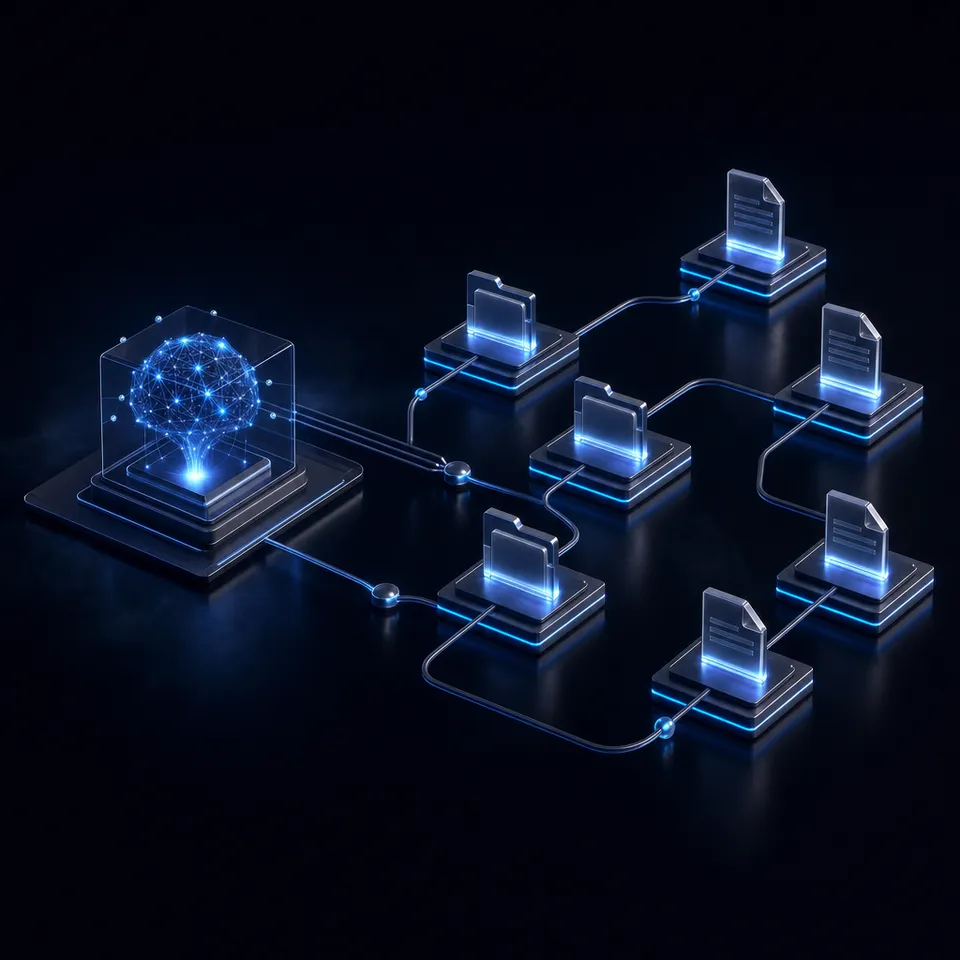
Claude Code agents are specialized AI assistants that run in their own context window with a custom system prompt, specific tool access, and independent permissions. When Claude encounters a task that matches an agent's description, it delegates the work. The agent operates independently and returns results. Your main conversation never accumulates the intermediate search results, test output, or file contents that the agent processed.
The system provides three delegation layers, each solving a different coordination problem:
Subagents handle a side task in an isolated context and return a summary. Use them when a task would flood your main conversation with output you won't reference again.
Background agents run concurrently while you keep working. Press Ctrl+B to background any running task, or configure a subagent with
background: trueso it always runs asynchronously.Agent teams give each worker its own independent session with structured messaging between sessions. Use them for sustained parallel work that exceeds what subagent results can coordinate.
Claude Code ships three built-in subagent types out of the box. Explore runs on Haiku with read-only tools for fast codebase search. Plan inherits the parent model and restricts itself to read-only research during planning mode. General-purpose inherits all tools and the parent model for complex multi-step operations that need both reading and writing.
The underlying problem that agents address is context accumulation. In a single conversation, every file read, test run, and search result piles into one window. When the window fills, the model compacts earlier messages and loses detail. You end up re-explaining decisions you already made. Agents contain each subtask's output in a separate window and return only what the parent conversation actually needs, keeping the main context window focused on high-level coordination.
Related guides
- Devin AI Use Cases for Engineering TeamsOfficial Devin docs report 6-12x efficiency gains when teams scope multi-step coding work correctly, and Nubank...
- Top OpenClaw Integrations for Remote TeamsOpenClaw integrations for remote teams allow autonomous agents to operate directly within shared Slack channels, Notion...
- How to Track Claude Code Usage, Costs, and Token LimitsThe average Claude Code deployment costs $13 per developer per active day, but that number swings wildly based on model...
- Claude Code Models: How to Configure and Switch ModelsClaude Code offers four model tiers with a 10x cost spread between the cheapest and most capable option. Your default...
- Claude Code Remote Control: Access and Control Sessions from Any DeviceThe average developer using Claude Code spends 20 hours per week in sessions, but until recently every one of those...
- Claude Code Skills: How to Create, Install, and Use Custom SkillsClaude Code skills are SKILL.md instruction files that extend what Claude can do, automatically loaded when relevant to...
More on this subject: Claude and Claude Code (280 guides)
What Separates Subagents, Forks, and Background Agents
Choosing the right agent type depends on three factors: whether the task needs your existing conversation context, whether it should run concurrently, and whether multiple agents need to communicate with each other.
Subagents start fresh. They don't see your conversation history, the files Claude has already read, or skills you've previously invoked. Claude writes a delegation message summarizing the task, and the subagent works from there. When it finishes, its result returns to your main conversation. The fresh start is the point: the subagent's context window stays small and focused on one specific job.
Subagents can nest up to five levels deep. A code reviewer subagent can spawn a verifier per finding, and the verifier can spawn its own helpers. None of that intermediate output reaches your main conversation. Only the top-level subagent's summary comes back.
Forks inherit the entire conversation history. A fork sees the same system prompt, tools, model, and message history as your main session, so you can hand it a side task without re-explaining the situation. The fork's tool calls stay out of your main conversation and only its final result returns. Start one with /fork followed by a directive:
/fork draft unit tests for the parser changes so far
Forks are cheaper than fresh subagents when the task needs existing context. Because the fork's system prompt and tool definitions match the parent, its first request reuses the parent's prompt cache instead of building a new one.
Background agents are a mode, not a separate type. Any subagent or fork can run in the background while you keep working in the main conversation. Press Ctrl+B to background a running task, or set background: true in a subagent's frontmatter. When a background agent hits a tool call that needs permission, the prompt surfaces in your main session. You approve or deny without switching contexts.
Agent teams provide independent sessions that communicate through structured messaging. Each team member gets its own full context window, tool access, and session persistence. Teams solve a different problem than subagents: where subagents delegate tasks from a parent, teams coordinate peers working on related but independent problems.
Three questions help you pick the right type. Does the task need your existing conversation context? Use a fork. Is the task self-contained and likely to produce verbose output? Use a subagent. Does the work require multiple independent sessions sharing state over an extended period? Use an agent team.
How to Create Custom Subagents
Subagents are Markdown files with YAML frontmatter. Store them in .claude/agents/ for project scope (commit these to version control so your team shares them) or ~/.claude/agents/ for personal use across all projects.
Here is a subagent that reviews code for security issues:
---
name: security-reviewer
description: Reviews code for security vulnerabilities. Use proactively after changes to auth or data handling.
tools: Read, Grep, Glob, Bash
model: sonnet
memory: project
---

You are a security reviewer. When invoked:
1. Run git diff to identify changed files
2. Focus on authentication, authorization, input validation, and data handling
3. Flag vulnerabilities with severity and remediation steps

Check your agent memory for patterns from previous reviews.
The frontmatter fields control everything about the subagent's behavior:
name and description are required. Claude uses the description to decide when to delegate, so write it as a clear trigger condition. Including "use proactively" encourages Claude to delegate without being asked.
tools restricts what the subagent can access. Omit it to inherit all tools from the parent session. Use disallowedTools to remove specific tools while keeping everything else. For example, disallowedTools: Write, Edit creates a read-only agent that still has Bash and MCP tools.
model routes tasks to different capability tiers. Use haiku for fast, cheap exploration. Use sonnet for balanced analysis. Use opus for complex reasoning. Use inherit (the default) to match the parent session. You can also pass a full model ID like claude-opus-4-8.
memory gives the subagent a persistent directory that survives across conversations. Set it to project (recommended, shareable via git), user (cross-project), or local (project-specific but gitignored). Over time the subagent builds up knowledge about your codebase, patterns, and recurring issues.
mcpServers scopes external tool providers to specific subagents. Define an MCP server inline so its tools load only when that subagent runs, keeping tool descriptions out of your main context:
mcpServers:
  - playwright:
      type: stdio
      command: npx
      args: ["-y", "@playwright/mcp@latest"]
hooks add lifecycle validation. A PreToolUse hook can inspect and block Bash commands before execution, useful for constraining subagents to read-only database queries or safe operations.
You can also define subagents inline via CLI for quick testing without creating files:
claude --agents '{
  "security-reviewer": {
    "description": "Reviews code for security vulnerabilities",
    "prompt": "You are a security reviewer...",
    "tools": ["Read", "Grep", "Glob", "Bash"],
    "model": "sonnet"
  }
}'
When multiple subagents share the same name, priority determines which one loads: managed settings (highest), CLI flag, project .claude/agents/, user ~/.claude/agents/, then plugin agents (lowest). This lets organizations enforce standard definitions while developers override locally for testing.



Give your Claude Code agents a persistent workspace
Persistent workspaces with remote MCP access, built-in RAG once Intelligence is enabled, and ownership transfer to hand off what agents build.
Dynamic Workflows for Multi-Agent Orchestration
For tasks that need coordinated multi-agent execution with deterministic control flow, Claude Code's Workflow tool accepts JavaScript scripts that spawn, sequence, and parallelize agents programmatically. Workflows are worth the higher token cost when you need adversarial verification, parallel exploration, or structural separation that a single context window cannot maintain.
A workflow script defines phases, spawns agents with agent(), runs them concurrently with parallel(), or sequences them through stages with pipeline(). Each agent gets its own context window. Structured output via JSON schemas lets you parse agent results without string manipulation.
Here is the structure of a workflow that reviews code across multiple dimensions and then verifies each finding independently:
export const meta = {
  name: 'review-changes',
  description: 'Multi-dimensional code review with verification',
  phases: [
    { title: 'Review' },
    { title: 'Verify' }
  ]
}

const DIMENSIONS = [
  { key: 'bugs', prompt: 'Find correctness bugs...' },
  { key: 'security', prompt: 'Find security issues...' },
  { key: 'perf', prompt: 'Find performance problems...' }
]

const results = await pipeline(
  DIMENSIONS,
  d => agent(d.prompt, {
    label: `review:${d.key}`,
    phase: 'Review',
    schema: FINDINGS_SCHEMA
  }),
  review => parallel(
    review.findings.map(f => () =>
      agent(`Verify this finding: ${f.title}`, {
        label: `verify:${f.file}`,
        phase: 'Verify',
        schema: VERDICT_SCHEMA
      })
    )
  )
)
The distinction between pipeline() and parallel() matters for performance. pipeline() runs each item through all stages independently with no barrier between stages, meaning one dimension's findings can start verification while another dimension is still reviewing. parallel() adds a synchronization barrier, waiting for all tasks to complete before returning. Default to pipeline() and reach for parallel() only when a later stage genuinely needs cross-item context, like deduplicating findings across all dimensions before expensive verification.
Common orchestration patterns include adversarial verification (spawn independent agents prompted to refute each finding, then keep only findings that survive majority vote), judge panels (generate multiple solutions from different angles, score with parallel judges, synthesize from the winner), and loop-until-dry (keep spawning agents until consecutive rounds return nothing new). The concurrent agent cap is min(16, CPU cores - 2), with excess calls queuing automatically.
Workflows also support budget-aware scaling. The budget global exposes total, spent(), and remaining() so you can dynamically adjust how many agents to spawn based on token constraints.

Practical Patterns for Agent Coordination
The most effective agent patterns come from understanding what belongs in each context window and what should stay out of it.
Isolating high-volume output is the simplest win. Running a test suite, fetching documentation, or processing log files can consume a context window fast. Delegate these to a subagent that returns only the actionable summary. Your main conversation stays clean for the decisions that matter:
Use a subagent to run the full test suite and report only
failing tests with their error messages and file locations
Parallel research works well when investigations are independent. Spawn multiple subagents that each explore a different module or concern. Claude synthesizes their findings when they return:
Research the authentication, database, and API modules
in parallel using separate subagents
Sequential chaining passes context between subagents for multi-step workflows where each stage depends on the previous result:
Use the code-reviewer subagent to find performance issues.
then use the optimizer subagent to fix them
Forking for parallel experiments lets you try several approaches from the same starting point. Each fork shares the parent's prompt cache, so the cost stays lower than spawning fresh subagents. This works well for exploring different implementation strategies before committing to one.
Keeping the main conversation for iteration is still the right call when you need frequent back-and-forth, when multiple phases share significant context (planning, then implementing, then testing), or when latency matters. Subagents start fresh and need time to gather context, so a quick targeted change is faster without delegation.
For teams building agent workflows that produce files, reports, or deliverables, that output needs to persist beyond the session. Local filesystems work for solo development, but collaborative workflows need shared storage. S3, Google Drive, and similar services handle basic file persistence. Fast.io takes a different approach by treating storage as an intelligent workspace: agents connect via the remote MCP server to read, write, and query files, while humans access the same content through the web UI. Once Intelligence is enabled for the workspace, it indexes uploaded files for semantic search, so agent output is immediately queryable by the rest of the team. A 14-day Business Trial (card required; see /pricing/) gives full access to workspaces and MCP integrations. Ownership transfer lets an agent build a workspace and hand it off to a human, keeping admin access for ongoing updates.
The key requirement for any storage choice is that agent output persists beyond the session, remains accessible to non-technical team members, and supports handoff from automated workflows to human review.
Sources
References used to verify factual claims in this guide.
-
One developer coordinating 22 specialized Claude Code subagents extended effective working context from under 20 minutes to over two hours
-
Claude's managed agent infrastructure reduced time-to-first-token by roughly 60% at p50 and over 90% at p95 compared to traditional container-based architectures Notion reported that Custom Agents built on Claude's infrastructure complete 12-hour tasks in 20 minutes
Frequently Asked Questions
What are Claude Code agents?
Claude Code agents are specialized AI assistants that run in their own context window with a custom system prompt, specific tool access, and independent permissions. They handle delegated tasks and return results to the parent conversation without flooding it with intermediate output. Claude Code includes three built-in subagent types (Explore for fast read-only search, Plan for research during planning mode, and General-purpose for complex multi-step operations) and supports custom subagents defined in Markdown files with YAML frontmatter.
How do I create a custom subagent in Claude Code?
Create a Markdown file with YAML frontmatter in .claude/agents/ for project scope or ~/.claude/agents/ for personal use across all projects. The frontmatter defines the name, description, allowed tools, model, and optional settings like persistent memory, lifecycle hooks, and scoped MCP servers. The Markdown body becomes the subagent's system prompt. You can also use the /agents command in Claude Code for a guided setup experience, or pass subagent definitions inline via the --agents CLI flag for quick testing.
What is the difference between subagents and background agents?
Subagents are a type of delegated agent that runs in an isolated context window with its own system prompt and tool access. Background mode is a way to run any subagent concurrently with your main session rather than blocking it. Any subagent can run in the background by pressing Ctrl+B during execution or by setting background: true in its frontmatter. Foreground subagents block the main conversation until they finish. Background subagents let you keep working, and their permission prompts surface in your main session when approval is needed.
Can Claude Code agents communicate with each other?
Standard subagents do not communicate directly with each other. They return results to the parent conversation, which can then pass relevant context to another subagent. For direct inter-session communication, agent teams provide structured messaging between independent sessions. Nested subagents, supported up to five levels deep, allow a subagent to spawn its own child subagents. This creates hierarchical delegation where only the top-level result reaches your main conversation.
How do dynamic workflows differ from regular subagents?
Dynamic workflows use the Workflow tool to orchestrate multiple agents through JavaScript scripts with deterministic control flow. They provide programmatic spawning, parallel execution via parallel(), pipelining through stages via pipeline(), structured output via JSON schemas, and budget-aware scaling. Regular subagents are delegated by Claude based on natural language task descriptions. Workflows suit complex, multi-step orchestration where you need adversarial verification, cross-item deduplication, or loops that run until a convergence condition is met.
Related Resources

Give your Claude Code agents a persistent workspace
Persistent workspaces with remote MCP access, built-in RAG once Intelligence is enabled, and ownership transfer to hand off what agents build.