Claude Cowork Connectors: Cloud Storage Setup, Latency, and Fast Sync
Claude Cowork connectors are built-in workspace bridges that permit Anthropic's Claude Cowork desktop environment to read and manipulate external documents across cloud storage platforms. Pointing conversational agents at unindexed folder trees causes severe latency and context bloat. Syncing folders from Google Drive, Dropbox, Box, or OneDrive into an intelligent workspace allows Claude Cowork to query pre-indexed document excerpts through remote Model Context Protocol (MCP) endpoints.

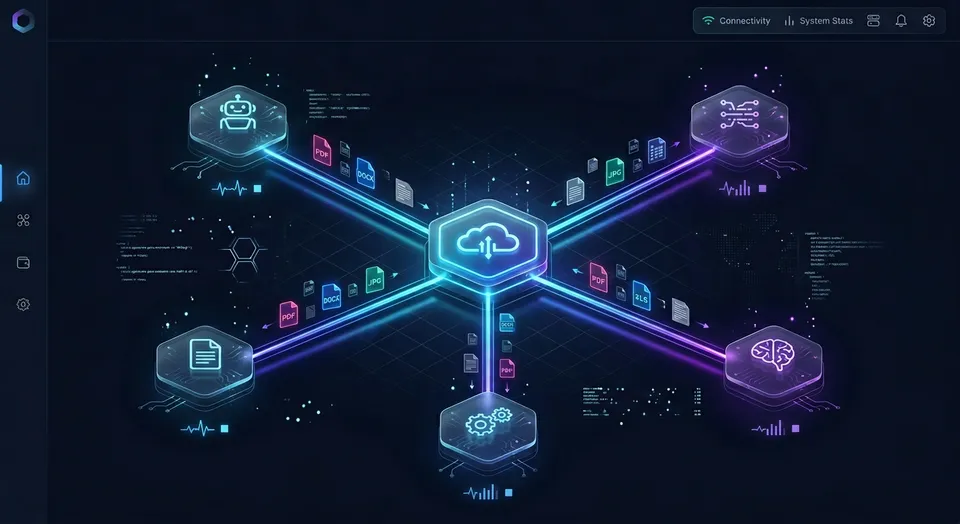
How Claude Cowork Connectors Interface With Cloud Storage
When an engineer or knowledge worker connects Claude Cowork directly to a corporate Dropbox or Google Drive folder, routine questions quickly trigger hundreds of API calls and multi-megabyte document downloads. The bottleneck in AI-assisted desktop work is rarely model intelligence; it is the latency and token overhead of scanning unindexed folder hierarchies over third-party storage APIs.
Claude Cowork connectors are built-in workspace bridges that permit Anthropic's Claude Cowork desktop environment to read and manipulate external documents across cloud storage platforms. Instead of requiring users to manually export, convert, and upload local files for every prompt, Claude Cowork storage connectors give Claude direct read and write channels into external repositories.
These Claude Cowork integrations are powered by Anthropic's Model Context Protocol (MCP), an open protocol designed to standardize how frontier models interact with external context and tooling. Under the MCP architecture, Claude Cowork operates as a client and execution host. When you add a connector, the external service exposes tools with schemas defined in JSON Schema. During a conversation, Claude assesses the incoming request, determines whether external files are required, and issues structured tool invocations.
Claude Cowork connectors operate within strict authentication and permission boundaries:
- Identity Inheritance: When linking personal or corporate cloud storage accounts, Claude inherits user permissions from the connected service. If your account lacks permission to view a specific folder or file in Google Drive or Box, Claude cannot access or surface that content.
- Directory and Custom Endpoints: Claude Cowork supports pre-built directory connectors for major services as well as custom connectors configured against remote MCP servers.
- Client-Side and Cloud Routing: Web connectors run across browser sessions, Cowork, Claude Desktop, and mobile apps. When accessing remote MCP servers, requests route through Anthropic cloud infrastructure to the destination endpoint, maintaining encryption across all data exchanges.
The Request and Response Lifecycle in Desktop Cowork
Every file interaction inside a Claude Cowork session follows a four-stage request and execution sequence:
- Prompt Evaluation and Tool Selection: When you ask Claude Cowork to analyze a specification or inspect vendor agreements, the model reviews active tool definitions. If the target documents reside in an external cloud store, Claude pauses standard text generation and selects the appropriate storage connector tool.
- Structured Tool Call Dispatch: Claude constructs a JSON-RPC 2.0 message containing typed arguments, such as folder paths, file identifiers, or query terms. In desktop Cowork, this payload transmits over Streamable HTTP to a remote endpoint.
- External Execution and Data Serialization: The connector server processes the request, validates OAuth tokens or scoped API keys, and queries the underlying storage provider. The server formats the retrieved file contents into structured text blocks and returns them to Claude.
- Context Injection and Grounded Generation: Claude ingests the returned payload into its active context window, synthesizes the evidence, and generates a response complete with specific citations pointing to source documents.
Related guides
- Base44 File Storage Setup: Media Libraries and External Cloud PersistenceBase44 file storage setup involves configuring backend media libraries to store, manage, and deliver application...
- How to Connect Manus AI to Cloud StorageBridging the gap between ephemeral Manus AI sandboxes and persistent storage is critical for developer productivity....
- Claude Cowork vs Claude Code: Which One Should You Use?Claude Code now accounts for roughly 4% of all public GitHub commits, and Claude Cowork went generally available in...
- How to Build Claude Cowork Persistent StoragePersistent storage in Claude Cowork lets files, outputs, and states survive between agent sessions and deployments....
- Claude Cloud Storage: Connecting Multi-Cloud Repositories via MCPClaude cloud storage connects cloud file systems with Anthropic Claude models using Model Context Protocol (MCP)...
- Claude Cowork Box Connector: Connecting Team Storage & WorkspacesA Claude Cowork Box connector links Anthropic's collaborative agent workspace to enterprise Box repositories, allowing...
More on this subject: Claude and Claude Code (299 guides)
Why Direct Folder Scanning Causes Latency and Context Bloat
Most organizations maintain extensive document archives in Dropbox, Google Drive, Box, or OneDrive. When connecting these repositories directly through native cloud storage connectors, teams expect Claude Cowork to search across corporate directories with instantaneous responsiveness. In practice, direct folder traversal introduces severe operational friction.
Native cloud storage connectors interface with platforms through standard REST APIs, such as the Google Drive API or Microsoft Graph API. These endpoints were created for synchronous human browsing in web interfaces, not for recursive traversal by autonomous AI agents. When Claude Cowork attempts to answer an open-ended question across an unindexed directory structure, it must execute multiple sequential directory listings to discover candidate files.
This direct scanning pattern leads to four recurring problems:
- Recursive Directory Traversal: To locate files related to a specific client or topic, Claude must call folder listing tools repeatedly. If a workspace contains nested subdirectories, the model must list the parent folder, inspect child IDs, and issue follow-up requests for each nested folder. Each hop adds network latency and consumes model reasoning steps.
- Monolithic Document Ingestion: Native storage connectors cannot perform internal semantic chunking. When Claude finds candidate PDF or Word documents that might contain the answer, the connector downloads each entire file into memory. A single extensive contract or technical specification can contain tens of thousands of tokens of raw text. Downloading multiple complete documents consumes the majority of available prompt context before Claude writes a single sentence of analysis.
- Provider Rate Limits: Enterprise cloud storage APIs enforce strict throttling to protect their infrastructure. Microsoft Graph and Google Drive enforce rate limits per user and per tenant. A single complex search prompt in Claude Cowork that inspects multiple directories can trigger dozens of API calls within seconds, resulting in HTTP 429 Too Many Requests errors that interrupt the session.
- Context Window Exhaustion: Even with large context windows, dumping raw document text into prompt memory degrades output quality. Retrieval accuracy drops when relevant facts are buried inside hundreds of pages of extraneous boilerplate, a phenomenon known as context dilution. High token volumes also increase response latency from seconds to minutes and drive up operating costs.
Comparing Folder Crawling to Semantic Chunk Retrieval
The core performance difference between native connectors and dedicated AI workspaces stems from how documents are accessed:
- Folder Crawling: The language model acts as the crawler. It inspects directory trees, reads filenames, guesses which files might be relevant, and downloads entire documents sequentially. Most of the transferred data consists of headers, legal boilerplate, and irrelevant sections that provide no value to the immediate query.
- Semantic Retrieval: A dedicated workspace indexes document text into vector embeddings and keyword indexes ahead of time. When Claude Cowork asks a question, the retrieval layer calculates semantic similarity across all indexed files and returns only the three or four most relevant paragraphs, complete with source file paths and page numbers.
Separating storage synchronization from AI retrieval prevents the model from wasting context and time on basic folder traversal.
Connecting Cloud Storage to Claude Cowork in Four Steps
Configuring cloud storage connectors in Claude Cowork requires setting up authentication, scoping directory permissions, and verifying tool availability within active chat sessions.
Follow this four-step procedure to connect your cloud file repositories:
1. Open Connector Settings in Claude Cowork
Launch Claude Cowork on your desktop or open Claude in your browser. In the lower-left corner of the chat input, click the plus icon or open the main application menu, go to Customize, and select Connectors. Click the plus button to open the Connectors directory, where you can browse official integrations or add custom remote MCP servers.
2. Authenticate and Authorize Account Access
Select your cloud storage provider from the directory, such as Google Drive, Dropbox, Box, or Microsoft OneDrive. Click Connect to initiate the OAuth 2.0 authorization process in your browser. Sign in with your corporate or personal account credentials and review the requested permissions. When adding a custom remote MCP server, enter the server URL and review the required authentication headers before confirming.
3. Scope Tool Permissions and Select Access Modes
Review the tool permissions requested by the integration. Claude Cowork allows users and administrators to configure whether a connector operates in Read Only mode or supports Read & Write actions. For corporate document repositories where Claude only needs to inspect reference materials, selecting Read Only provides a safety boundary that prevents accidental file modifications or deletions.
4. Enable the Connector in Your Active Workspace
Return to your active Claude Cowork chat session. In the chat interface, open the tools menu by clicking the plus icon or typing a slash command, then toggle your connected storage service on. Test the connection by issuing a targeted query, such as asking Claude to locate a specific reference document or summarize a single project folder, to confirm that tool calls resolve correctly.
Admin Controls and Enterprise Permissions
In Team and Enterprise environments, connector deployments include centralized administrative controls. An organization Owner or Primary Owner must enable connectors in workspace settings before team members can link their individual accounts. Enabling a connector makes the integration available across the organization, but individual members must still authenticate with their own credentials.
Claude maintains strict permission inheritance across all storage operations. If an enterprise user lacks permission to access an executive folder or financial archive in Google Drive or SharePoint, Claude cannot view, read, or summarize those files. Enterprise administrators can also restrict custom connectors to approved remote MCP endpoints so that data transfers comply with corporate security standards.


Connect Cloud Storage to Claude Cowork Without Latency
Sync your existing cloud drives into an intelligent workspace and connect Claude Cowork over remote MCP. Retrieve precise answers with full versioning and zero context bloat. Monthly plans start with a 14-day free trial, credit card required.
Pre-Indexed Workspace Sync Versus Native Connector Traversal
Connecting Claude Cowork directly to unindexed cloud drives forces the model to perform brute-force directory crawling. An efficient operational pattern separates document storage from the AI retrieval pipeline. Teams maintain their existing file systems in Google Drive, Dropbox, Box, or OneDrive, while establishing Claude Cowork cloud sync to mirror active project folders into an intelligent workspace that prepares documents for fast retrieval.
Cloud Sync connects Google Drive, Dropbox, Box and OneDrive folders to a workspace, one-way or two-way, on a schedule or on demand. SharePoint document libraries can also be connected through the OneDrive connector. Because sync runs on a schedule or on demand rather than continuous live polling, it does not saturate third-party API rate limits or interfere with local desktop processes.
Once documents sync into the workspace, Fast.io Intelligence Mode indexes file contents automatically for hybrid Search, combining full-text lexical indexing, semantic vector search, and search-by-metadata-value. When Claude Cowork connects to the workspace via Model Context Protocol, the model does not crawl folder trees or download full documents. Instead, it queries the indexed workspace and receives only the precise passages required to resolve the prompt, complete with exact source citations.
In published independent benchmarks at fast.io/benchmarks, Fastio was measured the fastest and the lowest cost of the providers tested. Serving pre-indexed excerpts through dedicated retrieval infrastructure instead of fetching monolithic files across public storage APIs avoids the latency and token overhead of direct folder integrations.
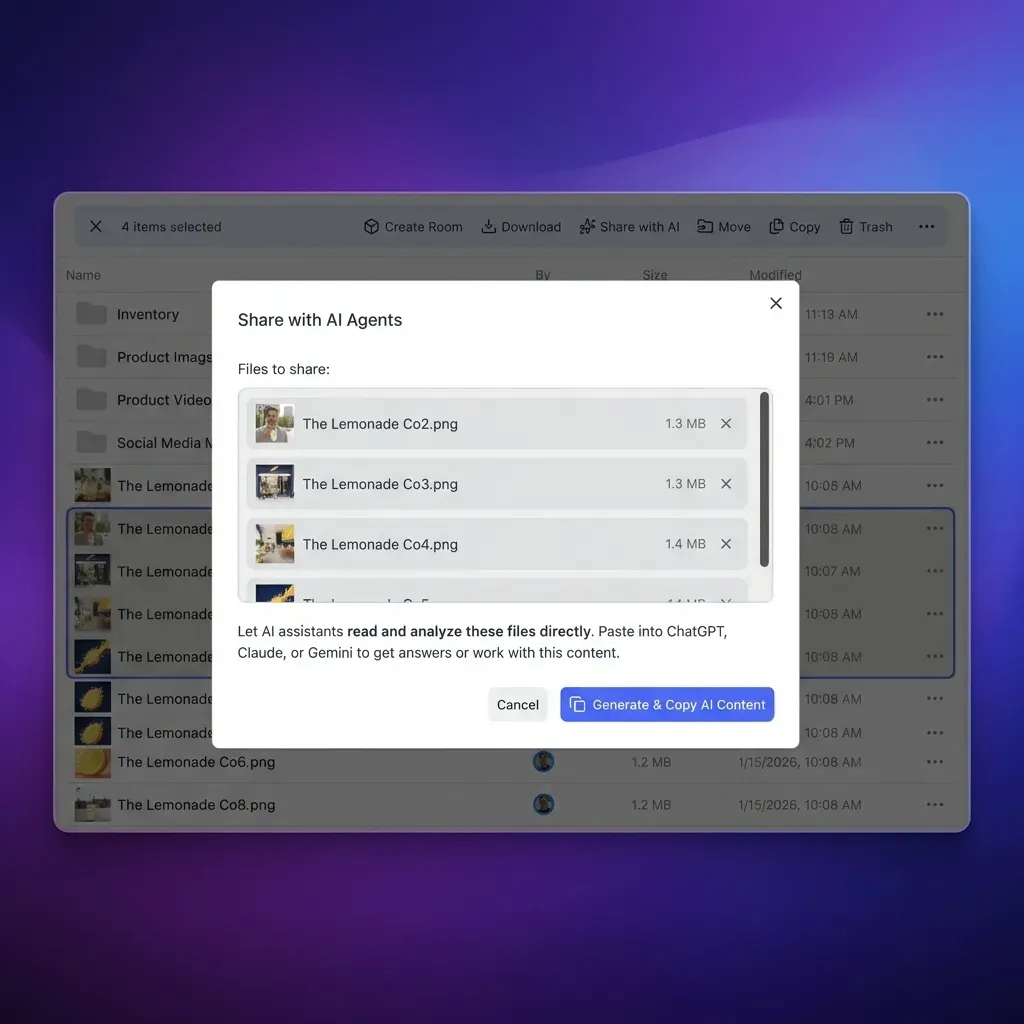
Configuring Remote MCP Tools for Claude Cowork
Connecting a Claude Cowork MCP endpoint over Streamable HTTP links the desktop assistant directly to pre-indexed workspaces. To configure the custom connector:
Open Customize, then Connectors; add a custom connector and paste https://mcp.fast.io/mcp/tools; select Connect and sign in to Fastio in the window that opens; in a chat, turn Fastio on from the + menu under Connectors.
The connection runs over Streamable HTTP directly between Anthropic cloud infrastructure and Fast.io, requiring no local proxy processes or configuration file edits. The endpoint provides a consolidated MCP toolset organized into distinct read and management tools:
storage: Searches files by keyword or semantic query, retrieves document text, checks file locks (action: "lock-status"), and reads directory structure.storage_manage: Creates folders, deletes outdated files, and manages concurrency leases usingaction: "lock-acquire"andaction: "lock-release".workspaceandworkspace_manage: Inspects workspace details, updates settings, and lists accessible workspaces.shareandshare_manage: Creates durable File Shares (Send, Receive, or Exchange) with optional download restrictions and custom expiration windows.
For teams deploying multi-agent scripts or headless agents alongside Claude Cowork, Fast.io also provides /mcp/code for coding assistants and /mcp/operations for ChatGPT and Codex custom servers. Full setup guides and protocol specifications are documented at https://mcp.fast.io/docs.
Managing Large Cloud Document Repositories in Cowork Sessions
Deploying Claude Cowork across extensive corporate file archives requires disciplined workspace architecture. When AI agents and human teammates collaborate across shared folders, structure determines retrieval quality.
Apply these operational practices to maintain high retrieval precision and prevent context exhaustion:
- Establish Project Workspace Boundaries: Avoid connecting Claude Cowork to root storage drives containing tens of thousands of unrelated administrative files. Instead, organize projects into distinct workspaces. Scoping Claude's access to relevant project workspaces keeps retrieval searches focused and prevents noise from diluting prompt context.
- Implement Structured Data Extraction with Metadata Views: Unstructured documents like contracts, invoices, and technical sheets often contain critical tabular data that standard text search struggles to filter cleanly. Fast.io Metadata Views convert unstructured files into structured, queryable spreadsheets using natural language schemas. Claude can query metadata values directly (such as finding contracts where renewal date precedes Q4) before reading full text, saving tokens and speeding execution.
- Coordinate Writers with Advisory File Locks: In collaborative workspaces where both humans and Cowork agents generate outputs, concurrent edits can cause race conditions. Fast.io supports advisory per-file leases acquired through MCP actions (
lock-acquireandlock-releaseonstorage_manage). An advisory lock signals to other participants and agents that a file is currently being modified, while per-file version history preserves every iteration so prior versions can be restored. - Monitor Workspace Activity With Detailed Activity Logs: Maintain visibility into team operations using the detailed activity log. The log tracks modifications, file uploads, folder renames, deletions, and permission updates across all human members and connected AI agents. While it does not log passive reads or downloads, it provides an exact historical record of operational changes.
- Collaborate Beside the Files With Notes: Instead of losing conversational insights when a Cowork chat concludes, save project summaries, meeting takeaways, and synthesis briefs in Collaborative Notes stored directly alongside project files. Notes support version-checked saves, allowing humans and AI assistants to maintain a shared project memory across sessions.
Managing Team Access and Workspace Plans
As organizations expand Claude Cowork deployments across departments, storage capacity and compute credits must scale accordingly. Fast.io provides predictable subscription tiers designed for teams and agents. Monthly plans start with a 14-day free trial, which requires a credit card.
Review plan allowances and workspace limits on the Fastio pricing page:
Credits meter AI operations, including semantic indexing, vector search, and metadata extraction. Storage allowances and member seats come directly with each plan. Role-based permissions are configured per organization, workspace, and share, keeping team members and connected agents within authorized boundaries.
Sources
References used to verify factual claims in this guide.
-
Web connectors run across web, desktop, and mobile while custom remote MCP servers are reached from Anthropic cloud infrastructure.
Frequently Asked Questions
How do Claude Cowork connectors work?
Claude Cowork connectors use the Model Context Protocol (MCP) to bridge Anthropic's desktop environment with external data sources and cloud applications. When a user asks a question requiring external information, Claude translates the request into a structured JSON-RPC 2.0 tool call dispatched over Streamable HTTP or a local process. The connector server receives the call, retrieves the data from the target system using authorized credentials, and returns the formatted response. Claude then synthesizes the information into its conversation context with verifiable citations.
Which cloud storage services does Claude Cowork connect to?
Claude Cowork connects to major cloud storage platforms including Google Drive, Dropbox, Box, and Microsoft OneDrive through native directory connectors. Users can also connect to pre-indexed intelligent workspaces via custom remote MCP endpoints, which can aggregate and synchronize folders from Google Drive, Dropbox, Box, and OneDrive, as well as SharePoint libraries through the OneDrive connector.
Why is Claude Cowork slow when scanning cloud folders?
Claude Cowork experiences latency with native cloud storage connectors because those integrations rely on synchronous REST API calls to crawl folder hierarchies recursively. When locating information, the connector must traverse multiple directories, download entire files into memory, and serialize full documents into prompt context. This multi-hop process consumes significant time, burns prompt tokens, and frequently triggers rate limits on provider APIs.
Can I use an MCP server instead of native Claude Cowork connectors?
Yes. You can connect Claude Cowork to any remote MCP server using the custom connector feature. In Claude Cowork, open Customize, select Connectors, click the plus icon to add a custom connector, and paste your remote MCP server URL. Connecting to a pre-indexed MCP workspace enables semantic search and excerpt retrieval, avoiding the latency and token overhead of native folder crawling.
Does Fast.io sync with Google Drive?
Yes. Cloud Sync connects Google Drive, Dropbox, Box and OneDrive folders to a workspace, one-way or two-way, on a schedule or on demand. SharePoint document libraries can also be connected through the OneDrive connector. Once synced, workspace files are indexed for hybrid search, allowing connected AI agents to query content without scanning live Google Drive APIs.
Related Resources

Connect Cloud Storage to Claude Cowork Without Latency
Sync your existing cloud drives into an intelligent workspace and connect Claude Cowork over remote MCP. Retrieve precise answers with full versioning and zero context bloat. Monthly plans start with a 14-day free trial, credit card required.