AI Agents: General Guides
The agent pages that do not sit inside a single tool family or concern: overviews, sector round-ups, one-off explainers, and the practical odds and ends that come up once agents are part of how a team works. If you are new to the library this is a reasonable place to browse, and every page here links across to the cluster that goes deeper on the same subject.
The pages here vary in depth, from a short answer to one question through to an overview of a whole area. What they have in common is that they assume no particular tool, which makes them a reasonable starting point and a poor finishing one. If you already know which agent or platform you are using, the tool-specific hubs will get you somewhere useful faster.
218 guides in this topic.
Start here
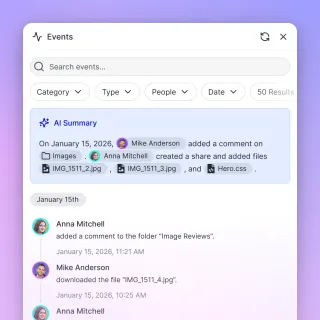
How to Integrate Keycloak with AI Agents
Securing AI agents requires more than just API keys. As agent fleets grow, managing individual access becomes a complex security challenge. Keycloak provides a proven, open-source Identity and Access Management (IAM) solution that scales with your automation needs. This guide covers how to implement Keycloak for machine-to-machine authentication, secure your Model Context Protocol (MCP) servers, and manage agent identities with zero-trust principles.

EXIF Data Viewer and Editor: Online Tools for Photo Metadata
A practical guide to online EXIF data viewers and editors. Covers how to inspect camera settings, GPS coordinates, and timestamps, then edit or remove them without installing software. Includes tool comparisons, batch editing workflows, and tips for managing photo metadata at scale.

Autonomous AI Agent Tools: Essential Software for Building AI Agents
Autonomous AI agent tools are software platforms that enable developers to build, deploy, and manage self-directed AI systems. This guide covers essential tools across four categories: development frameworks, storage infrastructure, monitoring solutions, and deployment platforms. Learn which tools developers actually use in production and how to choose the right stack for your agent projects.

How to Design Idempotent Operations for AI Agents
Idempotent operations for AI agents are actions that produce the same result regardless of how many times they are executed, ensuring agents can safely retry file writes, API calls, and state changes without creating duplicates or corruption. This guide covers essential patterns for reliable agent file systems and tool calls.
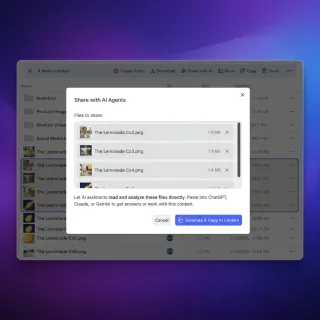
How to Implement an AI Agent Rollback Strategy
AI agents break. They hallucinate, hit API limits, or lose network connections. A rollback strategy lets your agent undo changes and try again without losing data. This guide shows you how to build agents that recover from errors and keep your system clean.
How to Use AI Agents for CAD File Management
AI agent CAD management automates file handling in design pipelines for engineering teams. Agents organize versions, run automated reviews, validate designs, and share massive CAD assemblies like STEP and IGES files without manual intervention. This addresses growing file sizes and coordination challenges in distributed teams.
All guides

9 Best AI Assistants for Developers in 2026
GitHub Copilot generates 46% of code in files where it's active, yet experienced developers average 2.3 AI tools in daily use because no single assistant covers the full cycle from prototyping through deployment. This guide evaluates nine AI assistants across IDE extensions, terminal agents, and workspace platforms, with verified pricing and honest trade-offs for each.

Agentic AI in Healthcare: Applications, Benefits, and Challenges
Agentic AI in healthcare goes beyond chatbots and copilots. These autonomous systems plan multi-step clinical workflows, process medical documents, coordinate between hospital systems, and deliver results to clinicians, all while keeping humans in the loop for patient safety. This guide covers what agentic AI actually looks like in practice, where hospitals are deploying it today, and what challenges remain before it scales.

AI Tools for Beginners: Where to Start in 2026
Only one in five American workers uses AI on the job, even though the best tools are free and require no technical background. This guide covers seven beginner-friendly AI tools and gives you a practical plan for building real habits in your first week.

AI Tools List 2026: A Practical Guide to Every Category
The number of active AI tools hit 14,200 in 2026, but the average company uses fewer than five. This directory covers the tools that matter across eight categories, from general-purpose assistants and coding tools to automation and file collaboration, with pricing and recommendations for each.

AI vs AGI vs ASI: What Changes for a Team Working With Agents
Today's AI, including the agents teams already run, does specific jobs well. AGI (artificial general intelligence) would match a capable person across most kinds of work. ASI (artificial superintelligence, or simply superintelligence) would exceed the best people in nearly every field. Only the first exists. This guide compares the three, separates AGI from agentic AI, explains the federal "Super Intelligence" term, and covers the controls a team needs for its agents regardless of the label.

Amazon Q Developer Limits: 50 Requests and 1,000 Transformation Lines
Amazon Q Developer restricts Free Tier accounts to 50 agentic requests and 1,000 lines of code transformation per month. The $19 per user per month Pro Tier plan provides unthrottled agentic interactions and 4,000 pooled transformation lines per user. In the IDE, context is bounded by active project files and security review ceilings. Teams bypass local context limits by connecting to indexed workspace knowledge via the Model Context Protocol.

Amazon SNS Message Size Limit: 256 KB Payload Caps, Protocols, and Large Payloads
The Amazon SNS message size limit is a default quota of 256 KB (262,144 bytes) across message bodies and attributes. While topics can expand to 1 MiB for SQS, Lambda, and Firehose endpoints, exceeding the limit throws an InvalidParameter error. Event-driven architectures handle multi-megabyte payloads and AI agent artifacts by storing files in persistent cloud workspaces and passing lightweight claim-check references through SNS.

Automating Market Research with AI Agents: A Blueprint
Guide to automating market research with agents: Manual market research takes time and money, and it's easy to miss things. AI agents can browse the web, collect data on competitors, and turn that information into reports you can use. This blueprint shows you how to build an automated research engine using modern agent tools and persistent storage.
Autonomous AI Agent Tools: Essential Software for Building AI Agents
Autonomous AI agent tools are software platforms that enable developers to build, deploy, and manage self-directed AI systems. This guide covers essential tools across four categories: development frameworks, storage infrastructure, monitoring solutions, and deployment platforms. Learn which tools developers actually use in production and how to choose the right stack for your agent projects.

AWS Bedrock Token Limits: Model Output Caps, Converse API Parameters, and Quotas
An AWS Bedrock token limit refers to the parameter-enforced boundaries on input prompt length and maximum generated response tokens during model invocation. While input context windows reach 1,000,000 tokens on Amazon Nova Premier and 200,000 tokens on Claude 3.5 Sonnet, single completions are capped between 2,048 and 10,000 tokens. Setting maxTokens in the Converse API and separating model limits from service quotas prevents runtime failures.

AWS Strands Agents: Build AI Agents with Amazon's Agent Framework
AWS Strands Agents is Amazon's open-source Python framework for building AI agents that use tools, maintain memory, and manage workflows on AWS. It uses a model-driven approach that makes agent development easier than using rigid, workflow-based tools.

Best Agentic AI Platforms for Building Autonomous Systems in 2026
Picking an agentic AI platform means choosing between orchestration frameworks, managed cloud runtimes, and full-stack enterprise suites. This guide compares nine platforms across architecture, pricing, and production readiness so you can match the right tool to your team's actual needs.

Best AI Agent MLOps Platforms for Production Deployments
MLOps for AI agents goes beyond traditional model training pipelines. Agents need persistent workspaces, state management between runs, multi-agent coordination, and human handoff capabilities that standard ML platforms weren't designed for. This comparison evaluates the leading platforms across agent-specific criteria so you can pick the right stack for production agent deployments.

Best AI Assistants for Business in 2026: 8 Tools We Actually Tested
91% of Fortune 500 companies now run at least one generative AI project in production, yet most teams still struggle to pick the right assistant for their actual workflows. This guide breaks down eight AI assistants by what they do best, what they cost, and where they fall short, so you can match the tool to the job instead of chasing feature lists.

Best AI Dropshipping Tools in 2026
The global dropshipping market reached $543 billion in 2026. Sellers who automate product research and fulfillment with AI are growing faster than those running manual workflows. This guide evaluates ten tools across the full pipeline, covering the customer support and pricing optimization categories that most roundups skip.

Box Indexing for AI Agents: How to Search Enterprise Files
Box indexing for AI agents transforms static cloud storage into a searchable retrieval layer. Instead of forcing autonomous models to download megabytes of files over throttled REST endpoints, scheduled sync and vector indexing allow agents to extract targeted excerpts with precise citations. Connecting Box repositories to an intelligent workspace gives multi-agent workflows low-latency file search through standard Model Context Protocol endpoints.

Box WebDAV End of Life: Workarounds & Modern Cloud Storage Connectors
Box WebDAV was Box legacy WebDAV service accessed via dav.box.com, which Box discontinued due to modern authentication requirements and performance limitations. Attempts to mount Box drives or run automated scripts over WebDAV now return 502 Bad Gateway or authentication errors. Connecting Box folders to an intelligent workspace via Cloud Sync provides a modern alternative that keeps existing enterprise storage while letting AI agents search and query files over MCP.

Can ChatGPT Access OneDrive? Workflows, Admin Limits & Fast Storage
ChatGPT can access OneDrive files through its cloud storage connector, but personal accounts remain unsupported while enterprise accounts require tenant administrator consent in Microsoft Entra ID. Even when approved, conversational connectors cannot recursively index subfolders or query files without hitting Microsoft Graph rate limits. Syncing OneDrive folders into indexed workspaces lets AI agents search documents through remote Model Context Protocol tools.

Can ChatGPT Edit Google Docs? Native Limits vs. Workspace Sync
ChatGPT cannot natively edit, overwrite, or modify live Google Docs through its built-in Google Drive connector. While the connector lets the model read and summarize files, all edits remain isolated in chat responses until manually copied. True document modification requires external API add-ons or synchronizing files into an intelligent workspace that exposes live documents to AI agents.

Can ChatGPT Read Google Docs? Native vs. Workspace Access
ChatGPT can read Google Docs through its native Google Drive connector or via remote MCP integrations, though native access pulls entire files into chat while indexed workspaces allow semantic retrieval. Connecting Google Drive directly lets users attach documents, but large files saturate conversation context. Organizing documents in an indexed workspace enables hybrid semantic search, allowing models to query specific excerpts without downloading complete folders.

Can Gemini Edit Google Docs? Capabilities, Limits & Workspace Sync
Google Gemini cannot autonomously edit an existing Google Doc in place without manual user intervention. While native Workspace extensions read and summarize files in the chat interface and the Docs side panel offers human-accepted text suggestions, automated in-line updates remain restricted. Teams running autonomous AI agents that need to search, update, and track document versions connect their existing storage to an intelligent workspace using the Model Context Protocol.

ChatGPT Canvas Limits: File Sizes, Document Length, and Workarounds
ChatGPT Canvas limits documents to practical thresholds of roughly 4,000 lines of code or 25,000 words, running in an isolated single-file workspace constrained by model context windows and a 512MB upload cap. Multi-file projects cannot run simultaneously within a single native Canvas window. While users often split files manually or chain prompts, decoupling storage through an external indexed workspace allows assistants to query large codebases and document collections on demand.

ChatGPT Character Limits: The 25,000-Character Paste Limit and Solutions
The ChatGPT web interface enforces a frontend paste limit that triggers truncation warnings or forces file attachment conversions when messages become excessively long. While splitting text across messages degrades conversational context and burns quota, large corpora require external indexing rather than manual pasting. Connecting persistent workspaces through MCP allows assistants to search indexed files on demand.

ChatGPT Conversation Limit: Thread Length, Context Degradation, and Memory Fixes
A ChatGPT conversation limit is the operational threshold where an individual chat thread begins dropping context, hallucinating details, or locking completely due to token constraints. While GPT-4o provides a 128,000-token context window, long chats degrade much earlier as conversational turns accumulate. Preserving continuity across complex projects requires structured handoffs and external workspaces connected through MCP.

ChatGPT Conversation Too Long: Fixes, Limits, and Context Workarounds
The conversation too long error in ChatGPT occurs when an ongoing thread exceeds the model working memory context window or client session limits. While GPT-4o supports a 128,000-token context window, file uploads, conversation turns, and browser DOM bloat often trigger length warnings much earlier. Recovering requires extracting critical decisions, starting a clean chat with a structured summary, or connecting external document workspaces through MCP tools.

ChatGPT Deep Research Limits: Plan Quotas, Reset Rules, and Workspace Solutions
ChatGPT Deep Research limits restrict autonomous research tasks through plan-based quotas, rolling 30-day reset cycles, and document ingestion boundaries. Personal plans provide monthly task allocations that meter multi-step queries separately from everyday conversation limits, while business tiers draw from shared credits. Teams researching large document archives can bypass file attachment ceilings by connecting external repositories via Model Context Protocol workspaces.

ChatGPT Excel Plugin: How to Connect ChatGPT to Cloud Spreadsheets
A modern ChatGPT Excel plugin or connector links OpenAI models directly to cloud-hosted spreadsheets without manual file uploads. While direct spreadsheet ingestion frequently crashes under token limits and container memory caps, connecting ChatGPT to an indexed workspace via Model Context Protocol tools enables fast, natural-language queries across multi-tab workbooks while preserving live cloud storage.

ChatGPT Message Limits: Quotas, Cooldowns, and Large File Workarounds
Text chat in ChatGPT is unlimited; uploads, images, and voice are capped within rolling windows. When conducting in-depth research across multi-page files, document attachments consume conversational context and burn prompt allowances quickly. Decoupling file storage into persistent workspaces via the Model Context Protocol lets assistants query indexed documents directly without exhausting conversational message quotas.

ChatGPT OneDrive Not Working: How to Fix Connection and Sync Failures
When ChatGPT OneDrive integration is not working, connection failures typically stem from expired authentication, Microsoft 365 tenant permission blocks, or Files On-Demand placeholders that prevent parsing document contents. Fixing these failures requires configuring Entra ID admin consent, resolving offline reparse points, or mitigating Microsoft Graph throttling. Syncing folders to an indexed workspace lets AI search document libraries over remote MCP tools without sync timeouts.
ChatGPT OneDrive Plugin: Fast File Retrieval Without Graph API Delays
A ChatGPT OneDrive plugin allows OpenAI models to query and summarize Word documents, Excel spreadsheets, and PDFs stored in Microsoft OneDrive through semantic search. While direct Microsoft Graph API calls trigger rate throttling and require tenant administrator consent, syncing OneDrive folders into a Fast.io workspace allows ChatGPT to query indexed files via remote MCP without polling delays.

ChatGPT Pro Limits: Messaging, File Uploads, and Compute Quotas Explained
ChatGPT Pro provides expanded access to OpenAI frontier reasoning models with a `512MB` per-file upload cap and `10,000` lifetime library files for `$200` per month. Even with expanded quotas, chat sessions face hard context windows and memory limits when processing large document archives. Connecting persistent cloud workspaces via MCP or the Fastio plugin lets teams query full document libraries without hitting attachment bottlenecks.

ChatGPT Prompt Limit: Maximum Length, Character Limits, and Workarounds
ChatGPT enforces an input cap between 25,000 and 32,000 characters in its web interface, triggering a length error even though the underlying model supports a 128,000-token context window. This guide examines how input limits work, why character counts differ from tokens, and how developers bypass prompt caps using chunking, file uploads, and external workspace search.

ChatGPT Team Message Limits: Workspace Quotas, Resets, and Capacity Planning
The ChatGPT Team message limit provides individual quotas within a shared organizational workspace, typically granting members 100 messages every 3 hours for GPT-4o with dedicated allocations for reasoning models. Hitting message limits stalls iterative team research and multi-turn data analysis. Learn how rolling 3-hour resets function, how file attachments accelerate quota exhaustion, and how external intelligent workspaces preserve assistant capacity.

ChatGPT Token Limits: Input, Output, and Large File Workarounds
The ChatGPT token limit defines the maximum volume of text an OpenAI model can process in its prompt and generate in its completion. Frontier models like GPT-4o support 128,000 input tokens with a 16,384 output token cap, while o1 scales to 200,000 total tokens. When analyzing extensive document collections, direct file attachments rapidly saturate context budgets. Decoupling storage into Fast.io workspaces connected over MCP lets assistants search indexed files dynamically without prompt bloat.

ChatGPT Word Limits: Input Caps, Generation Ceilings, and Long-Form Solutions
The ChatGPT word limit divides into two separate boundaries: an input threshold of roughly 4,500 pasted words and an output completion ceiling of approximately 3,000 words (4,096 tokens). Understanding how context windows allocate memory prevents unexpected truncations. Managing long deliverables requires modular prompt chaining or indexing source documents in external workspaces queried through Model Context Protocol.

ChromaDB Max Batch Size: Ingestion Limits and Batching Patterns
ChromaDB enforces a maximum batch size for vector and document ingestion to prevent SQLite variable overflow and client memory exhaustion. Attempting to add more items than the backend allows raises an immediate ValueError, commonly capped at 41,666 or 5,461 items depending on the underlying SQLite compilation. By dynamically querying client.get_max_batch_size() and slicing payloads into chunks of 500 to 1,000 items, developers can maintain reliable ingestion pipelines.

Commercial Software Vendor Branding After the Super Intelligence Order
Executive Order 14434 directs federal agencies to adopt Super Intelligence terminology across non-statutory records, but contains zero directives for private commercial software providers. B2B SaaS vendors do not need to rebrand commercial artificial intelligence features, rename software products, or alter commercial marketing collateral. Understanding federal agency scope and mapping capabilities in federal proposals protects software vendors from branding confusion.

Continue.dev Token Limit: Context Window Configuration and Codebase Indexing
The Continue.dev token limit is the maximum context length configured in Continue's config.json or config.yaml file that determines how much code, chat history, and codebase context can be passed to the underlying model. Configuring contextLength, setting provider parameters like Ollama num_ctx, and offloading repository documentation to an intelligent workspace prevents editor freezing and prompt truncation.

Custom GPT Token Limit: Instruction Limits, Context Windows, and Retrieval
The Custom GPT token limit refers to the 8,000-character constraint on configuration instructions and the dynamic context window allocation used when retrieving knowledge chunks into active prompts. While GPT-4o provides a 128,000-token context window, retrieval chunks compete directly with conversation history and tool schemas. Offloading files to indexed external workspaces allows assistants to query large document sets over remote MCP without saturating prompt capacity.
DeepSeek Context Limit: Reasoning Token Overhead, Output Ceilings & Large-Corpus Fixes
The DeepSeek context limit is 128,000 tokens for DeepSeek-V3 and DeepSeek-R1, with newer managed API deployments reaching 1,000,000 tokens. On reasoning models like DeepSeek-R1, internal chain-of-thought tokens deduct directly from the prompt budget, causing abrupt cutoffs when large documents are attached. Decoupling document persistence from inference through indexed workspaces and remote Model Context Protocol (MCP) search preserves prompt headroom for thinking traces.

DeepSeek Message Limit: Web Chat Quotas, Rate Limits, and Workarounds
The DeepSeek message limit is the dynamic ceiling on consecutive chat turns and daily queries enforced across DeepSeek web and mobile apps to manage server compute load during peak demand. While web users encounter length limits and busy notifications during intense sessions, the underlying DeepSeek API operates on concurrent connection limits rather than fixed hourly caps. Decoupling document storage from conversational prompts enables extended research without triggering session exhaustion.

DeepSeek Token Counter: Tokenizer Mechanics, Sizing, and Prompt Limits
A DeepSeek token counter calculates the exact number of tokens in text or code based on the Byte-level Byte-Pair Encoding tokenizer used in DeepSeek-V3 and DeepSeek-R1. Estimating DeepSeek token counts using OpenAI tiktoken causes severe discrepancies across code, whitespace, and multilingual text that can trigger context truncation. Understanding tokenizer mechanics, token-to-word ratios, and context limits helps developers manage prompt budgets across autonomous agent workflows.

DeepSeek Token Limit: Context Windows, Output Caps, and Token Workarounds
The DeepSeek token limit consists of a 1M-token context window for prompt ingestion and a 384K-token output ceiling per completion request, with defaults that stop generation far earlier than that. When complex coding and multi-file reasoning tasks run against these boundaries, responses truncate mid-stream. Connecting persistent external workspaces through Model Context Protocol (MCP) prevents token exhaustion by indexing large file collections for on-demand retrieval.

DynamoDB Item Size Limit: The 400 KB Cap, ValidationException, and Storage Patterns
The DynamoDB item size limit is a strict maximum of 400 KB per item, calculated by summing the byte lengths of all attribute names and attribute values. Exceeding this unchangeable ceiling causes write operations to fail synchronously with a ValidationException. When storing rich conversation histories, multi-megabyte tool outputs, or agent artifacts, production architectures offload large payloads to external persistent workspaces and store lightweight claim-check references in DynamoDB.

Excel Row Limit: Exact Spreadsheet Ceilings and Large Dataset Workarounds
The Excel row limit is exactly 1,048,576 rows by 16,384 columns per worksheet, a hard technical specification established in Excel 2007 that cannot be increased in any version of Microsoft Excel. When datasets exceed 1,048,576 rows, Excel silently truncates excess data upon opening CSV files. Managing multi-million-row datasets requires transitioning to external engines like Power Query, DuckDB, Parquet storage, and intelligent workspaces connected to AI assistants via MCP.
EXIF Data Viewer and Editor: Online Tools for Photo Metadata
A practical guide to online EXIF data viewers and editors. Covers how to inspect camera settings, GPS coordinates, and timestamps, then edit or remove them without installing software. Includes tool comparisons, batch editing workflows, and tips for managing photo metadata at scale.

Exit Code 137: Causes, OOM Killer Diagnosis, and Fixes
Exit code 137 indicates that a process or container was forcefully terminated by the operating system kernel using SIGKILL (signal 9), typically triggered by the Out-Of-Memory (OOM) killer when memory limits are exceeded. Diagnosing exit code 137 requires inspecting container termination flags, kernel ring buffers, and cgroup accounting. Permanent remediation involves profiling resident memory and offloading large file buffering to external workspaces.

Express Body Parser Limit: 100KB Default Cap, 413 Error & Large Payload Setup
The default Express body parser limit caps incoming JSON and URL-encoded payloads at 100 KB, rejecting larger requests with an HTTP 413 PayloadTooLargeError. While developers can increase the limit option in express.json, buffering multi-megabyte bodies blocks the Node.js event loop and spikes heap memory. Production systems keep middleware caps defensive, catch 413 errors cleanly, and offload large payloads to external workspaces.

Fastest AI in 2026: Speed Benchmarks Across Top Models
Cerebras now serves Llama 4 Scout at over 2,600 tokens per second, 38 times faster than closed models from OpenAI and Anthropic. That gap between specialized inference hardware and general-purpose GPU clouds is reshaping how developers choose AI providers. This guide ranks the fast AI models of 2026 by output throughput, time-to-first-token, and real-world latency, then explains which speed metric actually matters for your use case.
Gemini 2.5 Output Token Limit: Max Generation & Thinking Limits
The Gemini 2.5 output token limit defines the maximum number of response tokens generated in a single completion (reaching 8,192 or 65,536 tokens depending on API configuration), which includes both internal thinking tokens and visible output. When reasoning models spend budgets on internal thoughts, visible text truncates with a MAX_TOKENS finish reason. Setting token headroom and offloading reference files to external storage prevents generation failures.

Gemini Advanced Limits: 2M Context Quotas, Upload Caps, and Rate Limits
Gemini Advanced limits define the operational parameters of Google's $19.99/mo tier, including 2M token context, 10-file upload caps, and model request quotas. While Gemini Pro processes massive document context, chat sessions cap uploads at 10 files up to 100MB each and enforce 5-hour rolling compute windows. Teams working with large document collections avoid upload ceilings by connecting external assistants to indexed Fast.io workspaces through MCP.

Gemini CLI Token Limits: Context Windows, Piping Caps, and File Architecture
A Gemini CLI token limit is the operational ceiling on input prompt tokens, terminal pipe payloads, and context window history (typically 1,000,000 tokens) enforced during Gemini command-line interface sessions. While Gemini models support extensive context windows, long interactive sessions and large stdin pipes trigger rate limits and context saturation. Connecting Gemini CLI to an indexed Fast.io workspace via remote MCP keeps prompts lean and avoids payload bloat.

Gemini Code Assist Limits: Quotas, Daily Caps, and Codebase Indexing
Gemini Code Assist enforces daily developer quotas, including 6,000 code completions, 240 chat requests, and 1,000 to 2,000 CLI requests per day, alongside a 1,000,000 token local context window and 20,000 repository indexing cap. When multi-turn agent sessions exhaust daily request allocations or 24-hour git reindexing cycles delay project context, connecting external workspaces via MCP provides searchable, real-time retrieval for large document corpuses.

Gemini Context Limit: Practical Ceilings, Retrieval, and Indexing
The Gemini context limit reaches `1,000,000` tokens on Gemini 1.5 Flash and `2,000,000` tokens on Gemini 1.5 Pro, but production deployments face practical ceilings. Prompts exceeding the `128,000` token boundary trigger an immediate doubling of API prices and multi-second latency spikes. Decoupling storage from inference through external workspaces and MCP search keeps queries under the threshold while preserving retrieval accuracy.
Gemini Deep Research Limits: Report Quotas and Source Upload Constraints
While Gemini Advanced processes expansive context windows, autonomous research sweeps face compute-governed rate limits and upload constraints. Teams analyzing large corpora can bypass front-end caps by connecting external workspaces via MCP.

Gemini Message Limits in 2026: Quotas, Cooldowns, and Workarounds
A Gemini message limit restricts how many prompts or API requests you can submit within a rolling window. Learn the exact 5-hour cooldown cycles, why attaching massive file corpuses triggers 429 errors, and how to query large document collections using external semantic retrieval.

Gemini Notebook (NotebookLM) Size Limits: Document, Audio, and Source Constraints
Gemini Notebook (formerly NotebookLM) enforces a 200MB file size limit and 500,000-word ceiling per source, capping standard notebooks at 50 sources. Managing large document collections or multi-hour audio files requires understanding these NotebookLM size limit boundaries and using external indexed storage when research projects expand.

Gemini Pro Token Limit: Context Window, TPM Quotas & File Workarounds
The Gemini Pro token limit encompasses both the 2-million-token input context window for Gemini 1.5/2.0 Pro and the API tokens-per-minute (TPM) throughput quotas enforced in Google AI Studio. While the 2,097,152 token window accommodates massive inputs, unmanaged prompts cause severe latency and rapid quota exhaustion. Offloading reference files to an indexed workspace via MCP preserves context and reduces API overhead.

Gemini Token Counter: How to Count Multimodal Tokens and Manage Context Budgets
A Gemini token counter is a developer tool or API method that computes the exact token weight of text, code, audio, video, and PDF documents prior to calling Google Gemini models. While Gemini models support massive context windows, unmanaged multimodal inputs create compounding API latency and unnecessary processing costs. Offloading large document repositories to a persistent Fast.io workspace with remote MCP search provides targeted context retrieval without flooding model prompts.

Git LFS Limits: File Caps, Bandwidth Quotas, and Storage Workarounds
Git LFS limits on GitHub restrict single large file pointers to 2 GB on Free and Pro accounts, 4 GB on Team accounts, and 5 GB on Enterprise Cloud, while capping monthly storage and download bandwidth. Exceeding monthly bandwidth without a payment method blocks repository downloads and breaks automated pipelines. Understanding these thresholds prevents deployment failures and reveals when external workspace storage offers a more reliable architecture for large assets.

Google AI Studio Token Limits: Input, Output, and Generation Boundaries
A Google AI Studio token limit defines the maximum input tokens and generation output tokens permitted for an individual prompt session across Gemini model tiers. Gemini 1.5 Pro features a 2,097,152-token input context window while generation caps at 8,192 output tokens per turn. Managing these boundaries requires separating prompt ingestion from completion sizing and decoupling large document corpora into external workspaces.

Google Gemini Character Limits: Prompt Constraints and Large File Indexing
The Gemini character limit restricts direct prompt pasting in the web interface, creating friction for users attempting to analyze long documents despite underlying model token capacity. Working with extensive corpora requires understanding the boundary between frontend input fields and API ingestion windows. Connecting external workspaces via the Model Context Protocol enables assistants to search and retrieve indexed files without overloading prompts.

Google Gemini Daily Limit: Free vs Advanced Quotas & API Reset Times
The Gemini daily limit governs request velocity and compute allowances across Google consumer apps and developer APIs. While Google AI Studio enforces a hard ceiling of 1,500 requests per day on free-tier models resetting at midnight Pacific time, Gemini Advanced and web subscriptions use sliding five-hour compute windows rather than rigid daily request counts. Understanding these separate quota layers prevents unexpected throttling in production pipelines.

Google Gemini Max Output Tokens: The 8,192 Ceiling and Workarounds
Google Gemini models support an input context window of 2,097,152 tokens, but single-turn generation stops at a hard ceiling of 8,192 output tokens. When completions hit this boundary, the Gemini API returns a MAX_TOKENS finish reason that cuts off JSON schemas and code files mid-stream. Managing large payloads requires chunked prompt loops, iterative function calling, or offloading agent deliverables to persistent workspace files.

Google Gemini Prompt Limit: Input Caps Across Web, Studio, and API
Google Gemini enforces prompt boundaries ranging from 32,000 tokens on free web tiers to 1,000,000 tokens in Google AI Studio and API endpoints. While underlying models process extensive context, browser interfaces encounter functional paste limits when handling large text blocks. Offloading large reference datasets to external intelligent workspaces preserves retrieval precision without hitting caps.

Google Gemini Token Limits: 1M Context Windows, 65K Output Caps, and API Quotas
Google Gemini enforces an input token limit of 1,048,576 tokens and an output ceiling of 65,536 tokens on current Gemini 3 and 2.5 models. The Gemini API also imposes rolling tokens per minute (TPM) caps that vary by model and usage tier and are published only in Google AI Studio. Heavy document workflows routinely trigger HTTP 429 errors by exceeding per-minute token throughput. Storing files in Fast.io workspaces lets assistants retrieve indexed excerpts via MCP without prompt bloat.

Google NotebookLM Character Limit: Source Constraints, Word Caps, and Workarounds
Google NotebookLM restricts individual sources to 500,000 words, which translates to roughly 2.5 to 3 million characters per document. While a notebook can hold up to 25 million words across 50 sources on the free plan, direct browser pasting hits client-side input walls far earlier. For teams analyzing collections that exceed these limits, external workspaces with retrieval via Model Context Protocol provide an unconstrained alternative.

Google NotebookLM Message Limits: Chat Query Caps and Audio Quotas
Google NotebookLM message limits encompass prompt input length constraints (roughly 2,000 to 4,000 characters per query) and conversational session turn limits enforced during interactive chat with uploaded notebook sources. Under the 2026 compute-based usage system, standard accounts are capped at 50 chats per day, resetting on 5-hour refresh cycles. Understanding these quotas and degradation thresholds prevents interrupted research sessions when querying multi-source archives.
Google Sheets Row Limit: Cell Caps, Max Rows, and Large Dataset Solutions
The Google Sheets row limit depends directly on the total workbook cell cap, which Google's documentation now lists as up to 20 million cells across all tabs (older limits and many guides use 10 million), meaning the maximum row count depends on the number of columns. While a sheet with two columns supports millions of rows, broad tables quickly trigger workbook limits and browser memory exhaustion. Teams handling large CSV files and autonomous agent outputs can resolve these bottlenecks by pairing Sheets with persistent cloud workspaces.

GPT-4.1 Token Limit: Context Window, Output Caps, and Retrieval
OpenAI's GPT-4.1 model family provides a 1,047,576-token input context window and a 32,768-token maximum output limit per request. While million-token context windows accommodate entire codebases, packing raw files directly into prompts triggers steep latency increases and high API costs. Deploying persistent workspace retrieval over MCP lets agents search indexed documents selectively instead of exhausting token budgets.

GPT-4o Token Limit: Context Window, Output Caps & Tier TPM Quotas
The GPT-4o token limit encompasses a 128,000-token total context window, a 16,384-token maximum output ceiling, and usage-tier rate limits ranging from 30,000 to 30,000,000 tokens per minute. While a 128,000-token window accepts around 300 pages of text, heavy prompts and high-resolution vision uploads rapidly deplete per-minute throughput quotas. Offloading reference corpora to indexed workspaces via remote MCP search preserves sequence budgets and prevents 429 rate limit errors.
Grok Character Limit: Prompt Caps, Input Ceilings, and Solutions
The Grok character limit depends on the access surface: when you prompt Grok through a post or reply on X, the post limit applies (280 characters for free accounts and up to 25,000 characters for X Premium), while grok.com and the xAI API work on token context windows, with current API models offering 500,000 to 1,000,000 tokens. Exceeding these limits causes truncated outputs or API context errors. Teams handling large document corpora keep files out of the prompt by pairing Grok with persistent, MCP-connected workspace storage.
Grok Daily Limit: Reset Times, Quotas, and Managing Document Queries
Grok daily limit rules define how many prompts, image generations, and document analyses an account can complete before hitting a cooldown or reset. While free accounts face daily query caps and rolling 2-hour rate limits, paid subscriptions draw from a weekly compute pool. Offloading document corpora to an intelligent workspace preserves query quotas while maintaining deep contextual search.

Grok Limits: Rate Caps, File Sizes, and Context Window Constraints
Grok limits encompass the query frequency caps, context length windows, and file attachment thresholds enforced by xAI across Free, Premium, SuperGrok, and API tiers. While free web users operate under rolling query restrictions, Grok web and mobile apps enforce a file upload limit of up to 150MB per file. Managing large document collections requires decoupling file storage from context windows.

Grok Message Limit: Quotas, Caps, and Large-Corpus Workarounds
A Grok message limit is the maximum number of queries a user can submit to xAI's Grok assistant within a rolling time window based on their subscription tier. Attaching large document sets directly to chat conversations quickly exhausts these quotas by re-transmitting full payloads on every turn. By storing reference files in an intelligent Fast.io workspace and connecting via remote MCP, teams query massive corpora without burning message allowances.

Groq Token Limits: LPU Quotas, Max Tokens, and Retrieval Architecture
A Groq token limit defines the maximum allowable input prompt tokens and completion tokens processed by Language Processing Units per API call. While models like Llama 3.3 70B support a 131,072-token context window, GroqCloud enforces separate limits across tokens per minute, requests per day, and maximum completion tokens. Decoupling high-speed LPU inference from bulk file storage using external retrieval allows agentic systems to scale without exhausting quota ceilings.

gRPC Message Size Limit: 4MB Default Cap & RESOURCE_EXHAUSTED Fixes
The default gRPC message size limit is 4 MB (4,194,304 bytes) for inbound messages, throwing a StatusCode.RESOURCE_EXHAUSTED error when a received message exceeds this threshold. While developers can increase receive buffers in Go, Python, and Node.js runtimes, raising caps triggers memory allocation spikes and garbage collection pressure under load. Resilient architectures stream chunked data or offload large files to external workspaces, passing document URIs instead of raw bytes.

How AI Agents Automate Canary Releases
AI agent canary releases use autonomous agents to roll out software updates to a small user group first. Agents monitor metrics, validate performance, and trigger rollbacks if problems arise. This cuts deployment risks compared to full releases. Multi-agent setups add layers like log analysis and A/B testing. Teams gain faster feedback and reliable updates. This how-to guide walks through implementation steps and tools.

How Context Compaction Works in LLMs: Limits and Best Practices
Context compaction is an automated technique in large language models and agent frameworks that summarizes or prunes earlier conversational tokens and file context to prevent exceeding model context windows. While compaction lowers inference latency and reduces recurring API costs, it is lossy and prone to state degradation. Production agent architectures pair runtime compaction with external retrieval workspaces to preserve exact facts, code files, and system state.

How to Build a Closed Loop System for AI Agents
Deploying autonomous AI agents in an open loop manner often leads to compounding errors. Implementing a closed loop system with automated evaluation layers and structured critique files enables self correction. This guide explains how to design a four step feedback loop using shared workspaces, version history, and MCP integrations.

How to Build Agentic AI Workflow Automation for Complex Tasks
Agentic AI workflow automation uses autonomous AI agents to execute multi-step business processes with minimal human intervention. Unlike simple rule-based automation, agentic systems can reason, make decisions, and adapt to changing conditions while handling complex file operations and data workflows. This guide covers implementation patterns, practical examples, and how to build workflows that agents and humans can share.

How to Build AI Agent AIOps Systems
AI agent AIOps applies autonomous AI agents to IT operations, enabling end-to-end automation from monitoring to remediation. These agents ingest telemetry data, reason over events using LLMs, plan responses, and execute fixes independently or collaboratively. Traditional AIOps platforms reduce alert volumes by 75% through correlation rules and ML anomaly detection.
How to Build AI Agents for Batch Processing
Batch processing lets AI agents handle repetitive work across thousands of files without you having to watch over them. Using queues and parallel execution, you can scale your workflows and cut costs. This guide shows how to build reliable batch processing agents that don't quit.
How to Build AI Agents for Energy Management
Guide to agent energy management: AI agents manage energy by controlling consumption, predicting demand, and balancing grids. They analyze data from sensors, weather, and usage to lower costs and emissions. This guide shows how to build single and multi-agent systems. Fastio workspaces support collaboration between agents and humans. Precise controls deliver multiple-multiple% energy savings.

How to Build an AI Agent Data Flywheel
An AI agent data flywheel is a self-reinforcing cycle where agent interactions generate data that improves future agent performance, creating compounding value over time. This guide covers the four stages of an agent flywheel, the data signals unique to agentic systems, and how to wire up a production feedback loop that actually compounds.

How to Build an AI Agent Deep Research Workflow
A deep research workflow is an agentic pipeline that decomposes complex questions, searches multiple sources, synthesizes findings, and delivers structured research reports. This guide walks through the architecture, the reasoning loop, and the pieces most tutorials skip: storage, versioning, and handing the final artifact to a human who can actually use it.

How to Build an AI Agent for Box Cloud Storage
Building an autonomous Box agent requires overcoming major retrieval bottlenecks: direct API calls trigger rate limits and exhaust prompt context on multi-megabyte files. By synchronizing Box folders into an indexed Fastio workspace, engineering teams give coding agents fast semantic search and structured extraction over remote MCP while preserving Box as the system of record.

How to Build an AI Agent for Customer Service
AI customer service agents now resolve 55-70% of tier-1 support tickets without human help, at roughly one-tenth the cost per interaction. This guide walks through five steps for building a custom agent: assembling a knowledge base, adding retrieval-augmented generation, wiring up tool-calling for real actions, designing escalation logic, and deploying to production channels.

How to Build an AI Agent for Ecommerce Operations
AI agents can automate 40-60% of routine ecommerce operations, from inventory forecasting to order routing and customer support. This guide walks through the architecture decisions, tool choices, and implementation steps for building a custom ecommerce agent that connects your store data to autonomous workflows. You will learn how to structure multi-tool agents, persist operational data across sessions, and hand off results to human operators.

How to Build an AI Agent Meeting Summarization Pipeline
AI agent meeting summarization is an automated workflow where an AI agent ingests meeting transcripts, extracts key decisions and action items, and delivers structured summaries to stakeholders. This guide walks through building a custom five-stage pipeline that goes beyond off-the-shelf tools like Otter and Fireflies.

How to Build and Configure Claygent AI Research Agents for GTM Workflows
Claygent AI research agents automate outbound prospect qualification by performing deep web research and scraping domain data in parallel. Structuring prompts with the S.P.I.C.E. framework and inspecting reasoning traces ensures consistent qualification outcomes. Integrating these enrichment outputs with Fastio workspaces provides GTM teams with persistent storage, automated metadata extraction, and programmatic MCP access.

How to Build Browser Automation AI Agents That Actually Work
Browser automation AI agents navigate websites, fill forms, extract data, and complete multi-step web tasks without human input. This guide covers how to build them, which frameworks to use, and how to solve the storage problem that most tutorials skip: what happens to all the screenshots, downloaded files, and scraped data your agents produce.
How to Build Multi-Agent Systems with the OpenAI Agents SDK
The OpenAI Agents SDK is the official Python framework for orchestrating multi-agent systems, replacing the experimental Swarm framework. This guide covers how to build agents that can hand off tasks, execute tools, and maintain persistent state and files across sessions.

How to Configure Open WebUI Token Limits and RAG Context
Open WebUI token limits define the ceiling on output completion tokens and document retrieval chunks injected into the model prompt. Default Ollama backends often constrain models to 4096 tokens on consumer GPUs, causing out-of-context errors when document chunks expand. Configuring model parameters, tuning document splitters, and connecting remote intelligent workspaces via Model Context Protocol keeps responses complete while preserving local hardware memory.

How to Configure Rclone with OneDrive for Business and SharePoint
Rclone OneDrive for Business connects rclone to Microsoft 365 SharePoint and OneDrive tenants via Microsoft Entra ID application registration, enabling headless sync and FUSE mounting across organizational document libraries. Connecting enterprise tenants requires custom credentials to satisfy conditional access policies and prevent Microsoft Graph rate limits. This guide explains Entra ID setup, rclone configuration, FUSE caching, and remote workspace sync for AI agents.
How to Connect AnythingLLM to OneDrive for Workspace Search
Connecting AnythingLLM to OneDrive gives local and team AI workspaces direct access to corporate files without consuming local disk space or vector databases. While AnythingLLM lacks a native cloud storage connector for Microsoft 365, teams can sync OneDrive folders into cloud workspaces. Querying these pre-indexed files over remote MCP delivers fast semantic search with exact document citations while avoiding Microsoft Graph API rate limits.

How to Connect ChatGPT to Amazon S3: Direct Storage vs. Indexed Workspaces
Connecting ChatGPT to Amazon S3 bridges conversational AI with enterprise object storage. While direct connections via AWS API Gateway and Lambda let models fetch raw files, they quickly exhaust context windows and inflate token costs. Implementing an indexed workspace layer with semantic search and Model Context Protocol tooling provides grounded retrieval, document citations, and versioned collaboration.

How to Connect ChatGPT to MinIO: S3 Object Storage for AI Workspaces
Connecting ChatGPT to private MinIO object storage requires bridging OpenAI models with local or private cloud infrastructure. While MinIO provides high-performance S3-compatible storage, OpenAI lacks native S3 drivers. This guide explains how to connect ChatGPT to MinIO using Custom GPT Actions and Model Context Protocol (MCP) gateways, indexing private files in intelligent workspaces to eliminate token bloat and prevent data exposure.

How to Connect Dify AI Agents to Box Cloud Storage
Connecting Dify to Box allows autonomous AI agents to query enterprise documents as an active knowledge base. While direct API scripts trigger recursive folder crawls and Box rate limits, syncing Box folders to an indexed Fast.io workspace enables hybrid search across hundreds of files in a single MCP tool call. This guide explains how to connect Dify to Box using remote MCP, benchmark retrieval performance, and maintain enterprise governance.

How to Connect Dify AI Agents to Microsoft OneDrive
Connecting Dify to Microsoft OneDrive bridges visual agent orchestration with enterprise document storage, allowing autonomous workflows to ground LLM reasoning on company files without recursive Graph API crawling. While native Dify plugins handle static file imports, multi-document agent queries trigger Microsoft Graph rate limits and token bloat. Syncing OneDrive folders into an indexed Fast.io workspace lets Dify agents query documents through remote MCP tools in a single step.

How to Connect Google Gemini to Amazon S3: Cloud Storage Bridging Guide
Connecting Gemini to Amazon S3 enables Google multimodal AI to analyze documents and media stored on AWS without migrating entire repositories into Google Cloud. While native Gemini APIs prefer Google Cloud Storage or direct file uploads, enterprise data often remains anchored in Amazon S3 for compliance and data gravity. Bridging Google Gemini to S3 requires evaluating three integration patterns: custom function calling, cross-cloud storage sync, and Model Context Protocol workspace connectors.

How to Connect Google Gemini to Microsoft OneDrive
A Gemini OneDrive integration enables Google Gemini agents and applications to access and analyze Microsoft OneDrive files using cloud synchronization and MCP. By syncing OneDrive folders into an intelligent Fast.io workspace, developers eliminate repetitive Microsoft Graph API calls, file size limits, and context bloat. Gemini queries pre-indexed semantic search and structured document metadata directly through Fast.io's remote Model Context Protocol server.

How to Connect LangChain to Box Files for AI Agents
Connecting LangChain to Box gives AI agents access to enterprise files, but traversing raw folders through native document loaders triggers heavy API overhead and rate limits. This guide covers how BoxLoader authenticates, why direct API traversal consumes excessive tool calls on deep folders, and how syncing Box into an indexed workspace enables sub-second hybrid search via MCP.

How to Connect LangChain to OneDrive Files for AI Agents
Connecting LangChain to Microsoft OneDrive gives AI agents access to corporate documents, but loading deep directories through native loaders causes API latency, rate limits, and heavy token overhead. By pairing OneDrive storage with scheduled workspace indexing and remote Model Context Protocol (MCP) search, developers can query multi-gigabyte document libraries without downloading full files into memory or hitting Microsoft Graph throttling limits.

How to Connect LangGraph Agent Workflows to OneDrive Documents
Connecting LangGraph to OneDrive enables cyclic agent workflows and state machines to retrieve, synthesize, and ground decisions on enterprise documents stored in Microsoft OneDrive without exhausting context windows. Direct integration often triggers Microsoft Graph throttling and token bloat during iterative agent loops. Synchronizing OneDrive folders into an intelligent Fast.io workspace lets LangGraph agents query pre-indexed documents through a remote Model Context Protocol endpoint.

How to Connect LlamaIndex to Box Documents for Production RAG
Connecting LlamaIndex to Box enables developers to build retrieval-augmented generation (RAG) pipelines over secure enterprise documents stored in Box content management. While the native BoxReader provides direct ingestion, production pipelines often hit API rate limits and download bottlenecks. Synchronizing Box folders into pre-indexed Fast.io workspaces and querying via remote MCP provides a faster, lower-token alternative without downloading files to local disk.

How to Connect LlamaIndex to OneDrive Files for AI Agents
A LlamaIndex OneDrive integration links LlamaIndex data loaders to Microsoft OneDrive accounts, allowing AI pipelines to index corporate spreadsheets, presentations, and documents. While native OneDriveReader supports direct ingestion via Microsoft Graph, large enterprise collections frequently hit admin consent roadblocks and rate limits. This guide explains how to configure the native reader, handle Graph throttling, and connect agents to synchronized, pre-indexed workspaces over remote MCP.

How to Connect Open WebUI to OneDrive for Local AI Models
Open WebUI OneDrive integration links self-hosted web chat interfaces to Microsoft OneDrive accounts via Model Context Protocol, enabling local models to query enterprise documents without local vector DB overhead. This tutorial covers native Microsoft Graph integration alongside remote Streamable HTTP MCP deployment to keep document context persistent, versioned, and searchable.
How to Connect Perplexity to OneDrive: Searching Microsoft 365 Files
Connecting Perplexity to OneDrive allows research teams to query internal Microsoft 365 documents alongside public web sources. Native connectors frequently encounter API rate limits and request timeouts when traversing complex folder hierarchies. Bridging OneDrive files into an indexed workspace provides reliable semantic retrieval without file-size bottlenecks or traversal failures.
How to Deploy AI Agents in Manufacturing Workflows
AI agents in manufacturing represent the next leap in industrial efficiency, moving beyond rigid automation to adaptive, autonomous decision-making. While traditional systems execute fixed logic, AI agents process real-time data from IoT sensors, cameras, and supply chains to predict failures, detect defects, and optimize production schedules dynamically. Factories generate terabytes of data daily, but much of it remains siloed or unanalyzed.

How to Describe AI Tools in Federal Proposals Under Executive Order 14434
Executive Order 14434 instructs federal agencies to use Super Intelligence in place of Artificial Intelligence in non-statutory documents, while statutory grounding remains anchored to 15 U.S.C. 9401(3). Federal contractors drafting technical proposals must mirror agency terminology while differentiating current operational systems from theoretical frontier superintelligence. A three-step formula helps proposal teams maintain compliance without overclaiming capabilities.
How to Design Idempotent Operations for AI Agents
Idempotent operations for AI agents are actions that produce the same result regardless of how many times they are executed, ensuring agents can safely retry file writes, API calls, and state changes without creating duplicates or corruption. This guide covers essential patterns for reliable agent file systems and tool calls.

How to Enable AI Search Across Box Files with Coding Agents
Connecting coding agents to Box files often exposes a fundamental limitation: native Box search relies on keyword matching, while Box AI queries require explicit file lists or pre-curated Hubs. This guide explains how Box AI search operates, how the hosted Box MCP server handles queries, and how syncing Box folders into Fastio intelligent workspaces enables natural language retrieval for coding agents.
How to Enable Dynamic Tool Learning for AI Agents
Dynamic tool learning lets AI agents find and use new tools while they run, instead of being limited to hardcoded skills. Using the Model Context Protocol (MCP), agents can discover what they need on the fly. This guide shows how to set it up.
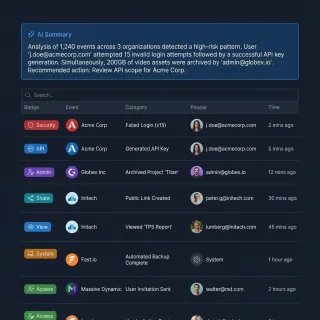
How to Export AI Agent Conversation History
AI agent conversation history export is the process of extracting, formatting, and storing an agent's interaction transcripts so they can be reviewed, searched, or handed off to humans. This guide covers export formats, compliance requirements, storage strategies, and how to build a reliable export pipeline for production agent systems.
How to Export Data from AI Agents
AI agent data export is the process of packaging, formatting, and delivering agent-generated data and files to end users. While agents excel at processing, the "last mile" of delivery remains a bottleneck for many developers. This guide covers how to automate data export, create secure download links, and deliver professional results to clients.

How to Handle Grok Token Limits and Process Large Files
The Grok token limit restricts context capacity to 131,072 tokens on Grok 2, 500,000 tokens on Grok 4.5 and Grok 4.6, and 1,000,000 tokens on Grok 4.3 and Grok 4.20 models, with completions subject to strict output caps. Crossing xAI's 200,000-token threshold doubles per-token pricing and triggers rate limit bottlenecks. Instead of stuffing raw documents into prompts, teams connect Grok to Fast.io workspaces over remote MCP to search indexed files on demand.

How to Implement AI Agent Billing and Metering
Billing for AI agents requires a fundamental shift from user-based subscriptions to consumption-based metering. This guide covers the essential metrics to track, from token usage to file operations, and how to implement a reliable billing infrastructure for autonomous workflows.
How to Implement an AI Agent Rollback Strategy
AI agents break. They hallucinate, hit API limits, or lose network connections. A rollback strategy lets your agent undo changes and try again without losing data. This guide shows you how to build agents that recover from errors and keep your system clean.

How to Implement Feedback Loops in Multi-Agent Workspaces
Deploying autonomous AI agents without validation leads to compounding errors. Implementing a structured feedback loop allows critic agents and human reviewers to evaluate intermediate work. This guide outlines how to build closed-loop self-correction using shared workspaces, version history, and human review checkpoints.
How to Integrate AI Agents with the ELK Stack
AI agent ELK stack integration enables intelligent log analysis and alerting. Agents generate structured logs in Fastio workspaces, then ingest them into Elasticsearch for real-time search and visualization in Kibana. This setup supports multi-agent collaboration on logs, filling a gap in current tools. Teams reduce troubleshooting time with automated insights from agent activity.
How to Integrate Keycloak with AI Agents
Securing AI agents requires more than just API keys. As agent fleets grow, managing individual access becomes a complex security challenge. Keycloak provides a proven, open-source Identity and Access Management (IAM) solution that scales with your automation needs. This guide covers how to implement Keycloak for machine-to-machine authentication, secure your Model Context Protocol (MCP) servers, and manage agent identities with zero-trust principles.

How to Manage Agent State with Fastio Workspaces
Fastio workspaces provide persistent state for multi-agent workflows, ensuring important data isn't lost between tool calls. This guide explains how to use workspace storage and the Model Context Protocol (MCP) to build stateful AI applications that scale without race conditions or memory loss.
How to Manage AI Agent State: Patterns for Persistence
State management is how agents save, retrieve, and sync their work, memory, and files across sessions. Without it, agents lose context between runs. This leads to repeated work, higher API costs, and fragile workflows. This guide looks at five key patterns for managing state in production AI systems.

How to Manage LangChain Token Limits: Memory, Pruning, and MCP Workspaces
Understanding the LangChain token limit helps developers prevent context overflow errors in complex LLM pipelines. This guide covers how to prune memory with ConversationTokenBufferMemory, optimize RAG chunking to reduce token usage, and connect external Fastio MCP workspaces for large document collections.

How to Map Box as a Network Drive: Options, Pitfalls & Better Approaches
Mapping Box as a network drive enables operating systems and scripts to access Box cloud folders through a fixed mount point or drive letter without duplicating enterprise repositories locally. However, virtual file stubs cause severe hydration delays, file-locking errors, and API throttling in automated scripts. While Box Drive and third-party mappers provide desktop convenience, scheduled workspace synchronization with remote MCP access offers a far more stable foundation.

How to Map OneDrive as a Network Drive: WebDAV Setup, Business Limits, and Workspaces
Mapping OneDrive as a network drive mounts cloud storage to a local drive letter using WebDAV URLs, bypassing local hard drive consumption but introducing severe authentication and latency bottlenecks. While personal accounts support legacy CID mapping, OneDrive for Business accounts reject direct mapping due to modern identity protocols. Connecting OneDrive folders to indexed workspaces resolves hydration bottlenecks for CLI tools and AI agents via remote Model Context Protocol tools.

How to Mount OneDrive on Windows with Rclone and WinFsp
Rclone mount OneDrive on Windows uses the WinFsp user-mode file system proxy to expose remote Microsoft OneDrive folders as a standard local drive letter with VFS disk caching. Without full VFS cache buffering and directory cache tuning, Windows Explorer thumbnail scans and random writes trigger I/O deadlocks and Graph API rate limits. Running mounts via NSSM provides persistent background service execution.

How to Mount OneDrive with Rclone: VFS Cache, Throttling, and Agent Storage
Mounting Microsoft OneDrive through Rclone exposes cloud files as a local filesystem via FUSE, but standard mount commands fail under random write workloads or heavy directory walks. Configuring full VFS caching and traffic pacing prevents I/O crashes and Microsoft Graph HTTP 429 rate limits. When scaling AI agent access across large repositories, scheduled workspace sync avoids the file locking and latency bottlenecks of local mounts.
How to Optimize Token Costs for AI Agents
Running autonomous AI agents gets expensive. Production sessions can cost $10-100+ if you aren't careful.
How to Scale AI Agent Pipelines with MLOps
AI Agent MLOps automates machine learning workflows for autonomous agentic teams. Unlike traditional models, agents produce complex artifacts like memory logs, tool outputs, and multi-step plans that require specialized handling. This guide covers the essential MLOps stack for agents, best practices for scaling, and how Fastio's workspaces enable smooth human-agent collaboration.

How to Search OneDrive with ChatGPT: Efficient Cloud File Access
Searching OneDrive with ChatGPT enables ChatGPT to inspect and retrieve specific information from OneDrive files using semantic indexing rather than downloading whole folders into the chat prompt. Native connectors often stumble on personal accounts, strict tenant permissions, or large document trees. By syncing selected folders into an indexed cloud workspace and connecting ChatGPT over MCP, teams get fast, targeted document retrieval.
How to Set AI Agent Data Retention Policies
Data retention policies define how long AI agents store files, logs, and artifacts. Proper lifecycle management reduces storage costs while ensuring legal compliance for agentic workflows.

How to Set Up a Staging Environment for AI Agents
Agent staging environments create isolated pre-production spaces where you can test AI agents with production-like data before deploying them to real users. This guide covers the full setup process, from environment isolation and RAG data refresh to tool mocking and prompt versioning, with a checklist you can follow for each deployment.

How to Set Up AI Agent Concurrent Editing Workspaces
AI agent concurrent editing lets multiple AI agents modify the same files at the same time without destructive overwrites. Fastio handles this through advisory file locks, automatic version history, and real-time presence for safe collaboration.

How to Set Up an AI Agent Playground Environment
An AI agent playground environment is an isolated workspace where developers can test agent behaviors, tool calls, and file operations without risking production data. This guide covers the five core components of an effective playground, walks through sandbox isolation patterns, and shows how to wire persistent file state into your testing workflow.

How to Set Up and Optimize the Linear Slack Agent
Teams using the Linear Slack connection save an average of 4 hours per week on manual ticket creation. By deploying context-aware AI ticket generators like the Linear Slack Agent, organizations reduce missing field errors by 50%. This guide covers installing the integration, writing Custom Instructions, and coordinating design files using Fast.io workspaces.
How to Use AI Agent Ecommerce Personalization to Boost Sales
AI agent ecommerce personalization tailors shopping experiences using real-time agent-driven recommendations, moving beyond simple product matching to active "personal shopper" behavior. By giving agents access to unstructured data like reviews and support logs, brands can drive faster purchases and increase revenue.

How to Use AI Agent HR Recruiting to Automate Hiring
AI agent HR recruiting automates the most time-consuming parts of the hiring process, from sourcing candidates to scheduling interviews. HR teams can hand off repeat tasks to these agents and cut time-to-hire by up to 50%, with better candidate fits. This guide explains how to build an automated recruiting workflow that handles both communication and document logistics.
How to Use AI Agents for CAD File Management
AI agent CAD management automates file handling in design pipelines for engineering teams. Agents organize versions, run automated reviews, validate designs, and share massive CAD assemblies like STEP and IGES files without manual intervention. This addresses growing file sizes and coordination challenges in distributed teams.
How to Use AI Agents for Demand Forecasting
Static spreadsheets are no longer enough for modern supply chains. AI agents for demand forecasting offer a dynamic solution, predicting market shifts more accurately than traditional methods. By automating data analysis and pattern recognition, these agents help businesses reduce overstock and react to changes in real-time. This guide explains how to deploy forecasting agents effectively.
How to Use AI Agents for Inventory Management
Guide to agent inventory management: Stockouts cost retailers an estimated $1.2 trillion a year, but traditional spreadsheets can't keep up with modern demand. AI agents track inventory autonomously with shared workspaces, predicting needs more accurately. This guide explains how to deploy agents to automate your supply chain.
How to Use AI Agents for Logistics Optimization
AI agents in logistics automate routing, tracking, and inventory management in real-time. Companies use them to reduce costs, predict demand, and improve delivery times. This how-to guide explains use cases, benefits, step-by-step implementation, and how shared workspaces enable multi-agent teams to collaborate on complex supply chain tasks. Logistics operations face delays, stockouts, and rising costs.

How to Use AI Agents for Product Roadmapping
AI agent product roadmapping uses agents to prioritize features and forecast timelines. Traditional roadmaps often fail due to manual biases and static planning, leading to misaligned priorities and delays. This guide shows how agents automate prioritization, simulate scenarios, and collaborate in multi-agent systems for dynamic roadmaps that adapt to change.
How to Use AI Agents for Quality Control
AI agents handle quality control by automating inspections with computer vision and anomaly detection. They check products on assembly lines and in warehouses, finding defects faster than people. Teams speed up inspections and get better accuracy. This guide covers steps to build them plus workspaces for human-agent teams.
How to Use Cloudflare Durable Objects for AI Agents
Cloudflare Durable Objects provide globally distributed, stateful compute instances that AI agents can use for session management, conversation state, and coordination.

How to Use NotebookLM with Box: Syncing Enterprise Files for Research
Using Gemini Notebook (formerly NotebookLM) with Box involves importing enterprise documents, research briefs, and PDFs hosted on Box into Gemini Notebook's notebook grounding environment. Because NotebookLM lacks a direct Box integration, teams must bridge storage repositories to extract grounded citations and audio overviews. Connecting Box folders through intelligent workspace synchronization creates a structured pipeline for continuous enterprise analysis.

How to Version AI Agent Outputs and Artifacts
AI agents generate substantial numbers of files in production, from code artifacts to large media assets. Without a reliable versioning strategy, many of these valuable outputs can be silently overwritten or lost. This guide covers essential strategies for tracking, storing, and managing versioned agent outputs at scale.

HTTP 413 Request Entity Too Large: Causes, Server Limits & Workarounds
An HTTP 413 request entity too large error occurs when a client payload exceeds buffer limits configured on a web server, reverse proxy, or API gateway. While adjusting directives in Nginx, Apache, or Cloudflare resolves single-host uploads, scalable applications and AI agent pipelines require chunked transfers or external workspace storage to avoid payload caps entirely.

Kafka Message Size Limits: Broker Caps, Configuration, and the Claim-Check Pattern
Apache Kafka enforces a default message size limit of 1,048,576 bytes (1 MB) across broker, producer, and consumer configurations. While teams can adjust parameters like message.max.bytes and max.request.size to handle larger payloads, blindly inflating broker caps causes garbage collection pauses and page cache thrashing. This guide details coordinated configuration parameters, RecordTooLargeException fixes, and how the claim-check pattern decouples payload persistence from event streams.

LangGraph Recursion Limit: GraphRecursionError and State Fixes
A LangGraph GraphRecursionError occurs when a compiled graph exceeds its maximum allowed execution steps before hitting a stop condition. While increasing the recursion_limit in the invoke configuration provides a quick override, permanent resolution requires fixing cyclic routing, tracking iteration counters in state, and offloading repetitive document retrieval to an external indexed workspace.
LangGraph State Size Limit: Checkpointer Bottlenecks and State Offloading
LangGraph state size limits are determined by checkpointer serialization overhead, memory consumption, and database storage ceilings rather than hardcoded framework caps. Large state payloads like documents or raw file buffers degrade checkpointer throughput and bloat thread checkpoint history. Implementing a reference-based offloading pattern keeps the control plane fast while delegating large file storage to an indexed workspace.

Listing Directory Files Safely in Multi-Agent AI Workspaces
Using python os listdir without filters can overwhelm AI agent context windows with massive lists of dependency and system files. This guide demonstrates how to list directory files safely, prevent path traversal, and use semantic search and collaboration tools.

LiteLLM Max Tokens: Configuring Token Limits, Routing, and MCP Storage
In LiteLLM, max_tokens defines the upper limit of completion tokens generated per request or enforces a maximum budget cap across proxy deployments. Routing across multiple LLM providers requires matching context windows, dropping incompatible parameters, and managing large document context without blowing token budgets. Connecting models to remote MCP storage decouples document volume from prompt context.

Llama.cpp Context Size: How to Set -c, Calculate KV Cache, and Optimize VRAM
In llama.cpp, context size is the maximum sequence length in tokens allocated for prompt and response processing, controlled at runtime via the -c or --ctx-size flag. Setting this parameter allocates the Key-Value (KV) cache in VRAM, which scales linearly with token capacity and can cause out-of-memory errors on consumer GPUs. Optimizing context memory through KV cache quantization, Flash Attention, and external retrieval workspaces ensures stable inference without crashing.

LlamaIndex OneDrive Reader: Querying Documents in RAG Pipelines
The LlamaIndex OneDrive reader extracts documents and metadata from Microsoft accounts for vector indexing, but direct Graph API synchronization introduces throttling and memory bottlenecks on large archives. In production retrieval pipelines, teams either configure custom Azure Entra ID app credentials with backoff handlers or bridge OneDrive folders into indexed remote workspaces. This guide explains how to configure OneDriveReader and implement efficient search patterns.

LLM Max Tokens: Understanding Output Generation Limits Across Models
LLM max tokens defines the hard upper bound on the number of completion tokens a model can generate in a single response. While input context windows can reach millions of tokens, output limits remain constrained between 4,096 and 16,384 tokens across standard models. For autonomous agents generating long files, hitting these limits causes truncated responses and broken data. Connecting agents to external workspaces via MCP allows direct file writing without exceeding completion ceilings.
LLM Token Limits: Architecture, Context Boundaries, and File Ceilings
An LLM token limit represents the strict numerical boundary on the sequence of tokens a model can accept in its prompt, retain in its attention buffer, or emit in its output. While modern context windows span 8,192 to 2,000,000 tokens, document uploads and conversational turns quickly exhaust active capacity. Decoupling file storage from model context through remote MCP workspaces allows agents to retrieve targeted data without hitting context ceilings.

LM Studio Context Length: Configuration, VRAM Tuning, and MCP Retrieval
LM Studio context length dictates how much local GPU VRAM and system memory are allocated for the attention KV cache during inference. Setting context length properly prevents CUDA out-of-memory errors while preserving conversational depth. When document archives exceed local memory limits, connecting LM Studio to an external workspace via the Model Context Protocol provides semantic search without context bloat.
LM Studio Max Tokens: Setting Generation Ceilings & KV Cache Budgets
In LM Studio, max tokens controls the maximum number of output tokens a model can generate per response turn, whereas context length defines the total memory allocated for prompt and response tokens combined. Confusing generation ceilings with context buffers frequently causes premature response cutoffs or CUDA out-of-memory crashes. Tuning generation limits alongside Key-Value cache quantization maintains stable local inference on consumer hardware.

Milvus Limits and Quotas: RPC Sizes, Dimensions, and Storage Architecture
Milvus limits define the operational boundaries of vector similarity search, including a 64 MB maximum payload per RPC operation, 32,768 vector dimensions, and an instance ceiling of 65,536 collections. Exceeding these thresholds causes gRPC packet rejections, thread exhaustion, and memory degradation across cluster nodes. Stable production retrieval requires decoupling high-dimensional vector embeddings from source files by offloading unstructured documents to dedicated workspace storage.

Mistral Token Limits: API Parameters, Generation Ceilings, and Workspace Architecture
A Mistral token limit specifies the maximum number of tokens accepted in an API request payload or emitted during a single completion turn. Exceeding model context windows causes immediate HTTP 400 Bad Request errors rather than automatic truncation. Configuring max_tokens parameters and decoupling large document collections into indexed external workspaces allows developers to build reliable agent workflows without exhausting context budgets.

Most Accurate AI in 2026: Which Models Get Facts Right?
Frontier AI hallucination rates now range from 3% to 19%, down from 15-45% in 2024. But accuracy varies sharply by model, task type, and whether you use techniques like extended thinking or retrieval-augmented generation. This guide ranks the most accurate AI models with real benchmark data and explains what drives the differences.

Most Powerful AI in 2026: 7 Frontier Models Ranked by Capability
Six AI labs sit within 79 Elo points of each other on the Chatbot Arena leaderboard as of early 2026. This ranking breaks down the seven powerful AI models across five capability dimensions: reasoning depth, code generation, multimodal breadth, agentic task completion, and price-performance ratio.

MySQL max_allowed_packet: Handling Large Blobs, Payloads, and Packet Errors
In MySQL, max_allowed_packet determines the maximum size of a single client/server communication packet or string payload, capping query length and BLOB data transmission to protect server memory buffers. While MySQL defaults to `64MB` with a `1GB` ceiling, increasing this limit can exhaust connection buffers during concurrent operations. This guide explains how to configure packet thresholds safely and offload large binary payloads to dedicated storage.

NATS Message Size Limit: Configuring Max Payload and Handling Large Payloads
The default NATS message size limit is `1 MB` (`1,048,576` bytes), defined by the server `max_payload` setting across NATS Core and JetStream. While administrators can configure `max_payload` up to `64 MB`, maintainers recommend keeping payloads under `8 MB` to protect cluster throughput and avoid TCP buffer bloat. For larger payloads generated by AI agents, teams use JetStream Object Store chunking or external shared workspaces via the claim-check pattern.

Node.js Max Old Space Size: Increasing Heap Limits for Large Datasets
The --max-old-space-size flag in Node.js configures the maximum memory allocation limit in megabytes for V8's old generation heap, preventing out-of-memory crashes during data processing. While 64-bit Node.js sets default heap memory limits between 2GB and 4GB depending on available physical RAM, intensive workflows require explicit tuning. This guide covers configuring runtime heap flags, avoiding container OOM kills, and offloading massive files to persistent workspaces.

NotebookLM Limits: Sources, File Sizes, and Words (2026 Guide)
Google NotebookLM limits define operational boundaries for AI research, capping free notebooks at 50 sources, 200MB per file, and 500,000 words per document. While premium tiers expand NotebookLM limits up to 600 sources per notebook, the per-source size and 500,000 words ceilings remain fixed across every plan. Understanding these thresholds helps research teams avoid ingestion truncation and structure large-scale document collections effectively.

NotebookLM Max Sources: Limits and Large-Corpus Workarounds
NotebookLM max sources constraints cap standard accounts at 50 documents per notebook, with each source limited to 500,000 words or 200MB. While paid Google AI plans increase notebook capacity, per-file boundaries remain unchanged. Managing large research libraries requires organizing multiple notebooks, preprocessing merged files with metadata headers, or using an intelligent workspace that connects to AI models via remote MCP.

NotebookLM OneDrive: How to Connect Microsoft 365 Sources to NotebookLM
Gemini Notebook (formerly Google NotebookLM) natively works alongside Google Drive but lacks a direct connector for Microsoft OneDrive and SharePoint. Connecting corporate OneDrive data to shared cloud workspaces establishes a structured bridge for document synthesis, source tracking, and agentic workflows.
NotebookLM Token Limit: Gemini Notebook Caps, Context Windows, and Scaling
Google renamed NotebookLM to Gemini Notebook on July 16, 2026, while maintaining its standalone document interface. The NotebookLM token limit is governed by an ingestion ceiling of 500,000 words per source across up to 50 sources on standard accounts, creating an effective corpus capacity of roughly 32.5 million tokens evaluated through a 1,000,000-token Gemini 1.5 Pro context window. Decoupling storage into intelligent workspaces lets teams query archives that exceed native source boundaries.
NotebookLM Word Limit: The 500,000-Word Ceiling, Token Math, and Corpus Solutions
Google NotebookLM enforces a strict limit of 500,000 words per individual source document across all account tiers. That ceiling translates to roughly 650,000 to 700,000 Gemini tokens depending on text structure and causes immediate upload failures or silent truncation when exceeded. Understanding token density, automating document chunking, and connecting external workspace indexing enables teams to research massive document collections without data loss.

o3-mini Max Output Tokens: Limits, Reasoning Tokens, and Fixes
The o3-mini max output token limit is 100,000 tokens within a 200,000-token context window, encompassing both hidden reasoning tokens and visible completion text. Because internal reasoning tokens draw from the same completion budget as generated answers, setting tight token caps triggers premature truncation. Managing reasoning effort parameters and offloading reference corpora to indexed workspaces prevents unexpected token exhaustion.

Ollama Context Length: Configuration, VRAM Limits, and Scaling
Ollama context length defines the maximum token capacity allocated in memory for prompt input and completion output, dynamically scaled by hardware VRAM tiers or manually overridden via the OLLAMA_CONTEXT_LENGTH environment variable and num_ctx parameter. Increasing context expands Key-Value cache memory demands, risking GPU out-of-memory errors. Sizing VRAM accurately and offloading large files to external workspaces via MCP keeps local inference fast.

Ollama Max Tokens: Setting Generation Limits and Context Budgets
In Ollama, setting generation limits requires configuring the num_predict parameter, which sets the maximum number of output tokens independently from the num_ctx memory buffer. Confusing these two settings leads to truncated responses or unnecessary GPU memory exhaustion. Tuning num_predict in Modelfiles, API requests, and CLI sessions allows precise control over response length while keeping local inference fast.

OneDrive Agent: Connecting AI Agents to OneDrive File Storage
An OneDrive agent connects autonomous AI models to cloud file storage, allowing systems like Claude and Cursor to inspect, query, and update documents across Microsoft 365. While local filesystem sync triggers hydration errors and direct API calls hit throttling limits, connecting an agent to an indexed workspace via remote Model Context Protocol (MCP) provides targeted semantic search without pulling entire directory trees.

OneDrive AI Search: Semantic Search and Agent Access for OneDrive
OneDrive AI search enables users and autonomous agents to locate documents and extract precise answers from OneDrive storage using natural language queries. While Microsoft 365 Copilot provides native semantic search for licensed enterprise accounts, external AI agents face severe friction when traversing large folder structures over standard APIs. Syncing OneDrive folders into an intelligent workspace lets remote Model Context Protocol (MCP) agents query indexed files directly.
OneDrive Indexing for AI Agents: Efficient Document Search & Retrieval
Autonomous AI agents attempting to read OneDrive files locally can hit read failures when Files On-Demand placeholders cannot be downloaded in the agent's environment. Implementing OneDrive indexing for AI agents bridges this gap by syncing OneDrive and SharePoint directories directly into indexed cloud workspaces. Through remote Model Context Protocol (MCP) endpoints, agents search document excerpts semantically rather than downloading bulk directories or failing on cloud stubs.

OneDrive WebDAV: Connecting Legacy Clients, Workarounds, and Modern Alternatives
OneDrive WebDAV was a legacy method for mounting OneDrive as a network location using a CID-based WebDAV URL, which Microsoft deprecated in favor of Graph API and modern sync protocols. Mapping drives using legacy CID endpoints fails under modern Microsoft Entra ID multifactor authentication and conditional access policies. Teams needing reliable connectivity can use modern synchronization into indexed workspaces to keep files accessible to people and AI agents.

OpenAI Max Output Tokens: Model Limits Across GPT-4o, o1, and o3-mini
OpenAI max output tokens define the completion token parameter (max_completion_tokens) allowed in a single API request, spanning 4,096 tokens for GPT-4 to 100,000 for o3-mini. While GPT-4o dedicates its full 16,384 token allowance to visible text, reasoning models like o1 and o3-mini deduct internal thinking tokens directly from this budget. Avoiding truncation requires setting proper token buffers and decoupling large document corpora into indexed external workspaces.

OpenAI Max Tokens Explained: Completion Limits and Context Boundaries
OpenAI max tokens defines the upper limit on tokens generated in a single completion request. While standard models like GPT-4o feature a 128,000-token context window, single-response generation is capped at 16,384 tokens. Configuring max_completion_tokens properly prevents truncated responses and controls API spend across standard and reasoning models.

OpenAI TPM Limits: How Tokens Per Minute Work and How to Avoid Rate Caps
An OpenAI TPM (Tokens Per Minute) limit is a rate limit that caps the total number of input and output tokens an organization can process through a specific model within a rolling 60-second window. Pushing raw document collections directly into prompt payloads exhausts per-minute token buckets rapidly, generating HTTP 429 errors. Structuring workloads with chunked scheduling, exponential backoff, and selective MCP retrieval decouples document size from inference rate caps.

Perplexity Message Limit: Pro Search Quotas, Daily Caps, and Workarounds
The Perplexity message limit restricts Pro Search queries across Free and Pro tiers, while API endpoints enforce tier-based rate limits. When teams conduct iterative research across document collections, repetitive exploratory queries quickly exhaust message quotas. Connecting external intelligent workspaces through the Model Context Protocol offloads document retrieval, letting assistants query indexed files without hitting chat caps.

Perplexity Pro Deep Research Limit: Daily Quotas, Context & Workarounds
Perplexity Pro Deep Research limit refers to the maximum number of autonomous deep research queries and document source evaluations allowed per rolling window on Pro accounts. While subscribers receive 300+ daily standard Pro Searches, Deep Research draws from a separate compute allocation with rolling resets and strict document ingestion caps. Teams evaluating large corpora bypass these limits by decoupling storage into persistent workspaces.

Perplexity Pro Limits: Search Quotas, File Caps, and Scaling Solutions
Perplexity Pro limits establish the operational boundaries of the subscription tier, restricting daily deep search queries and single-file attachment sizes while truncating document text. Technical research workflows quickly encounter these search quotas and file caps when analyzing dense documentation. Teams scale beyond these restrictions by pairing research models with persistent external workspaces and remote MCP search.
Perplexity Pro Token Limit: Model Context Budgets and Corpus Search
Perplexity Pro token limit is the per-query token budget allocated to frontier models and Deep Research synthesis runs within Perplexity Pro, capping prompt context, web source aggregation, and attached file tokens. While underlying models like Sonar Pro provide up to 200,000 tokens of context, interactive Pro sessions enforce document parsing caps and single-file limits. Ingesting extensive reference archives into external workspaces with remote MCP retrieval eliminates context saturation.

Perplexity Token Limits: Document Size, Query Caps, and Large Corpus Workarounds
The Perplexity token limit defines the maximum token capacity Perplexity can parse from attached documents (typically 25,000 tokens) and process per search query. While underlying Sonar models support context windows up to 200,000 tokens, direct text input caps out around 8,000 tokens, and attached documents face strict parsing boundaries. Teams analyzing extensive document archives connect external workspaces via Model Context Protocol to query indexed files without context truncation.

Perplexity Usage Limits: Free, Pro, and Enterprise Search and File Upload Caps
Perplexity usage limits define the allowances for standard queries, multi-step Pro searches, session upload caps, and persistent Project boundaries across account tiers. Free accounts receive 5 Pro searches every 4 hours and 3 file uploads daily, while Pro subscribers receive 300+ daily Pro queries. When research archives exceed native session attachment caps or persistent Project boundaries, intelligent workspaces provide external indexing through the Model Context Protocol.

Poe Message Limits: Compute Points, Daily Allowances, and File Workspaces
The Poe message limit is determined by an account daily or monthly compute point balance, where querying different foundation models consumes varying amounts of points per prompt. Free accounts receive a daily allocation that resets every 24 hours without rollover, while subscriptions provide larger monthly point pools. Offloading reference documents to external workspaces prevents repetitive token drain and preserves points.
PostgreSQL JSONB Size Limits: The `256MB` Cap, TOAST Storage, and Indexing Pitfalls
PostgreSQL enforces a strict `268,435,455-byte` (approximately 256 megabytes) limit on individual JSONB values, determined by internal 28-bit length masks in the varlena container header. While generic text fields can expand to 1 gigabyte via TOAST, large JSONB trees suffer from severe GIN index degradation and write amplification. Architectures managing massive document payloads or agentic workflows must understand these storage mechanics and consider external intelligent storage layers.

Qwen 2.5 Token Limit: Context Windows, Output Caps, and Local VRAM
The Qwen 2.5 token limit is 128,000 tokens of input context across all model sizes (from 0.5B to 72B), with a maximum output token generation limit of 8,192 tokens. While the architecture scales across 128,000 positions using RoPE YaRN and reaches 1,000,000 positions on specialized models, local deployment requires substantial memory for attention cache management. Production teams balance engine context caps against remote workspace retrieval via MCP to prevent out-of-memory crashes.

RabbitMQ Message Size Limit: Handling Large Payloads and Agent Workflows
The RabbitMQ message size limit defaults to 16 MiB in RabbitMQ version 4 and later, and 128 MiB in versions 3.8 through 3.13, with a hard ceiling of 512 MiB. While increasing max_message_size allows larger messages through the broker, payloads exceeding 1 MiB cause Erlang garbage collection latency, connection drops, and queue head-of-line blocking. Production messaging systems and AI agent pipelines decouple message transport from data storage using the claim-check pattern.
Roo Code Max Tokens: Output Limits, Provider Settings, and Context Errors
Roo Code max tokens governs the maximum number of completion tokens an AI model generates in a single agent turn, directly shaping code diff integrity and context consumption. When cumulative prompt history and reserved output tokens surpass model boundaries, Roo Code triggers input length overflow errors. Configuring provider profiles, balancing reasoning budgets, and offloading reference files via Model Context Protocol preserves context headroom for complex coding sessions.

Salesforce Agentforce Limits: Tokens, Context Windows, and Grounding File Caps
Agentforce limits establish operational boundaries for autonomous AI across Salesforce, including a 1.5 million hourly token threshold in Salesforce Suites, a single action token cap, and a 100 MB document ceiling for Data Cloud vectorization. When knowledge bases exceed these native context and file limits, responses pause and storage costs rise. Learn how to monitor usage and design resilient architectures using external workspaces.

Section 508 Accessibility Requirements for Federal Super Intelligence Deliverables
Federal contractors delivering artificial intelligence systems pursuant to Executive Order 14434 face strict Section 508 accessibility mandates codified in 29 U.S. Code 794d. While the order renames artificial intelligence to Super Intelligence across agency communications, statutory technical standards remain anchored to WCAG Level AA. Compliance requires verifiable Voluntary Product Accessibility Templates, keyboard operable interfaces, and accessible machine outputs.

SI vs AI: What the Federal "Super Intelligence" Rename Means for Teams and Contractors
This guide covers SI in its U.S. federal sense: "Super Intelligence", the term executive branch agencies use in place of "Artificial Intelligence" under Executive Order 14434, signed September 29, 2026. SI also stands for other things, such as the International System of Units, not covered here. In federal usage, SI and AI name the same technologies. Below: what the order directs, what it leaves unchanged, how federal SI differs from superintelligence, and what contractors may see.

Smartest AI in 2026: Which Model Has the Best Reasoning?
When Humanity's Last Exam launched in early 2025, top AI models scored single digits on 2,500 expert-level questions. By June 2026, the leading score hit 53.3%. Six frontier models now compete for the top spot, and each one leads a different benchmark.

SQLite Column Limit: Default 2,000 Cap, Schema Tuning & Workarounds
The SQLite column limit restricts a single table or view to a default maximum of 2,000 columns (defined by SQLITE_MAX_COLUMN), with a compile-time hard upper bound of 32,767 columns. In production environments, wide tables degrade performance long before hitting schema boundaries due to page overflow chaining and variable limits. For AI agents managing dynamic metadata, alternatives like JSONB and persistent workspace indexing provide predictable query performance.
SQLite Row Limit: Theoretical Maximums, B-Tree Depths, and Scalability
Under official SQLite specifications, the theoretical SQLite row limit is 2^64 rows per table, governed by 64-bit signed rowids. In production, tables encounter practical boundaries long before reaching this ceiling, constrained by the 281 terabytes maximum database file size and page cache latency as B-tree depth exceeds four levels. Autonomous agents storing continuous logs require structured schema partitioning and remote workspace indexing to maintain predictable query performance.

Super Intelligence Catalog Updates for GSA Schedule Vendors: eMod Guide
Executive Order 14434 directs federal agencies to adopt Super Intelligence terminology across non-statutory documents while Section 2(b) does not require existing contracts to be altered. GSA Schedule contractors do not face mandatory emergency eMod submissions to rename commercial AI products on GSA Advantage. Schedule holders can update listings during routine refreshes or product additions using dual-terminology descriptions that support buyer searches.

Super Intelligence in Broad Agency Announcements: R&D Solicitations Guide
Federal research agencies issue Broad Agency Announcements to fund scientific study and experimentation, where Executive Order 14434 now designates artificial intelligence as Super Intelligence. Under FAR 35.016, evaluators assess proposals through scientific peer review rather than head-to-head competition against a common specification. Understanding how to align BAA white papers and deliverable repositories with federal terminology ensures compliance across multi-stage R&D solicitations.

Super Intelligence in Federal Grant Applications: NIH, NSF & DOE Guide
Executive Order 14434 directs executive agencies to use Super Intelligence in place of artificial intelligence across non-statutory documents, including upcoming Notices of Funding Opportunities. For research universities and principal investigators preparing grant applications for NIH, NSF, and DOE, Section 2(b) states that nothing in that section requires the alteration of active awards. Teams align proposal narratives to 15 U.S.C. 9401(3).

Super Intelligence in Federal Procurement: Acquisition Lifecycle and Agency Purchasing
Executive Order 14434 directs federal executive agencies to adopt Super Intelligence terminology across non-statutory acquisition documents while maintaining statutory definitions under 15 U.S.C. 9401(3). Understanding agency purchasing rules, distinguishing vendor obligations from internal mandates, and coordinating procurement records allows contracting officers and industry partners to navigate the four-stage federal acquisition lifecycle without compliance friction.

Super Intelligence in Government Contracts: Clause and SOW Analysis Under EO 14434
Executive Order 14434 directs federal agencies to adopt Super Intelligence in non-statutory communications while preserving existing contracts under Section 2(b). Because Section 3(a) links Super Intelligence to statutory artificial intelligence in 15 U.S.C. 9401(3), active contracts and statements of work require no immediate amendment. Federal contractors and contracting personnel must distinguish agency correspondence from formal contract clauses.

Super Intelligence in RFPs: Guide for Federal Proposal Teams
Executive Order 14434 directs federal agencies to use Super Intelligence in place of AI in their non-statutory documents and defines the term by reference to the statutory definition of AI in 15 U.S.C. 9401(3). Federal proposal teams can mirror a solicitation's terminology in technical volumes while citing past performance under its original AI titles. Aligning bids requires parsing Section L instructions and managing multi-volume reviews in unified workspaces.

Super Intelligence Language in SBIR/STTR Grant Proposals: Tech Founder Guide
Executive Order 14434 directs federal agencies to substitute Super Intelligence for artificial intelligence across non-statutory solicitations. For deep-tech founders preparing SBIR and STTR Phase I proposals, Section 3(a) anchors agency terminology to technical definitions in 15 U.S.C. 9401(3). Winning applications match solicitation phrasing while articulating rigorous technical feasibility, verifiable milestones, and commercial potential without speculative hype.

Super Intelligence Statutory Definition: 15 U.S.C. 9401 and the 2026 Timeline
Federal agencies now use the term Super Intelligence to describe systems defined under 15 U.S.C. 9401(3). Under Executive Order 14434, federal Super Intelligence and artificial intelligence refer to the identical statutory baseline while the White House awaits draft legislative proposals due on November 28, 2026. This guide breaks down the statutory text, the 2026 timeline, and operational impacts for teams handling federal documentation.

Super Intelligence Terminology in State and Local (SLED) Procurement
Executive Order 14434 directs federal executive agencies to adopt Super Intelligence terminology, but presidential directives carry no legal authority over state and local procurement. State and local solicitations operate under state statutory codes that define and regulate artificial intelligence independently. Understanding the division between federal orders and state procurement laws protects contractors from bidding disqualifications across public sector contracts.

Super Intelligence Wording in Statements of Work: SOW and PWS Guidelines
Federal procurement offices may use Super Intelligence wording in new Statements of Work and Performance Work Statements under Executive Order 14434. Because Section 3(a) anchors this language to 15 U.S.C. 9401(3), federal Super Intelligence and artificial intelligence share an identical legal baseline. Contracting officers and offerors must establish measurable deliverables, clear performance thresholds, and verifiable audit trails.
Token Limit Exceeded: Resolving Prompt Length, Output, and TPM Rate Errors
A token limit exceeded error occurs when an LLM request crosses context capacity, single-turn output generation ceilings, or organization-level tokens-per-minute rate quotas. While exponential backoff resolves transient rate spikes, preventing payload failures in multi-agent workflows requires prompt trimming, model routing, and persistent workspace indexing over MCP.

Trae AI Limits: Request Caps, Model Quotas, and Codebase Context
Trae AI limits govern monthly Dollar Usage balances, concurrent cloud tasks, and model availability across free and paid tiers in ByteDance's AI IDE. For deep coding tasks, Max mode expands context capacity up to 1M tokens with 200 tool invocations, but rapid context accumulation burns usage balances quickly. Developers avoid throttling and index bloat by setting local ignore rules and offloading persistent document collections to remote MCP workspaces.

V0 Limits: Credits, File Uploads, Generation Caps, and Workarounds
V0 limits encompass Vercel's generation credit allowances, daily message boundaries, and project attachment thresholds that govern frontend code generation. Free accounts receive 7 messages per day and a 5 MB upload ceiling, while paid plans provide expanded credit pools and 20 MB attachments. Understanding how repeated spec attachments consume tokens allows engineering teams to optimize credit consumption and integrate external workspaces for larger codebases.

Vertex AI Token Limits: Model Context Windows, Output Caps & Storage Workarounds
Vertex AI token limits define the maximum input context window, capped at 2,097,152 tokens for Gemini 1.5 Pro, and output caps standardized at 8,192 tokens per request. While large context windows accommodate substantial documents, stuffing whole corpora into prompts increases latency and inference costs. Offloading document archives to persistent workspaces with Model Context Protocol tooling enables targeted retrieval without exhausting context limits.
vLLM Context Length Guide: Setting Max Model Len & Memory Budgets
In vLLM, context length defines the combined token sequence boundary for prompts and generated completions, configured via the --max-model-len parameter. Serving extended sequence lengths demands significant GPU VRAM for PagedAttention Key-Value cache blocks, directly constraining concurrent throughput. Tuning memory utilization, enabling chunked prefill, and offloading massive static corpora to external indexed workspaces preserves GPU memory while scaling production inference.

vLLM max_tokens Guide: API Configuration, KV Cache Tuning, and Out-of-Memory Fixes
In vLLM, max_tokens defines the client-requested upper limit on generated output tokens per completion request, bounded by the server-side --max-model-len parameter. Misconfiguring this setting causes abrupt 16-token response truncations or immediate HTTP 400 context boundary errors. Tuning output token limits alongside KV cache quantization and offloading large document archives to external MCP search stabilizes GPU memory under high concurrency.

vLLM max-model-len: Tuning Context Length, VRAM, and MCP Search
In vLLM, max-model-len defines the total token sequence length for prompts and outputs, directly governing GPU KV cache allocation. Setting this parameter requires balancing context depth against concurrent throughput and available GPU VRAM. When document corpora exceed reasonable VRAM budgets, pairing vLLM with external MCP search provides full-corpus retrieval without context bloat.
What Model Does ChatGPT Use After Reaching Your Limit? Fallbacks and Reset Windows
When you exceed your message quota on flagship models, what model does ChatGPT use after limit thresholds are hit? OpenAI switches your active session to GPT-4o mini or enters a 3-hour cooldown window. This fallback maintains conversational availability while scaling down reasoning depth and multi-file document extraction. Decoupling file storage into indexed workspaces avoids burning message caps during heavy analysis.

What the Super Intelligence Order Means for Federal Contractors: EO 14434 Guide
Executive Order 14434 directs federal agencies to adopt Super Intelligence in official communications while preserving existing contracts under Section 2(b) and Section 4(c). Because Section 3(a) ties the term to statutory artificial intelligence in 15 U.S.C. 9401(3), contractors face no immediate mandate to modify active awards. Technical vendors and defense contractors must nevertheless prepare for new solicitation vocabulary.