How to Deploy AI Agents in Manufacturing Workflows
AI agents in manufacturing represent the next leap in industrial efficiency, moving beyond rigid automation to adaptive, autonomous decision-making. While traditional systems execute fixed logic, AI agents process real-time data from IoT sensors, cameras, and supply chains to predict failures, detect defects, and optimize production schedules dynamically. Factories generate terabytes of data daily, but much of it remains siloed or unanalyzed.

Why AI Agents Matter in Manufacturing
The manufacturing sector is undergoing a profound transformation, often termed "Industry 5.0," where the focus shifts from pure automation to human-centric, resilient, and sustainable production. At the core of this shift are AI agents, software entities capable of perceiving their environment, reasoning about data, and taking actions to achieve specific goals. Unlike traditional automation scripts that follow "if-then" logic, agents use probabilistic reasoning and machine learning to handle ambiguity and unexpected events.
From Automation to Autonomy Traditional manufacturing systems, such as Programmable Logic Controllers (PLCs) and SCADA systems, are excellent at repetition but poor at adaptation. If a raw material varies slightly in viscosity, a standard filling machine might continue its cycle, leading to waste. An AI agent, however, can detect the viscosity change via sensor data, simulate the outcome, and autonomously adjust the fill pressure in real-time to maintain quality. This capability to adapt without manual reprogramming is the definition of agentic autonomy.
Handling Unstructured Data Factories generate massive amounts of unstructured data: shift logs, maintenance reports, video feeds, and thermal images. Conventional tools struggle to process this information. Large Language Model (LLM) powered agents excel here. They can read a shift supervisor's handwritten note about a "strange noise" in a motor, correlate it with a slight vibration anomaly in the sensor logs, and proactively schedule maintenance before a failure occurs. This ability to synthesize multimodal data, text, images, and time-series metrics, allows agents to provide a holistic view of factory health that was previously impossible.
The Business Case for Agents The financial incentives are compelling. McKinsey's multiple State of AI survey indicates that multiple% of organizations have adopted generative AI, with manufacturing leaders reporting multiple-multiple% improvements in operational metrics. The primary drivers are predictive maintenance (minimizing unplanned downtime), quality control (reducing scrap rates), and production optimization (maximizing throughput). By deploying agents, manufacturers can move from reactive firefighting to proactive optimization, ensuring that equipment runs at peak efficiency and quality standards are consistently met. Fastio's intelligent workspaces provide the critical infrastructure for these agents. With built-in RAG (Retrieval-Augmented Generation) via Intelligence Mode, agents can query years of historical maintenance logs and technical manuals semantically. The consolidated MCP toolset enables agents to upload analysis reports, share dashboards with human supervisors, and manage permissions.

Related guides
- How to Implement Feedback Loops in Multi-Agent WorkspacesDeploying autonomous AI agents without validation leads to compounding errors. Implementing a structured feedback loop...
- How to Build AI Agents for Batch ProcessingBatch processing lets AI agents handle repetitive work across thousands of files without you having to watch over them....
- How to Use AI Agents for Quality ControlAI agents handle quality control by automating inspections with computer vision and anomaly detection. They check...
- Best AI Dropshipping Tools in 2026The global dropshipping market reached $543 billion in 2026. Sellers who automate product research and fulfillment with...
- AWS Strands Agents: Build AI Agents with Amazon's Agent FrameworkAWS Strands Agents is Amazon's open-source Python framework for building AI agents that use tools, maintain memory, and...
- How to Build a Closed Loop System for AI AgentsDeploying autonomous AI agents in an open loop manner often leads to compounding errors. Implementing a closed loop...
More on this subject: AI Agents: General Guides (190 guides)
Key Use Cases for AI Agents in Manufacturing
AI agents are versatile tools that can be applied across the entire manufacturing value chain. By focusing on high-impact use cases, organizations can demonstrate quick wins and build momentum for broader adoption.
Predictive Maintenance with Agentic Oversight Predictive maintenance is the most common starting point. Instead of relying on scheduled maintenance (which can be wasteful) or reactive repairs (which cause downtime), agents analyze real-time data from vibration sensors, acoustic monitors, and thermal cameras.
- Scenario: A specialized agent monitors a critical CNC machine. It detects a multiple% increase in vibration frequency on the spindle bearing, correlated with a multiple°C temperature rise. The agent checks the production schedule, identifies a planned changeover in multiple hours, and autonomously generates a work order to inspect the bearing during that window. It also pre-orders the replacement part from inventory. This prevents a catastrophic failure that could have stopped the line for a full shift.
- ROI: multiple-multiple% reduction in unplanned downtime and a multiple-multiple% decrease in maintenance costs.
Quality Control and Computer Vision Visual inspection is tedious and prone to human error, especially at high speeds. Computer vision agents can analyze video feeds from cameras installed at key production stages.
- Scenario: In an automotive assembly line, an agent inspects paint quality. It can detect micro-scratches, color deviations, or uneven application that are invisible to the naked eye. Unlike simple vision systems, the agent learns from feedback: if a human inspector overrides its decision, it updates its model to improve future accuracy. It can also identify patterns, such as a recurring defect on the left side of a panel, and alert the painting robot to adjust its nozzle alignment. Agents can manage "digital twins", virtual replicas of physical systems. Before implementing a change on the factory floor, an agent can simulate the process in the digital twin to predict the outcome.
- Scenario: A production manager wants to increase line speed by multiple%. An optimization agent runs thousands of simulations in the digital twin, adjusting parameters like conveyor speed, robot arm acceleration, and cooling times. It identifies that a multiple% increase will cause a bottleneck at the packaging station and suggests a multiple% increase combined with a specific buffer adjustment for optimal flow. Supply chain agents monitor external factors like weather, port congestion, and supplier financial health to predict disruptions.
- Scenario: An agent detects a potential delay in raw material shipment due to a strike at a major port. It immediately scans alternative suppliers, negotiates pricing and delivery terms via API, and reroutes the shipment to ensure production continuity. It also updates the production schedule to prioritize orders that use available inventory.
- ROI: Reduced stockouts and minimized impact of supply chain shocks.


Give Your AI Agents Persistent Storage
Get started with generous storage, a consolidated MCP toolset for agent integration, and built-in intelligence for manufacturing data.
How to Deploy Manufacturing AI Agents
Deploying AI agents in a manufacturing environment requires a disciplined approach. It is not just about installing software; it involves integrating with legacy hardware, ensuring safety, and managing change.
Step 1: Infrastructure and Data Readiness Before an agent can act, it needs data. Conduct a thorough audit of your Operational Technology (OT) landscape.
- Connectivity: Ensure machines are connected via standard protocols like MQTT, OPC UA, or Modbus. Use edge gateways to translate proprietary signals into standard formats.
- Data Lakes: aggregating data into a central repository (or a federated one) is crucial. Fastio allows agents to access data via URL Import without needing to move massive datasets locally, which is ideal for hybrid cloud setups.
- Compute: Decide where the agent's "brain" (the LLM) will run. Cloud offers power, but edge servers (e.g., NVIDIA Jetson) provide the low latency required for real-time control and data privacy.
Step 2: Define Scope and Safety Guardrails Safety is paramount. An agent should never be able to override safety interlocks (e.g., emergency stops).
- Shadow Mode: Run agents in "shadow mode" first. They receive live data and make decisions, but their outputs are only logged, not executed. Compare these logs against human operator actions to validate performance.
- Human-in-the-Loop: For critical actions, require human approval. The agent can draft a command ("Increase furnace temp by multiple°C"), but a human must click "Approve" in the dashboard.
- Rate Limits: Restrict the frequency and magnitude of changes an agent can make to prevent instability.
Step 3: Select the Agent Architecture Choose a framework that supports your needs.
- Frameworks: LangChain, AutoGen, or CrewAI are popular for building agent logic.
- Integration: Use APIs to connect agents to MES (Manufacturing Execution Systems) and ERPs. Fastio's MCP server is a powerful tool here, providing a standardized interface for agents to interact with files, logs, and knowledge bases over HTTP.
Step 4: Pilot Deployment Start small. Pick one production line or one specific problem (e.g., "Reduce scrap on Line multiple").
- KPIs: Define clear success metrics before you start.
- Training: Train operators on how to interact with the agent. Transparency is key to building trust.
- Iterate: Expect initial hiccups. Use the pilot phase to refine the model and the interaction workflow.
Step 5: Scale and Standardize Once the pilot is successful, replicate it.
- Blueprints: Create "deployment blueprints" for other lines.
- Centralized Management: Use a control plane to manage agent versions, configurations, and health. Fastio workspaces can serve as this control plane, storing configuration files and versioned models.
Common Pitfalls to Avoid
- Data Silos: failing to integrate data from different vendors leads to partial visibility.
- Over-Trusting: Assuming the agent is always right. Always have manual overrides.
- Ignoring Culture: If operators feel threatened, they may sabotage the system. Position agents as assistants, not replacements.
Example MCP tool call for an agent to log a decision:
upload_manage action="stream-upload" profile_type="workspace" profile_id="<workspace_id>" parent_node_id="root" filename="decision-log.json" content="<decision JSON>"

Multi-Agent Manufacturing Systems
In complex manufacturing environments, a single agent is often insufficient. Instead, a "Multi-Agent System" (MAS) or "Agent Swarm" is used, where specialized agents collaborate to solve problems that are too complex for any individual agent.
The Swarm Architecture Imagine a factory floor managed by a team of digital experts:
- The Maintenance Agent: Focuses solely on machine health. It monitors vibration, temperature, and usage cycles.
- The Scheduler Agent: Focuses on optimizing the production queue based on order deadlines and machine availability.
- The Quality Agent: Focuses on inspecting the final output and tracking defect rates.
- The Coordinator Agent: Overses the system, resolving conflicts and ensuring overall goals are met.
Collaboration in Action When the Maintenance Agent detects that a machine needs service, it doesn't just shut it down. It communicates with the Scheduler Agent: "Machine A needs maintenance within multiple hours." The Scheduler Agent checks the queue and replies: "We have a high-priority order finishing in multiple hours. Can we wait?" The Maintenance Agent evaluates the risk: "Yes, risk of failure is low for multiple hours." They agree to schedule maintenance immediately after the order is done. Meanwhile, the Quality Agent is alerted to watch specifically for defects that might be caused by the degrading part.
The Role of Shared State (Files as Memory) For agents to collaborate effectively, they need a shared memory. In a Fastio environment, this is achieved through shared files in a workspace.
- State Files: Agents write their status and intentions to JSON or CSV files (e.g.,
machine-status.json,schedule-queue.json). - Advisory File Locks: Fastio allows an agent to acquire a file lock before updating critical shared files like
schedule-queue.json. Other agents see the lock, receive HTTP 409 if they try to acquire it, and can wait; if an agent drops offline, the lock expires automatically. - Version History: Per-file version history ensures every update creates a restorable version as a safety net.
- Activity Feed: Use activity polling or the WebSocket events feed when agents need to react to workspace changes.
Benefits of Multi-Agent Systems
- Resilience: If one agent fails, the others can continue to operate or adapt.
- Specialization: Agents can be smaller, simpler, and easier to train because they have a narrow focus.
- Scalability: You can add more agents (e.g., an Energy Optimization Agent) without redesigning the entire system.
This approach mirrors human teamwork and is far more strong than a monolithic control system. Fastio's architecture, with its focus on secure, shared storage and event-driven updates, is the ideal substrate for these agent swarms.

Measuring AI Agent Performance
You cannot manage what you do not measure. To justify the investment in AI agents, manufacturers must track specific KPIs (Key Performance Indicators) and attribute improvements directly to agent actions.
Key Metrics for Agent Success
- OEE (Overall Equipment Effectiveness): The gold standard for manufacturing productivity. Measure availability, performance, and quality. Agents should positively impact all three.
- MTBF (Mean Time Between Failures) & MTTR (Mean Time To Repair): Predictive maintenance agents should increase MTBF by catching issues early and decrease MTTR by providing accurate diagnostics to technicians.
- First Pass Yield (FPY): The percentage of products that pass quality inspection on the first try. Quality agents should drive this up by catching process drift early.
- Energy Efficiency: Agents optimizing HVAC and machine idle times should reduce energy cost per unit produced.
Calculating ROI To calculate ROI, compare the cost of the agent deployment (compute, software, integration) against the savings.
- Formula:
ROI = (Net Savings / Total Investment) * 100
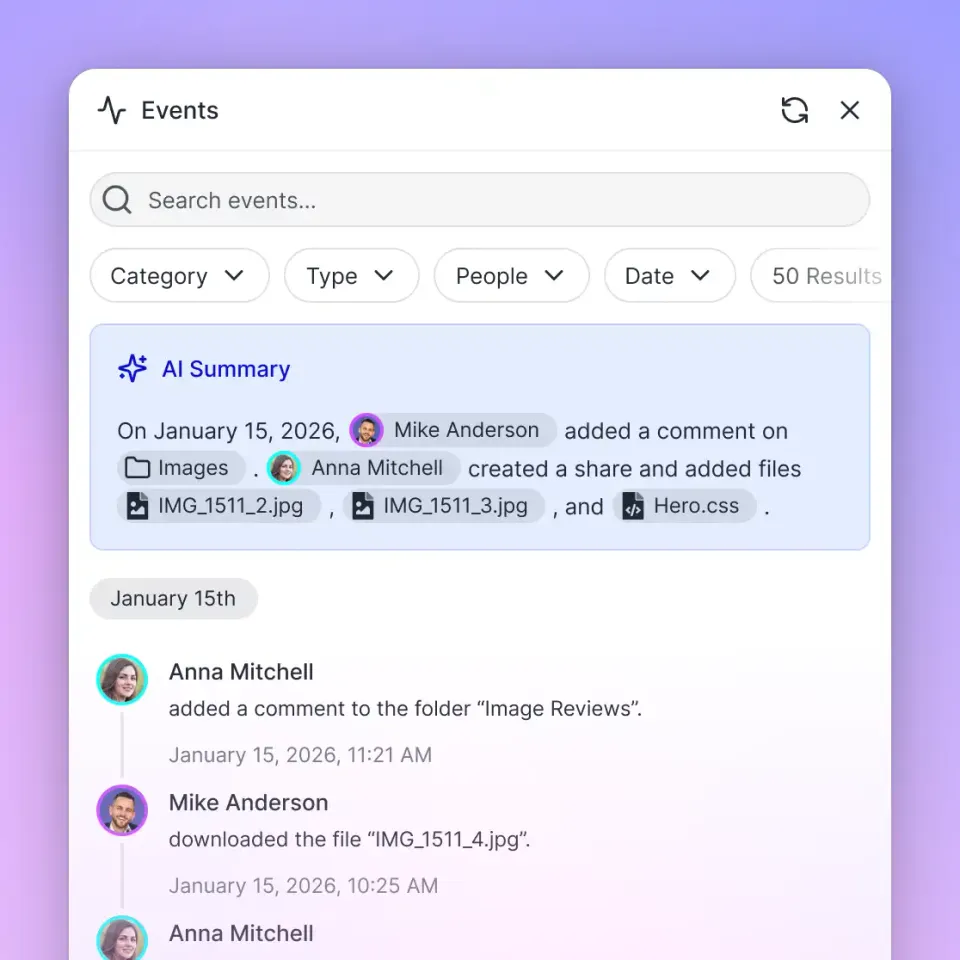
Audit Logs for Attribution Attribution can be tricky. Did efficiency improve because of the agent or because of a new operator? Fastio's comprehensive audit logs are essential here. Every file changed, every query made, and every action taken by an agent is logged. You can trace a specific optimization decision (e.g., "Reduced conveyor speed by multiple% at multiple:multiple AM") to the agent and correlate it with the subsequent reduction in jam rate. This granular visibility builds confidence in the system.
Challenges and Mitigation Strategies
While the benefits are clear, the path to agentic manufacturing is not without obstacles. Addressing these challenges proactively is critical for success.
Data Quality and Integration
- Challenge: Legacy machines often speak proprietary languages or provide noisy data.
- Mitigation: Invest in a "Unified Namespace" (UNS) architecture using MQTT brokers to normalize data. Use edge gateways to clean and filter data before it reaches the agent.
Cybersecurity and IP Protection
- Challenge: Connecting factory equipment to AI models (especially cloud-based ones) introduces attack vectors. Manufacturers worry about IP leakage.
- Mitigation: adopt a "Hybrid" approach. Run critical control agents at the edge, air-gapped from the public internet if necessary. Use Fastio for secure, encrypted storage of logs and non-critical data. Ensure agents operate with "Least Privilege" access, only reading the specific sensors they need.
Workforce Trust and Acceptance
- Challenge: Operators may view agents as a threat to their jobs or may not trust "black box" decisions.
- Mitigation: Focus on "Augmentation," not replacement. Involve operators in the design process. Show them how the agent handles the boring, repetitive tasks (like watching a screen for hours), freeing them to do more interesting problem-solving. Use "Explainable AI" techniques where the agent provides a reason for its decision (e.g., "I suggest slowing down because vibration is trending up").
Ethical AI in Manufacturing
- Challenge: Bias in training data can lead to unfair or unsafe decisions.
- Mitigation: Regularly audit agent decisions for bias. Ensure diverse training data. Establish an "AI Ethics Committee" to review deployment policies.
Integrating Fastio for Manufacturing AI Agents
Fastio is designed to be the operating system for agentic workflows. It provides the secure, collaborative environment that agents and humans need to work together effectively.
The Fastio Advantage
- Secure Storage: Agents need a place to store state, logs, and models. Fastio provides secure, scalable cloud storage that is accessible via standard APIs.
- MCP Support: The Model Context Protocol (MCP) is a game-changer. It allows agents to interface with Fastio using standardized tools. An agent can "list files," "read content," "write report," or "search knowledge base" without custom integration code.
- Intelligence Mode: By enabling Intelligence Mode on a workspace, all files (PDF manuals, CSV logs, text notes) are automatically indexed. Agents can then perform RAG (Retrieval-Augmented Generation) queries to find answers. "What is the torque setting for Model X?" The agent gets the answer with a citation to the specific manual.
Getting Started
- Create an Organization: Start Fastio's 14-day Business Trial, which requires a credit card.
- Set Up a Workspace: Create a workspace for your production line (e.g., "Line-multiple-Optimization").
- Connect Agents: Configure the remote Fastio MCP server or use the REST API.
- Connect Sources: Use URL Import to pull in documentation and historical data.
- Deploy Agents: Connect your agents via https://mcp.fast.io/mcp/tools and start collaborating.
Sources
References used to verify factual claims in this guide.
-
65% of organizations regularly use generative AI
-
AI implementations boost efficiency by 25%
Frequently Asked Questions
What are examples of AI agents in manufacturing?
Common examples include predictive maintenance agents that analyze sensor data to forecast equipment failures, computer vision agents that inspect products for defects on assembly lines, and supply chain agents that autonomously negotiate with vendors to resolve shortages. These agents act independently to optimize specific parts of the production process.
What are the benefits of multi-agent manufacturing systems?
Multi-agent systems offer superior resilience and adaptability. By specializing agents (e.g., one for maintenance, one for scheduling), the system avoids a single point of failure. If one agent goes offline, others can continue. They also enable complex coordination, such as balancing maintenance needs with production deadlines, through real-time negotiation and shared state.
How long does it take to deploy AI agents in manufacturing?
A pilot project on a single line can typically be deployed in multiple-multiple weeks. However, scaling to a full enterprise-wide deployment involving multiple lines and factories usually takes multiple-multiple months. This timeline allows for data integration, model training, operator training, and the iterative refinement of agent behaviors.
Do AI agents replace manufacturing workers?
AI agents are designed to augment, not replace, human workers. They handle repetitive tasks like monitoring data streams or inspecting simple parts, which frees up human operators to focus on complex problem-solving, process improvement, and handling exceptions that the agents cannot manage. This leads to higher job satisfaction and better overall productivity.
What data do manufacturing AI agents need?
Agents require access to a variety of data sources, including time-series data from IoT sensors (vibration, temperature, pressure), visual data from cameras, production logs from MES/ERP systems, and supply chain data. The quality and cleanliness of this data are critical for the agent's accuracy and effectiveness.
Is Fastio secure for manufacturing data?
Yes, Fastio is built with security in mind. It offers encryption at rest and in transit, granular access controls, and comprehensive audit logs of all agent and human actions. While it is not a designated strict security requirements or ITAR compliant facility, it provides strong security features suitable for commercial manufacturing data and intellectual property protection.
Related Resources

Give Your AI Agents Persistent Storage
Get started with generous storage, a consolidated MCP toolset for agent integration, and built-in intelligence for manufacturing data.