How to Build Multi-Agent Systems with the OpenAI Agents SDK
The OpenAI Agents SDK is the official Python framework for orchestrating multi-agent systems, replacing the experimental Swarm framework. This guide covers how to build agents that can hand off tasks, execute tools, and maintain persistent state and files across sessions.


What Is the OpenAI Agents SDK?
The OpenAI Agents SDK is a Python framework for building multi-agent systems with handoffs, guardrails, and tool integration on top of OpenAI models. Launched as the production-ready successor to the experimental Swarm framework, it provides the "glue" code needed to make multiple LLMs work together as a cohesive team. Unlike the Assistants API, which is a hosted service, the Agents SDK runs on your own infrastructure (or lightweight edge containers), giving you full control over the execution loop and state management. Its core primitive is the Handoff, allowing one agent to transfer a conversation and its context to another specialized agent. This shift from experimental to production-grade tools marks an important milestone in the AI engineering ecosystem. While Swarm was an excellent educational resource for understanding multi-agent patterns, the Agents SDK provides the reliability required for enterprise applications, including better error handling and more predictable routing logic. For developers, this solves the "God Bot" problem. Instead of a single prompt trying to do everything (research, coding, writing), you build small, specialized agents and define how they route tasks to each other.
Helpful references: Fastio Workspaces, Fastio Collaboration, and Fastio AI.

Related guides
- AWS Strands Agents: Build AI Agents with Amazon's Agent FrameworkAWS Strands Agents is Amazon's open-source Python framework for building AI agents that use tools, maintain memory, and...
- Listing Directory Files Safely in Multi-Agent AI WorkspacesUsing python os listdir without filters can overwhelm AI agent context windows with massive lists of dependency and...
- 9 Best AI Assistants for Developers in 2026GitHub Copilot generates 46% of code in files where it's active, yet experienced developers average 2.3 AI tools in...
- ChatGPT Canvas Limits: File Sizes, Document Length, and WorkaroundsChatGPT Canvas limits documents to practical thresholds of roughly 4,000 lines of code or 25,000 words, running in an...
- ChromaDB Max Batch Size: Ingestion Limits and Batching PatternsChromaDB enforces a maximum batch size for vector and document ingestion to prevent SQLite variable overflow and client...
- LangGraph Recursion Limit: GraphRecursionError and State FixesA LangGraph GraphRecursionError occurs when a compiled graph exceeds its maximum allowed execution steps before hitting...
More on this subject: AI Agents: General Guides (172 guides)
What to check before scaling openai agents sdk
The architecture of the Agents SDK relies on two main concepts: Agents and Handoffs. An Agent is a class that wraps a model configuration (like GPT-4o) and a set of tools (Python functions). A Handoff is a function that returns another Agent. When an agent determines it cannot fulfill a request, it calls a handoff tool. For example, a TriageAgent might analyze a user query and call transfer_to_support() or transfer_to_sales(). The SDK handles the context switch automatically, ensuring the new agent receives the relevant conversation history.
Why Handoffs Matter:
- Specialization: You can use cheaper models (like GPT-4o-mini) for routing and stronger models for complex reasoning.
- Context Management: Handoffs prevent context windows from overflowing by only passing necessary information.
- Modularity: You can update the
SalesAgentlogic without breaking theSupportAgent.
The Missing Piece: Persistent File Storage
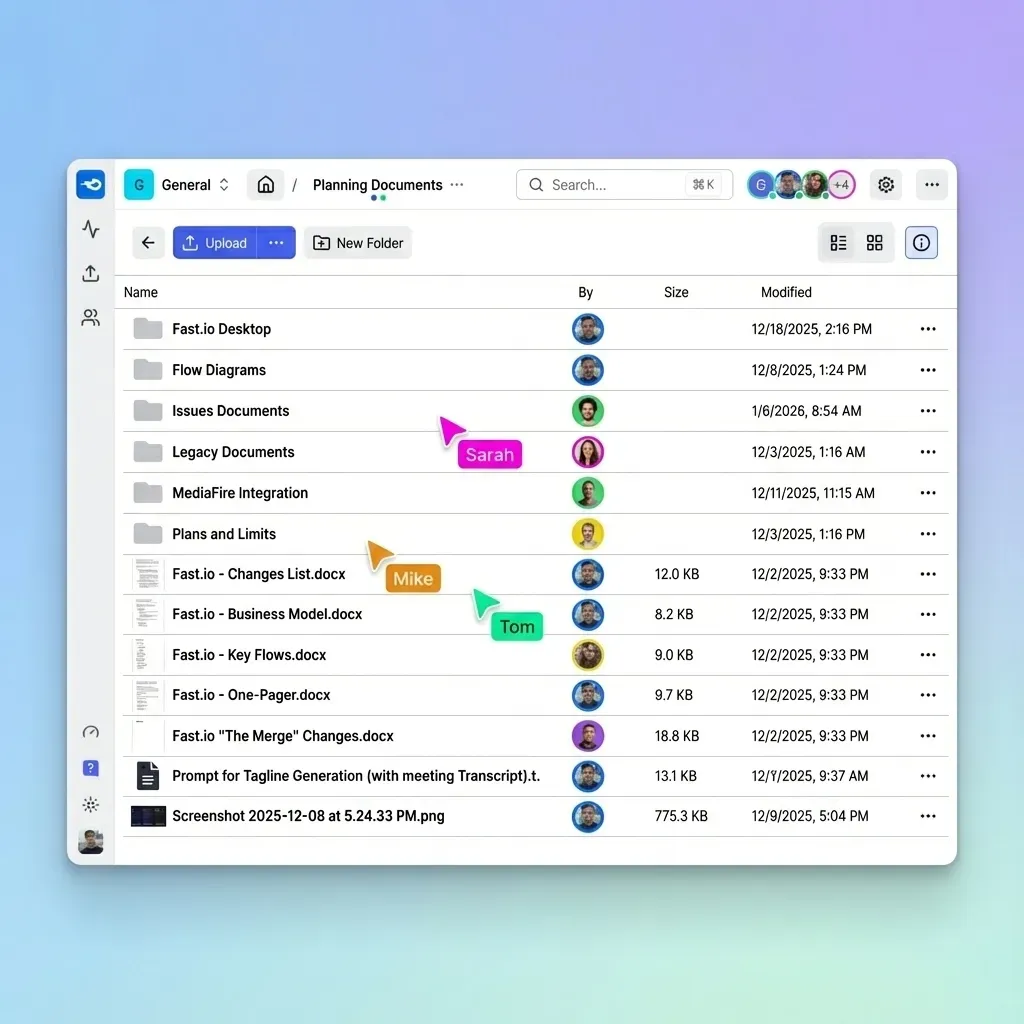
While the Agents SDK handles logic and conversation state well, it does not solve file persistence. If your ResearchAgent generates a PDF report, or your DataAgent creates a CSV, where does that file go? In a local demo, it saves to your laptop's disk. But in production, when running on serverless functions or containers, local disk is temporary. When the agent finishes or the container restarts, the files are lost.
The Fastio Solution: Fastio provides a dedicated Model Context Protocol (MCP) server that gives your agents instant, persistent cloud storage. By adding the Fastio toolset to your agent, it can read, write, and search files in a secure cloud workspace that persists across sessions.


Give Your AI Agents Persistent Storage
Stop losing data when your agent session ends.
Tutorial: Building a Research Agent with File Storage
Let's build a simple multi-agent system with two agents: a Researcher that gathers data and saves it to a file, and a Reviewer that reads the file and provides feedback. We'll use Fastio for the shared storage layer.
Step 1: Install Dependencies
You will need the OpenAI Agents SDK and requests. Fastio connects via its remote MCP server at https://mcp.fast.io/mcp/tools, which also takes direct HTTP JSON-RPC with an API key as a Bearer header, so no local adapter package is required.
pip install openai-agents-sdk requests
Step 2: Define the Tools We create a tool that the agents can use to save their work. Note how we don't need complex S3 credentials; Fastio handles the authentication via the agent's environment.
import requests

FASTIO_KEY = "your-scoped-key"
MCP_URL = "https://mcp.fast.io/mcp/tools"

def call_fastio_mcp(method: str, params: dict):
    res = requests.post(
        MCP_URL,
        headers={"Authorization": f"Bearer {FASTIO_KEY}"},
        json={"jsonrpc": "2.0", "id": 1, "method": method, "params": params}
    )
    return res.json()

def save_research_notes(filename: str, content: str):
    """Saves research findings to shared storage."""
    call_fastio_mcp("tools/call", {"name": "write_file", "arguments": {"path": f"/research/{filename}", "content": content}})
    return f"Saved notes to {filename}"

def read_research_notes(filename: str):
    """Reads research notes for review."""
    result = call_fastio_mcp("tools/call", {"name": "read_file", "arguments": {"path": f"/research/{filename}"}})
    return str(result.get("result", ""))
Step 3: Define the Agents
Now we wire up the agents. The Researcher has the write tool, and the Reviewer has the read tool.
from openai_agents import Agent, run

reviewer = Agent(
    name="Reviewer",
    instructions="Read the research notes and provide a critique.",
    tools=[read_research_notes]
)

def transfer_to_reviewer():
    """Hand off the task to the reviewer agent."""
    return reviewer

researcher = Agent(
    name="Researcher",
    instructions="Research the topic, save notes to a file, then hand off to review.",
    tools=[save_research_notes, transfer_to_reviewer]
)

Best Practices for Production Agents
Moving from a notebook to production requires attention to reliability and security. Here are the key practices for deploying OpenAI Agents:
- Enable Tracing: The SDK has built-in OpenTelemetry support. Enable this to debug why an agent decided to hand off (or failed to). This is essential for understanding the "reasoning path" of complex multi-agent workflows.
- Use Advisory File Locks and Version History: When multiple agents access the same Fastio storage, use advisory file locks to signal active writes and coordinate updates safely. An agent acquires a lock before writing, heartbeats it while working, and releases it when finished. If another agent attempts to lock the file, it receives an HTTP 409 status code and can wait. Fastio also tracks all revisions in version history and maintains a detailed activity log, so teams can see who changed what when several specialized agents collaborate on shared files.
- Sandboxing: Agents executing code should run in sandboxed environments. The Agents SDK supports running tool execution in isolated containers, which is an important security measure when agents can generate and run their own scripts.
- Implement Multi-Layer Security: Beyond sandboxing, use a multi-layer security approach. This includes validating all tool outputs and ensuring that agents do not have excessive permissions to sensitive data. With the Fastio API, you can control which directories an agent can access, ensuring a principle of least privilege throughout the automated workflow.
- Human-in-the-Loop: For sensitive actions, configure a tool that requires human approval before execution. Fastio's ownership transfer feature allows an agent to build a workspace and then transfer full control to a human admin for final review. This bridges the gap between automated efficiency and human accountability.
Sources
References used to verify factual claims in this guide.
-
Fastio offers a 14-day Business Trial with plans starting at $9.99/mo (see /pricing/).
Frequently Asked Questions
What is the OpenAI Agents SDK?
The OpenAI Agents SDK is an open-source Python framework designed to simplify building, orchestrating, and deploying multi-agent AI systems. It replaces the experimental Swarm framework and provides standard patterns for agent handoffs and tool execution.
How does the Agents SDK differ from the Assistants API?
The Assistants API is a fully hosted service where OpenAI manages the message history and tool execution loop. The Agents SDK is a client-side framework that gives you full control over the orchestration logic, state management, and deployment environment.
Can OpenAI agents share files with each other?
Yes, but they need a shared storage layer. By default, agents are stateless. Using a tool like Fastio allows agents to read and write files to a persistent cloud directory, enabling them to pass documents, data, and media between different agents in a workflow.
Is the OpenAI Agents SDK free?
The SDK itself is open-source and free to use. However, running the agents consumes tokens from the OpenAI API, which are billed based on usage. Additional tools like Fastio offer a 14-day Business Trial with plans starting at $9.99/mo for agent teams (see /pricing/).
Related Resources

Give Your AI Agents Persistent Storage
Stop losing data when your agent session ends.