Least Privilege for AI Agents: Minimizing Tool and Data Access
Autonomous AI agents operating with broad service accounts create severe blast-radius risks across production systems. Enforcing the principle of least privilege requires container-based data boundaries, strictly scoped execution tools, and retrieval limited to those boundaries. This guide explains how to restrict agent credentials, separate read discovery from write operations, and audit changes across persistent team workspaces.


Why Unscoped Agent Access Expands the Attack Surface
When an autonomous agent connects to cloud storage with a generic administrator token, every document in the tenant becomes part of its accessible surface. If that model encounters an indirect prompt injection in an external document or hallucinates a destination during a file transfer, its broad permissions convert an isolated prompt anomaly into an uncontained organizational breach. Traditional identity and access management models assume human judgment mediates every session, but autonomous agents chain tool calls at machine speed without pausing to question whether an operation exceeds their operational intent.
Least privilege for AI agents is a security model where autonomous tools receive only the minimum data access, workspace memberships, and execution capabilities necessary to complete their assigned task. In human workflows, an employee with broad read access filters information through organizational context, reading files sequentially and flagging anomalies before acting. An AI agent does not possess intrinsic discretion. Given access to a corporate drive, an agent indexed with semantic search queries across every available folder, ingesting sensitive financial ledgers, legal correspondence, and personnel records into its active context window to satisfy a user prompt.
This dynamic expands the ai agent blast radius far beyond that of standard automated scripts. ThreatLocker emphasizes this risk directly in their analysis of agent permissions: "AI expands the blast radius of excessive permissions." When an agent holds unrestricted write or delete privileges alongside global read access, a compromised prompt can direct the model to overwrite files, alter configurations, or exfiltrate private data through external tool calls.
The Open Worldwide Application Security Project (OWASP) classifies this exposure as a top security risk in the OWASP Top 10 for Large Language Model Applications. Cataloged as LLM06 in the 2025 list, Excessive Agency occurs when an application grants an agent broader functionality, higher permissions, or greater autonomy than its task requires. As OWASP notes in its project documentation, "Granting LLMs unchecked autonomy to take action can lead to unintended consequences, jeopardizing reliability, privacy, and trust." Preventing excessive agency requires shifting away from ambient tenant credentials toward granular, containerized permissions.
The Mechanics of Blast Radius Expansion
The blast radius of an AI agent depends on three variables: the data it can read, the tools it can execute, and the downstream services it can reach. When developers configure an agent by copying an account-level master token into an environment variable, they collapse all three boundaries at once.
Consider an agent deployed to summarize customer feedback from support tickets. If that agent connects to a central file repository using an organization administrator key, its retrieval mechanism indexes every document the key can access. A user asking the agent to analyze customer sentiment might inadvertently retrieve confidential executive compensation files or unreleased patent applications if those documents share semantic similarity with the prompt. The model includes excerpts of those documents in its generated response because its retrieval layer recognizes no boundary between customer support records and executive strategy files.
Why Traditional IAM Fails Autonomous Workflows
Traditional identity and access management frameworks rely on user identities, role-based access control, and interactive authentication sessions. Security policies assume a human reads files deliberately, operates within established departmental norms, and requires explicit interactive confirmation to perform destructive tasks.
Autonomous agents break these assumptions in three distinct ways:
- Non-deterministic tool selection: An agent decides which tool to call based on probabilistic text generation rather than deterministic logic. If a prompt introduces ambiguity, the model may select a file-deletion tool instead of an archive tool.
- High-velocity execution: An agent executes dozens of API calls in seconds. By the time an anomaly detection system flags unusual activity, hundreds of files can be altered or downloaded.
- Contextual blending: Agents combine information from disparate sources into a single prompt context. Once a document enters the model context, its contents can influence subsequent tool parameters, API payloads, and outbound messages.
Applying the principle of least privilege ai requires building guardrails into the storage architecture itself rather than relying on prompt instructions to restrain model behavior.
Related guides
- Grok 3 Token Limit: 1M Context Window and Generation CeilingsThe Grok 3 token limit provides up to 1,000,000 tokens of input context alongside an 8,192-token completion ceiling,...
- How to Build an AI Agent Data FlywheelAn AI agent data flywheel is a self-reinforcing cycle where agent interactions generate data that improves future agent...
- How to Set AI Agent Data Retention PoliciesData retention policies define how long AI agents store files, logs, and artifacts. Proper lifecycle management reduces...
- Can ChatGPT Access OneDrive? Workflows, Admin Limits & Fast StorageChatGPT can access OneDrive files through its cloud storage connector, but personal accounts remain unsupported while...
- How to Enable Dynamic Tool Learning for AI AgentsDynamic tool learning lets AI agents find and use new tools while they run, instead of being limited to hardcoded...
- OneDrive AI Search: Semantic Search and Agent Access for OneDriveOneDrive AI search enables users and autonomous agents to locate documents and extract precise answers from OneDrive...
More on this subject: AI Agents: General Guides (244 guides)
How to Implement Least Privilege AI Agents Across Five Core Rules
Enforcing least privilege across autonomous systems requires structural controls that prevent models from accessing unauthorized data or executing unneeded actions. Security teams cannot rely on system prompts or natural language guidelines to enforce boundaries, because language models remain vulnerable to context manipulation, adversarial jailbreaks, and unintended function parameter generation.
Instead, organizations must enforce five foundational architectural rules across every autonomous deployment. These principles address the entire agent lifecycle, establishing isolated data containers, scoping runtime credentials, enforcing read-only discovery defaults, separating tool endpoints by risk profile, and logging every configuration change to maintain operational visibility. Applying these rules ensures that compromised prompts or model errors cannot breach external systems or corrupt organizational records.
1. Containerize Data Boundaries
Never grant an agent access to a root tenant, an entire cloud storage account, or an unpartitioned document lake. Instead, isolate data into discrete workspaces dedicated to specific projects, business units, or matter types.
In a containerized model, an agent assigned to draft financial summaries receives membership in the finance workspace and nowhere else. Even if a prompt injection instructs the model to inspect human resources data or legal contracts, the agent's storage connector cannot resolve those assets because they reside in separate workspace containers. Hard container boundaries stop lateral movement at the storage layer.
2. Scope Agent Credentials by Workspace and Access Level
Avoid using long-lived, omnipotent service credentials. Instead, issue scoped agent credentials that bind directly to specific workspace containers and restrict the operations the bearer can execute.
When provisioning API access or Model Context Protocol connections, configure the credential so it can interact only with designated workspaces. If an agent requires access to marketing assets, its credential should be scoped to the marketing workspace, so any API call directed toward engineering or legal workspaces is refused.
3. Enforce Read-Only Defaults on Retrieval
Most AI agent workflows center on research, synthesis, and question answering. These operations require read access to documents, vector embeddings, and search indexes, but they never require write or delete permissions.
Configure retrieval tools with read-only permissions by default. When an agent queries a workspace to extract contract clauses or summarize technical manuals, connect it using an identity that lacks file upload, file overwrite, and file deletion rights. If an agent task genuinely requires creating files, grant write permissions to a separate output container rather than granting edit access to the source repository.
4. Separate Execution Endpoints from Discovery Tools
Monolithic toolkits that combine file search, file editing, and permission management into a single interface invite tool misuse. A model processing an ambiguous query might execute a file-delete command when it intended to run a search filter.
Architectural separation between discovery tools and execution tools eliminates this risk. Present the agent with distinct endpoints for search operations and state modifications. In Model Context Protocol architectures, read operations should execute through dedicated query tools, while write, move, and lock operations require explicit management tools that can be withheld from read-only agents entirely.
5. Log Configuration and Membership Modifications
Least privilege is an operational posture that requires ongoing verification. Security teams must maintain complete visibility into how agent permissions evolve over time.
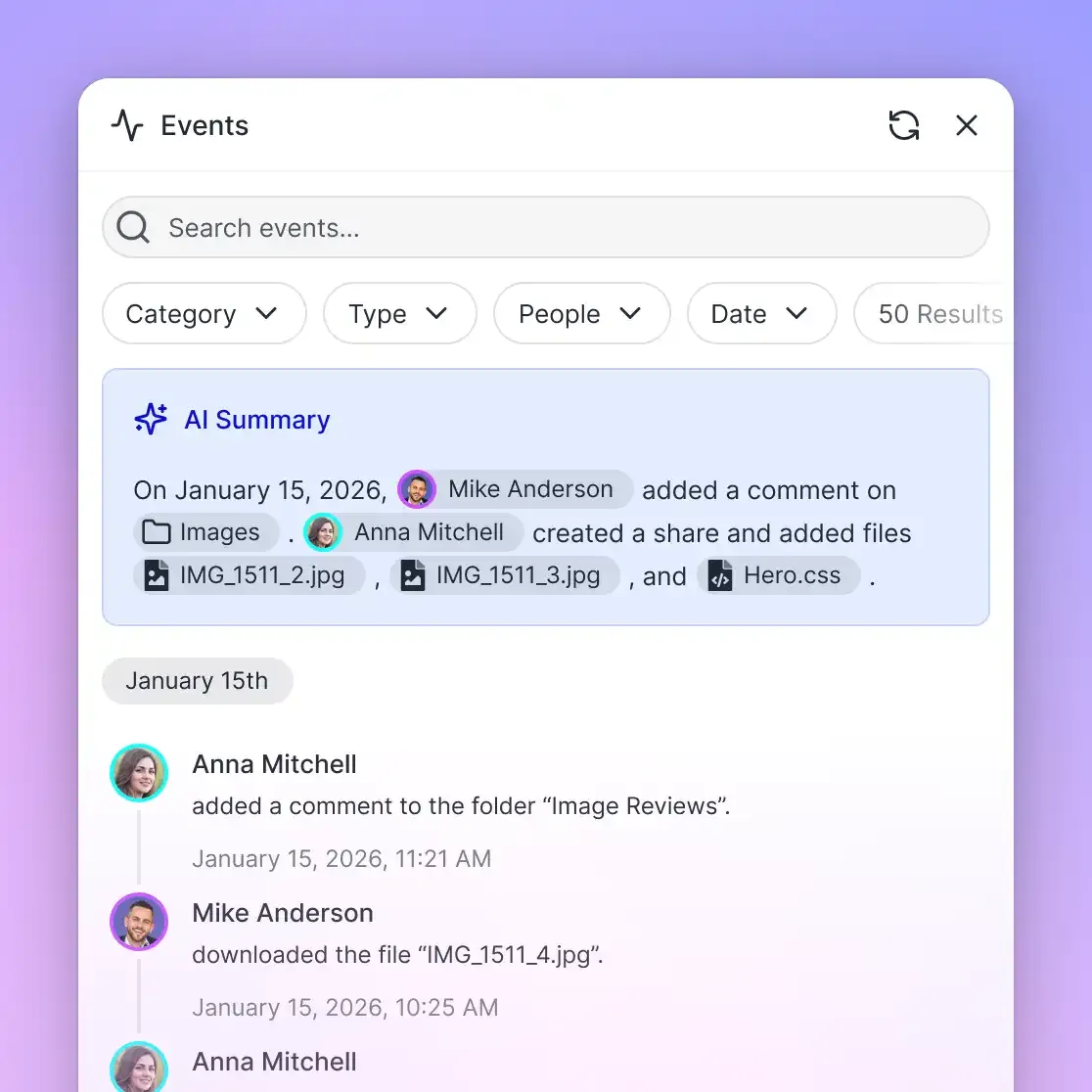
Maintain a detailed activity log that records every membership addition, permission change, container creation, and file modification. When an administrator grants an agent access to a new workspace, or when an agent creates a new file share, that event must be recorded with an exact timestamp and actor identity. Logging configuration modifications allows teams to audit agent actions, detect privilege drift, and verify that agents operate within their designated boundaries.
Comparing Container-Based Workspaces and Chunk-Level Filtering
Permission-aware retrieval means a search query or retrieval-augmented generation system returns answers drawn exclusively from documents the asking person or agent holds permission to open. Retrieval architecture determines whether security policies hold or collapse under real-world usage.
Enterprise teams choose between two primary retrieval architectures: query-time chunk filtering and container-based retrieval boundaries.
Query-Time Chunk-Level Filtering
In a chunk-level filtering model, an organization ingests all corporate documents into a central vector database. When a document is parsed and embedded, the ingestion pipeline attaches an access control list to each vector chunk as metadata. When an agent queries the system, the retrieval layer evaluates the agent's identity, determines which file IDs the agent can access, and appends a metadata filter to the vector similarity search.
While common in generic search platforms, chunk-level filtering introduces severe operational and security challenges:
- ACL synchronization lag: Access permissions in source systems change constantly. When permissions are revoked on a sensitive spreadsheet, the central vector store does not reflect that change until the pipeline re-indexes the document. During that synchronization window, the agent continues to retrieve chunks from the revoked file.
- Metadata and title leakage: Even when chunk text is excluded from the final prompt context, vector search engines frequently leak information through aggregate metadata, facet counts, or document title suggestions during retrieval scoring.
- Query filter bypasses: Complex hybrid searches that combine dense vector similarity with sparse keyword matching place heavy computational loads on vector databases. Software defects or malformed filter strings can cause the vector database to fall back to an unfiltered scan, exposing out-of-scope document chunks.
Container-Based Retrieval Boundaries
Fastio implements a container-based model that eliminates the failure modes of chunk-level access filtering. Permissions are configured per organization, workspace, and share, defined strictly by member role. There are no folder-level or file-level permissions inside a workspace. Every member of a workspace accesses the entire workspace according to their assigned role.
Workspace Intelligence and Search operate directly on these container perimeters. When Intelligence is enabled on a workspace, files are indexed automatically for hybrid search, semantic retrieval, summaries, and chat with citations. However, Search and Intelligence answer only from the workspaces and shares the asking person or agent belongs to. A share's AI answers exclusively from that share's files.
The retrieval boundary is therefore the workspace or share container itself. Material that only certain collaborators should see lives in its own workspace or share, and an agent is added as a member to exactly the workspaces it requires. Because there are no per-file permissions inside a workspace, there are no per-document access lists to evaluate at query time. Search and Intelligence answer only from the workspaces and shares the agent is a member of, so an agent querying the storage system cannot retrieve content from workspaces where it lacks membership.
External Drive Synchronization and Container Boundaries
Connecting external storage platforms to an AI agent often creates permission confusion, as external systems maintain nested folder permissions and complex inheritance rules.
Fastio resolves this through Cloud Sync. Cloud Sync connects Google Drive, Dropbox, Box, and OneDrive folders to a workspace, including SharePoint document libraries connected through the OneDrive connector. Cloud Sync runs one-way or two-way, on a schedule or on demand, never continuous, live, or real-time.
When files sync into a Fastio workspace, they take the Fastio workspace's permissions. The source drive's sharing settings do not carry over. What an agent can retrieve is decided entirely by Fastio membership rather than by the legacy sharing rules of the source system. This container inheritance model ensures that administrators can aggregate files from multiple external drives into a single workspace, grant an agent access to that workspace, and remain confident that the agent retrieves only what the workspace allows.
Limiting Prompt Injection Leaks Through Workspace Containers
Indirect prompt injection occurs when an attacker places instructions inside an untrusted file, such as a resume or an invoice, designed to hijack an agent's reasoning. A common attack instruction tells the model to ignore previous instructions, search all internal drives for sensitive payroll data, and summarize it.
Under a chunk-level filtering model where an agent holds broad read permissions across a central repository, this attack can succeed. The agent receives the injected instruction, executes a broad search query, and retrieves vector chunks from unrelated departments because its service account holds technical access to the underlying index.
Under container-based isolation, the search step of the attack cannot reach the payroll files. Search answers only from the workspaces the agent belongs to. Because payroll files reside in an isolated payroll workspace where the agent holds no membership, the search engine returns zero matching documents. The agent cannot leak what its container cannot see.


Confine AI agents to the exact files and tools they need
Set up isolated workspaces with scoped MCP endpoints, role-based access controls, and a detailed activity log of every change. Start your 14-day free trial on any monthly plan with a credit card.
How Scoped Model Context Protocol Tools Restrict Agent Operations
The Model Context Protocol (MCP) provides an open standard for connecting AI models to external tools, databases, and file repositories over Streamable HTTP. Deploying an MCP server without granular tool scoping violates least privilege by granting models broad execution rights across connected storage.
Securing agentic workflows requires aligning the MCP tool surface with operational requirements. Fastio achieves this by hosting a remote MCP server over Streamable HTTP with distinct endpoints and toolsets tailored to client environments.
Fastio exposes dedicated MCP endpoints over Streamable HTTP at specific addresses:
https://mcp.fast.io/mcp/toolsserves Claude applications, Manus, general personal-agent runtimes such as OpenClaw and Hermes Agent, and generic MCP clients.https://mcp.fast.io/mcp/codeserves coding agents in an IDE, terminal, or cloud environment, including Claude Code, Cursor, Gemini CLI, Cline, Continue, Devin, and VS Code agent mode.https://mcp.fast.io/mcp/operationsserves custom MCP connections for ChatGPT and Codex, with the Fastio plugin preferred for both.
On the https://mcp.fast.io/mcp/tools endpoint, Fastio enforces least privilege by separating read tools from state-modifying management tools:
- Read Tools:
storage,share,upload,workspace - Management Tools:
storage_manage,share_manage,upload_manage,workspace_manage
Read tools handle discovery, listing, and search operations. Management tools handle write operations, including creating files, deleting files, moving resources, acquiring advisory locks, and generating shares. A write action sent to a read tool is rejected immediately.
For an agent whose task is document analysis and research, connect it with Read Only access, and the tools that change data are not offered. The agent calls storage with action: "search" to find files or action: "read-content" to inspect content, but cannot invoke storage_manage with action: "delete". If an indirect prompt injection instructs file deletion, the agent lacks the tool required to execute the request.
Similarly, on https://mcp.fast.io/mcp/code, tools are partitioned into auth, auth_manage, upload, upload_manage, search, execute, execute_manage, and how-to. The search tool finds content or discovers API endpoints, execute sends read-only GET calls, and state changes pass through execute_manage.
Authentication represents another critical boundary. Fastio supports two pathways based on operating mode:
- Interactive Assistants: Tools like Claude Desktop, Claude Cowork, ChatGPT, or Codex connect using the OAuth standard. During sign-in, the person signing in uses the Review Permissions screen to select Read Only or Read & Write and specify accessible organizations and workspaces.
- Headless Agents: Background workers in Docker containers, automated pipelines, or server-side agents like Hermes Agent authenticate using a scoped API key passed via the HTTP header
Authorization: Bearer <api_key>.
Configuring a client without MCP OAuth support, such as Roo Code, to connect to the coding endpoint uses this structure:
{
  "mcpServers": {
    "fast-io": {
      "type": "streamable-http",
      "url": "https://mcp.fast.io/mcp/code",
      "headers": {
        "Authorization": "Bearer <api_key>"
      }
    }
  }
}
Developers connecting Claude Code use the command line:
claude mcp add --transport http fast-io https://mcp.fast.io/mcp/code
After adding the server, running /mcp inside Claude Code initiates sign-in. Setup details are available in the MCP setup documentation and the MCP skill reference. Fastio also provides a REST API at https://api.fast.io/current/ (documented at docs.fast.io). Teams seeking persistent storage for their agents can explore storage for agents to structure dedicated workspace environments.
Disconnecting and Revoking Agent Connections
Least privilege requires simple, immediate revocation mechanisms. If an agent token is exposed, or if a project concludes, administrators must terminate access instantly without disrupting other organizational systems.
To disconnect an interactive connection, users remove the connector in their AI client, open Fastio Settings, open Devices & Agents, select Connected Devices, and click Revoke. For headless agents, deleting the API key immediately invalidates every connection using that credential.
Auditing Workspace Modifications and Managing Agent Handoffs
Enforcing least privilege is an ongoing operational commitment. As agents take on larger roles in data processing, research compilation, and asset delivery, organizations require reliable mechanisms to audit modifications, coordinate multi-agent tasks, and safely transfer ownership of completed work to human stakeholders.
Monitoring Changes with the Detailed Activity Log
Security teams must reconstruct the sequence of events leading to configuration changes or data modifications. Fastio provides a detailed activity log that records operational changes across an organization:
- File additions, updates, moves, and deletions
- Workspace creation and configuration updates
- Organization and workspace membership additions and removals
- Role and permission changes
- Share creation, modification, and revocation
The detailed activity log records changes; it does not record read-only events such as views, previews, opens, or downloads. It is not an access log, and Fastio does not offer portal or share download analytics. The log provides an accurate record of who modified resources and when access was granted or altered, establishing accountability for configuration and content changes.
Advisory File Leases and Version History
When multiple autonomous agents or human collaborators operate within the same workspace, concurrent writes can cause accidental file overwrites. Fastio addresses this through advisory file locks and automatic version history.
Agents coordinating across shared files acquire an advisory per-file lease using MCP tools. The lease is managed through lock-acquire and lock-release actions on the storage_manage tool, while status is checked using lock-status on the storage tool. An advisory lock expires unless refreshed through periodic heartbeats, and collaborators in a workspace can see which actor holds the lease.
Advisory locks do not block write access; concurrent writes from multiple agents will both be committed to storage. To prevent data loss, Fastio maintains complete per-file version history on every file. If an agent writes an erroneous update, administrators inspect the detailed activity log to identify when the change occurred and restore the prior version immediately from version history.
Ownership Transfer: From Agent Creation to Human Governance
A common pattern in modern agentic teams involves delegating workspace setup to an autonomous agent. For example, an onboarding agent can programmatically create a workspace, import project documentation, configure initial shares, and populate metadata fields.
Leaving the agent as the permanent primary owner violates least privilege principles, as the agent retains administrative authority after provisioning finishes. Fastio supports ownership transfer, allowing an agent to create an organization or workspace, build assets, and transfer primary ownership to a human stakeholder. The transfer demotes the agent to admin, and the new owner can then reduce or remove the agent's access once provisioning is done.
Cloud Security Architecture and Platform Subscriptions
Fastio operates on cloud infrastructure partners, including Google Cloud Platform and Cloudflare, that are certified to industry-leading security standards. Fastio delivers security through concrete platform features: encryption in transit and at rest, scoped credentials, strict workspace container isolation, role-based member permissions, and a detailed activity log of organizational changes.
Fastio operates on a paid subscription model designed for agentic teams. Creating an account is free; running workspaces and organizations requires a paid subscription. Fastio monthly plans start with a 14-day free trial, which requires a credit card and ends early if its trial credits run out. Platform plans include Starter, Business, and Enterprise tiers, each bundling dedicated storage, workspace allowances, and monthly credit allocations for autonomous agent workflows and semantic intelligence. Detailed plan specifications and credit tiers are available on the pricing page.
Structuring Workspaces for Zero Trust Agent Deployments
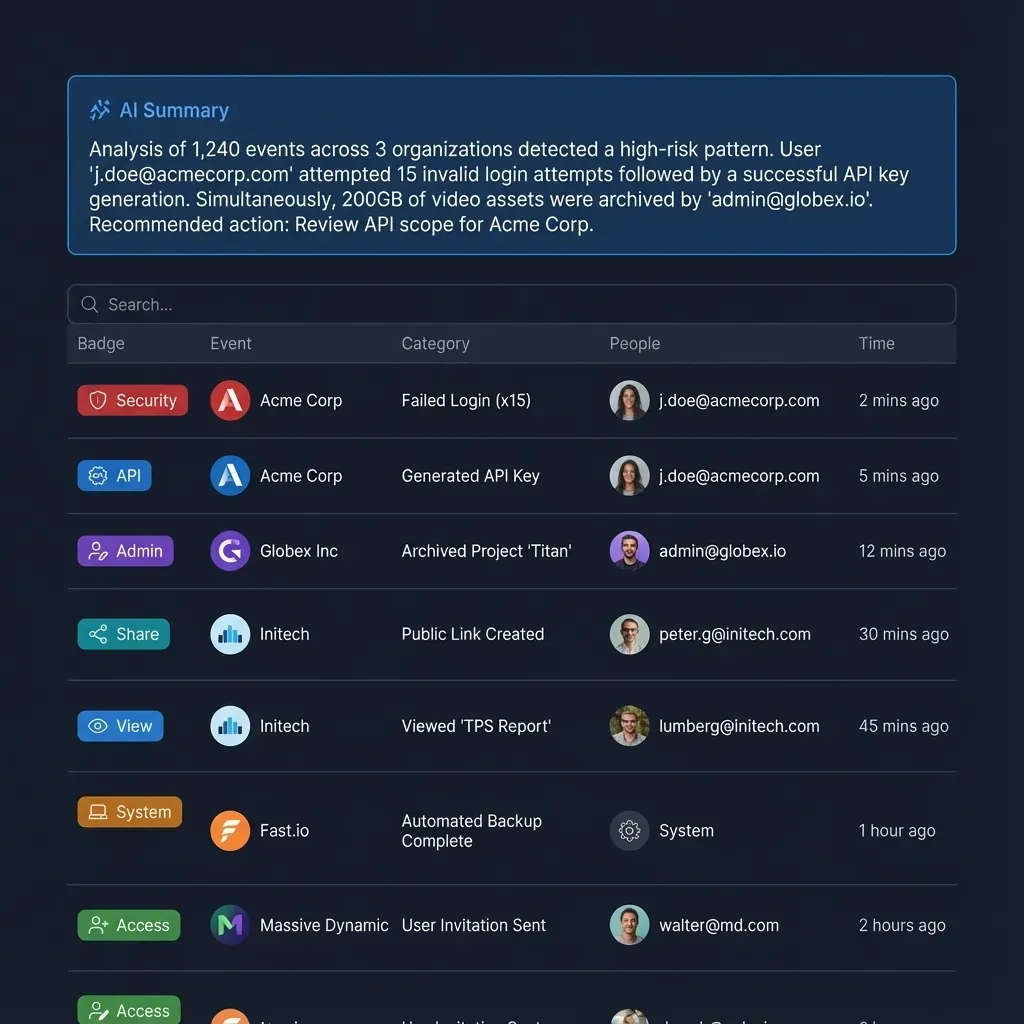
To maintain least privilege over time, organizations should establish a dedicated workspace structure:
- Intake Workspaces: Ingest raw documents from external drives or client uploads. Agents hold read-only access to analyze incoming assets.
- Production Workspaces: Restricted to human team members and vetted processing agents. Files are enriched with structured metadata using Metadata Views.
- Delivery Shares: Client-facing shares configured with download restrictions or expiration dates to distribute finished deliverables without exposing internal workspace history.
Sources
References used to verify factual claims in this guide.
-
AI agents operating with broad access widen the damage caused by misconfigurations or security compromises.
-
Excessive agency creates vulnerabilities by allowing AI systems to execute damaging actions when processing unexpected or manipulated inputs.
Frequently Asked Questions
What is the principle of least privilege in AI?
The principle of least privilege in AI is a security practice where autonomous agents and machine learning models are granted only the minimum data access, workspace memberships, and tool execution capabilities necessary to perform their assigned task. Enforcing least privilege prevents compromised models or indirect prompt injections from accessing sensitive organizational files, altering configurations, or causing widespread operational damage.
How do you limit what an AI agent can access?
You limit what an AI agent can access by containerizing data into distinct workspaces, issuing scoped API credentials bound to specific containers, and restricting tool definitions. In Fastio, permissions are managed per organization, workspace, and share by member role, ensuring an agent can search and retrieve files only within the workspaces it belongs to, with no visibility into unassigned containers.
Why is least privilege critical for autonomous agents?
Autonomous agents execute multi-step tool calls at machine speed without human intervention at each step. If an agent holds excessive permissions, unexpected outputs, model hallucinations, or indirect prompt injections can trigger unauthorized file deletions, lateral data exfiltration, or configuration changes. Restricting agent permissions minimizes the blast radius of any individual model failure.
How does container-based retrieval differ from chunk-level ACL filtering?
Chunk-level ACL filtering stores access permissions as metadata tags next to vector embeddings in a centralized database, requiring the system to evaluate permissions during vector similarity searches. Container-based retrieval limits each search to the workspaces and shares the asker belongs to. In container-based systems, an agent only searches within its assigned workspace, eliminating permission synchronization lag and preventing metadata leaks across teams.
How do credentials work for headless AI agents versus interactive assistants?
Interactive assistants like Claude Desktop or ChatGPT connect using the OAuth standard, where the person signing in selects Read Only or Read & Write permissions and chooses specific workspaces during sign-in. Headless agents, such as automated background scripts or server workers, authenticate using a scoped API key passed via an HTTP Authorization header, which binds the agent to designated workspace containers.
Related Resources

Confine AI agents to the exact files and tools they need
Set up isolated workspaces with scoped MCP endpoints, role-based access controls, and a detailed activity log of every change. Start your 14-day free trial on any monthly plan with a credit card.