Grok Character Limit: Prompt Caps, Input Ceilings, and Solutions
The Grok character limit depends on the access surface: when you prompt Grok through a post or reply on X, the post limit applies (280 characters for free accounts and up to 25,000 characters for X Premium), while grok.com and the xAI API work on token context windows, with current API models offering 500,000 to 1,000,000 tokens. Exceeding these limits causes truncated outputs or API context errors. Teams handling large document corpora keep files out of the prompt by pairing Grok with persistent, MCP-connected workspace storage.

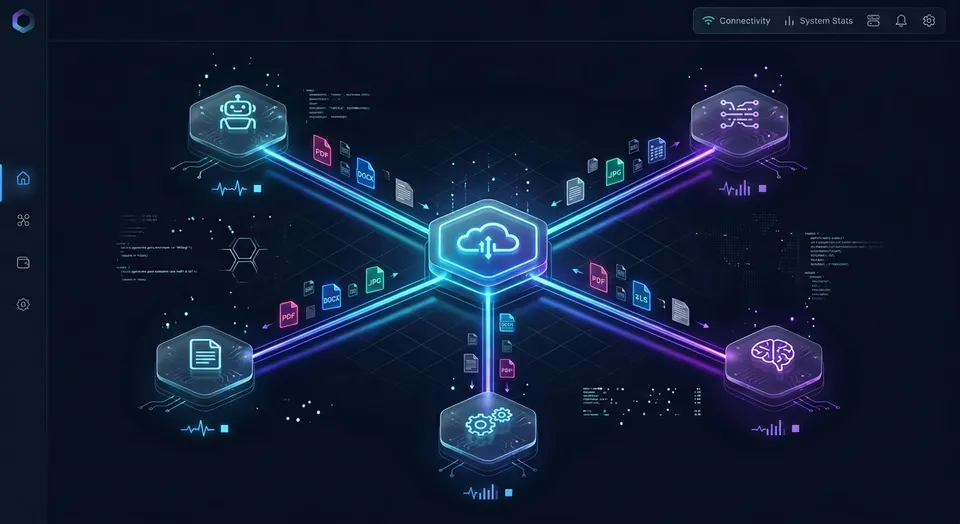
How Grok Character Limits Work Across X, Web Chat, and API Endpoints
Developers and researchers frequently run into a wall when pasting code repositories, research papers, or dataset dumps into Grok, only to discover that the phrase Grok character limit refers to two completely different architectural boundaries. One boundary is a strict social post character ceiling enforced by the user interface on X, while the other is an autoregressive token context window enforced by the xAI inference cluster. Treating these two systems as interchangeable leads to premature prompt truncation, corrupted JSON payloads, and failed API calls.
The Grok character limit is the maximum number of characters permitted in an input prompt, governed by X post limits (up to 25,000 characters for X Premium) or by the model's token context window on grok.com and the xAI API.
On X, Grok is embedded inside a social media platform whose primary design constraint is timeline readability and database efficiency for microblogging. Prompts submitted as posts or replies in the X composer (for example, a reply that mentions @grok) follow the post limit for your account tier. Free accounts operate under the traditional 280-character ceiling, while X Premium subscribers can post up to 25,000 characters. X does not publish a separate character limit for the Grok chat panel.
In contrast, when querying Grok through standalone interfaces like grok.com, the official mobile applications, or developer API endpoints at api.x.ai, character counters disappear entirely. Here, inputs are governed by token context windows. A token is a fragment of a word processed by the model's neural network. Context windows have grown from 128,000 tokens with Grok-1.5 to 500,000 and 1,000,000 tokens on the current API models in xAI's model documentation.
The table below summarizes the official input constraints across access surfaces:
Understanding which ceiling governs your session determines how you structure prompts, format source documents, and architect automated agent workflows.
How X Post Mechanics Cap Embedded Grok Prompts
When you prompt Grok through a post or reply on X, the submission is treated as a post within the social network schema. This architectural coupling imposes specific character-counting rules that catch developers off guard:
- Standard 280-Character Cutoff: Free accounts are limited to 280 characters per submission. Pasting a single function definition or an error stack trace immediately exhausts this allowance.
- X Premium 25,000-Character Ceiling: X Premium subscribers can compose long-form posts containing a maximum of 25,000 characters. While this allowance accommodates essays and short technical summaries (roughly several thousand words), it cannot handle full-length whitepapers, complex multi-file codebases, or legal contracts.
- URL and Special Character Weighting: Every link pasted into the X composer is converted through the
t.coshortener, consuming a flat 23 characters regardless of the original link length. Emojis (including any skin-tone modifier) and Chinese, Japanese, or Korean glyphs count as two characters each. Line breaks and indentation spaces also consume character capacity.
Because the X interface evaluates text as potential social posts, hitting 25,001 characters disables the submission control. The interface provides no native document splitting or continuation mechanism.
How Tokens Replace Characters on x.ai and Developer Endpoints
Once you transition from social media composers to standalone AI interfaces like grok.com or developer API endpoints, character counting gives way to tokenization. Language models do not process text letter by letter; they break text into subword units known as tokens.
In English prose, one token corresponds to approximately four characters, or about 0.75 words. For example, a prompt containing 1,000 characters equates to roughly 250 tokens. However, the character-to-token ratio varies across data formats. Source code with heavy indentation, structured JSON with repeated key strings, and non-English scripts often require more tokens per character.
The shift toward large context windows began with Grok-1.5. xAI officially introduced the 128,000-token context window with Grok-1.5, allowing the model to process up to 128,000 tokens within its context window. This 128,000-token window represented a sixteen-fold expansion over previous models, enabling Grok to ingest hundreds of pages of text or entire software repositories in a single conversational session.
Current API models go much further: xAI's model documentation lists 500,000-token context windows for grok-4.5 through grok-4.7 and 1,000,000-token windows for grok-4.3 and the grok-4.20 models. In these environments, you are not constrained by a 25,000-character ceiling, but by cumulative token consumption across prompt instructions, conversation history, and model generation.
Related guides
- ChatGPT Prompt Limit: Maximum Length, Character Limits, and WorkaroundsChatGPT enforces an input cap between 25,000 and 32,000 characters in its web interface, triggering a length error even...
- Grok Limits: Rate Caps, File Sizes, and Context Window ConstraintsGrok limits encompass the query frequency caps, context length windows, and file attachment thresholds enforced by xAI...
- ChatGPT Word Limits: Input Caps, Generation Ceilings, and Long-Form SolutionsThe ChatGPT word limit divides into two separate boundaries: an input threshold of roughly 4,500 pasted words and an...
- Google Gemini Prompt Limit: Input Caps Across Web, Studio, and APIGoogle Gemini enforces prompt boundaries ranging from 32,000 tokens on free web tiers to 1,000,000 tokens in Google AI...
- ChatGPT Conversation Too Long: Fixes, Limits, and Context WorkaroundsThe conversation too long error in ChatGPT occurs when an ongoing thread exceeds the model working memory context...
- Google NotebookLM Character Limit: Source Constraints, Word Caps, and WorkaroundsGoogle NotebookLM restricts individual sources to 500,000 words, which translates to roughly 2.5 to 3 million...
More on this subject: AI Agents: General Guides (190 guides)
Why Prompts Fail: Diagnosing Input Ceilings and Context Eviction
Exceeding input capacity produces different failure modes depending on whether you interact with a web interface or an API client. Identifying the specific failure mechanism is necessary for diagnosing broken workflows and building fault-tolerant software.
In interactive user interfaces, failure takes two distinct forms:
- Hard Submission Blocks on X: When composing a prompt on X, typing past your tier allowance turns the circular character meter red. The submit button is disabled until characters are removed.
- Silent Context Eviction in Web Chat: On grok.com and the mobile apps, xAI does not publish how very long conversations are handled, and an oversized prompt or dozens of accumulated turns may not produce an error dialog. Instead, earlier messages can fall out of the model's active context to make room for the latest turn. If you defined detailed extraction instructions or styling rules in your initial message, those instructions disappear from memory once context overflows. The model continues responding, but loses coherence with earlier requirements.
In programmatic API environments, context overflow is explicit. The API validates the combined length of your prompt, conversation history, and requested output tokens against the model's technical limit before initiating generation.
Detecting Context Overflow in xAI API Requests
When an API request exceeds the maximum token allowance, the request fails instead of generating a response. xAI's documentation names this condition context_length_exceeded, and invalid requests return an HTTP 400 Bad Request error with details in the response body.
Developers should implement comprehensive exception handling to catch context overflows and inspect token usage metadata:
import os
from openai import OpenAI, BadRequestError

client = OpenAI(
    api_key=os.environ.get("XAI_API_KEY"),
    base_url="https://api.x.ai/v1",
)

def query_grok_safely(prompt: str, model: str = "grok-4.7"):
    try:
        response = client.chat.completions.create(
            model=model,
            messages=[
                {"role": "system", "content": "You are a precise technical analyst."},
                {"role": "user", "content": prompt},
            ],
            temperature=0.2,
        )
        usage = response.usage
        print(f"Prompt tokens: {usage.prompt_tokens}")
        print(f"Completion tokens: {usage.completion_tokens}")
        print(f"Total tokens: {usage.total_tokens}")
        return response.choices[0].message.content
    except BadRequestError as err:
        error_data = err.body
        print(f"API Error Code: {error_data.get('code')}")
        print(f"Error Message: {error_data.get('message')}")
        if "context_length" in str(error_data).lower():
            print("Prompt exceeds context window. Partitioning required.")
        return None
Monitoring the usage object returned in successful responses is equally important. Tracking prompt_tokens across sequential turns reveals how quickly conversational history approaches the model boundary.
The Cost and Latency Penalties of Long-Context Prompts
Even when a prompt fits comfortably within a 500,000-token window, running at maximum context length carries operational costs that many engineering teams overlook:
- Pre-fill Latency: Before Grok can generate its first output token, the inference engine must process and compute attention across every input token. A prompt spanning 300,000 tokens introduces a noticeable multi-second delay before streaming begins.
- Context Pricing Tiers: xAI's model pricing lists a long-context threshold of 200,000 prompt tokens: requests whose prompt reaches the threshold are billed at the higher rate for all tokens in the request.
- Compound Billing in Multi-Turn Chats: Every time you send a new message in a conversation, the client resends the full conversation history. In a chat with 50,000 tokens of accumulated context, each subsequent question re-bills those 50,000 tokens.
To manage costs on repeated prompts, xAI applies prompt caching automatically when a request repeats an earlier prefix, billing cached tokens at a reduced price. xAI documents two ways to improve hit rates: a consistent prompt_cache_key on the Responses API, or the x-grok-conv-id header on Chat Completions, which routes related requests to the same server. Cache hits are not guaranteed, and caching only benefits workloads with static system prompts or reusable document headers.
How to Work Around Prompt Limits for Large Documents
When application requirements demand processing datasets, legal briefs, or technical documentation that exceed input limits, developers rely on practical software patterns to structure inputs. Rather than attempting to push an entire corpus through a single prompt, these patterns partition data into manageable units.
The three primary prompt engineering patterns include:
- Segmented Map-Reduce: Partitioning a large file into discrete sections, running an extraction or transformation prompt on each section independently, and running a final synthesis prompt to combine the intermediate results.
- Rolling State Compaction: Maintaining a structured state document that summarizes previous turns, discarding raw conversational transcripts in favor of an updated key-value status object.
- Input Minification: Stripping non-essential characters before submitting text. In source code, this involves stripping docstrings, comments, and non-functional indentation. In structured CSV or JSON payloads, removing pretty-printed whitespace and dropping unused columns reduces token footprint substantially without information loss.
Implementing a Chunked Processing Loop in Python
When analyzing a large document that exceeds conversational limits, chunking the input keeps each call safely beneath rate limits and context ceilings.
The following Python script demonstrates how to split an extensive text file into overlapping character windows, process each slice with Grok, and aggregate the findings:
import os
from openai import OpenAI

client = OpenAI(
    api_key=os.environ.get("XAI_API_KEY"),
    base_url="https://api.x.ai/v1",
)

def chunk_text(text: str, chunk_size: int = 20000, overlap: int = 1000):
    start = 0
    while start < len(text):
        end = start + chunk_size
        yield text[start:end]
        start += chunk_size - overlap

def summarize_large_file(filepath: str) -> str:
    with open(filepath, "r", encoding="utf-8") as f:
        full_text = f.read()
    intermediate_summaries = []
    chunks = list(chunk_text(full_text))
    for idx, chunk in enumerate(chunks):
        print(f"Processing chunk {idx + 1} of {len(chunks)}...")
        prompt = f'''Analyze the following text segment and extract all key findings, technical specifications, and action items:

{chunk}'''
        response = client.chat.completions.create(
            model="grok-4.7",
            messages=[{"role": "user", "content": prompt}],
            temperature=0.2,
        )
        intermediate_summaries.append(response.choices[0].message.content)
    print("Synthesizing final executive summary...")
    separator = chr(10) * 2
    combined_body = separator.join(intermediate_summaries)
    consolidation_prompt = f'''Combine the following segment summaries into a single comprehensive report, removing duplicates and categorizing findings:

{combined_body}'''
    final_response = client.chat.completions.create(
        model="grok-4.7",
        messages=[{"role": "user", "content": consolidation_prompt}],
        temperature=0.2,
    )
    return final_response.choices[0].message.content
This pattern prevents context overflow, isolates failed API calls to individual chunks, and produces structured summaries that fit within standard token limits.
The Hidden Tradeoffs of In-Prompt Document Stuffing
While expanding context windows to hundreds of thousands of tokens makes it tempting to paste entire document libraries directly into a prompt, stuffing prompts degrades response quality.
In machine learning research, this degradation is known as the attention dilution or needle-in-a-haystack phenomenon. As input length grows, the model's ability to recall specific facts buried in the middle third of the text declines relative to information placed at the immediate beginning or end of the prompt. Critical instructions, validation rules, or specific figures located deep inside a 200,000-token prompt are frequently overlooked.
Stuffing prompts also creates high regeneration costs. If an agent task requires fifty conversational turns to complete, and each turn carries 150,000 tokens of static reference text, the application pays the computational and monetary cost of 150,000 tokens fifty times over. Separating static document storage from the dynamic prompt context solves both quality degradation and runaway costs.


Store Large Agent Files Beyond Prompt Limits
Connect Grok and your agent workflows to persistent Fastio workspaces via MCP. Index extensive document libraries, keep per-file version history, and bypass prompt truncation. Monthly plans start with a 14-day free trial.
Connecting Grok to Persistent Storage for Large Document Corpora
For production agent teams, client-facing applications, and enterprise knowledge management, prompt-level workarounds reach a clear ceiling. Passing extensive document collections directly through chat prompts is slow, costly, and fragile. The modern architectural pattern separates storage from inference: large files reside in persistent, indexed cloud storage, and the AI agent retrieves only the specific passages needed to answer each query.
Engineering teams evaluating storage backends generally compare three approaches:
- Local Workstation Storage: Storing files on a developer's local SSD works during individual prototyping, but local directories remain inaccessible to cloud agents, remote teammates, and automated CI/CD runners. Local file paths lack multi-tenant access control and fail when agents run in distributed containers.
- Raw Cloud Object Buckets: Storing documents in Amazon S3 or Google Cloud Storage provides reliable raw persistence, but object storage lacks built-in document indexing, semantic search, and human collaboration surfaces. Engineering teams must build and maintain their own vector databases, OCR parsers, and access management layers.
- Shared Intelligent Workspaces: Fastio provides shared, organization-owned workspaces designed for human and agent collaboration. Files uploaded to a workspace are indexed automatically, allowing agents to search and inspect documents through standard protocols without forcing massive files into prompt context.
The large-corpus path on Fastio keeps large files out of the prompt:
- Workspace Storage: Documents are uploaded directly or connected via Cloud Sync. Cloud Sync connects Google Drive, Dropbox, Box, and OneDrive folders to a workspace, one-way or two-way, on a schedule or on demand.
- Automatic Hybrid Indexing: When Intelligence Mode is enabled on a workspace, files are indexed automatically for hybrid search, combining full-text keyword search, semantic vector meaning, and search-by-metadata-value. No separate vector database or embedding pipeline is required.
- Targeted Retrieval via MCP: The assistant connects to the workspace through Fastio's remote Model Context Protocol (MCP) server at
https://mcp.fast.io/mcp/toolsorhttps://mcp.fast.io/mcp/code. Instead of attaching50 MBof source files to a Grok prompt, the agent searches the workspace index and retrieves only the exact sentences and data tables relevant to the task, complete with source citations.
Fastio leaves every vendor's own upload and prompt limits exactly where they are; what it adds is a searchable, persistent home for the files that do not fit in prompts.
Configuring Remote MCP Access for Grok and Agent Runtimes
Fastio hosts a remote Model Context Protocol server over Streamable HTTP, providing standardized tools for workspace inspection, storage management, file uploads, and search.
Connecting an AI agent or developer environment uses specific endpoints depending on the client:
- Coding Agents and IDEs: Claude Code, Cursor, Gemini CLI, Grok Build, VS Code agent mode, and Cline connect to
https://mcp.fast.io/mcp/code. - General Personal Agents and Applications: Claude desktop, Manus, OpenClaw, Hermes Agent, and custom Python frameworks connect to
https://mcp.fast.io/mcp/tools.
When connecting an interactive client, sign-in runs via OAuth in the browser, where you choose Read Only or Read & Write access and which organizations and workspaces the connection reaches. When running background daemons, headless scripts, or automated pipelines, authentication uses a scoped API key passed as an Authorization: Bearer <api key> header on the connection.
Setup instructions and client guides are detailed at https://mcp.fast.io/docs, while tool parameters and action schemas are documented in the Fastio MCP skill reference. Developers architecting multi-agent systems can explore Fastio persistent storage for agents and review the agent onboarding guide.
Extracting Structured Document Records with Metadata Views
When the goal is extracting tabular records from dozens of reports, contracts, or receipts, attempting to prompt Grok to emit a massive JSON payload risks hitting token cutoffs mid-stream.
Fastio provides Metadata Views to transform unstructured workspace files into a live, queryable database. Users or agents describe the desired schema in plain natural language. The system automatically creates a typed structure supporting Text, Integer, Decimal, Boolean, URL, JSON, and Date & Time fields, matches files across the workspace, and extracts the records into a filterable table.
Metadata Views operate across PDFs, Word documents, spreadsheets, scanned records, and handwritten notes without manual OCR templates. New columns can be added at any time without reprocessing existing files. Agents can query extraction results directly through MCP tool calls, separating data extraction from generative prompt length constraints.
Workspace Subscriptions, Seats, and File Limits
Fastio organizes storage and intelligence around organizational subscriptions. Monthly plans start with a 14-day free trial, which requires a credit card. Teams can review tier options on the Fastio pricing page.
Subscription tiers include:
- Starter:
$9.99/mo, includes 3 seats,250 GBstorage, 5 workspaces, and100,000credits a month. Maximum upload size is25 GB. - Business:
$49.99/mo, includes 10 seats,5 TBstorage, 50 workspaces, and600,000credits a month. Maximum upload size is50 GB. - Enterprise:
$199.99/mo, includes 30 seats (extra seats$1a month each, up to 200),25 TBstorage, 200 workspaces, and3,000,000credits a month. Maximum upload size is100 GB.
Annual plan pricing is $99, $499, and $1,999 a year. Credits meter AI work. Storage and seats come with the plan. Additional credits are priced at $10 per 100,000 credits. Extra storage beyond plan capacity is billed at 1.5 cents per GB a month, and additional bandwidth is 4 cents per GB.
Every workspace maintains per-file version history, allowing users and agents to inspect earlier revisions and audit edits. A detailed activity log records changes across the organization, tracking uploads, edits, moves, deletions, and share creations. Access permissions are configured per organization, workspace, and share, maintaining clear boundaries between teams and projects.
Checklist for Managing Grok Input Ceilings in Production
Operating AI systems reliably at scale requires designing software around model constraints rather than treating context windows as infinite scratchpads. Applying systematic operational controls prevents unexpected truncation and controls inference expenditure:
- Select the Right Access Surface: Never attempt to run programmatic automations or large document ingestion through social post interfaces on X. Use dedicated developer API endpoints where context windows, model checkpoints, and temperature parameters can be controlled explicitly.
- Implement Pre-Flight Token Auditing: Calculate prompt tokens client-side using a tokenizer before dispatching HTTP calls. If a prompt approaches the model ceiling, partition the payload or trigger a retrieval pass before incurring network round trips and API failure codes.
- Anchor System Prompts for Cache Hits: When working with long system prompts or extensive tool definitions, ensure the initial portion of the prompt remains completely static across requests. Use prompt caching keys to reduce input billing and lower pre-fill latency.
- Externalize Document Collections: Do not paste multi-megabyte reference documents into conversational history. Store knowledge assets in an indexed workspace, perform semantic retrieval to isolate relevant excerpts, and inject only the necessary passages into the active prompt.
- Persist Agent Output to Versioned Storage: When agents generate code files, technical specifications, or database records, instruct them to write directly to shared, versioned storage via MCP. Keeping outputs in persistent files preserves work across sessions and makes agent modifications visible to human teammates.
Sources
References used to verify factual claims in this guide.
-
Grok-1.5 supports an expanded context window of 128,000 tokens.
Frequently Asked Questions
What is the prompt character limit for Grok?
The Grok prompt character limit depends on where you access the model. When you prompt Grok through a post on X, free accounts are limited to 280 characters per post, while X Premium subscribers can post up to 25,000 characters. On grok.com and through the xAI API, inputs are governed by token context windows rather than character counts; current API models offer 500,000 to 1,000,000 tokens.
Does Grok have a word or character limit on X?
Yes. When prompting Grok through a post or reply on X, standard free accounts must adhere to the 280-character post limit. Accounts with an active X Premium subscription can write longer posts capped at 25,000 characters, which corresponds to several thousand words.
How long can a Grok prompt be?
Outside of the X composer, a Grok prompt can span hundreds of pages. Through the xAI API, prompts are constrained by model context windows: current models support 500,000 tokens (grok-4.5 through grok-4.7) or 1,000,000 tokens (grok-4.3 and the grok-4.20 models) of cumulative context, which allows inputs containing well over a million characters.
What is the difference between character limits and token limits in Grok?
Character limits count individual letters, numbers, spaces, and punctuation symbols, enforcing hard limits in social web interfaces like X. Token limits measure semantic subword units processed by the neural network during inference. In English text, one token typically represents approximately four characters or 0.75 words, meaning a 128,000-token context window accommodates roughly 500,000 characters.
What happens when you exceed the Grok context window in the API?
Exceeding the maximum token limit in an xAI API request returns an error instead of a completion; xAI's documentation names the condition context_length_exceeded. Unlike web chat interfaces that may drop earlier conversation turns, the API rejects the oversized request rather than generating a partial completion.
How can you feed large PDF files or codebases into Grok without hitting limits?
Rather than pasting entire documents directly into the prompt, store your files in an intelligent workspace like Fastio. When Intelligence Mode is enabled, workspace files are indexed automatically for hybrid semantic and keyword search. Grok or your agent runtime connects via the Model Context Protocol (MCP) and queries the workspace to retrieve only relevant excerpts with citations.
Related Resources

Store Large Agent Files Beyond Prompt Limits
Connect Grok and your agent workflows to persistent Fastio workspaces via MCP. Index extensive document libraries, keep per-file version history, and bypass prompt truncation. Monthly plans start with a 14-day free trial.