Cohere Token Limits: Command Model Parameters and Enterprise Search Architecture
A Cohere token limit is the constraint governing maximum generation length (max_tokens) and total prompt tokens across Command and Embed models. While Command models feature context windows from 128,000 to 256,000 tokens, API generations are capped at 4,000 to 8,000 output tokens. Document snippets, connector payloads, and citations all share this context budget. Decoupling storage using indexed workspaces preserves tokens for multi-turn reasoning.


How Cohere Models Enforce Context and Output Token Limits
As of October 2026, Cohere Command R and Command R+ enforce a maximum context window of 128,000 tokens with an API output limit of 4,000 tokens per request, while the newer Command A architecture expands context capacity to 256,000 tokens with an 8,000-token output ceiling. A Cohere token limit is the constraint governing maximum generation length (max_tokens) and total prompt tokens across Cohere Command and Embed models. In production systems, passing an unindexed document bundle directly into a chat prompt rapidly depletes that context capacity, leaving minimal headroom for multi-turn history or structured output.
In transformer-based natural language processing, tokens represent sub-word fragments, punctuation marks, and structural whitespace characters. In standard English prose, one token represents approximately four characters or 0.75 words. However, token density increases when handling structured data formats like JSON objects, CSV tables, XML files, and source code. Syntax punctuation, variable names, indentation brackets, and whitespace characters are tokenized individually. A collection of ten technical manuals, vendor contracts, or architectural schematics can consume 60,000 to 90,000 tokens before factoring in user questions, reasoning preambles, or tool definitions.
Shared Sequence Envelopes Versus Output Generation Limits
A frequent engineering mistake is treating a 128,000-token context window as an input-only capacity. In Cohere's generative model architecture, input prompt tokens and generated completion tokens share a single combined sequence envelope.
Total sequence allocation follows this strict boundary:
Total Sequence Budget = Input Prompt Tokens + Output Completion Tokens <= Model Context Length
If your client request submits 126,000 tokens of prompt context to command-r-plus-08-2024, the model can emit at most 2,000 output tokens before hitting the 128,000-token context boundary, even if your API call specifies max_tokens: 4000.
In addition to the total context limit, Cohere enforces hard model-specific generation caps on output size. Both Command R and Command R+ limit single-turn generation to 4,000 tokens. Even when prompt input consumes only 500 tokens, the response terminates at 4,000 tokens. Generating comprehensive 50-page reports, full repository migrations, or extensive multi-chapter documentation requires breaking generation across multi-turn loops or using dedicated file-writing tools.
Comprehensive Model Specifications
Cohere provides specialized model families for instruction following, multi-hop tool use, dense vector embeddings, and search reranking. The table below lists context windows, output limits, and architectural roles across the active Cohere model ecosystem as of October 2026:
Cohere documents that Command A has a context length of 256K, only requires two GPUs to run, and has 150% higher throughput compared to Command R+ 08-2024. For production clusters utilizing Command R+, the updated command-r-plus-08-2024 model delivers roughly 50% higher throughput and 25% lower latencies as compared to the previous Command R+ version, while keeping the hardware footprint the same.
Input Tokenization Density Across Text and Code
Understanding token limits requires calculating how source formats expand during tokenization. Standard prose requires approximately four characters per token, meaning an 800-word summary converts into roughly 1,066 tokens.
Structured enterprise files behave differently:
- JSON Payloads: Keys, quotation marks, commas, and indentation expand token counts. A raw API response containing 1,000 lines of JSON records can consume 8,000 to 12,000 tokens.
- Source Code and Scripts: CamelCase variables, underscores, brackets, and syntax operators tokenize into multiple distinct units. A 500-line Python module easily consumes 4,500 tokens.
- Scanned and OCR Text: Artifacts from scanned PDFs, including hyphenated line breaks and irregular spacing, create inefficient token fragments that inflate sequence consumption compared to clean digital text.
When architecting search pipelines, ingesting uncleaned raw document strings into prompt context wastes token budget before retrieval evaluation begins.
Related guides
- Mistral Token Limits: API Parameters, Generation Ceilings, and Workspace ArchitectureA Mistral token limit specifies the maximum number of tokens accepted in an API request payload or emitted during a...
- Groq Token Limits: LPU Quotas, Max Tokens, and Retrieval ArchitectureA Groq token limit defines the maximum allowable input prompt tokens and completion tokens processed by Language...
- LLM Token Limits: Architecture, Context Boundaries, and File CeilingsAn LLM token limit represents the strict numerical boundary on the sequence of tokens a model can accept in its prompt,...
- Managing AutoGen Group Chat Token Limits and Multi-Agent Context BloatThe AutoGen group chat token limit is the cumulative context window threshold of the underlying LLM reached when...
- Custom GPT Token Limit: Instruction Limits, Context Windows, and RetrievalThe Custom GPT token limit refers to the 8,000-character constraint on configuration instructions and the dynamic...
- Perplexity Token Limits: Document Size, Query Caps, and Large Corpus WorkaroundsThe Perplexity token limit defines the maximum token capacity Perplexity can parse from attached documents (typically...
More on this subject: AI Agents: General Guides (248 guides)
How to Configure Output Tokens and Manage Truncation in the Cohere Chat API
The Cohere Chat API endpoint (POST https://api.cohere.com/v2/chat) provides parameters to govern token allocation, response formatting, and context overflow handling. Balancing generation length against input size requires configuring max_tokens and choosing the right truncation strategy.
Setting the max_tokens Parameter in the Cohere Chat API
In Cohere API requests, max_tokens is an optional integer parameter defining the upper bound of generated output tokens. If omitted, max_tokens defaults to the model's native maximum output limit (4,000 tokens on Command R and Command R+, 8,000 tokens on Command A).
If your application requires concise extraction, set max_tokens explicitly to prevent runaway generation, reduce response latency, and manage inference expenses:
import requests

url = "https://api.cohere.com/v2/chat"
headers = {
    "Authorization": "Bearer YOUR_COHERE_API_KEY",
    "Content-Type": "application/json"
}

payload = {
    "model": "command-r-plus-08-2024",
    "messages": [
        {
            "role": "system",
            "content": "Extract the key financial milestones. Respond in three concise bullet points."
        },
        {
            "role": "user",
            "content": "Summarize Q3 earnings performance from our filing."
        }
    ],
    "max_tokens": 500,
    "temperature": 0.3
}

response = requests.post(url, headers=headers, json=payload)
data = response.json()

finish_reason = data.get("finish_reason")
content = data.get("message", {}).get("content", [{}])[0].get("text", "")

print(f"Status: {finish_reason}")
print(content)
When setting max_tokens, monitor the finish_reason attribute returned in the response object:
COMPLETE: The model completed its response naturally, emitting an end-of-sequence token.MAX_TOKENS: The generation stopped because the model reached the threshold set bymax_tokensor exhausted the remaining context window capacity. The returned text may be clipped mid-sentence.STOP_SEQUENCE: Generation halted upon encountering one of the configuredstop_sequencesstrings.TOOL_CALL: The model produced structured function call arguments and awaits tool execution results.
If finish_reason returns "MAX_TOKENS" on analytical tasks, the output was truncated. Your client application should either increase max_tokens or prompt the model to continue generation from its last sentence.
Evaluating Prompt Truncation: AUTO, AUTO_PRESERVE_ORDER, and OFF
When assembling retrieval-augmented generation prompts, conversational history combined with retrieved documents can exceed the model's 128,000 or 256,000 context ceiling. Cohere controls this behavior through the prompt_truncation parameter in the Chat API.
Cohere documentation defines three specific operational modes for prompt_truncation:
AUTO: Whenprompt_truncationis set toAUTO, the API automatically breaks retrieved documents into smaller chunks, reranks those chunks based on semantic relevance to the query, and drops the least relevant documents until the prompt fits within the model's context length limit. Cohere guarantees that the most recent messages in the conversation history are preserved. However, if the recent chat history and a single document chunk cannot fit under the context ceiling, the API throws an HTTP 400Too Many Tokenserror.AUTO_PRESERVE_ORDER: Similar toAUTO, elements from the chat history and documents are dropped if the combined payload exceeds the context limit. However, the original sequential order of the documents and messages is strictly maintained rather than being re-ranked by relevance. This mode is standard across private cloud deployments on Amazon Bedrock, Microsoft Azure, and Oracle Cloud Infrastructure.OFF: Automated truncation is disabled. The API performs no dropping or re-ranking. If the combined token count of system instructions, messages, and documents exceeds the model's context length, the request fails immediately with an HTTP 400 validation error.
In production search pipelines, setting prompt_truncation: OFF is useful during development to catch bloated retrieval sets. For resilient user-facing agents, AUTO prevents hard pipeline crashes while ensuring that the most relevant factual passages remain in context.
Why Connector Citations and Document Snippets Inflate Token Usage
Many developers assume that passing external files into Cohere's Chat API through the documents parameter or custom connectors isolates those files from the model's token limits. In practice, Cohere connectors and document objects directly consume the model's shared context window.
Understanding how documents, connector payloads, and citations count toward total token consumption is essential for preventing subtle context exhaustion.
How Document Snippets Inflate Prompt Tokens
When you pass a list of document objects to Cohere Chat, the API serializes those objects into the model's prompt stream behind the scenes. Each key-value pair in your document dictionary is converted into text formatted for the model's internal attention mechanism.
Consider this document payload:
{
  "documents": [
    {
      "id": "contract_sec_14",
      "title": "Master Services Agreement 2026",
      "text": "The provider warrants the uptime availability set out in Schedule B per calendar quarter...",
      "author": "Corporate Counsel",
      "department": "Legal Operations",
      "jurisdiction": "Delaware",
      "classification": "Confidential"
    }
  ]
}
Every field name (title, author, department, jurisdiction) and its associated value consumes input tokens. If your connector passes 30 retrieved search results, and each result includes 400 words of text alongside extensive database metadata, the documents alone can consume 18,000 to 25,000 tokens.
Cohere recommends keeping individual document snippets brief, typically around 250 words, to maintain focused semantic relevance. In addition, developers should use the _excludes field in document dictionaries to hide auxiliary database metadata from the model's prompt token stream while keeping that metadata accessible for client-side citation rendering.
The Hidden Token Cost of Connector Citations
Competitors frequently fail to address how connector citation tokens count toward total token consumption in Cohere Chat. Citations in Cohere are not generated as an out-of-band free layer; they draw directly from your token budgets in two distinct ways:
- Input Context Consumption: Every candidate document returned by a connector or search index must be injected into the prompt context so the model can evaluate candidate sentences. In multi-hop search workflows where an agent queries multiple connectors in sequence, earlier document sets remain in the conversation history, compounding prompt token counts with every turn.
- Generation Token Consumption: Grounded citations require the model to generate specific factual statements and verbatim quotes that map back to document IDs. In the API response, Cohere emits structured citation objects indicating start and end character offsets. However, the text strings that substantiate those citations must be synthesized inside the generated output stream, directly drawing down your
max_tokensallocation.
If your generation request sets max_tokens: 1000, and the model generates a comprehensive legal synthesis citing eight distinct source documents, the citation-grounding prose consumes a large portion of the 1,000-token budget. If the output hits max_tokens midway through citing the sixth document, the generation terminates with finish_reason: "MAX_TOKENS", leaving remaining citations unrendered and the synthesis incomplete.
Context Pollution and Relevance Degradation
Beyond hard token limits, overloading the context window with dozens of connector snippets introduces context pollution. When a prompt contains 80,000 tokens of loosely related document text, transformer attention spreads thin across the sequence.
Known as the lost-in-the-middle phenomenon, models exhibit higher recall for information located at the very beginning and very end of the prompt context, while facts buried in the middle of a massive document list are more likely to be missed. Stuffing 100 raw document chunks into Command R+ degrades answer accuracy even when the total token count fits comfortably below 128,000 tokens.
High-performance enterprise search architectures do not rely on massive prompt payloads. Instead, they pair narrow semantic retrieval with external indexed workspaces to deliver lean, precise document bundles to the model.


Decouple Enterprise Document Archives from Model Token Budgets
Keep reference collections indexed in persistent Fast.io workspaces so Cohere agents search targeted passages via MCP rather than stuffing prompt context. Monthly plans start with a 14-day free trial that requires a credit card.
How to Decouple Document Storage from Inference Context with External Workspaces
To prevent context window saturation and avoid hitting Cohere token limits, production architectures decouple reference file storage from the LLM prompt. Instead of attaching full PDF manuals, spreadsheets, or multi-megabyte compliance policies directly to conversational prompts, engineering teams keep their corpus in external workspaces and query indexed content on demand.
Evaluating External Storage Approaches
Engineering teams evaluating file persistence typically consider several storage layers before standardizing their agent infrastructure:
- Local Ephemeral Disks: Storing files on the local filesystem of an agent runner or container is simple, but data disappears when containers recycle. Local storage cannot be accessed concurrently by distributed agent workers or human teammates.
- Raw Cloud Object Storage (Amazon S3, Google Cloud Storage): Object storage provides durable file hosting at scale. However, raw object stores lack native semantic indexing, full-text search, and multi-tenant file sharing. Integrating S3 with Cohere requires building, deploying, and maintaining custom document parsers, chunking pipelines, and vector database infrastructure.
- Traditional Cloud Drives (Google Drive, Dropbox, Box): Consumer cloud drives store files reliably, but their APIs are engineered for human file synchronization rather than low-latency programmatic retrieval by autonomous agents. Rate limits on file export APIs restrict real-time search across high-throughput agent loops.
Persistent Fast.io Workspaces for Agentic Teams
Fast.io workspaces provide the persistent storage and coordination layer for agentic teams. Instead of forcing Cohere models to act as an unindexed file transport layer, organizations maintain their master document archives in shared workspaces.
When documents enter a Fast.io workspace, Fast.io's Intelligence Mode indexes file contents automatically in the cloud. The platform supports diverse document formats, including PDFs, Microsoft Office files, spreadsheets, text files, and technical documentation. Fast.io generates a hybrid search index combining full-text keyword retrieval, semantic vector search, and search-by-metadata-value, eliminating the need to maintain an independent vector database.
For workflows requiring structured field extraction from financial records, legal contracts, or technical invoices, Metadata Views turn unstructured documents into a live, queryable database. Users describe the fields they want extracted in natural language, and AI designs a typed schema (supporting Text, Integer, Decimal, Boolean, URL, JSON, and Date & Time) that automatically extracts values across workspace files without manual OCR templates.
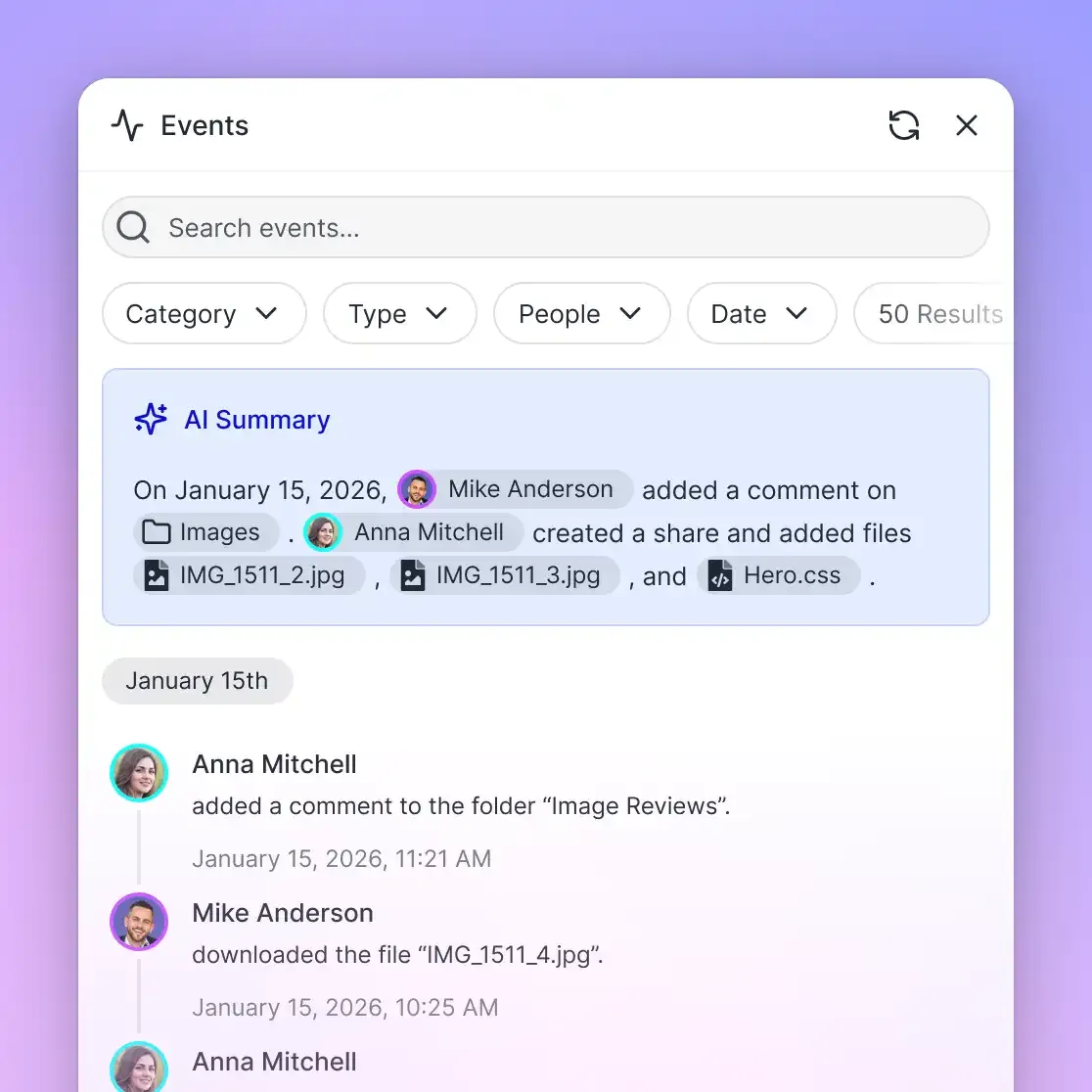
Fast.io workspaces support per-file version history, permissions granted per organization, workspace and share through member roles, and a detailed activity log tracking changes made by humans and autonomous agents. Cloud Sync connects Google Drive, Dropbox, Box, and OneDrive on a schedule or on demand.
Monthly plans start with a 14-day free trial that requires a credit card and ends early if trial credits run out; annual plans start paid, with no trial. Subscriptions on Fast.io pricing include Starter at $9.99/mo, Business at $49.99/mo, and Enterprise at $199.99/mo. Storage and seats come included with the plan, and credits meter AI work.
Connecting Cohere Agents to Fast.io via Remote MCP
Fast.io provides remote Model Context Protocol (MCP) access over Streamable HTTP. Depending on your client architecture, agents connect to dedicated endpoints: https://mcp.fast.io/mcp/tools for general agents and desktop assistants, https://mcp.fast.io/mcp/operations for custom ChatGPT and Codex connectors (the Fastio plugin is preferred for both), or https://mcp.fast.io/mcp/code for coding agents. Setup steps are documented at https://mcp.fast.io/docs, with protocol details at https://mcp.fast.io/skill.md and onboarding guidance at https://fast.io/llms.txt.
When an autonomous agent runs headlessly in a server environment or Python pipeline, it authenticates by passing an API key as a Bearer token in the connection headers:
{
  "mcpServers": {
    "fastio": {
      "url": "https://mcp.fast.io/mcp/tools",
      "headers": {
        "Authorization": "Bearer YOUR_FASTIO_API_KEY"
      }
    }
  }
}
Querying Indexed Workspaces Before Prompt Construction
By connecting Cohere agents to Fast.io over MCP, an assistant searches indexed workspace files using semantic queries and retrieves only the top three to five relevant passages (typically 300 to 500 tokens each). The agent passes these focused excerpts into Cohere's Chat API, keeping total prompt tokens well below 3,000 tokens while providing verified citations:
import requests

"""1. Query Fast.io hybrid search via MCP to retrieve focused excerpts"""
retrieved_passages = [
    {
        "id": "doc_ops_manual_p14",
        "title": "Data Center Failover Protocol",
        "text": "Secondary cluster synchronization operates on a 5-minute heartbeat interval."
    },
    {
        "id": "doc_ops_manual_p15",
        "title": "Quorum Requirements",
        "text": "Automated failover requires a minimum quorum of three healthy consensus nodes."
    }
]

"""2. Format the lean context into Cohere Chat API v2"""
cohere_payload = {
    "model": "command-r-plus-08-2024",
    "messages": [
        {
            "role": "system",
            "content": "You are a reliability engineer. Answer queries using only verified document context."
        },
        {
            "role": "user",
            "content": "What quorum is necessary to initiate automated failover?"
        }
    ],
    "documents": retrieved_passages,
    "max_tokens": 400,
    "temperature": 0.2
}

response = requests.post(
    "https://api.cohere.com/v2/chat",
    headers={
        "Authorization": "Bearer YOUR_COHERE_API_KEY",
        "Content-Type": "application/json"
    },
    json=cohere_payload
)

data = response.json()
print(data.get("message", {}).get("content", [{}])[0].get("text", ""))
Decoupling storage from inference drops prompt overhead from 40,000 tokens to under 1,500 tokens, eliminating the risk of exceeding the Cohere context window and keeping inference fast and predictable.
Checklist for Optimizing Cohere Token Budgets in Production Search
Follow this operational checklist to manage token allocations, prevent prompt truncation, and maintain high retrieval precision across Cohere Command and search pipelines:
- 1. Enforce Chunk Boundaries of 200 to 300 Words: Avoid passing raw pages into document lists. Pre-chunk reference materials into self-contained semantic passages between 200 and 300 words (roughly 260 to 400 tokens) to maximize relevance density.
- 2. Implement Two-Stage Retrieval with Cohere Rerank: Use semantic vector search or lexical retrieval to select candidate chunks, then pass them through
rerank-v4.0-proorrerank-v3.5. Pass only the top 3 to 5 reranked passages to Command R+ or Command A, significantly reducing input context consumption. - 3. Strip Extraneous Metadata Using Exclusions: In document dictionaries passed to Cohere Chat, include only
titleandtextin the prompt stream. Place auxiliary database keys (such as internal IDs, dates, and author tags) under_excludesso they remain available for UI citations without inflating prompt token counts. - 4. Explicitly Define max_tokens for Every Route: Do not rely on default output ceilings. Assign targeted
max_tokensvalues based on expected output structure: 250 tokens for entity extraction, 600 tokens for conversational Q&A, and 1,500 tokens for multi-source comparative summaries. - 5. Select Appropriate prompt_truncation Modes: In automated workflows where missing documents could lead to compliance failures, set
prompt_truncation: OFFto force explicit error handling. In user-facing chat applications, setprompt_truncation: AUTOto permit graceful document pruning. - 6. Monitor finish_reason and Usage Metadata: Inspect
response.finish_reasonon every API return. Iffinish_reasonequals"MAX_TOKENS", log an alert to investigate whether prompt bloat or an undersizedmax_tokensparameter truncated the generation. Checkresponse.usage.billed_unitsto track token velocity. - 7. Index Master Corpuses in Fast.io Workspaces: Store persistent documentation in Fast.io workspaces with Intelligence Mode enabled. Allow agents to retrieve targeted snippets over MCP rather than re-uploading duplicate static files across multi-turn sessions.
How to Troubleshoot Common Cohere Token Limit and Overflow Errors
When deploying Cohere models in production, client applications occasionally encounter token-related errors or truncated outputs. The following diagnostic solutions address the most common failure modes:
HTTP 400 Bad Request: Too Many Tokens
Symptom: The API rejects the request with an HTTP 400 status code and an error message indicating that the prompt exceeds the maximum context length (e.g., TooManyTokens or context_length_exceeded).
Root Cause: The combined token count of system instructions, conversational message history, and supplied documents exceeds the model's native context limit (128,000 tokens for Command R+, 256,000 tokens for Command A). This error occurs when prompt_truncation is set to OFF, or when prompt_truncation is set to AUTO but conversational history alone (which cannot be dropped) fills the entire context window.
Resolution:
- Prune conversation history by discarding older user and assistant turns, retaining only the last 4 to 6 messages.
- If conversational continuity across extended sessions is required, run a background summarization pass to condense previous turns into a 300-word synthesis before appending new messages.
- Verify that individual document snippets are trimmed before being passed into the API request.
Generation Abruptly Cut Off with finish_reason: MAX_TOKENS
Symptom: The model returns an HTTP 200 response, but the generated text cuts off mid-sentence, leaving incomplete bullet points or unclosed JSON syntax.
Root Cause: The number of generated tokens reached the value specified in max_tokens, or total sequence length hit the model's context ceiling.
Resolution:
- Inspect
response.finish_reason. If it reportsMAX_TOKENS, evaluate whether the prompt left sufficient headroom within the model's sequence budget. - If prompt tokens consumed 126,500 tokens on Command R+, the model had only 1,500 tokens available for generation before hitting the 128,000 ceiling, regardless of whether
max_tokenswas configured for 4,000. - Increase
max_tokensif prompt input was small, or reduce the number of retrieved document snippets to restore completion headroom.
Missing Citations in Grounded RAG Output
Symptom: The model answers the user's question accurately but returns an empty citations array, or fails to link factual claims to document IDs.
Root Cause: When prompt payloads grow excessively large, attention dispersion can prevent the model from identifying exact text matches in source snippets. Furthermore, if the prompt system message does not explicitly instruct the model to ground its response in the provided documents, Command R+ may generate answers from its pre-trained parametric memory instead of citing external text.
Resolution:
- Include clear grounding instructions in your request preamble:
"Answer the query using only information provided in the documents. Cite all claims." - Reduce the document set to the top 3 to 5 high-relevance chunks using Cohere Rerank before calling the Chat API.
- Verify that each document object in your request payload contains a unique
idand cleantextfield without extraneous formatting noise.
Sources
References used to verify factual claims in this guide.
-
Cohere Command A features a 256,000 token context window and provides 150% higher throughput compared to Command R+ 08-2024.
-
The updated Command R+ 08-2024 model delivers approximately 50% higher throughput and 25% lower latency than its predecessor.
Frequently Asked Questions
What is the token limit for Cohere Command R?
Cohere Command R and Command R+ feature a total context window limit of 128,000 tokens and a maximum output generation limit of 4,000 tokens per API request. The 128,000-token context budget is shared across input prompt instructions, conversational chat history, retrieved document snippets, and the generated completion.
How to set max_tokens in Cohere Chat API?
Set max_tokens by passing an integer value in the JSON request body sent to POST https://api.cohere.com/v2/chat, or by supplying max_tokens in SDK client calls. If omitted, max_tokens defaults to the model's maximum output limit (4,000 tokens on Command R and Command R+, 8,000 tokens on Command A). Setting a lower value restricts generation length and helps manage response latency.
How does Cohere handle token overflows in RAG?
Cohere handles token overflows in RAG through the prompt_truncation parameter. When set to AUTO, the Chat API automatically splits documents into chunks, reranks them by relevance, and drops the least relevant documents until the prompt fits within the model's context length, while preserving recent chat messages. When set to OFF, the API returns an HTTP 400 Too Many Tokens error instead of dropping text.
Do connector citations count toward Cohere token consumption?
Yes. All document snippets retrieved by connectors are injected into the model prompt and consume input context tokens. In addition, the factual statements and quotes generated by the model to substantiate inline citations are output text tokens that draw down your configured max_tokens generation allowance.
How do Cohere Embed and Rerank token limits differ from Command models?
Cohere Embed v5 Pro and Fast models process 128,000 input tokens per document or image to generate vector representations, whereas Embed v3 models handle 512 tokens. Cohere Rerank v4 models process passages of 32,000 tokens to compute relevance scores, while Rerank v3 models evaluate 4,096 tokens per passage. Unlike Command models, Embed and Rerank produce vectors or numerical relevance scores rather than text output tokens.
Related Resources

Decouple Enterprise Document Archives from Model Token Budgets
Keep reference collections indexed in persistent Fast.io workspaces so Cohere agents search targeted passages via MCP rather than stuffing prompt context. Monthly plans start with a 14-day free trial that requires a credit card.