Enterprise Semantic Search: Architecture, Indexing, and Implementation
Enterprise semantic search replaces fragile keyword matching with high-dimensional vector embeddings and hybrid retrieval across corporate repositories. When knowledge workers struggle to locate documentation scattered across cloud drives, meaning-based indexing surfaces relevant passages regardless of phrasing differences. Combining hybrid search with unified workspace permissions and MCP tooling enables people and AI agents to query company knowledge with checkable citations.


Why Keyword Search Fails in Distributed Enterprise Repositories
A Gartner survey of 4,861 employees found that 47% of digital workers struggle to find information or data needed to effectively perform their jobs. In distributed corporate environments, this friction stems from the limitation of lexical search: traditional search engines index literal text tokens, while human workers and autonomous software agents query systems with concepts, synonyms, and natural language questions.
Enterprise semantic search is an information retrieval system that understands the conceptual meaning and intent behind queries across corporate documents, rather than relying solely on literal keyword matching.
Semantic search interprets conceptual meaning and user intent by mapping queries and document passages into high-dimensional vector spaces. In contrast, lexical search relies on exact token and keyword matching. Semantic systems retrieve conceptually relevant passages even when queries share zero vocabulary with the target text.
When an employee searches an enterprise repository for "severance policy," an inverted index using BM25 or TF-IDF scans document tokens for the exact words "severance" and "policy." If the relevant corporate policy is titled "Separation Compensation and Voluntary Departure Guidelines," the lexical engine returns zero hits. The document exists, the employee has permission to read it, and the content answers the query, yet lexical indexing fails to bridge the vocabulary gap.
This vocabulary mismatch creates four operational bottlenecks:
- Synonyms and Terminology Drift: Engineering tickets discuss "service latency," support logs report "slow page loads," and product briefs reference "performance regressions." A lexical index treats these as unrelated topics. Semantic indexing projects these phrases into nearby vector coordinates, recognizing their shared conceptual foundation.
- Domain Jargon and Shorthand: Internal communications rely on shifting acronyms. A team member asking about "leave carryover rules" needs documents discussing "PTO accrual caps." Lexical systems require manual synonym tables that decay as teams adopt new terms.
- Natural Language Queries: Workers ask complete questions: "Which vendor agreements require notice before automatic renewal?" Autonomous agents query repositories to execute workflows. Keyword indexes cannot parse grammatical intent across natural language questions.
- Polysemy and Context: A single word carries different meanings across departments. In finance, "yield" measures return; in manufacturing, "yield" measures production efficiency; in software engineering, "yield" describes thread execution. Lexical search returns hits from all three domains indiscriminately. Semantic vectors preserve surrounding context, matching queries to the correct domain.
Lexical Search Compared to Dense Semantic Retrieval
Understanding the technical mechanics of lexical search, dense vector retrieval, and enterprise hybrid search clarifies why modern knowledge systems require a dual-path architecture.
While dense vector retrieval solves the synonym problem, pure vector search introduces its own failure modes. If an engineer searches for a specific error code like ERR_SOCKET_TIMEOUT_0x4F, dense embeddings often compress the unique hex string into a generic "network connectivity error" vector cluster, failing to retrieve the exact bug ticket. Enterprise semantic search must therefore operate as a hybrid retrieval system, pairing dense vector comprehension with sparse lexical precision.
Related guides
- Enterprise Search Software Guide: Architecture, Indexing, and EvaluationEnterprise search software indexes multi-format corporate files, combining lexical keyword matching with dense semantic...
- Enterprise Search Tools: Evaluating Modern AI Search PlatformsEnterprise search tools index internal records and specifications to help employees and AI agents locate accurate...
- Workplace Search Platform: Architecture, Connectors, and Buyer GuideA workplace search platform connects disparate document stores, indexes content for keyword and semantic retrieval, and...
- How to Connect ChatGPT to Company Knowledge SafelyConnecting ChatGPT to company knowledge enables teams to query internal specifications, contracts, and operating...
- ChatGPT OneDrive Plugin: Fast File Retrieval Without Graph API DelaysA ChatGPT OneDrive plugin allows OpenAI models to query and summarize Word documents, Excel spreadsheets, and PDFs...
- Enterprise Cognitive Search: Semantic Understanding and Natural Language RetrievalEnterprise cognitive search transforms fragmented corporate documents into a unified knowledge base by pairing semantic...
More on this subject: AI Agents: General Guides (250 guides)
Core Architecture of Enterprise Semantic Search Systems
A production enterprise semantic search architecture transforms unstructured corporate files into mathematically queryable representations through five coordinated stages: ingestion, structural parsing, semantic chunking, dual-index generation, and rank fusion.
Ingestion and Document Parsing
Enterprise documents arrive in varied file formats: multi-column PDF contracts, Word documents, presentation decks, financial spreadsheets, rasterized image scans, and Markdown repositories.
The ingestion layer extracts both textual content and structural layout:
- Structural Decomposition: The parser isolates headings, paragraph boundaries, bullet lists, footnotes, and callout blocks, preserving the document hierarchy that provides context for individual paragraphs.
- Table Extraction: Financial spreadsheets and contract rate cards lose their meaning if converted into flat text streams. Parsers extract tables as structured Markdown or JSON objects, preserving row-column associations so an embedding model can evaluate relationships between entities and numeric values.
- Optical Character Recognition: Scanned PDF agreements and diagrams pass through an OCR pipeline that normalizes rasterized text into machine-readable characters before chunking.
Context-Aware Semantic Chunking and Vector Embeddings
Embedding models operate with fixed context windows, typically 512, 1024, or 8192 tokens. Splitting documents using arbitrary token-length cutoffs damages retrieval quality by breaking sentences mid-phrase or detaching legal clauses from governing qualifications.
Semantic chunking respects document semantics:
- Boundary Awareness: Text splits along natural linguistic and structural boundaries, such as section breaks, Markdown headers, table endings, and thematic transitions.
- Context Prepending: Each chunk receives a prepended metadata header before embedding, containing the document title, breadcrumb path, and immediate section heading. This ensures the vector reflects governing context rather than an isolated sentence.
- Embedding Generation: An embedding model converts each text passage into a dense vector in 768 or 1536 dimensions. Geometric distance in vector space corresponds to semantic similarity, evaluated using cosine similarity across normalized vectors.
Hybrid Retrieval and Reciprocal Rank Fusion
Because dense vector search can miss exact keyword lookups, enterprise systems run dual-index retrieval. Incoming text chunks are written to both a dense vector index and a sparse inverted index using BM25.
When a query arrives, it executes against both indices simultaneously:
- Sparse Lexical Path: Evaluates term frequency and inverse document frequency (BM25), scoring chunks based on exact word matches and lexical specificity.
- Dense Semantic Path: Evaluates cosine similarity across high-dimensional embeddings, scoring chunks based on conceptual alignment.
The system combines the two ranked candidate lists using Reciprocal Rank Fusion (RRF). RRF evaluates relative rank positions across both result sets rather than normalizing disparate raw scores:
def reciprocal_rank_fusion(bm25_results, vector_results, k=60):
    rrf_scores = {}
    for rank, doc_id in enumerate(bm25_results, start=1):
        rrf_scores[doc_id] = rrf_scores.get(doc_id, 0.0) + (1.0 / (k + rank))
    for rank, doc_id in enumerate(vector_results, start=1):
        rrf_scores[doc_id] = rrf_scores.get(doc_id, 0.0) + (1.0 / (k + rank))
    return sorted(rrf_scores.items(), key=lambda item: item[1], reverse=True)
After RRF produces the top candidate pool, an optional cross-encoder re-ranking model evaluates the full text of each candidate chunk directly against the query, producing high-precision relevance scores before results reach human users or an LLM context window.
Permission-Aware Retrieval and Enterprise Access Boundaries
The most difficult challenge in enterprise semantic search is permission enforcement. Consumer search engines assume a single-tenant model where every indexed document is available to every user. In a business, information is strictly partitioned.
Consider an intern and a human resources director querying the same internal search bar with the phrase: "compensation structure guidelines." The system cannot return an executive salary spreadsheet to the intern, even if that spreadsheet represents the mathematical nearest neighbor in the vector index.
Enterprise search architectures approach permission boundaries through two primary mechanisms: post-retrieval filtering and pre-retrieval security boundaries.
The Breakdown of Post-Retrieval Filtering
In a post-retrieval filtering architecture, the search engine queries a single monolithic vector index containing all company files. It retrieves the top semantic matches across the entire enterprise, then passes those results through an access control checker that discards unauthorized documents.
This pattern breaks down in enterprise environments:
- Result Starvation: If the most semantically relevant chunks across the organization belong to a restricted HR workspace, the filter strips them out. The user receives an empty result set or weak residual matches, even though authorized public documentation sits further down in the candidate pool.
- Information Leakage Through Metadata: If the system returns pagination totals, facet counts, or response latency variations based on filtered hits, observant users or automated agents can infer the existence of confidential documents.
- Computational Waste: The system spends vector compute retrieving, uncompressing, and scoring document chunks that the user can never inspect.
Pre-Retrieval Security and the Workspace Model
Pre-retrieval enforcement avoids these problems by filtering the search space at the query root. Instead of searching a global index and discarding forbidden items, the query only searches across resources the user is explicitly authorized to access.
In Fast.io, the boundary is membership: every content search runs inside one workspace or share that the person or agent belongs to, and there is no cross-workspace search. Permissions are configured per organization, workspace, and share by member role: owner, admin, member, guest, and view (with organization roles of owner, admin, and member). Transferring workspace ownership demotes the previous owner to admin.
A Fast.io workspace contains no folder-level or file-level permissions: every workspace member reaches the entire workspace according to their assigned role. There are no nested folder permissions to drift, which removes a common source of accidental exposure in legacy cloud drives. Because a workspace's join setting by default lets any organization member join, restrict it on workspaces that hold sensitive material.
When an employee or AI agent runs a search or asks a question through Intelligence Mode:
- Membership Scoping: Search and Intelligence answer only from the workspaces and shares the asker belongs to.
- Workspace-Scoped Retrieval: Every content search names one workspace or share, so results never come from a workspace the asker is not a member of.
- Permission Inheritance on Ingest: When files are imported or synced from Google Drive, Dropbox, Box, or OneDrive via Cloud Sync, they take the destination Fast.io workspace permissions rather than the source drive's sharing settings. This prevents tangled external access lists from compromising internal search boundaries.
To audit system changes, Fast.io maintains a detailed activity log. The activity log records changes across an organization: uploads, edits, moves, deletions, membership changes, permission adjustments, and share creation. It does not record read-only events such as views or downloads, keeping the audit record focused on active administrative and content modifications.
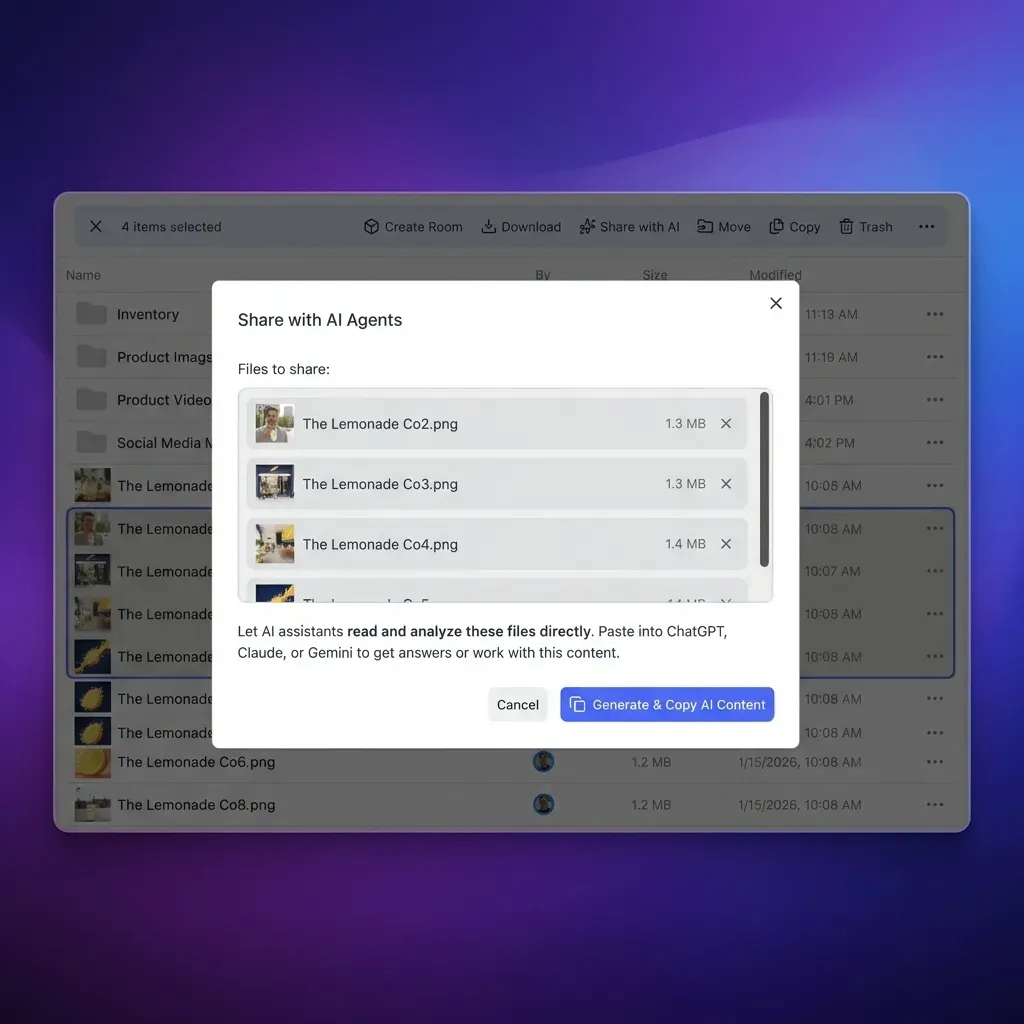
Workspace-Level Access Isolation vs. Fragmented Folder ACLs
Legacy enterprise search overlays attempt to synchronize folder-level Access Control Lists (ACLs) from third-party storage providers, which adds an ongoing sync task.
By grouping related documents into purpose-specific workspaces (such as Legal & Compliance or Customer Contracts), organizations establish clear operational perimeters. Sensitive material lives in its own dedicated workspace with its join setting restricted, since by default any organization member can join a workspace. If a project requires sharing documents with external partners, teams create a branded share (Send, Receive, or Exchange) with optional download restrictions and link expiration, without exposing the broader workspace.


Deploy an Intelligent Company Brain with Semantic Search
Unify enterprise documents in a workspace where files are indexed on arrival, answers cite source snippets, and AI agents connect directly via MCP. Monthly plans start with a 14-day free trial.
Why External Indexing Overlays Fail Compared to Intelligent Workspaces
Many enterprise search products (such as Glean, Coveo, and traditional enterprise search appliances) operate as external indexing overlays. They treat data storage as an external problem, deploying crawlers that connect to third-party SaaS APIs (Google Drive, Microsoft SharePoint, Box, Salesforce, Jira, and Confluence).
While an overlay approach avoids moving files, it introduces architectural trade-offs that affect freshness and leave agents without a shared place to work on files.
Ingestion Latency and Index Staleness
Freshness in an overlay depends on each connector. Some sources push changes through webhooks within minutes, while others wait for the next scheduled crawl, so a runbook updated during an outage or a revised rider may not appear in results right away. Files uploaded to a Fast.io workspace are indexed on arrival for semantic and keyword search, and files brought in by Cloud Sync are indexed after each scheduled or on-demand sync.
ACL Desynchronization and Silent Leaks
External search overlays attempt to replicate complex, multi-tiered permission trees into a secondary search index. When an IT administrator revokes access to a SharePoint folder, the external search tool has to learn about that change from the connector. If a permission change reaches the index late, results can briefly reflect the old access list, so how often each connector syncs permissions matters.
API Rate Limiting and Disconnection from AI Agents
Cloud storage providers enforce strict API rate limits. When an enterprise crawler attempts to re-index thousands of modified documents, cloud APIs can throttle requests, which slows large re-indexing jobs.
While enterprise search tools like Glean run MCP servers, external search overlays do not provide shared workspace storage for agents. Modern operations increasingly rely on autonomous AI agents (such as Claude Code, Codex, Cursor, and custom agent runtimes) that need to read files, execute tasks, and write back outputs. An external search overlay does not host persistent files for agents. In Fastio, the working files live in the workspace, so agents search them, take file locks, co-edit Notes, and save outputs beside the sources under one set of workspace and share permissions.
Architectural Comparison of Search Overlays and Intelligent Workspaces
The difference between an external search overlay and an intelligent workspace lies in where the data lives relative to where the intelligence operates.
On Fast.io, the files themselves live directly in the workspace where people and AI agents collaborate. With Intelligence Mode enabled, files are indexed as they arrive for keyword, semantic, and metadata search. Search queries and AI chat return answers grounded in specific documents, complete with citations pointing to the exact file, page, and text snippet. Human teammates and software agents work from the same authoritative knowledge layer, without a separate index to keep in step with other apps.
Steps to Implement Enterprise Semantic Search for Teams and AI Agents
The core wiring on Fast.io (create a workspace, turn on Intelligence, connect an agent to the Fast.io MCP server, and write the Ask the Brain skill) takes about ten minutes, while syncing and indexing continue in the background. The full implementation follows six steps and establishes an active company brain for both people and autonomous agents.
Step 1: Create Domain-Specific Workspaces
Organize your company brain around clear operational domains rather than creating one giant repository. Establish dedicated workspaces based on functional boundaries (such as Engineering Specs, Commercial Contracts, Product Research, and Company Policies). This separation provides natural access boundaries governed by workspace roles (owner, admin, member, guest, view).
Step 2: Ingest Existing Documentation via Cloud Sync
Connect your existing repositories using Fast.io Cloud Sync:
- Supported Providers: Cloud Sync connects Google Drive, Dropbox, Box, and OneDrive folders (including Microsoft SharePoint libraries through the OneDrive connector) to your workspace.
- Sync Configuration: Set up sync one-way or two-way, on a schedule or on demand.
- Permission Alignment: Synced files automatically adopt the Fast.io workspace permissions, so the source drives' sharing settings do not carry over.
- One-Time Ingestion: For document archives, use Cloud Import for a drive folder or URL import for a file at a public URL, without routing data through local employee machines.
Step 3: Enable Intelligence Mode for Cited Answers
Open your workspace settings and enable Intelligence Mode. Once enabled, Fast.io automatically indexes incoming files for hybrid retrieval:
- Documents (PDF, DOCX, PPTX, XLSX, TXT, MD) are automatically indexed for semantic search upon arrival.
- Filenames and text contents are simultaneously indexed for exact full-text matching.
- When users query the workspace, Intelligence synthesizes answers using hybrid search and generates citations linking to the source document, the page where one applies, and the text passage.
Step 4: Extract Structured Data with Metadata Views
Unstructured semantic search allows employees to ask broad questions, but operational teams also require structured, tabular visibility into documents.
Deploy Metadata Views to convert unstructured files into queryable relational databases:
- Describe the fields you want to extract in natural language (for example: "Contract Effective Date", "Counterparty Name", "Annual Contract Value", "Termination Notice Period", "Governing Law").
- Fast.io automatically generates a typed schema (Text, Integer, Decimal, Boolean, URL, JSON, Date & Time).
- The extraction engine parses workspace files (including scanned PDFs, images, and spreadsheets) and populates a filterable, sortable view without requiring manual OCR templates.
- Team members can add new columns at any time without reprocessing existing documents, and agents can extract new fields with
storage_manage action=metadata-extract.
Step 5: Connect AI Agents via the Model Context Protocol (MCP)
Fast.io provides a remote Model Context Protocol (MCP) server running over Streamable HTTP. This enables autonomous agents to query workspace semantic search, read files, and write outputs using standard MCP actions.
Connect your tools based on the client environment:
- For Claude (Web, Desktop, Mobile): Open Customize, then Connectors. Add a custom connector and enter
https://mcp.fast.io/mcp/tools. Select Connect, sign in to Fast.io via OAuth, select the organizations and workspaces the connector can reach, and choose Read Only or Read & Write. In chat, enable Fastio from the + menu under Connectors. - For ChatGPT: Open chatgpt.com/plugins, locate Fastio, select Install plugin, and sign in when prompted. You can then query your workspace by mentioning @Fastio in any chat. For workspaces blocking plugins, configure a custom MCP server at
https://mcp.fast.io/mcp/operations. - For Codex: Run
codex plugin add fast-io@openai-curated-remotein the Codex CLI, or configure the custom server athttps://mcp.fast.io/mcp/operationsand sign in withcodex mcp login fastio. - For Coding Agents (Cursor, Claude Code): Connect to
https://mcp.fast.io/mcp/code. For Claude Code, runclaude mcp add --transport http fast-io https://mcp.fast.io/mcp/codeand sign in with OAuth in the browser. For Cursor, add the server configuration to~/.cursor/mcp.json. - For Custom Automation Scripts: Automation daemons, background workers, or Python scripts connect to
https://mcp.fast.io/mcp/tools(or/mcp/code) by passing an API key in theAuthorization: Bearer <api key>header.
The following example demonstrates an agent querying workspace semantic search using an MCP tool call:
{
  "jsonrpc": "2.0",
  "id": "req-001",
  "method": "tools/call",
  "params": {
    "name": "storage",
    "arguments": {
      "action": "search",
      "profile_type": "workspace",
      "profile_id": "<workspace ID>",
      "query": "zero-downtime database migration strategy"
    }
  }
}
The MCP server returns matching files ranked by relevance. Each hit carries the file's ID, name, version, and folder path, a snippet, and the file's extracted facts, and matching passages carry a page number where the file has pages.
Step 6: Distribute Deliverables via Branded Shares
When teams need to share search-indexed documents or agent deliverables with external stakeholders, create a branded file share:
- Choose between Send (view and download), Receive (upload-only portal for external file collection), or Exchange (two-way collaboration).
- Configure link expiration dates and optionally disable file downloads so recipients view files in the browser instead of saving copies.
- External clients access shares directly in their web browser without creating an account or consuming an organization user seat.
Collaborative Notes and Knowledge Synthesis for Human-Agent Teams
Semantic search retrieves historical knowledge, but teams also need a place to synthesize new conclusions, record meeting takeaways, and coordinate next actions.
Fast.io provides Collaborative Notes kept directly beside files inside each workspace. Unlike ephemeral scratchpads, Notes remain part of the workspace context:
- Live Co-Editing: Notes co-edit live: when teammates or AI agents have the same note open, each sees the others' labeled cursors and edits as they type.
- Search Integration: Notes are automatically indexed alongside uploaded PDFs, presentations, and spreadsheets. When someone searches the workspace, relevant note sections surface in hybrid search results alongside document passages.
- Agent Handoffs: An autonomous agent researching a topic via MCP can summarize its findings into a Collaborative Note, cite the source documents it retrieved, and notify human colleagues to review the synthesis.
Combining persistent file storage, automatic semantic indexing, structured metadata extraction, and agent-ready MCP tooling turns distributed corporate documentation into an authoritative company brain.
Sources
References used to verify factual claims in this guide.
-
A Gartner survey of 4,861 employees found that 47% of digital workers struggle to find information or data needed to effectively perform their jobs.
Frequently Asked Questions
What is the difference between semantic search and keyword search in enterprises?
Keyword search (lexical search) matches literal words, character strings, and stems using inverted indices like BM25. It fails when queries use synonyms, acronyms, or natural language phrasing that does not match the source document text. Enterprise semantic search uses neural language models to map queries and document passages into high-dimensional vector embeddings, matching content based on underlying conceptual meaning and intent even when zero words overlap.
How does enterprise semantic search handle document access permissions?
Enterprise semantic search restricts retrieval results to the specific documents an asking employee or AI agent is authorized to view. In Fast.io, permissions are configured per organization, workspace, and share by member role (owner, admin, member, guest, view), and a workspace contains no folder-level or file-level permissions to mirror. Every search runs inside a workspace or share the asker belongs to, and search and Intelligence Mode answer only from those.
How does hybrid search work across enterprise file formats?
Enterprise hybrid search pairs sparse lexical indexing (BM25) with dense vector search in a unified retrieval pipeline. When documents arrive (PDFs, Word documents, spreadsheets, presentations, and Markdown files), the system parses text and creates both keyword indices and semantic vector embeddings. Queries execute across both retrieval paths simultaneously, and results are often merged using Reciprocal Rank Fusion (RRF). This preserves exact keyword precision for product codes, legal citations, and error strings while delivering semantic understanding for conceptual inquiries.
How do autonomous AI agents query enterprise semantic search indices?
Autonomous AI agents connect to Fast.io workspaces using the remote Model Context Protocol (MCP) server over Streamable HTTP. Depending on the client environment, agents connect to `https://mcp.fast.io/mcp/tools` (Claude and general assistants), `https://mcp.fast.io/mcp/operations` (ChatGPT and Codex), or `https://mcp.fast.io/mcp/code` (coding agents like Cursor and Claude Code). Headless automation agents authenticate by passing an API key in the `Authorization: Bearer <api key>` header. Agents can query workspace search and receive source-grounded answers with citations to the file and page.
Does enterprise semantic search sync with existing cloud storage providers?
Yes. Fast.io Cloud Sync connects Google Drive, Dropbox, Box, and OneDrive folders (including Microsoft SharePoint libraries through the OneDrive connector) directly to a workspace. Sync operates one-way or two-way, on a schedule or on demand. When external files sync into Fast.io, they are automatically indexed for semantic search, full-text search, and AI chat. Synced files adopt the destination Fast.io workspace permissions rather than the source drive's sharing settings.
Related Resources

Deploy an Intelligent Company Brain with Semantic Search
Unify enterprise documents in a workspace where files are indexed on arrival, answers cite source snippets, and AI agents connect directly via MCP. Monthly plans start with a 14-day free trial.