Gemini Context Limit: Practical Ceilings, Retrieval, and Indexing
The Gemini context limit reaches `1,000,000` tokens on Gemini 1.5 Flash and `2,000,000` tokens on Gemini 1.5 Pro, but production deployments face practical ceilings. Prompts exceeding the `128,000` token boundary trigger an immediate doubling of API prices and multi-second latency spikes. Decoupling storage from inference through external workspaces and MCP search keeps queries under the threshold while preserving retrieval accuracy.


What Is the Documented Gemini Context Limit Across Models and Tiers?
The Gemini context limit is the operational threshold defining how much text, video, audio, and code Google Gemini can ingest in a single request. On Gemini 1.5 Flash, the maximum context window reaches 1,048,576 tokens. On Gemini 1.5 Pro, that ceiling expands to 2,097,152 tokens, equivalent to roughly 1.5 million words or one hour of video.
While headline announcements celebrate these multi-million-token capacities, production engineering teams quickly encounter practical ceilings. In real-world software systems, stuffing hundreds of files into an active prompt payload causes immediate complications:
- Quadratic Attention Latency: Time to First Token (TTFT) expands from sub-second responses on compact prompts to
20to35seconds on prompts approaching the million-token mark. - The Pricing Tier Cliff: The Gemini API doubles input and output token rates once an individual request exceeds the standard tier boundary of
128,000tokens. - Stateless Context Churn: Multi-turn agent loops repeatedly resend and re-bill the entire static file collection on every conversational interaction.
- Middle-Region Retrieval Degradation: Despite high scores on simple synthetic benchmarks, transformer attention drifts when reasoning over intricate, interdependent specifications buried in the middle of long prompts.
Google evaluates incoming requests across distinct operational boundaries. The table below details verified context capacities, output ceilings, and context caching minimums across Google Gemini developer models as of October 2026:
Understanding these limits requires separating what the model architecture can accept from what your application architecture can sustainably afford.

Input Context Windows Versus Output Generation Ceilings
The fundamental constraint of the Gemini context window is its structural asymmetry. In language model architectures, the context window specifies the cumulative buffer of input tokens and generated completion tokens. However, the input ceiling and the output ceiling operate under vastly different parameters.
On Gemini 1.5 Pro, an application can transmit up to 2,097,152 input tokens. Yet the model generation output caps at 8,192 tokens per request. Even newer models like Gemini 2.5 Pro, which increase output capacity eightfold to 65,536 tokens, maintain an input-to-output ratio of sixteen to one.
This asymmetry dictates software behavior in three specific ways:
- Ingestion Without Equal Emission: You can feed Gemini an entire legal corpus or a
50,000-line repository, but the model cannot return a complete rewritten repository in a single response turn. Output generation is designed for synthesis, extraction, and targeted edits rather than bulk re-generation. - Truncation Hazards: If a reasoning chain or code transformation reaches the output ceiling before concluding, the Gemini API terminates the response with a
finish_reasonofMAX_TOKENS. This halts execution abruptly, producing corrupted JSON objects or incomplete code blocks. - Conversational Expansion: In multi-turn chat sessions, model responses from turn one become input tokens for turn two. When developers combine large file attachments with detailed multi-turn conversations, the context buffer fills rapidly from both directions.
Tokenization Rules Across Text, Code, Images, Audio, and Video
Google Gemini is natively multimodal. Non-text media does not pass through separate optical character recognition or speech-to-text transcription models before reaching the transformer. Instead, text, image pixels, audio waves, and video frames convert directly into token vectors.
Google documentation establishes specific conversion rules across media types:
- Standard English Text: One token corresponds to approximately four characters. For Gemini models, 100 tokens translate to approximately 60 to 80 English words. Dense technical prose, source code, and nested JSON structures show higher token density due to punctuation, indentation, and variable naming conventions.
- Still Images: Images with dimensions of
384pixels or smaller consume258tokens. Larger images are divided into standardized768by768pixel tiles, with each tile consuming258tokens. A high-resolution architectural schematic or financial statement spanning multiple tiles can consume several thousand tokens. - Video Footage: Video inputs are sampled at one frame per second during standard processing, with each second converting to approximately
263tokens. A ten-minute product demonstration consumes roughly157,800tokens, while a full one-hour video recording consumes approximately946,800tokens. - Audio Recordings: Audio tracks tokenize at a steady rate of
32tokens per second. One minute of recorded customer support audio consumes1,920tokens, meaning a one-hour recorded meeting translates to115,200tokens. - PDF Documents: Document text parses into text tokens, while embedded charts, handwritten signatures, and scanned receipts convert into image tiles at
258tokens per tile.
Related guides
- Google Gemini Prompt Limit: Input Caps Across Web, Studio, and APIGoogle Gemini enforces prompt boundaries ranging from 32,000 tokens on free web tiers to 1,000,000 tokens in Google AI...
- Vertex AI Token Limits: Model Context Windows, Output Caps & Storage WorkaroundsVertex AI token limits define the maximum input context window, capped at 2,097,152 tokens for Gemini 1.5 Pro, and...
- Continue.dev Token Limit: Context Window Configuration and Codebase IndexingThe Continue.dev token limit is the maximum context length configured in Continue's config.json or config.yaml file...
- Google Gemini Token Limits: 1M Context Windows, 65K Output Caps, and API QuotasGoogle Gemini enforces an input token limit of 1,048,576 tokens and an output ceiling of 65,536 tokens on current...
- DeepSeek Token Limit: Context Windows, Output Caps, and Token WorkaroundsThe DeepSeek token limit consists of a 1M-token context window for prompt ingestion and a 384K-token output ceiling per...
- ChatGPT Conversation Too Long: Fixes, Limits, and Context WorkaroundsThe conversation too long error in ChatGPT occurs when an ongoing thread exceeds the model working memory context...
More on this subject: AI Agents: General Guides (201 guides)
Why Does Long Context Double Gemini API Pricing?
Many technical analyses celebrate Gemini 2,000,000-token capacity while ignoring the financial cliff built into the Gemini API pricing structure. Google does not charge a flat rate per token across the entire context window. Instead, the API enforces a pricing tier divider at exactly 128,000 tokens.
Once an individual prompt exceeds 128,000 tokens, Google doubles the pricing rate for every input token and every output token in that request. The double pricing multiplier applies to the entire payload, not merely the marginal tokens above the standard tier boundary.
The table below outlines verified rates across Gemini developer tiers as of October 2026:
This pricing structure creates a steep economic penalty for unindexed file dumping. If an engineering team sends a 130,000-token prompt to Gemini 1.5 Pro, the team pays the doubled rate across the entire payload rather than the standard baseline rate.

Compounding Costs in Multi-Turn Conversational Loops
The economic impact of the long-context threshold becomes severe in multi-turn agent workflows. Because the Gemini API is stateless, an autonomous agent or interactive coding assistant has no persistent memory between requests. To maintain conversational continuity, client applications must bundle the entire interaction history, including all attached files, system prompts, previous user queries, and previous model completions, into every new API request.
Consider a developer using Gemini 1.5 Pro to refactor a complex 200,000-token repository across four successive questions:
- Turn 1: The client transmits the
200,000-token repository plus a1,000-token instruction prompt. Because the input exceeds the standard tier boundary, input tokens are billed at the doubled rate for long context. Gemini generates2,000completion tokens at the higher completion tier. - Turn 2: The client resends the
200,000-token repository, turn 1 prompt, turn 1 response, and question 2 (total203,500input tokens). Output:1,500completion tokens. - Turn 3: The client resends the repository, all previous turns, and question 3 (total
205,500input tokens). Output:2,500completion tokens. - Turn 4: The client resends the full cumulative conversation and question 4 (total
208,500input tokens). Output:1,800completion tokens.
Over four questions, the cumulative billed tokens multiply rapidly across each conversational turn. If a team of ten engineers executes multiple similar sessions each day, API billing expands rapidly for querying a single code repository. The application repeatedly pays the doubled tier rate to re-ingest the exact same 200,000 static tokens on every question.
Context Caching Mechanics, Storage Fees, and Invalidation Constraints
To mitigate the cost of re-transmitting large prompts, Google provides context caching in the Gemini API. Context caching allows developers to upload large reference materials, such as technical manuals or codebase archives, to Google infrastructure once and reference the cached tokens across subsequent queries at reduced input rates.
However, context caching introduces rigid operational constraints that limit its viability in fast-moving development environments:
- Minimum Token Floors: On Gemini 1.5 models, context caching requires a minimum threshold of
32,768tokens. Payloads smaller than this floor cannot be cached. While Gemini 2.5 and 3 models lower this floor to2,048and4,096tokens, caching remains restricted to larger structured payloads. - Hourly Storage Fees: Cached tokens are not free. In addition to initial write costs, Google bills an hourly storage fee per million tokens for keeping the cache active. If an agent team maintains multiple cached document sets across dozens of customer accounts, storage fees accrue continuously regardless of whether queries are executed.
- Strict Prefix Sensitivity: The cached tokens must reside at the very beginning of the prompt. If your client application modifies a system prompt parameter, updates a timestamp, or inserts user session metadata ahead of the cached data, the cache misses entirely. The API then processes the entire request at standard long-context rates.
- Invalidation on File Edits: In collaborative workspaces where team members update documents, push commits, or revise specifications throughout the day, the cache must be invalidated and rebuilt after every change. Frequent cache rebuilding quickly eliminates the cost savings of cached inference.
How Do Needle Retrieval and Latency Degrade at Large Context Sizes?
Beyond pricing penalties, pushing Gemini to its 1,000,000 or 2,000,000 token limit introduces technical degradation in latency and retrieval precision. While marketing benchmarks demonstrate that Gemini can locate an isolated phrase in a massive text block, real-world engineering tasks demand far more than basic pattern matching.
When large language models process massive context windows, two distinct physical constraints emerge:
- Latency Explosion: Generation delay scales directly with prompt length. At
1.5million tokens, an assistant can take20to35seconds just to emit the first response word. - Attention Dilution: In dense multi-document collections, models suffer from attention diffusion, missing subtle exceptions, conflicting clauses, and interdependent code definitions located in the middle of the context window.

Measuring Time to First Token Across Context Volumes
Time to First Token (TTFT) measures the elapsed duration between dispatching an API call and receiving the initial token of the generated response. In transformer models, generating the first token requires computing the key-value (KV) attention cache across all input tokens in the prompt.
On Gemini 1.5 Flash, an input of 5,000 tokens typically produces a TTFT between 600 and 900 milliseconds. When the input payload increases to 100,000 tokens, TTFT rises to 2 to 4 seconds. As the payload approaches 1,000,000 tokens, TTFT climbs to 12 to 20 seconds. On Gemini 1.5 Pro, transmitting a full 2,000,000-token prompt can push TTFT beyond 30 seconds.
For interactive consumer chat, a 30-second delay frustrates users. For autonomous agents running multi-step tool execution loops, a 30-second TTFT paralyzes execution. If an agent requires six sequential reasoning steps to inspect files, execute tests, and verify results, waiting half a minute per turn extends task completion to several minutes.
Attention Diffusion and Reasoning Degradation in Middle-Context Regions
Synthetic evaluations like the Needle In A Haystack (NIAH) benchmark test whether a model can retrieve an unnatural, high-contrast string inserted into an otherwise uniform corpus. On synthetic needle-in-a-haystack benchmarks, Gemini 1.5 Pro demonstrates near-perfect retrieval accuracy for isolated target text inserted into uniform filler across its full 2,000,000-token context window.
However, production software development and contract analysis do not resemble synthetic needle tests. Real-world tasks involve complex reasoning across diffuse, conflicting, and interdependent information:
- The Lost-in-the-Middle Effect: Transformer attention mechanisms naturally assign higher attention weights to tokens at the beginning of the prompt (system instructions) and tokens at the end (the immediate query). Information located between the beginning and closing thirds of the context depth receives lower relative attention.
- Conflicting Policy Resolution: When an insurance policy binder contains an endorsement on page
340that alters an exclusion stated on page42, stuffing the entire400-page document into a single prompt often results in the model reciting the original exclusion while missing the modifier. - Cross-File Dependency Tracking: In software repositories, tracking variable inheritance across eight files separated by
600,000tokens of boilerplate code frequently leads to hallucinations or incorrect import paths.
Rather than overwhelming the attention mechanism with millions of unranked tokens, high-reliability systems extract targeted, semantically relevant excerpts before inference begins.


Keep Gemini Prompts Lean with Persistent Workspaces
Decouple document storage from context windows. Connect Gemini assistants to shared Fast.io workspaces via MCP to search indexed files on demand and avoid long-context API pricing tiers. Monthly plans start with a 14-day free trial, which requires a credit card.
How Do Gemini Consumer App Limits Compare to Developer API Quotas?
Many users evaluate Gemini through the consumer web interface (gemini.google.com) or the Gemini mobile application, assuming the consumer product provides the same 2,000,000-token playground available in Google AI Studio. In practice, consumer Gemini Apps operate under entirely different constraints.
Google documentation explains that Gemini Apps use compute-based usage limits to regulate user interactions across models and features.
These consumer limits dynamically evaluate:
- The complexity and length of individual prompt submissions.
- The specific AI model variant and reasoning depth selected by the user.
- The cumulative length of active conversation history.
- The usage of resource-intensive tools such as Deep Research, image synthesis, and automated code execution.
On free consumer accounts, context windows are restricted to compact conversational buffers, often around 32,000 to 128,000 tokens. Upgrading to Google AI Pro or Ultra subscription tiers provides access to larger models and extended context handling, but requests remain subject to rolling compute limits that refresh every few hours.

Browser Upload Bottlenecks and Ingestion Constraints
Attempting to upload large document collections directly into the Gemini consumer web interface exposes practical browser bottlenecks:
- Attachment File Size Ceilings: While Google Drive integration permits selecting cloud files, direct browser uploads encounter strict file size boundaries and timeouts on large archives.
- Document Parsing Timeouts: Large PDF files containing hundreds of pages of complex vector graphics or uncompressed imagery frequently cause client-side rendering delays or silent upload failures.
- Session Volatility: Consumer chat sessions are fragile storage environments. A browser refresh, accidental tab closure, or session timeout can wipe out an uploaded document context, forcing the user to repeat the ingestion process.
Developer API Rate Limits: RPM, TPM, and Project-Level Quotas
In the Gemini API, developers encounter a different set of constraints: rate limits enforced at the Google Cloud project level. Google evaluates API throughput across three distinct metrics:
- Requests Per Minute (RPM): Restricts the total number of API calls dispatched within a rolling sixty-second window.
- Tokens Per Minute (TPM): Restricts the cumulative sum of input and output tokens processed across all requests in a rolling sixty-second window.
- Requests Per Day (RPD): Imposes a daily ceiling that resets at midnight Pacific time.
On the Google AI Studio Free Tier, Gemini 1.5 Flash provides 15 RPM and 1,000,000 TPM, while Pro models are restricted to 2 RPM and 32,000 TPM. If a developer attempts to send an 800,000-token codebase into Gemini 1.5 Flash on the Free Tier, that single request consumes the vast majority of the project minute allocation. A second concurrent call immediately triggers an HTTP 429 RESOURCE_EXHAUSTED error.
Upgrading to Pay-as-you-go Tier 1 increases Flash limits to 4,000,000 TPM and 1,000 to 2,000 RPM, and Pro models to 2,000,000 TPM and 360 RPM. While Tier 1 accommodates production traffic, running multi-agent workflows that continuously transmit 500,000-token prompts can exhaust a 4,000,000 TPM quota within seconds.
How to Decouple Document Storage from Gemini Context with Fast.io MCP
The architectural answer to Gemini context limits, long-context pricing cliffs, and latency spikes is decoupling persistent document storage from LLM prompt execution. Instead of uploading entire multi-megabyte document archives into prompt payloads, production engineering teams store their corpus in external workspaces, index documents automatically for hybrid retrieval, and inject only precise excerpts into Gemini context window.
Engineering teams frequently evaluate raw storage alternatives:
- Local Filesystem Folders: Fast for single-developer prototypes, but impossible to coordinate across distributed teams, multi-agent frameworks, and remote client handoffs.
- Raw Cloud Object Storage (AWS S3 or Google Cloud Storage): Highly durable for static blobs, but lacks built-in document parsing, semantic indexing, or search tooling. Developers must build and maintain custom embedding scripts, vector databases, and synchronization pipelines.
- Commodity Sync Drives (Google Drive or Dropbox): Designed around human file sync rather than agentic tool use, lacking native Model Context Protocol (MCP) server endpoints and structured metadata extraction.
Fast.io provides shared cloud workspaces designed specifically for agentic teams and AI pipelines. Fast.io leaves every vendor own upload limit exactly where it is; what it adds is a searchable place for the files that do not fit.
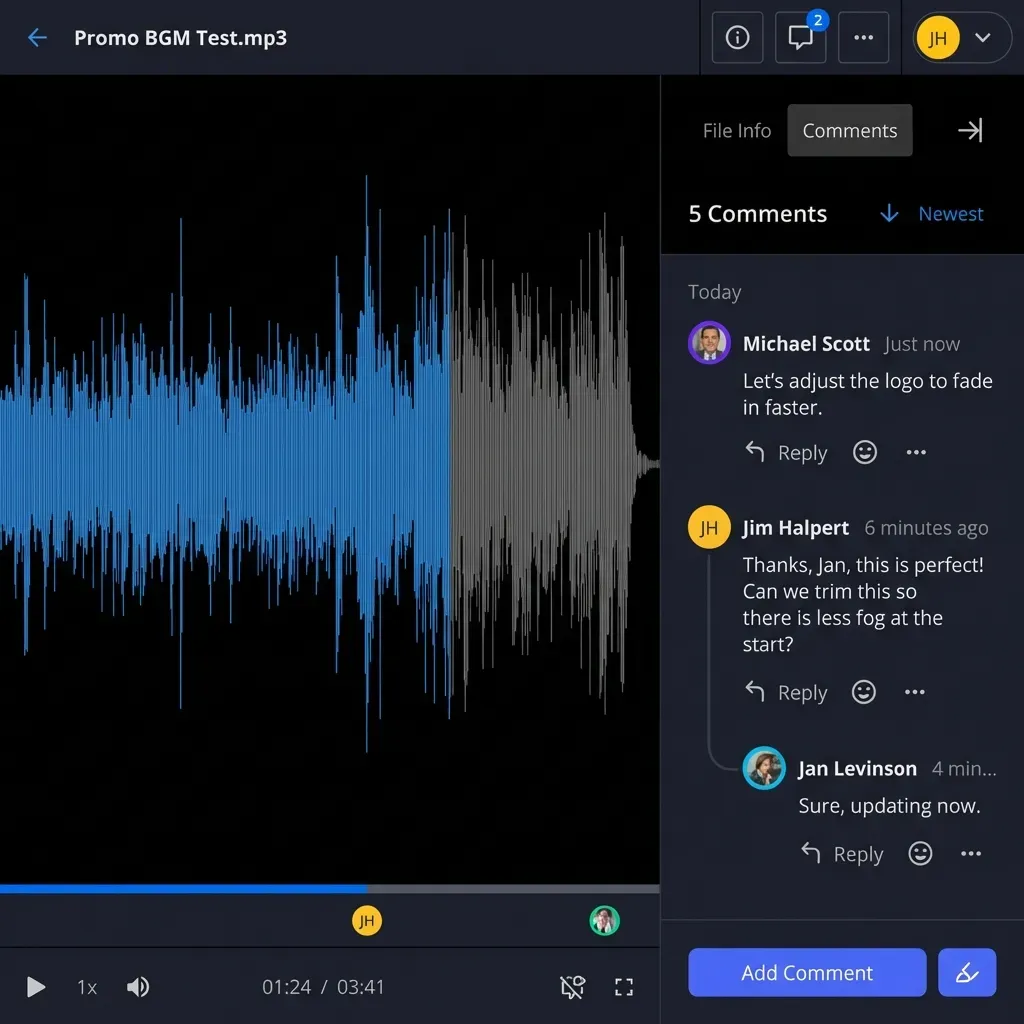
When Intelligence Mode is enabled on a Fast.io workspace, the platform automatically parses and indexes all incoming documents for hybrid search, combining full-text keyword indexing, semantic vector search, and metadata filtering. An assistant connects directly to the workspace through Fast.io remote Model Context Protocol (MCP) server, searching indexed content and retrieving only the top relevant passages with source citations.
Connecting Gemini CLI and Agent Runtimes via Fast.io MCP
Fast.io provides a remote MCP server running over Streamable HTTP. Depending on the client environment, assistants connect to the designated endpoint:
- Coding Agents and Gemini CLI: Connect via Streamable HTTP at
https://mcp.fast.io/mcp/code. - Claude and General MCP Clients: Connect via Streamable HTTP at
https://mcp.fast.io/mcp/tools. - ChatGPT and Codex: Install the Fastio plugin directly from the directory, or configure custom servers at
https://mcp.fast.io/mcp/operations.
For developers using Gemini CLI or related developer runtimes, configure Fast.io in the client settings.json file. In Gemini CLI, use "httpUrl" rather than "url" to select the Streamable HTTP transport:
{
  "mcpServers": {
    "fastio": {
      "httpUrl": "https://mcp.fast.io/mcp/code"
    }
  }
}
After adding the configuration, sign in to Fast.io using the client /mcp command (in Gemini CLI, run /mcp auth fastio). The browser opens an OAuth review screen where you select your organization, choose the workspaces to expose, and specify Read Only or Read & Write permissions.
When a user asks a question about project documentation, Gemini calls Fast.io MCP search tools instead of ingesting an entire repository. The MCP server returns 1,500 tokens of verified document excerpts. By keeping total prompt tokens well below 10,000 tokens, the request stays safely in the lower pricing bracket, slashes latency from 30 seconds to sub-second responses, and eliminates rolling TPM exhaustion.
For automated scripts and headless agent containers running without browser interaction, authenticate by transmitting a scoped API key as an Authorization: Bearer <api key> header on the connection to https://mcp.fast.io/mcp/code. Detailed setup instructions are available in Fast.io MCP documentation, with complete tool specifications in the Fast.io MCP skill guide and developer onboarding at Fast.io LLM documentation.
Structured Document Extraction Using Metadata Views
Unstructured semantic search addresses text retrieval, but technical and business workflows often demand structured document intelligence. When teams need to extract contract renewal dates, insurance coverage limits, invoice line items, or engineering tolerances across hundreds of files, prompt-engineering Gemini to output JSON arrays consumes thousands of tokens per file.
Fast.io solves this with Metadata Views. Metadata Views turn unstructured documents into a live, queryable database without requiring manual OCR template configuration.
Users specify the fields they want extracted using natural language descriptions. Fast.io designs a typed schema that automatically matches documents in the workspace:
- Text: Counterparty names, governing laws, product SKUs.
- Integer and Decimal: Compensation rates, invoice totals, liability limits, hardware tolerances.
- Boolean: Auto-renewal clauses, warranty exclusions, confidentiality terms.
- URL and JSON: API documentation links, configuration schemas, webhook endpoints.
- Date and Time: Effective dates, filing deadlines, expiration timestamps.
Metadata Views process PDFs, spreadsheets, presentations, scanned pages, and images. When you add a new column to a view, Fast.io updates the schema across matching files without requiring manual document reprocessing. Autonomous agents can create views, trigger extraction jobs, and query structured records directly through Fast.io MCP tools.
To maintain governance across multi-agent environments, Fast.io incorporates per-file version history, a detailed activity log of all modifications, and advisory file locks managed through MCP storage_manage and storage tools. Cloud Sync connects Google Drive, Dropbox, Box, and OneDrive (work or school) folders to a workspace, one-way or two-way, on a schedule or on demand.
Monthly plans start with a 14-day free trial, which requires a credit card. Plans are Starter at $9.99/mo, Business at $49.99/mo, and Enterprise at $199.99/mo on Fast.io pricing. Credits meter AI work. Storage and seats come with the plan. Overage is $10 per 100,000 credits. Explore implementation patterns in Fast.io storage for agents.
Sources
References used to verify factual claims in this guide.
-
Gemini Apps use compute-based usage limits to regulate user interactions across models and features.
-
For Gemini models, 100 tokens translate to approximately 60 to 80 English words.
Frequently Asked Questions
What is the actual context limit of Google Gemini?
Google Gemini 1.5 Flash supports a maximum input context limit of `1,048,576` tokens, while Gemini 1.5 Pro accommodates up to `2,097,152` tokens. Newer generation models such as Gemini 2.5 Pro and Gemini 2.5 Flash support `1,048,576` input tokens and expand output generation capacity to `65,536` tokens per request. In consumer Gemini Apps, compute-based usage limits dynamically constrain conversation length based on model choice and prompt complexity.
Does Gemini get slower when you use the full context window?
Yes. Time to First Token (TTFT) increases as context volume expands because the model must compute attention across all input tokens before generating a response. While a `5,000`-token prompt typically responds in under one second on Gemini 1.5 Flash, an input payload approaching `1,000,000` to `2,000,000` tokens can take `20` to `35` seconds to begin generating output.
What are the pricing implications of using Gemini long-context windows?
Queries exceeding `128,000` tokens trigger doubled pricing rates across both input and output tokens in the Gemini API. On Gemini 1.5 Pro, inputs above the standard tier boundary incur double the standard input token rate, and outputs incur double the standard completion rate. Transmitting a full `2,000,000`-token prompt to Gemini 1.5 Pro costs double the baseline prompt rate on every conversational turn.
What is the difference between Gemini context window and context caching?
The context window is the maximum volume of tokens Gemini can process in a single request. Context caching is an API feature that stores precomputed prompt tokens on Google servers, allowing applications to reference large, static documents across multiple requests at reduced input costs and lower latency, subject to minimum token floors and hourly storage fees.
What happens when you exceed the Gemini token limit?
If an individual request exceeds the model physical input context limit, the API returns an HTTP 400 Invalid Argument error. If generation hits the completion ceiling, the response halts with finish_reason MAX_TOKENS. If cumulative requests exceed rolling Tokens Per Minute (TPM) or Requests Per Minute (RPM) quotas, the API returns an HTTP 429 RESOURCE_EXHAUSTED error.
How does Fast.io help keep Gemini prompts under long-context pricing thresholds?
Fast.io provides shared workspaces that automatically index documents for hybrid search. Instead of attaching entire multi-megabyte file binders into Gemini prompts, an assistant connects via the remote Fast.io MCP server to retrieve only relevant excerpts with citations on demand, keeping prompt tokens small, cutting API costs in half, and reducing latency as detailed in [Fast.io storage for agents](/storage-for-agents/).
Related Resources

Keep Gemini Prompts Lean with Persistent Workspaces
Decouple document storage from context windows. Connect Gemini assistants to shared Fast.io workspaces via MCP to search indexed files on demand and avoid long-context API pricing tiers. Monthly plans start with a 14-day free trial, which requires a credit card.