Grok 3 Token Limit: 1M Context Window and Generation Ceilings
The Grok 3 token limit provides up to 1,000,000 tokens of input context alongside an 8,192-token completion ceiling, with reasoning tokens in Think mode drawing against the total request budget. While ingesting roughly 750,000 words in a single prompt is possible, prompts exceeding xAI's 200,000-token threshold trigger doubled pricing and latency. Indexing large document archives in an external workspace and querying them via MCP keeps context windows clean and costs predictable.


What Is the Grok 3 Token Limit and Context Architecture?
The Grok 3 token limit provides up to 1,000,000 tokens of input context alongside an 8,192-token completion ceiling, with reasoning tokens in Think mode drawing against the total request budget. In natural language processing, 1,000,000 tokens translates to roughly 750,000 English words, or approximately 3,000 pages of text. This capacity allows engineering teams to feed extensive software repositories, dense technical specifications, and multi-quarter financial filings into a single model prompt. However, evaluating the grok 3 token limit requires distinguishing between input capacity and output generation limits.
In sub-word tokenization schemes, a token represents roughly four characters or 0.75 words. While the 1,000,000-token grok 3 context length accommodates massive data payloads, the architecture functions as a unified working memory pool:
- Input context limit: 1,000,000 tokens available for system prompts, conversation history, retrieved context, and file payloads.
- Output completion ceiling: 8,192 tokens per single generation request, defining the maximum length of any single answer or generated file.
- Active working memory: System instructions, developer messages, tool definitions, tool responses, internal reasoning traces, and completion tokens all draw against the same 1,000,000-token ceiling.
- Long-context pricing boundary: Prompts that reach or exceed 200,000 tokens trigger elevated per-token rates across the entire request.
The xai grok 3 limits also reflect architectural transitions across xAI's infrastructure. Grok 3 demonstrated that million-token inference could operate on massive GPU clusters such as xAI's Colossus facility. As xAI refined its model family, it introduced specialized checkpoints. Grok 4.3 maintained the 1,000,000-token context window at lower inference pricing, while flagship reasoning models like Grok 4.7 adopted a focused 500,000-token context window designed for high-precision tool calling. On May 15, 2026, xAI retired earlier model checkpoints from its API, redirecting calls sent to legacy grok-3 slugs to Grok 4.3 while maintaining the 1,000,000-token context window.
Understanding these operational limits prevents costly production failures. Loading an entire file archive into Grok 3 because memory allows it introduces latency spikes, higher billing tiers, and degraded reasoning quality.
Related guides
- Continue.dev Token Limit: Context Window Configuration and Codebase IndexingThe Continue.dev token limit is the maximum context length configured in Continue's config.json or config.yaml file...
- GPT-4.1 Token Limit: Context Window, Output Caps, and RetrievalOpenAI's GPT-4.1 model family provides a 1,047,576-token input context window and a 32,768-token maximum output limit...
- DeepSeek Token Limit: Context Windows, Output Caps, and Token WorkaroundsThe DeepSeek token limit consists of a 1M-token context window for prompt ingestion and a 384K-token output ceiling per...
- Gemini Context Limit: Practical Ceilings, Retrieval, and IndexingThe Gemini context limit reaches `1,000,000` tokens on Gemini 1.5 Flash and `2,000,000` tokens on Gemini 1.5 Pro, but...
- Vertex AI Token Limits: Model Context Windows, Output Caps & Storage WorkaroundsVertex AI token limits define the maximum input context window, capped at 2,097,152 tokens for Gemini 1.5 Pro, and...
- Google Gemini Prompt Limit: Input Caps Across Web, Studio, and APIGoogle Gemini enforces prompt boundaries ranging from 32,000 tokens on free web tiers to 1,000,000 tokens in Google AI...
More on this subject: AI Agents: General Guides (244 guides)
How Reasoning Tokens and Output Ceilings Restrict Generation
While discussions around grok 3 max tokens focus primarily on input scale, output ceilings and internal deliberation impose strict operational boundaries. Grok 3 incorporates a dedicated Think mode designed for complex problem decomposition, code auditing, and multi-step mathematical planning. When Think mode is active, the model generates internal chain-of-thought tokens before producing its user-facing output.
A frequent engineering oversight is ignoring how internal reasoning tokens consume token budgets. In Think mode, every step of internal deliberation draws directly against the total request budget. If an agent is tasked with auditing a complex repository architecture, Grok 3 might generate 4,000 tokens of internal reasoning to analyze dependency graphs, evaluate edge cases, and verify interface signatures before writing its first visible line of code.
These internal reasoning mechanics interact directly with xAI's 8,192-token completion ceiling:
- Single-turn generation caps: The grok 3 output token limit restricts any single response to 8,192 tokens. Even with a 1,000,000-token input buffer, Grok 3 cannot rewrite a 50,000-word codebase or generate an entire multi-module library in a single completion turn.
- Truncation hazards in agent pipelines: When an agent instructs Grok 3 to generate structured outputs such as complex JSON payloads or extensive source files, hitting the 8,192-token ceiling terminates generation mid-stream. This produces unclosed JSON brackets, incomplete AST structures, and syntax errors that break automated tool chains.
- Shared request allocation: If an API call configures a strict
max_tokensboundary, internal reasoning tokens and visible output tokens share that allocation. Settingmax_tokens: 4000on an intensive reasoning query can cause the model to exhaust its token allowance during the thinking phase, leaving insufficient headroom for the complete final answer.
To manage these restrictions, production agent pipelines avoid requesting full-file rewrites. Instead, agents prompt Grok 3 to return concise, targeted code diffs, specific function replacements, or modular JSON fragments that comfortably fit within the 8,192-token completion envelope.
Why Long-Context Pricing Escalates Above 200,000 Tokens
Ingesting massive document sets into frontier models creates significant economic tradeoffs. A major operational consideration when planning grok 3 token limit workloads is how xAI pricing shifts past 200k tokens when uploading unindexed files.
xAI structures API pricing around a 200,000-token long-context threshold. Prompts below 200,000 tokens are billed at baseline pricing, such as $1.25 per million input tokens and $2.50 per million output tokens for Grok 4.3. However, once prompt volume reaches or crosses 200,000 tokens, xAI applies a long-context pricing multiplier, doubling both input and output token rates for the entire request.
Consider the cost accumulation in an iterative debugging workflow:
- Initial context loading: A developer uploads an entire 800,000-token codebase into a Grok conversation session to debug an elusive race condition. Because the prompt exceeds 200,000 tokens, the initial turn is billed at doubled long-context rates.
- Iterative conversation turns: In standard conversational agent workflows, each subsequent turn resends the entire preceding conversation history alongside new user prompts and tool outputs.
- Compounding expenses: Over a 10-turn debugging session, the agent submits the 800,000-token repository 10 times. Across those 10 turns, the API processes more than 8,000,000 input tokens at long-context pricing rates. A single interactive session can cost tens of dollars.
Beyond direct financial cost, massive prompt payloads introduce severe operational bottlenecks:
- GPU prefill latency: Processing 800,000 input tokens requires substantial GPU prefill computation before generation begins. While standard short-context queries return initial tokens in milliseconds, full-context prefill introduces latency delays of 15 to 30 seconds, disrupting real-time developer workflows.
- Attention degradation: Transformer self-attention mechanisms distribute probability weights across the entire sequence. In large document dumps, information located in the middle of the context buffer receives diffuse attention compared to tokens at the beginning or end. This lost-in-the-middle phenomenon increases the probability that Grok misses critical configuration variables or subtle function contracts.
- Cache invalidation risks: While xAI supports prompt caching for repeated prefix structures, dynamic agent workflows frequently modify earlier conversation turns or inject intermediate tool results. Any change to the prompt prefix invalidates cached key-value states, forcing full-context reprocessing at long-context rates.
Brute-force document stuffing treats transient model memory as a file archive. Clean architecture requires separating reference storage from active model reasoning.
How Frontier Models Compare on Context Windows and File Ceilings
Frontier AI models handle context windows, output limits, and file ingestion through distinct architectural patterns. Evaluating Grok 3 alongside competing platforms highlights how different providers balance working memory, file upload caps, and retrieval mechanics.
The table below compares context specifications and retrieval approaches across major models as of November 2026:
These boundaries demonstrate distinct product philosophies. Google Gemini Pro provides an expansive 2,000,000-token window capable of processing native video and audio streams alongside text. Anthropic Claude 3.5 Sonnet pairs a 200,000-token context window with structured project knowledge bases. Anthropic documents that Claude project files carry an individual file size limit of 30MB with no fixed file count cap, constrained only by whether total content fits within Claude's context window, while standard chat uploads accept up to 20 files at up to 500MB each.
Claude Projects has no fixed file-count cap, so any fixed project file count is false. Across every provider, the practical ceiling on a project or an agent session is always the context window. When an organization's reference documentation, code repositories, and historical records exceed context limits, relying on direct file attachments fails. Solving this challenge requires an external storage layer that indexes large collections and delivers precise excerpts on demand.


Scale Grok agent context beyond model memory limits
Connect Grok 3 to shared Fast.io workspaces with built-in hybrid search and MCP retrieval. Keep token usage disciplined while giving agents on-demand access to your entire file library. Monthly plans start with a 14-day free trial that requires a credit card.
How to Connect Grok to Persistent Workspaces via Fast.io MCP
Rather than forcing an unmanageable document corpus into Grok's transient context window, modern engineering teams decouple storage from reasoning. They store reference documents in an external intelligent workspace and let agents query relevant fragments on demand.
Fast.io provides shared, organization-owned workspaces designed for collaboration between human teams and autonomous AI agents. The workflow operates through a straightforward operational pattern:
- Centralized Knowledge Ingestion: Teams upload files directly into a Fast.io workspace or connect existing cloud repositories. Cloud Sync connects Google Drive, Dropbox, Box and OneDrive folders to a workspace, one-way or two-way, on a schedule or on demand.
- Automated Intelligence Indexing: Fast.io automatically indexes workspace files upon arrival. Intelligence Mode creates a unified Hybrid Search layer combining full-text keyword indexing, semantic vector understanding, and search-by-metadata-value.
- On-Demand MCP Retrieval: When Grok needs facts from the knowledge base, it connects to Fast.io using the Model Context Protocol (MCP). Fast.io hosts a remote MCP server at
https://mcp.fast.io/mcp/tools(orhttps://mcp.fast.io/mcp/codefor coding agents) over Streamable HTTP, supporting bearer authentication with anAuthorization: Bearer <api key>header on the connection. Setup instructions are available at Fast.io MCP documentation.
Below is an example configuration for connecting an AI assistant or agent framework to Fast.io through MCP:
{
  "mcpServers": {
    "fastio": {
      "url": "https://mcp.fast.io/mcp/tools",
      "headers": {
        "Authorization": "Bearer YOUR_FASTIO_API_KEY"
      }
    }
  }
}
When an agent needs to inspect an organizational contract, retrieve API specifications, or find an error code definition, it calls the consolidated storage tool using the search action:
{
  "method": "tools/call",
  "params": {
    "name": "storage",
    "arguments": {
      "action": "search",
      "query": "authentication token validation middleware",
      "workspace_id": "ws_backend_service"
    }
  }
}
Fast.io searches the indexed workspace and returns clean, citation-backed text snippets directly to Grok. Instead of ingesting 500,000 tokens of raw PDF data or codebase files, the model receives a focused 1,500-token payload. Fast.io leaves every vendor's own upload limit exactly where it is; what it adds is a searchable place for the files that do not fit.
This architecture delivers distinct operational advantages:
- Context Hygiene: Grok's 1,000,000-token buffer remains clear for multi-step reasoning, active code manipulation, and conversation turns.
- Cost Predictability: Queries stay well below the 200,000-token long-context pricing threshold, avoiding rate multipliers.
- Per-File Version History: Every update in a Fast.io workspace retains complete revision history. If an agent writes an erroneous file update, team members can revert to earlier versions with one click.
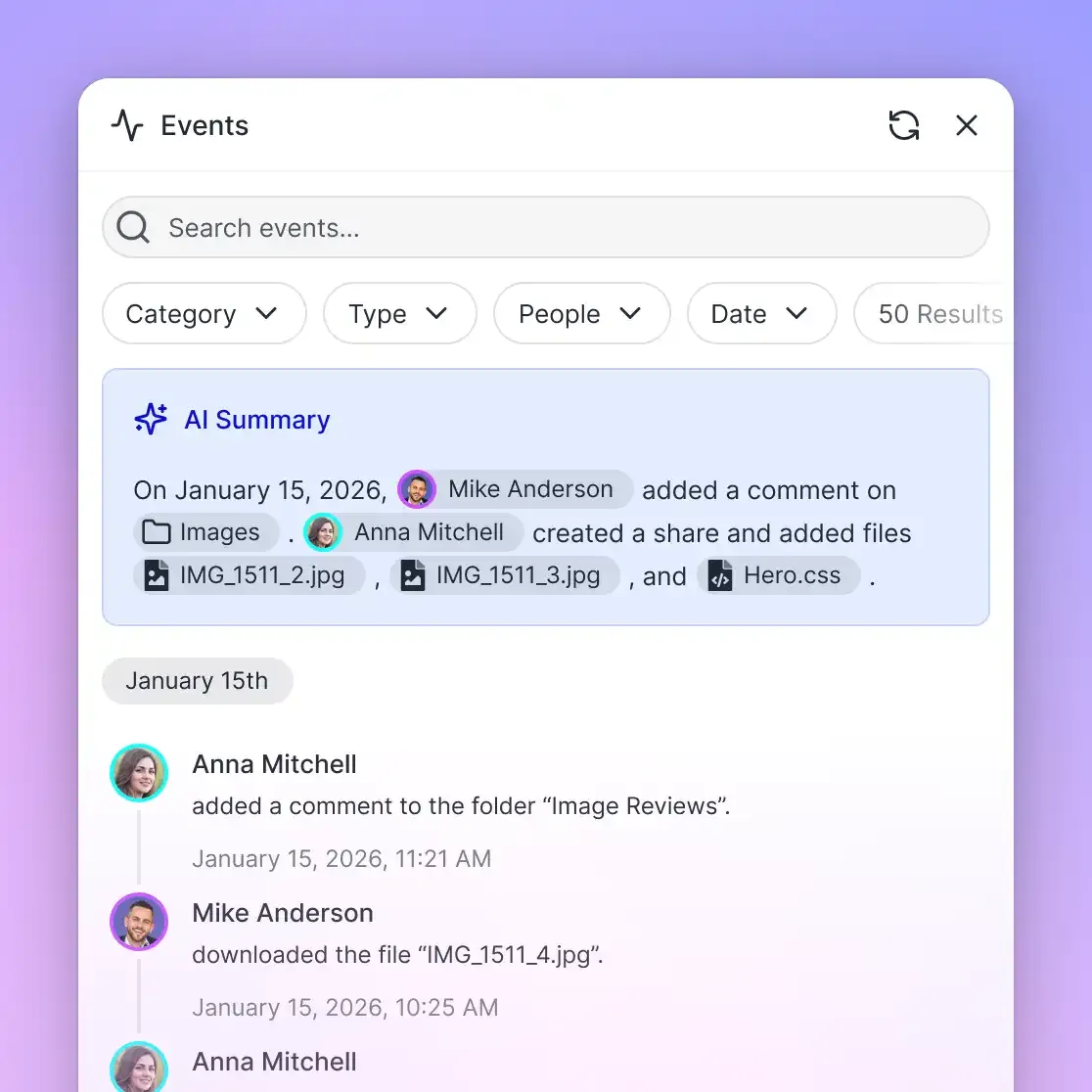
- Detailed Activity Log: Fast.io maintains a detailed activity log of changes across the organization, tracking file uploads, edits, moves, deletions, and permission updates for humans and agents.
- Structured Extraction via Metadata Views: For tabular extraction from contracts, invoices, or specifications, teams use Metadata Views to convert unstructured files into queryable databases with typed schemas (Text, Integer, Decimal, Boolean, URL, JSON, Date & Time) without OCR templates.
- Predictable Workspace Subscriptions: Monthly plans start with a 14-day free trial that requires a credit card. Subscription tiers scale across Starter, Business, and Enterprise plans, providing persistent storage, version history, and workspace intelligence for teams. Plan details and credit allowances are documented on the Fast.io pricing page, while developer integration patterns are detailed in the storage for agents guide.
Practical Steps for Managing High-Context Grok Agent Pipelines
Building production systems around Grok 3 requires balancing broad context availability against token efficiency. Implementing structured pipeline controls prevents memory bloat while preserving factual accuracy.
1. Establish Explicit Token Budgets
Allocate strict token budgets across the request payload rather than allowing unconstrained prompt growth:
- System Prompts and Schemas: Reserve 2,000 to 5,000 tokens for system rules, persona constraints, and MCP tool schemas.
- Retrieved Working Context: Cap retrieved context payloads at 5,000 to 15,000 tokens. Using semantic search to fetch only relevant document fragments keeps the prompt well within short-context pricing tiers.
- Output and Reasoning Headroom: Preserve at least 8,192 tokens of completion headroom to allow unconstrained Think mode deliberation and complete response generation.
2. Filter File Trees Before Prompt Injection
When providing repository context to coding agents, apply rigorous pre-filtering before sending data to the model. Exclude package lockfiles, build directories (dist, build, out), dependency caches (node_modules, .venv), and binary media assets. Passing an uncurated file tree can inject 50,000 tokens of useless file paths into the prompt, diluting Grok's attention during core reasoning steps.
3. Account for Think Mode Reasoning Overhead
Because reasoning tokens in Think mode draw against the completion allocation, configure request parameters carefully:
- Avoid setting restrictive
max_tokenslimits on difficult reasoning tasks. If a task requires complex mathematical proofs or multi-file refactoring plans, settingmax_tokens: 2000can cause the request to terminate before the reasoning phase concludes. - For straightforward extraction or formatting tasks where deep deliberation is unnecessary, disable Think mode or specify concise output constraints to bypass unnecessary reasoning chains.
4. Implement Context Compaction and Rolling Pruning
In multi-turn autonomous loops, conversational history naturally accumulates tool responses, terminal logs, and previous generation attempts. To prevent conversations from crossing into long-context pricing tiers, implement rolling context pruning:
- Summarize completed milestones into concise bullet points and discard verbose intermediate tool outputs.
- Use external intelligent workspaces like Fast.io to store persistent artifacts and state logs, querying them through MCP tools only when required by active tasks.
Sources
References used to verify factual claims in this guide.
-
Anthropic documents that Claude project files carry an individual file size limit of 30MB with no fixed file count cap, constrained only by whether total content fits within Claude's context window, while standard chat uploads accept up to 20 files at up to 500MB each.
-
xAI documentation establishes baseline pricing for models like Grok 4.3 at $1.25 per million input tokens and $2.50 per million output tokens for prompts below the 200,000 token long context threshold, after earlier model checkpoints were retired on May 15, 2026.
Frequently Asked Questions
What is the token limit on Grok 3?
Grok 3 supports an input context window of up to 1,000,000 tokens, which allows it to ingest roughly 750,000 English words in a single interaction. Output generation is capped separately at 8,192 tokens per request.
Does Grok 3 reasoning count toward the token limit?
Yes. When operating in Think mode, Grok 3 generates internal chain-of-thought tokens that draw directly against the total request context and completion limits. Extensive reasoning traces consume token budget before the user-facing response is produced.
What is the Grok 3 output token limit?
Grok 3 has a maximum output limit of 8,192 tokens per request. Even though the model can ingest 1,000,000 tokens of context, it cannot generate more than 8,192 tokens in a single completion turn.
How do you query large codebases with Grok 3 without exceeding token limits?
Instead of dumping entire codebases into Grok's prompt, store files in an external workspace like Fast.io with Intelligence Mode enabled. Grok connects via the Model Context Protocol (MCP) and queries indexed excerpts on demand, avoiding long-context pricing surcharges and latency delays.
How does long-context pricing affect Grok 3 API costs?
xAI applies a pricing threshold at 200,000 prompt tokens. Requests that reach or exceed 200,000 tokens incur doubled per-token rates across input and output. Below 200,000 tokens, requests are billed at standard baseline rates.
What happens when file uploads exceed Grok 3 context capacity?
Prompts that exceed the 1,000,000-token limit are rejected by the API with an HTTP 400 error. The API does not automatically prune text. To handle large document archives, index files in an external workspace and retrieve relevant sections via MCP.
How does Grok 3 context compare to Claude 3.5 Sonnet file limits?
Grok 3 offers a 1,000,000-token context window with an 8,192 output cap. Anthropic Claude 3.5 Sonnet supports 200,000 tokens of context, accepting up to 20 files at 500MB each in standard chat, while Claude Projects allows unlimited files up to 30MB each provided the total content fits within Claude's context window.
Related Resources

Scale Grok agent context beyond model memory limits
Connect Grok 3 to shared Fast.io workspaces with built-in hybrid search and MCP retrieval. Keep token usage disciplined while giving agents on-demand access to your entire file library. Monthly plans start with a 14-day free trial that requires a credit card.