Agent Integrations and APIs
Connecting agents to the systems a business already runs. These pages cover REST and webhook integration, tool calling and structured output, event-driven triggers, no-code connectors, and the specifics of wiring an agent into a CRM, a drive, a ticketing system, or a data warehouse. Fast.io exposes a REST API at https://api.fast.io/current/, a CLI published on npm as @vividengine/fastio-cli, and a remote MCP server. There is no language SDK, so integration code here is ordinary HTTP in whatever language you already use.
The pages assume you are connecting two systems that both already exist and neither will change to suit you. They cover authentication, retries and idempotency, rate limits, and what to do when the other side is slower or less reliable than your agent expects it to be. Code samples use plain HTTP against a documented endpoint, because that is what actually exists to call.
206 guides in this topic.
Start here
Best Web Scraping Tools for AI Agents
AI agents need web scraping tools that output token-efficient formats like Markdown instead of raw HTML. We tested the top solutions including Firecrawl, Jina Reader, and Crawl4AI to help you build better data pipelines for your LLMs.
Top 7 Discord AI Integrations for Communities in 2026
Discord servers have grown beyond simple chat rooms. With AI tools like Midjourney for art or Fastio for agent memory, you can automate moderation, answer questions, and engage members. These are the top 7 AI tools for Discord servers in 2025.

Best API Gateways for AI Agents
AI agents make hundreds of LLM calls per task, and each call costs money, adds latency, and creates a failure point. API gateways built for AI traffic handle problems that generic gateways ignore: token-based rate limiting, semantic caching, model failover, and per-agent cost tracking. This guide compares eight gateways that solve these problems, with a focus on streaming support and token usage visibility.
Best n8n Tools for AI Agents: Top 10 Nodes for 2026
n8n changed AI automation with its visual workflow builder. We rank the best nodes and integrations for building autonomous agents, from LLMs like OpenAI to memory tools like Pinecone and storage solutions like Fastio.

8 Best Webhook Platforms for AI Workflows (2026 Guide)
Webhook platforms for AI workflows provide reliable event delivery, payload transformation, and retry logic to connect AI agents with external systems. We evaluated top solutions including Hookdeck, Svix, Trigger.dev, and Fastio event-driven storage to help you build reliable, event-driven AI applications that scale.

How to Choose the Best Payment APIs for AI Agents (2026)
Payment APIs for AI agents enable autonomous software to send and receive funds programmatically without human intervention. As the agentic economy grows, specialized tools from Stripe, Coinbase, and new Web3 protocols are replacing traditional checkout flows. Here are the top payment solutions for autonomous agents in 2026.
All guides
10 Best AI Tools for Therapists in 2026
Behavioral health clinicians spend roughly 35% of their working hours on documentation, and charting ranks as the single biggest driver of therapist burnout. Ten AI tools now target that problem directly, from ambient note generators to outcome trackers and file management platforms. This guide compares pricing, privacy practices, and clinical workflow fit for each one, focusing on tools therapists use in clinical work rather than consumer mental health apps.
8 Best Webhook Platforms for AI Workflows (2026 Guide)
Webhook platforms for AI workflows provide reliable event delivery, payload transformation, and retry logic to connect AI agents with external systems. We evaluated top solutions including Hookdeck, Svix, Trigger.dev, and Fastio event-driven storage to help you build reliable, event-driven AI applications that scale.
Airtable Record Limit: Base Limits by Plan and Scaling Solutions
The Airtable record limit is the maximum number of rows permitted within a single base, ranging from 1,000 records on the Free plan to 125,000 on Business and up to 500,000 on Enterprise Scale. Because record ceilings are cumulative across all tables in a base, high-frequency automations and AI web-scrapers quickly exhaust base capacity. Decoupling bulk document storage and raw data into persistent workspaces prevents base lockups while keeping relational workflows responsive.
API Gateway Payload Limits: 10MB REST Cap, 128KB WebSocket Limit, and Workarounds
The Amazon API Gateway payload limit is a hard cap of 10 MB for REST and HTTP APIs and 128 KB for WebSocket APIs, returning an HTTP 413 Payload Too Large error when request or response bodies exceed these quotas. Amazon Web Services enforces these boundaries at the edge proxy layer before downstream compute runs. Architectures requiring larger payloads bypass API Gateway using direct Amazon S3 presigned URLs or persistent cloud workspaces for autonomous agent pipelines.
AutoGen OneDrive Connector: Shared Cloud Storage for Multi-Agent Systems
Multi-agent teams in Microsoft AutoGen require shared file state to collaborate across document workflows without exceeding model context limits. An AutoGen OneDrive connector links your agent groups to enterprise documents through an intelligent workspace. By connecting AutoGen to Fast.io via remote MCP, agents query indexed excerpts on demand while preserving version history.

Best AI Image Generation APIs for Agents in 2026
AI agents need image generation APIs that go beyond pretty outputs. They need predictable pricing, async processing, webhook callbacks, and storage integration to run without human supervision. This guide evaluates 10 APIs on the criteria that matter for autonomous workflows: latency, batch support, rate limits, output formats, and how easily agents can store and distribute generated images.
Best API Gateways for AI Agents
AI agents make hundreds of LLM calls per task, and each call costs money, adds latency, and creates a failure point. API gateways built for AI traffic handle problems that generic gateways ignore: token-based rate limiting, semantic caching, model failover, and per-agent cost tracking. This guide compares eight gateways that solve these problems, with a focus on streaming support and token usage visibility.
Best APIs for Autonomous Agents: Essential Toolkit
Autonomous agents need more than just intelligence; they need tools to interact with the world. While Large Language Models (LLMs) provide the brain, APIs provide the eyes, ears, and hands.

Best Event-Driven Tools for AI Agents (2026 Guide)
Event-driven tools for AI agents provide message brokers, event sourcing, and reactive frameworks that enable agents to respond to real-time events and maintain consistent state. This guide reviews the top 8 tools for building scalable, responsive agentic workflows.
Best n8n Tools for AI Agents: Top 10 Nodes for 2026
n8n changed AI automation with its visual workflow builder. We rank the best nodes and integrations for building autonomous agents, from LLMs like OpenAI to memory tools like Pinecone and storage solutions like Fastio.
Best Notion AI Alternatives for Teams in 2026
Notion moved full AI access behind its $20/user/month Business plan in 2025, pushing many teams to look elsewhere. This guide compares eight AI workspace tools across search, writing, project management, and pricing to help you find the right fit without overspending.
Best Transcription APIs for AI Agents: Real-Time Voice Processing
Choosing the right transcription API for your AI voice agent determines whether conversations feel natural or frustratingly delayed. This guide compares the top speech-to-text providers by latency, accuracy, and cost to help developers build production-ready voice agents.
Best Video Processing APIs for AI Agents: Analysis, Transcription, and Generation
Video processing APIs let AI agents analyze, transcribe, and generate video content at scale.
Best Web Scraping Tools for AI Agents
AI agents need web scraping tools that output token-efficient formats like Markdown instead of raw HTML. We tested the top solutions including Firecrawl, Jina Reader, and Crawl4AI to help you build better data pipelines for your LLMs.
Box Sync for AI Agents: Bridging Enterprise Content to MCP Workspaces
Box sync for AI agents connects enterprise Box folders into an indexed workspace, providing AI agents with search-driven document access via remote MCP while retaining existing enterprise Box governance. While legacy desktop synchronization and direct API crawling hit rate limits, syncing folders to Fast.io workspaces creates a queryable substrate. Teams maintain their existing storage while granting agents citation-backed search across company files.
Box Webhooks: V2 Setup, Event Payloads and Security Verification
Box V2 webhooks deliver real-time HTTP notifications whenever files, folders, or collaborations change within an enterprise account. Configuring webhooks requires validating event payloads, handling automated delivery retries, and verifying HMAC-SHA256 signatures with primary and secondary keys. For autonomous AI agent systems, syncing cloud storage directly into indexed workspaces provides a faster, maintenance-free alternative to hosting custom webhook servers.
Building a LangGraph Google Drive Storage Connector Without State Bloat
Passing raw Google Drive files into LangGraph state channels causes serialization bottlenecks, token inflation, and recursion failures. Building a lean LangGraph Google Drive connector requires decoupling storage from agent execution. By importing Drive folders into an intelligent workspace and querying indexed files via remote MCP, agents retrieve targeted passages with citations while keeping graph state memory compact.

Building an AI Agent for Dropbox: Setup and Storage Patterns
Building an AI agent for Dropbox requires balancing file retrieval against LLM context boundaries. While direct API polling and recursive file downloads exhaust prompt tokens and trigger rate limits, syncing folders into an indexed workspace provides semantic search via remote MCP. Teams keep Dropbox as their primary storage while enabling autonomous agents to query and synthesize documents efficiently.

Can ChatGPT Access Google Drive? Permissions, Limits & Workarounds
ChatGPT can access Google Drive files through its native integration, but only by retrieving individual user-selected documents on demand rather than indexing or autonomously traversing complete Drive directory structures. Connecting corporate accounts requires specific Google Workspace OAuth permissions and handles single documents well, but falls short for recursive folder discovery, multi-file queries, and automated persistence across large team repositories.
Can Gemini Access Google Drive? Extension Limits, Permissions, and MCP Search
Google Gemini connects to Google Drive through the Google Workspace extension (@Google Drive) for conversational summaries and personal file search. However, this native connection cannot traverse deep folder hierarchies, index non-Google formats, or manage files in team shared drives. For autonomous agents and engineering teams, importing Drive files into an indexed workspace with Model Context Protocol search provides low-latency retrieval without manual chat prompts.
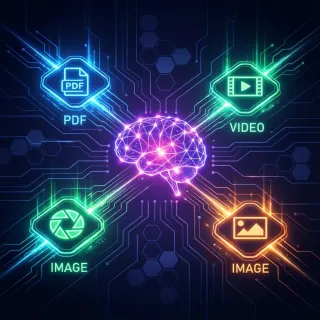
Can Gemini Organize My Google Drive? Capabilities, Limits, and Workspace Solutions
Google Gemini cannot autonomously organize your Google Drive, create directories, or delete duplicate files. While the Gemini Workspace extension searches and summarizes documents, directory changes remain manual. Connecting Google Drive to an intelligent workspace provides semantic search, metadata extraction, and multi-agent access without disrupting existing folders.
ChatGPT Box Connector: Connecting OpenAI Models to Box Storage
A ChatGPT Box connector connects OpenAI language models to Box document repositories, allowing users to query, analyze, and extract insights from enterprise files through natural language. While native connected apps allow single-file retrieval, agent workflows across nested folders encounter rate limits and token bloat. Fast.io syncs Box storage into an indexed workspace where agents query files using hybrid search via a remote MCP server.

ChatGPT Box Integration: Connecting Box Storage to AI Agents
A ChatGPT Box integration enables OpenAI models to query, summarize, and retrieve documents stored within Box cloud content management environments. While native connectors allow single-file retrieval, agentic workflows across hundreds of documents often hit rate limits. Syncing Box folders into an indexed workspace lets agents run hybrid search across full directories with fewer tool calls.
ChatGPT Dropbox Connector: Connected Apps Setup vs. Fast.io MCP Workspaces
A ChatGPT Dropbox connector lets OpenAI models access cloud documents without manual downloads. While native connected apps work for single-file chats, autonomous workflows across large folders encounter API throttling and context bloat. Syncing Dropbox folders into a Fast.io workspace allows AI models to run hybrid search through a remote MCP server without pulling entire files into chat context.
ChatGPT Enterprise Connectors vs Remote MCP: Cloud Storage Architecture Guide
ChatGPT Enterprise connectors allow workspaces to index external files from Google Drive, OneDrive, and Box, but native polling limits can introduce latency across deep folder hierarchies. Configuring a remote Model Context Protocol (MCP) server creates a direct execution layer where ChatGPT queries indexed workspaces on demand. Here is how native enterprise connectors compare to remote MCP architectures, and how to structure persistent cloud storage for AI teams.

ChatGPT Google Docs Integration: Setup & Workflow Architecture
A ChatGPT Google Docs integration connects OpenAI language models with Google Docs repositories to enable automated summarizing, cross-document querying, and AI-assisted drafting across shared folders. While native connected apps handle individual files, querying large document folders triggers context bloat and rate limits. Organizing documents in an indexed workspace allows agents to run hybrid semantic search via remote MCP endpoints.

ChatGPT Google Drive Connector: Native Connected Apps vs. Fast.io
A ChatGPT Google Drive connector links OpenAI models to cloud document repositories, enabling conversational search, summarization, and file editing. While native connected apps work for single documents, querying multi-folder directories triggers sequential retrieval bottlenecks and context bloat. Importing Google Drive folders into an indexed Fast.io workspace lets AI agents run hybrid semantic search across hundreds of files with fewer tool calls.
ChatGPT Google Drive Not Working: Troubleshooting Guide & Fixes
When ChatGPT Google Drive is not working, expired OAuth tokens, unindexed binary formats, or API rate limits during folder traversal are usually responsible. Basic troubleshooting like re-authenticating resolves minor glitches, but multi-file queries require decoupling storage from retrieval. Importing Drive folders into an indexed workspace with hybrid semantic search eliminates connector timeouts.
ChatGPT Google Drive Plugin: Connecting Drive Files Without Context Bloat
Connecting Google Drive directly to ChatGPT often floods the prompt context window with raw text, causing token exhaustion and forgotten conversation turns. A ChatGPT Google Drive plugin enables ChatGPT conversations to query documents, spreadsheets, and presentations stored in Google Drive via targeted semantic retrieval. By syncing Drive folders into an indexed workspace, teams query specific excerpts through remote Model Context Protocol tools without saturating context limits.
ChatGPT Google Drive Sync: How to Connect, Index & Query Drive Files
ChatGPT Google Drive sync connects OpenAI models to cloud document folders for fast semantic search and contextual answers. While native ChatGPT connected apps require picking single files and choke on deep directories, syncing folders into an indexed workspace enables automated querying across entire document collections. By linking Google Drive to Fast.io and querying via remote MCP, teams search and analyze files without burning tokens on unindexed pages.
ChatGPT Google Sheets Integration: How to Query Spreadsheets with AI
Connecting Google Sheets to ChatGPT allows teams to query tabular records, automate analysis, and extract structured metrics with natural language. While Apps Script add-ons handle simple formula generation, large workbooks face cell execution timeouts and recurring token costs. Integrating Google Sheets through a remote Model Context Protocol workspace provides persistent querying, unified document context, and structured data extraction across entire spreadsheets.

ChatGPT OneDrive Connector: Native Connected Apps vs. Fast.io Workspaces
A ChatGPT OneDrive connector links OpenAI models to documents stored in Microsoft OneDrive, enabling conversational file search and summarization. While native Connected Apps support single-file lookups, exploring multi-folder directories triggers repetitive manual attachments and API rate limits. Syncing OneDrive folders into an indexed Fast.io workspace lets AI agents run hybrid semantic search across entire document collections with low latency and zero file-picking friction.
ChatGPT OneDrive Sync: How to Sync and Query Folders in ChatGPT
ChatGPT OneDrive sync connects Microsoft cloud folders to AI conversations without manual file attachments or local sync errors. While native ChatGPT connectors support individual file selection for enterprise accounts, scheduled workspace synchronization indexes full directory trees for hybrid search. By linking OneDrive folders to an intelligent workspace and querying through MCP or plugins, teams query multi-document collections while keeping storage in place.
ChatGPT Synced Connectors: Live vs Pre-Indexed Cloud Storage for AI Workspaces
ChatGPT synced connectors allow AI models to query enterprise cloud repositories without the latency of real-time API roundtrips. While live connectors search external folders on demand during conversation, synced connectors pre-index documents on scheduled intervals. Understanding the difference between on-demand access and background indexing helps teams eliminate retrieval lag across large workspaces.
Connecting Grok to Cloud Storage and External Data via MCP
Grok Connectors link xAI models to cloud productivity tools and external files. While native connectors allow direct queries, indexing large document repositories through remote MCP servers avoids rate limits and token bloat. Here is how to configure Grok with cloud storage and structured data sources.

Connecting Semantic Kernel to Google Drive: Setup and Best Practices
A Semantic Kernel Google Drive connector bridges enterprise AI agents with cloud files stored across My Drive and Google Workspace shared drives. Teams can choose between implementing custom native API plugins or routing storage through persistent Fastio workspaces with built-in semantic search and remote MCP connectivity. This guide walks through authentication lifecycles, shared drive query traps, and practical indexing patterns for production agent deployments.
Default SFTP Port Setup and Configuration for Automated Agent Workspaces
Setting up and configuring a custom SFTP port helps minimize automated scan traffic and brute-force attempts on agent host servers. However, self-managed SFTP configurations create outbound firewall issues for agent runners and lack the version control needed for multi-agent environments. Fast.io resolves these issues by replacing SFTP with secure, persistent workspaces accessible via the Model Context Protocol.

Dropbox Indexing for AI Agents: Fast Retrieval Architecture
Querying cloud storage directly through standard APIs forces AI agents to download entire files for simple factual lookups. Indexing Dropbox documents into structured embeddings and metadata allows agents to retrieve exact paragraphs through Model Context Protocol search tools. This guide explains how to build a three-stage retrieval pipeline using scheduled workspace synchronization and remote model context protocol endpoints.
Dropbox Search API Guide: How to Search Files Programmatically
The Dropbox Search API v2 allows developers to search files programmatically using scoped queries, extension filters, and continuation cursors. Querying files through raw REST endpoints introduces rate limit and pagination challenges, especially for autonomous agents. This guide covers search_v2 implementation, filtering techniques, error recovery, and modern workspace indexing workflows.
Dropbox Webhook Setup: Handling Notifications & Workspace Sync
A Dropbox webhook is an HTTPS POST notification sent by Dropbox when changes occur in a monitored user or team account, prompting the receiver to retrieve delta changes via the /files/list_folder/continue endpoint. Setting up a webhook requires verifying the challenge handshake, authenticating signatures, and handling change cursors asynchronously. Connecting synced storage to Fastio workspaces allows AI agents to search and inspect documents over MCP without pulling entire folder trees.
Fastio API Django Integration Guide: Complete Setup
Integrating Fastio API with Django allows developers to manage agentic workspaces directly from their web application backend. This guide provides a comprehensive walkthrough for calling the Fastio REST API from a Django project. We cover synchronous API calls, robust asynchronous workflows using Celery, and how to harness built-in intelligence directly from your Python backend.
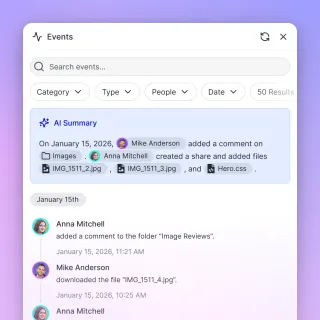
Fastio API Integration Tutorial for Java Spring Boot
A reliable Fastio API integration tutorial for Java Spring Boot allows enterprise backends to securely manage agentic workspaces and scalable file storage. This detailed guide covers authentication, connection pooling, and retry mechanisms for production environments. You will learn to build a resilient integration that connects your Spring Boot application to Fastio's multiple MCP tools and built-in intelligence features, enabling collaboration between human teams and AI agents.

Fastio API Presigned URLs Implementation Guide
Fastio API presigned URLs allow your applications to grant secure, time-limited, direct access to files without proxying the heavy traffic through your own backend servers. Ideal for handling large file uploads from clients or AI agents, this method reduces server bandwidth costs and prevents your primary infrastructure from choking on multi-gigabyte streams.
Fastio API vs Google Drive API for AI Agents
When building autonomous systems, developers must choose the right storage layer for their AI agents. While the Google Drive API was built for human file synchronization, the Fastio API is purpose-built for agentic access, offering native Model Context Protocol (MCP) support and programmatic data rooms. This technical comparison evaluates both APIs based on authentication complexity, rate limits, and multi-agent collaboration features.

Fastio API vs Hugging Face Hub for Agent Datasets
Hugging Face Hub handles huge, static ML datasets well. Fastio API serves a different purpose: managing the fast read-write memory that active AI agents need. While Hugging Face uses Git LFS to lock in training epochs, Fastio delivers sub-second workspace syncs and built-in RAG. This setup supports live workflows and agentic coordination without delays.

Fastio API vs Pinecone: Best Context Storage for Agents
Guide to fastio api pinecone agent context: When building AI agents, your context storage architecture determines how well your models reason over enterprise data. Pinecone provides a vector database for similarity search. Fastio offers a file-based intelligent workspace. This comparison explores whether your agents need raw files or just embeddings to perform at their best.
Gemini CLI Connect to OneDrive: CLI Workflows, Sync & Remote MCP
Connecting Gemini CLI to OneDrive bridges Google command-line AI workflows with Microsoft 365 enterprise storage. Instead of downloading whole folders or configuring complex Microsoft Graph API tokens, developers can sync OneDrive and SharePoint folders into an intelligent Fast.io workspace. Using the remote Model Context Protocol over Streamable HTTP, Gemini CLI queries indexed documents directly from the terminal with citation-backed hybrid search.
Gemini Google Docs Integration: Setup, Workspace Limits and Agent Workflows
The Gemini Google Docs integration connects generative models directly to documents for drafting and analysis. While native Google Workspace side panels serve individual human writers, engineering teams face strict boundaries when attempting to connect external coding agents to Google Drive files. By pairing Google Docs with Fast.io workspaces and Model Context Protocol tooling, teams give external agents semantic search across document collections without manual file exports.
Gemini Google Drive Extension: Workspace Setup vs. Dedicated MCP Storage
The Gemini Google Drive extension is a built-in Google Workspace integration that allows Google Gemini to reference and summarize Docs, Sheets, Slides, and PDFs stored in a user Google Drive. While useful for personal lookups in interactive chat, it cannot serve external autonomous agents or index entire folders. Connecting Google Drive to indexed Fast.io workspaces over Model Context Protocol provides hybrid search and team file delivery.
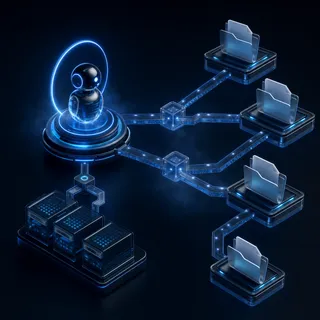
Google Drive Agent: How AI Agents Interact with Google Drive Files
A Google Drive agent is an AI agent capable of discovering, inspecting, and manipulating files stored within Google Drive folders using API or MCP integrations. Direct connectors force agents to download entire files across repetitive tool calls, triggering context exhaustion and slow responses. By importing Google Drive folders into a pre-indexed workspace, agents query specific passages and metadata through a remote Model Context Protocol endpoint without flooding the context window.
Google Drive API CLI: Terminal Access and Scripting for AI Agents
A Google Drive API CLI provides command-line access to cloud documents for shell automation and autonomous coding agents. While traditional CLI utilities focus on syncing raw files to local disks, terminal-based AI agents require selective passage retrieval without exhausting context limits or local disk space. Connecting Google Drive to remote Model Context Protocol workspaces enables semantic search across technical specifications without headless token expiration failures.

Google Drive Delta Sync API: Tracking File Changes for Agent Storage
Google Drive delta sync tracks file creations, updates, and deletions using the changes resource and page tokens instead of crawling directory trees. Polling changes.list with a saved token reduces API overhead from hundreds of folder queries to a single request, but requires handling token expiration and shared drive permissions. Connecting existing drive storage to agent workspaces enables semantic indexing without building custom sync loops.

Google Drive Indexing for AI Agents: Scalable File Search Architecture
Google Drive indexing for AI agents structures cloud drive hierarchies into searchable workspace chunks, allowing agents to execute targeted semantic search queries rather than downloading entire files. Connecting Drive folders to an indexed workspace eliminates API rate limit bottlenecks and reduces context token consumption. Autonomous agents access the resulting hybrid index through standard Model Context Protocol endpoints.
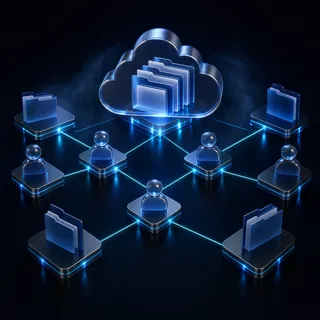
Google Drive Search API: Query Syntax, Limits, and Agent Pipelines
The Google Drive Search API allows applications to query file metadata and document text through the files.list endpoint using the q parameter. Structuring queries with exact field masks, parent folder boundaries, and escaping rules prevents common pagination and rate limit failures. When autonomous AI agents search Google Drive repositories repeatedly, lexical querying introduces latency and token overhead that modern workspace indexing resolves.
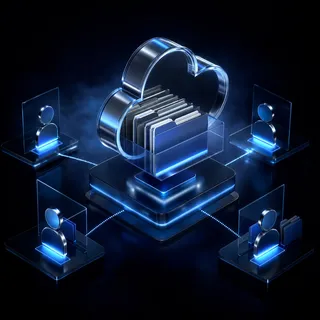
Google Drive Semantic Search: How to Search Drive Documents by Meaning
Google Drive semantic search is the capability to search across documents, spreadsheets, and presentations in Google Drive based on conceptual meaning and context rather than exact keyword matches. Native Google Drive search relies on lexical keyword indexing, making it difficult to locate information when terms differ. Connecting Drive files to an intelligent workspace with vector indexing enables conceptual discovery without pulling whole folders.

Google Drive WebDAV: Access Limitations & Modern Agent Storage Setup
Google Drive does not offer a native WebDAV interface, requiring third-party gateway software or modern cloud sync indexing to expose Drive files to protocol-dependent applications and AI agents. Local WebDAV bridge proxies trigger API rate limits and lack native checksum support. Teams needing reliable access can sync Google Drive folders into indexed workspaces on a schedule, enabling AI agents to search and retrieve files through remote Model Context Protocol tools.
How to Automate File Ownership Transfer with Fastio API
Automating file ownership transfer with the Fastio API lets AI agents securely deliver finished assets to human clients with one API call. Programmatic ownership transfer moves the entire workspace to the client, transferring billing and access rights automatically while letting agents keep administrative access to continue working.
How to Automate Perplexity Personal Computer with Zapier
Perplexity Personal Computer gives you an always-on AI research agent that runs continuously on your behalf. Zapier connects Perplexity to 7,000+ apps through no-code automation workflows called Zaps. This guide covers how to wire the two together, build practical automations, and solve the file persistence problem that trips up most setups.

How to Automate Perplexity Personal Computer Workflows with n8n
Perplexity Personal Computer is an always-on AI agent with access to your local files and apps. n8n is an open-source workflow automation platform that connects to Perplexity via its Sonar API, letting you trigger research, route outputs, and build multi-step pipelines. This guide walks through the setup, practical workflows, and how to solve the file persistence gap between runs.
How to Automate the Fastio API Ownership Transfer Workflow
Ownership transfer via the Fastio API enables autonomous agents to securely hand off completed workspaces and files to human users. While other platforms struggle with agent-to-human workflow completion, Fastio provides a native protocol for handoffs. This guide walks developers through the exact API steps required to automate ownership transfers while maintaining administrative access for future tasks.
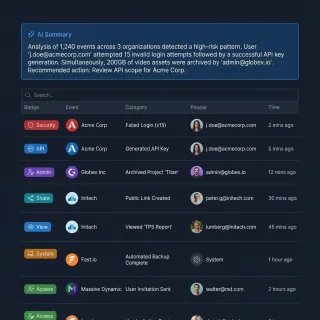
How to Automate User Offboarding with Fastio API
Automating user offboarding with the Fastio API lets you revoke access and transfer file ownership instantly. Manual offboarding leaves orphaned files and creates security gaps. A simple API script lets developers terminate sessions, reassign assets created by agents, and maintain clear audit logs. This guide shows the exact API sequence you need to build a reliable offboarding workflow for both humans and AI agents.

How to Build a Discord AI Agent with the Fastio API
Building an intelligent Discord bot often means hitting a wall: Discord restricts free users to small file uploads. This constraint blocks bots designed to process large datasets, videos, or extensive documentation. By integrating the Fastio API, Discord AI agents can accept large document uploads, process them, and return high-resolution outputs via secure shared links.

How to Build a Fastio API Folder Structure
Manually creating workspaces slows down development and client onboarding. A Fastio API folder structure creation guide shows you how to automate this setup. By scripting programmatic folder creation in Fastio, development teams can instantly build nested directory trees. This approach keeps project layouts consistent and reduces manual errors.
How to Build a Fastio API Golang Implementation
Building a Fastio API Golang implementation allows developers to manage workspaces, upload files concurrently, and coordinate AI agents at scale. This practical guide covers authentication strategies, multipart uploads using Go's native goroutines, and patterns for interacting with the agentic storage platform.

How to Build a Fastio API Integration With Remix Applications
Guide to fastio api integration with remix applications: Integrating Fastio with Remix means using server-side Action functions to parse multipart data and connect to the Fastio API. By streaming file uploads directly from your Remix server to Fastio's chunked upload endpoints, you bypass local memory limits and keep your application running fast.

How to Build a GraphQL Wrapper for the Fastio API
A GraphQL wrapper for the Fastio API allows developers to fetch specific file data, metadata, and workspace details in a single query, simplifying frontend data fetching. By preventing over-fetching, GraphQL can significantly reduce API payload sizes. This guide covers how to structure your schema, resolve complex nested queries, handle authentication securely, and works alongside Fastio's REST endpoints for React and Apollo client users.

How to Build a Headless CMS with Fastio API
Building a headless CMS with Fastio API allows developers to use scalable workspaces and file metadata to serve structured content to any frontend framework. By using direct API access, teams can eliminate the need for managing complex database backends for digital assets while gaining the flexibility of multi-channel content delivery. This guide walks you through the architectural steps to set up your workspace, define metadata, upload content, and fetch it securely.
How to Build a Semantic Kernel Dropbox Connector for AI Agents
A Semantic Kernel Dropbox connector is a plugin or native memory store that connects Semantic Kernel AI agents to Dropbox file structures for prompt grounding and retrieval. Querying raw Dropbox folders directly introduces token bloat, rate limits, and fragile token refreshes. Syncing files into an intelligent Fastio workspace gives agents hybrid semantic search and precise excerpt retrieval over remote MCP.
How to Build a Semantic Kernel OneDrive Connector for AI Agents
A Semantic Kernel OneDrive connector links Microsoft Graph drive item retrieval to Semantic Kernel plugins, allowing AI agents to inspect Microsoft 365 files. Querying raw OneDrive folders forces agents to download whole files, execute fragile delta queries, and exhaust token budgets. Connecting Semantic Kernel to indexed Fastio workspaces via MCP enables hybrid semantic search and precise citation retrieval without context bloat.

How to Build Agent Workspaces: Fastio API Quickstart
The Fastio API lets developers programmatically create and manage intelligent agent workspaces. Instead of treating storage as a passive repository, this framework provides a persistent coordination layer for autonomous AI systems. With a consolidated MCP toolset, built-in Retrieval-Augmented Generation (RAG), and direct URL imports, you can set up a working intelligent workspace in under five minutes.
How to Build an AI Agent Notion Integration for File Management
AI agent Notion integration enables autonomous agents to read, create, and manage pages, databases, and file attachments in Notion workspaces. This guide explains how to use Notion as a shared knowledge base and delivery surface for agent workflows while overcoming common API limitations.

How to Build Event-Driven Agent Workflows with Fastio Events
Fastio enables event-driven agent workflows the moment a file changes through real-time WebSocket event feeds and activity polling over the REST API. This guide explains how to stream real-time file updates, bridge events, and coordinate autonomous AI systems.
How to Build Event-Driven AI Agent Architectures
Event-driven architecture allows AI agents to react instantly to changes instead of wasting resources on polling. This guide explores how to build reactive agent systems that scale, reducing latency by up to 90% while handling complex file and data workflows.

How to Build Fault-Tolerant AI Agents with Temporal
Temporal gives AI agents something they badly need: the ability to survive failures mid-execution and pick up exactly where they left off. This guide walks through integrating AI agents with Temporal workflows, covering architecture decisions, storage patterns for agent artifacts, and the practical steps to move from a fragile script to a production-grade system.
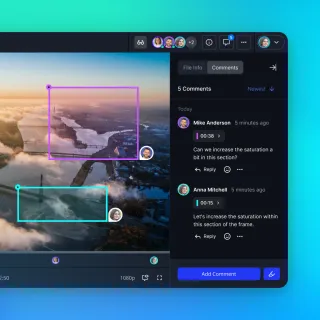
How to Build Multi-Modal Agent Workflows Using the Fastio API
The Fastio API helps developers build multi-modal agent workflows. It provides high-throughput storage and streaming for large video, audio, and image datasets. Multi-modal models need larger file payloads than text models, which often slows down inference on standard cloud storage. This guide shows how to scale vision and audio agents using chunked uploads, signed URLs, and native CDN delivery.
How to Build OneDrive Webhooks with Microsoft Graph Change Notifications
An OneDrive webhook is a Microsoft Graph change notification subscription that delivers HTTPS alerts when drive items are created, modified, or deleted in a monitored OneDrive folder. While webhooks eliminate repetitive directory polling, production deployments require handling strict handshake validation, renewing expiring subscriptions, and processing delta queries. Connecting OneDrive folders to Fast.io workspaces lets AI agents query indexed documents over MCP without webhook listeners.

How to Choose the Best Flowise Integrations (2026 Guide)
Flowise integrations link your AI models to the real world, connecting the no-code builder to external tools, APIs, and databases. With these connections, developers can build agents that do more than just chat. They can take action, store complex data, and interact with live production systems. We look at the top integrations that turn basic chatbots into autonomous agents.
How to Choose the Best Payment APIs for AI Agents (2026)
Payment APIs for AI agents enable autonomous software to send and receive funds programmatically without human intervention. As the agentic economy grows, specialized tools from Stripe, Coinbase, and new Web3 protocols are replacing traditional checkout flows. Here are the top payment solutions for autonomous agents in 2026.
How to Connect AI Agents to APIs: Integration Guide
AI agent API integration connects autonomous agents to external services through REST APIs, MCP servers, or SDKs, enabling agents to read data, write files, manage resources, and interact with production systems. Most production agents connect to multiple external APIs. This guide covers authentication patterns, multi-service integration strategies, and the three primary approaches: REST APIs, Model Context Protocol (MCP), and native SDKs.
How to Connect AI Agents to File Storage: Fastio vs Graph API
Building AI agents that can securely read, write, and manage files requires choosing the right API foundation. The Microsoft Graph API connects enterprise data, but the Fastio API provides a specialized, MCP-native environment designed specifically for agent-driven file workflows. This guide compares both platforms to help developers evaluate authentication speed, storage limits, and overall architecture for autonomous systems.
How to Connect AI Agents to Webhooks
Webhooks let AI agents react instantly to real-world events. Instead of checking for updates every minute, agents wait for a trigger. This makes them faster and cheaper to run. This guide shows you how to build event-driven agents that respond immediately to data changes.

How to Connect Box to n8n for AI Agent Workflows
Building an n8n Box integration for AI agent workflows allows autonomous systems to query enterprise repositories without crashing execution workers or triggering API throttling. Standard n8n loops that download raw binary files from Box quickly exhaust worker memory and exceed Box rate quotas. By importing Box folders into an indexed Fast.io workspace, n8n AI agents use the Model Context Protocol to execute hybrid semantic searches, retrieving exact citations in a single tool call.
How to Connect ChatGPT to Dropbox: Integration & Storage Setup
Connecting ChatGPT to Dropbox allows OpenAI models to read, summarize, and organize cloud documents without manual uploads. While native connected apps support interactive file review, automated multi-folder agent workflows encounter API rate limits, payload constraints, and context bloat. Syncing Dropbox folders into an indexed Fastio workspace lets agents query documents via remote MCP using hybrid search, returning cited passages without transferring full files across API boundaries.
How to Connect ChatGPT to Dropbox: Integration Guide
A ChatGPT Dropbox integration connects OpenAI models to cloud file directories, enabling users and agents to query, summarize, and reference stored documents without manually uploading files per conversation. While native app connectors handle single files, autonomous workflows across hundreds of documents often trigger API throttling. Syncing Dropbox folders into an indexed workspace lets agents run hybrid search across directories with fewer tool calls.
How to Connect ChatGPT to Microsoft 365: Enterprise Setup & Storage Access
Organizations that connect ChatGPT to Microsoft 365 link conversational models to enterprise documents in OneDrive and SharePoint. However, native connectors frequently stall on Microsoft Graph rate limits and tenant consent blocks. Scoping Entra ID permissions and indexing storage into shared workspaces resolves these retrieval bottlenecks.
How to Connect ChatGPT to OneDrive: Integration Guide
A ChatGPT OneDrive integration enables OpenAI assistants to securely query Microsoft OneDrive documents, spreadsheets, and PDFs through standard API or MCP connections. While native connectors allow single-file retrieval, agent workflows across hundreds of documents often hit Microsoft Graph rate limits. Syncing OneDrive folders into an indexed workspace lets agents run hybrid search across full directories with fewer tool calls.
How to Connect ChatGPT to OneDrive: Setup & Architecture
Connecting ChatGPT to OneDrive allows language models to search, summarize, and cross-reference personal and business documents without manual file downloads. While native connectors allow single-file retrieval, agent workflows across nested folders trigger Microsoft Graph rate limits or fail on Files-On-Demand placeholders. Syncing OneDrive folders into an indexed Fastio workspace lets agents run hybrid search across full directories with fewer tool calls.

How to Connect ChatGPT to Personal OneDrive Accounts
OpenAI's built-in Microsoft connectors require enterprise Microsoft 365 Entra ID tenants, blocking consumer OneDrive accounts from direct connection. By syncing personal OneDrive folders into an intelligent workspace, you can index documents for hybrid search and connect ChatGPT using a remote MCP server or plugin. This architecture enables fast semantic retrieval across personal files without download latency or Graph API rate limits.
How to Connect Dify AI Agents to Dropbox Cloud Storage
A Dify Dropbox integration connects Dropbox cloud storage directories to Dify knowledge bases and agent workflows, allowing autonomous systems to ground model reasoning on team files. While native Dify plugins handle static file imports, querying raw Dropbox directories over HTTP triggers API rate limits and token bloat. Synchronizing Dropbox folders into an indexed Fast.io workspace lets Dify agents query documents through remote MCP search in a single step.
How to Connect Dify AI Agents to Google Drive
Connecting Dify to Google Drive allows agentic workflows and LLM apps to query Google Drive files as a persistent knowledge base. While Dify plugins handle static file imports, multi-document agent queries trigger recursive directory crawls and Google API rate limits. Importing Google Drive folders into an indexed Fast.io workspace lets Dify pipelines execute hybrid semantic search across hundreds of files in a single tool call.

How to Connect Dropbox to n8n AI Agents and Workflows
Connecting an n8n AI agent directly to Dropbox using standard node loops forces workflows to download entire binary files, causing memory exhaustion and API rate limits. Syncing Dropbox folders into an indexed Fast.io workspace lets n8n AI agents execute hybrid semantic queries through a remote Model Context Protocol server. Automation pipelines retrieve targeted document passages and exact citations in a single tool call without transferring unneeded binary data.
How to Connect Flowise AI Agents to Google Drive
Connecting Flowise to Google Drive lets low-code AI workflows query cloud documents dynamically, replacing brittle single-file document loader nodes with an indexed workspace queried via MCP. While native loaders work for small collections, multi-document agent queries trigger directory crawls and API rate limits. Importing Google Drive folders into an indexed Fast.io workspace lets Flowise agents run hybrid search across hundreds of files in a single tool call.
How to Connect Flowise to Microsoft OneDrive for Document RAG
A Flowise OneDrive integration connects Flowise conversational AI flowcharts to Microsoft OneDrive, enabling automated document ingestion into vector databases. Direct Microsoft Graph API traversal introduces OAuth token expiration, directory crawling latency, and context bloat. Synchronizing OneDrive folders into an indexed Fastio workspace lets Flowise agents query documents via remote Model Context Protocol tools with source citations.
How to Connect Gemini CLI to Dropbox
Gemini CLI Dropbox integration links Google's terminal agent interface to Dropbox storage, enabling CLI-driven querying and retrieval of cloud-hosted assets. Instead of managing heavy local sync daemons or passing raw file payloads that exhaust context limits, engineers can sync Dropbox folders into an indexed Fast.io workspace. Connecting Gemini CLI to the workspace through a remote MCP server delivers fast hybrid search, targeted semantic snippets, and full per-file version history.

How to Connect Gemini CLI to Google Drive for Terminal Workflows
Connecting Gemini CLI to Google Drive enables command-line AI workflows to search and inspect documents stored in the cloud without downloading full directories to the local machine. By bridging Google Drive to a Fast.io workspace through Cloud Sync, developers can query indexed documents over remote Model Context Protocol connections. This pattern preserves terminal context windows and eliminates manual file transfers during coding sessions.

How to Connect Google Drive to AnythingLLM for Agentic RAG
Connecting Google Drive to AnythingLLM provides local and team LLMs with direct access to cloud documents for grounding responses in real company data. While AnythingLLM lacks a native Google Drive connector and live document sync cannot watch cloud folders, teams can import Drive documents into indexed cloud workspaces. Querying these pre-indexed files over remote MCP eliminates repetitive Drive downloads and prevents API rate limits.
How to Connect Google Drive to ChatGPT: Setup and Agent Workspaces
Connecting Google Drive to ChatGPT allows the model to access, read, and reason about files stored in your cloud drives. This guide explains how to connect Google Drive to ChatGPT using direct integrations or a dedicated workspace using Fastio to prevent API timeouts and session disconnects.
How to Connect Google Drive to Dify Knowledge Bases and Cloud Workspaces
Connecting Google Drive to Dify allows AI applications and autonomous agents to search team documents as structured knowledge base datasets. Native Dify connectors rely on scheduled batch imports that can hit Google Drive API quotas and introduce re-indexing latency across shared drives. Syncing Google Drive folders into an intelligent workspace and querying them through remote Model Context Protocol tools lets agents retrieve exact citations without downloading raw files.
How to Connect Google Gemini to Box: Enterprise Setup vs. Fast.io Workspaces
A Gemini Box integration connects Google Gemini models and agentic workflows to Box enterprise content, allowing autonomous agents to query, synthesize, and extract structured metadata from Box documents. While Gemini Enterprise provides federated search through Vertex AI data stores, developer workflows benefit from syncing Box folders into Fast.io workspaces. Hybrid search and remote Model Context Protocol (MCP) endpoints eliminate recursive directory crawling and API rate limits.

How to Connect Google Gemini to Dropbox
A Gemini Dropbox integration links Google Gemini models to Dropbox cloud repositories, allowing multimodal agents to analyze documents, spreadsheets, and media without manual file re-uploads. While Google Gemini lacks native Dropbox extensions, teams can sync Dropbox folders into an intelligent Fast.io workspace and query indexed files through remote Model Context Protocol (MCP) endpoints.
How to Connect Google Gemini to Google Drive for Agent Workflows
Connecting Google Gemini to Google Drive allows autonomous models to retrieve precise document excerpts through structured tools rather than manual file attachments. While consumer extensions require interactive chat and direct API crawling risks context exhaustion, importing Drive folders into a Fast.io workspace enables fast hybrid retrieval. Gemini agents query indexed passages via remote MCP tools, keeping context windows lean.

How to Connect Google Gemini to Google Drive for Agentic Workflows
Connecting Google Gemini models to Google Drive allows autonomous workflows to inspect document excerpts through structured tools rather than manual file uploads. While native Google Workspace extensions serve conversational chat, agentic coding environments require indexed workspaces that eliminate recursive folder crawling. By importing Drive files into an intelligent workspace and querying through Model Context Protocol tools, agents retrieve precise citations without burning context windows.
How to Connect LangChain to Dropbox Files: Direct Loader vs. Remote MCP
A LangChain Dropbox integration connects autonomous agent workflows to cloud files, enabling models to query documents without downloading entire folder trees. While the native Dropbox document loader pulls full files across REST endpoints and risks rate limiting, intelligent workspace synchronization indexes content on arrival. By syncing Dropbox folders into Fast.io and querying via remote MCP, LangChain agents search indexed passages directly without memory exhaustion.
How to Connect Langflow Workflows to Google Drive
Connecting Langflow to Google Drive lets visual AI pipelines query cloud documents dynamically, replacing brittle single-file loaders with an indexed workspace queried via MCP. While direct API connectors trigger directory crawls and rate limits on large folders, importing Google Drive into Fast.io enables hybrid search across hundreds of files in a single tool call.
How to Connect LangGraph to Box for Persistent Agent Storage
A LangGraph Box connector links stateful agent graphs to Box enterprise storage, retrieving indexed passages on demand without loading entire documents into graph state memory. While direct Box API calls can fetch files, serializing raw documents into state dictionaries inflates checkpointers and slows execution. Connecting LangGraph to indexed workspaces via remote Model Context Protocol tools enables agents to query files through hybrid search and persist deliverables cleanly.
How to Connect LibreChat to Google Drive with MCP Workspaces
LibreChat Google Drive integration allows multi-user AI chat interfaces to search and reference Google Drive documents via MCP. While direct file uploads quickly exhaust local container storage and model context windows, importing Drive folders into an indexed Fast.io workspace enables fast hybrid retrieval. Connected models query indexed excerpts through a remote MCP endpoint instead of downloading entire documents, preserving token budgets and keeping team chat responsive.

How to Connect LlamaIndex to Dropbox Documents for Production RAG
LlamaIndex Dropbox integration connects data readers and query engines to cloud storage files for semantic retrieval. While scripts using the Dropbox API allow initial document ingestion, production pipelines often face API rate limits and high parsing overhead from downloading entire files. Pairing Dropbox with an indexed Fast.io workspace and remote MCP retrieval provides a faster, lower-token alternative that queries pre-indexed passages without downloading whole folders.
How to Connect Microsoft AutoGen Agents to Google Drive
An AutoGen Google Drive connector registers retrieval functions with AutoGen agents so multi-agent group chats can inspect and cite Google Drive files dynamically. Directly querying unindexed cloud folders causes conversational context amplification, flooding all participating agents with raw file payloads. By importing Google Drive documents into an indexed Fast.io workspace, AutoGen teams execute hybrid semantic search via MCP, retrieving precise citations while preventing token bloat.
How to Connect Microsoft AutoGen Agents to S3 Storage
An AutoGen S3 connector is a registered tool or interface enabling Microsoft AutoGen conversational agents to read, store, and reference files in S3-compatible cloud storage. Relying on raw object storage buckets forces multi-agent group chats to pull unindexed file payloads across conversational turns, triggering context window amplification. By coupling cloud storage with an indexed Fast.io workspace, AutoGen teams execute hybrid semantic search and write persistent outputs over remote MCP.
How to Connect n8n to OneDrive: AI Workflow Integration Guide
An n8n OneDrive integration connects n8n automated workflows and AI agents to Microsoft OneDrive cloud storage, allowing workflow nodes to read, index, and reason across enterprise documents without manual file downloads or fragile Graph API scripts. Looping file downloads in n8n triggers Graph API rate limits and exhausts server memory. Synchronizing OneDrive folders into an intelligent workspace lets n8n AI agent nodes query pre-indexed text and metadata via remote MCP tools.
How to Connect NotebookLM to Dropbox: Grounding Notebooks on Dropbox Files
Connecting Google NotebookLM to Dropbox allows research teams to ground notes, summaries, and audio overviews on existing corporate documents. Because NotebookLM lacks a native Dropbox connector, teams must navigate manual upload friction and stale source duplicates. Synchronizing Dropbox folders into an intelligent workspace automates document indexing, maintains per-file version history, and enables AI agents to query files via open protocols.
How to Connect Open WebUI to Box Enterprise Storage
Direct ingestion of enterprise Box repositories into self-hosted Open WebUI instances triggers vector database memory bloat and host crashes. Synchronizing Box folders to Fast.io workspaces allows local and hosted language models to query corporate documents through remote Model Context Protocol endpoints. This approach provides passage-level retrieval and verified citations while eliminating local chunking overhead.

How to Connect Open WebUI to Dropbox Documents
An Open WebUI Dropbox integration connects self-hosted Open WebUI installations to Dropbox folders, allowing local and open-source models to ground answers on cloud-stored files. Instead of manually uploading individual documents or dealing with container storage limits, teams synchronize Dropbox folders into an intelligent Fast.io workspace. Models in Open WebUI query the indexed workspace via remote Model Context Protocol (MCP) endpoints, returning cited answers without context bloat.

How to Connect Open WebUI to Google Drive via MCP
Open WebUI Google Drive integration connects self-hosted LLM chat interfaces to Google Drive files using Model Context Protocol and cloud workspace indexing. While community Python pipelines often break when Google refreshes OAuth tokens or when folders exceed local container storage limits, importing Drive files into an indexed Fast.io workspace provides persistent retrieval. Self-hosted models query documents via remote MCP tools, retrieving citations without exhausting context.

How to Connect Perplexity to Dropbox: Cloud Document Search Guide
Connecting Perplexity to Dropbox allows research teams to query private documents, technical briefs, and PDFs alongside live web sources. Direct API integrations often hit gateway timeouts or rate limits when traversing large directory hierarchies. Setting up an indexed workspace synchronizes Dropbox folders on a schedule, preparing document passages for low-latency agentic search.
How to Connect Perplexity to Google Drive for Agentic Search
Connecting Perplexity to Google Drive lets research teams query private documents alongside live web sources. Direct connector integrations often struggle with nested folder hierarchies and file size caps. Setting up an indexed workspace layer bridges Drive files to agentic research without query timeouts.
How to Connect Python to Dropbox: SDK Guide vs Intelligent Agent Workspaces
The Dropbox Python API enables programmatic file manipulation using the dropbox package, but requires developers to build custom parsing, chunking, and search indexing for AI agents. While direct API integration requires managing short-lived OAuth tokens and downloading raw files, syncing folders into an indexed workspace over remote MCP enables instant semantic search. Teams keep Dropbox as their primary storage while giving agents fast, token-efficient context.
How to Connect Python to OneDrive: Microsoft Graph SDK vs Remote MCP Workspaces
Connecting Python to OneDrive enables automated scripts and AI agents to read, upload, and manage cloud files via the Microsoft Graph Python SDK, requiring Azure app credentials and drive endpoint management. While direct API integration requires handling OAuth tokens and downloading large binary files, syncing folders into an indexed workspace over remote Model Context Protocol (MCP) enables instant semantic search across documents.

How to Connect the Fastio API to OpenAI Assistants
Connecting Fastio to OpenAI Assistants gives your agents direct access to persistent file workspaces, skipping manual uploads. This setup lets development teams build agents that can securely read, analyze, and modify files stored in Fastio. By wiring up this connection, you bypass basic file upload limits and link your centralized storage directly to OpenAI's native code interpreter and retrieval tools.
How to Create Folders with Box API: Endpoints, Conflicts, and Agent Workspaces
The Box API create folder endpoint (POST /folders) provisions a new folder by specifying a name and parent folder ID in the request body. When automated scripts or parallel agent jobs attempt to create duplicate directory names under the same parent, Box returns an HTTP 409 conflict with an item_name_in_use error code. Resolving conflicts requires parsing existing folder IDs from error metadata, or syncing Box folders into intelligent agent workspaces over Model Context Protocol.
How to Create Folders with Dropbox API: Endpoints, Conflicts & Agent Storage
Creating a folder via the Dropbox API is performed using the /files/create_folder_v2 endpoint, which accepts a destination path and an optional autorename flag to prevent naming collisions. In automated workflows and multi-agent pipelines, directory creation frequently encounters path conflicts and root namespace errors in team spaces. Understanding path formatting, error responses, and namespace headers ensures reliable directory management before syncing files into shared workspaces.
How to Create Folders with Google Drive API: MIME Types and Agent Workspaces
Creating a folder with Google Drive API requires sending a POST request to files.create with the special MIME type application/vnd.google-apps.folder. Unlike conventional filesystems, Google Drive treats folders as zero-byte metadata files that establish hierarchy through parent ID arrays. Autonomous agents generating multi-step project artifacts can structure directories programmatically or import files into Fast.io workspaces for indexed team retrieval.
How to Duplicate a Folder in Google Drive
Google Drive does not offer a native button to duplicate folders. To duplicate directory structures, users must rely on manual file copying, Google Drive for Desktop sync, or Google Apps Script. This guide explains how to perform each duplication method, addresses the permissions risks of shared folders, and shows how programmatic workspaces coordinate these files.
How to Enable AI Search Across Dropbox Files with Coding Agents
Connecting coding agents to Dropbox files exposes an architectural hurdle: native Dropbox search relies on lexical keyword matching, while Dropbox AI focuses on single-file web previews or requires separate Dash enterprise licensing. This guide explains how Dropbox AI and Dropbox Dash operate, how the Dash MCP server handles queries, and how syncing Dropbox folders into Fastio intelligent workspaces enables natural language retrieval for coding agents.
How to Find and Use Google Drive Folder IDs in Agent Workflows
Using raw Google Drive folder IDs in agent configuration or system prompts exposes workspaces to prompt injection and resource traversal attacks. This guide details how to extract folder IDs from browser URLs, resolve them programmatically via the Google Drive API, and secure agent workflows using isolated workspaces and the Model Context Protocol.
How to Find Google Drive Folder Size (And Optimize Workspace Storage)
Google Workspace supports over 3 billion monthly active users. However, Google Drive leaves folder size fields blank because it treats folders as database labels rather than physical directories. For developer teams running autonomous agents in shared rooms, this missing metric creates critical API rate limit bottlenecks. This guide explains how to calculate Google Drive folder sizes using five workarounds and how dynamic workspace storage solves this problem for collaborative agent teams.

How to Handle Event Idempotency with Fastio API
Event idempotency ensures that if an event message is received or processed multiple times during network retries, your system processes the intended action exactly once. When bridging Fastio real-time file feeds to downstream agent workflows, deduplication prevents runaway token burn and duplicate jobs. This guide covers how to track event IDs and manage state safely.
How to Handle Fastio Event Delivery Failures
Managing Fastio file events reliably requires using the WebSocket events feed and activity polling rather than outbound webhooks. Proper event handling ensures complete processing of real-time file uploads and edits. For developers building reactive workflows, missing a single event can lead to fragmented state and broken AI agents. Learn how to reconcile missed events by polling the Fastio audit log and building systems that never drop critical updates.
How to Handle Fastio Realtime Events with NestJS
Consuming Fastio real-time events with NestJS enables instant responses to file uploads, modifications, and access events in your workspaces. A NestJS event service connects to Fastio's WebSocket events feed or polls the activity feed to coordinate AI agents. This guide covers project setup, event listeners, controller logic, and production best practices.
How to Handle Fastio Realtime Events with Node.js Express
Handle Fastio real-time file notifications in Node.js Express using WebSocket feeds and activity polling. Build reactive agent architectures without webhooks. This guide covers prerequisites, Express server setup, WebSocket event streaming, local development, and production best practices.

How to Handle Fastio Realtime Events with Python FastAPI
Handle Fastio real-time file updates in FastAPI using WebSocket event feeds or activity polling. Build reactive AI agent workflows with asynchronous background tasks.

How to Handle Stripe Events for Fastio File Delivery
Guide to handling Stripe events for Fastio file delivery: Automating digital product delivery is faster when payment processing and cloud storage work together. By handling Stripe webhook events and connecting them to Fastio via the REST API, developers can trigger file operations the moment a payment succeeds. This guide shows how to build secure, event-driven workflows that connect Stripe payments to Fastio storage for reliable fulfillment.
How to Handle Structured Output from AI Agents
Good AI agents do more than just chat. To use them in real software, they need to output structured data (like JSON or YAML) that your other systems can actually read. This guide explains how to set up schemas, validate what the AI sends back, and where to store that data safely.
How to Implement LLM Tool Calling: A Developer's Guide
LLM tool calling allows AI models to execute code, query databases, and manage files instead of just generating text. This guide covers how to implement tool use across major providers, essential design patterns for reliability, and how to connect agents to persistent storage.

How to Implement Offline Sync for AI Agents
Offline sync lets AI agents continue working during network interruptions by storing state locally and syncing changes when connectivity returns. This guide covers local persistence options, background sync techniques, conflict resolution, and integration with Fastio workspaces for reliable cloud storage. Developers building edge or mobile AI agents need these capabilities to handle unreliable networks. Follow these steps to make your agents resilient.
How to Implement Semantic Search with Fastio API
How to implement semantic search with Fastio API starts with enabling Intelligence Mode on a workspace. This auto-indexes files for natural language queries, going beyond keyword matches to retrieve contextually relevant content. Agents can then use the AI chat endpoints to search workspaces, respecting file permissions automatically. Fastio handles vector embeddings internally, so developers focus on API calls rather than infrastructure.
How to Implement the Fastio API in Ruby on Rails
File sharing in modern applications has evolved past simple blob storage. Implementing the Fastio API in Ruby on Rails allows developers to natively integrate intelligent, multi-agent workspaces into their traditional web applications. This guide covers how to move beyond basic Active Storage and S3 configurations to build collaborative environments where humans and AI agents work together seamlessly using the Fastio REST API and remote MCP server.

How to Implement the Fastio Semantic Search API
The Fastio Semantic Search API enables developers to execute vector-based searches against workspace files without managing an external vector database. This guide covers the complete implementation process, from authenticating your requests to formatting queries and handling the response payload. By replacing custom storage and vector database stacks, your team can execute precise meaning-based queries across entire workspaces in milliseconds.
How to Implement URL Imports with Fastio API
Guide to how implement url imports with fast api: With Fastio's API, URL imports pull files straight from external servers into your workspace. No downloading or re-uploading needed on your end. This saves bandwidth and speeds things up, especially for cloud-to-cloud moves. You'll see the complete process here, from API calls to status polling and activity feeds, with ready-to-use code examples.
How to Integrate AI Agents with Salesforce: Patterns and Architectures
Integrating agents with Salesforce transforms static CRM data into active intelligence that can autonomously update records and trigger workflows. While Salesforce offers native tools like Agentforce, many teams need external agents to orchestrate workflows across multiple platforms. This guide explores the three main integration patterns - native, API-led, and MCP - to help you build resilient agentic systems.
How to Integrate Fastio API in Nuxt.js
Integrating Fastio API with Nuxt.js enables Vue developers to build reliable file management and storage directly into their server-rendered applications. Nuxt provides secure server API routes that hide credentials from the client interface. This guide covers the complete integration process, from managing environment variables to handling multipart file uploads and agentic workflows.

How to Integrate Fastio API in React Native Apps
Integrating Fastio API in React Native lets mobile applications provide persistent file workspaces for on-the-go AI agents. This guide covers how to implement reliable chunked uploads, manage network instability, and build an intelligent file sharing layer directly into your mobile app.
How to Integrate Fastio API with Dify Workflows
Learn how to integrate fastio api dify workflows to add intelligent file workspaces to your visual AI builder. Dify workflows can send files to Fastio via HTTP requests for upload, RAG queries, shares, and ownership transfers. This guide covers API authentication, workspace listing, file upload patterns, RAG queries, share creation, and production error handling for file-heavy workflows.
How to Integrate Fastio API with Java Spring Boot
Integrating Fastio with Java Spring Boot allows developers to build scalable agentic workspaces within enterprise applications. This complete integration guide walks through authenticating requests, managing large file uploads safely, and executing agent tools natively from your Java backend. You will learn the exact steps needed to connect Spring Boot microservices to Fastio's intelligence features.
How to Integrate Fastio API with LangChain Tools
Connect Fastio's API to LangChain tools. AI agents then get lasting file storage, RAG across multiple files, and handoffs to humans. Fastio workspaces let developers add secure file operations to LangChain agents without running their own servers. This guide covers building tools to list, read, and upload files. It also shows RAG integration.
How to Integrate Fastio API with LlamaIndex Workflows
Guide to integrate fast api with llamaindex workflows: Integrating Fastio with LlamaIndex enables AI agents to directly ingest and search documents from intelligent, collaborative workspaces. Developers save hours by using ready-made workspace APIs instead of custom object storage and vector database solutions.
How to Integrate Fastio API with Next.js Applications
Guide to integrating fast api with next applications: Integrate Fastio API with Next.js to manage agentic workspaces from React apps. Server Actions keep API keys server-side for file uploads, AI queries, and shares. This guide covers setup, auth, and examples for production use.

How to Integrate Fastio API with Pydantic AI
Integrating Fastio API with Pydantic AI ensures that documents retrieved by agents are automatically parsed into strictly typed, validated Python objects. This guide covers how to fetch files dynamically from Fastio and validate their extracted insights directly via Pydantic AI. You get a reliable foundation for automated data extraction workflows.

How to Integrate Fastio API with Rust
Build high-performance, memory-safe storage systems by integrating Rust with the Fastio API. This guide covers Cargo.toml setup, asynchronous file operations, and Model Context Protocol (MCP) integration. By combining Rust's efficiency with Fastio's intelligent workspaces, you can manage massive datasets and complex agent interactions with zero infrastructure overhead.
How to Integrate Fastio API with Semantic Kernel Workflows
Integrating Fastio API with Semantic Kernel workflows gives .NET AI agents persistent file storage, secure RAG, and human handoff capabilities. Fastio workspaces let agents upload outputs, query documents with built-in AI, create branded shares, and transfer ownership to humans. This fills a gap in agent storage with C# examples. Follow these steps to build a native plugin that calls Fastio REST endpoints from Semantic Kernel kernels and agents.
How to Integrate Fastio API with SvelteKit Applications
Integrating Fastio API with SvelteKit applications lets developers add secure file storage to their apps. Use SvelteKit's server-side form actions to generate upload sessions and stream chunks directly, avoiding client-side API key exposure. Fastio's REST API at https://api.fast.io/current/ supports chunked uploads with generous file allowances. SvelteKit's optimized SSR handles validation and progress tracking smoothly.
How to Integrate Fastio Events with Temporal.io
Integrating Fastio with Temporal.io lets developers start durable workflows whenever files arrive or change in a workspace. By consuming Fastio's realtime activity feed or WebSocket events feed, file uploads trigger processing pipelines that survive crashes and retries automatically. This guide walks through the full setup, from event consumption to production deployment, including code examples in TypeScript.
How to Integrate Keyword 1 with Fastio API
Keyword multiple integration allows developers to extend Fastio API capabilities within their agentic workflows. By incorporating Keyword multiple into your application architecture, development teams can automate complex data processing tasks and orchestrate intelligent operations across shared workspaces. This comprehensive guide provides a complete, step-by-step approach to connecting Keyword 1 with the Fastio API, including practical code examples for Nuxt.

How to Integrate Prefect with AI Agents
Prefect integrates AI agents into reliable data pipelines. Use Prefect to run AI agent workflows with retries, caching, and scheduling. Combine with Fastio for persistent storage that survives flow failures. AI agent prefect integration solves key problems like ephemeral data and coordination failures. Agents produce files, summaries, or datasets. Prefect ensures they run on schedule. Fastio MCP tools let agents upload outputs to shared workspaces where humans review them.
How to Integrate the Fastio API with n8n Workflows
Guide to integrate fast api with n8n workflows: Connect n8n workflows to Fastio's API to automate file storage and collaboration for agentic teams. n8n suits technical teams linking to Fastio's REST API via HTTP Request nodes. This guide covers authentication, node configuration and examples for uploads, activity polling and AI queries.

How to Integrate the Fastio API with SvelteKit
SvelteKit's server-side form actions and API routes make it a strong fit for integrating with the Fastio API. This guide walks through authentication, file uploads, workspace management, and Intelligence Mode queries, all while keeping API keys off the client.
How to Manage Fastio API Access Token Lifecycle
Guide to Fastio API access token lifecycle management: Create scoped API keys with an agent name and an expiry, list and update them, then rotate by issuing a new key and deleting the old one. Production agents stay connected when you treat keys as rotatable credentials and store them in a secret manager.
How to Manage Fastio Intelligence Mode via API
Managing Fastio intelligence mode via API adds RAG capabilities to workspaces. Enable it with one POST request to the workspace update route to auto-index files for semantic search and AI chat. Files gain summaries and become queryable across folders with citations. This turns storage into a knowledge base without vector DB setup. Other platforms need complex pipelines. Fastio handles ingestion out of the box. Follow these steps for API control, verification, and troubleshooting.

How to Manage Fastio SSE Connections for AI Agents
Guide to fast sse connection lifecycle management: Server-Sent Events (SSE) connections drop. It's just how the internet works. If your AI agent doesn't expect this, it will hang indefinitely and waste API credits. Here's how to handle network drops and keep long-running agent workflows alive by cleanly reconnecting with the Last-Event-ID header.
How to Map Google Drive as a Network Drive (and Modern Alternatives)
Mapping Google Drive as a network drive exposes cloud files as a local disk volume, either through Google Drive for Desktop's virtual file system driver or network mount utilities. While assigning a drive letter like G: in Windows 11 lets desktop software read and write files through standard Windows File Explorer paths, this architecture breaks down in automated workflows. Modern teams address these boundaries using direct API scripts or connecting storage to intelligent workspaces via MCP.
How to Migrate from Amazon S3 to Fastio API
Migrating from Amazon S3 to Fastio API replaces raw object storage with intelligent workspaces for agentic teams. Fastio unifies file storage, semantic search, RAG chat, and MCP tools in one API, eliminating separate vector databases and relational layers. This guide delivers a 5-step zero-downtime plan with scripts for syncing petabyte-scale buckets, code examples, and verification steps.
How to Migrate S3 Buckets to Fastio API
Guide to migrate buckets fast api: Migrating from S3 to Fastio allows development teams to upgrade from raw object storage to an intelligent, agent-ready workspace. This guide walks through the complete migration process including S3 audit, workspace mapping, parallel sync scripts, and checksum verification to ensure data integrity. You'll also learn strategies for avoiding downtime during the switch and how to use Fastio's multiple MCP tools for automated workflows.
How to Mount Dropbox with Rclone: VFS Cache and Rate Limit Guide
Rclone mount Dropbox exposes remote Dropbox storage as a local directory tree using FUSE, translating POSIX filesystem operations into Dropbox REST API calls via a local VFS cache buffer. Without full VFS caching, random writes and file edits fail because cloud storage objects cannot be modified in place. This guide explains how to configure rclone VFS caching, tune transaction rate limits to avoid lock contention, automate Linux mounts with systemd, and connect cloud workspaces for AI agents.
How to Mount Google Drive with Rclone: VFS Cache and Setup Guide
Mounting Google Drive with Rclone translates local POSIX filesystem calls into remote API requests. Without full VFS caching, recursive scans from AI coding agents trigger API throttling and freeze local processes. Setting up dedicated client credentials, configuring full VFS cache buffering, and managing systemd services provides reliable local access before connecting workspaces to AI agents via the Model Context Protocol.
How to Process Fastio Events with Apache Kafka
Streaming Fastio file changes with Apache Kafka ensures durable, ordered, and scalable event delivery for large-scale multi-agent enterprise architectures. Kafka decouples Fastio event ingestion from downstream processing workloads and guarantees zero data loss for file creation, modification, and handoff events. This guide walks through the architecture, provides complete producer and consumer code examples in Python, and covers scaling and troubleshooting for production use.
How to Process Fastio Events with RabbitMQ
Processing Fastio events with RabbitMQ lets you handle file events like uploads and modifications reliably. Direct event consumption can risk backpressure during heavy loads, but queuing events with RabbitMQ decouples reception from processing. This setup scales for agentic teams tracking workspace activity in real time.

How to Query Box Files and Metadata with the Box Search API
The Box Search API enables developers to query files, folder trees, and custom metadata templates across enterprise repositories. This guide examines how Box indexes document content, how to structure API queries with boolean operators and metadata filters, where rate limits impact automated workflows, and how syncing Box folders into Fastio workspaces enables semantic retrieval for AI agents.

How to Serve Fresh Fastio Assets After an Upload
After a same-name upload, Fastio overwrites the file in place, keeps the prior bytes as a recoverable version, and leaves the node_id stable. Agents and CI jobs then read the current file, a preview, or a transform so clients receive the latest asset. This guide covers upload, version list and restore, preview and transform reads, the MCP storage tools, and rate-limit handling.
How to Set Up AI Agent Figma Integration
AI agent Figma integration transforms design operations by enabling autonomous agents to read, critique, and export designs via the Model Context Protocol (MCP). Unlike traditional plugins that require human activation, these agents work in the background to automate QA, asset organization, and developer handoff.

How to Set Up Fastio API PHP Laravel Integration
Integrating the Fastio API into a PHP Laravel application allows developers to upgrade their file storage into a smart, agent-accessible workspace. This guide explains how to configure a custom storage driver, manage authentication, and connect Ripley, the built-in RAG agent, from your PHP ecosystem.

How to Stream Fastio Events to AWS EventBridge
Guide to streaming Fastio events to AWS EventBridge: Using AWS EventBridge to process Fastio events lets you build scalable, event-driven responses to file uploads and agent activities. Connecting these platforms lets developers trigger complex serverless workflows the moment a file changes, a workspace is shared, or an AI agent uploads its output. This guide covers architectural patterns, payload handling, and step-by-step instructions for securely routing Fastio events to your AWS infrastructure.
How to Transfer Google Drive to Another Account Without Downloads
When you need to transfer Google Drive to another account, manual download and upload loops waste bandwidth and destroy metadata. This guide shows you how to connect your drives, import folders over the cloud, and hand over complete workspace ownership to another user securely.
How to Turn Off Gemini in Google Drive: Admin & User Guide
Turning off Gemini in Google Drive disables Google's built-in generative AI side panels, smart suggestions, and automatic document summarization across Google Workspace storage. Individual users can turn off smart feature settings to hide interface prompts, while administrators must toggle service status in the Google Admin console to disable AI across organizational units.

How to Use the Box API in Python with the Official Box SDK
The Box Python API enables interacting with Box cloud storage using Python and the official Box SDK to manage files, authentication, and enterprise folders. While the SDK supports direct file uploads, downloads, and administrative actions, AI agents face rate limits and token bloat when recursively crawling folder trees. By syncing Box folders into Fastio workspaces over remote MCP, agents can semantically search documents without pulling entire directories.
How to Use the Fastio API for HLS Video Streaming
Building a video application usually requires chaining together cloud storage and separate transcoding services. The Fastio API changes this by supporting native video delivery directly from your workspace. This Fastio API HLS video streaming guide explains how to serve adaptive media. It lets you avoid expensive transcoders and reduces architectural complexity for your development team.
How to Verify External Webhook Signatures for Fastio Workflows
Fastio coordinates file operations via a realtime activity feed and WebSocket events feed rather than outbound webhooks. When integrating external webhooks with your agentic workflows, verifying each incoming signature before updating Fastio workspaces prevents unauthorized modifications and injection attacks. This guide shows how to verify webhook signatures using Express.js and FastAPI before executing Fastio API actions.

Implementing RBAC with the Fastio API: A Developer Guide
Implementing RBAC with the Fastio API lets you map enterprise user roles to specific workspace and file permissions. Setting strict access boundaries helps engineering teams secure their storage and prevent unauthorized access by humans or AI agents. This guide covers the setup process, including how to define custom roles and sync permissions from your identity provider.
Integrating the GitHub API with GitHub Copilot and AI Coding Agents
Connecting the GitHub API to AI coding assistants like GitHub Copilot allows development teams to automate code modifications and pull requests. While developers benefit from faster coding speeds, orchestrating these agents requires managing rate limits and credentials. This guide details how to structure agentic tool calls using REST and GraphQL interfaces, configure Model Context Protocol servers, and establish secure shared workspaces.
Is It Safe to Connect ChatGPT to Google Drive? Privacy and Security Guide
Connecting ChatGPT to Google Drive carries data governance risks depending on your subscription tier, as personal accounts may expose prompt content to model training unless explicitly opted out, while native integrations grant broad OAuth read access across linked files. Understanding account permissions, indirect prompt injection risks, and intermediary workspace isolation ensures sensitive organizational files stay protected.

LangChain Google Drive Loader: Querying Drive Files Without API Bottlenecks
The LangChain Google Drive loader (GoogleDriveLoader) extracts files from Google Drive directories and converts them into Document objects for retrieval pipelines. In production environments, recursive folder traversal triggers API rate limits, file export ceilings, and memory exhaustion. Synchronizing Drive folders to an external workspace and querying indexed files via Model Context Protocol (MCP) bypasses these bottlenecks without custom batch scripts.
LangChain Google Drive: Efficient Document Retrieval Without API Throttling
Connecting LangChain to Google Drive allows retrieval chains to access cloud documents, but recursive loaders often trigger severe API rate limits and HTTP 429 errors. This guide examines why standard GoogleDriveLoader workflows exhaust Google Drive quotas on large folders, how native rate-limiting workarounds fall short, and how indexing documents in an intelligent workspace delivers sub-second hybrid search without API throttling.
Langflow OneDrive Integration: Visual RAG and Agent Workspaces
A Langflow OneDrive integration brings documents stored in Microsoft OneDrive into Langflow visual workflows for dynamic document retrieval. While direct Microsoft Graph API calls can hit memory limits and rate throttling when parsing Office files, connecting Langflow to an indexed Fastio workspace offloads chunking and vector search. Workspaces connect via remote Model Context Protocol (MCP), returning relevant passages with citations without polling entire directories.
Langflow S3 Integration: Connecting Visual AI Workflows to Cloud Storage
Langflow S3 integration connects visual Langflow agent pipelines to AWS S3 buckets or S3-compatible cloud storage for loading, processing, and vectorizing documents. While native S3 components pull raw files into canvas nodes, querying deep document archives creates token bloat and latency bottlenecks. Syncing folders into an indexed Fast.io workspace lets Langflow agents execute hybrid semantic searches over remote MCP without downloading entire buckets.
LangGraph Dropbox Connector: Persistent Storage for Agent Workflows
A LangGraph Dropbox connector links stateful graph agents to external cloud folders without bloating graph checkpointers. While native Dropbox tool nodes can read and write files directly, serializing raw document payloads into agent state slows execution and inflates database storage. Connecting LangGraph to indexed workspaces through remote Model Context Protocol tools enables agents to query files via semantic search and store output artifacts reliably.
LangGraph S3 Connector: Connecting Graph Workflows to Cloud Storage
A LangGraph S3 connector is an integration interface that enables LangGraph stateful agent workflows to read, persist, and checkpoint document state against S3-compatible cloud storage buckets. Direct object downloads inside iterative graph loops introduce latency and inflate memory usage. By offloading large checkpoint states and querying pre-indexed workspaces through MCP, developers can keep graph execution fast, durable, and cost-effective.

LlamaIndex Google Drive Connector: Cloud Sync and MCP Indexing
A LlamaIndex Google Drive connector links Google Drive storage to LlamaIndex vector indexes, enabling retrieval-augmented generation pipelines to query enterprise documents. While native GoogleDriveReader handles simple folders, large collections trigger Google Drive API rate limits and memory bottlenecks. Syncing Google Drive folders to indexed Fast.io workspaces lets LlamaIndex agents execute fast hybrid search over remote Model Context Protocol connections without downloading whole files.
LlamaIndex Google Drive: Connecting Drive Documents to RAG Pipelines
LlamaIndex Google Drive integration connects data loaders and index structures to cloud files for semantic search and retrieval. While native GoogleDriveReader provides direct folder ingestion, high-volume production pipelines often struggle with API download rate quotas and document parsing latency. Pairing Google Drive with an indexed Fast.io workspace and remote MCP retrieval provides a faster, lower-token alternative that queries pre-indexed text without downloading whole folders.
Mastering Google Drive API Search Queries: Syntax, Filtering, and RAG Limitations
The Google Drive API files.list endpoint filters objects through a specialized query parameter called q, supporting string matching, collection membership, and metadata evaluation. While useful for basic administrative filtering, the syntax introduces subtle traps around character escaping, non-recursive parent searches, and trashed file inclusion. In automated workflows and retrieval-augmented generation pipelines, relying on lexical Drive queries creates performance bottlenecks.
Microsoft Graph API for OneDrive: Endpoints, Delta Queries, and Agent Storage Architecture
Autonomous AI agents querying Microsoft OneDrive via the Microsoft Graph API frequently stall on delta query pagination, expired download tokens, and rate limits. Mirroring enterprise folders into indexed workspaces eliminates custom change tracking. Connecting agents through a remote Model Context Protocol server lets models query pre-computed embeddings with exact citations while your source files stay in OneDrive.
NotebookLM Google Drive Sync: How Auto-Sync Works and Overcoming Source Limits
NotebookLM Google Drive sync enables researchers to ground notes and summaries on Docs, Slides, and Drive files. While Google has introduced periodic background updates for native documents, non-native files remain static snapshots and edits often require manual source refreshes. Understanding how sync intervals and source caps operate prevents hallucinated citations and keeps AI grounding aligned with evolving team files.
Notion AI Review 2026: Features, Pricing, and What Works
Notion now ties its full AI suite to the $20/user/month Business plan, covering agents, workspace Q&A, and model selection. This review covers what each feature actually does, where Notion AI falls short, and how it compares to standalone tools like ChatGPT for everyday work.
Notion Block Limit: Free Plan Caps, Page Performance, and Scaling Workspaces
The Notion block limit refers to the 1,000-block storage ceiling applied to Free plan workspaces with multiple members, as well as the practical performance limits encountered when individual pages exceed tens of thousands of blocks. While single-user Free accounts offer unlimited personal blocks, adding a second member caps the workspace at 1,000 cumulative blocks that cannot be recovered through deletion. Teams scaling beyond these boundaries rely on persistent cloud workspaces.

OneDrive Delta Sync: Tracking Changes with Microsoft Graph Delta Query
OneDrive delta sync uses Microsoft Graph delta queries to track additions, modifications, and deletions in OneDrive or SharePoint libraries without re-scanning unchanged folders. By following nextLink pagination and persisting the deltaLink cursor, applications detect file updates in a single incremental request. Handling HTTP 410 Gone token expiration and SharePoint permission gaps enables reliable storage synchronization for AI agents.
OneDrive Search API: Microsoft Graph File Search Guide
The OneDrive Search API, exposed through Microsoft Graph, enables programmatic text searching, filename matching, and metadata filtering across personal and business OneDrive drives. Developers querying drive items often face rate throttling, complex OAuth permission scopes, and fragmented results across tenant libraries. Syncing files into an intelligent workspace lets AI agents search indexed content directly over MCP without recursive folder traversal.
OneDrive Sync for AI Agents: How to Connect Microsoft Cloud Storage to MCP
Pointing AI agents at local OneDrive folders often fails because Files-On-Demand placeholders return empty buffers or trigger unmanageable desktop downloads. Connecting OneDrive to a Fast.io workspace using scheduled cloud sync resolves these file system issues and indexes documents for semantic retrieval. Agents query the synced workspace via remote MCP without local synchronization overhead.
OpenAI Batch API Limits: File Sizes, Request Quotas, and Token Enqueue Caps
OpenAI Batch API limits enforce a maximum file size of 200 MB, a cap of 50,000 requests per input file, and tier-specific enqueued token pools. Understanding file partitioning methods, queue capacity thresholds, and output reconciliation enables engineering teams to execute high-volume workloads reliably without hitting quota rejections.
Rclone Dropbox: Headless Sync Configuration and Shared Workspace Alternatives
Rclone Dropbox connects headless Linux environments to cloud storage through the Dropbox API for automated file transfers. When background workflows and multiple autonomous agents write to identical directory namespaces, API rate limits and lock contention frequently disrupt sync operations. Dedicated developer credentials and shared workspaces provide stable pathways for high-volume synchronization and multi-agent coordination.
Rclone Google Drive Setup: Overcoming Quotas in Automated Workflows
Rclone enables headless servers to synchronize and mount Google Drive for automated workflows, but unmanaged scripts frequently fail due to Google's daily 750 GiB upload quota, transaction rate limits, and OAuth token expirations. This guide covers how to set up an rclone google drive remote with custom client credentials, tune sync flags to avoid 403 rate limits, mount directories with VFS caching, and coordinate multi-agent pipelines without file collisions.
Rclone Google Drive to Dropbox: Sync, Migration & Agent Workspaces
Rclone Google Drive to Dropbox sync transfers file hierarchies directly between Google Drive and Dropbox remotes via API calls without requiring intermediate local disk storage. While CLI replication bridges cloud storage, production pipelines face API rate limits, case-sensitivity clashes, and Google Workspace export quirks. Connecting both environments to an intelligent workspace lets teams and AI agents query indexed files directly without managing fragile local sync scripts.
Rclone Google Drive to OneDrive: Setup, Sync Commands & Workspaces
Rclone Google Drive to OneDrive sync is a command-line operation that transfers and synchronizes file hierarchies directly between Google Drive and Microsoft OneDrive remotes. While command-line replication bridges cross-cloud storage, production jobs hit API rate limits, file path constraints, and Google Workspace export quirks. Connecting both environments to an indexed workspace lets teams and AI agents query documents directly without maintaining brittle local replication scripts.
Setting Up Google Drive Webhooks: Push Notifications, Expiration, and Workspace Sync
Google Drive push notifications alert external systems when files and folders change in a monitored drive. Operating a webhook receiver requires registering a verified HTTPS endpoint, handling empty notification pings through sync tokens, and scheduling renewal jobs before watch channels expire. This guide covers channel setup, expiration management, and connecting drive storage to AI agent workspaces.
SFTP vs. FTPS: Selecting Secure File Protocols for AI Agent Workspaces
Selecting between SFTP and FTPS is a choice between single-port simplicity and multi-port complexity. While SFTP multiplexes control and data over a single connection, FTPS requires open passive ports that break containerized sandboxes. This guide evaluates their firewall behavior, security configurations, and how to connect AI agents to versioned, intelligent workspaces.
Top 11 AI Data Scraping Tools for RAG Pipelines
Building a reliable RAG pipeline requires more than just a basic web scraper. The best AI data scraping tools convert raw HTML into clean, semantic Markdown or JSON that LLMs can actually understand. This guide ranks the top 11 tools for scraping data for AI, comparing output quality, anti-bot handling, and integration ease.
Top 7 Discord AI Integrations for Communities in 2026
Discord servers have grown beyond simple chat rooms. With AI tools like Midjourney for art or Fastio for agent memory, you can automate moderation, answer questions, and engage members. These are the top 7 AI tools for Discord servers in 2025.
Top Structured Output Libraries for LLMs: JSON, Pydantic, and Beyond
Structured output libraries force LLM responses to match a predefined schema (like JSON or a Pydantic model), which matters for tool-calling and application integration. This guide compares the top libraries including Instructor, Outlines, BAML, and Marvin, helping you choose the right approach for your use case.
Unraid Rclone Google Drive: Cloud Sync vs AI Agent Workspaces
Mounting Google Drive on an Unraid server with rclone provides local file access, but AI agents scanning recursive VFS mounts trigger API rate limits and storage cache exhaustion. Pairing Google Drive with cloud synchronization into an intelligent workspace eliminates scanning bottlenecks. Agents query indexed content through remote Model Context Protocol connections without mounting drives or managing local cache pools.