How to Build a Semantic Kernel OneDrive Connector for AI Agents
A Semantic Kernel OneDrive connector links Microsoft Graph drive item retrieval to Semantic Kernel plugins, allowing AI agents to inspect Microsoft 365 files. Querying raw OneDrive folders forces agents to download whole files, execute fragile delta queries, and exhaust token budgets. Connecting Semantic Kernel to indexed Fastio workspaces via MCP enables hybrid semantic search and precise citation retrieval without context bloat.

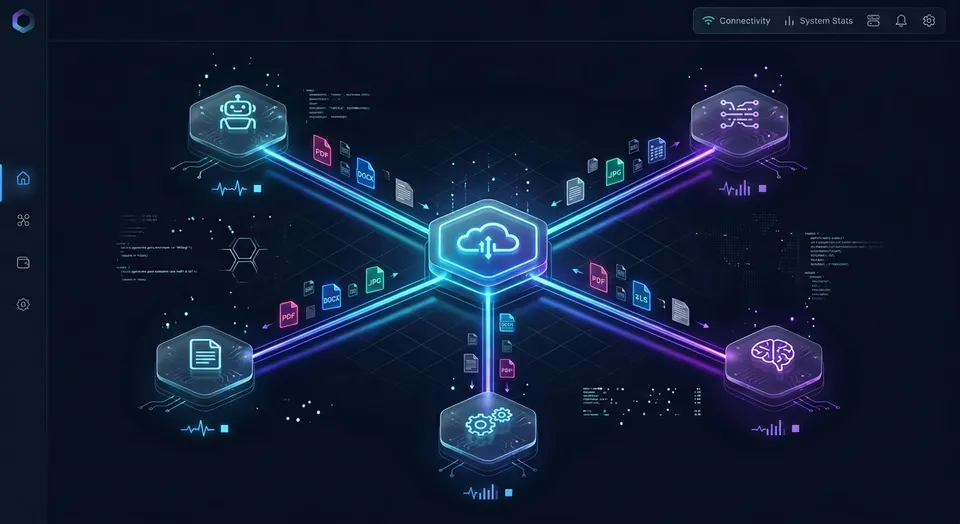
How Semantic Kernel Ingests Microsoft 365 Files into Agent Workflows
Pointing a Microsoft Semantic Kernel agent directly at Microsoft Graph to search OneDrive documents turns retrieval into multi-megabyte file downloads, fragile delta queries, and token exhaustion. The issue is the friction of treating an enterprise cloud drive API as a real-time semantic index.
The Semantic Kernel OneDrive connector integrates Microsoft Graph drive item retrieval into Semantic Kernel plugins, enabling agents to parse, vectorize, and summarize enterprise documents stored in OneDrive. Semantic Kernel lets developers expose that retrieval as native plugins, so the model can invoke retrieval functions through function calling based on conversational context.
When designing a semantic kernel file storage connector for OneDrive, teams evaluate direct Graph API tooling versus off-host workspace indexing via Model Context Protocol (MCP).
The Core Components of Semantic Kernel Retrieval
Semantic Kernel structures agent workflows around the Kernel object, coordinating three subsystems:
- Kernel Plugins: Collections of native functions exposed to the model with parameter schemas for structured function calling.
- Vector Store Connectors: Abstractions (formerly called memory connectors) interfacing with vector databases to store embeddings and retrieve document chunks.
- Function Choice Behaviors: Runtime controls governing tool execution, allowing models to query storage automatically before replying.
In a direct semantic kernel onedrive integration, the plugin wraps Microsoft Graph endpoints. The agent generates query arguments, executes the Graph call, and processes the returned file payload.
Addressing Files Through Microsoft Graph DriveItems
Microsoft Graph organizes storage across personal OneDrive, OneDrive for Business, and SharePoint document libraries around drives and drive items. A drive represents a storage container, while a drive item represents an individual file or folder.
Developers address drive items using two conventions:
- Unique Identifier Addressing: Accessing items via persistent identifiers, such as
/me/drive/items/{item-id}. - File System Path Addressing: Resolving items relative to root using path syntax, such as
/me/drive/root:/Finance/Forecast.xlsx.
All file system objects in OneDrive and SharePoint are returned as driveItem resources in Microsoft Graph. Querying raw drive items from an agent loop requires managing facet schemas and access tokens.
Related guides
- Microsoft Graph API for OneDrive: Endpoints, Delta Queries, and Agent Storage ArchitectureAutonomous AI agents querying Microsoft OneDrive via the Microsoft Graph API frequently stall on delta query...
- How to Build a Semantic Kernel Dropbox Connector for AI AgentsA Semantic Kernel Dropbox connector is a plugin or native memory store that connects Semantic Kernel AI agents to...
- ChatGPT OneDrive Connector: Native Connected Apps vs. Fast.io WorkspacesA ChatGPT OneDrive connector links OpenAI models to documents stored in Microsoft OneDrive, enabling conversational...
- How to Build OneDrive Webhooks with Microsoft Graph Change NotificationsAn OneDrive webhook is a Microsoft Graph change notification subscription that delivers HTTPS alerts when drive items...
- How to Connect Python to OneDrive: Microsoft Graph SDK vs Remote MCP WorkspacesConnecting Python to OneDrive enables automated scripts and AI agents to read, upload, and manage cloud files via the...
- OneDrive Delta Sync: Tracking Changes with Microsoft Graph Delta QueryOneDrive delta sync uses Microsoft Graph delta queries to track additions, modifications, and deletions in OneDrive or...
More on this subject: Agent Integrations and APIs (191 guides)
Why Direct Microsoft Graph Traversal Causes Retrieval Friction
A simple Graph wrapper is easy to write, but long-running agent workflows also have to handle large file chunking, PDF OCR, and delta sync. A basic script retrieving a text file works in a demonstration, but production enterprise agents operate across hundreds of documents containing scanned receipts, technical diagrams, and complex legal formatting.
When a semantic kernel microsoft graph onedrive integration interacts directly with Graph endpoints, it encounters four operational hurdles: delta synchronization fragility, context window flooding, binary extraction overhead, and aggressive rate limits. Addressing these hurdles in code requires custom ingestion scaffolding that distracts from core agent capabilities.
Delta Sync Complexity and State Persistence
Enterprise document repositories change continuously as teams upload revisions, rename folders, and archive files. Polling the entire directory tree repeatedly is impractical.
Microsoft Graph provides delta query endpoints (/me/drive/root/delta) to track changes using state tokens. However, implementing delta sync inside a custom agent connector introduces operational burdens:
- Delta Token Persistence: The runtime must persist delta tokens across sessions to avoid losing sync state.
- Token Expiration Handling: Graph delta tokens expire if sync intervals lag behind server policies, requiring a full directory crawl.
- Tombstone Processing: Deleted drive items return as tombstone markers requiring vector pruning to avoid hallucinations.
Custom Graph SDK connectors require maintaining OAuth token refresh loops and delta queries that Fastio Cloud Sync automates, eliminating custom sync code.
Context Window Flooding and Token Cost Inflation
The direct penalty of raw file ingestion is context window flooding. When an agent retrieves a document through Microsoft Graph, the connector fetches the complete file content. A standard commercial agreement contains thousands of words of dense text.
Passing full file contents into an agent prompt causes three problems:
- Token Budget Depletion: Injecting complete multi-page documents into reasoning loops rapidly depletes token budgets.
- Context Degradation: Models experience retrieval degradation when analyzing long, unindexed text dumps, obscuring specific clauses.
- Multi-Agent Amplification: When agents pass conversation histories back and forth, dumping massive payloads causes every subsequent turn to re-ingest the file.
Binary Parsing and Optical Character Recognition Bottlenecks
Microsoft Graph is a file transport API; it does not parse document structures or extract text from binary formats. When a Semantic Kernel plugin downloads a file via /drive/items/{id}/content, it receives a raw byte stream.
Making those bytes readable requires an auxiliary ingestion stack:
- PDF Parsing: Layout engines must extract text and tables while preserving reading order.
- Scanned Records: Scanned signatures and receipts require an OCR pipeline to prevent blank text layers.
- Office Formats: Parsing Word, Excel, and PowerPoint files requires unpacking OpenXML archives.
Bundling parsing libraries into an agent container inflates image sizes and slows cold starts.
Microsoft Graph API Rate Limits and Throttling
Microsoft Graph enforces request quotas to protect multi-tenant infrastructure. When an agent executes frequent file searches and downloads, Graph issues HTTP 429 Too Many Requests responses.
Some SharePoint and OneDrive limits are applied at the tenant level, and Microsoft lists a large number of requests across all applications in a tenant as a common cause of Graph throttling. An agent generating heavy traffic risks degrading API access for other business applications under the same tenant. Connectors must parse the Retry-After header, apply exponential backoff, and introduce queueing to prevent service disruption.
How Fastio Workspaces Index OneDrive Documents for Semantic Kernel
To overcome the friction of raw Microsoft Graph traversal without disrupting corporate workflows, engineering teams adopt a two-tier storage architecture. Microsoft OneDrive and SharePoint remain the enterprise systems of record where human employees create and organize files. Fastio serves as the intelligent workspace layer, indexing documents off-host so autonomous Semantic Kernel agents retrieve precise answers rather than downloading whole files.
Cloud Sync connects Google Drive, Dropbox, Box and OneDrive folders to a workspace, one-way or two-way, on a schedule or on demand, never real-time. For organizations storing files across Microsoft 365, SharePoint libraries are accessible through the OneDrive connector. Files sync directly between cloud backends without consuming local developer bandwidth or requiring persistent background daemons on developer machines.
Once files synchronize into Fastio, Intelligence Mode automatically processes document contents off-host. Fastio extracts text, reconstructs tabular data, and builds a hybrid index combining full-text keyword matching, dense vector search, and metadata value filtering.
Fastio publishes a head-to-head study of agent file work at Fastio Benchmarks, comparing Fastio against native cloud storage connectors across an identical document corpus. Fastio was measured the fastest and the lowest cost of the providers tested.
By shifting document parsing and indexing to an intelligent workspace layer, Semantic Kernel agents stay focused on reasoning while eliminating context window bloat.

How Off-Host Intelligence Replaces Local Ingestion Pipelines
Building a custom ingestion pipeline requires provisioning vector databases, tuning chunking algorithms, configuring OCR workers, and managing embedding versions.
Fastio's Intelligence Mode absorbs this infrastructure layer into the workspace:
- Automated Off-Host Indexing: Files arriving via Cloud Sync are parsed and vectorized automatically in background workers, consuming no agent CPU cycles.
- Hybrid Retrieval Precision: Fastio combines exact full-text matching with dense vector retrieval, returning passages that satisfy semantic intent and exact phrase requirements.
- Citation Integrity: Search responses identify the source files and pages, enabling agents to provide verifiable citations without loading entire source documents into context.
Coordinating Multi-Agent Access and Storage Governance
Fastio provides the governance substrate required for multi-agent coordination:
- Shared Organization-Owned Workspaces: Workspaces isolate project context while permitting governed access across human staff and autonomous agents.
- Scoped Role-Based Permissions: Permissions are configured per organization, workspace, and share, preventing agents from exceeding authorized boundaries.
- Advisory File Locks: Agents coordinate writes using advisory file locks. An agent acquires a lock using
lock-acquirethroughstorage_manage, verifies lock state withlock-statusonstorage, and releases it vialock-releasethroughstorage_manage. Concurrent writes both land safely, and per-file version history preserves every revision. - Detailed Activity Logging: Fastio maintains a detailed activity log of all workspace changes, recording uploads, edits, moves, deletions, permission changes, and share creations.


Connect Semantic Kernel to OneDrive Without Token Bloat
Sync your Microsoft 365 files into an intelligent workspace, query indexed documents through remote MCP, and eliminate raw file dumping in AI agents. Monthly plans start with a 14-day free trial, which requires a credit card.
Steps to Implement a Native Semantic Kernel OneDrive Plugin
For teams that must connect Semantic Kernel directly to Microsoft Graph, implementing a custom microsoft semantic kernel onedrive plugin requires configuring Microsoft Entra ID authentication and wrapping Graph endpoints in kernel functions. This approach enables language models to discover files, execute targeted downloads, and retrieve document contents dynamically during interactive planning loops.
To ingest files reliably, the implementation follows three core steps:
- Register an application in Microsoft Entra ID with scoped Graph permissions.
- Build the Semantic Kernel plugin using Microsoft Graph REST calls or the Fastio MCP endpoint.
- Execute semantic search and content extraction over indexed documents.
Following this procedure gives your Semantic Kernel agents programmatic access to search and download files stored within user or tenant drives.
Step 1: Register an Application in Microsoft Entra ID
To access OneDrive files through Microsoft Graph, register an application in the Microsoft Entra admin center:
- Sign in to the Microsoft Entra admin center and browse to Entra ID > App registrations.
- Select New registration, name your application (for example,
SemanticKernel-OneDrive-Agent), and choose the account type. - Under API Permissions, select Add a permission > Microsoft Graph.
- Choose permission types:
- Delegated Permissions: For interactive user agents, select
Files.ReadorFiles.ReadWrite. - Application Permissions: For headless background daemons, select
Files.Read.AllorSites.Read.All(requires tenant admin consent).
- Delegated Permissions: For interactive user agents, select
- Under Certificates & secrets, generate a new client secret and record the Application ID, Directory ID, and secret value.
Step 2: Author the Python Microsoft Graph Plugin
Create a native plugin class in Python that handles token acquisition and wraps Microsoft Graph search and download endpoints:
import os
import requests
from semantic_kernel.functions import kernel_function
class OneDriveGraphPlugin:
    """Semantic Kernel plugin for querying Microsoft OneDrive via Microsoft Graph."""
#
    def __init__(self, tenant_id: str, client_id: str, client_secret: str, user_id: str):
        self.tenant_id = tenant_id
        self.client_id = client_id
        self.client_secret = client_secret
        # App-only tokens cannot use /me, so address the target user's drive explicitly
        self.drive_base = f"https://graph.microsoft.com/v1.0/users/{user_id}/drive"
        self._access_token = None
#
    def _get_access_token(self) -> str:
        """Acquire an application bearer token from Microsoft Entra ID."""
        if self._access_token:
            return self._access_token
        token_url = f"https://login.microsoftonline.com/{self.tenant_id}/oauth2/v2.0/token"
        payload = {
            "grant_type": "client_credentials",
            "client_id": self.client_id,
            "client_secret": self.client_secret,
            "scope": "https://graph.microsoft.com/.default"
        }
        res = requests.post(token_url, data=payload, timeout=10)
        res.raise_for_status()
        self._access_token = res.json().get("access_token")
        return self._access_token
#
    @kernel_function(
        description="Searches for documents in OneDrive by keyword or filename.",
        name="search_files"
    )
    def search_files(self, query: str) -> str:
        """Search for drive items matching the user query."""
        token = self._get_access_token()
        headers = {"Authorization": f"Bearer {token}"}
        safe_query = query.replace("'", "''")
        url = f"{self.drive_base}/root/search(q='{safe_query}')"
        res = requests.get(url, headers=headers, timeout=15)
        if res.status_code == 200:
            items = res.json().get("value", [])
            if not items:
                return "No matching files found in OneDrive."
            results = [f"File: {it.get('name')} (ID: {it.get('id')})" for it in items[:5]]
            return chr(10).join(results)
        return f"Error querying OneDrive: {res.status_code}"
#
    @kernel_function(
        description="Reads the text content of a specific file from OneDrive using its item ID.",
        name="read_file_content"
    )
    def read_file_content(self, item_id: str) -> str:
        """Download file content by drive item ID."""
        token = self._get_access_token()
        headers = {"Authorization": f"Bearer {token}"}
        url = f"{self.drive_base}/items/{item_id}/content"
        res = requests.get(url, headers=headers, timeout=30)
        if res.status_code == 200:
            return res.text[:4000] if len(res.text) > 4000 else res.text
        return f"Failed to retrieve file: {res.status_code}"
In this implementation, the @kernel_function decorator exposes methods to Semantic Kernel, guiding the language model during function selection. Because the plugin uses the client credentials flow (application permissions such as Files.Read.All), it addresses a specific user's drive through /users/{user-id}/drive; the /me shortcut works only with delegated, signed-in access.
Step 3: Register the Plugin and Execute Agent Search
Register the plugin with the Semantic Kernel instance and configure automated function choice behavior:
import asyncio
import os
from semantic_kernel import Kernel
from semantic_kernel.connectors.ai.open_ai import OpenAIChatCompletion
from semantic_kernel.connectors.ai.function_choice_behavior import FunctionChoiceBehavior
from semantic_kernel.functions import KernelArguments
# instantiate kernel runtime
kernel = Kernel()
# configure primary language model service
chat_service = OpenAIChatCompletion(
    ai_model_id="gpt-4o",
    api_key=os.getenv("OPENAI_API_KEY")
)
kernel.add_service(chat_service)
# register custom OneDrive plugin
onedrive_plugin = OneDriveGraphPlugin(
    tenant_id=os.getenv("AZURE_TENANT_ID", "your-tenant-id"),
    client_id=os.getenv("AZURE_CLIENT_ID", "your-client-id"),
    client_secret=os.getenv("AZURE_CLIENT_SECRET", "your-client-secret"),
    user_id=os.getenv("ONEDRIVE_USER_ID", "user@example.com")
)
kernel.add_plugin(onedrive_plugin, plugin_name="OneDrive")
# configure automatic tool invocation
execution_settings = chat_service.get_prompt_execution_settings_class()(
    service_id=chat_service.service_id,
    function_choice_behavior=FunctionChoiceBehavior.Auto()
)
# execute agent query triggering OneDrive retrieval
prompt = "Find our master services agreement in OneDrive and summarize the termination clause."
async def main():
    result = await kernel.invoke_prompt(prompt, arguments=KernelArguments(settings=execution_settings))
    print(result)
asyncio.run(main())
When executed, Semantic Kernel identifies that OneDrive access is required, calls search_files, and invokes read_file_content to synthesize a response.
How to Connect Semantic Kernel to Fastio via Model Context Protocol
While a direct Microsoft Graph plugin works for basic text files, connecting Semantic Kernel to an intelligent Fastio workspace via Model Context Protocol (MCP) provides built-in OCR, hybrid search, and citation generation without custom delta sync logic.
The Fastio MCP server is remote, hosted at https://mcp.fast.io/mcp/tools (for general agent runtimes and code calling named tools) and https://mcp.fast.io/mcp/code (for coding agents calling search and execute). Transport uses Streamable HTTP directly, requiring no local npm bridges or subprocess daemons. Setup details and tool reference specifications are available in the Fastio MCP documentation.
When connecting headless bots or Python agent scripts, pass your Fastio API key as a Bearer token in the Authorization header: Authorization: Bearer your-fastio-api-key.
Implementing a Fastio MCP Plugin in Semantic Kernel
Semantic Kernel's Python package includes an MCP plugin for Streamable HTTP servers (install it with pip install semantic-kernel[mcp]), so the Fastio tools load directly as kernel functions:
import asyncio
import os
from semantic_kernel import Kernel
from semantic_kernel.connectors.ai.function_choice_behavior import FunctionChoiceBehavior
from semantic_kernel.connectors.ai.open_ai import OpenAIChatCompletion
from semantic_kernel.connectors.mcp import MCPStreamableHttpPlugin
from semantic_kernel.functions import KernelArguments
async def main():
    kernel = Kernel()
    chat_service = OpenAIChatCompletion(ai_model_id="gpt-4o", api_key=os.getenv("OPENAI_API_KEY"))
    kernel.add_service(chat_service)
    # connect to the Fastio MCP server over Streamable HTTP with a scoped API key
    async with MCPStreamableHttpPlugin(
        name="Fastio",
        description="Search and manage files in Fastio workspaces",
        url="https://mcp.fast.io/mcp/tools",
        headers={"Authorization": f"Bearer {os.getenv('FASTIO_API_KEY')}"},
        load_prompts=False,
    ) as fastio_plugin:
        kernel.add_plugin(fastio_plugin)
        settings = chat_service.get_prompt_execution_settings_class()(
            function_choice_behavior=FunctionChoiceBehavior.Auto()
        )
        result = await kernel.invoke_prompt(
            "Search the synced OneDrive workspace for the master services agreement and summarize the termination clause.",
            arguments=KernelArguments(settings=settings),
        )
        print(result)
asyncio.run(main())
The plugin loads the Fastio read tools and their _manage counterparts (such as storage and storage_manage) as kernel functions. When the model calls storage with action: "search" and a query, Fastio performs hybrid keyword and semantic retrieval off-host and returns short excerpts from the matching files directly to the model.
Structured Document Ingestion with Metadata Views
Many enterprise OneDrive repositories contain structured business records: invoices, vendor quotes, and employment agreements. Extracting structured key-value pairs from these documents using standard prompt engineering requires downloading entire files and hoping the model adheres to JSON schemas.
Fastio solves this through Metadata Views. Metadata Views turn unstructured documents into live, queryable database spreadsheets. Users describe desired fields in natural language, and Fastio's extraction engine designs a typed schema (Text, Integer, Decimal, Boolean, URL, JSON, Date & Time).
- Cross-Format Extraction: Extracts fields across PDFs, scanned pages, and spreadsheets without rigid templates.
- Dynamic Schema Modification: Add columns to an existing view without reprocessing underlying files.
- Agentic Querying via MCP: Semantic Kernel agents query Metadata Views directly via MCP tools, retrieving structured columns without parsing narrative prose.
Programmatic Workspace Creation and Ownership Transfer
Fastio supports programmatic ownership transfer from agents to human administrators:
- Workspace Provisioning: An agent uses the Fastio API to provision an organization, configure a dedicated workspace, and initiate Cloud Sync for a client OneDrive folder.
- Indexing and View Setup: Fastio synchronizes files server-to-server and builds the hybrid index and Metadata Views.
- Ownership Transfer: The agent initiates an ownership transfer to the human project lead via a secure claim link.
- Administrative Continuity: The human administrator accepts ownership, manages seats, and handles billing, while the agent retains operational admin permissions.
Fastio plans provide transparent tiers suited for agentic workloads:
Monthly plans start with a 14-day free trial, which requires a credit card. Review complete plan details on the Fastio pricing page and explore integration patterns on the storage for agents hub.
What to Evaluate When Deploying Enterprise Storage Connectors
Deploying Semantic Kernel agents with cloud storage connectors into enterprise production environments requires addressing architectural boundaries around security, token efficiency, and system resiliency. Engineering teams must design retrieval layers to prevent data leaks, avoid API throttling, and maintain cost predictability across high-volume agent interactions.
Establishing clear permission boundaries, enforcing passage-level retrieval limits, and implementing reliable error handling allows engineering leads to maintain predictable execution performance while protecting confidential business assets across diverse storage repositories. Evaluating these operational criteria prior to deployment ensures that autonomous agents scale cleanly across high-volume enterprise workflows without causing unexpected service degradation or exposing sensitive corporate records.
Enforcing Strict Retrieval Scope and Least Privilege
Granting an AI agent broad tenant-wide permissions creates substantial security risk. Avoid assigning broad permissions like Files.ReadWrite.All unless your application requires tenant-wide modification rights.
Follow these security scoping best practices:
- Separate Ingestion from Writing: Configure ingestion agents with read-only permissions (
Files.Read), isolating document generation workflows to dedicated agents. - Workspace Isolation: In Fastio, permissions are assigned per organization, workspace, and share. Confine agents to dedicated project workspaces rather than broad corporate directories.
- Protect Credentials: Store client secrets and Fastio API keys in secure secrets managers such as Azure Key Vault or AWS Secrets Manager.
Passage Retrieval vs Full Document Ingestion
Design agent retrieval functions to return passage-level excerpts rather than full document payloads. A well-constructed retrieval response should contain:
- The exact paragraph or table answering the prompt (typically one or two concise paragraphs).
- The document title, path, and version number.
- The page number or section header where the excerpt appears.
Limiting retrieval responses to targeted passages keeps prompt token usage low, preserves context window space for multi-turn reasoning, and provides verifiable citations.
Resiliency and Throttling Mitigation
When querying Microsoft Graph directly, implement resilient HTTP client policies using libraries like Polly in .NET or tenacity in Python:
- Inspect
Retry-After: When Microsoft Graph returns HTTP 429, read theRetry-Afterresponse header and pause execution before retrying. - Exponential Backoff with Jitter: Apply randomized jitter to backoff intervals to prevent concurrent agents from synchronizing retry requests.
- Offload High-Frequency Queries: By synchronizing OneDrive folders to Fastio workspaces, agent queries target Fastio's remote MCP search endpoint rather than drawing down Microsoft Graph tenant quotas.
Choosing Between Graph SDK and Fastio MCP Architecture
To select the appropriate connector pattern for your Semantic Kernel deployment, evaluate your workload against these criteria:
- Document Formats: If your repository contains plain-text files or Markdown notes, a simple Microsoft Graph SDK wrapper provides straightforward access. If your documents include complex PDFs, scanned pages requiring OCR, or multi-tab spreadsheets, an indexed workspace layer like Fastio eliminates custom parsing stacks.
- Change Frequency: If agents only require on-demand reads of single static files, direct Graph calls suffice. If agents need continuous awareness of changing documents, automated Cloud Sync avoids managing custom delta token storage.
- Query Volume: For high-frequency queries across multi-agent teams, querying an indexed Fastio workspace via MCP prevents Microsoft Graph API throttling and eliminates conversational context amplification.
Sources
References used to verify factual claims in this guide.
-
All file system objects in OneDrive and SharePoint are returned as driveItem resources in Microsoft Graph.
Frequently Asked Questions
How do I connect Semantic Kernel to OneDrive?
You can connect Semantic Kernel to OneDrive through two primary patterns: writing a native plugin that calls Microsoft Graph REST endpoints using an Entra ID application registration, or synchronizing your OneDrive folder into a Fastio workspace using Cloud Sync and querying the indexed files through Fastio's remote Model Context Protocol (MCP) server.
Can Semantic Kernel agents search OneDrive documents?
Yes. Semantic Kernel agents can search OneDrive documents by executing search queries against Microsoft Graph's search endpoint (/me/drive/root/search) or by calling Fastio's remote MCP search tool. Querying an indexed workspace is preferred because it performs hybrid semantic and keyword retrieval off-host, returning precise text passages rather than requiring full file downloads.
What permissions does Semantic Kernel need to access Microsoft Graph files?
To access OneDrive files via Microsoft Graph, your Microsoft Entra ID app registration requires Files.Read or Files.ReadWrite for delegated user workflows. For unattended background agents and headless services, it requires Files.Read.All or Sites.Read.All application permissions, which require tenant administrator consent.
How does Fastio Cloud Sync handle OneDrive folders?
Fastio Cloud Sync connects Google Drive, Dropbox, Box, and OneDrive folders to a workspace (with SharePoint libraries accessible through the OneDrive connector) one-way or two-way, on a schedule or on demand. Synchronization operates on background schedules and is never real-time, continuous, or live.
How do Metadata Views help Semantic Kernel agents process OneDrive files?
Metadata Views automatically extract structured data from unstructured documents, such as contracts, invoices, and forms, into typed database columns. Users describe the desired fields in natural language, and Semantic Kernel agents can query these structured tables directly via MCP, eliminating the need to parse raw narrative text.
What is the difference between direct Graph API retrieval and workspace hybrid search?
Direct Microsoft Graph retrieval fetches raw file payloads across the network, requiring the agent application to handle local binary parsing, OCR, chunking, and vectorization. Workspace hybrid search indexes documents off-host and combines exact keyword matching with dense vector retrieval, returning only concise, citation-backed excerpts to the agent.
Related Resources

Connect Semantic Kernel to OneDrive Without Token Bloat
Sync your Microsoft 365 files into an intelligent workspace, query indexed documents through remote MCP, and eliminate raw file dumping in AI agents. Monthly plans start with a 14-day free trial, which requires a credit card.