How to Connect Langflow Multi-Agent Workflows to Dropbox Files
The Langflow Dropbox integration connects visual multi-agent pipelines to files stored in Dropbox for retrieval-augmented generation and automated reasoning. Direct loaders fetch raw files synchronously on each canvas test run, exhausting API rate limits and causing memory bottlenecks. Syncing Dropbox folders to an intelligent workspace with automated hybrid indexing enables Langflow agents to query precise passages via remote MCP without repetitive transfers.

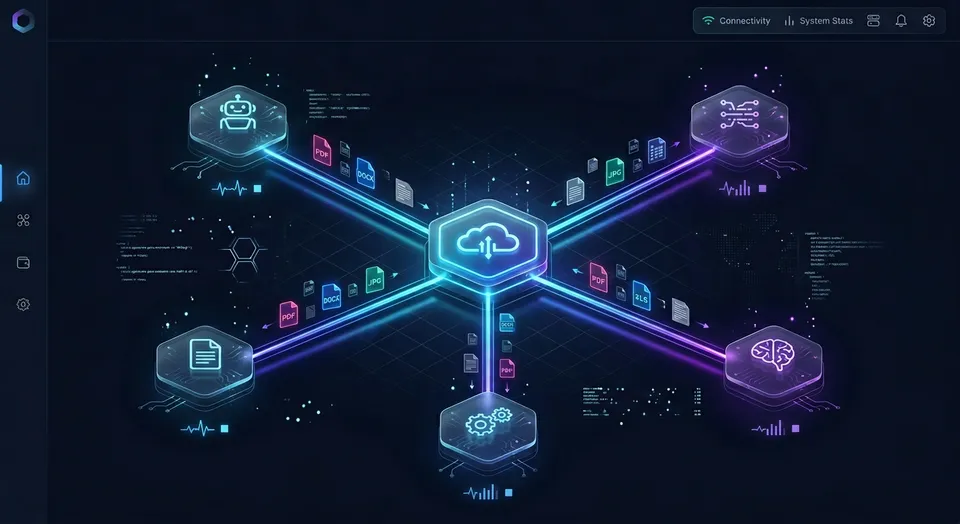
Why Direct Document Ingestion Stalls Langflow Pipelines
Visual multi-agent pipelines that retrieve documents directly from cloud storage face an immediate bottleneck during canvas execution: standard component nodes fetch files synchronously over the network at runtime. When an agent queries an active Dropbox folder containing technical manuals, customer agreements, or financial spreadsheets, the component stalls while downloading raw payloads into process memory. This synchronous fetch delays graph execution and risks hitting Dropbox API rate limits before the language model parses a single token.
Langflow provides an interactive canvas for assembling Retrieval-Augmented Generation (RAG) flows and multi-agent systems using LangChain primitives and Python components. Developers drag nodes to configure foundation models, vector stores, prompt templates, and custom execution components. The visual interface makes it straightforward to prototype autonomous agent teams where specialized models plan, retrieve context, write responses, and review outputs.
Corporate knowledge, however, rarely starts inside an agent canvas. Organizations store operational procedures, engineering specifications, vendor agreements, and quarterly reports in Dropbox team folders. Grounding agent responses in this shared repository requires establishing a reliable connection between the storage provider and the agent graph.
The Langflow Dropbox integration allows visual multi-agent pipelines to read files from Dropbox storage as inputs, tools, or knowledge sources.
Component Execution Lifecycle and Document Flow in Langflow
In Langflow, every canvas node inherits from a base Python component class. Components define declared inputs, execution methods, and typed outputs. When you connect something to an output, Langflow automatically calls the corresponding method and passes the returned object to the next component.
In a standard retrieval flow, an ingestion component reads files from a source path, converts them into standard document objects containing text content and metadata dictionaries, and hands them to a chunking node. The chunking node divides long texts into overlapping passages, routes them to an embedding model, and writes vectors to a storage index. When an agent node executes, it queries the index through a retriever tool to retrieve context before generating an answer.
Because Langflow executes components dynamically during flow evaluation, any node that talks to an external storage service runs its network requests inside that evaluation cycle.
Why Synchronous File Fetching Stalls Iterative Development
Langflow native storage components process files synchronously at component execution time.
During interactive development, engineers adjust prompts, alter system instructions, change model parameters, and test queries repeatedly. If an agent pipeline relies on a direct storage loader, every test click triggers fresh network calls to Dropbox:
Redundant File Downloads: Fetching multi-megabyte PDFs, presentations, or spreadsheets across the network on every test query wastes local bandwidth and introduces multi-second delays into interactive debugging.
Repetitive Parsing Overhead: Extracting raw text from complex binary files requires CPU-intensive parsing on every execution turn, slowing down developer feedback.
Fragile Flow Execution: If a single document transfer encounters a temporary socket timeout or Dropbox API rate limit, the entire component fails, halting downstream agent evaluation.
Building reliable multi-agent systems requires separating persistent document synchronization from real-time pipeline execution.
Related guides
- How to Connect Langflow Agent Pipelines to Box FilesA Langflow Box integration connects visual agent pipelines to enterprise files stored in Box for retrieval-augmented...
- How to Connect Flowise Agent Flows to Dropbox StorageA Flowise Dropbox integration connects visual LLM orchestration workflows and chat flows directly to Dropbox folders to...
- How to Connect NotebookLM to Dropbox: Grounding Notebooks on Dropbox FilesConnecting Google NotebookLM to Dropbox allows research teams to ground notes, summaries, and audio overviews on...
- How to Connect Flowise Agent Flows to Enterprise Box StorageA Flowise Box integration connects Flowise conversational AI flows and RAG chains to enterprise Box folders for...
- Dropbox Indexing for AI Agents: Fast Retrieval ArchitectureQuerying cloud storage directly through standard APIs forces AI agents to download entire files for simple factual...
- How to Connect ChatGPT to Dropbox: Integration & Storage SetupConnecting ChatGPT to Dropbox allows OpenAI models to read, summarize, and organize cloud documents without manual...
More on this subject: Agent Integrations and APIs (228 guides)
How to Build a Langflow Dropbox Integration Using Custom Components
Langflow does not include a pre-packaged Dropbox connector in its default component library. Connecting directly to Dropbox requires creating a Custom Component in the Langflow interface and using the official dropbox Python library.
This approach suits small, static folders where documents rarely change and prompt testing occurs infrequently.
Authentication and App Registration in the Dropbox Console
Calling the Dropbox API programmatically requires an application registered in the Dropbox App Console:
- App Key and App Secret: Standard client credentials used to initiate OAuth authorization flows.
- OAuth Permissions: Applications accessing user files require the
files.content.readandfiles.metadata.readscopes. If agents must write files back to storage, thefiles.content.writescope is also required. - Access Tokens: Short-lived user tokens expire after four hours. For persistent development, applications must request an offline refresh token and exchange it for short-lived access tokens dynamically, or maintain environment variables updated with fresh credentials.
A Four-Step Sequence for Direct Dropbox Ingestion
Wiring a custom Dropbox loader into a Langflow agent pipeline involves four steps:
- Register an application in the Dropbox App Console, grant file read permissions, and obtain your access credentials.
- Add a Custom Component to the Langflow canvas that imports the
dropboxlibrary, initializes the client, and fetches file streams. - Connect the component's output to a text splitter node, such as a Recursive Character Text Splitter, to break document text into coherent chunks.
- Connect the chunked output to an embedding model and vector store node, exposing the retriever to an Agent node as a query tool.
Below is a Custom Component implementation that reads a text or markdown file directly from a designated Dropbox path:
from langflow.custom import Component
from langflow.io import MessageTextInput, Output, SecretStrInput
from langflow.schema import Message
import dropbox

class DropboxFileLoaderComponent(Component):
    display_name = "Dropbox File Loader"
    description = "Fetches a file directly from Dropbox storage using an access token."
    icon = "dropbox"
    inputs = [
        SecretStrInput(
            name="access_token",
            display_name="Dropbox Access Token",
            info="Scoped access token with files.content.read permissions.",
        ),
        MessageTextInput(
            name="dropbox_path",
            display_name="Dropbox File Path",
            info="Full path to the file in Dropbox, such as /manuals/architecture.txt",
            value="/documents/guide.txt",
        ),
    ]
    outputs = [
        Output(
            display_name="Document Text",
            name="document_text",
            method="fetch_file_content",
        ),
    ]
    def fetch_file_content(self) -> Message:
        client = dropbox.Dropbox(self.access_token)
        _, response = client.files_download(self.dropbox_path)
        content = response.content.decode("utf-8")
        return Message(text=content)
Downstream Agent Wiring and Limits
Connecting the output of this component to downstream Langflow nodes allows language models to read the downloaded text as direct prompt input or ingest it into a vector store.
While functional for single text files in proof-of-concept tests, direct loading breaks down when agents require access to folders containing hundreds of mixed-format files, or when multiple agents run in parallel.
Why Direct Dropbox API Ingestion Fails at Scale
Direct storage ingestion models that perform acceptably on individual test files fail when deployed to multi-agent production workloads.
The gap between initial documentation and production reality centers on API rate limits, write-lock contention, and process memory bloat when agents query active cloud folders.
Dropbox API Rate Limits and HTTP 429 Errors
The Dropbox API does not publish fixed numerical request caps. Instead, it enforces dynamic, algorithmic rate limits designed to protect server infrastructure and maintain equitable resource distribution.
When an agent queries an active Dropbox folder, the interaction requires multiple distinct API calls:
- Listing directory contents using
files/list_folder. - Retrieving pagination tokens with
files/list_folder/continuefor large directories. - Inspecting file metadata to check modification timestamps.
- Downloading binary payloads via
files/download.
During iterative prompt development or multi-agent execution, these calls multiply rapidly. When an application exceeds Dropbox's dynamic thresholds, the API responds with HTTP status code 429 (Too Many Requests) accompanied by an error summary of too_many_requests/ and a Retry-After header.
If an agent component runs inside a Langflow graph that lacks automated backoff handling, a 429 response terminates the entire execution run. Rapid retry attempts without exponential backoff prolong the rate-limit block.
Concurrent Multi-Agent Write Contention
In multi-agent architectures, specialized agents often perform distinct tasks: one agent extracts research notes, another drafts summary reports, and a third compiles action items.
If multiple agents attempt to write output files back to the same Dropbox folder path concurrently, they encounter write-lock contention. Dropbox serializes modifications to identical folders and namespaces. Rapid, concurrent write requests to the same directory trigger lock contention errors, which Dropbox surfaces as 429 responses even when global API request volume remains modest.
Local Memory Bloat and Redundant Network Traffic
Beyond API limits, downloading multi-megabyte binary files directly into Langflow creates severe memory and network issues:
Memory Saturation: Langflow operates as a Python process. Loading multiple large PDF scans or spreadsheet workbooks into memory simultaneously inflates the process footprint, causing memory pressure or container restarts.
Network Overhead: Re-downloading static files across the public internet on every test iteration consumes bandwidth and introduces latency that obscures actual model performance.
Index Inconsistency: If each developer or agent maintains an independent vector store populated by raw file downloads, index versions quickly diverge as documents change in Dropbox, causing inaccurate agent outputs.
Direct API ingestion couples file transport directly to model execution. Decoupling these concerns resolves both performance and reliability problems.


Connect Langflow Agents to Dropbox Storage Without Rate Limits
Sync Dropbox folders to persistent Fast.io workspaces, index documents for hybrid search, and query them from Langflow via remote MCP. Monthly plans start with a 14-day free trial that requires a credit card.
How to Connect Langflow to Dropbox Files Through Fast.io Remote MCP
Decoupling document synchronization from agent execution allows teams to keep Dropbox as their primary system of record while giving Langflow agents fast, pre-indexed access to files.
Instead of making raw Dropbox API calls inside Langflow nodes, teams sync Dropbox folders into a Fast.io workspace. Fast.io indexes the files automatically and exposes them to Langflow agents through a remote Model Context Protocol (MCP) server.
Synchronizing Dropbox Folders with Cloud Sync
Organizations keep their existing file organization and collaboration habits in Dropbox. Fast.io Cloud Sync connects Google Drive, Dropbox, Box, and OneDrive folders to a workspace, one-way or two-way, on a schedule or on demand, never continuous, live, or real-time. SharePoint libraries are also supported through the OneDrive connector.
Configuring Cloud Sync between a corporate Dropbox folder and a Fast.io workspace delivers clear operational advantages:
- Scheduled Synchronization: Folders sync in the background based on a designated timetable (such as hourly or daily) or manually on demand.
- Zero API Consumption During Agent Runs: Langflow agents never call the Dropbox API directly. Dropbox rate limits and allowances remain untouched during pipeline testing and production queries.
- Centralized Storage Repository: Team members and autonomous agents access a single, authoritative set of versioned files.
Automated Hybrid Indexing with Intelligence Mode
When documents arrive in a Fast.io workspace, Intelligence Mode automatically indexes them for search and retrieval without requiring external vector databases or chunking code.
Fast.io builds a hybrid search index combining three retrieval mechanisms:
- Full-Text Keyword Search: Matches specific phrases, model numbers, codes, and filenames across all stored documents.
- Semantic Search: Vector embeddings map the conceptual meaning of passages, returning relevant context even when queries use alternative terminology.
- Metadata Search: Filters results based on file attributes, types, dates, and custom tags.
When a Langflow agent requests context, Fast.io performs hybrid search across the workspace and returns concise text passages with document citations. The agent receives only the context necessary for its prompt, eliminating the need to transfer multi-megabyte files across the network.
In independent provider benchmarking, Fastio was measured the fastest and the lowest cost of the providers tested (detailed results published at the Fast.io connector benchmarks report).
Registering Fast.io Remote MCP in Langflow
Langflow supports external tools via the Model Context Protocol (MCP). Fast.io provides a hosted remote MCP server running over Streamable HTTP.
To connect a Langflow agent pipeline to your synchronized Dropbox documents:
- In Fast.io, create an organization and a workspace, configure Cloud Sync to your Dropbox folder, and enable Intelligence Mode.
- Generate an API key scoped to the workspace.
- In Langflow, open Settings, select MCP Servers, and add a new MCP server connection.
- Set the server URL to the canonical Streamable HTTP tools endpoint:
https://mcp.fast.io/mcp/tools
- Pass your API key in the connection authorization header (
Authorization: Bearer <api key>). - In your flow canvas, add an Agent component and connect the registered Fast.io MCP tools.
The Langflow agent now possesses direct access to workspace search and retrieval tools. When answering user prompts, the agent queries workspace search, receives targeted document excerpts with citations, and synthesizes grounded answers without downloading raw files or hitting Dropbox API quotas.
Multi-Agent Workspace Governance and Production Operations
Moving multi-agent pipelines from local prototypes to production environments requires version tracking, concurrent edit coordination, and structured document extraction.
Fast.io provides a unified workspace layer where human teams and automated agents collaborate securely around shared assets.
Structured Document Extraction with Metadata Views
In addition to semantic text search, agent workflows often require structured values from recurring business files, such as renewal dates from vendor contracts or line-item totals from receipts.
Fast.io offers Metadata Views, which turn unstructured documents into a live, queryable database. Rather than building custom extraction scripts or training brittle OCR rules, users describe desired fields in natural language. Fast.io automatically infers a typed schema (including Text, Decimal, Integer, Boolean, URL, JSON, and Date & Time), matches workspace files, and populates a structured spreadsheet view.
Users can add new columns at any time without reprocessing existing documents. Langflow agents can query Metadata Views directly via MCP to retrieve precise values without parsing lengthy narrative text.
Version Control, Advisory File Locks, and the Activity Log
Coordinating multi-agent systems alongside human team members requires clear operational safeguards:
Per-File Version History: Every document in Fast.io maintains a complete version history. If an agent writes a revised draft or an employee edits a file, previous versions remain intact and can be restored at any time.
Advisory File Locks: Agents coordinate concurrent write operations using advisory file locks. Agents acquire (
lock-acquire), check (lock-status), and release (lock-release) locks via MCP tooling on thestorage_manageandstoragetools to coordinate updates, though locks expire unless renewed and do not grant exclusive write rights.Detailed Activity Log: Fast.io records a detailed activity log of changes across the workspace, including file uploads, content modifications, moves, deletions, and permission changes. The log captures actions taken by people and agents alike, ensuring full operational visibility.
Secure Distribution and Workspace Plans
Once an agent pipeline processes documents and generates reports, teams can distribute findings securely to external clients or partners:
Branded Shares: Create Send, Receive, or Exchange shares with custom branding, access passcodes, and optional expiration dates. Shares can disable file downloads, allowing external collaborators to review documents securely in a browser without creating an account.
Collaborative Notes: Maintain project briefs, prompt templates, and evaluation guidelines directly beside files in version-checked Collaborative Notes.
Fastio runs on cloud infrastructure partners, including Google Cloud Platform and Cloudflare, that are certified to industry-leading security standards.
Fast.io subscriptions provide persistent storage, team seats, and metered credits for AI intelligence features:
Monthly plans start with a 14-day free trial, which requires a credit card. Credits meter AI work only, and overage is $10 per 100,000 credits. Storage beyond the plan is $0.015 per GB a month and extra bandwidth $0.04 per GB, billed in money.
Learn more about our plans on the Fast.io pricing page or explore cloud storage for AI agents.
Sources
References used to verify factual claims in this guide.
-
In Langflow, connecting a component output automatically triggers the associated method and passes the returned object to downstream nodes.
Frequently Asked Questions
How do I add Dropbox as a data source in Langflow?
You can add Dropbox to Langflow either by writing a custom Python component using the `dropbox` library and API credentials, or by syncing a Dropbox folder into a Fast.io workspace using Cloud Sync and querying pre-indexed documents through the remote Fast.io MCP server.
Can Langflow agents write files back to Dropbox?
Direct custom components can write files to Dropbox if granted `files.content.write` permissions, but concurrent writes to the same folder can trigger namespace lock contention and HTTP 429 errors. When using Fast.io, agents write files into the workspace using advisory file locks and per-file version history, and Cloud Sync syncs updates back to Dropbox.
How do I optimize Langflow performance with cloud storage?
Optimize performance by avoiding synchronous downloads of full binary files during canvas runs. Sync cloud folders to persistent storage with automated hybrid indexing, and connect Langflow via remote MCP so agents retrieve only targeted text excerpts and citations.
What causes Dropbox HTTP 429 rate limit errors in Langflow?
Dropbox dynamically limits API request volume and serializes modifications to identical folders. Rapid iterative testing in Langflow, nested directory traversals, and concurrent agent write operations quickly trigger HTTP 429 Too Many Requests responses.
How often does Fast.io Cloud Sync update files from Dropbox?
Fast.io Cloud Sync updates files on a user-defined schedule or on demand. It connects Google Drive, Dropbox, Box, and OneDrive folders without continuous or real-time polling, protecting Dropbox API allowances while keeping workspace files current.
Does connecting Langflow to Fast.io require local vector databases?
No local vector database is required. When Intelligence Mode is enabled on a Fast.io workspace, documents are automatically indexed on arrival for full-text, semantic, and metadata search, allowing Langflow agents to query them directly over remote MCP.
Related Resources

Connect Langflow Agents to Dropbox Storage Without Rate Limits
Sync Dropbox folders to persistent Fast.io workspaces, index documents for hybrid search, and query them from Langflow via remote MCP. Monthly plans start with a 14-day free trial that requires a credit card.