How to Build an AutoGen Dropbox Connector for Multi-Agent Workspaces
An AutoGen Dropbox connector provides Python-based AutoGen conversational agents with function tools to read, search, and manage files in Dropbox accounts. Calling raw Dropbox APIs directly from multi-agent loops risks rate limits and context bloat. Syncing folders to an intelligent workspace gives AutoGen agents hybrid search and cited excerpt retrieval over remote MCP.

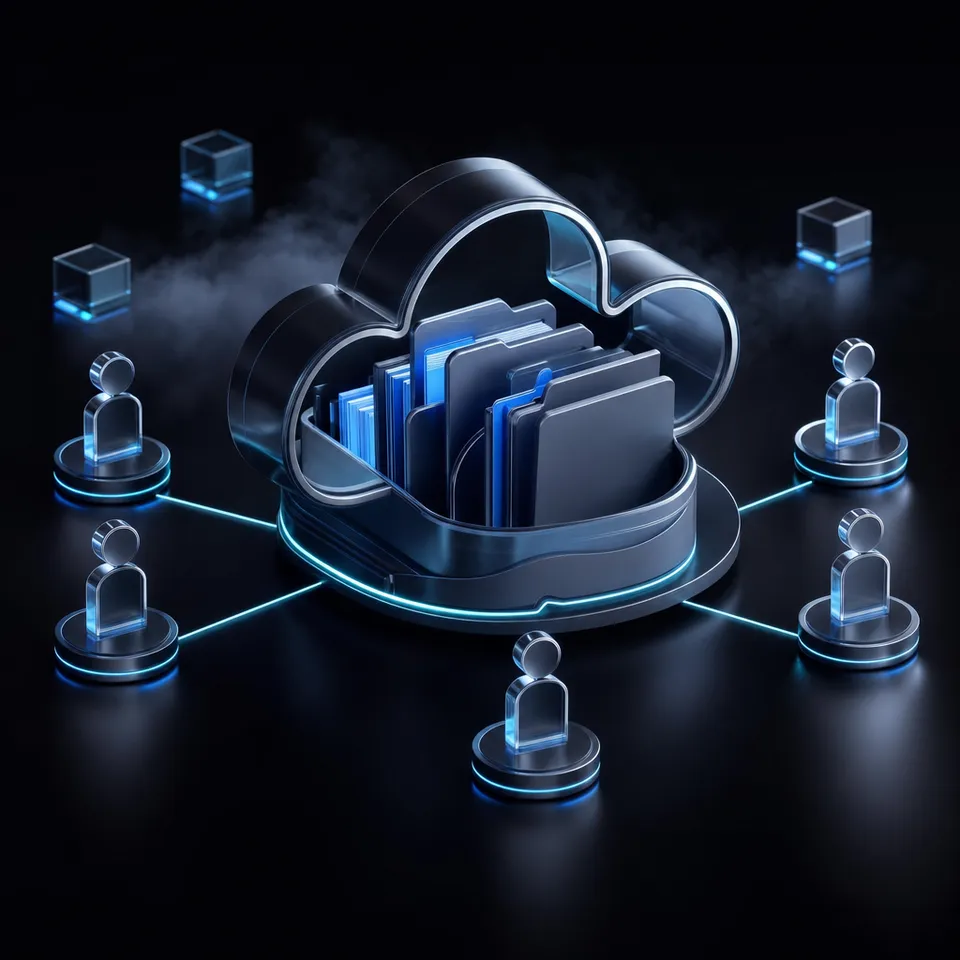
Why Multi-Agent Systems Need an AutoGen Dropbox Connector
Multi-agent loops querying cloud APIs directly trigger rapid rate-limiting due to repeated redundant directory listings. When multiple AutoGen agents converse to solve an engineering or research task, each conversational turn that inspects folder hierarchies issues fresh API requests, exhausting Dropbox rate quotas and dumping raw document binaries into prompt context.
In modern business and engineering operations, critical project specifications, contracts, architecture diagrams, and financial reports live inside Dropbox folders. Simultaneously, engineering teams use Microsoft AutoGen to build multi-agent systems where specialized conversational agents collaborate. A typical group chat pairs a researcher agent that finds facts, an analyst agent that evaluates data, and a writer agent that produces reports.
An AutoGen Dropbox connector provides Python-based AutoGen conversational agents with function tools to read, search, and manage files in Dropbox accounts. In AutoGen, agents interact with external software systems through Python function tools registered with ConversableAgent, AssistantAgent, or UserProxyAgent. When an agent determines that answering a user inquiry requires external data, it emits a structured function call containing the necessary arguments. The executing agent runs the code, returns the output, and the conversation continues with grounded facts.
Direct Dropbox SDK Function Tools Versus Workspace Coordination
Teams deciding how to connect AutoGen to Dropbox typically evaluate two architectural patterns:
Direct Dropbox Python SDK Tools: Developers wrap the official
dropboxPython SDK methods into standalone functions decorated for AutoGen execution. When an agent needs to locate information, it calls endpoints like/2/files/list_folderand/2/files/download. The local runtime manages authentication, parses file streams, and extracts raw text into the conversation history.Workspace Cloud Sync and Remote MCP: Organizations keep their existing Dropbox structure where human teams already organize files. Target Dropbox folders synchronize into an intelligent Fastio workspace using Cloud Sync. AutoGen agents then connect to the workspace using the remote Model Context Protocol (MCP) server over Streamable HTTP, running targeted hybrid semantic searches rather than reading raw file binaries into prompt memory.
Architectural Tradeoffs for Multi-Agent Retrieval
To evaluate these approaches across production multi-agent workloads, compare their operational tradeoffs:
Multi-agent coordination requires shared context. When multiple agents participate in a round-robin group chat, passing raw file contents through chat turns burns context windows rapidly. In contrast, pre-indexing synced Dropbox documents allows agents to retrieve exact paragraphs on demand, keeping conversational state clean and focused.
Related guides
- How to Connect Microsoft AutoGen Agents to S3 StorageAn AutoGen S3 connector is a registered tool or interface enabling Microsoft AutoGen conversational agents to read,...
- How to Build a Semantic Kernel Dropbox Connector for AI AgentsA Semantic Kernel Dropbox connector is a plugin or native memory store that connects Semantic Kernel AI agents to...
- How to Connect Microsoft AutoGen Agents to Google DriveAn AutoGen Google Drive connector registers retrieval functions with AutoGen agents so multi-agent group chats can...
- LangGraph Dropbox Connector: Persistent Storage for Agent WorkflowsA LangGraph Dropbox connector links stateful graph agents to external cloud folders without bloating graph...
- Rclone Google Drive to Dropbox: Sync, Migration & Agent WorkspacesRclone Google Drive to Dropbox sync transfers file hierarchies directly between Google Drive and Dropbox remotes via...
- How to Connect ChatGPT to Dropbox: Integration GuideA ChatGPT Dropbox integration connects OpenAI models to cloud file directories, enabling users and agents to query,...
More on this subject: Agent Integrations and APIs (228 guides)
How to Build a Direct Dropbox Tool for AutoGen in Python
The traditional way developers connect AutoGen to Dropbox is by writing custom Python tool functions that call the official dropbox SDK. AutoGen provides function registration mechanisms that expose Python functions to the language model planner.
To construct a basic autogen dropbox tool, developers install the required client libraries:
pip install pyautogen dropbox
In this setup, you create functions for folder exploration and document retrieval, registering them with an AssistantAgent for planning and a UserProxyAgent for execution.
Implementing Direct Dropbox Tools with pyautogen
The following Python script defines direct Dropbox exploration functions and registers them in an AutoGen agent pair:
import os
import dropbox
from typing import Annotated
from autogen import AssistantAgent, UserProxyAgent

DROPBOX_ACCESS_TOKEN = os.environ.get("DROPBOX_ACCESS_TOKEN")
dbx = dropbox.Dropbox(DROPBOX_ACCESS_TOKEN)

def search_dropbox_folder(
    query: Annotated[str, "Filename query to search in Dropbox account"],
    path_prefix: Annotated[str, "Dropbox folder path prefix to restrict search"] = ""
) -> str:
    """Search for files inside a Dropbox folder by filename query."""
    try:
        results = dbx.files_search_v2(query=query, options=dropbox.files.SearchOptions(path=path_prefix))
        matches = []
        for match in results.matches:
            metadata = match.metadata.get_metadata()
            matches.append(f"{metadata.name} (Path: {metadata.path_display})")
        if not matches:
            return "No matching files found in Dropbox."
        return chr(10).join(matches)
    except Exception as exc:
        return f"Dropbox API search error: {str(exc)}"

def read_dropbox_text_file(
    file_path: Annotated[str, "Full path of the text file in Dropbox"]
) -> str:
    """Download and read a text file directly from Dropbox."""
    try:
        _, response = dbx.files_download(path=file_path)
        content = response.content.decode("utf-8", errors="replace")
        if len(content) > 8000:
            return content[:8000] + chr(10) + "... (content truncated due to size)"
        return content
    except Exception as exc:
        return f"Dropbox API download error: {str(exc)}"

llm_config = {
    "config_list": [{"model": "gpt-4o", "api_key": os.environ.get("OPENAI_API_KEY")}]
}

assistant = AssistantAgent(
    name="DropboxAssistant",
    llm_config=llm_config,
    system_message="You are a helpful assistant with access to company Dropbox files. Use tools to find information before answering. Reply TERMINATE when finished."
)

user_proxy = UserProxyAgent(
    name="UserProxy",
    human_input_mode="NEVER",
    max_consecutive_auto_reply=5,
    is_termination_msg=lambda x: "TERMINATE" in (x.get("content") or ""),
    code_execution_config=False
)

assistant.register_for_llm(name="search_dropbox", description="Search Dropbox files")(search_dropbox_folder)
user_proxy.register_for_execution(name="search_dropbox")(search_dropbox_folder)

assistant.register_for_llm(name="read_file", description="Read file text from Dropbox")(read_dropbox_text_file)
user_proxy.register_for_execution(name="read_file")(read_dropbox_text_file)
Competitor Gaps and Failure Modes of Direct SDK Tools
While a direct SDK implementation functions for simple single-agent scripts, it breaks down quickly in multi-agent group chats. Tutorials suggest raw Dropbox SDK calls within agent user proxies, leading to unhandled token exhaustion and rate limits.
Production multi-agent systems encounter three severe failure modes when using direct SDK calls:
Rate Limit Exhaustion from Redundant Directory Crawls: When multiple AutoGen agents converse in a
GroupChat, each agent turn that reasons about documents may invoke directory listings. AutoGen subagents repeatedly callfiles_list_folderto inspect nested folder hierarchies. Because Dropbox applies strict per-team and per-app rate limits, repeated listing calls trigger HTTP 429 Too Many Requests responses, halting the agent pipeline.Context Token Exhaustion from Whole-File Ingestion: The Dropbox API downloads entire files. When an autogen agent dropbox files tool downloads a large PDF or a multi-tab spreadsheet, the script must parse the document and insert its text into the prompt. In AutoGen, messages accumulate in the shared conversation history. Injecting complete file contents inflates prompt size, driving up inference costs and causing the model to lose track of earlier instructions.
Brittle OAuth Token Lifecycles in Headless Environments: Dropbox short-lived access tokens expire after four hours. In long-running background agent workflows, custom code must handle refresh token rotation. If token refresh fails during an unattended multi-agent task, the entire session fails.
How to Connect AutoGen to Dropbox Through Fastio Workspaces and Remote MCP
A more resilient architecture decouples file synchronization from agent prompt execution. Rather than having Python agents execute live API calls against Dropbox, organizations keep their files in Dropbox and synchronize relevant folders into an intelligent Fastio workspace.
Cloud Sync connects Google Drive, Dropbox, Box and OneDrive folders to a workspace, one-way or two-way, on a schedule or on demand. It is never continuous, live or real-time. Files are ingested into a centralized workspace where Intelligence Mode automatically parses and indexes them for hybrid search combining full-text keywords, dense vector embeddings, and search-by-metadata-value.
AutoGen agents then interact with the workspace using the remote Model Context Protocol (MCP) server over Streamable HTTP at https://mcp.fast.io/mcp/tools. Centralized Fastio workspaces allow multiple AutoGen subagents to query indexed documents concurrently without duplicate API calls.
Registering Fastio Remote MCP Search in AutoGen
To connect AutoGen to Dropbox via Fastio, install pyautogen and httpx:
pip install pyautogen httpx python-dotenv
The script below shows how to register an MCP search tool that queries pre-indexed documents and returns concise, citation-backed passages to the AutoGen reasoning loop:
import os
import httpx
from typing import Annotated
from autogen import AssistantAgent, UserProxyAgent
from dotenv import load_dotenv

load_dotenv()

FASTIO_MCP_ENDPOINT = "https://mcp.fast.io/mcp/tools"
FASTIO_API_KEY = os.environ.get("FASTIO_API_KEY")

def query_synced_workspace(
    query: Annotated[str, "Natural language search query to locate relevant excerpts in synced Dropbox files"]
) -> str:
    """Query pre-indexed Dropbox files in Fastio workspace via remote MCP."""
    headers = {
        "Authorization": f"Bearer {FASTIO_API_KEY}",
        "Content-Type": "application/json",
        "Accept": "application/json, text/event-stream"
    }

    payload = {
        "jsonrpc": "2.0",
        "id": "autogen-query-1",
        "method": "tools/call",
        "params": {
            "name": "storage",
            "arguments": {
                "action": "search",
                "search": query
            }
        }
    }

    try:
        with httpx.Client(timeout=30.0) as client:
            response = client.post(FASTIO_MCP_ENDPOINT, json=payload, headers=headers)
            response.raise_for_status()
            data = response.json()

            if "error" in data:
                return f"MCP Server Error: {data['error'].get('message', 'Unknown error')}"

            results = data.get("result", {}).get("content", [])
            if not results:
                return "No matching documents found in the workspace."

            excerpts = [item["text"] for item in results if item.get("type") == "text"]
            return (chr(10) + chr(10)).join(excerpts)
    except Exception as exc:
        return f"Workspace search failed: {str(exc)}"

llm_config = {
    "config_list": [{"model": "gpt-4o", "api_key": os.environ.get("OPENAI_API_KEY")}]
}

researcher = AssistantAgent(
    name="WorkspaceResearcher",
    llm_config=llm_config,
    system_message=(
        "You are an expert research agent with access to indexed corporate documents. "
        "Use query_workspace to find facts before forming answers. "
        "Cite the document name for every claim. When done, reply TERMINATE."
    )
)

user_proxy = UserProxyAgent(
    name="UserProxy",
    human_input_mode="NEVER",
    max_consecutive_auto_reply=5,
    is_termination_msg=lambda x: "TERMINATE" in (x.get("content") or ""),
    code_execution_config=False
)

researcher.register_for_llm(
    name="query_workspace",
    description="Search pre-indexed Dropbox documents for relevant excerpts and facts."
)(query_synced_workspace)

user_proxy.register_for_execution(
    name="query_workspace"
)(query_synced_workspace)

if __name__ == "__main__":
    task = "What are the key liability limitations and renewal terms in our vendor agreements?"
    user_proxy.initiate_chat(researcher, message=task)
For setup steps and client connection guides, see the Fastio MCP documentation and the machine-readable reference at Fastio MCP Skill Guide.
Measured Connector Performance
In third-party benchmark evaluations documented in the published connector benchmarks, Fastio was measured the fastest and lowest cost of the providers tested. Tests evaluated native connectors in Claude Cowork. By running semantic queries against pre-indexed files rather than transferring entire documents across public cloud APIs, agents retrieve exact cited excerpts without inflating conversational context.
Workspace Plans and Predictable Capacity
Fastio structures storage, seats, and AI credits into clear monthly plans:
Monthly plans start with a 14-day free trial, which requires a credit card. Credits meter AI search and document extraction, while storage and team seats come included with the plan.


Connect AutoGen Agents to Dropbox Without Rate Limits
Sync your Dropbox folders into an intelligent workspace, query pre-indexed documents through remote MCP, and eliminate token bloat across multi-agent teams. Monthly plans start with a 14-day free trial, which requires a credit card.
How to Coordinate Multi-Agent Workflows: Scoping, Concurrency, and Writes
When deploying multi-agent AutoGen systems across real-world business documents, security scoping, write concurrency, and governance become essential requirements. An unconstrained agent with account-wide credentials introduces data leak risks, while parallel agents modifying shared assets risk corrupting files.
Scoping Agent Permissions to Workspace Boundaries
A major flaw in direct Dropbox API integrations is granting the agent an access token with team-wide or account-wide permissions. If an agent misinterprets a prompt or experiences prompt injection, it can inspect, modify, or delete sensitive business files outside its scope.
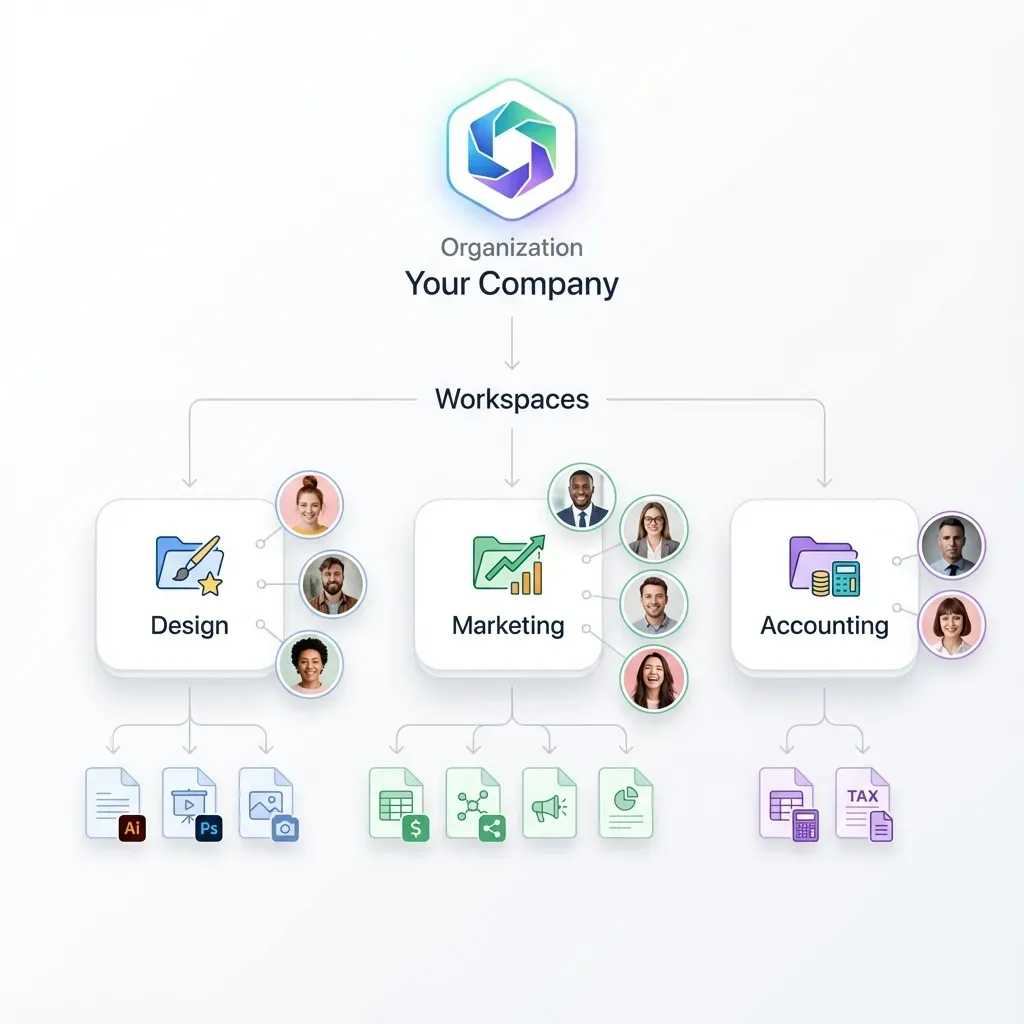
Fastio permissions are set per organization, workspace, and share through member roles. There are no folder-level or file-level permissions; every workspace member reaches the whole workspace according to their assigned role. To sandbox AutoGen agents effectively:
- Isolate Specific Operational Domains: Create dedicated workspaces for specific business functions (such as
procurement-contractsorproduct-specs). - Sync Only Necessary Dropbox Folders: Configure Cloud Sync to connect only the Dropbox folders required for that specific task.
- Issue Scoped API Keys: Issue dedicated API keys restricted to the specific organization and workspace the agents require.
If you need to share specific files or an individual output folder with external partners or clients without granting access to the entire workspace, create a branded share. Shares can be configured with expiration dates, access passcodes, and disabled file downloads.
Managing Concurrency with Advisory File Locks and Version History
In sophisticated AutoGen setups, multiple agents collaborate concurrently. A research agent gathers findings, while an analyst agent and a writer agent draft sections of a composite report. If multiple agents attempt to write to the same output file simultaneously, race conditions occur.
Fastio resolves multi-agent concurrency through two complementary mechanisms:
- Advisory File Locks: Agents acquire, heartbeat, and release advisory file leases through MCP actions (
lock-acquireandlock-releaseon thestorage_managetool, andlock-statuson thestoragetool). Other agents check the lock status before writing. The lock is advisory and expires automatically unless heartbeated, preventing stalled agent sessions from freezing files indefinitely. - Per-File Version History: Fastio file locks never grant exclusive write rights. Concurrent writes both land, and version history preserves every version. If two agents save conflicting changes, neither write is destroyed. Team members and supervisory agents can review historical versions and restore earlier states at any time.
Extracting Structured Records with Metadata Views
In addition to unstructured semantic search, multi-agent pipelines frequently need to extract structured data from Dropbox files, such as invoice line items, contract renewal dates, or vendor names.
Fastio provides Metadata Views to turn documents into live, queryable databases. Users describe fields in natural language, and AI designs a typed schema across documents (Text, Integer, Decimal, Boolean, URL, JSON, Date & Time). AutoGen agents can trigger extraction and query structured metadata via MCP, combining schema-based retrieval with unstructured semantic search.
Detailed Activity Logs and Audit Tracking
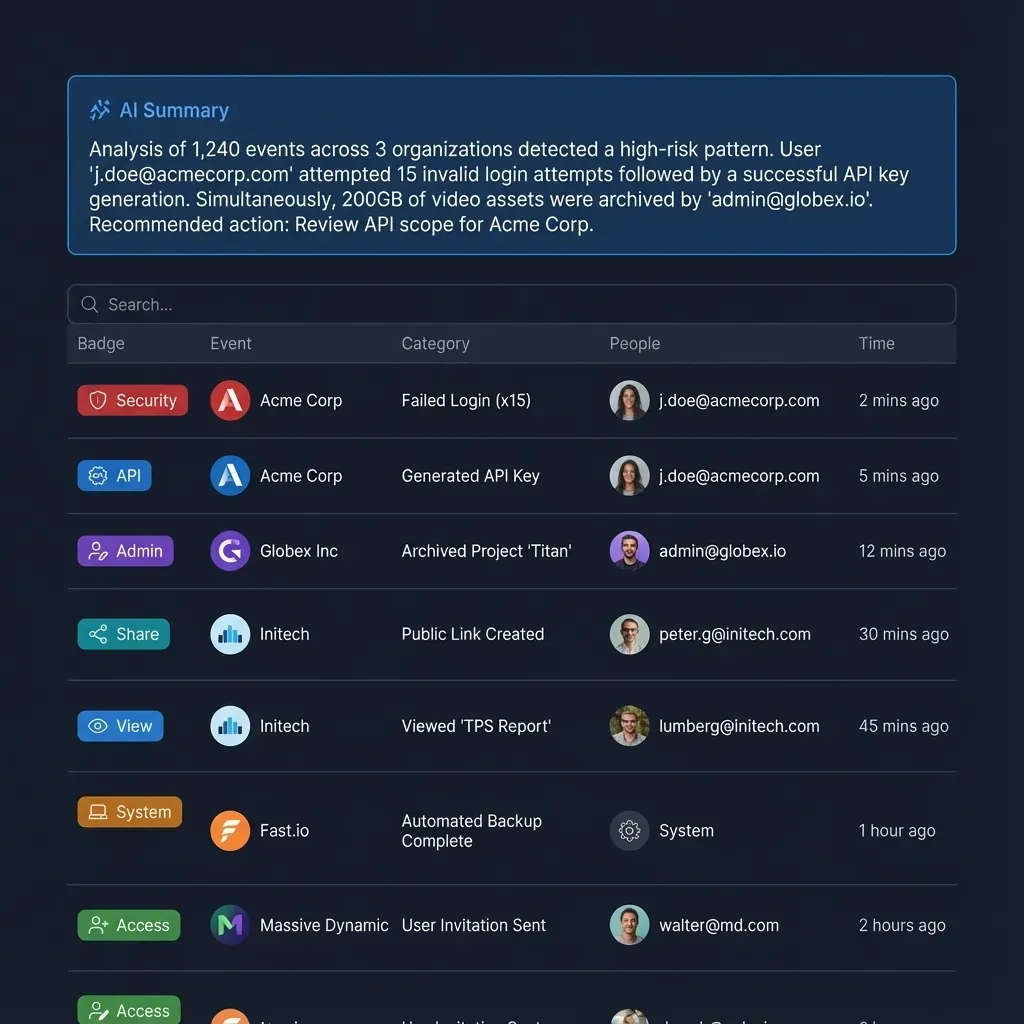
Enterprise teams require complete visibility into automated modifications. Fastio maintains a detailed activity log of changes across the organization. The activity log records file uploads, edits, moves, deletions, membership updates, permission adjustments, and share creation events made by people and agents alike. It records modifications rather than read-only file views or downloads, providing an accurate change log without informational noise.
Fastio also supports ownership transfer from agent to human. An autonomous AutoGen agent can programmatically initialize an organization, construct workspaces, connect Dropbox sync folders, and establish Metadata Views. The agent then transfers organization ownership to a human administrator while retaining administrative access to continue operational maintenance.
When agent workflows produce finalized agreements or signable reports, Fastio e-signature allows teams to dispatch documents for signature directly from the workspace. The system supports sequential or parallel signers, optional one-time passcodes, a tamper-evident audit certificate, and automatic filing of the executed document back into the workspace.
How to Prevent Rate Limits and Manage Multi-Agent Retrieval at Scale
Scaling AutoGen multi-agent systems from prototype scripts to production pipelines requires deliberate architectural strategies to avoid API rate limits, maintain context quality, and ensure fault-tolerant execution.
Architectural Root Causes of API Throttling
When an AutoGen GroupChat operates, communication flows iteratively between agents. In a group conversation evaluating a multi-file portfolio, each agent turn triggers reasoning cycles. If agents are equipped with direct storage API tools, they frequently execute repetitive folder listings, checking whether new files appeared or verifying folder names.
Direct Dropbox API integrations experience rapid throttling under this pattern because:
- Redundant Directory Polling: Every listing call consumes Dropbox API rate quotas. In a multi-agent loop, a single conversation can trigger dozens of recursive folder traversals within minutes.
- Binary Payload Overhead: Downloading complete document files across multiple agent steps strains both network bandwidth and host memory.
- Lack of Shared State: Without a shared intelligence layer, each subagent must re-read or re-request files independently, compounding API load.
Decoupling Ingestion from Agent Querying
The most reliable strategy to prevent rate limiting is decoupling document ingestion from agent query execution. By using Fastio Cloud Sync, file transfers happen on a configured schedule or on demand in the background. Dropbox API requests are managed systematically during sync runs rather than during dynamic agent reasoning turns.
During active AutoGen conversations, agents query the Fastio workspace over remote MCP. Because queries target pre-indexed vector and full-text indexes hosted on Fastio infrastructure, zero live API calls are issued to Dropbox during agent reasoning. Multiple subagents query the same index simultaneously without triggering external API limits.
Implementation Checklist for Production AutoGen Storage Connectors
Before deploying an AutoGen storage connector into production, verify the following configuration points:
- Scope Credentials: Restrict agent API keys to dedicated workspaces containing only relevant project folders.
- Filter File Types in Cloud Sync: Synchronize only the file formats your agents require (PDFs, Markdown notes, DOCX specifications) to minimize sync volume.
- Use Semantic Queries: Instruct your AutoGen assistant agents to query specific concepts rather than requesting broad folder listings.
- Enforce Response Citations: Ensure system prompts require agents to return the source document name and section title alongside extracted answers.
- Implement Advisory Locks for Writes: When agents output reports back to the workspace, use
storage_managewithaction: "lock-acquire"and verifylock-statusto coordinate multi-agent updates. - Review Version History: Monitor per-file version history and the detailed activity log to audit agent actions and recover prior document versions when needed.
Sources
References used to verify factual claims in this guide.
-
AutoGen supports integration with Model Context Protocol servers to provide structured tool calling and model orchestration for external services like Dropbox.
-
Enterprise automation connectors allow systems to access files and folders in cloud storage to manage files and data across workflows.
Frequently Asked Questions
How do AutoGen agents read files from Dropbox?
AutoGen agents read files from Dropbox either by calling custom Python tool functions that use the Dropbox API v2 SDK or by querying an intelligent Fastio workspace connected via Cloud Sync. With Fastio, Dropbox folders synchronize into a workspace where documents are pre-indexed. AutoGen agents connect via remote MCP at the tools endpoint and retrieve precise excerpts using the storage search tool, avoiding full file downloads.
Can AutoGen save generated reports back to Dropbox?
Yes. When using direct Dropbox SDK tools, agents upload files using the files_upload endpoint. When using Fastio, AutoGen agents save reports directly into the workspace using the storage_manage tool over MCP. With two-way Cloud Sync enabled, the workspace automatically synchronizes the new files back to your Dropbox folder, making them accessible to human team members.
How to prevent AutoGen from hitting Dropbox API rate limits?
To prevent rate limits, avoid having AutoGen agents perform live directory listings and whole-file downloads during conversation loops. Instead, synchronize Dropbox folders to a Fastio workspace using scheduled Cloud Sync. AutoGen agents query the pre-indexed workspace via remote MCP, executing hybrid searches against Fastio infrastructure without issuing live API calls to Dropbox.
What is an AutoGen Dropbox connector?
An AutoGen Dropbox connector provides Python-based AutoGen conversational agents with function tools to read, search, and manage files in Dropbox accounts. It connects agent reasoning loops to cloud storage, allowing multi-agent teams to inspect documents, extract context, and store deliverables.
Does Fast.io sync with Google Drive as well as Dropbox?
Yes. Cloud Sync connects Google Drive, Dropbox, Box and OneDrive folders to a workspace, one-way or two-way, on a schedule or on demand. SharePoint document libraries connect through the OneDrive connector. This allows multi-agent AutoGen teams to query files across multiple cloud storage providers within a single workspace.
How does Fastio handle concurrent writes from multiple AutoGen agents?
Fastio manages concurrent agent writes using advisory file locks and per-file version history. Agents acquire advisory leases using the storage_manage tool with action lock-acquire before editing. Locks are advisory and never grant exclusive write rights; concurrent writes both land, and version history preserves every version so no work is overwritten.
What is the difference between direct Dropbox API search and workspace hybrid search?
Direct Dropbox API search matches file names or raw text keywords and downloads entire files, requiring the agent host to parse documents and manage chunking. Fastio workspace hybrid search combines full-text keyword indexing, dense vector search, and metadata value filtering off-host, returning concise, citation-backed excerpts directly to the agent prompt.
Related Resources

Connect AutoGen Agents to Dropbox Without Rate Limits
Sync your Dropbox folders into an intelligent workspace, query pre-indexed documents through remote MCP, and eliminate token bloat across multi-agent teams. Monthly plans start with a 14-day free trial, which requires a credit card.