How to Build a Semantic Kernel Box Connector for AI Document Ingestion
A Semantic Kernel Box connector enables Microsoft Semantic Kernel AI pipelines to ingest, index, and retrieve governed enterprise files stored in Box for semantic memory and RAG workflows. Directly querying the Box API introduces OAuth refresh hurdles, strict rate limits, and token bloat from raw file payloads. Synchronizing target Box folders into a Fastio workspace gives agents hybrid semantic search and precise excerpt retrieval over remote MCP without local file ingestion.

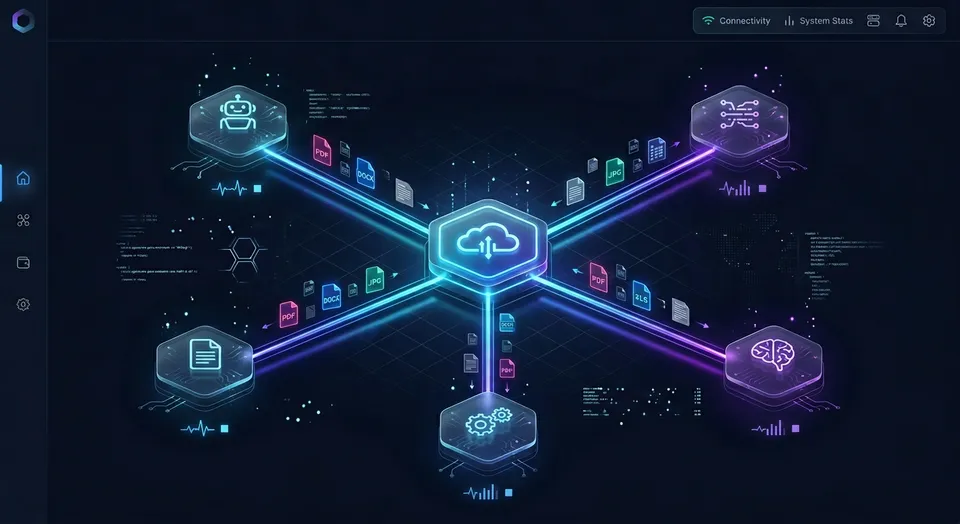
How to Architect a Semantic Kernel Box Integration
Connecting a Semantic Kernel AI agent directly to enterprise storage via the Box Content API introduces three immediate operational bottlenecks: recursive folder traversal that triggers API rate limits, complex OAuth 2.0 token refreshes in headless agent runtimes, and context window bloat caused by dumping raw binary document contents into prompt memory. The obstacle that stalls enterprise agent initiatives is rarely the reasoning ability of the underlying model, but rather the data transfer and retrieval architecture connecting the agent to existing cloud storage repositories.
According to Box, the company counts 68% of the Fortune 500 among its enterprise customer base. In many organizations, critical corporate knowledge, technical specifications, policy handbooks, and compliance audits live in governed Box folders. At the same time, software engineering teams rely on Microsoft Semantic Kernel to orchestrate agentic workflows, build Retrieval-Augmented Generation (RAG) pipelines, and integrate enterprise memory into large language models.
A Semantic Kernel Box connector enables Microsoft Semantic Kernel AI pipelines to ingest, index, and retrieve governed enterprise files stored in Box for semantic memory and RAG workflows. Semantic Kernel coordinates native code and cloud APIs as structured plugins with language models. When an agent processes an enterprise inquiry, the model evaluates available function descriptions, determines whether repository access is required, and invokes storage tools to ground its response in corporate facts.
Direct Box API Plugins Versus Workspace Coordination
Development teams connecting Semantic Kernel to Box evaluate two primary architectural patterns:
Direct Box API Plugin Pattern: Developers write custom C# or Python plugins that issue direct HTTP requests to the Box Content API. The host application handles authentication, refreshes tokens, paginates folder listings, downloads raw file streams, extracts text locally, chunks documents, computes embeddings, and indexes them in an external vector store.
Workspace Synchronization and Remote MCP Pattern: The organization maintains its existing Box storage, folders, and governance policies as the primary interface for human teams, while synchronizing target folders into an intelligent Fastio workspace using Cloud Sync. Fastio parses, chunks, and indexes incoming files automatically. Semantic Kernel agents then connect to the workspace through a remote Model Context Protocol (MCP) server over Streamable HTTP, executing targeted hybrid semantic searches that return precise excerpts with citations.
Architectural Comparison of Integration Paths
To understand how these two approaches operate under production workloads, compare their core technical characteristics:
Three-Phase Pipeline for Box Document Ingestion
A dependable pipeline for connecting Semantic Kernel to Box documents requires three distinct phases:
- Authentication scoping and credential management: Configure Box API credentials or workspace API keys with restricted permissions, limiting agent access to designated folders or workspaces rather than granting broad tenant-wide authority.
- Automated document indexing: Ingest Box documents into an index where files are extracted, chunked, and embedded into semantic memory. In custom pipelines, this requires local OCR libraries and external vector stores. In a workspace architecture, Cloud Sync and Intelligence Mode handle indexing automatically without local compute.
- Precise excerpt retrieval: Semantic Kernel invokes search tools during planning, retrieving relevant document excerpts with source metadata and file names directly into prompt context.
Language model planners require clear tool descriptions to avoid hallucinated file path lookups. When an agent lacks structured retrieval tools, it attempts to guess folder structures or reads hundreds of irrelevant files. Providing targeted search tools grounds the agent in factual content while keeping context windows clean.
Related guides
- How to Build a Semantic Kernel Dropbox Connector for AI AgentsA Semantic Kernel Dropbox connector is a plugin or native memory store that connects Semantic Kernel AI agents to...
- How to Build a Semantic Kernel OneDrive Connector for AI AgentsA Semantic Kernel OneDrive connector links Microsoft Graph drive item retrieval to Semantic Kernel plugins, allowing AI...
- How to Connect LangGraph to Box for Persistent Agent StorageA LangGraph Box connector links stateful agent graphs to Box enterprise storage, retrieving indexed passages on demand...
- How to Connect Roo Code to Box: Remote MCP Setup & Enterprise File SearchConnecting Roo Code to Box storage lets autonomous coding agents search enterprise project documentation directly from...
- Box Delta Sync: Events API, Polling Patterns, and Agent IndexingBox delta sync uses the Box Events API and stream position markers to track file additions, updates, and deletions...
- ChatGPT Box Integration: Connecting Box Storage to AI AgentsA ChatGPT Box integration enables OpenAI models to query, summarize, and retrieve documents stored within Box cloud...
More on this subject: Agent Integrations and APIs (228 guides)
How to Build Native Box API Plugins for Semantic Kernel
The direct method for connecting Semantic Kernel to Box involves building a native C# or Python plugin that interacts with the Box Content API. Semantic Kernel plugins encapsulate APIs and native functions into collections that AI models can invoke through function calling.
To build a custom Box connector, developers expose methods for searching folders, inspecting file metadata, and downloading document content streams to the kernel using function annotations.
Authentication Models for the Box Content API
Box provides two primary authentication mechanisms for programmatic access:
- User OAuth 2.0: Requires interactive user login to grant consent. Box issues an access token with a 60-minute lifetime and a refresh token valid for 60 days. Each refresh request returns a new token pair. If an autonomous agent service restarts or misses a refresh cycle, the token expires, requiring manual human intervention.
- Server-to-Server Authentication: Recommended for headless agents and automated microservices. Box supports Client Credentials Grant and JSON Web Token (JWT) key pairs configured in the Box Developer Console. This approach creates a Box Service Account that authenticates autonomously without interactive user credentials.
Implementing a Box Plugin in C#
In C# applications using Microsoft.SemanticKernel, developers create a plugin class with methods decorated with the KernelFunction and Description attributes:
using System;
using System.ComponentModel;
using System.IO;
using System.Net.Http;
using System.Net.Http.Headers;
using System.Text.Json;
using System.Threading;
using System.Threading.Tasks;
using Microsoft.SemanticKernel;
//
public class BoxContentPlugin
{
    private readonly HttpClient _httpClient;
//
    public BoxContentPlugin(string accessToken)
    {
        _httpClient = new HttpClient
        {
            BaseAddress = new Uri("https://api.box.com/2.0/")
        };
        _httpClient.DefaultRequestHeaders.Authorization =
            new AuthenticationHeaderValue("Bearer", accessToken);
    }
//
    [KernelFunction, Description("Searches Box files and folders by query string.")]
    public async Task<string> SearchFilesAsync(
        [Description("Natural language query to search for enterprise documents stored in Box")] string query,
        CancellationToken cancellationToken = default)
    {
        var response = await _httpClient.GetAsync(
            $"search?query={Uri.EscapeDataString(query)}&type=file&limit=5",
            cancellationToken);
//
        response.EnsureSuccessStatusCode();
        return await response.Content.ReadAsStringAsync(cancellationToken);
    }
//
    [KernelFunction, Description("Downloads file content from Box given a file ID.")]
    public async Task<string> DownloadFileContentAsync(
        [Description("The unique enterprise Box file ID string representing the document")] string fileId,
        CancellationToken cancellationToken = default)
    {
        var response = await _httpClient.GetAsync(
            $"files/{fileId}/content",
            cancellationToken);
//
        response.EnsureSuccessStatusCode();
        using var reader = new StreamReader(await response.Content.ReadAsStreamAsync(cancellationToken));
        return await reader.ReadToEndAsync(cancellationToken);
    }
}
Registering the Box Plugin with the Semantic Kernel Builder
Once the plugin is defined, register it with the Semantic Kernel builder and enable automatic function calling:
using System;
using System.Threading.Tasks;
using Microsoft.SemanticKernel;
using Microsoft.SemanticKernel.ChatCompletion;
//
class Program
{
    static async Task Main(string[] args)
    {
        var kernelBuilder = Kernel.CreateBuilder();
        kernelBuilder.AddOpenAIChatCompletion("gpt-4o", Environment.GetEnvironmentVariable("OPENAI_API_KEY")!);
//
        var boxToken = Environment.GetEnvironmentVariable("BOX_DEVELOPER_TOKEN")!;
        kernelBuilder.Plugins.AddFromObject(new BoxContentPlugin(boxToken), "BoxPlugin");
//
        var kernel = kernelBuilder.Build();
        var chatService = kernel.GetRequiredService<IChatCompletionService>();
//
        var promptSettings = new PromptExecutionSettings
        {
            FunctionChoiceBehavior = FunctionChoiceBehavior.Auto()
        };
//
        var history = new ChatHistory();
        history.AddUserMessage("Find the latest security compliance report in Box and summarize the access control audit findings.");
//
        var result = await chatService.GetChatMessageContentAsync(history, promptSettings, kernel);
        Console.WriteLine(result.Content);
    }
}
Implementing a Box Plugin in Python
In Python pipelines, developers use the Semantic Kernel Python SDK alongside standard HTTP libraries or the official box-sdk-gen package:
import os
from typing import Annotated
import httpx
from semantic_kernel.functions import kernel_function
#
class BoxStoragePlugin:
    def __init__(self, access_token: str):
        self.headers = {"Authorization": f"Bearer {access_token}"}
        self.base_url = "https://api.box.com/2.0"
#
    @kernel_function(
        name="search_files",
        description="Searches Box files using a keyword query string."
    )
    async def search_files(
        self,
        query: Annotated[str, "The search keywords to query Box files"]
    ) -> str:
        async with httpx.AsyncClient() as client:
            response = await client.get(
                f"{self.base_url}/search",
                headers=self.headers,
                params={"query": query, "type": "file", "limit": 5}
            )
            response.raise_for_status()
            return response.text
#
    @kernel_function(
        name="download_file_text",
        description="Downloads text content from a specified Box file ID."
    )
    async def download_file_text(
        self,
        file_id: Annotated[str, "The numerical Box file ID"]
    ) -> str:
        async with httpx.AsyncClient() as client:
            response = await client.get(
                f"{self.base_url}/files/{file_id}/content",
                headers=self.headers
            )
            response.raise_for_status()
            return response.text[:4000]
Three Production Hurdles in Direct Box Integrations
While direct plugins demonstrate initial feasibility, engineering teams encounter three serious operational obstacles when moving to production:
- HTTP 429 rate limiting and exponential backoff: Box enforces rate limits calculated on rolling windows per user and per enterprise application. When an agent recursively inspects subfolders or queries hundreds of documents, Box responds with HTTP 429 Too Many Requests and a
Retry-Afterheader. Applications must implement custom Polly policies in C# or backoff decorators in Python to queue and retry requests without dropping user sessions. - Binary document conversion overhead: The Box Content API returns raw document byte streams. Real enterprise folders contain PDF contracts, PowerPoint slides, Excel spreadsheets, and Word documents. The agent host application must integrate third-party parsing libraries, extract embedded text, strip image metadata, and format tables before the model can read the content.
- RAG pipeline complexity and vector store sprawl: Downloading raw files directly into the prompt context exhausts context windows and inflates token costs. To implement semantic search, developers must split documents into overlapping chunks, compute dense embeddings with models like
text-embedding-3-small, and synchronize records with an external vector database like Azure AI Search or Qdrant using Semantic Kernel vector store connectors.
How Fastio Intelligent Workspaces Ingest Box Files into Semantic Memory
The alternative to maintaining custom Box ingestion scripts, chunking routines, and vector databases is offloading file indexing to an intelligent workspace layer.
In this architecture, organizations keep Box as their enterprise system of record. Corporate governance, folder taxonomies, retention rules, and user access policies remain inside Box. Target folders then synchronize into an intelligent Fastio workspace, where documents are automatically converted into searchable semantic memory.
Automated Ingestion with Cloud Sync
Fastio Cloud Sync connects Google Drive, Dropbox, Box and OneDrive folders to a workspace, one-way or two-way, on a schedule or on demand. Synchronization operates in the background and is never continuous, live or real-time. SharePoint libraries can also connect through the OneDrive connector.
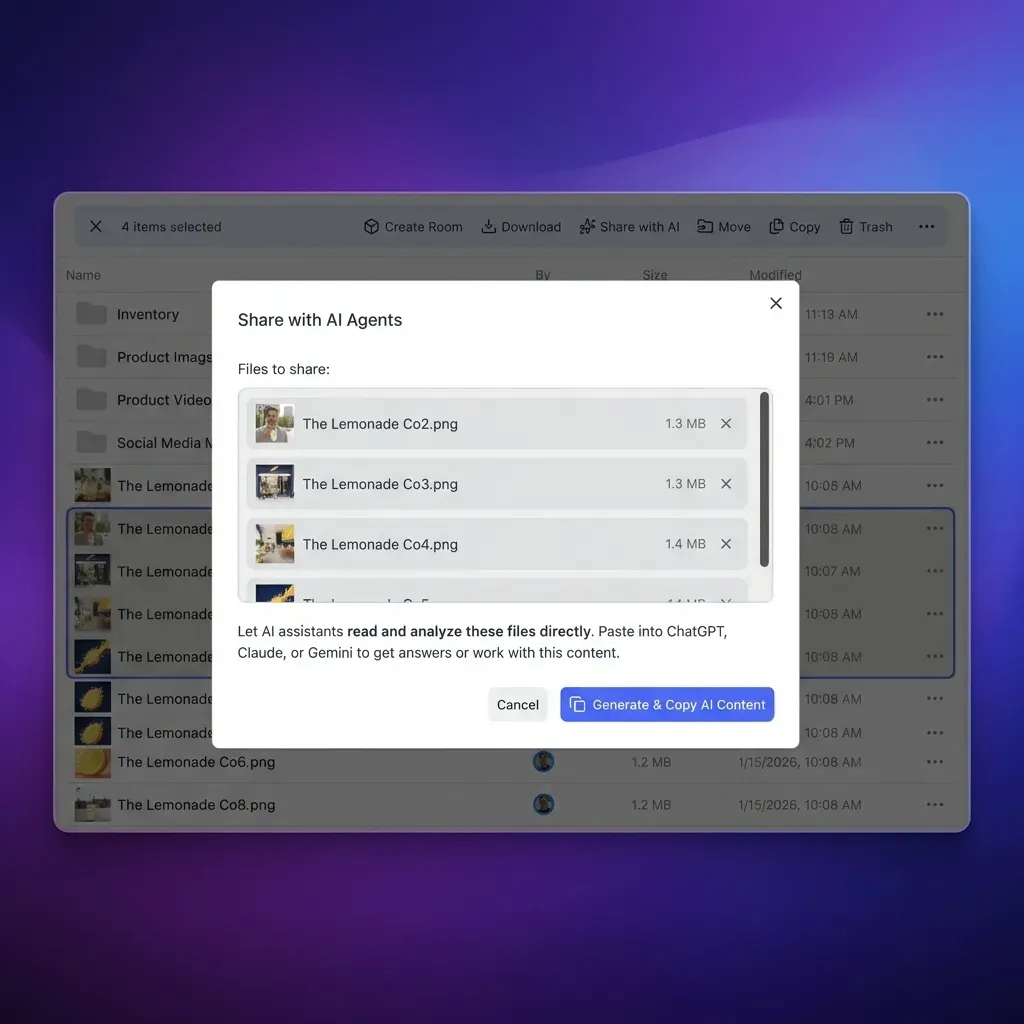
When Cloud Sync ingests Box documents into a workspace, Fastio Intelligence Mode automatically parses incoming files. It extracts text from PDFs, spreadsheets, presentations, scanned pages, and images, generates vector embeddings, and builds a unified hybrid search index. This eliminates the need for developers to write OCR glue code, configure chunking algorithms, or provision separate vector databases.
Semantic Kernel Access via Remote MCP Over Streamable HTTP
Semantic Kernel agents interact with Fastio workspaces through the Model Context Protocol (MCP). Fastio provides a hosted remote MCP server over Streamable HTTP at https://mcp.fast.io/mcp/tools for Claude applications and general agent runtimes, https://mcp.fast.io/mcp/operations for custom OpenAI configurations, and https://mcp.fast.io/mcp/code for coding agents.
Autonomous agents and backend services connect using an API key passed as Authorization: Bearer <api key>. The agent calls the storage read tool with action: "search" to query pre-indexed documents, receiving relevant excerpts and document citations directly:
import os
import httpx
#
FASTIO_API_KEY = os.environ["FASTIO_API_KEY"]
WORKSPACE_ID = os.environ["FASTIO_WORKSPACE_ID"]
MCP_ENDPOINT = "https://mcp.fast.io/mcp/tools"
#
async def search_workspace_memory(query: str) -> dict:
    headers = {
        "Authorization": f"Bearer {FASTIO_API_KEY}",
        "Content-Type": "application/json",
        "Accept": "application/json, text/event-stream"
    }
    payload = {
        "jsonrpc": "2.0",
        "id": 1,
        "method": "tools/call",
        "params": {
            "name": "storage",
            "arguments": {
                "action": "search",
                "workspace_id": WORKSPACE_ID,
                "query": query
            }
        }
    }
    async with httpx.AsyncClient() as client:
        response = await client.post(MCP_ENDPOINT, headers=headers, json=payload)
        response.raise_for_status()
        return response.json()
Eliminating Token Bloat and API Rate Limits
Querying pre-indexed workspace memory changes the resource profile of agent operations:
- Zero Box API throttling: The agent queries the Fastio search index rather than hitting the Box Content API. This isolates Box rate limits from real-time agent conversations and allows hundreds of users to query documents simultaneously.
- Clean prompt contexts: Instead of downloading a multi-page PDF contract and consuming thousands of context tokens, the agent receives only the exact relevant paragraphs matching the semantic intent of the query.
- Citations and verification: Every search result includes source document names and exact excerpts, allowing language models to cite specific files when generating answers.
In independent evaluations published in the connector comparison report at fast.io/benchmarks, Fastio was measured the fastest and the lowest cost of the providers tested.
Monthly plans start with a 14-day free trial, which requires a credit card. Credits meter AI search and document extraction, while storage and seats come included with each subscription.



Connect Semantic Kernel to Box Without Token Bloat
Sync your Box folders into an intelligent workspace, query indexed documents through remote MCP, and eliminate raw file dumping in AI agents. Monthly plans start with a 14-day free trial, which requires a credit card.
Why Enterprise Box Workflows Require Metadata Views and Hybrid Search
Enterprise Box repositories contain dense, semi-structured documents such as commercial contracts, supplier invoices, regulatory filings, and project specification sheets. Pure semantic vector search excels at conceptual matching, but struggles when an agent must filter files by strict numerical values, date ranges, or counterparty names.
For example, asking a vector search engine to retrieve vendor agreements based on specific renewal dates, jurisdictions, or precise liability thresholds frequently fails because vector similarity cannot evaluate mathematical inequalities or structured date filters.
Transforming Box Documents with Metadata Views
Fastio Metadata Views turn unstructured documents into a live, queryable database. Detailed documentation is available at /product/document-data-extraction/.
Instead of writing manual regex patterns or configuring brittle OCR extraction rules, users and agents describe desired fields in natural language. Fastio automatically designs a typed schema supporting Text, Integer, Decimal, Boolean, URL, JSON, and Date & Time formats. Incoming Box files are analyzed, and extracted values populate a sortable, filterable spreadsheet view.
Metadata Views work with PDFs, spreadsheets, Word documents, presentations, and scanned pages. When business needs evolve, teams can add new metadata columns without reprocessing existing files.
Hybrid Search: Unifying Lexical, Semantic, and Metadata Queries
Fastio combines three retrieval mechanisms into a unified hybrid search engine:
- Lexical full-text search: Matches exact terminology, part numbers, legal clause citations, and specialized acronyms.
- Dense vector search: Matches conceptual meaning and paraphrased questions even when users use different phrasing than the source text.
- Structured metadata filtering: Narrows candidate files by document type, department, creation date, or custom extracted values before semantic ranking occurs.
Semantic Kernel agents can query Metadata Views through MCP actions, retrieving structured records to filter documents before running synthesis prompts. This eliminates hallucinated citations and focuses language model reasoning on verified document collections.
Collaborative Notes for Agent-Human Synthesis
When Semantic Kernel agents analyze collections of Box documents, their findings must be documented for human review. Fastio provides Collaborative Notes kept directly beside files in the workspace.
Notes use version-checked saves rather than real-time co-editing. An agent can draft an executive brief, log compliance verification results, or summarize contract deviations into a note. Human team members can inspect the note, review cited source documents, and update project records within the same workspace interface.
What Production Agent Deployments Require: Permissions, Concurrency, and Audit Logs
Deploying a Semantic Kernel storage connector in enterprise production requires rigorous controls around security scoping, multi-agent concurrency, and compliance visibility.
Sandboxing Agents with Scoped Workspace Boundaries
A common vulnerability in custom Box API integrations is assigning the agent a Box Service Account with broad, enterprise-wide co-admin privileges. If an agent experiences prompt injection or misinterprets user instructions, it risks reading and exposing sensitive files across unrelated business departments.
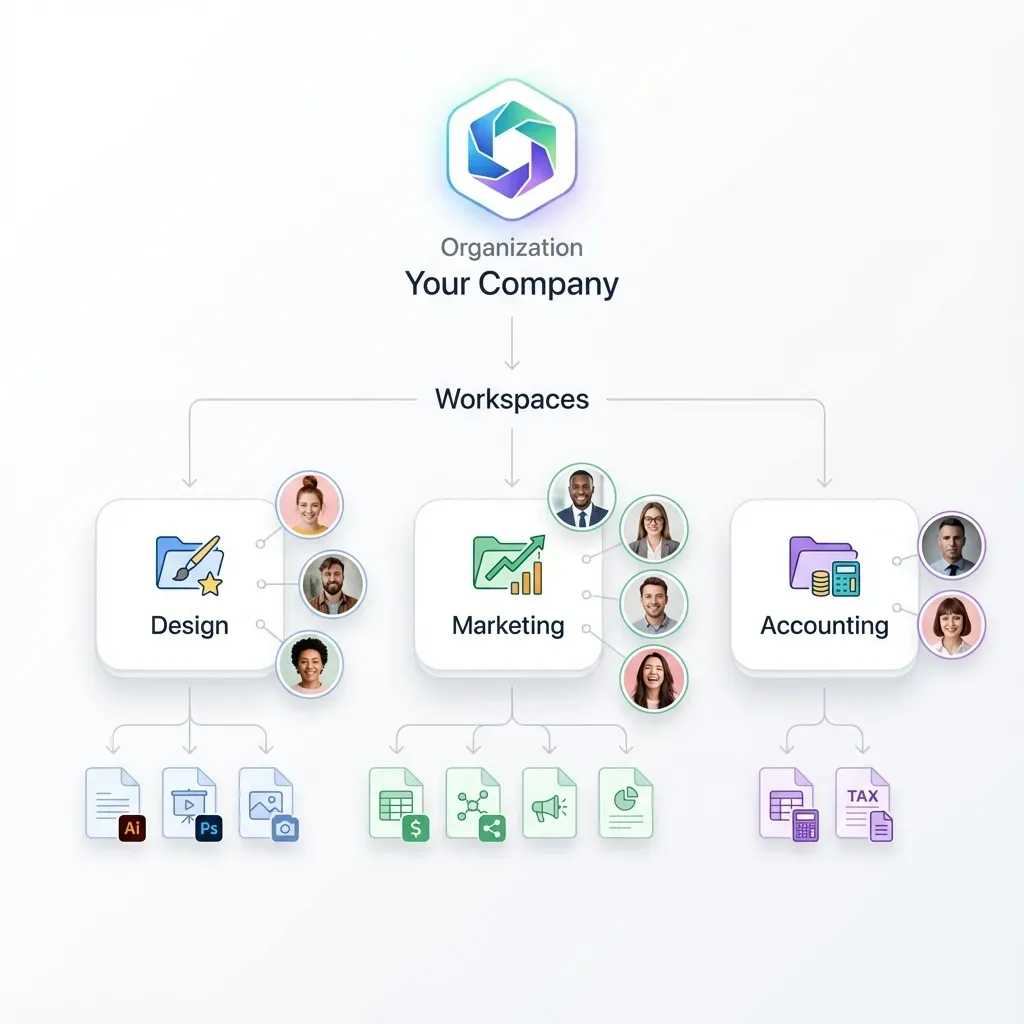
Fastio permissions are set per organization, workspace, and share through member roles; every workspace member reaches workspace contents according to their role. To isolate an agent, create a dedicated workspace containing only the specific project assets the agent requires, and sync only designated Box folders into that workspace. This sandboxes the agent, preventing it from accessing unrelated corporate data.
Multi-Agent Concurrency and Advisory File Locks
In production environments, multiple Semantic Kernel agents and human team members collaborate simultaneously on shared workspaces. Concurrent writes to the same project files can lead to race conditions and overwritten analysis.
Fastio protects concurrent workflows through per-file version history and advisory file locks. Agents acquire, heartbeat, and release advisory file leases through MCP actions: lock-acquire and lock-release on the storage_manage tool, and lock-status on the storage tool. Other members can see who holds the lock. Locks never grant exclusive write rights; concurrent writes both land, and version history preserves every version, allowing teams to review changes or restore prior copies without data loss.
Detailed Activity Log and Audit Tracking
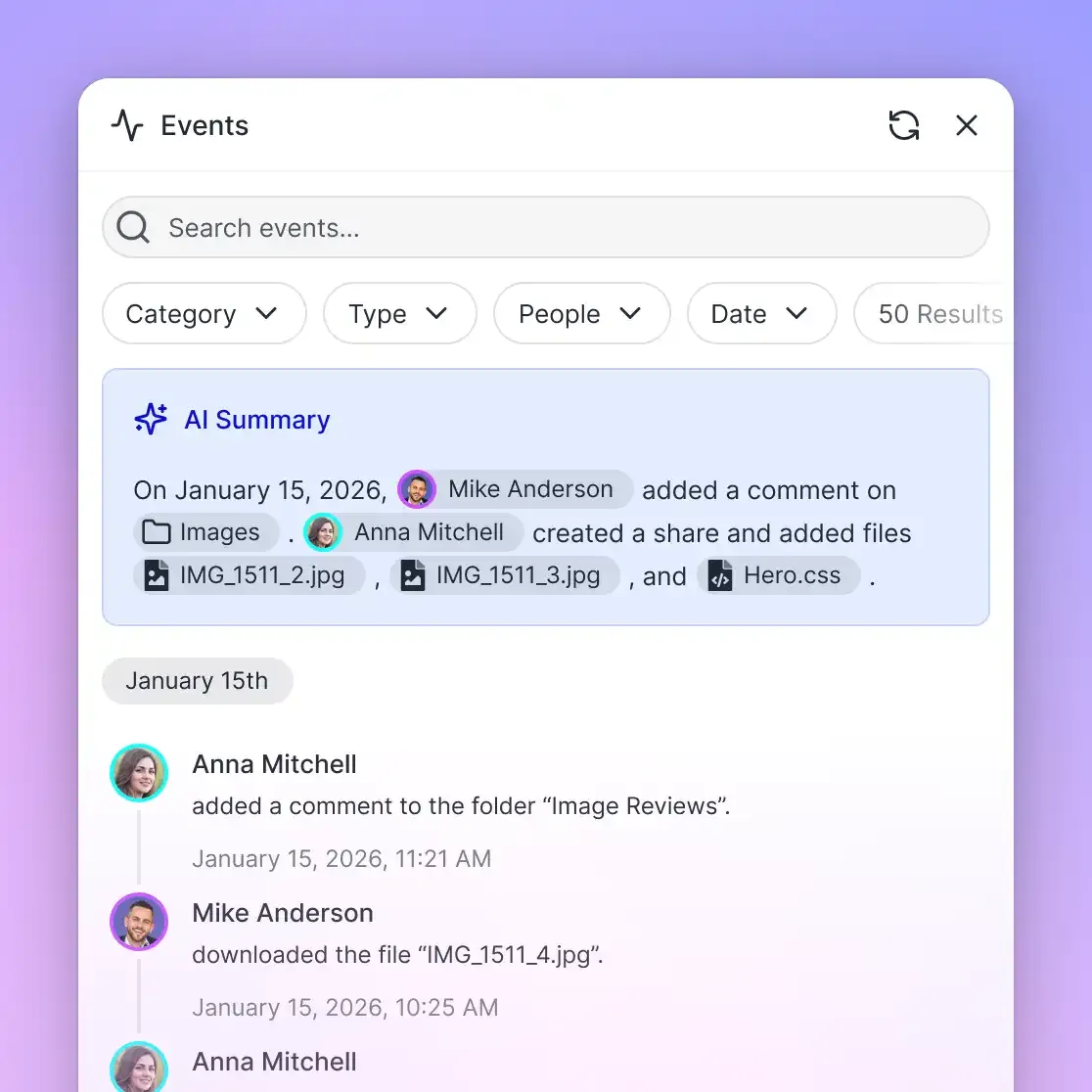
Enterprise security teams require visibility into agent modifications. Fastio maintains a detailed activity log of changes across the organization, recording file uploads, edits, moves, deletions, membership changes, and share creation by humans and agents alike. The activity log records modifications rather than read-only file views or downloads, providing a clean audit trail of workspace state changes without noise.
Fastio also supports ownership transfer from agent to human. An autonomous agent can initialize an organization, construct workspaces, synchronize Box folders, and build Metadata Views, then transfer organization ownership to a human administrator while retaining administrative access for ongoing operations.
Integrated Document Signing Workflows
When agent workflows produce or manage finalized legal contracts, vendor statements of work, or onboarding agreements originating from Box, Fastio e-signature allows teams to send documents for signature directly from a workspace. The feature supports signers in sequence or parallel, optional one-time passcodes per signer, a tamper-evident audit certificate, and the executed copy filed back into the workspace. Detailed workflows are documented at /product/e-signature/.
Choosing the Right Integration Architecture
Use a direct native Box API plugin when building simple internal tools that only need to list a handful of files by name or inspect basic metadata properties in a single, well-known Box folder.
When building production agents that must search large document collections, answer complex questions using semantic retrieval, extract structured records, or collaborate safely across multi-agent environments, synchronizing Box folders into Fastio workspaces and connecting Semantic Kernel via remote MCP provides a more secure, scalable, and cost-effective foundation.
Sources
References used to verify factual claims in this guide.
-
Box counts 68% of the Fortune 500 among its enterprise customer base.
-
Semantic Kernel plugins encapsulate APIs and native functions into collections that AI models can invoke through function calling.
Frequently Asked Questions
Does Microsoft Semantic Kernel support Box natively?
Microsoft Semantic Kernel does not include a built-in Box vector store connector out of the box. Developers connect to Box either by writing custom C# or Python plugins that call the Box Content API directly, or by synchronizing Box folders into a Fastio workspace and querying indexed documents via remote Model Context Protocol (MCP) tools.
How do I connect Box documents to Semantic Kernel memory?
You can connect Box documents to Semantic Kernel memory by creating a custom plugin with methods decorated with KernelFunction that fetch files from Box, parse their text, and pass chunks to a Semantic Kernel vector store connector. Alternatively, syncing Box folders to a Fastio workspace indexes documents automatically for hybrid semantic search over remote MCP without local chunking.
What is the best way to build a RAG pipeline from Box files?
The most efficient way to build a RAG pipeline from Box files is to sync target Box folders into an intelligent workspace using Fastio Cloud Sync. Fastio automatically parses binary files, generates embeddings, and creates a hybrid search index. Semantic Kernel agents then query the workspace over remote MCP, retrieving cited excerpts without dumping raw files into context windows.
How do custom Box API plugins handle rate limiting and HTTP 429 errors?
Custom Box API plugins must inspect HTTP responses for status code 429 Too Many Requests, extract the Retry-After header, and apply exponential backoff with jitter before retrying. Offloading retrieval to a Fastio workspace avoids runtime Box API throttling because the agent queries pre-indexed workspace storage rather than calling Box endpoints during conversation turns.
How does Fastio Cloud Sync connect to Box folders?
Cloud Sync connects Google Drive, Dropbox, Box and OneDrive folders to a workspace, one-way or two-way, on a schedule or on demand. Synchronization operates in the background and is never continuous, live or real-time, transferring files into an isolated workspace where documents are pre-indexed for agent retrieval.
Does Fastio provide semantic search without a separate vector database?
Yes. Fastio Intelligence Mode automatically indexes uploaded and synchronized documents for hybrid search, combining full-text keyword indexing, dense semantic vector search, and search-by-metadata-value without requiring external vector databases, embedding models, or custom chunking scripts.
How does Fastio handle permissions when syncing Box folders?
In direct Box API integrations, the agent inherits all permissions granted to its service account or OAuth token, which often grants broad access across the tenant. When connecting through Fastio, organizations sandbox the agent by placing target files into an isolated workspace with role-based member permissions set per organization, workspace, and share.
Does Fastio sync with Google Drive?
Yes. Cloud Sync connects Google Drive, Dropbox, Box and OneDrive folders to a workspace, one-way or two-way, on a schedule or on demand, allowing teams to preserve existing storage while giving AI agents unified MCP access.
Related Resources

Connect Semantic Kernel to Box Without Token Bloat
Sync your Box folders into an intelligent workspace, query indexed documents through remote MCP, and eliminate raw file dumping in AI agents. Monthly plans start with a 14-day free trial, which requires a credit card.