Fastio API Integration Tutorial for Java Spring Boot
A reliable Fastio API integration tutorial for Java Spring Boot allows enterprise backends to securely manage agentic workspaces and scalable file storage. This detailed guide covers authentication, connection pooling, and retry mechanisms for production environments. You will learn to build a resilient integration that connects your Spring Boot application to Fastio's multiple MCP tools and built-in intelligence features, enabling collaboration between human teams and AI agents.

Why Choose Spring Boot for Fastio Agent Workspaces?
Integrating Fastio with Java Spring Boot allows enterprise applications to securely manage agentic workspaces and file storage using dependency injection and RESTful clients. According to Snyk, Java Spring Boot is used by over 60% of enterprise backends for their main applications, making it the dominant framework for building reliable, scalable infrastructure. When you pair this enterprise-grade framework with a modern workspace platform, you unlock powerful capabilities for both developers and users.
When connecting these backend systems to Fastio, developers gain access to an intelligent workspace that goes far beyond commodity storage. Fastio native intelligence means that the moment a file hits the API, it is automatically indexed, processed, and made available for Retrieval-Augmented Generation (RAG). You do not need a separate vector database to make your documents searchable by meaning. This eliminates a massive amount of architectural complexity that typically accompanies AI feature development.
For developers building AI agents, Fastio provides multiple MCP tools accessible via Streamable HTTP. By bridging these tools with Spring Boot's dependency injection and rich ecosystem, you establish a resilient foundation for autonomous file operations, automated data ingestion, and secure human-agent collaboration. Spring Boot provides the rigid security and lifecycle management, while Fastio handles the cognitive load of indexing, semantic search, and agent orchestration.

Related guides
- How to Integrate Fastio API with Java Spring BootIntegrating Fastio with Java Spring Boot allows developers to build scalable agentic workspaces within enterprise...
- How to Integrate the Fastio API with SvelteKitSvelteKit's server-side form actions and API routes make it a strong fit for integrating with the Fastio API. This...
- Fastio API Django Integration Guide: Complete SetupIntegrating Fastio API with Django allows developers to manage agentic workspaces directly from their web application...
- How to Integrate Fastio API in Nuxt.jsIntegrating Fastio API with Nuxt.js enables Vue developers to build reliable file management and storage directly into...
- How to Set Up Fastio API PHP Laravel IntegrationIntegrating the Fastio API into a PHP Laravel application allows developers to upgrade their file storage into a smart,...
- How to Integrate Fastio API with Pydantic AIIntegrating Fastio API with Pydantic AI ensures that documents retrieved by agents are automatically parsed into...
More on this subject: Agent Integrations and APIs (192 guides)
Setting Up Your Spring Boot Project Environment
Before writing any code, you need to establish a reliable foundation for your Fastio API integration tutorial for Java Spring Boot. We recommend starting with a modern Spring Boot multiple.multiple+ setup to take full advantage of the new RestClient interface, which provides a clean, fluent API for synchronous HTTP calls compared to the legacy RestTemplate.
Here are the core dependencies you will need to add to your pom.xml or build.gradle file. While many tutorials skip resilience patterns, a production-grade Fastio HTTP client should always include resilience libraries. You will need Spring Web for the HTTP clients, Spring Retry for handling transient failures, and Jackson for JSON parsing. Write the Fastio calls with RestClient against https://api.fast.io/current/.
<dependencies>
    <!-- Core Web Dependency -->
    <dependency>
        <groupId>org.springframework.boot</groupId>
        <artifactId>spring-boot-starter-web</artifactId>
    </dependency>

    <!-- Resilience Patterns -->
    <dependency>
        <groupId>org.springframework.retry</groupId>
        <artifactId>spring-retry</artifactId>
    </dependency>
    <dependency>
        <groupId>org.springframework.boot</groupId>
        <artifactId>spring-boot-starter-aop</artifactId>
    </dependency>
</dependencies>
Begin by generating your project on Spring Initializr. Select Java multiple or higher, add the required dependencies, and initialize the project in your IDE. Once the base project is running, you can move on to configuring your authentication and HTTP client beans to connect with Fastio's intelligent workspace infrastructure.
Configuring Authentication and the HTTP Client
Proper configuration separates your credentials from your business logic, ensuring secure deployments when your spring boot file upload api interacts with Fastio. Authenticated calls use Authorization: Bearer {api_key} against https://api.fast.io/current/. Keep the trailing slashes. Most POST bodies are application/x-www-form-urlencoded. Uploads are multipart/form-data. Create a key in Settings > Devices & Agents > API Keys, or with POST /current/user/auth/key/.
First, open your application.yml or application.properties file to define your configuration properties. Never hardcode your API key directly into your Java classes. Instead, use environment variables to inject the credentials at runtime. This prevents sensitive information from being committed to your version control system. Point the client at the host and keep /current/ on every path so Spring does not drop the prefix.
fastio:
  api:
    base-url: "https://api.fast.io"
    key: ${FASTIO_API_KEY}
    timeout:
      connect: 5000
      read: 15000
Next, create a @Configuration class to instantiate your RestClient bean. By centralizing the HTTP client configuration, you ensure that every request to the Fastio API automatically includes the necessary Authorization header and applies consistent timeout policies. This approach also simplifies testing, as you can easily mock the RestClient bean in your unit tests.
When dealing with large file uploads common in enterprise environments, consider tuning your connection pool and timeout settings. Small files go in one POST /current/upload/ call. Larger files use a chunked session: post the same form without chunk to receive an upload {id}, send pieces to POST /current/upload/{id}/chunk/?order=N&size=N, finish with POST /current/upload/{id}/complete/, then read GET /current/upload/{id}/details/?wait=60. Give the client a read timeout that can wait through that session.
Building the Workspace Management Service
With the configuration in place, the next step is building the service layer to interact with Fastio's workspaces. The service layer acts as a bridge between your application controllers and the remote API, encapsulating the complexity of HTTP requests, error handling, and data mapping.
A standard Fastio service implementation using Java Spring Boot requires a few distinct methods to cover the workspace lifecycle. When you integrate Fastio, you are managing workspaces that act as collaborative hubs where both human teams and AI agents can access shared data. Workspaces are the foundational container for all operations in the Fastio ecosystem.
To create a new workspace, post to /current/org/{org_id}/create/workspace/ as application/x-www-form-urlencoded. Workspace IDs are 19-digit numeric strings. Files you add are indexed for Ripley, the built-in RAG agent, so the workspace is searchable by meaning as soon as content lands.
@Service
public class FastioWorkspaceService {
    private final RestClient restClient;

    public FastioWorkspaceService(RestClient restClient) {
        this.restClient = restClient;
    }

public WorkspaceResponse createWorkspace(String orgId) {
        return restClient.post()
                .uri("/current/org/{orgId}/create/workspace/", orgId)
                .contentType(MediaType.APPLICATION_FORM_URLENCODED)
                .retrieve()
                .body(WorkspaceResponse.class);
    }
}
This simple, expressive syntax is the primary benefit of using the modern RestClient. It abstracts away the low-level connection management while providing a clear, declarative approach to defining the HTTP call. Expand the same service with GET /current/workspaces/all/, GET /current/workspace/{workspace_id}/details/, and POST /current/workspace/{workspace_id}/update/.
Implementing the Spring Boot File Upload API
Uploading files securely and efficiently is often the most complex part of any API integration. Your spring boot file upload api should process the incoming MultipartFile, convert it to a resource that RestClient can consume, and POST multipart/form-data to /current/upload/. Send name, size, chunk (the bytes), action=create, instance_id (the workspace ID), and folder_id (use root for the workspace root). A successful small upload returns HTTP 201 with result, id, and new_file_id. Fastio indexes the file so Ripley and the MCP tools can use it right away.
When implementing the upload method, always stream the data rather than loading the entire file into memory. This prevents OutOfMemoryError exceptions when handling large media files or datasets. Use Spring's Resource abstraction to stream the file contents as the chunk part. For bigger files, start a chunked session (same route, omit chunk), then POST /current/upload/{id}/chunk/?order=N&size=N, POST /current/upload/{id}/complete/, and GET /current/upload/{id}/details/?wait=60.
public FileResponse uploadFile(String workspaceId, MultipartFile file) throws IOException {
    MultiValueMap<String, Object> parts = new LinkedMultiValueMap<>();
    parts.add("name", file.getOriginalFilename());
    parts.add("size", String.valueOf(file.getSize()));
    parts.add("chunk", file.getResource());
    parts.add("action", "create");
    parts.add("instance_id", workspaceId);
    parts.add("folder_id", "root");

    return restClient.post()
            .uri("/current/upload/")
            .contentType(MediaType.MULTIPART_FORM_DATA)
            .body(parts)
            .retrieve()
            .body(FileResponse.class);
}
Once the file is uploaded, Fastio indexes it for semantic search and workspace intelligence. Your Spring Boot application pushes the bits; Ripley, branded Send/Receive/Exchange shares, and the audit log take it from there. Same-name upload into the same folder overwrites in place and keeps the old content as a recoverable version. The node_id stays stable.


Ready to build intelligent agent workspaces?
Get scalable cloud storage and a consolidated MCP toolset during your trial. Visit /pricing/ to get started.
Adding Resilience: Retries and Connection Pooling
Most API tutorials ignore enterprise patterns like connection pooling and retry mechanisms in Java. However, when building a reliable fastio mcp java integration for production, assuming the network is always reliable is a dangerous anti-pattern. Enterprise applications must anticipate and gracefully handle transient failures, rate limits, and network latency. A dropped connection during a critical data sync can corrupt application state or frustrate users.
To implement retries, apply the @Retryable annotation provided by Spring Retry. Apply this annotation to your Fastio service methods to automatically re-attempt failed API calls when encountering specific exceptions, such as HttpServerErrorException or ResourceAccessException. This declarative approach keeps your business logic clean while adding a powerful layer of fault tolerance.
@Retryable(
  value = { ResourceAccessException.class, HttpServerErrorException.GatewayTimeout.class },
  maxAttempts = 3,
  backoff = @Backoff(delay = 2000, multiplier = 2)
)
public WorkspaceResponse getWorkspace(String workspaceId) {
    return restClient.get()
            .uri("/current/workspace/{workspaceId}/details/", workspaceId)
            .retrieve()
            .body(WorkspaceResponse.class);
}
This configuration tells Spring to retry the operation up to three times, with an exponentially increasing delay between attempts. On HTTP 429 with error code 1671, wait until the x-ve-limit-expires header before the next attempt. Additionally, configure a reliable connection pool for your HTTP client. By reusing established TCP connections, you significantly reduce the latency overhead associated with opening new connections for every API request.
Connecting Spring Boot to Fastio MCP Tools
The true power of the Fastio API integration lies in unlocking the Model Context Protocol (MCP) ecosystem. Agent integrations should call the MCP server, not raw HTTP. Connect at https://mcp.fast.io/mcp/tools (or https://mcp.fast.io/mcp/code for coding agents), sending an API key as a Bearer header from headless agents. Named mode exposes a consolidated MCP toolset, including upload, storage, find, ai, share, fileshare, and event. Code mode for headless agents exposes tools including auth, upload, search, execute, and how-to.
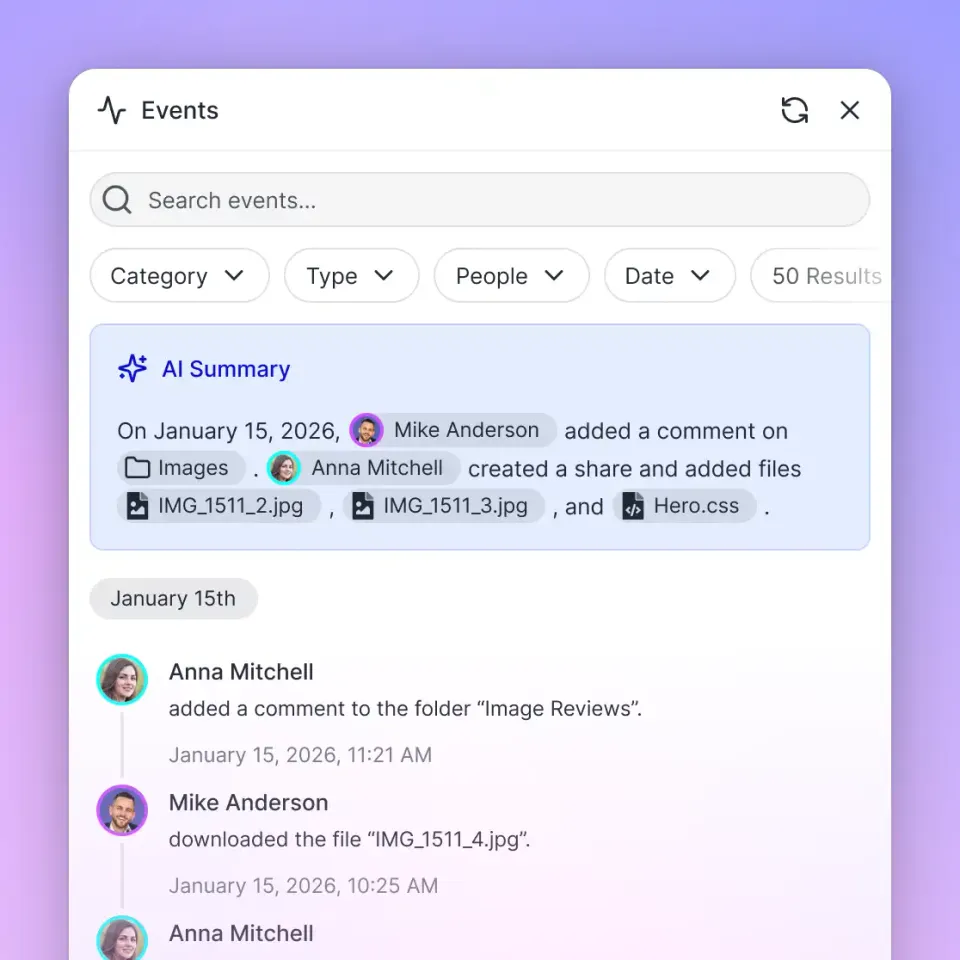
After your Java backend writes files into a workspace, watch activity on the audit log with GET /current/events/search/, or long-poll GET /current/activity/poll/{entityId}?wait=95&lastactivity={timestamp}. When a new node_id appears, start Ripley with POST /current/workspace/{workspace_id}/ai/agent/ and send a message with POST /current/workspace/{workspace_id}/ai/agent/{chat_id}/message/, or let an agent ask through the MCP ai_manage tool (ask). Use those events to update your local database or email a teammate.
To call MCP from Spring Boot, post a JSON-RPC tools/call to https://mcp.fast.io/mcp/tools. Spring's RestClient or WebClient can send that body with Authorization: Bearer {api_key}:
{"jsonrpc":"2.0","id":1,"method":"tools/call",
 "params":{"name":"upload_manage","arguments":{"action":"web-import","url":"https://example.com/report.pdf",
 "profile_type":"workspace","profile_id":"1234567890123456789"}}}
By combining Spring Boot's enterprise architecture with Fastio's intelligent workspace and MCP server, you build a system where agents handle file work autonomously, while your backend maintains strict control over permissions, data persistence, and system integration. This is the foundation of modern, agentic enterprise software. You get the agility of an AI-native platform with the stability of the Java ecosystem.
Sources
References used to verify factual claims in this guide.
-
Java Spring Boot is used by over 60% of enterprise backends
-
Small file upload is POST https://api.fast.io/current/upload/ with multipart fields name, size, chunk, action=create, instance_id, and folder_id. A successful small upload returns HTTP 201 with result, id, and new_file_id. Agent integrations call MCP at https://mcp.fast.io/mcp/tools with JSON-RPC tools/call. File activity is read with GET /current/events/search/ or GET /current/activity/poll/{entityId}?wait=95&lastactivity={timestamp}.
Frequently Asked Questions
How do I upload files to Fastio using Spring Boot?
POST multipart/form-data to https://api.fast.io/current/upload/ with Authorization: Bearer {api_key} and fields name, size, chunk, action=create, instance_id (the workspace ID), and folder_id (use root for the workspace root). Stream the MultipartFile as the chunk part. HTTP 201 returns result, id, and new_file_id. Fastio indexes the file for Ripley and semantic search.
Is there a Java SDK for Fastio?
Use Spring Boot's RestClient or WebClient as your Fastio client. Point it at https://api.fast.io/current/, send Authorization: Bearer {api_key}, use application/x-www-form-urlencoded for most POSTs, and multipart/form-data for uploads. Create a key in Settings > Devices & Agents > API Keys, or with POST /current/user/auth/key/.
What is the maximum file size for Fastio API uploads?
Use the single-call POST /current/upload/ for typical files. For larger payloads, create a session (same route, no chunk field), POST each piece to /current/upload/{id}/chunk/?order=N&size=N, POST /current/upload/{id}/complete/, then GET /current/upload/{id}/details/?wait=60. Batch upload accepts up to 200 files, each 4MB or smaller. Stream the bytes from Spring rather than loading the file into memory.
How can my Java app interact with Fastio MCP tools?
Post JSON-RPC tools/call messages to https://mcp.fast.io/mcp/tools with a Bearer header using RestClient or WebClient. Named mode exposes a consolidated MCP toolset including upload, storage, find, ai, and event, with writes on the matching _manage tools such as upload_manage. For file activity, poll GET /current/events/search/ or GET /current/activity/poll/{entityId}?wait=95&lastactivity={timestamp}.
Why use RestClient instead of RestTemplate in Spring Boot?
The RestClient was introduced in Spring Boot multiple.multiple as a modern, fluent alternative to the legacy RestTemplate. It offers a more readable API design similar to WebClient but maintains synchronous execution, making it the recommended choice for imperative Java applications interacting with the Fastio API.
Related Resources

Ready to build intelligent agent workspaces?
Get scalable cloud storage and a consolidated MCP toolset during your trial. Visit /pricing/ to get started.