AnythingLLM Dropbox Connector: Syncing Folders into AI Workspaces
The AnythingLLM Dropbox connector allows AnythingLLM users to ingest files and folders from Dropbox into localized document workspaces for conversational AI retrieval. While desktop LLM tools enable private intelligence, syncing changing cloud folders requires managing document parsing and vector drift. This guide examines how the AnythingLLM Dropbox connector operates, why delta synchronization creates duplicate chunks, and how to query cloud storage reliably using MCP.

How the AnythingLLM Dropbox Connector Bridges Cloud Storage and Vector Workspaces
When an engineering team connects a Dropbox folder to a private desktop LLM workspace, document synchronization breaks down at the vector store boundary. Modifying a single file or adding a new project brief in Dropbox does not update the vector database; without deliberate delta handling, the ingestion pipeline either leaves stale chunks in place or forces an expensive, complete re-embedding of the entire folder.
Developer and power user teams adopt private desktop LLM tools like AnythingLLM to maintain strict data privacy, select custom embedding models, and avoid transmitting sensitive internal documentation to hosted commercial chat interfaces. In these environments, Dropbox often serves as the shared file repository where teams drop architecture diagrams, technical specifications, legal contracts, and meeting notes.
The AnythingLLM Dropbox connector allows AnythingLLM users to ingest files and folders from Dropbox into localized document workspaces for conversational AI retrieval.
While cloud storage keeps raw files synchronized between laptops and shared drives, private AI workspaces require a structured pipeline: text extraction, document chunking, vector generation, and vector index persistence. Unlike traditional file viewers that open documents on demand, an AI workspace converts text into high-dimensional vector embeddings stored in databases like LanceDB, Chroma, Pinecone, or Qdrant.
Connecting the two environments requires understanding how AnythingLLM parses folder hierarchies, where direct folder uploads fall short, and why file updates create vector drift. Teams organizing multiple project repositories can separate environments using Fast.io Workspaces and collaborate across teams using Fast.io Collaboration. Bridging the gap between file-level cloud sync and vector-level document embeddings requires a disciplined ingestion strategy.
Related guides
- Dropbox Indexing for AI Agents: Fast Retrieval ArchitectureQuerying cloud storage directly through standard APIs forces AI agents to download entire files for simple factual...
- How to Build an AutoGen Dropbox Connector for Multi-Agent WorkspacesAn AutoGen Dropbox connector provides Python-based AutoGen conversational agents with function tools to read, search,...
- Dropbox Delta Sync: How Change Tracking Works and Why AI Workspaces Need Scheduled SyncDropbox delta sync tracks file changes using stateful cursor tokens across API v2 endpoints, but relying on real-time...
- LangGraph Dropbox Connector: Persistent Storage for Agent WorkflowsA LangGraph Dropbox connector links stateful graph agents to external cloud folders without bloating graph...
- Rclone Google Drive to Dropbox: Sync, Migration & Agent WorkspacesRclone Google Drive to Dropbox sync transfers file hierarchies directly between Google Drive and Dropbox remotes via...
- How to Build a Semantic Kernel Dropbox Connector for AI AgentsA Semantic Kernel Dropbox connector is a plugin or native memory store that connects Semantic Kernel AI agents to...
More on this subject: Agent Integrations and APIs (228 guides)
Four Steps to Ingest Dropbox Folders into AnythingLLM
Setting up document ingestion from Dropbox into AnythingLLM requires four sequential stages: staging the file directory, selecting the embedding configuration, executing document parsing, and validating retrieval accuracy.
1. Stage the Dropbox Folder Structure Locally
AnythingLLM Desktop reads files directly from the local filesystem. To prepare Dropbox documents for ingestion, verify that the target folders are synchronized locally through the Dropbox desktop client rather than set to online-only storage. Dropbox Smart Sync or Files-On-Demand stubs do not contain file contents until downloaded, which causes local file collectors to fail or import zero-byte files.
Organize the folder structure logically before ingestion. Because AnythingLLM segments workspaces by business context, group documents by topic, project, or department, such as separate folders for core API specifications or compliance policies. Avoid importing root directories that contain temporary operating system files, hidden dotfiles, or nested code repositories with thousands of dependency scripts.
2. Configure the Workspace and Embedding Model
Open AnythingLLM and create a new workspace dedicated to the document collection. Open the workspace configuration view to select your embedding provider and configure chunking parameters:
- Embedding Provider: Choose between local models (such as Ollama running Nomic Embed Text or AnythingLLM's built-in embedded LanceDB embedder) and hosted APIs (such as OpenAI embedding models or Cohere). Local embeddings keep data entirely on your machine, while API providers reduce local processor and memory pressure.
- Chunk Size and Overlap: Set your chunk size based on document density. A chunk size of several hundred tokens paired with a modest overlap preserves semantic continuity across chunk boundaries so that context is not severed mid-sentence.
3. Ingest and Parse Dropbox Documents
Open the AnythingLLM document manager by clicking the document icon inside your workspace. You can drag and drop synchronized Dropbox folders directly into the upload zone or select them through the file browser.
AnythingLLM's underlying collector parses incoming files based on their extensions. The platform extracts raw text from PDF files, Microsoft Word documents (.docx), plain text (.txt), Markdown (.md), spreadsheets (.csv, .xlsx), presentations (.pptx), and structured web pages (.html). During parsing, the collector strips document styling, headers, and visual layout code, converting the content into plain text passages suitable for tokenization.
4. Validate Vector Embeddings and Query Retrieval
Once the collector finishes parsing, select the imported files in the document manager and click Move to Workspace. AnythingLLM chunks the text and transmits each segment to your configured embedding model. The model computes vector arrays and commits them to the workspace vector database.
Verify the ingestion by switching to chat mode:
- Submit targeted factual queries that require specific data points located in the Dropbox documents.
- Confirm that the response includes inline citations identifying the exact source file and section.
- Inspect the retrieval confidence in the query inspector to verify that similarity search thresholds surface relevant passages without retrieving unrelated noise.
Why Delta Synchronization Fails in Local Vector Stores
The primary operational challenge with desktop AI workspaces is delta synchronization. Direct document uploads require local vector store rebuilding whenever files update in Dropbox.
In traditional cloud storage, modifying a document triggers a quick background sync that replaces the old file with the new revision. Vector databases do not operate this way. When a document is embedded, its content is split into dozens or hundreds of discrete vector entries scattered throughout an index. Modifying three paragraphs in a twenty-page PDF alters only a small fraction of the text, but the vector database cannot automatically identify which vector IDs correspond to those edited paragraphs.
The Risk of Duplicate Chunks
When an engineer edits a specification in Dropbox and uploads the new version into the AnythingLLM workspace, the system treats the upload as a new document instance unless the previous instance is explicitly deleted.
This creates duplicate chunks inside the vector store:
- Context Window Pollution: When a user asks a question, vector similarity search retrieves both the original chunks and the modified chunks. The prompt sent to the language model fills with repetitive text, consuming context capacity.
- Contradictory Retrieval: If the edit changed an API endpoint, pricing figure, or architectural decision, the model receives both the obsolete clause and the updated clause. This causes the model to hallucinate or present conflicting statements.
- Diluted Similarity Scores: Vector databases rank results by cosine distance. Duplicate entries split the top ranking slots, pushing other relevant source documents completely out of the prompt window.
The Compute Overhead of Full Vector Rebuilding
To avoid duplicate chunks, users often delete the entire folder from the workspace and re-embed all files from scratch. While this purges stale data, complete rebuilding creates significant bottlenecks:
- Processor Overhead: Re-embedding hundreds of technical documents consumes substantial local processing cycles, causing desktop cooling fans to spin and slowing down the host machine.
- API Rate Limits: When using commercial embedding providers, re-embedding an entire corpus repeatedly risks hitting API rate limits.
- Context Interruption: While a workspace rebuilds its index, search and chat capabilities remain unavailable or return incomplete results until indexing completes.


Connect Dropbox to AI Workspaces Without Vector Rebuilding
Sync your Dropbox folders into a shared workspace with automated indexing, hybrid semantic search, and remote MCP connectivity. Start with a 14-day free trial.
How to Prevent Duplicate Chunks and Vector Drift When Files Change
Teams relying on local vector stores must implement specific practices to prevent vector drift and maintain search integrity as Dropbox files evolve.
Manual Document Eviction
The most reliable manual method to prevent duplicate chunks in AnythingLLM Desktop is explicit eviction before re-indexing:
- Identify the modified file in your Dropbox folder.
- In the AnythingLLM workspace document drawer, locate the existing file version under workspace documents.
- Click the unpin or delete button to remove the document and its associated vectors from the local database.
- Upload the updated file from your Dropbox directory.
- Move the new file into the workspace to generate fresh embeddings.
While effective for occasional document edits, this manual procedure breaks down when multiple collaborators update documents concurrently across a shared Dropbox folder.
Operational Constraints of Local Document Watchers
AnythingLLM includes an experimental feature called Live Document Sync (Automatic Document Sync), which places an indicator icon next to files to watch them for local changes. However, this feature has distinct operational constraints:
- Desktop Application Dependency: The watcher requires the AnythingLLM desktop application to remain open and active on the host machine. If files update while the application is closed, the watcher misses the change event.
- Granular Scope: The mechanism operates on individual files rather than dynamic folder trees, making it difficult to maintain across large directory structures.
- Complete Document Re-embedding: When a change is detected, the system re-embeds the entire document rather than computing chunk-level text diffs, creating recurring processing spikes.
For teams managing active project directories in Dropbox, local desktop storage requires constant administrative supervision to prevent vector store degradation.
How to Connect Dropbox to AnythingLLM Through Fast.io and MCP
Teams do not need to choose between keeping their existing Dropbox folders and running clean AI retrieval. Instead of pulling gigabytes of raw files onto individual developer laptops to chunk and embed them locally, teams can connect Dropbox to an intelligent workspace that handles indexing centrally and exposes documents over the Model Context Protocol (MCP).
Fast.io provides shared cloud workspaces designed for human and agent collaboration. Through Cloud Sync, a workspace connects directly to existing storage providers:
- Multi-Provider Cloud Sync: Cloud Sync connects Google Drive, Dropbox, Box and OneDrive folders to a workspace, one-way or two-way, on a schedule or on demand, never live, continuous, or real-time. SharePoint libraries connect through the OneDrive connector.
- Built-in Workspace Intelligence: Fast.io's Intelligence Mode indexes files automatically on arrival for hybrid search, combining full-text keyword matching, semantic vector retrieval, and search by metadata value.
- Structured Data with Metadata Views: For teams that need structured data from unstructured documents, Metadata Views extract typed fields without manual templates or OCR rules.
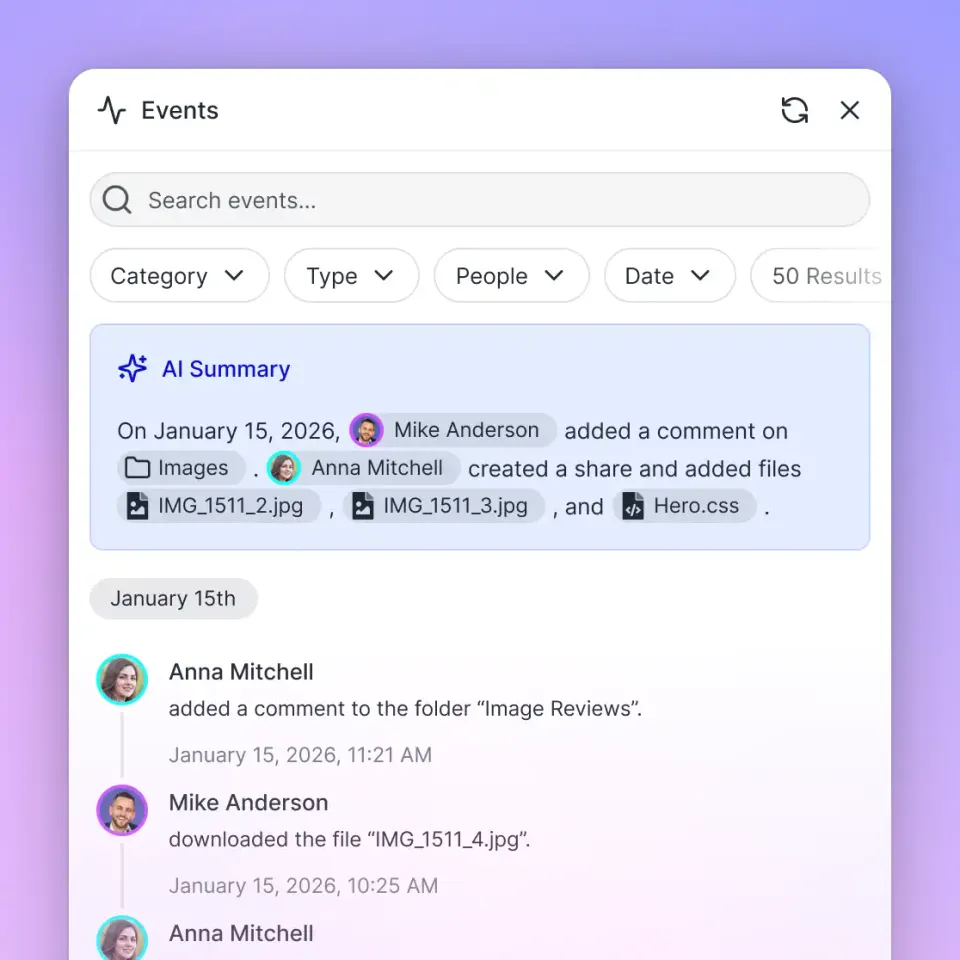
- Version Tracking and Audit Records: The platform maintains per-file version history and a detailed activity log recording uploads, edits, moves, and deletions. When a file updates in Dropbox, Cloud Sync updates the workspace version and refreshes the search index without leaving orphaned vector chunks.
Storage connector benchmarks and testing methodology are published at Fast.io Benchmarks.
Configuring AnythingLLM MCP Access
AnythingLLM includes native support for MCP tools. Rather than maintaining a local vector database on each developer machine, AnythingLLM agents can query Fast.io directly over Streamable HTTP. Learn more about deployment patterns in Storage for Agents and review setup steps at Fast.io MCP Documentation.
MCP servers are configured in AnythingLLM through the plugins/anythingllm_mcp_servers.json configuration file located in the application storage directory (or through the Agent Skills interface in the desktop application). To connect AnythingLLM to your Fast.io workspace, add the remote MCP server entry:
{
  "mcpServers": {
    "fastio": {
      "type": "http",
      "url": "https://mcp.fast.io/mcp/tools",
      "headers": {
        "Authorization": "Bearer YOUR_FASTIO_API_KEY"
      }
    }
  }
}
Once saved, reload MCP tools in the AnythingLLM Agent Skills settings. When interacting with the workspace in chat, invoke @agent to let the assistant search workspace files, inspect metadata, and retrieve citation-backed document passages directly from your synchronized Dropbox storage without maintaining local vector indexes.
Frequently Asked Questions
How do I link Dropbox to AnythingLLM?
Dropbox folders link to AnythingLLM either by synchronizing folders locally and uploading documents through the AnythingLLM desktop interface, or by connecting cloud storage through an MCP server. For local setups, set Dropbox folders to available offline and drag files into the workspace document collector. For cloud deployments, connect Dropbox to an intelligent workspace that exposes files to AnythingLLM over MCP.
Does AnythingLLM automatically update when Dropbox files change?
Standard AnythingLLM workspaces do not automatically update when Dropbox files change. Re-uploading a changed document creates duplicate vector chunks unless the previous document version is removed first. While AnythingLLM offers an experimental Live Document Sync watcher for local files, it requires the desktop app to remain running and re-embeds entire files upon modification.
What file formats does AnythingLLM support from Dropbox?
AnythingLLM supports standard text and office formats imported from Dropbox folders, including PDF documents, Microsoft Word files (.docx), plain text (.txt), Markdown (.md), CSV and Excel spreadsheets (.csv, .xlsx), PowerPoint presentations (.pptx), and HTML files. The collector extracts plain text and strips visual formatting before chunking.
Why do duplicate chunks appear in AnythingLLM vector stores?
Duplicate chunks appear when an edited document is uploaded without deleting the earlier version from the workspace. Vector databases index chunks with unique vector IDs; modifying text in a source file does not overwrite existing vector IDs, causing similarity search to retrieve both outdated and updated passages.
How does Fast.io Cloud Sync differ from local Dropbox folder uploads?
Fast.io Cloud Sync connects Dropbox folders directly to cloud workspaces on a schedule or on demand. Files are indexed automatically for hybrid search upon arrival, maintaining per-file version history and updating search indexes centrally without requiring local document parsing or manual vector store rebuilding.
Can AnythingLLM query Dropbox files without downloading them locally?
AnythingLLM can query Dropbox files without local downloads by connecting to a remote MCP server. When Dropbox syncs into a cloud workspace with native MCP support, AnythingLLM agents query the indexed files over Streamable HTTP, eliminating the need to store files or maintain vector databases on local disks.
Related Resources

Connect Dropbox to AI Workspaces Without Vector Rebuilding
Sync your Dropbox folders into a shared workspace with automated indexing, hybrid semantic search, and remote MCP connectivity. Start with a 14-day free trial.