AI Coding Assistants
The wider field of AI coding tools: Cursor, Windsurf, Aider, Codex, Replit, Bolt, Base44, VS Code agent setups, and the open-source assistants that keep appearing. These pages compare them honestly on the things that actually differ, which is context handling, autonomy, editor integration, and price, and they cover the shared problem of moving work between an assistant and the rest of a team. Fast.io ships a CLI and a REST API, so any of these can push build output into a shared workspace.
The comparisons stay on the differences that show up in daily use rather than on feature tables: how much of your codebase the tool can genuinely see, how it handles a change spanning several files, what it costs at the volume you actually work at, and whether it fits an editor you already like. Setup guides cover MCP configuration wherever the tool supports it.
96 guides in this topic.
Start here
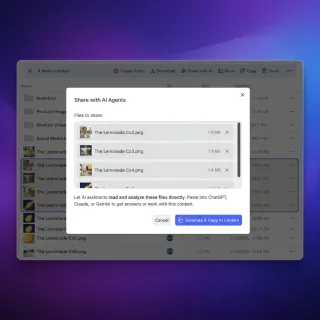
How to Set Up MCP Servers in Cursor
Cursor MCP server setup is the process of connecting Model Context Protocol servers to the Cursor AI code editor, giving its built-in AI agent access to external tools and data sources. This guide walks through every step from opening the settings UI to editing `mcp.json` by hand, with real config examples for cloud storage, databases, GitHub, and more.
Best AI Code Editors for Agent Development in 2026
AI-native code editors integrate LLMs directly into the IDE to assist with code generation, debugging, and refactoring. This guide compares the top 7 AI code editors optimized for building AI agents, with detailed analysis of agent mode capabilities, codebase comprehension, and pricing.
How to Set Up MCP Servers in VS Code
Guide to vscode mcp server setup: Model Context Protocol (MCP) servers in VS Code connect GitHub Copilot Chat to external tools and data sources, letting the AI assistant read files, query databases, and interact with APIs directly from your editor. While Claude Desktop was the first to support MCP, VS Code now offers native integration through its chat interface. This guide covers the setup process using the `.vscode/mcp.json` configuration file, security best practices, and top servers to impr

7 Best AI Code Detectors in 2026, Tested and Compared
GitHub Copilot writes 46% of code for its users, and over 80% of developers now use AI coding tools weekly. These seven code-specific detectors help engineering teams, universities, and code reviewers identify AI-generated code with accuracy rates from 90% to 98%, each optimized for different workflows and budgets.

How to Set Up MCP Servers in Windsurf (Now Devin Desktop)
Windsurf, renamed Devin Desktop in June 2026 by Cognition, supports MCP servers through its Cascade AI agent, letting you connect external tools, file storage, and APIs directly to your coding workflow. This guide walks through every step of Devin Desktop (formerly Windsurf) MCP configuration, from locating the config file to adding your first server and troubleshooting common issues.

How to Configure the Base44 GitHub App Integration
Setting up the Base44 GitHub App integration enables teams to sync visual configurations to a repository. This guide covers setup, synced code schemas, and troubleshooting manual repository updates.
All guides
7 Best AI Code Detectors in 2026, Tested and Compared
GitHub Copilot writes 46% of code for its users, and over 80% of developers now use AI coding tools weekly. These seven code-specific detectors help engineering teams, universities, and code reviewers identify AI-generated code with accuracy rates from 90% to 98%, each optimized for different workflows and budgets.

7 Best Cursor Alternatives for Developers in 2026
Cursor set the standard for AI-assisted coding, but its credit-based pricing and locked ecosystem push many developers to explore alternatives. This guide compares seven options across pricing, model flexibility, and multi-file editing quality so you can pick the right tool for how you actually write code.

A Developer Guide to the Base44 Core App Dashboard
The Base44 core app dashboard is the admin interface for managing production environment variables, database entities, and user telemetry. This guide details how to open the Base44 core app dashboard using CLI commands, manage secrets, and connect Fast.io workspaces for persistent storage.

Aider File Limits: Repo Map Scaling, File Addition Caps, and Context Management
The Aider file limit is not a rigid file count cap, but a boundary set by context windows and repository map budgets. While Aider imposes no programmatic cap on added files, above about 25k tokens of context, most models start to become distracted and fail to apply code edits cleanly. Balancing working sets through selective file additions, repo map tuning, and remote workspace indexing keeps pair programming fast and accurate.

Automating Base44 File Workflows with Webhooks
Event-driven webhooks allow Base44 applications to initiate instant downstream processing whenever users or AI agents upload media files. By extracting uploaded file URLs from Base44 webhook payloads and transferring them directly into Fast.io shared workspaces, technical teams eliminate manual document handling while maintaining indexed, queryable file storage.

Base44 Cloud Import Workflows for Enterprise Files: Implementation Guide
Base44 cloud import workflows automate the transfer of documents from cloud storage into Base44 application backends. Building an enterprise ingestion pipeline requires resilient authentication, automated sync scheduling, and a persistent storage layer.
Base44 File Storage Setup: Media Libraries and External Cloud Persistence
Base44 file storage setup involves configuring backend media libraries to store, manage, and deliver application documents. This guide walks through configuring Base44 built-in storage in four steps and demonstrates how pairing Base44 with Fast.io delivers persistent enterprise workspaces, versioning, and automated document data extraction.

Base44 Large File Upload Architecture: Chunked Transfer & Storage Staging
Base64 encoding increases file payload sizes by approximately 33%, causing memory spikes and gateway timeouts when low-code app backends process large media files [MDN Web Docs 2026]. Base44 large file upload architecture optimizes network transfer and storage staging by decoupling file transport from application servers. Implementing direct-to-cloud pre-signed URLs, client-side Blob chunking, and persistent storage staging prevents browser timeouts while maintaining end-to-end data integrity.

Base44 RAG Document Storage Architecture Guide
Base44 applications rely on stored files to feed context into AI chat components and automated workflows. Designing a two-layer RAG document storage architecture separates raw file storage from vector embeddings, ensuring data integrity, version synchronization, and higher response accuracy as your app scales.

Best AI Code Checkers: Tools for Automated Code Review and Quality
Eighty-four percent of developers now use AI tools in their workflow, but fewer than a third trust the output. This guide compares the best AI code checkers available in 2026, from PR review bots like CodeRabbit and GitHub Copilot to security-focused analyzers like Semgrep and Snyk Code, with real pricing, accuracy benchmarks, and guidance on stacking tools together.
Best AI Code Editors for Agent Development in 2026
AI-native code editors integrate LLMs directly into the IDE to assist with code generation, debugging, and refactoring. This guide compares the top 7 AI code editors optimized for building AI agents, with detailed analysis of agent mode capabilities, codebase comprehension, and pricing.

Best AI Code Review Tools in 2026: 9 Options Compared
AI code review tools analyze pull requests before a human reviewer sees the code, catching bugs, flagging security issues, and enforcing coding standards automatically. This guide compares nine dedicated PR review tools on accuracy, CI integration, pricing, and where each one fits best.

Best AI Coding Assistants in 2026: 12 Tools Compared
AI coding assistants now do far more than autocomplete. The best tools in 2026 handle multi-file refactors, run tests, manage git workflows, and spawn parallel agents for complex tasks. This guide compares 12 leading options across pricing, agentic capabilities, model flexibility, and team fit so you can pick the right one for how you actually work.

Best Lovable Alternatives in 2026: 9 Tools Compared by Use Case
Lovable hit 8 million users in its first year, but credit-based pricing and limited codebase support push many builders toward alternatives. This guide compares nine tools across prompt-to-app builders, AI code editors, and visual platforms to help you find the right fit for your next project.

Best Open Source AI Coding Assistants in 2026: OpenClaw, OpenCode, and More
Developers now spend more time reviewing AI-generated code than writing it. Choosing the right open source coding assistant determines whether those review hours are productive. This guide compares 9 actively maintained tools, from terminal agents like OpenCode and Aider to IDE extensions like Cline and Continue, covering model flexibility, self-hosting, and the workflow differences that feature tables miss.
Best Replit Alternatives in 2026
Replit crossed 50 million users in early 2026, but its February pricing overhaul pushed many developers to evaluate alternatives for the first time. This guide compares nine options across free tiers, AI agent capabilities, deployment workflows, and collaboration to help you pick the right tool.

Best Storage Solutions for Base44 Workflows
According to the Flexera 2025 State of the Cloud Report, 84% of organizations identify managing cloud spend and infrastructure complexity as a primary operational challenge in multi-cloud environments. Building applications on AI app builders like Base44 requires a clear storage strategy to prevent local asset bottlenecks and ensure multi-user persistence across external workspaces.
Bolt.new File Limits: WebContainer Storage, Asset Caps, and Workarounds
Bolt.new enforces strict boundaries on file sizes, chat attachments, and overall project scale. While the platform allows up to 10 MB uploads on free plans and 100 MB on paid tiers, projects must stay under a combined 100 MB to publish. Understanding the distinction between LLM context limits and browser WebContainer memory constraints allows developers to build larger applications by decoupling media and databases from the local repository.

Bolt.new Token Limit: Prompt Budgets, Context Caps, and Workspace Workarounds
StackBlitz's Bolt.new splits token constraints into monthly subscription allowances and per-chat context windows that saturate as your codebase expands. Hitting a Bolt.new token limit exceeded error usually stems from conversational accumulation and project file sync rather than output volume. Managing these thresholds requires pruning local files, clearing conversational context, and offloading heavy reference corpora to persistent external workspaces.

Building Branded Client Portals in Base44: Prompt Patterns and Storage Architecture
Base44 branded client portal sharing enables agencies to build custom secure file distribution interfaces for clients. While Base44 accelerates front-end UI generation and custom domain routing, handling large media assets and multi-tenant access controls requires combining AI app building with a dedicated storage layer. This guide breaks down prompt patterns, permission architecture, custom domain setup, and file persistence for client portals.
Cline and Other Open Source Cursor Alternatives
Cline markets 8.0M+ installs across platforms as an Apache 2.0 coding agent, which is why "open source cursor alternative" keeps drawing buyers who want model choice without a closed IDE subscription. This guide ranks the main free and self-hosted options by license, editor surface, BYOK vs billed models, and agent autonomy, then shows when open source beats Cursor and where shared workspaces fit after the agent finishes.

Codex Dropbox Integration: Connect OpenAI Coding Agents to Dropbox Files
Connecting OpenAI Codex to Dropbox gives coding agents indexed semantic search over repository design files, assets, and specs without requiring full local directory mirrors. Pointing agents at local Dropbox folders triggers 0-byte Files On-Demand read errors, while direct API polling causes rate limits and context bloat. Syncing Dropbox folders into an intelligent Fast.io workspace lets Codex query indexed project files over remote MCP tools.

Codex Google Drive Integration: Connect Coding Agents to Cloud Storage
A Codex Google Drive integration links autonomous coding agents to cloud repositories containing project documentation, software specifications, and architecture diagrams. Connecting agents directly to cloud storage often causes API rate limits, slow recursive traversals, and blown context windows. By importing Google Drive folders into a Fast.io workspace, developers enable hybrid search indexing and query project assets through a remote Model Context Protocol endpoint in seconds.

Codex OneDrive Integration: Connecting OpenAI Coding Agents to OneDrive
A Codex OneDrive integration connects OpenAI Codex agents to Microsoft OneDrive repositories, allowing coding agents to retrieve code snippets, documentation, and configuration files via indexed search instead of downloading raw directory trees. Connecting agents directly to local OneDrive folders triggers 0-byte Files On-Demand read errors and Graph API throttling. Syncing OneDrive folders into an intelligent workspace lets Codex query indexed repositories over remote MCP tools.
Configuring Filesystem MCP in Windsurf (Now Devin Desktop): Local vs Remote Storage
Configuring the Model Context Protocol (MCP) filesystem integration in Windsurf (renamed Devin Desktop in June 2026) connects the Cascade agent (now Devin Local) to project directories. While local stdio servers work for small codebases, pointing them at cloud-synced folders causes editor hangs on virtual file stubs. This guide explains how to set up local filesystem access, resolve sync driver conflicts, and connect to intelligent cloud workspaces over remote Streamable HTTP.

Connecting Cursor IDE to Enterprise SharePoint Document Libraries
A Cursor SharePoint connector links Cursor IDE to Microsoft SharePoint document libraries, enabling Cursor Composer and Agent Mode to ground code edits in enterprise architecture specs via remote MCP. Direct Graph API scripts pull full Word documents or PDFs into active prompt buffers, exhausting context tokens and degrading code generation. Pre-indexing SharePoint files in a Fast.io workspace allows Cursor to retrieve targeted semantic chunks rather than multi-megabyte payloads.

Connecting Cursor IDE to Google Drive Specs and Docs via MCP
Connecting Cursor to Google Drive via Model Context Protocol gives coding agents direct access to technical specifications, architecture records, and design documentation. While local MCP servers let developers read Drive files, streaming raw documents into Cursor Composer risks rapid context exhaustion. Using Fastio to import Google Drive assets creates an indexed workspace where agents query relevant snippets through remote MCP tools.

Cursor Agent Mode: Managing Autonomous Edits in Shared Workspaces
Cursor Agent mode enables developers to automate complex multi-file refactors and terminal executions directly from the editor. In shared repositories, unconstrained agent edits risk overwriting teammate changes, breaking shared schemas, and muddying git history. Setting strict command filters in YOLO mode, defining project rules, and coordinating changes through shared workspaces prevents file conflicts while maintaining development velocity.
Cursor Codebase Size Limit: Indexing Caps and Large Repository Guide
The Cursor codebase size limit refers to the maximum repository size, file count, and individual file threshold that Cursor's background indexing engine embeds for semantic codebase search (@codebase). While Cursor processes small projects rapidly, large codebases with more than 10,000 files frequently suffer from indexing lag, synchronization stalls, and memory exhaustion. Configuring ignore rules and connecting external document workspaces via MCP keeps repository indexing fast and reliable.

Cursor Composer Limits: Request Caps, File Context, and Scaling Solutions
Cursor Composer limit refers to the combined threshold of fast request quotas, concurrent file edits, and active context tokens in Cursor's multi-file editing agent. While Cursor Pro historically allocated 500 fast requests monthly and now uses a dollar-based model, Composer performance degrades when referencing 10 to 15 large files at once. This guide explains Composer request quotas, context truncation, and how remote Fast.io MCP workspaces offload reference files.

Cursor Context Limit: Token Sliders, Request Caps, and External Workspaces
The Cursor context limit sets token boundaries across prompts, indexing, and chat history. While frontier models support 200,000 tokens, standard Cursor requests truncate earlier to maintain fast responses. This guide examines how Cursor allocates token budgets, how to configure context settings in preferences, and how offloading documentation to external Fastio MCP workspaces preserves prompt context for code.

Cursor Context Window: Token Limits, Long-Context Chat, and MCP Workspaces
The Cursor context window defines the token boundary allocated for project code, conversation history, and codebase embeddings during editing sessions. When conversations reach this token ceiling, reasoning quality degrades through instruction drift and hallucinated imports. This guide examines how Cursor allocates context across frontier models, how codebase indexing retrieves relevant chunks, and how connecting to remote Fast.io MCP workspaces offloads large document collections.

Cursor Cycle Agent Count: Managing Parallel Agents and Token Budgets
Cursor cycle agent count is a concurrency setting in Cursor IDE that spawns multiple parallel AI subagents to simultaneously generate and evaluate candidate solutions for the same prompt. Running multiple agents concurrently accelerates solution discovery through best-of-N sampling, but it scales token consumption and API request rates linearly. Managing file context through indexed remote storage prevents redundant prompt bloat across parallel agent cycles.

Cursor Dropbox Connector: Grounding Cursor Code Generation in Dropbox
Local Dropbox selective sync creates placeholder files that confuse Cursor's codebase indexing, leaving developers with broken imports and empty file reads. A Cursor Dropbox connector bridges the IDE with cloud storage through remote MCP queries against indexed files instead of pulling entire folders. By syncing Dropbox folders into an intelligent Fast.io workspace, developers ground Cursor code generation in accurate specifications while keeping local drives clean.

Cursor Fast Requests: How Quotas Work, Reset Times, and Optimization
Cursor fast requests provide priority server queue access for AI coding completions and agentic Composer interactions. When monthly allotments or model credit budgets are exhausted, requests drop into unprioritized slow queues or trigger usage-based billing. Engineering teams can preserve fast request quotas by configuring selective context rules and connecting external file collections through remote Model Context Protocol servers.

Cursor File Size Limit: Codebase Indexing Caps and Large File Workflows
The Cursor file size limit is the threshold beyond which Cursor's AI indexing ignores, truncates, or throws errors when referencing local files in prompts or codebase embeddings. Oversized files are skipped during automated indexing, while inspection tools reject large buffers. This guide outlines Cursor's file boundaries, configuration rules for ignore files, and how remote Fast.io MCP workspaces let developers search large reference corpuses without bloating local repositories.

Cursor Google Drive Integration: Connect Specs via MCP
Connecting Cursor to Google Drive through the Model Context Protocol gives coding agents direct access to technical specifications and design records. While direct connectors stream entire documents into active prompts, pre-indexed workspaces let Cursor Composer retrieve targeted requirement snippets without exhausting context windows.

Cursor Max Files in Context: Limits, Pruning, and Scaling Working Sets
Cursor does not enforce a rigid file-count limit, but prompt context is bounded by model token windows ranging from 20,000 to 200,000 tokens. Active Composer sessions experience reasoning degradation beyond 15 to 20 full files due to attention dilution and automatic context compaction. Managing multi-file projects requires separating indexed repositories from prompt context, using selective mentions, and offloading peripheral documents to external MCP workspaces.

Cursor Model Limits: Context Windows, Output Ceilings, and Token Management
Cursor model limits define the active context window size, maximum generation length, and tool-calling constraints enforced for each LLM accessible in the Cursor editor. Understanding context boundaries across frontier models like Claude, GPT, Gemini, and Grok helps developers prevent prompt truncation and manage token consumption during complex agent sessions. Offloading large reference files to intelligent workspaces preserves context for code synthesis.

Cursor On-Demand Usage: Pricing, Hard Limits, and Cost Control
Cursor on-demand usage is an opt-in billing setting that allows Pro and Business users to continue making fast API model requests after depleting their included monthly quota at per-request pricing with configurable spend limits. Developers can set hard spending caps in their account dashboard to prevent runaway charges on heavy repository indexing. Connecting external workspaces over remote MCP offloads static context, preserving included model allowances.

Cursor Prompt Limit: Token Budgets, Composer Caps, and Context Optimization
The Cursor prompt limit restricts the active token budget allocated to individual chat messages, inline edits, and Composer requests. While standard chat sessions enforce an effective prompt budget of approximately 20,000 tokens before older context drops, Composer loops compound token consumption across every referenced file. Configuring surgical context references and offloading documentation to remote MCP workspaces prevents truncation and preserves model reasoning.

Cursor Rate Limits Explained: Fast Requests, Concurrency, and API Keys
Cursor rate limits control how quickly and frequently developers can submit AI queries during coding sessions. While monthly subscription pools govern total compute, concurrent multi-file Composer runs often trigger 429 errors by exceeding provider token throughput. Managing context size, adjusting model selection, and offloading reference corpora to remote MCP workspaces keep development fast and uninterrupted.

Cursor Slow Requests: Queue Times, Model Availability, and Speed Optimization
Cursor slow requests provide continuous model access when monthly fast request pools run out, but queue congestion during peak hours can stall development. Understanding backend scheduling, trimming context payloads, and connecting indexed workspaces via MCP keeps editor latency low even under heavy server load.

Cursor Tab Limits: Autocomplete Quotas, Context Cutoffs, and Large File Handling
Cursor limits free accounts to 2,000 Cursor Tab completions before requiring a paid subscription, and disables inline suggestions on files exceeding specific token and line boundaries. While developers often treat Cursor as a chat assistant, its proprietary autocomplete engine runs on distinct context limits and latency budgets. Connecting external intelligent workspaces over MCP provides grounded retrieval without choking local editor buffers.

Cursor Teams: Setting Up Shared Workspaces for Coding Agents
Cursor Teams provides a secure environment for managing coding agents and developer workflows. A major challenge for engineering leads is managing shared rules and persistent file state across developer seats. Setting up Project Rules in the .cursor/rules directory and connecting to a persistent Fast.io workspace establishes a clean context boundary for teams.

Cursor Token Limit: Composer Windows, Agent Caps, and File Context Workarounds
The Cursor token limit defines the maximum token capacity allocated for codebase context, prompt history, and agent tool execution. Default sessions cap between 200,000 and 300,000 tokens before eviction degrades code generation. This guide details model context ceilings, explains how Composer handles file attachments, and outlines how connecting to remote Fast.io MCP workspaces offloads reference corpora without bloating context.

Cursor Token Usage: How to Track, Monitor, and Reduce AI Spend
Cursor token usage measures the volume of prompt and completion tokens processed during chat, codebase indexing, and Composer agent loops. Because multi-turn agent sessions repeatedly re-send workspace context, unmanaged repositories can burn through monthly compute credits in days. Teams can audit consumption through the Cursor dashboard, prune local context with ignore files, and offload static reference corpora to an indexed workspace via remote MCP.

Cursor Usage Limits: Usage Pools, Plan Quotas, and Storage Workarounds
Cursor usage limits represent the monthly compute allocations across Cursor Models and Other Models pools, rate-limiting thresholds, and background codebase indexing allowances enforced by Anysphere. When model allowances deplete, requests transition to fallback queues or usage-based billing. This guide examines plan quotas across Hobby, Pro, Pro+, Ultra, and Teams tiers, and demonstrates how offloading reference documentation to Fast.io workspaces via remote MCP preserves model pools without sacrificing code context.

How to Add Persistent File Storage to Replit Agent
Replit Agent can build full apps from a prompt, but its file storage resets when containers sleep.

How to Build AI Apps with GitHub Spark and Copilot
US searchers look up "github spark" about 4,400 times a month, yet many results still mix it up with Apache Spark or stop at launch-day recaps. GitHub Spark turns natural-language prompts into fullstack React apps with a managed data store, GitHub auth, AI features, and one-click deploy under GitHub Copilot plans. This guide walks from the first app at github.com/spark through Copilot agent workflows, AI credit billing, and the asset handoff teams need once the prototype is live.

How to Build an AI Code Review Agent with Fastio API
Building an AI code review agent with the Fastio API lets developers pull repository diffs into an agentic workspace for secure, persistent LLM analysis. While many tutorials rely on fragile, in-memory scripts, a dedicated workspace gives the AI enough context to review code accurately. This guide shows you how to architect and deploy a reliable AI code reviewer that works with your existing continuous integration pipeline.

How to Configure a Base44 Shared Workspace for Team Collaboration
The Stack Overflow 2026 Developer Survey reveals that 84% of developers use or plan to use AI tools, but only 29% trust their output. This guide explains how to set up a Base44 shared workspace for teams to bridge this trust gap through collaborative control. It covers role permissions, shared credit tracking, and persistent workspace integrations.
How to Configure the Base44 GitHub App Integration
Setting up the Base44 GitHub App integration enables teams to sync visual configurations to a repository. This guide covers setup, synced code schemas, and troubleshooting manual repository updates.

How to Connect Base44 to MCP Storage
Connecting Base44 to MCP storage allows local and hosted AI assistants to safely query entity schemas and data using the Model Context Protocol. This guide provides a step-by-step walkthrough for configuring the base44-mcp-server using remote and local stdio connection models. We also explore how to use Fast.io as a secure, persistent workspace layer that tracks version history and coordinates file handoffs between agents and human team members.

How to Connect Coding Agents to a Company Brain
Connecting coding assistants to an organization-wide knowledge base is critical for reducing code generation errors. Over 60% of modern software teams use AI coding assistants daily. This setup guide explains how to connect coding agents to a company brain, giving Cursor and Claude Code direct access to the shared workspaces, schemas, and collaborative notes they need.

How to Connect Cursor AI to Amazon S3 Buckets for Code and Data Workflows
Cursor S3 integration allows developers using Cursor to connect agent mode directly to Amazon S3 buckets for reading dataset schemas, remote assets, and shared documentation. While downloading bucket contents locally exhausts disk space and crashes background codebase indexers, connecting through an intelligent Fast.io workspace pre-indexes S3 files for hybrid search. Developers query technical specifications directly within Cursor without context bloat.

How to Connect Cursor to Box Storage via MCP: Integration Guide
Connecting Cursor to Box allows AI coding agents to search and reference enterprise documentation, specs, and design assets directly from the editor. While direct Box connectors stream entire raw documents into active prompt context, connecting through an intelligent Fast.io workspace pre-indexes Box files for hybrid search. Developers query relevant technical requirements directly within Cursor without context window exhaustion or rate limit stalls.

How to Connect Cursor to Cloud Workspaces with Filesystem MCP
Cursor Filesystem MCP connects Cursor's AI Composer and Agent mode to file trees and cloud repositories through Model Context Protocol server endpoints. While local stdio filesystem servers struggle with 0-byte Files On-Demand stubs and bloated local caches, an intelligent cloud workspace indexes team documents on arrival. Developers query technical specifications from Cursor using targeted passage search rather than flooding context windows with raw files.

How to Connect Cursor to Dropbox Storage via MCP: Integration Guide
Connecting Cursor to Dropbox allows AI coding agents to search and reference project documentation, specs, and design assets directly from the editor. While local folder syncing clutters developer disks and direct API connectors flood prompt context with raw files, connecting through an intelligent Fast.io workspace pre-indexes Dropbox documents for hybrid search. Developers query technical requirements inside Cursor without context window exhaustion.

How to Connect Cursor to Dropbox via MCP: Step-by-Step Setup
Connecting Cursor to Dropbox via MCP allows Cursor agent mode to retrieve documents and code assets directly from cloud storage using structured tool calls without requiring full local disk synchronization. While local syncing clutters developer workstations and direct API connectors risk rate limiting, syncing Dropbox folders into an indexed Fast.io workspace gives Cursor high-speed hybrid search across project documentation without context window bloat.

How to Connect Cursor to Google Docs: Referencing Specs and PRDs in AI Workflows
Connecting Cursor to Google Docs allows AI coding agents to reference product requirements and technical design documents directly from Google Workspace without manual copy-pasting or exporting. While local export scripts and raw text dumps rapidly exhaust model context windows, an intelligent workspace indexes imported Google Docs server-side. Cursor Composer then retrieves targeted specification passages over a remote MCP server, keeping code generation grounded and token usage low.

How to Connect Cursor to OneDrive via MCP: Integration Guide
Cursor OneDrive MCP is a setup pattern using the Model Context Protocol to grant Cursor IDE direct read, search, and context grounding access to Microsoft OneDrive files via a remote server. While local filesystem tools fail on unhydrated Files On-Demand stubs and direct Graph API calls dump raw multi-megabyte files into prompt buffers, an intelligent Fast.io workspace pre-indexes synced OneDrive folders. Developers query technical specifications from Cursor using targeted passage retrieval.

How to Connect Cursor to OneDrive: Integration and Sync Guide
A Cursor OneDrive integration links the Cursor AI code editor to Microsoft OneDrive folders, allowing developers and coding agents to ground code generation in specifications, diagrams, and documentation stored in the cloud. Syncing OneDrive folders into an intelligent Fast.io workspace pre-indexes files for hybrid search over remote MCP, avoiding local disk clutter and 0-byte Files On-Demand placeholder failures.

How to Connect Cursor to Remote MCP Servers for Cloud Storage
Cursor can query remote documents and team storage by connecting to Model Context Protocol endpoints over Streamable HTTP and SSE. Instead of cloning bulky PDFs and specifications into your local Git repository, you can configure Cursor to retrieve indexed passages on demand. This tutorial covers remote MCP configuration in Cursor, credential management, and connecting team storage repositories.

How to Connect Cursor to SharePoint via MCP: Integration Guide
Cursor SharePoint MCP connects Cursor IDE to enterprise SharePoint document libraries using the Model Context Protocol, allowing developers to ground code generation in live specifications. While native connectors require complex Azure app registrations and dump raw files into active prompt context, connecting through an intelligent Fast.io workspace indexes SharePoint records upon sync. Developers can query architecture specs and schemas directly within Cursor without context exhaustion.

How to Connect OpenAI Codex Agents to SharePoint Document Libraries
Connecting OpenAI Codex to SharePoint allows autonomous coding agents to query enterprise architecture documentation, OpenAPI specs, and compliance policies stored across Microsoft 365 sites via structured MCP queries. Direct Microsoft Graph traversal forces agents through complex Azure AD app registrations, recursive folder pagination, and strict rate limits. Synchronizing SharePoint libraries into an intelligent workspace lets Codex query indexed documents in a single tool call.
How to Connect OpenAI Codex to Dropbox Storage
Connecting OpenAI Codex to Dropbox allows coding agents to search, read, and ground code in Dropbox-hosted files using remote MCP queries instead of downloading raw folders. While direct API connectors encounter rate limits and context bloat, syncing Dropbox folders into an intelligent Fast.io workspace enables hybrid semantic search over project documentation. Developers can reference architectural guidelines and schema specifications directly within Codex while keeping local drives clean.
How to Connect OpenAI Codex to Google Drive via MCP Server
Connecting OpenAI Codex to Google Drive gives coding agents access to project documentation, API schemas, and architecture plans without blowing prompt context. Direct file downloads and local sync stubs cause rate limits, expired OAuth tokens, and 0-byte read errors. Syncing Google Drive folders into an intelligent Fastio workspace lets Codex query indexed project files over remote Model Context Protocol tools.
How to Connect OpenAI Codex to Microsoft OneDrive
Connecting OpenAI Codex to OneDrive enables autonomous coding agents to access personal and enterprise OneDrive storage via remote MCP without triggering local file system hydration locks. By syncing OneDrive folders into an intelligent workspace, developers ground automated code generation against live documentation and architectural specs without risking zero-byte read failures or disk bloat.

How to Design a Base44 File Handoff Workflow
Transitioning assets from a visual development environment to client delivery portals requires a structured pipeline. This guide details how to build a Base44 file handoff workflow that automates code exports, data schema routing, and file delivery.

How to Implement Fastio API Cursor-Based Pagination
Retrieving data from a growing workspace requires a scalable approach. Cursor-based pagination in the Fastio API ensures fast, stable retrieval of large folder listings without the performance issues of offset pagination. This tutorial explains how cursors work, why they outperform traditional offsets, and how to write pagination loops that follow pagination.has_more.

How to Manage Aider Token Limits: Repo-Map Budgets, Chat History, and MCP Retrieval
The Aider token limit is governed by two configurable thresholds: the repository map budget set by --map-tokens (defaulting to 1,024 tokens) and the chat history ceiling set by --max-chat-history-tokens (defaulting to 8,000 tokens), on top of the underlying LLM's maximum context window. Managing these budgets alongside external MCP search prevents context overflow and prompt bloat during large-scale pair programming.

How to Manage the Aider Context Window: Repo Maps, File Budgets, and MCP Indexing
The Aider context window is the total token capacity of the underlying model used during pair programming, dynamically partitioned between code files, conversation history, and Aider tree-sitter repository map. Because Aider inherits the context ceiling of the upstream model rather than imposing an arbitrary cap, managing active files and token budgets prevents context rot. Offloading reference documentation to remote workspaces keeps coding sessions responsive and within budget.

How to Optimize Visual Studio Code as an AI Agent Workspace
Optimizing Visual Studio Code as an autonomous AI agent workspace requires setting strict file boundaries and execution parameters. Improper configuration can lead to AI agents reading thousands of build files, which inflates API costs by 10x. This guide details how to configure vs code agent settings, establish custom cline vscode workspace config rules, and leverage persistent cloud storage for human-agent collaboration.
How to Set Up an AI Coding Agent
An AI coding agent is an autonomous system that reads, writes, and modifies code across files while maintaining project context. This guide walks you through setting up a coding agent with persistent file access using MCP (Model Context Protocol), so your agent retains context between sessions and can work across your full codebase. You'll go from zero to a working agent in under 30 minutes.
How to Set Up MCP Servers in Cursor
Cursor MCP server setup is the process of connecting Model Context Protocol servers to the Cursor AI code editor, giving its built-in AI agent access to external tools and data sources. This guide walks through every step from opening the settings UI to editing `mcp.json` by hand, with real config examples for cloud storage, databases, GitHub, and more.
How to Set Up MCP Servers in VS Code
Guide to vscode mcp server setup: Model Context Protocol (MCP) servers in VS Code connect GitHub Copilot Chat to external tools and data sources, letting the AI assistant read files, query databases, and interact with APIs directly from your editor. While Claude Desktop was the first to support MCP, VS Code now offers native integration through its chat interface. This guide covers the setup process using the `.vscode/mcp.json` configuration file, security best practices, and top servers to impr
How to Set Up MCP Servers in Windsurf (Now Devin Desktop)
Windsurf, renamed Devin Desktop in June 2026 by Cognition, supports MCP servers through its Cascade AI agent, letting you connect external tools, file storage, and APIs directly to your coding workflow. This guide walks through every step of Devin Desktop (formerly Windsurf) MCP configuration, from locating the config file to adding your first server and troubleshooting common issues.
How to Set Up Storage for AI Coding Agents
AI coding agents like Cursor, Claude Code, and GitHub Copilot Workspace need persistent file access to read, modify, and manage codebases effectively. This guide explains the storage requirements for coding agents, compares filesystem vs API approaches, and shows how to set up infrastructure that gives agents reliable file access across sessions.

Is Base44 the Future of Vibe Coding and No-Code Development?
Wix.com acquired Base44 for 80.00 million dollars in 2025, validating the rise of vibe coding and prompt-based software creation. This guide reviews the Base44 no-code development platform, analyzes the performance of the custom Base One AI model, and compares its database infrastructure to shared file storage layers. Learn how to manage the transition from prompt-driven app sessions to production code deployments.

Managing Lovable Context Window Limits: Token Budgets, File Sizes, and Large Apps
The Lovable context window is the maximum amount of codebase files, user prompts, and conversational history that the Lovable AI builder can process simultaneously in a single project session. Because Lovable runs on Claude Sonnet models with an effective 200,000 token ceiling, large projects can suffer context degradation. Structuring modular components, using dedicated chat modes, and offloading reference files to indexed external workspaces keeps builds responsive and reliable.

OpenAI Codex Context Limit: Agent Execution Caps and MCP Retrieval
The OpenAI Codex context limit bounds the prompt instructions, tool definitions, shell execution logs, and file diffs that a coding agent can hold in active memory. In the Codex CLI, OpenAI enforces a server-side cap of 272,000 tokens, which repetitive execution loops can saturate quickly. Offloading large documentation and reference files to a remote MCP server with semantic search prevents context degradation without inflating token spend.

OpenAI Codex Context Window: Token Limits and Codebase Indexing
The OpenAI Codex context window defines the maximum number of tokens an agentic coding model can process simultaneously across system prompts, conversation history, and repository source code. While frontier models advertise 1,050,000 tokens, default sessions enforce a 272,000-token input cap, leaving roughly 258,400 usable tokens. Sustaining accuracy across large codebases requires pairing compaction controls with external workspace indexing to avoid context rot.

OpenAI Codex Token Limits: Context Windows, Request Caps, and Workarounds
The Codex token limit refers to the maximum number of prompt and generation tokens permitted in a single OpenAI Codex request, restricting how much codebase context can be ingested at once. While modern models provide context windows reaching 128,000 tokens, request-level output ceilings and cumulative context overhead quickly trigger truncation. Separating temporal rolling rate limits from per-request token windows is essential for scalable code indexing.

OpenAI Codex Usage Limits: API Tiers, Rate Caps, and Token Budgets
OpenAI Codex usage limits are tier-based rate caps (requests per minute and tokens per minute) and monthly spending limits enforced across developer accounts during code generation sessions. While subscription plans enforce rolling five-hour usage windows, API developers face strict tokens-per-minute ceilings that coding agents quickly exhaust. Connecting coding assistants to pre-indexed Fastio workspaces via remote MCP stops prompt context bloat and prevents rate limit errors.

Replit Agent File Limit: 1 GiB Quotas, Project Caps, and Storage Tiers
Replit Agent runs inside containerized environments that enforce persistent disk quotas on standard accounts, expanding on paid tiers. Uploading large datasets, archives, or media files directly into a Repl container risks disk overflow errors and degrades agent context. Offloading unstructured assets to dedicated object storage or connecting external workspaces through the Model Context Protocol keeps development environments responsive and builds stable.

Replit Agent Limits: File Counts, Checkpoints, and Large Project Workarounds
Understanding Replit Agent limits across container disk storage, active context memory, and session checkpoints is essential for building production-grade applications. When repositories expand beyond several dozen files or retain heavy binary assets, the agent suffers from context drift and increased credit burn. Scaling large projects requires decoupling persistent reference corpora and media assets from the active code repository using external MCP workspaces.
Top OpenAI Codex Alternatives for Coding Agents and Shared Workspaces
Modern software teams rarely rely on a single code completion model. As development shifts toward autonomous agents like Claude Code, Cursor, and Cline, the primary challenge has moved from generating syntax to coordinating multi-file changes across distributed tools. This comparison examines the top OpenAI Codex alternatives, evaluating how each tool handles repository context, command execution, and shared workspace collaboration.

Understanding the Base44 Agent SDK (@base44/sdk)
This guide details how to install and initialize the Base44 Agent SDK (@base44/sdk) in external Node.js and TypeScript applications. It explains how to bridge the code-context gap, manage database entities, subscribe to real-time updates, and connect to Fast.io workspaces for persistent team storage.

Windsurf Box MCP: Connect Cascade to Enterprise Box Storage
A Windsurf Box MCP integration links Codeium's Windsurf IDE and Cascade agent to Box cloud storage via the Model Context Protocol, enabling semantic file retrieval across project repositories. While direct Box connectors require manual OAuth token management and pull large payloads into active prompts, syncing Box folders into an indexed Fast.io workspace enables hybrid search. Cascade retrieves concise excerpts with citations over remote MCP, avoiding rate limits and context bloat.

Windsurf Context Window (Now Devin Desktop): Cascade Token Limits, Indexing, and MCP
The Windsurf context window (in the editor renamed Devin Desktop in June 2026) governs the active token budget and conversation history available to the Cascade coding agent before automatic summarization is triggered. While underlying models support large windows, Cascade relies on an Abstract Syntax Tree indexing engine and dynamic prompt assembly to manage multi-file repositories without context thrashing.

Windsurf File Size Limits in Devin Desktop: Indexing Caps and Rules
Cognition renamed Windsurf to Devin Desktop on 2026-06-02, transitioning the Cascade assistant into Devin Local while maintaining file boundaries. The Windsurf file size limit represents the threshold where the editor bypasses deep indexing or restricts direct file attachments to maintain IDE responsiveness. Understanding indexing caps, context rules, and remote MCP workspaces prevents editor degradation across complex repositories.
Windsurf OneDrive Connector: Connecting Cascade in Devin Desktop to OneDrive
Cognition renamed Windsurf to Devin Desktop on 2026-06-02, moving Cascade into Devin Local. A Windsurf OneDrive connector links Cascade (Devin Local) in Devin Desktop to Microsoft OneDrive storage via remote MCP, enabling semantic retrieval without local file hydration. Instead of reading zero-byte Files On-Demand placeholder stubs, teams sync OneDrive folders into a Fast.io workspace and search indexed documents over remote MCP.

Windsurf Rate Limits (Now Devin Desktop): Cascade Quotas, Token Caps, and Indexing
Windsurf rate limits (in the editor renamed Devin Desktop in June 2026) govern daily and weekly token budgets for Cascade coding flows alongside provider concurrency caps. When multi-file context saturates these quotas, execution halts until scheduled resets. Engineering teams avoid throttling by optimizing local AST indexing and querying external file archives through remote MCP.
Windsurf SharePoint Connector: Connect Devin Desktop to SharePoint Libraries
Cognition transitioned the Windsurf editor to Devin Desktop, pairing Cascade with local and cloud agents. Deploying a Windsurf SharePoint connector allows developers in Devin Desktop to query enterprise architecture records and API schemas directly in the editor. By syncing SharePoint libraries into an indexed Fast.io workspace, engineering teams bypass Entra ID consent hurdles without local disk bloat.

Windsurf Usage Limits: Free vs Pro Quotas, Cascade Caps, and File Indexing
Windsurf usage limits govern daily and weekly token budgets for the Cascade coding assistant alongside local AST and DeepWiki indexing boundaries across Free, Pro, and Max tiers. While inline completions remain unmetered, multi-file agent loops rapidly deplete quota budgets. Offloading repository documents to indexed cloud workspaces over Model Context Protocol preserves local prompt allowances without triggering throttling.