Windsurf Dropbox MCP (Now Devin Desktop): Connect Cascade to Team Folders
Configuring a Windsurf Dropbox MCP setup (in the editor renamed Devin Desktop in June 2026) connects Cascade (succeeded by Devin Local) to project specifications without local disk synchronization. While local syncing clutters workstations and direct API connectors trigger rate limits during automated agent loops, syncing Dropbox team folders into an indexed Fast.io workspace enables high-speed hybrid search across project assets without context window bloat.

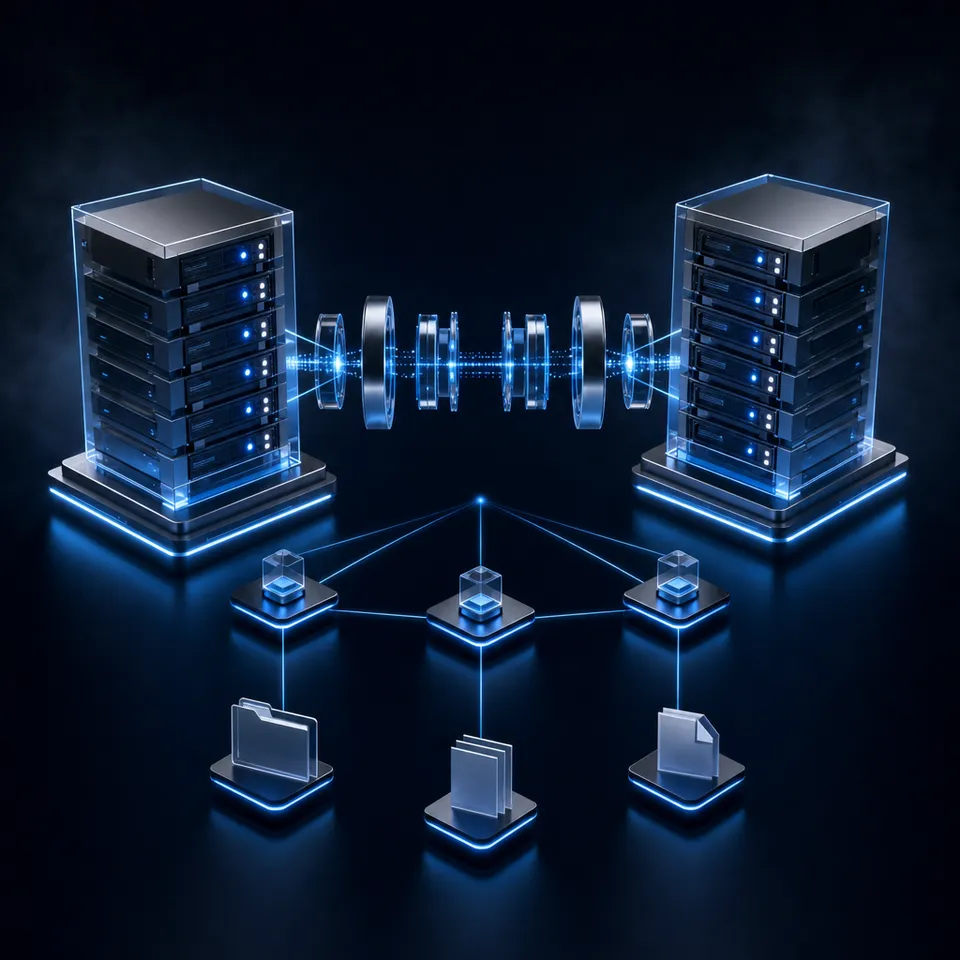
Bridging Windsurf Cascade with Dropbox Business Team Folders
When an engineering team instructs Windsurf Cascade (in the editor renamed Devin Desktop by Cognition in June 2026, with Cascade succeeded by Devin Local) to build an authentication service or refactor a billing workflow, the agent needs architectural specifications, schema contracts, and interface definitions that rarely live inside the code repository. Pointing an AI coding assistant at raw corporate file systems creates an immediate operational dilemma: syncing folders locally devours laptop drive space, while attaching full documents bloats Cascade's reasoning window until the model overlooks critical constraints.
Windsurf Dropbox MCP links Windsurf's Cascade agent to Dropbox team folders and cloud storage through the Model Context Protocol, enabling natural language retrieval across project assets.
In production engineering environments, technical documentation is distributed across multiple platforms. Systems architects draft infrastructure blueprints in markdown or PDF formats, product managers keep user stories in cloud folders, and UI designers export SVG tokens and asset bundles into shared cloud directories. When Cascade generates code, it must verify function signatures, database schema types, and endpoint contracts against these external files.
Engineering teams typically attempt two traditional workarounds: synchronizing cloud folders directly to developer laptops or pasting whole documents into chat prompts. Both habits introduce friction that slows down development cycles.
Why Local Synchronization Stalls Development Environments
A common initial instinct is to install the Dropbox desktop client, sync corporate folders to a local directory, and point Windsurf at those folders. While this seems straightforward, it introduces severe penalties for developer workstations:
- Workstation Drive Consumption: Dropbox team folders contain shared design assets, specifications, and binaries that consume significant local storage when fully synced. Pulling down entire team spaces containing design mockups, screen recordings, and historical release builds rapidly fills laptop solid-state drives.
- Language Indexer Overhead: Windsurf maintains an internal semantic index designed specifically for syntax trees, code dependencies, and workspace symbols. Introducing folders packed with marketing slide decks, binary archives, and heavy PDFs causes background parsing processes to consume excess processor cycles and memory. The resulting index noise reduces the precision of code navigation.
- File System Watcher Churn: The Dropbox desktop daemon constantly writes local metadata updates, synchronization badges, and access timestamps as teammates modify remote assets. Windsurf's internal file system watchers pick up these changes, triggering recurring re-indexing passes that generate noticeable interface lag and drain laptop battery life.
- Unintended Commit Exposure: Placing local copies of company documentation inside or adjacent to project repositories increases the danger that proprietary data, private credentials, or internal roadmap files will be accidentally staged into Git commits.
Prompt Window Saturation in Multi-File Agentic Flows
Engineers who avoid local sync often resort to dragging complete specification documents into Cascade conversations using file references. This practice quickly floods the model's active reasoning buffer. Dropping a 60-page PDF architecture guide or an extensive API contract into a prompt consumes thousands of context tokens in a single exchange.
Frontier models experience noticeable attention degradation when forced to parse massive context prompts. Key technical requirements placed in the middle of a lengthy file receive less attention than instructions positioned near the top or bottom. Cascade becomes prone to hallucinating function parameters, missing edge cases, or inventing deprecated properties. Feeding full documents into iterative coding turns also accelerates token quota consumption and adds seconds of network latency to every step in the agent loop.
Related guides
- How to Connect Claude Desktop to Dropbox Storage via MCPClaude Desktop Dropbox integration connects Anthropic's desktop client to Dropbox cloud storage via Model Context...
- How to Connect Claude Desktop to Dropbox Files via MCPClaude Dropbox MCP allows Anthropic Claude Desktop to query, search, and retrieve files stored in Dropbox accounts...
- How to Connect Cursor to Dropbox via MCP: Step-by-Step SetupConnecting Cursor to Dropbox via MCP allows Cursor agent mode to retrieve documents and code assets directly from cloud...
- Windsurf Google Drive MCP: Connect Cascade in Devin Desktop to Google Workspace FilesCognition renamed Windsurf to Devin Desktop on 2026-06-02, transitioning the Cascade assistant to Devin Local. Setting...
- Windsurf OneDrive MCP: Connect Cascade in Devin Desktop to Cloud StorageCognition renamed Windsurf to Devin Desktop on 2026-06-02, transitioning the Cascade assistant to Devin Local. Setting...
- Windsurf SharePoint MCP: Connect Cascade in Devin Desktop to Document LibrariesCognition renamed Windsurf to Devin Desktop on 2026-06-02, transitioning the Cascade assistant to Devin Local. Setting...
More on this subject: AI Coding Assistants (109 guides)
Why Local stdio Bridges and Direct Dropbox Connectors Break in Cascade
To provide a structured interface between coding assistants and external utilities, Anthropic established the Model Context Protocol (MCP). Through structured JSON-RPC messages, MCP enables AI agents like Cascade to discover tools, inspect resources, and query external data stores dynamically.
Teams evaluating a windsurf dropbox integration generally attempt one of two architectural patterns: running a local stdio filesystem bridge or connecting to direct cloud API endpoints. Both options introduce critical points of failure during everyday coding tasks.
The Smart Sync Hydration Bottleneck in Local stdio Servers
Many community guides suggest launching a local stdio MCP server, such as @modelcontextprotocol/server-filesystem, mapped to the local directory path where the Dropbox desktop client syncs files.
This approach breaks down in real-world corporate setups due to Dropbox Smart Sync and operating system virtualization layers, including macOS File Provider and Windows Cloud Filter. To conserve local drive capacity, Dropbox marks infrequently accessed assets as online-only. These items appear in file listings with their normal names and file sizes, but their physical local footprint is zero bytes.
When a local stdio MCP server tries to read an online-only file on Cascade's behalf, the operating system attempts synchronous hydration from Dropbox servers. If network latency spikes, or if the background process executes non-blocking reads without waiting for operating system hydration, the filesystem bridge receives an empty buffer or throws an I/O read timeout. Cascade receives a broken file descriptor or blank content, causing the agent workflow to halt unexpectedly.
Rate Limits and Throttling on Direct Dropbox API Calls
To bypass local disk stubs, some developers build custom wrappers around Dropbox API endpoints, querying files directly over HTTPS.
While direct remote calls eliminate workstation dependencies, querying Dropbox API endpoints directly during automated coding loops introduces persistent operational barriers:
- API Request Throttling: Dropbox enforces rate limits to maintain service stability across its shared infrastructure. When Cascade runs autonomous discovery loops across nested directories, it rapidly generates batches of transactional requests. Dropbox API rate limits return an HTTP 429 error and include a Retry-After header with the required wait time in seconds. When Cascade receives an HTTP 429 response, agent execution stops until the cooldown period ends, creating disruptive pauses in continuous coding sessions.
- Monolithic File Streaming: Standard Dropbox file endpoints transfer complete file streams rather than targeted excerpts. If Cascade needs to verify an authorization redirect rule inside a 40-page security document, a direct connector downloads the entire document. Irrelevant introduction notes, changelogs, and appendixes flood the prompt buffer, diluting context quality.
- Recursive Folder Traversal Overhead: Corporate storage hierarchies are organized for human navigation rather than automated agent retrieval. Locating a specific specification requires Cascade to call tools sequentially: listing parent spaces, enumerating subdirectories, inspecting file metadata, and downloading candidate documents. These successive network trips introduce noticeable latency before Cascade inspects a single relevant sentence.
The Indexed Workspace Pattern: Cloud Sync and Hybrid Semantic Retrieval
To bypass the rate limits of direct API crawling and the workstation clutter of desktop synchronization, engineering teams adopt an indexed workspace architecture. The organization preserves Dropbox as its authoritative repository for human collaboration and document storage. Teams then link specific project directories to Fast.io via Cloud Sync, establishing an intelligent workspace that indexes document contents for immediate retrieval over MCP.
Fast.io Cloud Sync connects directly to Dropbox through server-to-server OAuth. The folder syncs into a Fast.io workspace through the Dropbox connector. Cloud Sync runs one-way or two-way, on a schedule or on demand, and is never continuous, live, or real-time. (Cloud Sync ships for Google Drive, Dropbox, Box, and OneDrive, with SharePoint document libraries accessible through the OneDrive connector.) Because file transfers take place cloud-to-cloud, developer workstations avoid disk bloat, and the agent never encounters incomplete Smart Sync stubs.
Intelligence Mode and Hybrid Search
Once files synchronize into a Fast.io workspace, Intelligence Mode processes the text into a unified search index. Rather than relying solely on keyword matching or vector embeddings, Intelligence Mode applies hybrid search. This architecture combines exact keyword inverted indexes, semantic vector representations, and structured metadata filters.
When Cascade needs technical guidance, it calls the Fast.io MCP endpoint with a natural language search query. The workspace evaluates the query across the pre-indexed corpus, pinpoints the exact paragraphs that answer the agent's question, and returns concise excerpts alongside document citations. Cascade receives verified interface definitions without ingesting irrelevant document text.
What a Measured Comparison Shows
The operational difference between querying raw storage APIs and querying an indexed workspace has been measured rather than argued. Fast.io publishes a connector comparison at https://fast.io/benchmarks/ where Fastio was measured the fastest and the lowest cost of the providers tested. By serving pre-indexed passages rather than requiring recursive file downloads, the intelligent workspace also shields Dropbox from high-frequency API polling while giving coding agents immediate, grounded answers.
Architectural Tradeoffs in AI IDE Storage Integration
Understanding how different integration patterns handle storage footprints and retrieval accuracy helps teams select the right setup:
Structured Document Extraction with Metadata Views
Engineering files frequently contain structured technical details that standard text search cannot organize into clean records: API version numbers, environment port configurations, compliance checklist statuses, and schema column specifications.
Fast.io provides Metadata Views to turn unstructured technical documents into live, queryable tables. Users outline the required attributes in everyday language, and AI builds a typed schema supporting Text, Integer, Decimal, Boolean, URL, JSON, and Date & Time values. Metadata Views extracts these attributes across PDFs, markdown specs, and presentation decks without requiring custom scripts or manual extraction templates. Cascade can query these structured attributes directly via MCP, retrieving precise configuration parameters in a single tool call.


Connect Windsurf Cascade to Cloud Storage Workspaces
Connect your Dropbox team folders to Windsurf Cascade through an intelligent Fast.io workspace. Search project specifications with semantic retrieval, avoid local disk clutter, and eliminate API rate limits. Monthly plans start with a 14-day free trial.
Configuring Windsurf Dropbox MCP with Fast.io in Three Steps
Connecting Windsurf Cascade to Dropbox documentation via Fast.io follows a simple three-step configuration workflow:
- Authorize the Dropbox team folder in Fast.io Cloud Sync
- Register the remote Fast.io MCP server in
mcp_config.json - Query project specifications in Cascade using conversational prompts
Step 1: Connect the Dropbox Team Folder to Fast.io
Maintain Dropbox as your authoritative corporate file repository. Group the project specifications, interface contracts, and architectural diagrams your coding agent needs into a dedicated Dropbox Business folder. Isolating these project materials maintains clear permission boundaries and prevents unrelated administrative files from entering the agent's index.
In the Fast.io console, create a dedicated workspace for your project. Open Workspace Settings, select Cloud Sync, and configure the Dropbox connector:
- Complete the standard Dropbox OAuth authorization prompt.
- Choose the designated team folder containing your project documents.
- Select the sync direction: choose one-way read-only sync if Cascade should only inspect documentation, or two-way sync if the agent should write compiled summaries back to Dropbox.
- Establish a sync schedule, such as an hourly cycle or an on-demand update.
Fast.io begins synchronizing files cloud-to-cloud, and Intelligence Mode automatically indexes incoming files in the background.
Step 2: Register the Fast.io Remote MCP Server in Windsurf
Fast.io hosts a remote Model Context Protocol server over Streamable HTTP. Windsurf connects at https://mcp.fast.io/mcp/code, which serves the search tool used below. You can inspect integration patterns on the storage for agents reference page.
Generate an API key in the Fast.io console under Developer Settings.
Windsurf Cascade manages MCP tool connections through a central configuration file named mcp_config.json. To open this configuration file inside the editor:
- Open the Cascade panel in Windsurf.
- Click the ... (Actions) menu in the top right corner of the panel.
- Select Open MCP config file in the MCP servers section. Alternatively, open the Command Palette (
Cmd + Shift + Pon macOS orCtrl + Shift + Pon Windows) and run Windsurf: Open MCP Settings.
You can also open the file directly on your local workstation:
- macOS and Linux:
~/.codeium/windsurf/mcp_config.json - Windows:
%USERPROFILE%\.codeium\windsurf\mcp_config.json
Devin Desktop supports stdio, Streamable HTTP, and SSE transport types for MCP servers, using a serverUrl or url field for remote HTTP endpoints. Add the Fast.io server definition under the mcpServers object in mcp_config.json:
{
  "mcpServers": {
    "fastio-dropbox": {
      "serverUrl": "https://mcp.fast.io/mcp/code",
      "headers": {
        "Authorization": "Bearer YOUR_FASTIO_API_KEY"
      }
    }
  }
}
To avoid saving API credentials in plain text files, reference an environment variable using the editor's variable interpolation syntax:
{
  "mcpServers": {
    "fastio-dropbox": {
      "serverUrl": "https://mcp.fast.io/mcp/code",
      "headers": {
        "Authorization": "Bearer ${env:FASTIO_API_KEY}"
      }
    }
  }
}
Save the configuration file. In the Cascade panel's Actions menu, click the Refresh button next to MCP Servers. Windsurf connects to the remote Fast.io endpoint, discovers the consolidated MCP tools, and displays an active green status indicator.
Step 3: Query Project Specifications in Cascade Using Natural Language
With the MCP connection established, Windsurf Cascade can query remote tool endpoints dynamically using standard Model Context Protocol client capabilities. During coding and refactoring tasks, invoke your synced Dropbox documentation using conversational prompts:
- "Check the synchronized Dropbox engineering folder for the OAuth callback specification and verify our session cookie parameters match the security checklist."
- "Find the database schema document in our project workspace and generate an updated Prisma migration matching the new subscription tables."
- "Search our Dropbox API specifications for the payment refund webhook structure and write the corresponding TypeScript handler."
Cascade invokes the Fast.io search tool:
{
  "name": "search",
  "arguments": {
    "query": "OAuth callback cookie security flags and expiration policy",
    "workspace_id": "ws_8f2b4c1a",
    "folders_scope": ["fld_architecture_specs"]
  }
}
The Fast.io workspace processes the query using hybrid semantic search and returns targeted excerpts with exact file and section citations. Cascade incorporates these verified constraints directly into the generated code without exhausting context tokens or requiring local workstation downloads.
Governing Shared Assets Across Multi-Developer Cascade Workflows
Connecting autonomous AI coding assistants to corporate file systems introduces governance considerations that engineering leaders must manage carefully. Development agents must operate within authorized folder boundaries, respect document ownership, and leave a verifiable audit trail. Fast.io provides enterprise governance controls designed specifically for human-agent collaboration over synced cloud files.
Scoped Access Controls and Workspace Boundaries
Permissions are set per organization, workspace, and share. Engineering managers can restrict a developer's Cascade API credentials to read-only access on a dedicated workspace or share while human architects retain write permissions. Scoping credentials prevents automated tools from accessing unrelated repositories or sensitive corporate records.
Advisory File Leases and Version History
When multiple engineers and automated agents collaborate within shared workspaces, accidental overwrites represent a real hazard. Fast.io provides advisory per-file leases (lock-status in storage, and lock-acquire and lock-release in storage_manage). An agent acquires an advisory lease before editing, signaling to teammates that a modification is underway. The lease expires automatically unless heartbeated. Advisory locks never grant exclusive write rights; concurrent updates both land safely and remain tracked in per-file version history.
Every file preserves full version history. If an agent updates an architecture specification or saves an incomplete configuration file, previous versions remain accessible and restorable through the workspace interface or API.
Activity Log and Ownership Hand-off
Changes inside a Fast.io workspace are recorded in a detailed activity log. When Cascade uploads or edits an artifact, Fast.io logs the timestamp, actor identity, and operation details. The activity log gives engineering leaders visibility into which models changed specific documentation, supporting compliance and security reviews.
Autonomous workflows often require programmatic provisioning followed by human administration. Fast.io supports ownership transfer from agents to human team members. An automated provisioning script can create an organization, configure workspaces, establish Dropbox Cloud Sync, and transfer organization ownership to an engineering manager via a claim link. The agent retains administrative access to execute operational tasks while the human stakeholder assumes legal and billing ownership.
Subscription Structure and Free Trial Details
Fast.io operates on a transparent subscription model. Creating an account is free; doing real work requires an organization on a paid subscription. Monthly plans start with a 14-day free trial, which requires a credit card. Plans are Starter at $9.99/mo, Business at $49.99/mo, and Enterprise at $199.99/mo.
User seats and storage capacity are included with each subscription plan, alongside a monthly credit allowance that meters artificial intelligence operations. Explore deployment patterns on the storage for agents page and evaluate tier specifications on the pricing page. By pairing Dropbox's established file management with Fast.io's intelligent workspace MCP endpoints, engineering teams provide Windsurf Cascade with instant, governed access to project knowledge.
Sources
References used to verify factual claims in this guide.
-
Dropbox API rate limits return an HTTP 429 error and include a Retry-After header with the required wait time in seconds.
-
Devin Desktop supports stdio, Streamable HTTP, and SSE transport types for MCP servers, using a serverUrl or url field for remote HTTP endpoints.
Frequently Asked Questions
How do I add Dropbox as an MCP tool in Windsurf?
You can add Dropbox as an MCP tool in Windsurf by syncing your Dropbox team folder to a Fast.io workspace and adding Fast.io's remote MCP endpoint to Windsurf's mcp_config.json file. Open Cascade, click the Actions menu, select Open MCP config file, and add the server entry with your Bearer API token as outlined in the [storage for agents](/storage-for-agents/) reference.
Does Windsurf Cascade work with Dropbox Smart Sync online-only files?
Local stdio filesystem MCP servers fail with Dropbox Smart Sync because online-only files are zero-byte local stubs that require operating system hydration, which often triggers I/O timeouts. Syncing Dropbox folders directly to Fast.io avoids this failure mode because files synchronize in the cloud, allowing Cascade to query indexed remote content without relying on local filesystem stubs.
How can I search Dropbox files from Windsurf without downloading them locally?
You can search Dropbox files without local downloads by connecting your Dropbox folders to Fast.io using Cloud Sync. Fast.io indexes document contents in the cloud using hybrid search. Windsurf Cascade then queries the remote MCP endpoint, retrieving relevant text snippets and citations directly into the prompt without downloading files to your workstation.
What are the best MCP servers for Dropbox integration in coding assistants?
The primary options are direct cloud connectors like Dropbox Dash, local stdio filesystem servers, and indexed cloud workspaces like Fast.io. Local stdio servers struggle with Smart Sync placeholder stubs and direct API connectors encounter rate limits, making indexed workspaces the most dependable solution for retrieving technical specifications without context window bloat.
How does Fast.io hybrid search prevent context window exhaustion in Cascade?
Direct storage tools stream complete file payloads into Cascade's prompt, consuming tens of thousands of tokens per document. Fast.io Intelligence Mode combines exact full-text keyword matching with semantic vector retrieval to extract only the specific paragraphs that answer Cascade's prompt, returning targeted text passages and citations rather than entire files.
Does syncing Dropbox team folders to Fast.io alter the original files in Dropbox?
Syncing Dropbox team folders to Fast.io does not alter the original files in Dropbox when configured with one-way sync. Fast.io reads the designated folder through OAuth and maintains an indexed mirror in the cloud workspace. Source files, permissions, and folder hierarchies in your Dropbox account remain completely unchanged.
Related Resources

Connect Windsurf Cascade to Cloud Storage Workspaces
Connect your Dropbox team folders to Windsurf Cascade through an intelligent Fast.io workspace. Search project specifications with semantic retrieval, avoid local disk clutter, and eliminate API rate limits. Monthly plans start with a 14-day free trial.