Windsurf Google Drive MCP: Connect Cascade in Devin Desktop to Google Workspace Files
Cognition renamed Windsurf to Devin Desktop on 2026-06-02, transitioning the Cascade assistant to Devin Local. Setting up a windsurf google drive mcp architecture connects Cascade to Google Workspace files without fragile scripts or context window exhaustion. Rather than streaming raw documents into editor memory, teams import Google Drive folders into an indexed Fast.io workspace and query specifications via the remote Model Context Protocol server.

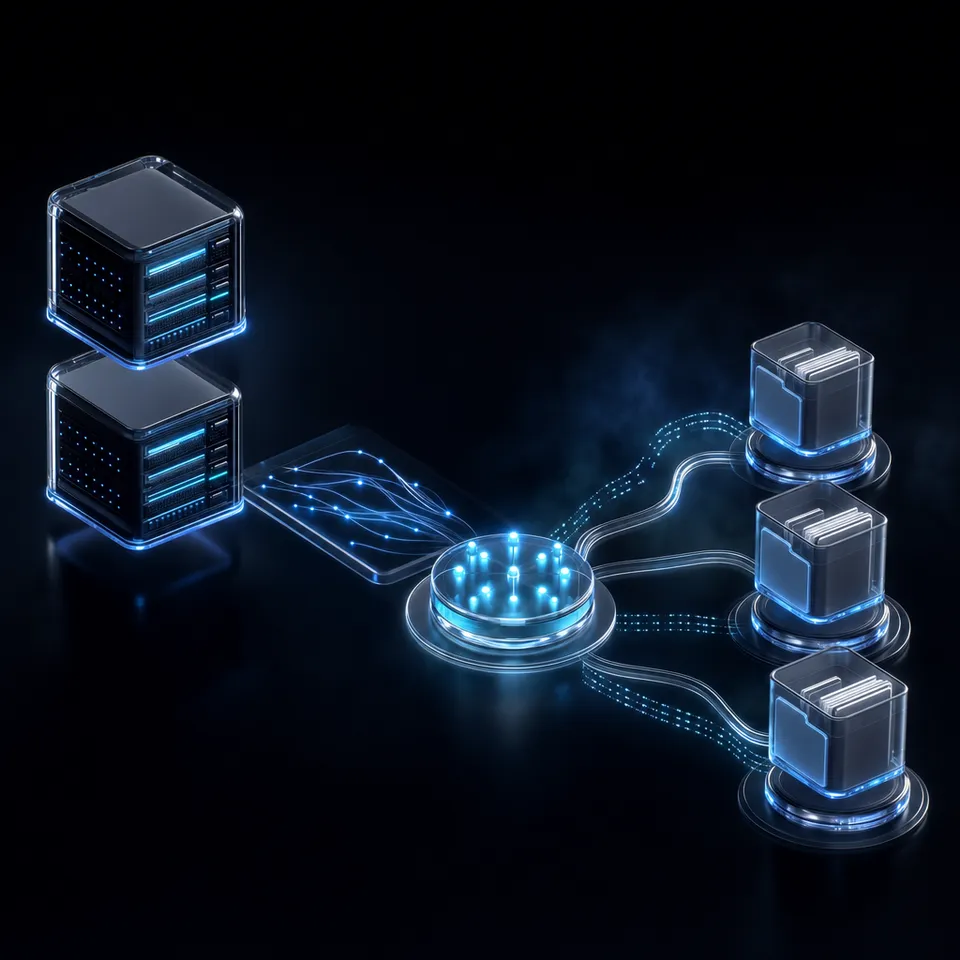
Connecting Windsurf Cascade in Devin Desktop to Google Workspace Files
When software engineers prompt an AI code editor to build features against real-world product specifications, the bottleneck is rarely model capability; it is the context gap between git repositories and cloud storage. Product requirement documents, technical design specifications, architecture decision records, and API contracts routinely live in Google Drive and Google Docs. Switching between browser tabs to copy and paste requirements disrupts developer focus, while attempting to feed entire cloud drive folders directly into an IDE agent triggers prompt bloat, latency spikes, and context window exhaustion before the agent generates a single line of code.
Windsurf Google Drive MCP is a configuration architecture that connects Windsurf's Cascade agent to Google Drive files via the Model Context Protocol, enabling semantic search over documents without manual file downloads. The Model Context Protocol (MCP) provides an open standard for exposing external data repositories, runtime developer tools, and enterprise context to language models without requiring brittle, custom integration scripts.
Cognition renamed the Windsurf editor to Devin Desktop on 2026-06-02, transitioning the Cascade assistant to Devin Local. Despite the platform rebrand, developers configuring a windsurf google drive connector continue to use the established MCP architecture to give the assistant direct access to team documentation. Connecting Cascade to external documentation bridges the divide between planning documents and source code, allowing the agent to reference interface definitions, security guidelines, and schema migrations while drafting implementations.
The central technical challenge stems from the operational mismatch between human-centric cloud storage and AI token constraints. Engineering teams organize Google Drive folders across deep directories containing spreadsheets, presentations, and collaborative documents. Locating an API spec manually in Google Drive requires navigating folders and opening tabs. For an agent like Cascade in Devin Desktop, recursively crawling unindexed folders over cloud storage APIs introduces network latency, consumes excessive tokens, and risks pulling irrelevant collateral into active memory.
To solve this problem cleanly, engineering organizations decouple document storage from agent context retrieval. Rather than forcing the code editor to act as a file retrieval client over raw cloud storage, developers import Google Drive folders into an intelligent Fast.io workspace and query pre-indexed documents through a hosted MCP interface. Google Drive folders can also stay in sync with the workspace, one-way or two-way, on a schedule or on demand.
Related guides
- How to Connect Claude Desktop to Google Drive Using MCPConnecting Claude Desktop to Google Drive gives AI assistants direct access to company documents, spreadsheets, and...
- How to Connect Claude Desktop to Google DriveConnecting Claude Desktop to Google Drive enables the desktop agent to query and retrieve cloud documents via Model...
- Windsurf SharePoint MCP: Connect Cascade in Devin Desktop to Document LibrariesCognition renamed Windsurf to Devin Desktop on 2026-06-02, transitioning the Cascade assistant to Devin Local. Setting...
- Windsurf SharePoint Connector: Connect Devin Desktop to SharePoint LibrariesCognition transitioned the Windsurf editor to Devin Desktop, pairing Cascade with local and cloud agents. Deploying a...
- Windsurf OneDrive MCP: Connect Cascade in Devin Desktop to Cloud StorageCognition renamed Windsurf to Devin Desktop on 2026-06-02, transitioning the Cascade assistant to Devin Local. Setting...
- Windsurf Box MCP: Connect Cascade to Enterprise Box StorageA Windsurf Box MCP integration links Codeium's Windsurf IDE and Cascade agent to Box cloud storage via the Model...
More on this subject: AI Coding Assistants (109 guides)
Why Native Google Drive MCP Servers and Desktop Sync Fail in Cascade
Many developer tutorials suggest building a local google drive mcp server windsurf setup using ad-hoc stdio scripts, community npm packages, or Google Drive for Desktop. While these approaches can work for simple personal experiments, they introduce severe operational friction in professional team environments.
Virtual Files and the Google Docs Parsing Problem
Developers frequently attempt to expose Google Drive to Devin Desktop by pointing a filesystem MCP server at their local Google Drive for Desktop mount point. This method fails immediately when interacting with native Google Workspace formats.
Google Drive for Desktop handles files using virtual file stubs. Native Google Docs (.gdoc), Google Sheets (.gsheet), and Google Slides (.gslides) files on disk do not contain raw document text or markdown. They are small JSON pointer files containing metadata and web URLs:
{"url": "https://docs.google.com/document/d/1a2b3c4d5e/edit", "doc_id": "1a2b3c4d5e"}
When Cascade or Devin Local opens architecture_spec.gdoc via a local filesystem MCP tool, the assistant reads only an HTTP URL rather than the technical specifications needed to write code. Resolving the actual document text requires authenticating against Google APIs, exporting the document to an intermediate format such as DOCX or plain text, and parsing the resulting payload.
Credential Overhead and Google Drive API Quota Throttling
Running a local stdio MCP server directly against the Google Drive API introduces significant credential and management overhead. Each developer on the engineering team must:
- Create a personal project in the Google Cloud Console.
- Enable the Google Drive API and configure OAuth consent screens.
- Generate desktop application credentials and store a local client secret JSON file.
- Complete an interactive browser-based OAuth consent flow on their workstation.
- Manage token refresh cycles, credential expiry, and local environment variables.
Beyond credential management, direct API querying subjects coding sessions to aggressive rate throttling. When Cascade scans folders or reads documentation iteratively during a multi-file refactoring task, automated requests quickly trigger rate limits. As documented by Google, exceeding quotas results in a 403 user rate limit error or an HTTP 429 rate limit exceeded response. When the API returns HTTP 429 status codes, Cascade's reasoning loop stalls, causing tool calls to time out while the developer waits for code generation.
Context Window Dilution from Raw Document Ingestion
Direct connectors typically download whole documents and pass their uncompressed text directly into the agent's prompt. Passing a 60-page product requirement document or a complex database schema into Cascade creates two distinct failure modes:
- Token Bloat and Cost Escalation: Dumping raw multi-page documents consumes tens of thousands of tokens on every interaction, accelerating model usage costs and filling context buffers.
- Context Dilution and Instruction Forgetting: Large language models suffer from retrieval degradation when critical instructions are buried in expansive context windows. When an assistant receives an entire document just to verify a single JSON request schema, the model frequently misses edge cases or forgets earlier coding constraints established in the conversation.
Connecting Cascade to Google Workspace files productively requires indexing documentation before queries arrive and passing only relevant passages into active memory. Teams looking for purpose-built agent infrastructure can explore dedicated storage for agents to replace fragile local scripts.
Architecture: Indexing Google Drive Documents for Cascade via Remote MCP
Solving the Google Drive context challenge requires decoupling storage hosting from runtime retrieval. Instead of forcing Cascade in Devin Desktop to execute recursive directory walks or download multi-megabyte files over Google Drive APIs, engineering teams establish an indexed cloud workspace as an intermediary context layer.
The Decoupled Cloud Workspace Pipeline
The recommended architecture establishes a clean, four-stage pipeline that connects Google Workspace files to Devin Desktop without client-side parsing bottlenecks:
- Source Storage in Google Drive: Product requirements, technical RFCs, system diagrams, and team style guides remain in Google Drive and Google Docs under standard corporate management.
- Cloud Import into Fast.io: Documentation folders are imported directly into a Fast.io workspace using cloud import. For teams using Google Drive, Dropbox, Box, or OneDrive, Cloud Sync operates one-way or two-way, on a schedule or on demand.
- Automatic Intelligence Mode Indexing: Once documents land in the workspace, Intelligence Mode automatically generates full-text and semantic vector indexes across supported formats, including PDF, DOCX, Markdown, CSV, and plain text. No separate vector database or embedding pipeline is required.
- Remote MCP Querying: Fast.io provides a hosted remote MCP server over Streamable HTTP at
https://mcp.fast.io/mcp/code, which serves thesearchtool used below. Cascade in Devin Desktop connects to this endpoint using a single organizational API key. - Precise Context Retrieval: When a developer asks Cascade about project requirements, the assistant invokes the
searchtool. The server queries the pre-computed semantic index and returns concise, relevant excerpts with explicit document citations, preserving editor context.
Measured Connector Performance
When connecting developer environments to cloud repositories, network latency and token consumption determine whether an agent feels responsive. The connector comparison is published at https://fast.io/benchmarks/. By processing document parsing and semantic search in an optimized cloud environment, Cascade receives targeted answers in milliseconds without downloading heavy document libraries to developer laptops. Developers can explore how workspace-level intelligence accelerates coding workflows on the Fast.io AI capabilities page.
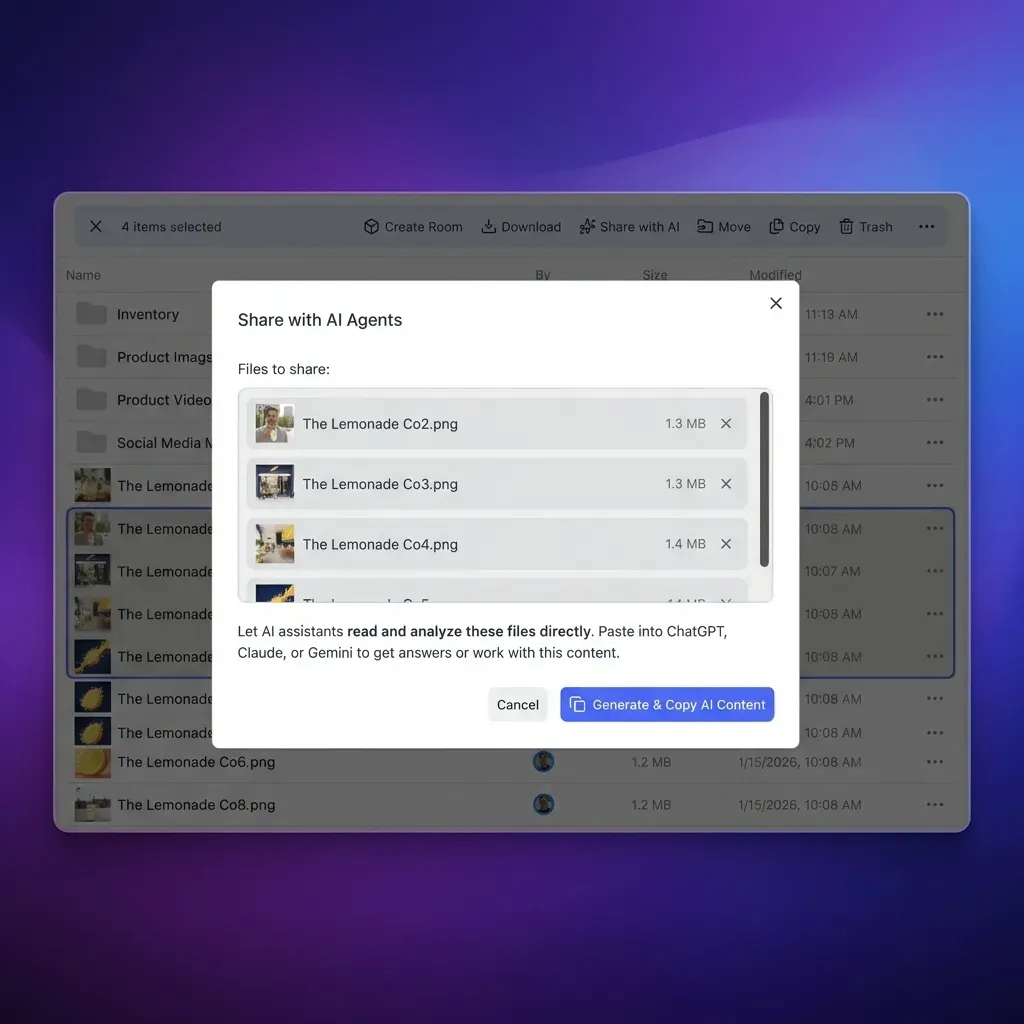


Query Google Drive Technical Specs Directly in Devin Desktop
Import Google Drive folders into an indexed Fast.io workspace, enable semantic search, and connect Cascade through remote MCP. Monthly plans start with a 14-day free trial.
Step-by-Step Configuration in Windsurf and Devin Desktop
Configuring Devin Desktop (formerly Windsurf) to query Google Drive files through the remote Fast.io MCP endpoint takes less than five minutes. Because Fast.io provides a hosted, remote endpoint over Streamable HTTP, you do not need to install local npm packages, compile TypeScript servers, or configure local background daemons.
1. Open the Windsurf MCP Configuration File
Devin Desktop manages external MCP connections through a central JSON configuration file. The file path depends on your operating system:
- macOS and Linux:
~/.codeium/windsurf/mcp_config.json - Windows:
%USERPROFILE%\.codeium\windsurf\mcp_config.json
To access this file within Devin Desktop:
- Open the Cascade panel on the right side of the editor.
- Click the MCPs icon in the top-right corner of the Cascade panel.
- Select Configure (or click the actions menu and select Open MCP config file).
- Alternatively, open the Command Palette (
Cmd + Shift + Pon macOS orCtrl + Shift + Pon Windows) and run Windsurf: Configure MCP Servers.
2. Add the Fast.io Remote MCP Server Definition
Edit mcp_config.json to register the Fast.io remote endpoint. Provide your Fast.io API key in the headers object:
{
  "mcpServers": {
    "fastio-gdrive": {
      "url": "https://mcp.fast.io/mcp/code",
      "headers": {
        "Authorization": "Bearer YOUR_FASTIO_API_KEY"
      }
    }
  }
}
Replace YOUR_FASTIO_API_KEY with an API key generated from your Fast.io organization settings. Because this integration uses Streamable HTTP, all communications occur securely over encrypted TLS, eliminating local credential sprawl.
3. Verify Server Availability in Cascade
Save the configuration file and restart Devin Desktop to reload the MCP host process. Once the editor restarts, open the Cascade panel:
- Locate the MCPs section and confirm that
fastio-gdrivedisplays a green status indicator. - Click
fastio-gdriveto verify that the consolidated MCP toolset is registered and active. - Confirm that Cascade has access to tools including
search,execute, andupload.
4. Query Google Workspace Documents from Cascade
With the remote MCP server connected, you can establish an efficient cascade mcp google docs workflow. Prompt Cascade naturally from the editor chat:
"Check our imported Google Drive architecture specs and tell me the required authentication headers for our user profile API endpoint."
Cascade calls the search tool, scans the semantic index of your imported Google Drive documents, and returns the exact header schema alongside document citations. The model writes the implementation code without opening a web browser or loading hundreds of unneeded document pages into active memory.
Enterprise Governance, Version History, and Metadata Views
Connecting automated coding agents to corporate documentation requires strict administrative controls. Granting an AI assistant broad, unconstrained access to a corporate Google Drive root folder creates security risks, potentially exposing confidential payroll documents, legal correspondence, or unreleased product plans to automated tool calls. An intelligent cloud workspace enforces multi-tiered security boundaries.
Scoped Workspaces and Granular Permissions
Fast.io organizes documents within shared, organization-owned workspaces rather than sprawling personal drives. Access controls operate across three distinct layers:
- Organization Level: Establishes tenant-wide billing, member seats, and administrative oversight.
- Workspace Level: Isolates engineering documentation from corporate business data. Developers and agents access only the workspaces assigned to their project scope.
- Share Level: Gives a collaborator only the files placed in a share, keeping public API documentation apart from sensitive architecture proposals.
Every file upload, edit, and permission change is recorded in a detailed activity log, giving security and compliance teams visibility into the changes made by both human engineers and AI agents.
Per-File Version History and Advisory Locking
When multiple engineers and automated agents read and update files within the same workspace, managing changes cleanly prevents accidental overwrites. Fast.io maintains complete per-file version history for every file. If an agent updates a technical specification or modifies documentation, prior revisions remain accessible and restorable.
To coordinate concurrent edits between developers and agents, Fast.io provides advisory file locking through MCP storage_manage and storage actions:
lock-acquire(storage_manage): Obtains an advisory lease on a target file, identifying the active agent or developer.lock-status(storage): Checks whether a file is currently checked out and inspects the holder.lock-release(storage_manage): Clears the advisory lease once updates are committed.
These locks are advisory and expire automatically unless maintained by heartbeat. They prevent collision during concurrent workflows without blocking urgent manual updates or causing deadlocks.
Structured Document Extraction with Metadata Views
Engineering teams often require structured parameters extracted from technical documentation rather than conversational summaries. Fast.io provides Metadata Views, an automated extraction layer that converts unstructured documents into a live, queryable database.
Instead of writing custom regular expressions or maintaining fragile text-scraping scripts, administrators define desired fields using natural language schemas (such as API Version, Endpoint Path, HTTP Method, and Deprecation Date). Metadata Views matches files across the workspace and populates a structured data grid across PDFs, spreadsheets, and scanned documents. Agents can query these structured records directly through MCP, allowing Cascade to filter specifications by metadata values before writing code.
For collaborative design discussions, Fastio Notes provides shared markdown notes kept in a workspace next to files, indexed for AI grounding, with version-checked saves to prevent overwriting.
Getting Started with Fast.io
Getting started with Fast.io begins with an organization on a paid subscription. Creating an account is free; doing real work requires an organization on a monthly or annual plan. Monthly subscriptions start with a 14-day free trial that requires a credit card. Review workspace options, member seat limits, and storage quotas on the Fast.io pricing page.
How to Troubleshoot Windsurf Google Drive MCP Connections
When configuring remote MCP connections in Devin Desktop, developers occasionally encounter configuration issues or network hurdles. Here is how to diagnose and resolve common integration challenges:
MCP Server Status Disconnected or Red in Cascade
If Devin Desktop displays a red status icon next to fastio-gdrive or reports an initialization failure:
- Check Configuration JSON Syntax: Ensure that
mcp_config.jsoncontains valid JSON. Verify that commas separate entries correctly and that theurlvalue is set tohttps://mcp.fast.io/mcp/code. - Validate Authorization Header: Confirm that your API key is formatted properly as
"Authorization": "Bearer YOUR_KEY". Ensure there are no leading or trailing whitespace characters or accidental line breaks. - Inspect Corporate Network Proxies: Corporate VPNs and firewalls sometimes inspect outbound HTTPS traffic or restrict non-browser HTTP clients. Verify that your machine can open an outbound connection to
mcp.fast.ioover port 443. - Restart the Editor: Devin Desktop reads
mcp_config.jsonwhen its background host process starts. After modifying the configuration file, perform a complete restart of Devin Desktop.
Cascade Returns No Results for Imported Google Drive Files
If Cascade responds that it cannot find information on a topic covered in your Google Drive documents:
- Verify Cloud Import Status: In the Fast.io workspace console, check that your Google Drive import completed successfully. Large folders containing high volumes of assets may take a brief period to finish importing.
- Confirm Intelligence Mode Is Enabled: Semantic search requires Intelligence Mode to be toggled on for the destination workspace. When enabled, all imported files are automatically indexed for semantic retrieval.
- Refine Prompt Specificity: If your prompt is broad (such as "What does our drive say?"), Cascade may not construct an effective search query. Use specific technical phrases: "Search our workspace specifications for the database indexing policy."
Managing Large Documentation Folders Without Context Lag
When working with extensive Google Drive document archives:
- Import Scoped Subfolders: Rather than importing an entire company-wide Google Drive containing marketing videos and archives, import just the dedicated technical documentation folders required for active development.
- Rely on Semantic Excerpts: Avoid asking Cascade to read whole documents sequentially. The
searchtool is designed to retrieve focused paragraphs and code snippets, allowing Cascade to maintain high reasoning accuracy and sub-second response times.
Sources
References used to verify factual claims in this guide.
-
Exceeding Google Drive API quotas results in a 403 user rate limit error or an HTTP 429 rate limit exceeded response.
Frequently Asked Questions
How do I configure MCP servers in Windsurf?
To configure MCP servers in Windsurf (now Devin Desktop), open `~/.codeium/windsurf/mcp_config.json` (or `%USERPROFILE%\.codeium\windsurf\mcp_config.json` on Windows) and add your server definition under the `mcpServers` object. For remote servers like Fast.io, declare the server URL and your Authorization Bearer token header, then restart the editor.
Can Windsurf Cascade read Google Docs and Drive files?
Yes. While Windsurf Cascade (succeeded by Devin Local) cannot parse native Google Docs directly from local file stubs, it can read them when connected via Model Context Protocol. By importing Google Drive folders into an intelligent Fast.io workspace, documents are automatically indexed, allowing Cascade to query content using semantic search tools.
What is the difference between local Drive sync and Fast.io MCP in Windsurf?
Local Google Drive desktop clients download virtual pointer files (.gdoc/.gsheet) that lack raw text, or require developers to run local stdio scripts with individual Google Cloud OAuth credentials. Fast.io imports or syncs Google Drive folders, providing a hosted remote endpoint that pre-indexes documents in the cloud so Cascade retrieves concise search excerpts without local daemons or token bloat.
How do I search Google Drive files from Windsurf without blowing the context window?
To search Google Drive files without context exhaustion, use Fast.io's remote MCP search tool. Instead of streaming entire 50-page specifications into Cascade's active prompt, the tool performs hybrid semantic search and returns only the relevant passages and citations needed for the immediate coding task.
Does Google Drive for Desktop allow Cascade to read Google Docs directly?
No. Google Drive for Desktop stores native Google Docs, Sheets, and Slides as JSON shortcut files containing web URLs rather than document bodies. AI coding assistants attempting to read these files from the local filesystem receive only web links, not the underlying text.
What happened to Windsurf and the Cascade agent?
Cognition renamed the Windsurf editor to Devin Desktop on 2026-06-02, transitioning the Cascade assistant to Devin Local. The editor retains full support for the Model Context Protocol, allowing developers to configure remote and local MCP servers in `mcp_config.json`.
Related Resources

Query Google Drive Technical Specs Directly in Devin Desktop
Import Google Drive folders into an indexed Fast.io workspace, enable semantic search, and connect Cascade through remote MCP. Monthly plans start with a 14-day free trial.