How to Connect Aider to Cloud Storage with MCP: Fast Remote Workspace Setup
Connecting Aider to cloud storage through the Model Context Protocol gives terminal coding sessions direct access to remote documentation and specifications without bloating the local git repository. Indexing cloud drives into a shared workspace allows developers to query relevant excerpts through remote MCP search rather than pulling entire folder trees. Decoupling reference assets from the git working tree preserves repository-map token budgets for critical application code.

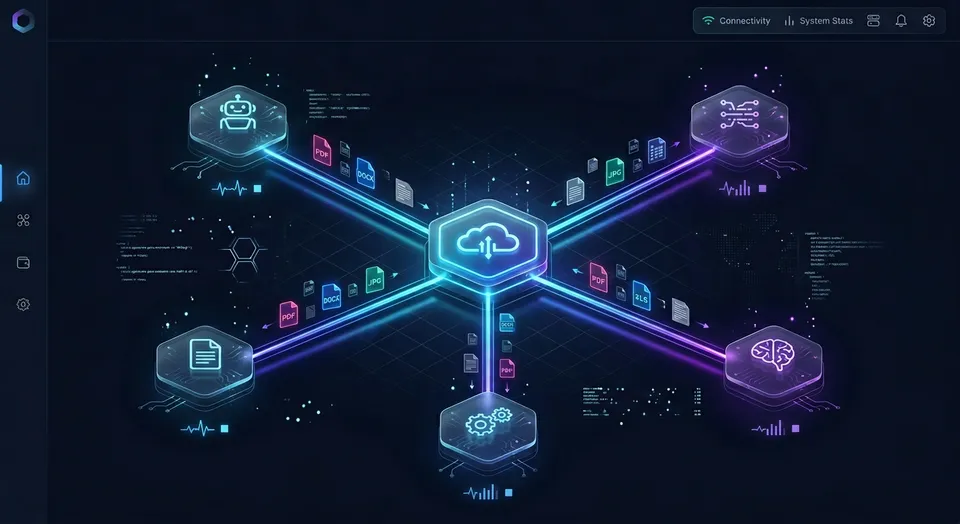
Why Committing Documentation Bloats Aider's Repository Map
Committing reference documentation, OpenAPI definitions, or architecture specifications directly into a git repository degrades Aider's ability to navigate source code. Because Aider allocates a fixed token budget, defaulting to 1,000 tokens, to map repository structure using Tree-sitter syntax graphs, non-code files and lengthy markdown trees crowd out active class signatures and function interfaces. When an engineering team places architectural blueprints, API specifications, and product requirements into the local project directory, Aider attempts to analyze them alongside source code, introducing structural noise that inflates token overhead and degrades coding performance.
An Aider cloud storage MCP integration connects the Aider terminal coding assistant to remote file storage, enabling search and retrieval across cloud workspaces without bloating the local git repository. By decoupling reference material from the local git working tree, developers provide the language model with exact project context while preserving local repository clarity.
To provide global codebase awareness, Aider generates a concise structural map of your entire git project. It uses Tree-sitter to parse source files, extract functions, methods, and class signatures, and run a graph ranking algorithm to prioritize the most important symbols within a strict token budget. The default allocation configured by --map-tokens is 1,000 tokens. When developers commit extensive documentation trees, API schemas, or technical guides into the repository, these files compete directly with application source code. The graph ranking algorithm must then make difficult choices, frequently pruning critical interface definitions and helper functions from the prompt payload.
Most developer advice suggests symlinking shared folders or committing documentation directly into the git tree so that coding assistants can inspect them. This practice creates three severe problems:
- Repository map dilution: Tree-sitter cannot build syntax trees for PDFs, Word files, or presentation decks, while markdown files contribute hundreds of prose lines that displace code symbols from the map.
- Git repository bloat: Large specifications, database exports, and image assets bloat git packfiles, slowing down git status checks, branching, and team clone operations.
- Prompt token exhaustion: When developers use the
/addcommand on entire documentation folders, Aider reads the complete contents of each file into the conversation context. In a multi-turn session, loading several multi-megabyte files consumes tens of thousands of tokens on boilerplate text, inflating API expenses and pushing the model toward context saturation.
Benchmark testing is published at Fast.io Benchmarks. For developers exploring remote storage connectivity, integrating with a Cloud Storage MCP architecture keeps local code repositories isolated while giving the coding agent on-demand access to remote cloud files.
The Overhead of Non-Code Assets on Tree-Sitter Mapping
Aider evaluates repository structure by building an abstract syntax graph across project files. Code files export typed interfaces, import statements, and function calls that allow Aider to identify central architectural hubs. Non-code assets break this topological graph.
When large technical manuals, third-party library docs, or OpenAPI schemas sit inside the tracked directory tree, Aider scans each file during repository mapping. If these files contain code blocks or raw symbol definitions, they create artificial graph centrality. As a consequence, Aider allocates precious map tokens to static documentation while dropping active application routes, database models, and service interfaces.
Token Budget Depletion Across Multi-Turn Sessions
In standard Aider workflows, every file added to the chat session via /add is injected in full into every prompt turn. If an engineer adds three technical specifications to clarify an authentication flow, the LLM receives thousands of lines of peripheral text on every single exchange.
This unindexed ingestion rapidly exhausts the model's context window. As the context fills with static requirements, the model's attention drifts, leading to hallucinations, dropped instructions, and sluggish response times. Preserving context headroom requires offloading reference materials to an external indexed search service.
Related guides
- How to Connect Claude Code to Google Cloud Storage: Fast MCP Setup and Storage SyncConnecting Claude Code to Google Cloud Storage enables the terminal agent to discover, read, and manipulate objects in...
- How to Connect Cursor to Remote MCP Servers for Cloud StorageCursor can query remote documents and team storage by connecting to Model Context Protocol endpoints over Streamable...
- Connecting OpenAI Codex to Cloud Storage: Complete Setup GuideConnecting OpenAI Codex to cloud storage gives coding agents access to architecture plans, API schemas, and...
- How to Manage Aider Token Limits: Repo-Map Budgets, Chat History, and MCP RetrievalThe Aider token limit is governed by two configurable thresholds: the repository map budget set by --map-tokens...
- How to Connect Base44 to MCP StorageConnecting Base44 to MCP storage allows local and hosted AI assistants to safely query entity schemas and data using...
- Aider File Limits: Repo Map Scaling, File Addition Caps, and Context ManagementThe Aider file limit is not a rigid file count cap, but a boundary set by context windows and repository map budgets....
More on this subject: AI Coding Assistants (109 guides)
Bridging Existing Cloud Storage to an Intelligent Workspace
In modern software organizations, project assets rarely originate inside the local git repository. Product managers, solution architects, and external partners maintain requirements, design documents, and contractual specifications across cloud drives including Google Drive, Dropbox, Box, and OneDrive, alongside SharePoint document libraries.
When engineers need their coding assistant to reference these documents, native cloud connectors present substantial operational friction. Native storage sync clients attempt to mirror remote folders onto the local workstation filesystem. This mechanism consumes gigabytes of local storage, generates continuous filesystem notification events that trigger development hot-reloaders, and forces full file downloads even when the developer only requires a specific parameter or API endpoint specification.
Fast.io bridges the gap between existing cloud storage and autonomous coding agents. Instead of replacing your team's storage infrastructure, Cloud Sync connects Google Drive, Dropbox, Box and OneDrive folders to a workspace, one-way or two-way, on a schedule or on demand. For enterprise teams using Microsoft 365, SharePoint document libraries are supported through the OneDrive connector. Your team maintains their established folders in their preferred storage provider while Fast.io maintains an indexed copy ready for agent access.
Once files synchronize to a Fast.io workspace, Intelligence Mode automatically indexes documents for hybrid search. Combining full-text matching, semantic embeddings, and metadata value filtering, the workspace transforms static files into a queryable knowledge base. Instead of downloading whole files or parsing full folders, remote MCP search returns relevant excerpts. Aider receives only the targeted passages necessary to write application code.
Setting Up Scheduled Cloud Sync Across Enterprise Storage
Configuring Cloud Sync requires only a few minutes. Administrators link their existing Google Drive, Dropbox, Box, or OneDrive accounts to their Fast.io workspace using standard OAuth authentication.
During configuration, teams establish synchronization rules tailored to their development cadence:
- Sync direction: Choose one-way sync to pull reference materials into the workspace without risking upstream overwrites, or two-way sync if agents also generate documentation to share with colleagues.
- Sync schedule: Set synchronization to run on an automated schedule or trigger updates on demand when new project specifications arrive.
- Selective folders: Choose specific folders containing project specifications, database architectures, or API contracts while excluding unrelated team folders.
Workspace Auto-Indexing with Intelligence Mode
When files arrive in the workspace through Cloud Sync, Intelligence Mode immediately begins parsing and indexing them. Intelligence Mode processes PDFs, Word documents, text files, scanned pages, and spreadsheets without requiring manual vector database setup or embedding pipeline maintenance.
The hybrid search engine extracts key conceptual passages alongside exact keyword hits. When an agent queries the workspace for an authentication protocol, the search engine matches both exact parameter names and semantic descriptions of the authorization lifecycle, returning concise, citation-backed excerpts directly to the calling client.
How to Connect Aider to Remote Cloud Storage with MCP
The Model Context Protocol (MCP) establishes an open standard for connecting AI coding assistants and tools directly to external data sources. Fast.io provides a dedicated remote MCP server for coding agents hosted at https://mcp.fast.io/mcp/code over Streamable HTTP.
Because Aider runs as a specialized terminal coding assistant centered on git repositories, connecting Aider to remote cloud storage uses an MCP query workflow. Developers configure an environment where remote MCP tools query the indexed workspace, extract relevant context, and provide targeted reference material to Aider without git bloat.
Step-by-Step Command Sequence for Aider and Remote MCP
To launch Aider with an MCP cloud storage connection, follow this operational sequence:
- Create your Fast.io workspace: Set up an organization and workspace at Fast.io for Agents, enable Intelligence Mode, and configure Cloud Sync for your Google Drive, Dropbox, Box, or OneDrive folder.
- Generate a scoped API key: In your Fast.io account settings, generate an API key with read permissions for your project workspace. Export the key in your terminal session:
export FASTIO_API_KEY="your_workspace_api_key" - Query the remote MCP endpoint: Use an MCP client runner or query utility to execute a semantic search against
https://mcp.fast.io/mcp/code. Send your request over Streamable HTTP withAuthorization: Bearer <api key>. Thesearchtool returns exact excerpts from your cloud documents:{ "query": "Stripe webhook signature validation and idempotency keys", "folders_scope": ["specs/payments"] } - Direct excerpts into Aider: Save the returned excerpt to a lightweight scratch file (such as
.context/payments-spec.md) and launch Aider:aider --read .context/payments-spec.md - Reference external context during editing: Inside the Aider session, prompt the model to implement your application feature according to the retrieved specification:
Implement the webhook handler in src/webhooks.ts matching the signature verification logic in payments-spec.md.
By passing external documentation via /read or --read, Aider marks the file as read-only. The language model can read every architectural constraint, but will not attempt to edit the specification file or add it to git commit stages.
For comprehensive setup guidelines, visit the official developer documentation at mcp.fast.io/docs and inspect available tool definitions at mcp.fast.io/skill.md.
Calling the Remote MCP Search Tool
The Fast.io coding endpoint at https://mcp.fast.io/mcp/code provides a consolidated MCP toolset tailored for software engineering tasks: auth, auth_manage, upload, upload_manage, search, execute, execute_manage, and how-to.
When searching indexed documents, clients invoke the search tool. The search endpoint accepts a natural language query, an optional files_scope array to restrict search to specific documents, and an optional folders_scope array to bound the query to specific workspace directories. The server executes hybrid retrieval and responds with ranked text passages, document titles, and source paths. Read requests for full file bodies run through execute, while write operations route through execute_manage.
Injecting Scoped Context into Aider Without Git Tracking
To keep your git working tree pristine, configure your project's .gitignore and .aiderignore files to ignore your local context directory:
### ignore temporary MCP context caches
.context/
When you retrieve fresh excerpts from cloud storage, store them within .context/. Aider reads the files into memory when invoked with /read .context/filename.md, but Tree-sitter never indexes the folder for the repository map, and git status remains completely clean.


Query Cloud Documentation in Aider Without Git Bloat
Connect your Google Drive, Dropbox, Box, and OneDrive folders to an indexed Fast.io workspace, query relevant excerpts over remote MCP, and preserve your local repository map. Monthly plans start with a 14-day free trial (credit card required).
Multi-Agent Coordination, Advisory Locks, and Version Control
In contemporary engineering teams, terminal coding assistants like Aider rarely operate in total isolation. Developers frequently deploy multiple tools simultaneously, combining Aider for terminal diff generation, Claude Code for high-level repository planning, Cursor for inline autocomplete, and automated CI pipelines for testing.
When multiple human engineers and autonomous agents interact with shared workspaces and cloud documents, reliable coordination guardrails prevent destructive race conditions.
Coordinating Edits with Advisory File Locks
Fast.io supports advisory file leases across workspace and share storage. When an agent or automated script begins updating a shared specification, schema, or configuration file, it acquires an advisory lease using lock-acquire on the storage_manage tool. Other team members and connected agents can check active holds using lock-status on the storage tool. Once modifications are complete, the agent releases its hold via lock-release on storage_manage.
Advisory file locks expire automatically unless heartbeated by the holder. This lease mechanism alerts collaborating agents and teammates to active modifications without imposing rigid write bans that could block emergency manual interventions. Concurrent writes both land safely, and the workspace preserves every revision.
Per-File Version History and Change Tracking
When coding agents generate configuration files or update documentation programmatically, automated edits can introduce errors. Fast.io maintains complete per-file version history across all workspace documents. Every save or update generates a distinct version while preserving all prior revisions. If an agent writes an invalid schema or overwrites critical requirements, human engineers can review differences and restore earlier versions with a single click.
For accountability, Fast.io maintains a detailed activity log of all workspace changes. The detailed activity log tracks modifications across the organization, specifically uploads, edits, file moves, and deletions, alongside membership updates and share creation. It does not record read-only events such as views or downloads. This focus on tangible state changes gives engineering leaders a verified audit trail of which agent or team member modified project assets.
Collaborative Notes and Ownership Transfer
Engineering workflows require clear communication between humans and automated agents. Fast.io includes Collaborative Notes maintained directly beside workspace files. Notes feature version-checked saves rather than real-time co-editing, allowing human architects and terminal agents to draft implementation plans, migration checklists, and technical decisions in a shared, version-tracked space.
When external consultants or technical agencies set up automated cloud workspaces for client engineering teams, Fast.io ownership transfer provides a clean administrative handoff. A consultant can create the organization, configure Cloud Sync connections to Google Drive, Dropbox, Box, or OneDrive, establish workspace permissions, and transfer organization ownership to a client executive while maintaining administrator access for ongoing collaboration.
Subscription Plans for Engineering Teams
Fast.io provides predictable subscription tiers for engineering teams and agentic workflows. Creating an account is free; doing real work requires an organization on a paid subscription. Monthly plans start with a 14-day free trial, which requires a credit card. Subscription tiers available on Fast.io pricing include Starter at $9.99/mo, Business at $49.99/mo, and Enterprise at $199.99/mo. Annual subscription plans provide discounted rates across all tiers. Credits meter AI work, and overage is $10 per 100,000 credits.
Advisory File Leases for Multi-Agent Workflows
Advisory locks provide visibility into active edits across distributed toolchains. When an autonomous workflow updates a shared data model, acquiring an advisory lease signals to other agents that the resource is undergoing modification.
Because advisory locks expire if not actively heartbeated, stale locks never block workflows if an agent process terminates unexpectedly. Teams maintain continuous development momentum while avoiding accidental overwrite collisions.
Tracking Asset State with Detailed Activity Logs
Fast.io activity logging focuses on concrete state modifications. Every file creation, update, move, and deletion is recorded with an accurate timestamp and actor identity.
Team leads can inspect the detailed activity log to audit agent behavior, verify when Cloud Sync pulled updated specifications from Google Drive or OneDrive, and confirm that all modifications adhere to organizational standards.
Maintaining Repository Hygiene and Context Efficiency
Maintaining an efficient Aider coding environment requires disciplined configuration. By combining repository-level ignore rules, token allocations, and remote storage queries, engineering teams maximize both reasoning quality and cost efficiency.
Enforcing Repository Boundaries with .aiderignore
The primary defense against repository map bloat is establishing a comprehensive .aiderignore file in your repository root. Similar to .gitignore, .aiderignore instructs Aider to skip matching files when scanning directories, generating repository maps, and executing git operations.
Create an .aiderignore file to block data files, build artifacts, and bulky documentation from entering Aider's purview:
### data fixtures and exports
*.csv
*.tsv
*.parquet
*.sqlite3
*.dump

### large schemas and generated specifications
schema.json
swagger.json
openapi.yaml

### build artifacts and package caches
dist/
build/
coverage/
node_modules/
.next/

### documentation trees and local cloud sync mirrors
docs/
specs/
*.pdf
*.docx

### temporary context cache
.context/
You can specify a custom ignore file using aider --aiderignore .custom-ignore or by setting the AIDER_AIDERIGNORE environment variable. When working in a large monorepo, use the --subtree-only flag to restrict Aider's repository mapping and file operations to your current working directory.
Tuning Repository Map Budgets with .aider.conf.yml
Aider provides configuration options to adjust how the repository map functions based on project size and workflow requirements. Developers can pass these settings as CLI flags or store them permanently in .aider.conf.yml:
### repository map token allocation
map-tokens: 2048
map-multiplier-no-files: 2
map-refresh: auto

### file management and ignore settings
aiderignore: .aiderignore
subtree-only: false

### context history management
max-chat-history-tokens: 2048
Allocating 2,048 tokens to the repository map gives models rich structural context across large codebases without overwhelming the prompt. Setting --map-tokens 0 disables the repository map entirely, which is helpful when working on small utility scripts where context conservation is critical.
Resolving Transport and Network Connectivity Issues
When querying remote MCP endpoints over Streamable HTTP, local network restrictions can occasionally interrupt tool communication. Verify that your workstation allows outbound HTTPS traffic on port 443 to mcp.fast.io.
Verify that your API key is correctly formatted and exported in your shell. If tool requests return authentication errors, confirm in Fast.io account settings that your key holds active read permissions for the target workspace.
Preserving Context Headroom During Complex Refactoring
Complex architectural refactorings require significant context space for reasoning and code diff generation. To maximize available tokens, developers should monitor session consumption using Aider's /tokens command.
If conversational history grows excessively during long sessions, use /clear to reset the chat memory while keeping your modified files in place. Query the remote Fast.io MCP endpoint to retrieve fresh excerpts for your next task, passing only the necessary documentation into the clean session.
Sources
References used to verify factual claims in this guide.
-
Aider automatically sends a repository map of key files and symbols to the model along with each user change request.
-
The Model Context Protocol provides an open standard for connecting AI assistants and tools directly to external data sources.
Frequently Asked Questions
Can Aider access cloud storage?
Aider does not natively connect to cloud storage services like Google Drive, Dropbox, Box, or OneDrive because it is built to operate on local git repositories. However, developers can connect Aider to cloud storage using the Model Context Protocol (MCP) or external bridge tools. By connecting to a remote intelligent workspace like Fast.io at `https://mcp.fast.io/mcp/code`, developers can query indexed cloud files and inject targeted excerpts into Aider without downloading entire folders or committing large files to git.
How do I use MCP servers with Aider?
While Aider does not include a native MCP server configuration file like some GUI editors, developers use MCP tools with Aider by running an MCP client bridge or execution script that queries remote endpoints like `https://mcp.fast.io/mcp/code` over Streamable HTTP. The script queries remote tools (such as semantic search), saves the returned excerpt to a temporary file, and loads it into Aider using the `/read` command. Alternatively, community wrappers like `mcpm-aider` or orchestrators can bridge MCP tool outputs directly into Aider sessions.
How can Aider search remote documentation without git?
Aider can search remote documentation without storing files in git by querying a cloud workspace that indexes reference files externally. With Fast.io, documentation stored in Google Drive, Dropbox, Box, or OneDrive is synced to a workspace and indexed by Intelligence Mode. Developers or bridge scripts invoke the MCP `search` tool on `https://mcp.fast.io/mcp/code`, which returns relevant text passages. The developer then passes only the excerpt to Aider using `/read`, keeping the local repository map free of non-code noise.
Why does adding documentation folders degrade Aider's repository map?
Aider uses Tree-sitter to parse source files into syntax trees and rank symbols within a strict token budget set by `--map-tokens` (default 1,000 tokens). Non-code documentation files, such as PDFs, Word files, and large markdown guides, cannot be parsed into semantic syntax trees. When committed or added to the project, they create indexing overhead, consume token allocations, and force Aider's graph ranking algorithm to drop important code function signatures and class definitions from the prompt context.
How does Fast.io Cloud Sync connect existing cloud drives?
Cloud Sync connects Google Drive, Dropbox, Box and OneDrive folders to a Fast.io workspace, one-way or two-way, on a schedule or on demand. SharePoint document libraries are supported through the OneDrive connector. This allows teams to maintain their files in their existing cloud storage while enabling Fast.io's Intelligence Mode to auto-index content for semantic search and remote MCP agent access.
What is the difference between local stdio MCP servers and remote Streamable HTTP MCP?
Local stdio MCP servers run as local child processes on your workstation, communicating through standard input and output streams. They require local runtime dependencies like Node.js or Python and store static credentials on disk. Remote Streamable HTTP MCP servers, such as Fast.io at `https://mcp.fast.io/mcp/code`, run on cloud infrastructure, require zero local server installation, support Bearer token authentication, and allow distributed teams and agents to query shared workspaces without exposing local workstation ports.
What subscription plans does Fast.io offer for agentic workflows?
Fast.io provides subscription tiers designed for teams and agentic workflows. Plans include Starter at `$9.99/mo`, Business at `$49.99/mo`, and Enterprise at `$199.99/mo`. Monthly plans start with a 14-day free trial, which requires a credit card. Creating an account is free; doing real work requires an organization on a paid subscription.
Related Resources

Query Cloud Documentation in Aider Without Git Bloat
Connect your Google Drive, Dropbox, Box, and OneDrive folders to an indexed Fast.io workspace, query relevant excerpts over remote MCP, and preserve your local repository map. Monthly plans start with a 14-day free trial (credit card required).