How to Connect GitHub Copilot to OneDrive via MCP
Connecting GitHub Copilot to OneDrive via MCP enables developers to query enterprise specifications and technical documentation directly from VS Code agent chat without syncing large folders locally. Local sync approaches fail when assistants hit 0-byte Files On-Demand placeholders, while direct Microsoft Graph calls trigger query throttling. Syncing folders into an indexed Fastio workspace lets agents execute hybrid search over remote MCP with fewer tool calls and sub-second retrieval.

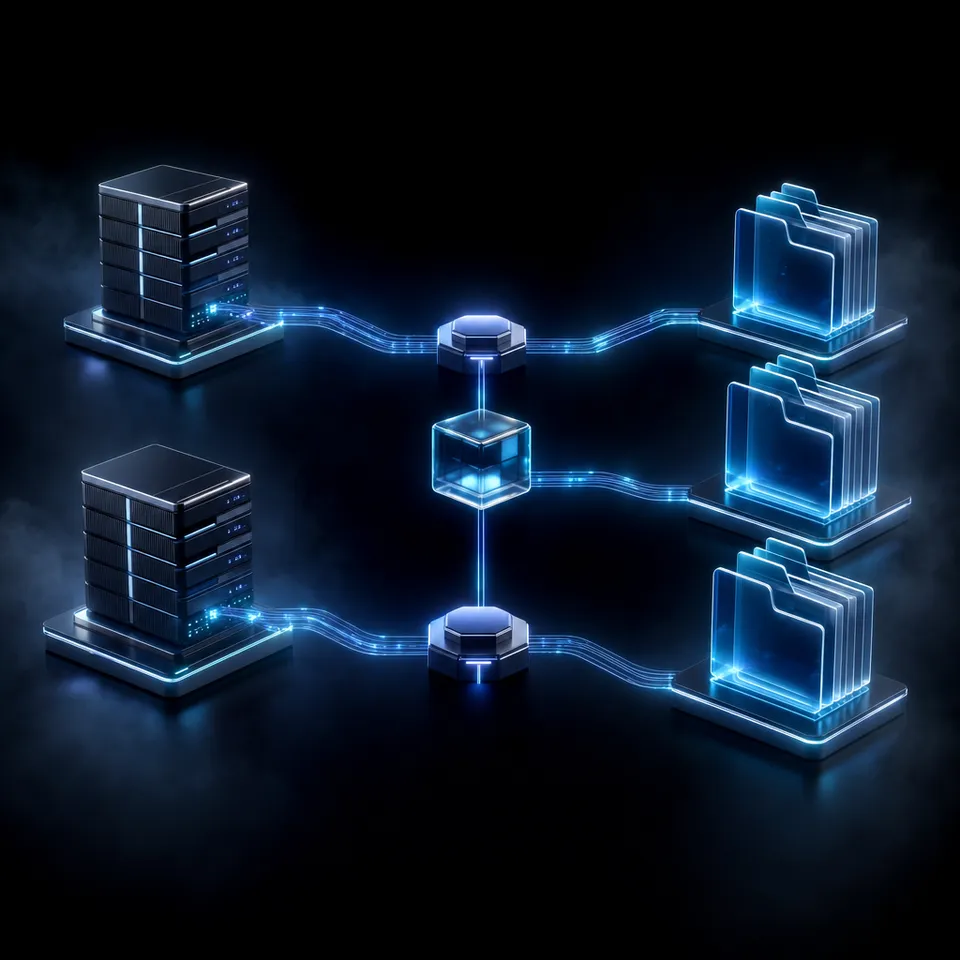
The Developer Disconnect Between Microsoft 365 Copilot and GitHub Copilot Agent Mode
Attempting to point GitHub Copilot at local OneDrive folders in Visual Studio Code fails the moment an agent encounters an online-only placeholder, returning empty prompt context or freezing the editor during background file hydration.
Across engineering organizations, critical project context frequently resides outside Git repositories. Lead architects maintain system design blueprints in Word documents, compliance teams archive security requirement matrices in Excel workbooks, product managers draft feature specifications in shared folders, and infrastructure teams store network topology diagrams as PDFs. Software engineers implementing code in Visual Studio Code need fast access to this documentation to verify requirements, check API interface contracts, and comply with architectural standards.
Connecting development workflows to cloud file storage has historically been awkward. Online tutorials and competitor guides frequently confuse Microsoft 365 Copilot with GitHub Copilot Agent MCP mode. Microsoft 365 Copilot and Microsoft Copilot Studio focus primarily on business productivity inside Office desktop applications like Word, PowerPoint, Excel, and Microsoft Teams. Microsoft has documented preview Model Context Protocol tools within Copilot Studio through mcp_OneDriveRemoteServer, but according to Microsoft Learn documentation, this preview server is scoped to managing files in personal OneDrive accounts and restricts file operations to small text files. More importantly, it operates entirely within Microsoft 365 tenant infrastructure rather than providing an accessible, low-latency MCP endpoint for developers working inside Visual Studio Code.
Connecting GitHub Copilot to OneDrive via MCP enables developers to query enterprise specifications and technical documentation directly from VS Code agent chat without syncing large folders locally. By utilizing the open Model Context Protocol (MCP) standard, developers can equip GitHub Copilot with specialized tools to search and inspect cloud-hosted documents on demand. Instead of forcing developers to leave their code editor to search through SharePoint sites or local sync directories, Copilot can query indexed technical documentation directly within its active chat or agent loop, grounding code generation in verified project constraints.
Related guides
- How to Connect Cursor to OneDrive via MCP: Integration GuideCursor OneDrive MCP is a setup pattern using the Model Context Protocol to grant Cursor IDE direct read, search, and...
- How to Connect Claude Desktop to OneDrive Storage via MCPClaude Desktop OneDrive integration links Anthropic's desktop app to Microsoft OneDrive via Model Context Protocol,...
- How to Connect Copilot to OneDrive: Integration Guide for TeamsA Copilot OneDrive integration connects AI coding assistants to Microsoft OneDrive folders, allowing models to search...
- How to Connect Copilot to SharePoint via MCP: Integration GuideConnecting Copilot to SharePoint via MCP allows coding assistants in VS Code to retrieve enterprise SharePoint...
- How to Connect Copilot to SharePoint Files via Fast.io WorkspacesA Copilot SharePoint integration connects Microsoft Copilot and GitHub Copilot agents to SharePoint document libraries,...
- How to Connect Copilot to SharePoint: Copilot Studio and MCPConnecting Copilot to SharePoint links enterprise document libraries to Microsoft Copilot Studio and GitHub Copilot for...
More on this subject: GitHub Copilot (137 guides)
Why Local Files On-Demand and Microsoft Graph Throttling Break Copilot Context
When developers first attempt to connect GitHub Copilot to corporate OneDrive content, they typically take one of two routes: pointing the editor at a locally synchronized OneDrive folder or querying Microsoft Graph APIs directly. Both approaches run into structural roadblocks that degrade agent reliability.
The Breakdown of Local Files On-Demand Placeholders
Most developer workstations already run the Microsoft OneDrive desktop sync client. To prevent cloud repositories from overwhelming local hard drives, OneDrive enables Files On-Demand by default. The operating system creates dataless reparse points on Windows or File Provider dataless files on macOS. These placeholders appear as normal documents in Windows File Explorer or macOS Finder, displaying full file names and nominal file sizes, but their physical size on the local drive is exactly 0 bytes.
When a human user double-clicks an online-only document, the operating system pauses the request, calls the OneDrive client, streams the file payload from Microsoft cloud servers, and opens the populated file. Autonomous coding agents and IDE extensions do not execute interactive graphical user interface events. When GitHub Copilot Chat, an autonomous CLI agent, or an indexing script scans a folder path, it opens files using standard non-blocking system calls.
According to Microsoft Support documentation on Files On-Demand: "Desktop search can search for online-only files by name, but it cannot search the contents within online-only files because they aren't stored on the device."
When an AI agent interacts with unhydrated OneDrive placeholders, three distinct failures occur:
- Empty Prompt Context: The filesystem read call returns zero bytes instantly. The AI model assumes the technical specification is blank, leading it to invent architectural parameters or ignore critical security requirements during code generation.
- Sync Engine Hydration Freezes: Automated agents frequently inspect dozens of files in parallel. Triggering simultaneous hydration requests for multiple large Office binaries or PDF manuals overwhelms the local OneDrive client, causing sync queue freezes or process timeouts.
- Operating System Sharing Violations: If an agent attempts to read a file while the background OneDrive client is writing downloaded byte streams, the operating system raises an
EBUSYor file-sharing lock exception, crashing the agent workflow mid-execution.
Why Direct Microsoft Graph API Queries Cause Throttling and Latency
Recognizing the failure of local filesystem sync, engineering teams often evaluate writing custom MCP servers that call Microsoft Graph APIs directly (/v1.0/me/drive or /v1.0/sites). While direct API access avoids local disk placeholders, querying Microsoft Graph programmatically introduces operational friction:
- Aggressive Search Quotas and Throttling: According to Microsoft Learn documentation on avoiding throttling in SharePoint Online: "To ensure service stability, the service will throttle delegated user requests that exceed 10 requests per second per user." In autonomous coding loops where an agent recursively traverses folders or issues multiple exploratory search queries, the process quickly surpasses 10 requests per second. Exceeding this rate returns an HTTP 429 response carrying a
Retry-Afterheader, forcing the agent into multi-second backoff delays that break developer momentum. - Binary Extraction and Processing Latency: OneDrive repositories store documents in binary Office OpenXML (
.docx,.xlsx,.pptx) and PDF formats. Microsoft Graph operates as an object store, returning raw file byte streams. Before an agent can analyze a document, it must stream the raw payload over the network, decompress the binary archive in memory, parse XML tags, and extract raw text. Performing this sequence on the fly across candidate documents introduces tens of seconds of latency for simple questions. - Prompt Window Token Bloat: Standard cloud storage APIs lack built-in semantic chunking. When an agent queries a file, it must download and ingest entire documents. Stuffing an unchunked 70-page architecture specification into an LLM prompt consumes tens of thousands of tokens, increasing execution costs and degrading model attention across the context window.
- Read-Only Operation: Native cloud drive connectors operate in read-only mode. An agent can inspect a document to answer a prompt, but it cannot write structured deliverables, update architectural diagrams, or save code analysis reports back to team storage.
Indexing OneDrive Folders in Intelligent Workspaces for Sub-Second Retrieval
Engineering teams resolve the tension between maintaining Microsoft 365 storage compliance and providing fast document retrieval for AI agents through a hybrid architecture. Instead of abandoning OneDrive, organizations retain OneDrive as their central corporate repository while syncing active technical directories into Fastio workspaces.
Fastio Cloud Sync establishes a managed bridge to Google Drive, Microsoft OneDrive, and Dropbox.SharePoint document libraries are reached through the OneDrive connector. Folders can be kept in sync, one-way or two-way, on a recurring schedule or on demand, preserving folder hierarchies and metadata. Google Drive folders sync the same way; never real-time. This configuration ensures that corporate retention policies, access rights, and compliance boundaries remain anchored in Microsoft 365, while AI coding assistants interact with an indexed layer built specifically for low-latency retrieval.
Automatic Processing and Hybrid Search
When technical documentation enters a Fastio workspace, Intelligence Mode processes the files in the background. The platform extracts plain text from PDFs, Office files, Markdown notes, and source code, building both full-text keyword indices and semantic vector embeddings. When GitHub Copilot queries the workspace, the search engine executes hybrid search, combining keyword precision with semantic understanding to retrieve exact relevant passages and page-level citations without pulling entire files across the network.
For structured technical files like database schema definitions, API endpoint inventories, or hardware bill-of-materials tables, Metadata Views automatically converts unstructured documents into structured, queryable data grids without requiring manual OCR templates. Developers describe the desired fields in natural language, and AI designs a typed schema across text, integer, decimal, boolean, URL, JSON, and timestamp columns. Because Metadata Views are queryable over MCP, GitHub Copilot can retrieve specific configuration parameters without reading through long prose documents.
Standardized Storage Audit Benchmark
The operational difference between querying raw storage APIs and querying an indexed workspace has been measured directly. Fastio runs one agent through the same multi-document audit against an identical corpus held in Fastio and in each of the major cloud storage providers, records completion time, storage tool calls, input tokens and task cost for every run, and publishes the results at Fast.io Benchmarks. Fastio finished the audit fastest, and at the lowest cost, of the providers measured.
By pre-indexing document contents upon arrival, Fastio allows agents to retrieve exact passage snippets with citations. This eliminates the need to pull entire multi-megabyte PDFs across network boundaries, preserving developer momentum and avoiding storage rate limit barriers.



Connect GitHub Copilot to Your OneDrive Knowledge Base
Keep your files in OneDrive, sync technical folders into an intelligent Fastio workspace, and let GitHub Copilot query indexed documentation through a remote MCP server. Monthly plans start with a trial of up to 14 days (credit card required); annual plans have no trial.
Steps to Connect GitHub Copilot to OneDrive via MCP in VS Code
Connecting Microsoft OneDrive to GitHub Copilot in Visual Studio Code using Fastio takes four straightforward steps. This workflow mirrors selected OneDrive folders into an intelligent workspace, generates semantic search embeddings, and exposes a remote Model Context Protocol endpoint that GitHub Copilot Chat can query directly.
1. Scope Target OneDrive Documentation Directories
Begin by identifying the specific directories in OneDrive or SharePoint that contain operational engineering context: architectural decision records (ADRs), API interface specifications, database schemas, or technical runbooks. Rather than syncing an entire enterprise drive, scope the sync boundary to the project documentation needed by the development team. Scoping folders maintains strict data boundaries, speeds up initial indexing, and keeps the agent focused on relevant domain context.
2. Configure Cloud Sync in the Fastio Workspace
Log in to the Fastio console and create a new workspace dedicated to the engineering team or project. Open the workspace settings and select Cloud Sync:
- Choose Microsoft OneDrive as the external cloud provider.
- Authenticate using your Microsoft 365 corporate account via standard OAuth.
- Browse your OneDrive directory tree and select the folder scoped in Step 1.
- Select synchronization direction: choose one-way sync if OneDrive remains the sole source of truth, or two-way sync if you want agents to save technical documentation, API summaries, and code review notes back to OneDrive.
- Choose a synchronization schedule, such as an hourly recurring schedule or manual on-demand sync.
Once initiated, Fastio imports the files in the background. Intelligence Mode automatically processes incoming PDFs, Office files, Markdown notes, and source code, building both full-text keyword indices and semantic vector embeddings.
3. Register the Remote Fastio MCP Server in VS Code
GitHub Copilot in Visual Studio Code connects to external tools through the Model Context Protocol. Fastio hosts a remote MCP server over Streamable HTTP at https://mcp.fast.io/mcp/code.
In your project repository, open or create .vscode/mcp.json (or edit your user-level MCP configuration) and declare the remote Fastio server under the top-level servers key:
{
  "servers": {
    "fastio-workspace": {
      "type": "http",
      "url": "https://mcp.fast.io/mcp/code"
    }
  }
}
Sign in to Fastio with OAuth in your browser when prompted. The Review Permissions screen lets you select Read Only or Read & Write access and choose which organizations and workspaces the connection can reach. You can inspect tool specifications and setup details in the Fastio documentation.
4. Query Synced OneDrive Documentation from Copilot Chat
With the MCP server registered, GitHub Copilot in Visual Studio Code gains access to Fastio's consolidated MCP toolset. In the VS Code chat window, developers can reference documents using natural language queries:
@fastio-workspace Search our technical specifications for the rate limiting rules
on payment endpoints and check if the implementation in src/middleware/rate-limiter.ts
adheres to the maximum burst threshold.
The Copilot agent calls the Fastio search tool, executing a hybrid query across the synchronized OneDrive files. The workspace returns exact text extracts, complete with source file names and page citations. Copilot incorporates this grounding context directly into its response without downloading full document binaries or stalling on unhydrated local placeholders.
How Multi-Agent Teams Govern Access and Workspace Version History
Integrating AI coding assistants with enterprise file repositories requires clear administrative guardrails. Ungoverned agents risk overwriting shared documents, leaking confidential records into prompt payloads, or introducing unreviewed changes. Fastio provides governance capabilities designed specifically for human-agent collaboration over synced OneDrive content.
Activity Logging
Every action taken by a human developer or an AI agent within a workspace is recorded in a detailed activity log, retained according to your plan. When an agent searches a synced OneDrive directory, reads an architectural blueprint, or writes a test summary, Fastio logs the actor identity, action type, target file ID, and exact timestamp. This record gives security teams complete visibility into agent data access patterns without requiring complex manual logging configurations.
Granular Permissions and Ownership Transfer
Access controls in Fastio apply hierarchically across organizations, workspaces, folders, and individual files. Administrators can provision read-only API keys for autonomous coding assistants while granting human engineers full read-and-write permissions.
For external consultants, agencies, or autonomous setup agents, Fastio supports clean ownership transfer. An agent or technical lead can establish an organization, configure OneDrive sync pipelines, verify MCP connections, and transfer ownership to a client or team manager via a secure claim link. The creator retains administrative permissions while the recipient assumes billing and organizational ownership.
Per-File Version History
When multiple developers and AI agents collaborate within a shared workspace, simultaneous edits can produce conflicting versions. Fastio maintains complete per-file version history for every asset. If an agent produces an unexpected change or formats a document incorrectly, team members can review historical diffs and restore previous iterations instantly.
Transparent Workspace Subscriptions
Fastio operates on predictable subscription tiers designed for teams and agent deployments. Creating an account is free; doing real work requires an organization on a paid subscription. Monthly plans start with a trial of up to 14 days (credit card required); annual plans have no trial. Subscription plans are Starter at $9.99/mo, Business at $49.99/mo, and Enterprise at $199.99/mo. Within this workspace environment, seats and storage come included with each tier, while credits meter artificial intelligence token operations against a monthly allowance of 100,000 on Starter, 600,000 on Business and 3,000,000 on Enterprise. Learn more about deployment architecture on the storage for agents page and review plan details on the pricing page. By coupling Microsoft OneDrive's dependable content tier with Fastio's intelligent workspaces, teams provide their AI agents with fast, governed access to corporate knowledge.
How Teams Run Architecture Reviews and Incident Workflows with Synced Specs
Pairing Microsoft OneDrive with GitHub Copilot through an indexed workspace unlocks high-impact engineering workflows that are impractical with direct cloud storage connections.
Automated Architectural Decision Record (ADR) Conformance
Engineering organizations frequently document system design standards, security baselines, and API guidelines in OneDrive folders managed by lead architects. Development teams working in Git repositories often drift from these standards because checking corporate documentation requires tedious context switching.
By syncing architecture folders to a Fastio workspace, developers can prompt GitHub Copilot during pull request reviews:
@fastio-workspace Review the database schema in src/db/schema.sql
against our corporate database design standards. Flag any naming
or indexing discrepancies.
Copilot queries the indexed architectural standards via MCP, compares the active code changes against corporate guidelines, and highlights inconsistencies. This review runs directly inside the developer's editor, keeping code aligned with architecture documents without manual document searching.
Rapid Incident Investigation Across Operational Runbooks
During critical production incidents, on-call engineers need immediate access to disaster recovery runbooks, network topology diagrams, and vendor escalation paths stored in OneDrive or SharePoint. Searching through nested folders while troubleshooting production outages wastes precious minutes.
With OneDrive folders synchronized to a Fastio workspace, an on-call engineer can query Copilot directly from their terminal or IDE:
@fastio-workspace What are the rollback steps and escalation contacts
for a payment gateway timeout according to our incident response playbook?
The workspace searches indexed runbooks and returns the exact recovery checklist with page citations in seconds. The response provides verified procedural guidance immediately, helping the responder resolve issues faster while avoiding dangerous guesswork.
Bidirectional Documentation and Code Summary Sync
When technical teams complete sprint milestones, documenting codebase changes in corporate documentation repositories is often neglected. With two-way Cloud Sync configured between Fastio and OneDrive, autonomous agents can bridge code repositories and business documentation automatically.
After updating an API service, an engineer can instruct an agent to inspect code diffs, draft a release summary, and save the markdown brief into a shared Collaborative Note within the Fastio workspace. Fastio synchronizes the updated document back to the designated OneDrive folder on schedule, making engineering progress instantly visible to product managers, compliance officers, and executive stakeholders without manual file transfers.
Sources
References used to verify factual claims in this guide.
-
SharePoint Online and OneDrive throttle delegated search requests that exceed 10 requests per second per user.
-
Desktop search can locate online-only files by name, but cannot search within their contents because the files are not stored on the local device.
Frequently Asked Questions
Can GitHub Copilot read documents from OneDrive using MCP?
GitHub Copilot in Visual Studio Code can read documents from OneDrive using MCP when connected to a remote MCP server backed by an indexed workspace. By syncing OneDrive folders into a Fastio workspace, files are indexed for hybrid search, allowing Copilot to query relevant document passages directly from VS Code chat without downloading entire folders.
How do I set up a OneDrive MCP server for VS Code Copilot?
You set up a OneDrive MCP server for VS Code Copilot by syncing your target OneDrive directory to an intelligent Fastio workspace, then declaring the remote Fastio MCP server in your project's .vscode/mcp.json file under the servers key. Point the server URL to `https://mcp.fast.io/mcp/code` with type `http`, and sign in to Fastio with OAuth in the browser.
What are the advantages of connecting Copilot to OneDrive via Fastio MCP?
Connecting Copilot to OneDrive through Fastio MCP eliminates 0-byte Files On-Demand read errors and bypasses Microsoft Graph API query rate limits. Fastio pre-indexes file contents for hybrid search, cutting token usage and retrieval latency compared to pulling raw document streams across cloud drives.
Why do local AI coding agents fail when scanning OneDrive folders on a workstation?
Local AI coding agents fail because OneDrive Files On-Demand stores online-only files as 0-byte reparse point placeholders. When an agent opens an unhydrated file, the operating system returns zero bytes or triggers a background download that can freeze the sync queue or throw file sharing violations.
How does Microsoft Copilot Studio's preview OneDrive MCP server compare?
Microsoft provides a preview mcp_OneDriveRemoteServer in Copilot Studio for Microsoft 365 Copilot agents. However, that preview server is scoped to personal OneDrive accounts, restricts file operations to small text documents, and requires Microsoft 365 tenant infrastructure, making it unsuitable for developers using GitHub Copilot in Visual Studio Code.
Can GitHub Copilot write updated documentation back to OneDrive?
Yes. When you configure two-way Cloud Sync between OneDrive and a Fastio workspace, GitHub Copilot can create or edit files and Collaborative Notes via Fastio's MCP tools. Fastio then synchronizes the updated files back to your Microsoft OneDrive folder on a recurring schedule or on demand.
Related Resources

Connect GitHub Copilot to Your OneDrive Knowledge Base
Keep your files in OneDrive, sync technical folders into an intelligent Fastio workspace, and let GitHub Copilot query indexed documentation through a remote MCP server. Monthly plans start with a trial of up to 14 days (credit card required); annual plans have no trial.